Project Automation in Zoho Projects
We are thrilled to introduce Project Automation in Zoho Projects! Manage your projects by automating Criteria and Actions that fit your business needs.
With Workflow Rules, you can automatically update project field, send email notifications, and associate Custom Functions to perform complex actions and trigger Webhooks. You can add multiple rules for Project and choose from various triggers, such as create, update, and comment.
You can associate Workflow Rules with a specific Project Layout or with All Layouts. You can also set the order in which the rules will be executed. Additionally, you can use Email Alerts for sending out notifications to concerned users.
Note: Workflow Rules for Projects is available on the latest user-based Enterprise plan.
For instance, as a project manager, you would want to update the status of a project to “Completed” automatically when the Completed On Field is updated. To do so, you can set up a trigger that will activate whenever the Completed On Date is updated.
Additionally, you would also want to send an email notification to the project owner when the project status is updated and archive the project automatically.
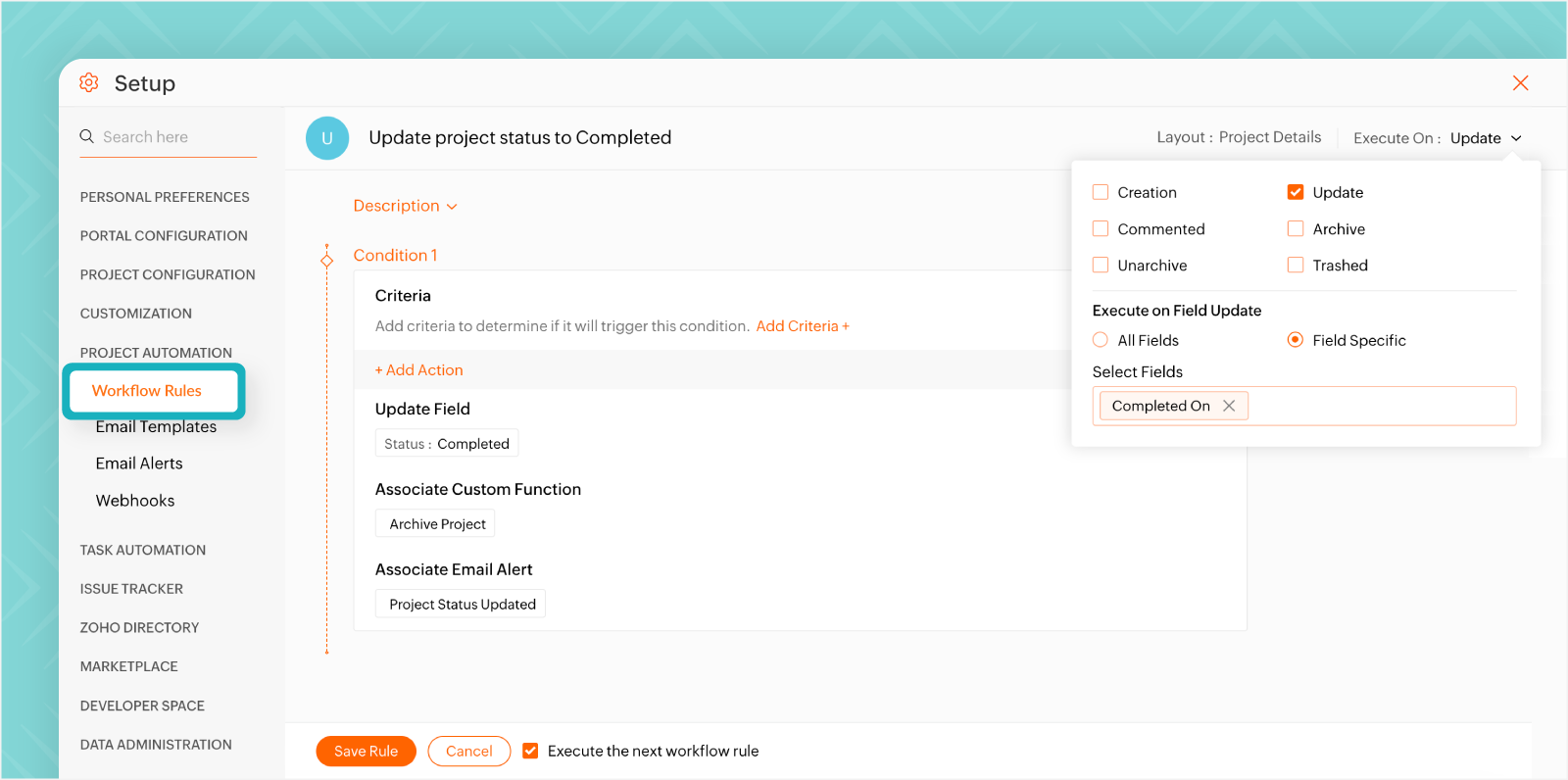
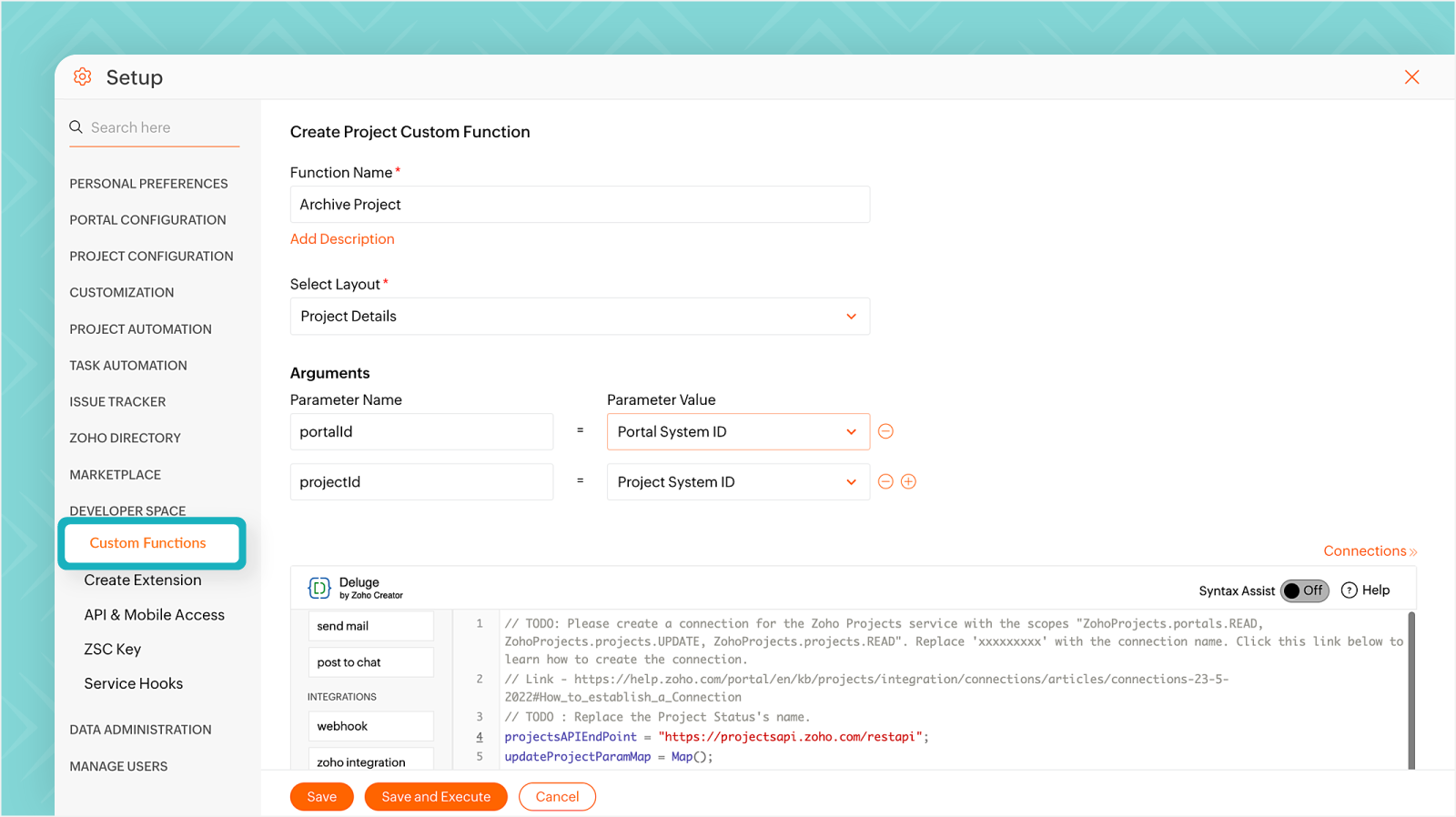
To automatically archive a completed project, you can create a Custom Function by connecting Zoho Projects as a Service using Connections, naming the Connection Link as "archive project", and using a Deluge script with Arguments. Associate the function with the workflow to execute automatically when the status is updated to "Completed".
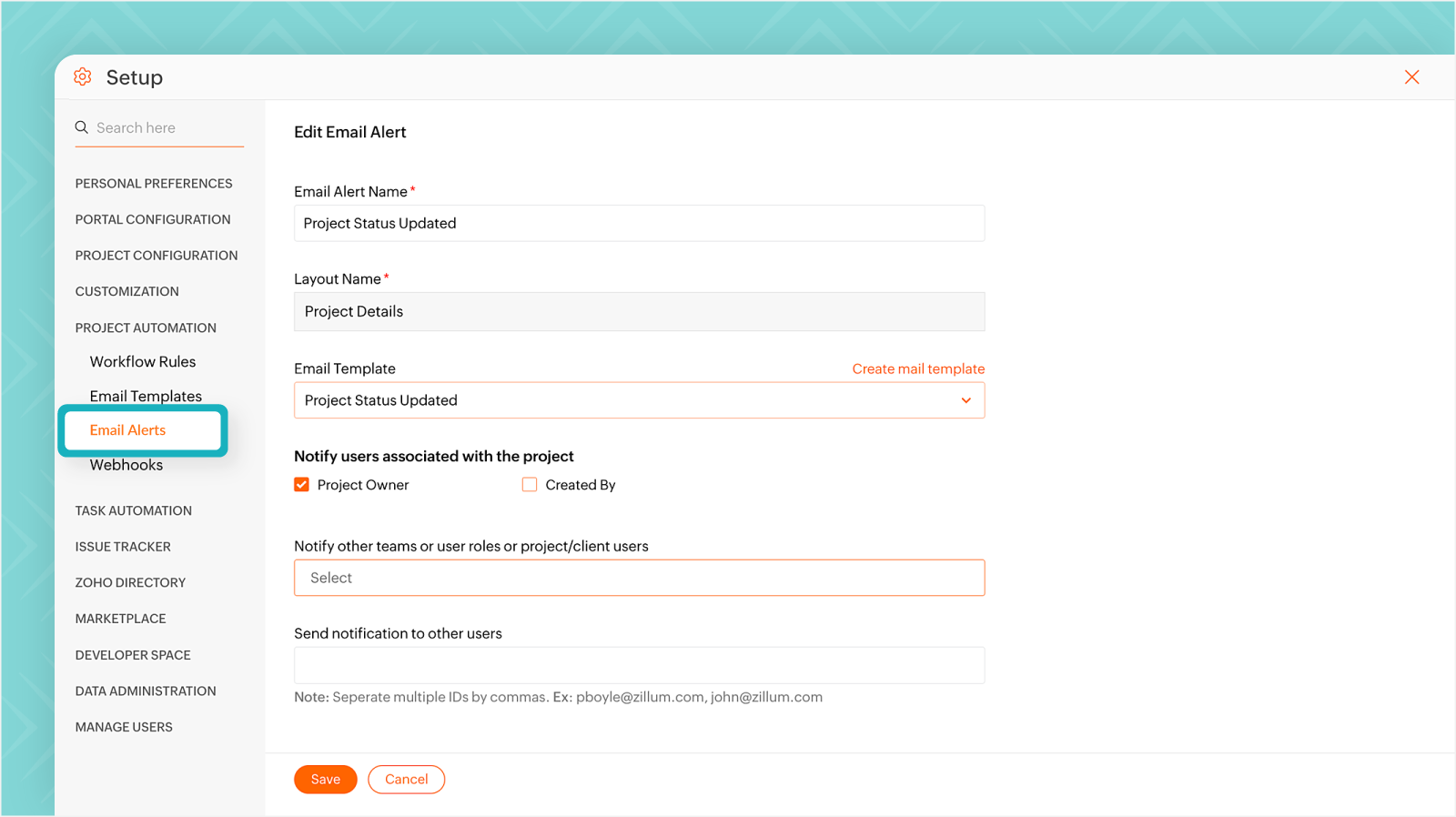
To keep the project owner informed about project status updates, you can create a custom Email Template with placeholders that automatically insert project information and save it.
You can set up an Email Alert by choosing the email template and selecting the project owner or the relevant stakeholders as the user to notify.
Sample Code:
projectsAPIEndPoint = "https://projectsapi.zoho.com/restapi";
updateProjectParamMap = Map();
updateProjectParamMap.put("status","archived");
projectDetail = invokeurl
[
url :projectsAPIEndPoint + "/portal/" + portalId + "/projects/" + projectId + "/"
type :POST
parameters:updateProjectParamMap
connection:"archiveproject"
];
info projectDetail;
info "-------------------------------------";
return "success";
Click here
to learn more about creating and managing Workflow Rules for Project Automation.
We hope you found this post to be helpful. If you have any questions, please leave them in the comments section below or email us at
support@zohoprojects.com.