Send emails directly via Cases module
Greetings all,
The ability to send emails from the Cases module, which users have been eagerly anticipating, is now available, just like in the other modules.
In Zoho CRM, Cases is a module specifically designed for managing support tickets. If your organization has a help desk or a similar tool, a user can resolve the tickets directly from the Cases module.
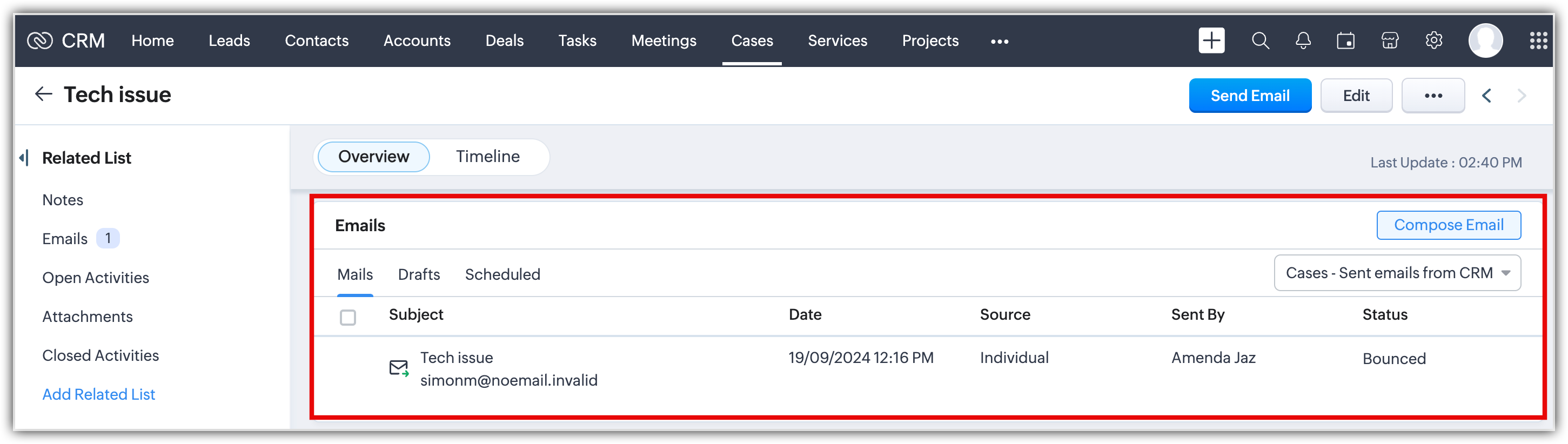
Previously, users had to go to the Contacts module to send an email regarding a case. Moreover, when viewing data from a contact record, all emails associated with the contact would appear, making it challenging to find emails related to a specific case.
In this enhancement, users can choose to view all case-specific emails sent to the associated contact from the Cases module, giving additional context. Users will now be able to send individual and mass emails from the Cases module directly to the related contact, too.
Let's look at the enhancement in detail:

Send emails from the Cases module
When users access a case record, they will see the Send Email button, which when clicked, lets them compose an email.
By default, a Case record will look for the related contact's primary email address and automatically enter it into the recipient address field. Additionally, Quick Suggestions will list the contact's secondary and custom email addresses for users to choose.

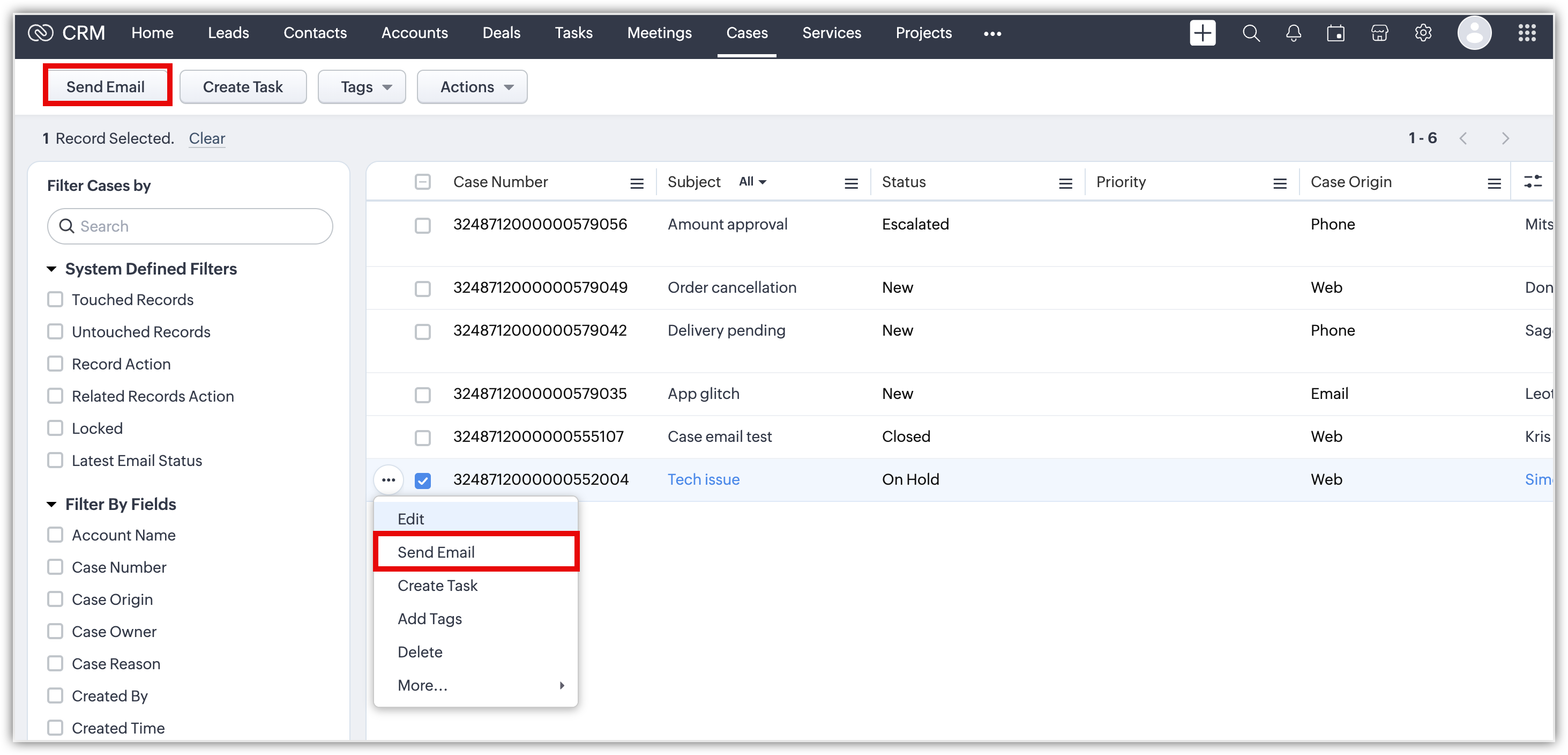
Users can also send an email from the List View by selecting a case record.
Email Related List
The Related Lists sections will now include the Email Related List, where users can find all email conversations related to a specific case. These emails can be viewed using two filters:
- Cases - Sent emails from CRM: All emails sent from within a case record using the Send Email button will automatically sync to the record's email-related list. Similarly, emails sent to these records through other Zoho CRM features like mass emails or workflows will also sync to the email-related list. This functionality will align with what is currently available in other Zoho CRM modules, such as Leads and Contacts.
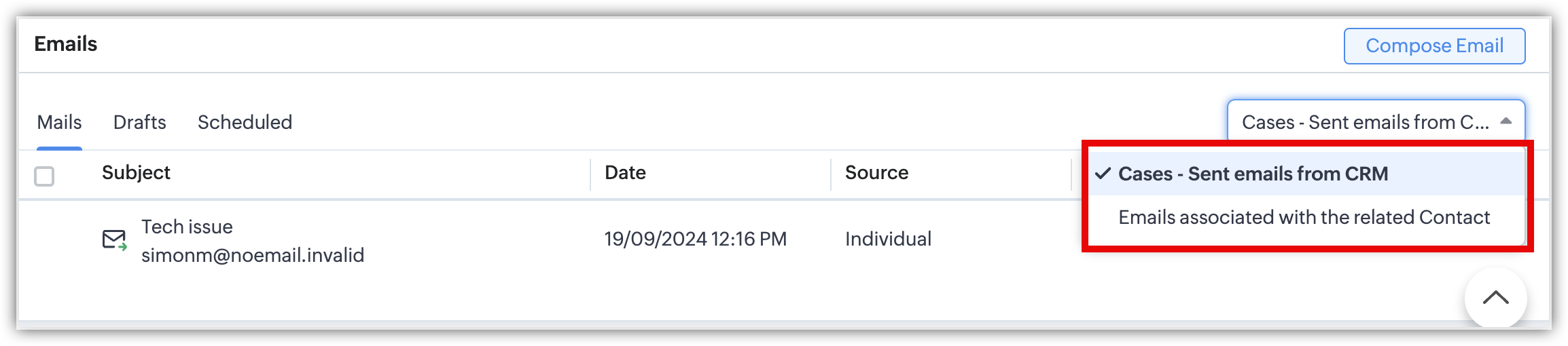
- Emails associated with the contact:
All emails that are linked with the contact, irrespective of their association with Cases, will be listed. This filter displays the same list as the Email section in the Related List of the Contacts module.

Mass Email
If a user wants to send bulk email responses to tickets of the same query, they can now send mass emails in the Cases module by choosing one of the templates created for the module.

Smart Filter
A new filter called Latest Email Status for the Cases module has been introduced where users can filter cases based on the most recent status of emails sent or received within a specific time frame.

Email Reports
In the Reports module, if a user wants to check the Email Reports, the emails associated with the Cases module will also be listed in all of them.


Upcoming enhancements:
These are the upcoming enhancements under the email-related list for the Cases module.
- Syncing the email responses of a case regarding which emails were sent from the Cases module will be possible.
- Syncing emails sent from the Contacts module or a synced email in the contact's related list to a case will be possible. This will lead to the email appearing within the associated case.

Editions: All editions
DC: All DCs
Release plan: This enhancement is released to all editions of all DCs
To learn more about the CRM email tools, please refer to Guide to Email Tools in Zoho CRM.
Feel free to share your queries and suggestions as comments.
Regards,
Fiona