Zoho Desk - Nouveautés 2023

Bonjour à tous,
Comme vous le savez, Zoho cherche en permanence à vous proposer des logiciels complets et au plus proche de vos attentes. C'est pourquoi toute l'équipe Zoho Desk est fière de vous présenter la nouvelle version de votre logiciel de service client, pleine d'améliorations et de nouveautés pour vous permettre de proposer le meilleur suivi client possible ! Découvrez ci dessous la liste de nos nouveautés :
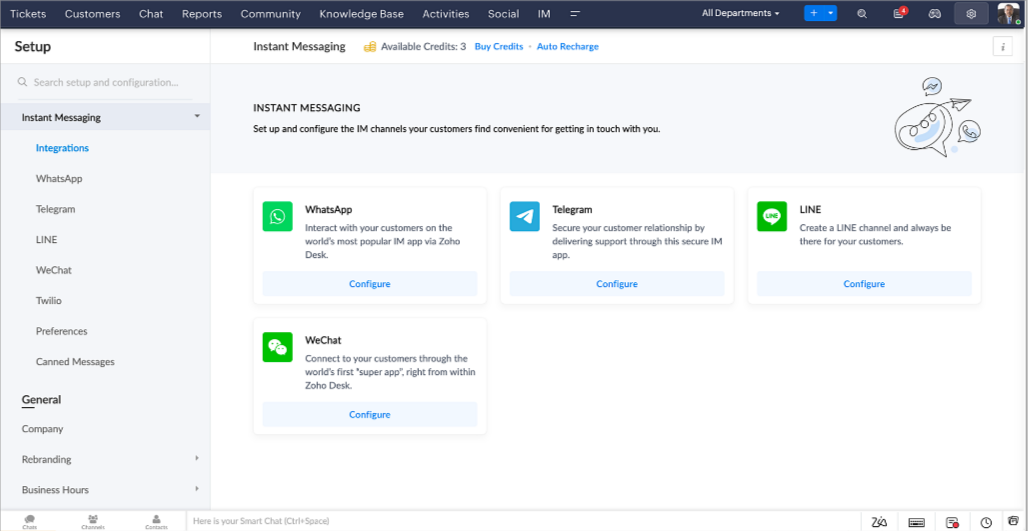
Messagerie instantanée
La plateforme de messagerie instantanée de Zoho Desk permet aux clients de joindre votre entreprise via WhatsApp, Telegram, LINE et WeChat.
Zoho Desk vous avertit des chats entrants en temps réel afin que vous puissiez vous connecter avec les clients à partir de l'interface. Dans ce même temps, vous pouvez :
- Suivre le contact du client, les informations du ticket, l'historique des conversations inter-canaux et les détails de la pièce jointe dans la fenêtre de chat du client pour un contexte immédiat.
- Accéder et joindre des articles de la base de connaissances directement depuis la section de saisie, utiliser des réponses prédéfinies et ajouter des émojis.
- Participez à plusieurs chats simultanément sur plusieurs canaux sans changer d'onglet.
- Attribuez des conversations à vos coéquipiers.
- Convertissez les conversations en tickets pour un suivi simplifié
Et pour les fans d'automatisation, pas de panique ! Les flux de travail, les Blueprints, les règles d'affectation et les accords sur le niveau de service, sont aussi applicables pour les tickets créés à partir de la messagerie instantanée. Il est également possible de définir des réponses automatiques lorsque vous êtes absent.
Vous pouvez faire en sorte que les clients puissent vous contacter facilement en installant des QR codes dans vos magasins ou en intégrant notre bouton "Contactez-nous", sur votre site web. Ils peuvent même vous joindre par le biais d'une recherche directe d'entreprise sur une plateforme de messagerie instantanée comme Telegram.
Conversations guidées et mixtes
Comme vous le savez, la plupart des questions n'ont pas de réponses simples. Elles nécessitent souvent un suivi, et beaucoup de contexte, avant de trouver une solution. C'est là que les conversations guidées interviennent : une plateforme de libre-service proactive, en low code, qui simplifie la résolution des questions complexes de vos clients.
Choisissez parmi une série de questions ou de réponses prédéfinies pour créer un flux et guider les clients, et à tout moment, vous pouvez les diriger vers une interaction humaine. Cette mixité entre les bots et agents du service client permet une grande flexibilité et augmente le nombre de tickets résolus.
Voici comment nous avons utilisé les conversations guidées pour Zoholics (notre conférence annuelle d'utilisateurs) :
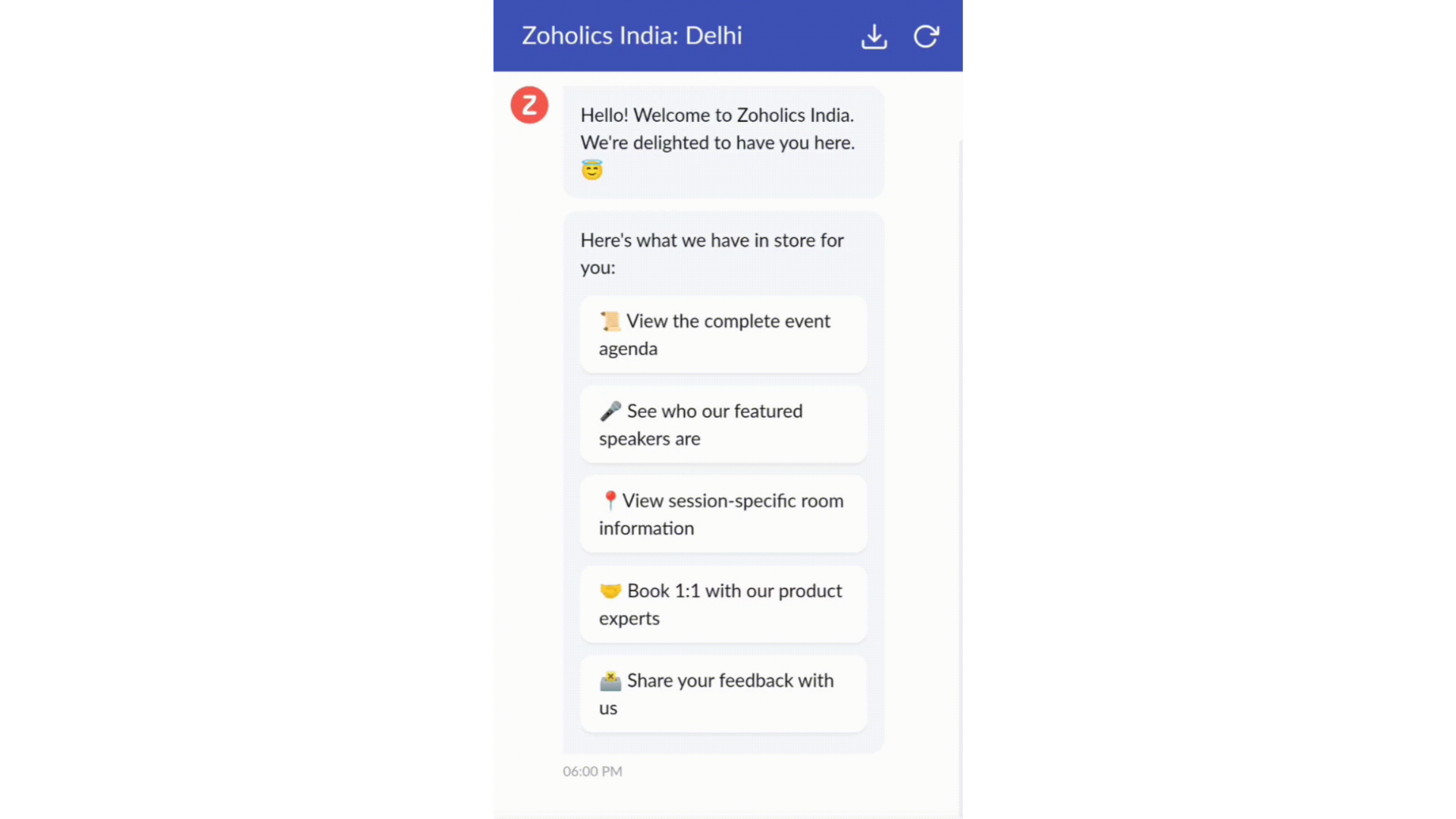
- Constructeur par glisser-déposer
Construisez votre flux de conversations guidées à l'aide de blocs de réponse, tels que du texte, des images, une devise, une date et une heure ... Pour construire ce flux, il suffit de glisser-déposer des blocs, d'ajouter des variables ou des espaces dynamiques, et de connecter ces blocs pour créer un chemin d'étapes.
- Des Webhooks pour une intégration transparente
En configurant les blocs de Webhooks, vous pouvez construire votre flux de conversation pour interagir avec les processus de Zoho Desk, mais aussi d'autres services Zoho ou des applications tierces. Par exemple, si l'utilisateur est déjà votre contact, le bloc Webhook récupérera ses informations directement dans votre CRM, plutôt que de lui demander de les fournir à chaque fois.
Vous pouvez enfin prévisualiser et mettre en œuvre votre flux final en l'associant à votre centre d'aide ASAP sur votre site web, vos pages de renvoi et vos applications mobiles.
Une expérience améliorée
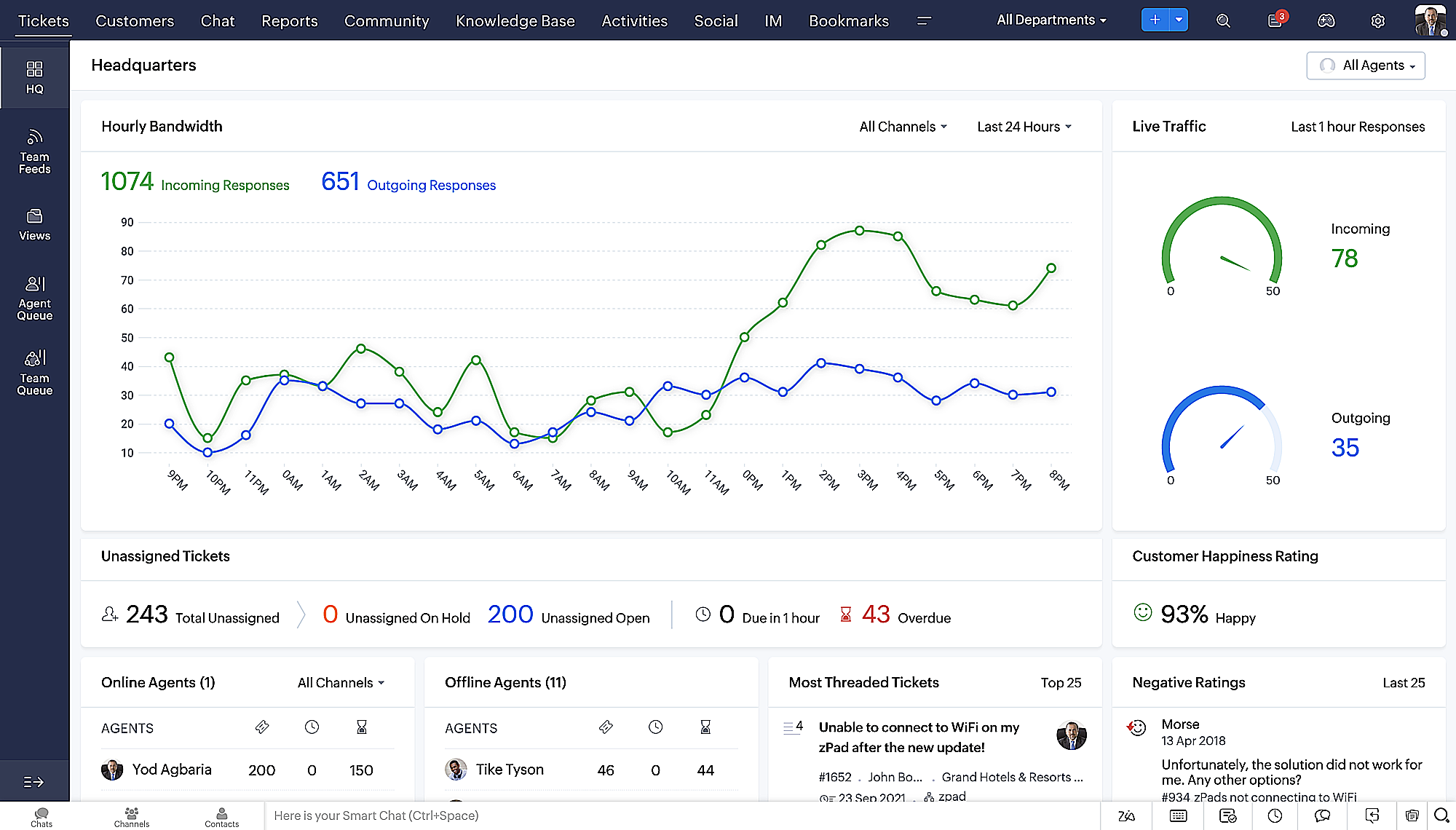
On ne saurait trop insister sur l'importance pour les équipes de support client d'avoir un accès rapide aux informations clients. Nous avons donc optimisé notre interface utilisateur et facilité la navigation entre les différents écrans pour faciliter cette recherche. Nous avons également revu certaines mises en page pour vous donner une image globale de vos clients et de vos tickets sur une interface unique.
- Une vue d'ensemble, avec une disposition des données plus poussée et une apparence générale remaniée
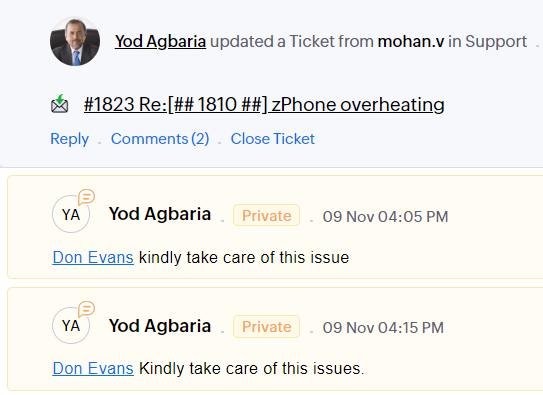
- Vue détaillée des tickets avec des fils de discussion par code couleur pour une navigation plus facile entre les conversations et les commentaires

- Vue détaillée des contacts avec boutons d'ajout rapide, section des tickets en attente et aperçu des tickets

- Vue de la file d'attente des tickets avec des options de menu déroulant, pour donner des mises à jour sans ouvrir la vue détaillée des tickets
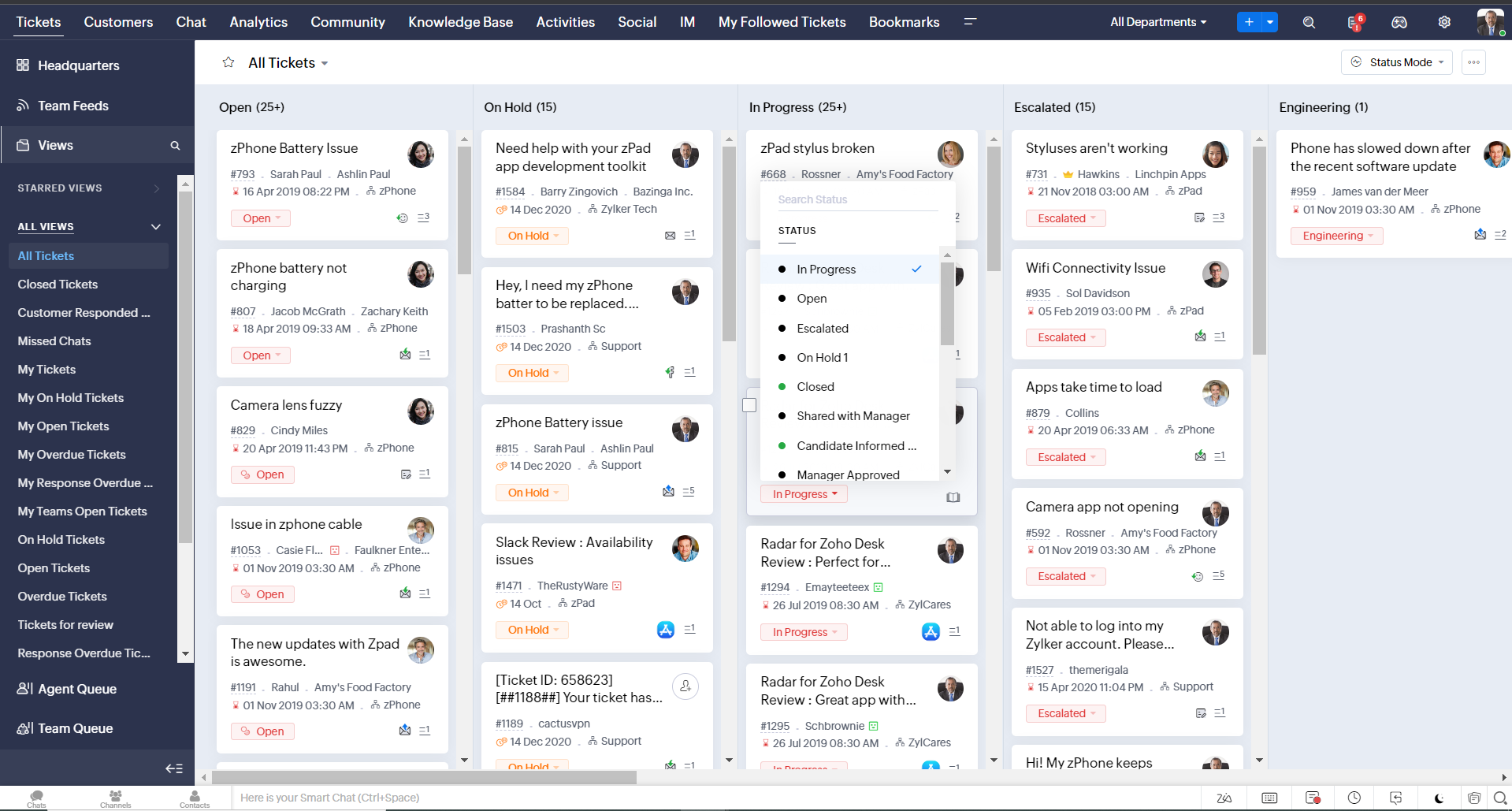
- Une nouvelle option "marquer comme lu/non lu" dans la vue de la liste des tickets, et une liste déroulante consolidée des modes de travail dans le module des tickets
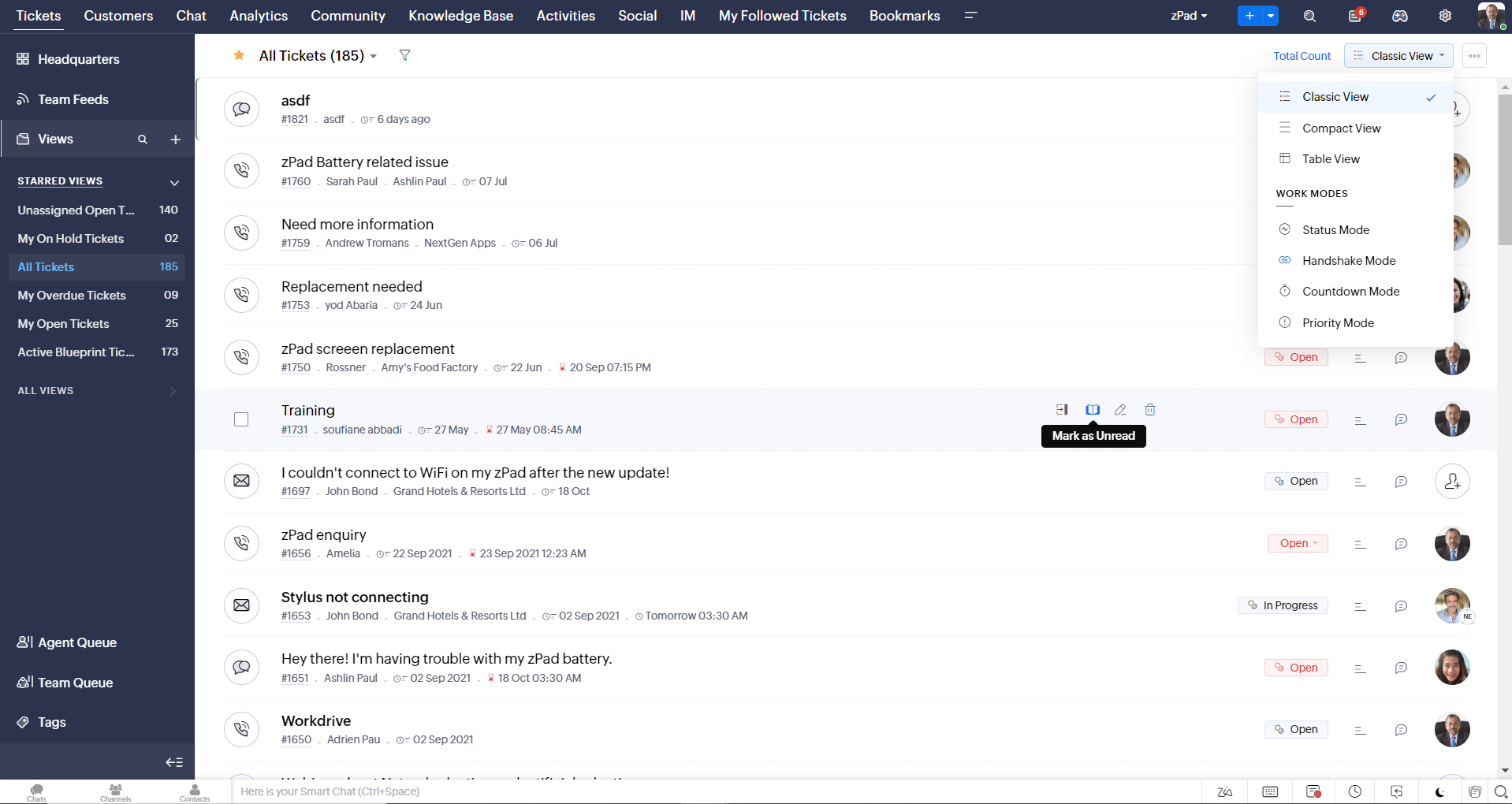
- Défilement infini pour un repérage plus rapide des tickets et ne pas se perdre entre des dizaines de pages
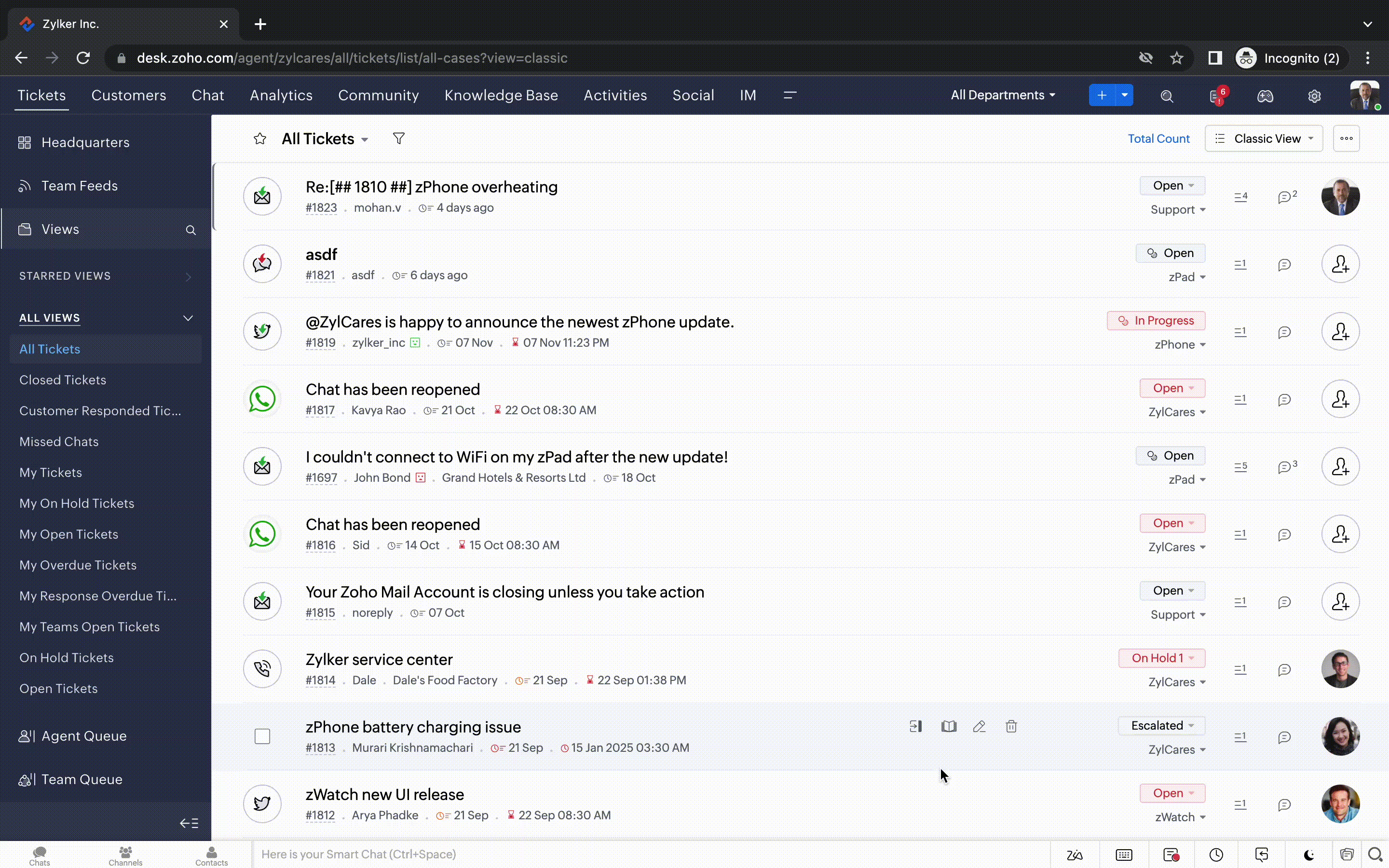
Nouvelles options de personnalisation pour les utilisateurs :
- Mode sombre pour une expérience de visualisation et de lecture confortable
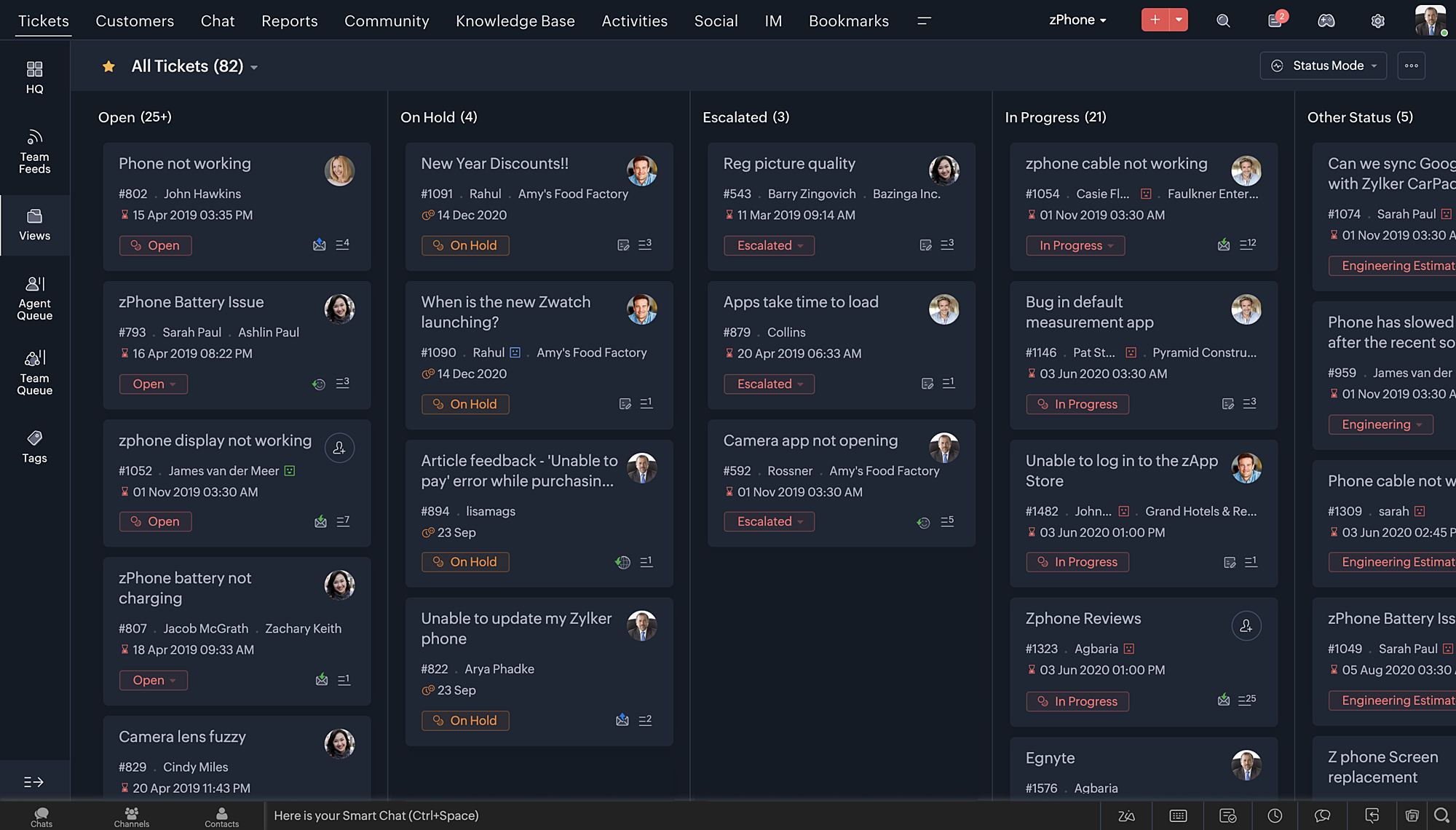
- De nouveaux thèmes pour visualiser votre bureau dans votre couleur préférée
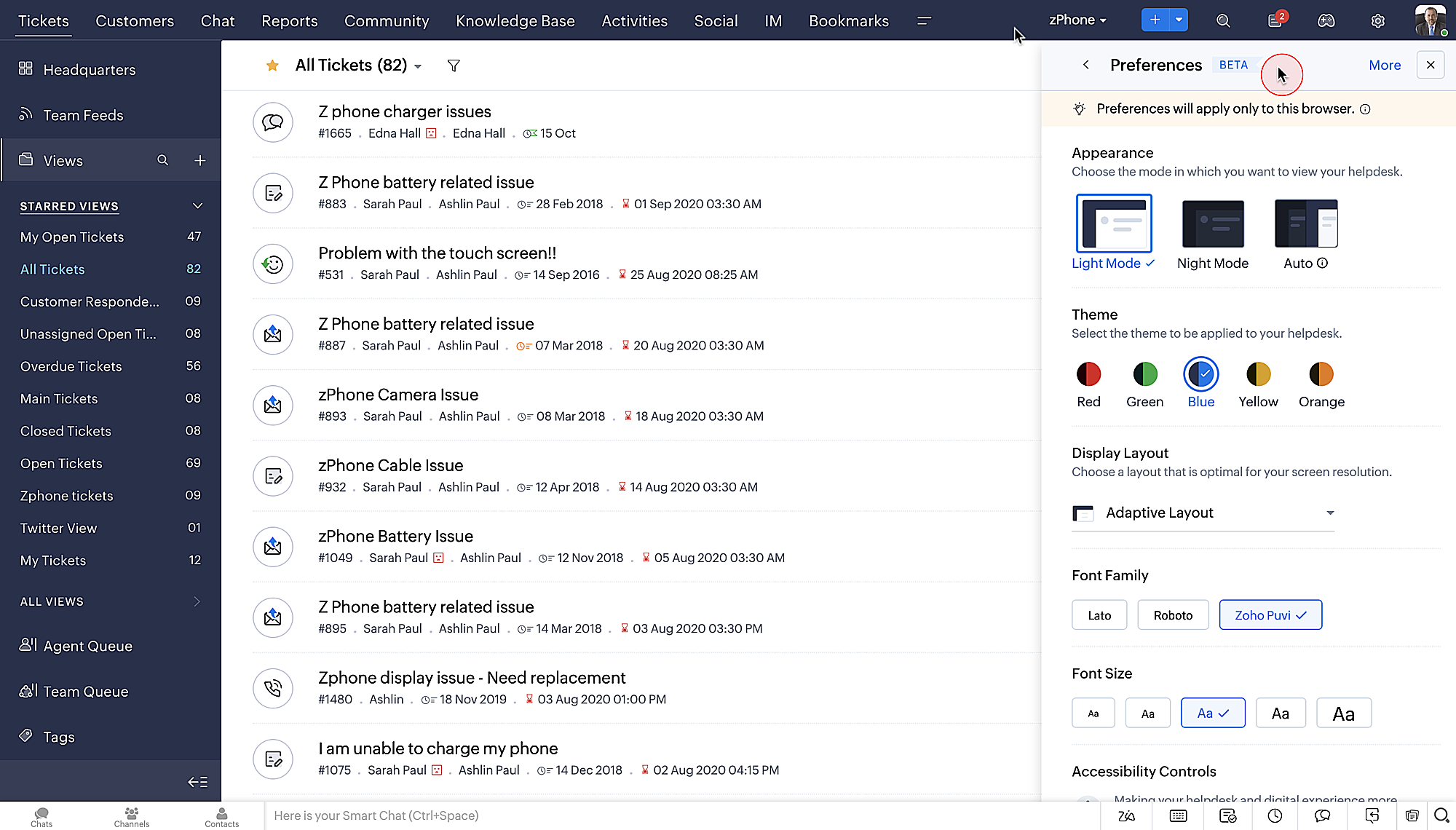
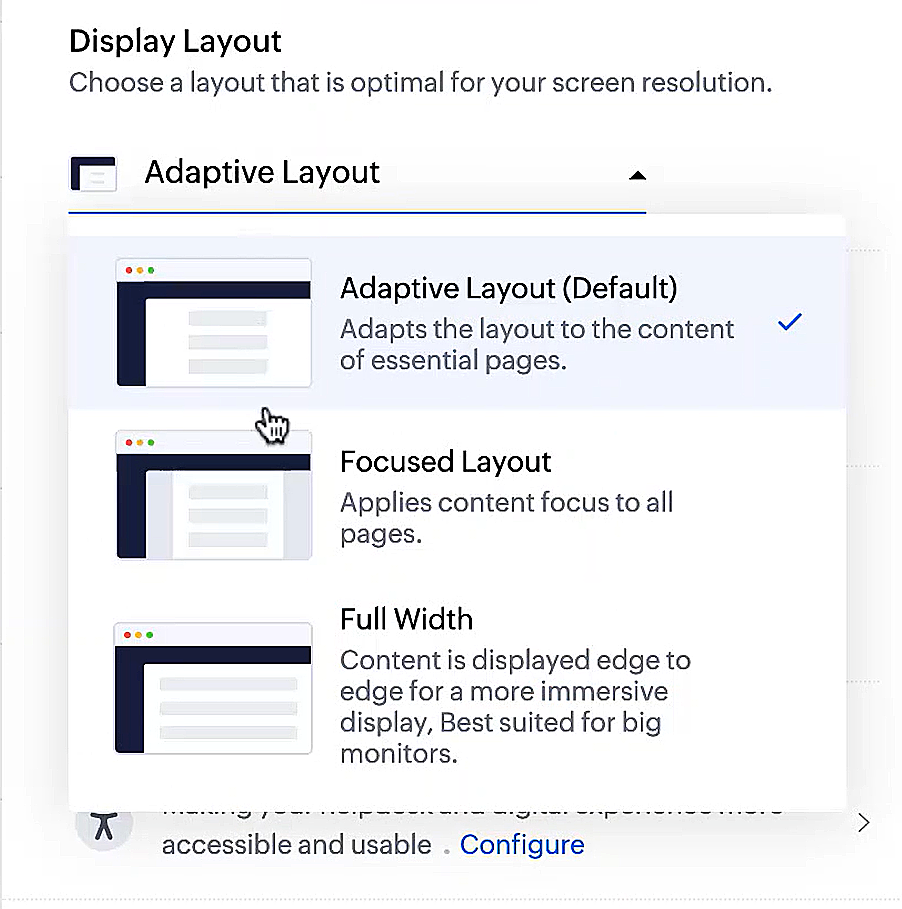
- Des mises en page d'affichage qui vous permettent de choisir la façon dont votre contenu vous est présenté.
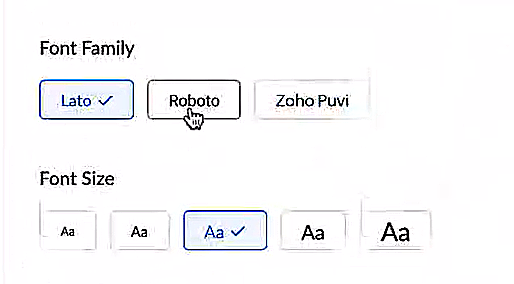
- De nouveaux types et tailles de police pour que votre texte corresponde exactement à vos préférences.
Une plus grande accessibilité
Nous avons ajouté plusieurs options pour répondre à vos besoins en matière de vision, de motricité et d'apprentissage pour proposer un outil adapté à tous. Mettre en évidence les informations essentielles comme l'ID et/ou le propriétaire du ticket et les détails de contact dans une couleur différente.
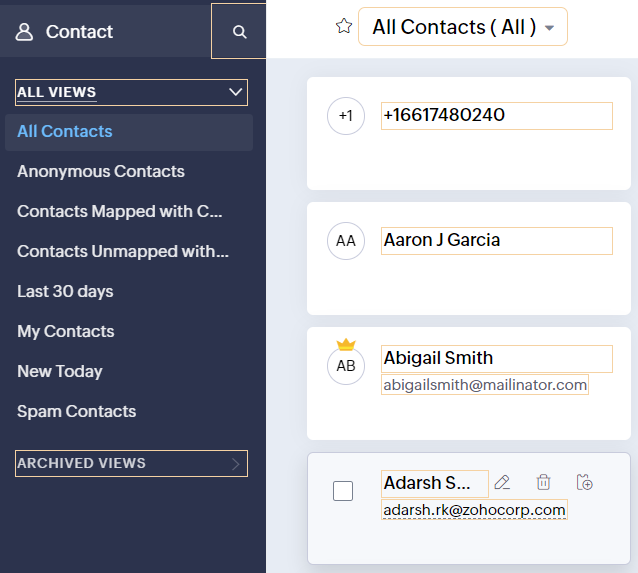
- Souligner les liens pour augmenter la visibilité de ceux qui sont cliquables.
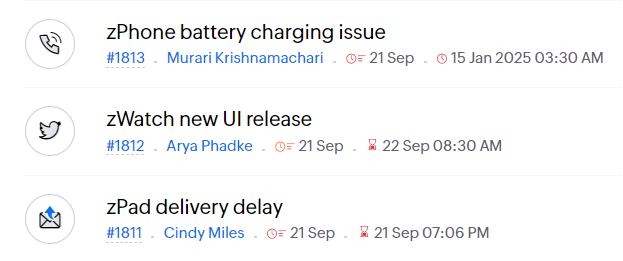
- Souligner la zone d'intérêt et le lien pour les mettre en avant
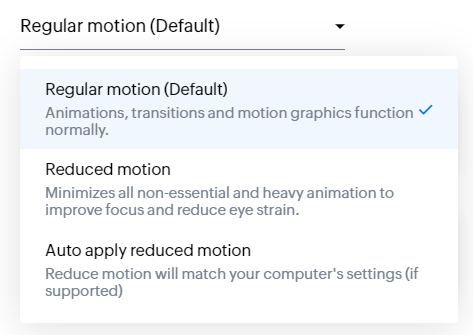
- Les "contrôles d'animation" optimisent les animations et les transitions dans l'ensemble de votre service d'assistance
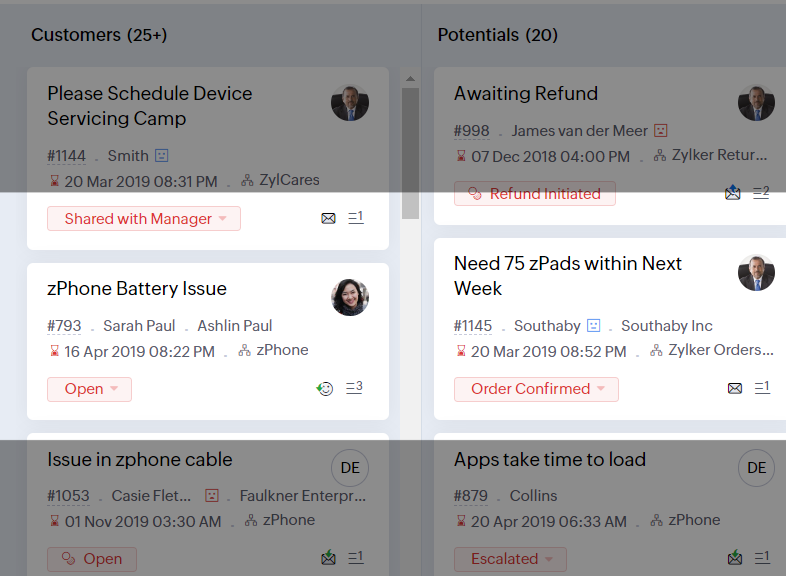
- Reading Mask élimine les distractions en masquant le texte que vous n'êtes pas en train de lire
- Il est également possible de zoomer sur un contenu et d'ajuster la taille de la police pour que la page soit facile à lire
Avec toutes les nouvelles fonctionnalités de l'édition Zoho Desk 2023, les entreprises ont maintenant plus de pouvoir pour rendre à la fois leurs agents et clients plus heureux.
Nous aimerions savoir ce que vous pensez de ces nouvelles fonctionnalités ! Partagez vos réactions dans nos commentaires ou sur les réseaux sociaux. Nouveau sur Zoho Desk ? Vous pouvez vous inscrire à l'essai gratuit ici.
Topic Participants
Florence Barbier
Didier Pare
Kinjal Lodaya
Sticky Posts
Desk - Astuce #5 : Déplacer les tickets entre les départements
Bonjour à tous, Il n'est pas rare que vos clients créent des tickets dans un département qui n'a pas l'expertise requise pour les traiter. Vous devez transférer ces tickets vers le département concerné, afin qu'ils ne passent pas à travers les maillesZoho Desk - Nouveautés 2023
Bonjour à tous, Comme vous le savez, Zoho cherche en permanence à vous proposer des logiciels complets et au plus proche de vos attentes. C'est pourquoi toute l'équipe Zoho Desk est fière de vous présenter la nouvelle version de votre logiciel de serviceDesk : Le cycle de vie d'un ticket - Introduction
Voici une nouvelle série en 3 chapitres, dans laquelle nous allons vous dévoiler comment Zoho gère l'intégralité de son service client sur Zoho Desk. Zoho compte plus de 60 millions d'utilisateurs à travers le monde et offre plus de 50 différentes solutions.Zoho Desk - Chapitre 1 : Anticipez vos besoins
Bonjour à tous, Continuons notre série de la rentrée et découvrons comment Zoho gère 60 millions de clients grâce à Zoho Desk. Contrairement à ce que l'on peut penser le cycle de vie d'un ticket commence bien avant qu'il arrive dans notre logiciel client.Desk Astuce #6 : Ajouter plusieurs comptes réseaux sociaux
Bonjour à tous, Découvrons dans cet article comment vous pouvez ajouter plusieurs pages d'un meme réseau social dans Zoho Desk. Pour cela suivez les étapes suivantes : Connectez-vous à Zoho Desk avec les privilèges d'administrateur. Cliquez sur les paramètres
Recent Topics
Zoho Desk - Delete an email conversation
When using Zoho support desk I see an option to delete and edit conversations that are comments, BUT if the conversation was automatically added as a conversation from an email, then the option to delete it seems not to be available. Is there a way toMessages do not open and I cannot reply to messages in Zohodesk
Hi, this is an unusual behaviour. I cannot reply to messages: Accessing a draft message - runs endlessly. Sending Emails fail:Join Zoho Meeting only via Web browser and not with Zoho Meeting App
Dear Zoho team, according to the documentation [1], Zoho Meeting only offers web view for Chrome and Firefox on a desktop. For other browsers and devices, participants can only join a Zoho Meaning with the Zoho Meeting App installed. This is a big hurdleLink item in purchase order to Customer
Is it possible to link each item in purchase order to a customer which would create an associated list, so I can easily find where, when and what my customer have order from us. Thanks!Passing the CRM
Hi, I am hoping someone can help. I have a zoho form that has a CRM lookup field. I was hoping to send this to my publicly to clients via a text message and the form then attaches the signed form back to the custom module. This work absolutely fine whenI want to test some payment subscription with a test credit card from stripe
I have a test customer and place https://stripe.com/docs/testing#international-cards test credit card number to the Add New Card in subscription.zoho customer page. After I added, the test card was declined. Am I missing something?Trigger a Workflow Function if an Attachment (Related List) has been added
Hello, I have a Case Module with a related list which is Attachment. I want to trigger a workflow if I added an attachment. I've seen some topics about this in zoho community that was posted few months ago and based on the answers, there is no triggerStrengthen your account security with Password Policy
Still using the same password for all your accounts? Or perhaps your password is easy to guess or follows a predictable pattern? If so, your account could be at risk. Once someone gets hold of a password that you reuse, they could potentially gain accessExpanding sales, marketing, and support capabilities in Zoho CRM Plus 3.0
Hey everyone, It's been more than 10 years since we launched Zoho CRM Plus back in 2014. This is quite a milestone, and we've come a long way in empowering you with everything you need to offer an exceptional customer experience. On that note, we expandedZoho CRM calendar merge with outlook
Hi Zoho team! I did the steps for syncing the zoho CRM calendar with outlook. Everything works well as long as the user creates meetings inside the newly created Zoho CRM calendar in outlook, but I need a way to also display the meetings which are receivedIntroducing PRM: Build, manage, and scale your partner ecosystem
Growing a partner ecosystem is a good problem to have. What starts as a handful of partners can quickly turn into a maze of spreadsheets, emails, and disconnected processes. More partners mean more opportunities, greater reach, and new ways to growDuplicate Record Creation
Hello Team, I would like to check whether there are any options available in Zoho FSM to prevent duplicate record creation in the following modules: Assets Companies Contacts Ideally, we would like the system to check for existing records before allowingLive connection to DS files in Zoho Creator / ChatGPT
As an idea, we are using ChatGPT to build with Zoho Creator (outside of Zia), which is works brilliantly to assist write deluge, provide test suggesitons etc. Currently we are uploading the DS files which are very point in time, it would be great to haveZoho Forms - Feature Request - Embed iFrame or Dynaic URLs in Description fields
Hi Zoho Forms team, I'm working with a client who uses Zoho Forms internally to collect information over the phone from potential work placement candidates. At the end of the form, the candidate needs to be booked in for an induction, which we've configuredNew in Office Integrator: Add text, diagrams, and drawings to your spreadsheet
Hi users, We are pleased to introduce the Shapes feature in Zoho Office Integrator's spreadsheet editor. It lets users create visual elements; including simple shapes, text boxes, freehand drawings, and structured diagrams; directly within the spreadsheet.Highlight what matters, erase what doesn’t in PDFs
When reviewing PDFs or preparing them for sharing, two things often come up: you want to draw attention to what’s important, and you want to hide what isn’t. Zoho PDF Editor gives you both capabilities in one place with its highlight and erase tools.WorkDrive Desktop Sync Is Being Deprecated: Move to WorkDrive TrueSync for a Smarter Experience
Hi everyone, We are excited to share a better, smarter way to access and manage your files directly from your computer! We’re transitioning from our legacy Desktop Sync app to WorkDrive TrueSync, designed to give you faster performance,greater flexibility,Zoho Desk API returning 403 SCOPE_MISMATCH for Ticket Search API
Hello Zoho Support Team, We are experiencing an authorization issue with the Zoho Desk Ticket Search API. Our integration was working correctly yesterday, but we are now receiving the following error when calling the Search Tickets endpoint: API: GETSet connection link name from variable in invokeurl
Hi, guys. How to set in parameter "connection" a variable, instead of a string. connectionLinkName = manager.get('connectionLinkName').toString(); response = invokeurl [ url :"https://www.googleapis.com/calendar/v3/freeBusy" type :POST parameters:requestParams.toString()Introducing the Zoho Campaigns MCP server
Hello everyone, We are pleased to announce that Zoho Campaigns is now available in Zoho MCP. You can now connect your Zoho Campaigns organization to AI tools such as Claude, ChatGPT, GitHub Copilot in VS Code, and Cursor, and manage your email marketingSubForm Custom Sort - Deluge Workflows
I have been experimenting with the Custom Order function of Subforms, it works beautifully within the subform itself and retains the sorting order. However, I need to be able to iterate through the records in Deluge using the sort order (The usage caseHow to embed Google Analytics GA4 tracking on a standalone Public Page (outside Customer Portal)?
Hi, Is there an official or recommended way to embed Google Analytics (GA4) tracking directly onto a standalone public Zoho Creator Page (outside of a Customer Portal)? I’m considering using an invisible Custom JS Widget as a workaround, but I’d loveBank feeds automation is broken - requires manual intervention and authentication
Yodlee supports Australian Open Banking CDR protocols natively, but Zoho Books' implementation is still triggering legacy screen-scraping MFA blocks on CBA and other business banking accounts. When will Zoho update its Australian bank feed pipeline toCannot Access Subform Display Order in Deluge
As highlighted in this community post, we still have to deal with the significant limitation of not being able to access the user-sorted order of subform rows through Deluge. This creates a major disconnect between the UI capabilities and backend automation,Process FOR loop for subform items in the order of the manual sorting
Hi Guys, I have searched everywhere and tried everything, but I still not able to resolve one particular challenge. I have a subform in my Invoice with rows for each item. I made it so that we can change the order of the items manually. I need to be ableAugmenting subform capabilities
Greetings, everyone! Finally, the day has come for us to announce some of the most anticipated, requested, and exciting updates to subforms in Zoho Creator. As you're aware, subforms are an integral part of Creator forms, as they help in establishingBuild appointment scheduling into your vibe-coded apps with Zoho Bookings
Exploring vibe coding? Wondering how an app built with AI can handle appointment scheduling? Join our upcoming live webinar to discover how Zoho Bookings APIs can help connect applications to scheduling capabilities. Here's what we'll explore: • ShowIs there a way to make Reason For Loss field mandatory at Closed Lost stage?
Hi guys, Reason For Loss system picklist appears on Verify Details page but it is not mandatory so as a result, AEs tend to omit it (leave at default value -None-). Is there a way to make it mandatory at Closed Lost? I tried layout rule but this fieldCannot reorder fields in Page Layout in Expenses and Purchase Requests
It is very inconvenient that the custom fields in Page Layout cannot be re-ordered. The only way is to remove the fields and re-create them; however, it is impractical. This would affect the reports and dashboards we are having. Not able to re-order theRequest for Zoho Desk Version and Module Details
Kindly help us confirm the version of Zoho Desk currently being used in our portal, along with the module/edition name. We require this information urgently for our internal documentation.How to customize the displayed name of contacts in Trident?
Hello, For work purposes, I sort different customers into different folders, and I also change their display names in Contacts so I can easily recognize them later. However, Trident doesn’t seem to support this. Even after I edit a contact’s name in Contacts,User and mailbox reports in Zoho Mail: Review account status, storage, and login activity of users
Administrators often need answers to questions such as which users have never logged in, whose storage is almost full, or which mailboxes are accessed through POP or IMAP. The User and Mailbox reports in the Zoho Mail Admin Console provide these detailsZOHO CRM APP - SALESINBOX
Is it possible to access SALESINBOX in the CRM MOBILE APPUnbundle feature for composite items
We receive composite items from our vendors and sell them either individually or create other composite items out of them. So, there is a lot of bundling and unbundling involved with our composite items. Previously, this feature was supported in formTip #96 – See more of the remote screen with Virtual Monitor – 'Insider Insights'
Hello Zoho Assist Community! Say you're supporting a device that has no monitor attached, like a server in a closet or a kiosk PC. You connect, and the screen is tiny, blurry, or distorted. Text overlaps and windows end up in odd places. TroubleshootingUnderstanding transactional channels in Zoho CPaaS
Every interaction with a business creates an opportunity to communicate.Whether it's welcoming a new user, confirming a payment, sharing an order update, or verifying a login, timely communication keeps users informed and connected. But how do businessesAutoscan Settings
I saw that autoscan is now included in my plan which is great however when I import pdf invoices from my main supplier which contain inventory lines and some also include shipping charges the autoscan doesn't match any of the items and also misses theHow to resubscribe to email after using unsubscribe link in Zoho
I was testing the unsubscribe link feature from our contacts module in ZohoCRM and I sent my personal email a version of an email template with the default embedded unsubscribe link to see if it would utilize the "Email Opt Out" field to track un-subscription.WhatsApp Calling Integration via Zoho Desk
Dear Zoho Desk Team, I would like to request a feature that allows users to call WhatsApp numbers directly via Zoho Desk. This integration would enable sending and receiving calls to and from WhatsApp numbers over the internet, without the need for traditional[ZohoDesk] Improve Status View with a new editeble kanban view
A kanban view with more information about the ticket and the contact who created the ticket would be valueble. I would like to edit the fields with the ones i like to see at one glance. Like in CRM where you can edit the canvas view, i would like to editNext Page