A decade ago, we started Zoho Social with a simple vision: to make social media management easier, smarter, and more impactful for your business. What began as a small idea has grown to a powerful platform that helps businesses across the globe reach their audiences through the most popular social media networks.
Over the years, we've managed to adapt to changing trends and the ever-evolving social media spectrum according to various industries. From our very first customer to our now-thriving community filled with people, this journey wouldn't have been as easy and fun without you, our beloved users.
From then to now
- Launched in 2015 with a core focus on publishing and scheduling; broadened further into monitoring and social listening, measuring performance, AI-powered writing for social media, and collaborating with peers and customers
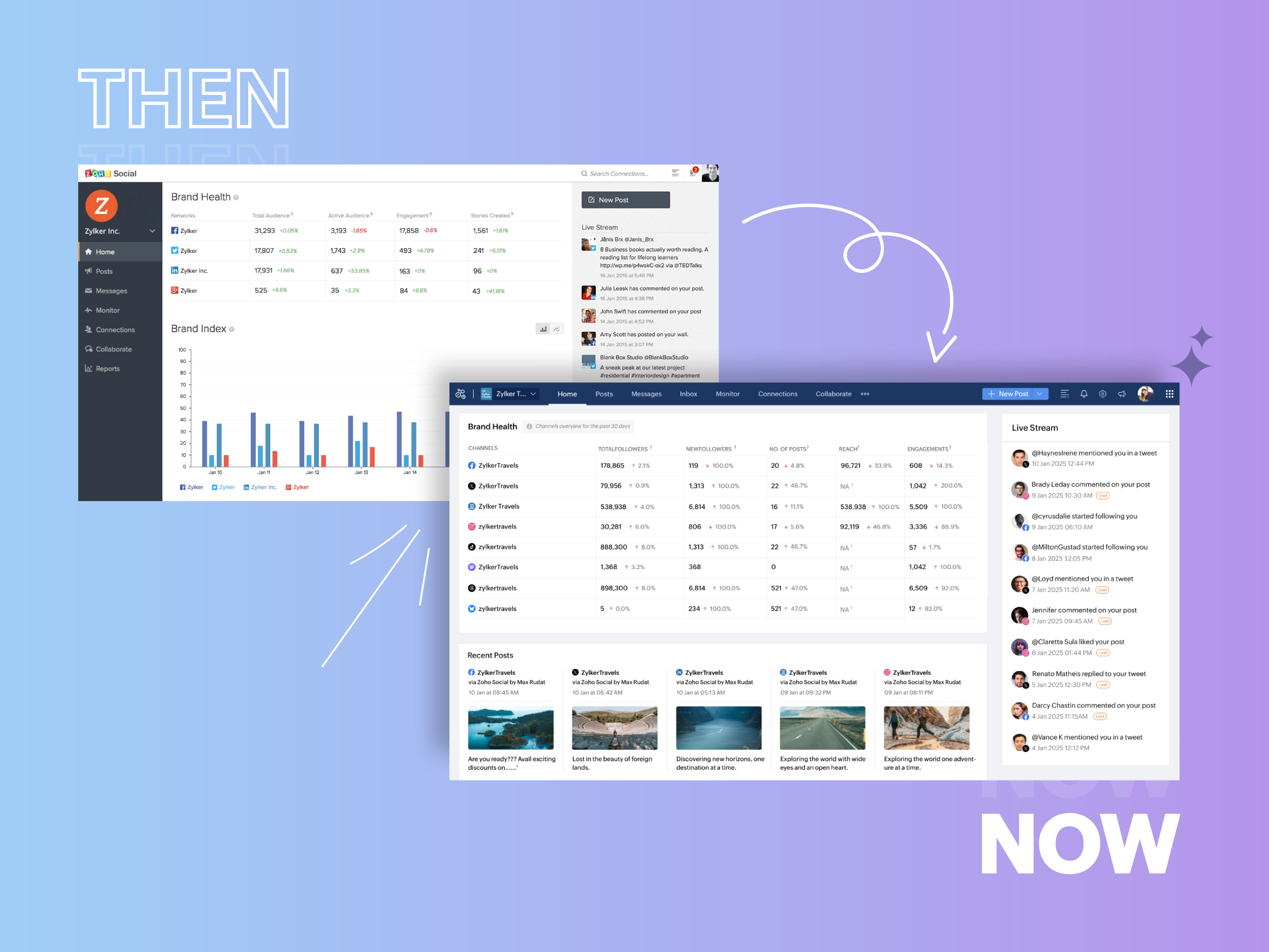
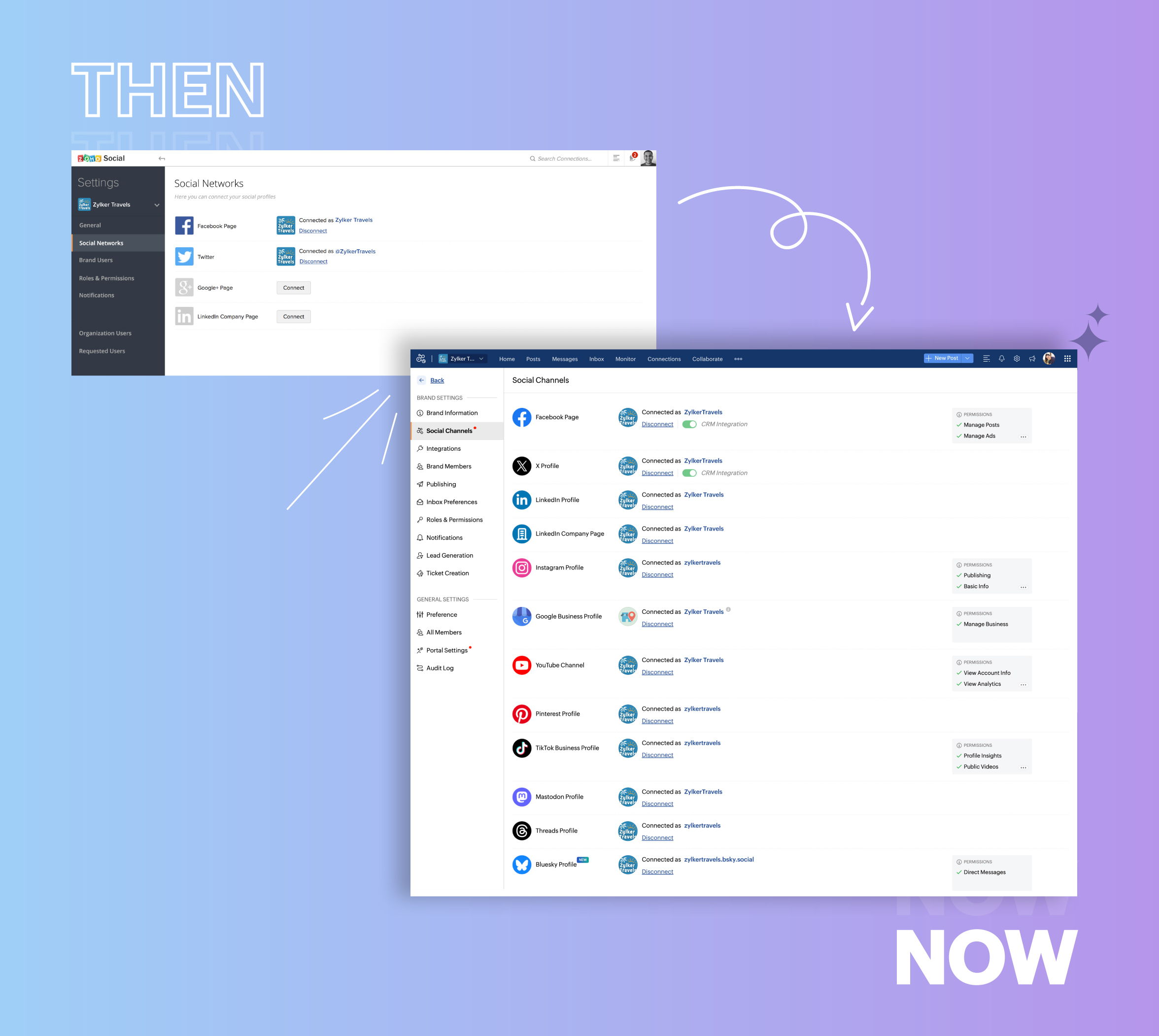
- Expanded from four to 14 social media channels
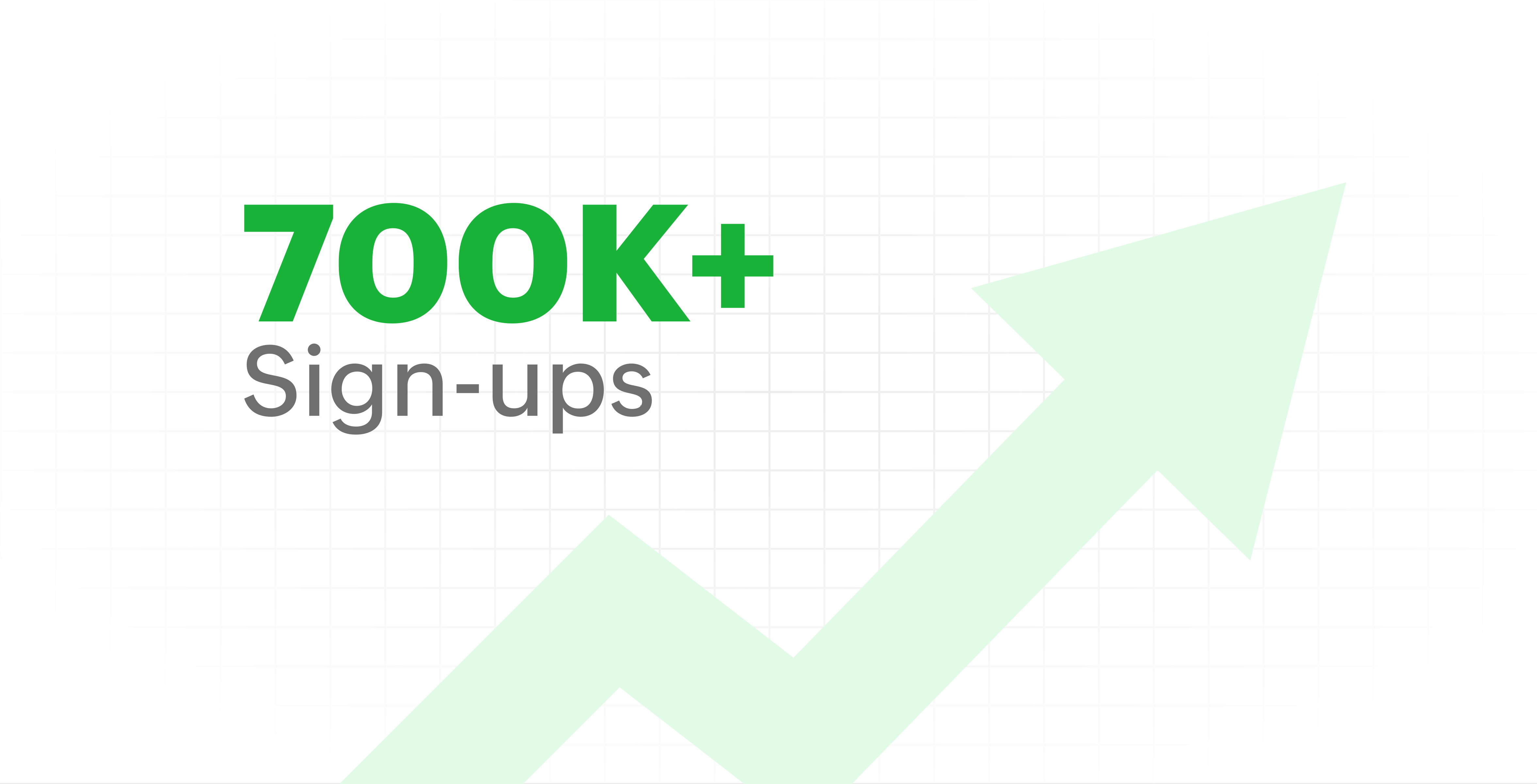
- Grew from our first sign-up to 700k+ sign-ups
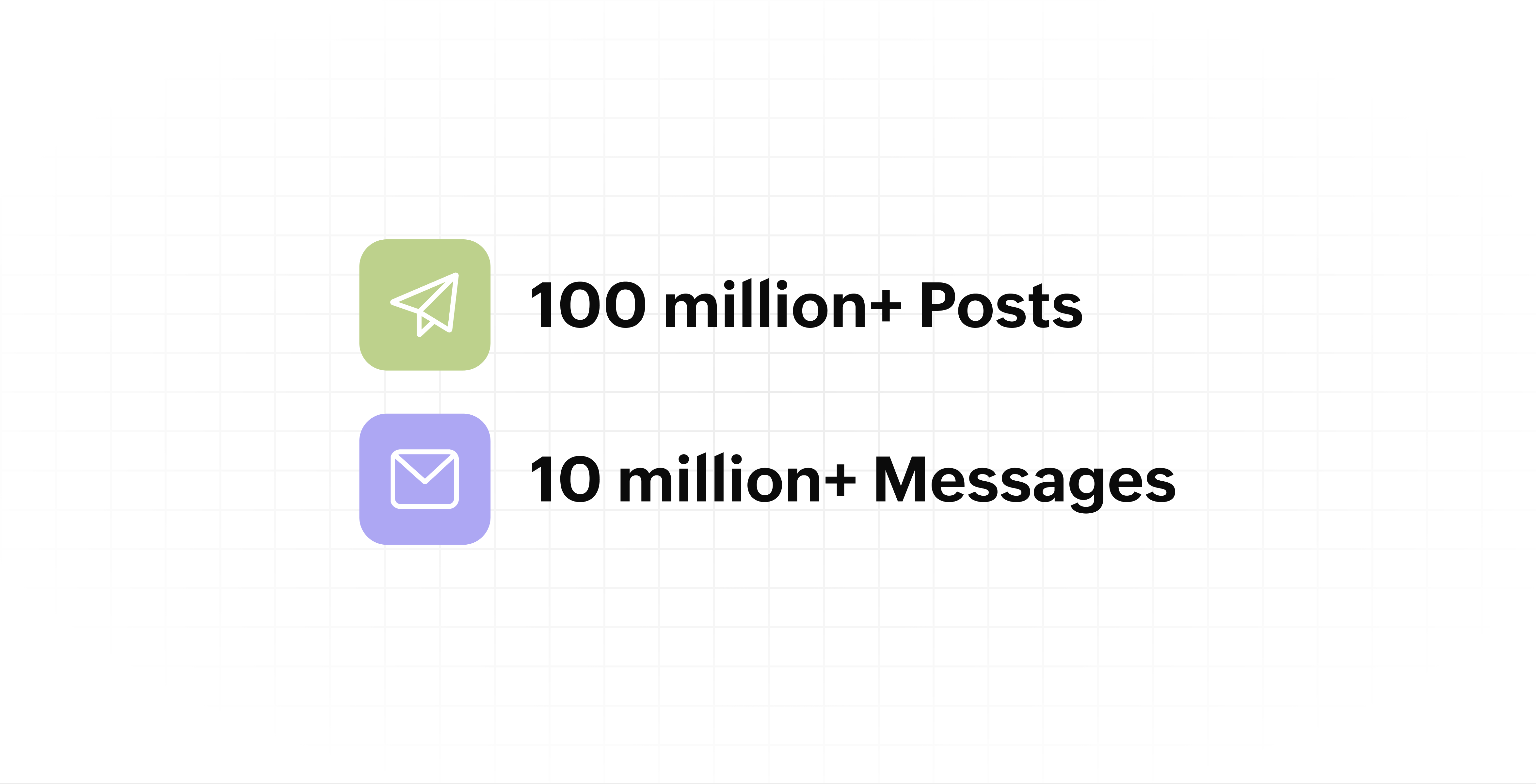
- Processed and published 100 million+ posts with more than 24k posts published or scheduled in a day and 10 million+ messages
- Evolved from a passionate team of eight who planted the seed to a dynamic family of 55, carrying our vision forward.

Our top 10 features from the past 10 years
2015: Launch of Zoho Social
Zoho Social was launched with publishing, scheduling, collaborating, and performance analysis features. Further, in the same year, more features like bulk scheduling were introduced to make it easier for businesses to handle their social media channels and engagement while they're away.
2016: Addition of Instagram and integration with Zoho CRM
Instagram, one of the most popular social media channels being used by businesses, was added to Zoho Social. Brands started leveraging this space to be a part of a visual storytelling experience and connect with their customers and prospects.
The first ever method to track the ROI from social media marketing efforts was introduced on Zoho Social through the Zoho CRM integration. The process of lead generation and measuring output became easier via automation and defining rules for lead forms and social media interactions.
2017: Zoho Social for agencies
Zoho Social for agencies – a new edition of the product – was introduced, catering to agencies handling the social media accounts of multiple clients. With Social, agencies could use bulk-scheduling, lead generation automation, and advanced analytics to handle their clients' data efficiently and deliver better results without the chaos.
2018: Zoho Social's integration with Zoho Desk and the introduction of Google Business Profile
Zoho Social's integration with Zoho Desk took customer service to a whole new level. Being able to convert social media mentions and queries from customers directly into tickets helped businesses bring their support and marketing teams together on one platform, while ensuring that not a single query was missed.
Google Business Profile was added to Zoho Social, helping businesses onboard their listings and stay competitive in their local market. Reviews and questions could be monitored and answered easily, providing more credibility and assurance to customers and prospects.
2019: Improved analytics dashboard
The entire Reports dashboard was re-imagined with advanced individual cards for specific networks. Customized dashboards could be built with a dynamic date range, and they could be shared and scheduled to be sent out regularly to members of the team or clients. These analytics gave businesses and agencies a holistic view of how their social media channels are performing, and gave them chances to improve wherever required.
2020: UI enhancements to make the tool look more engaging and user-friendly
As the world was battling to survive through some of the worst times we'd all faced, Zoho Social was being fine-tuned to help businesses easily go remote without any hassle. With the motive to brighten things up and make it easier to navigate, Social was made more colorful while drop-downs and re-arrange options were introduced to allow quick shuffling between brands and channels.
2021: Introduction of Canva and YouTube
Designing social media posts became a lot more interesting with the introduction of Canva. With its numerous templates, graphics and add-on elements, Canva on Zoho Social made it easier for businesses to design their images and share them instantly to their social channels.
With video content being consumed excessively by consumers, YouTube was added to Zoho Social for businesses to leverage the trend and make their channels more engaging. The analytics helped businesses understand how their videos were being received and improve their strategy to hold their customers' attention for a bit longer.
2022: Addition of Pinterest, TikTok, and Image editor
As social media consumers kept growing, so did the channels. Zoho Social kept up with the pace and introduced Pinterest and TikTok for businesses to widen their horizon and reach a vast audience with diverse content tailor-made for each social platform.
Image Editor was introduced to edit and make images enhanced and suitable for all the supported social channels.
2023: Zia's integration with OpenAI and introduction of Mastodon and Inbox
With AI-driven enhancements and technology taking the lead, Zoho Social introduced the OpenAI integration. With this, users could make use of Zia, the AI-powered writing assistant, to help generate content for their channels.
Mastodon started gaining popularity as the decentralized platform that would help businesses create and nurture a community, so Zoho Social swiftly added this to the list of channels to make the job easier.
Inbox, a single dashboard to manage and respond to all interactions across all social media channels, was introduced. Brands would never miss any single mention because of the assignment rules and priority levels that could be added to each interaction.
2024: Introduction of Threads, WhatsApp, and Telegram
Threads, WhatsApp, and Telegram business accounts were introduced on Zoho Social, taking the list of channels supported to the current number of 14. This made Zoho Social bigger, better, and a one-stop solution for businesses to take care of all their social media needs.
What's next?
The next decade is all about automation, better audience insights, and integrations that simplify your social media management. We’re working on exciting new features that will help you scale, engage, and grow your brand like never before.
We'd like to thank you immensely for being a part of our incredible journey and this community! Your support, feedback, and trust have helped shape Zoho Social into what it is today. We hope to have you with us in the journey ahead.
Thank you
Zoho Social
Recent Topics
New in Zoho CRM: Pre-fill Public Forms with CRM Data
Public forms just got more flexible! With the new Pre-fill Public Forms with CRM Data option in the Zoho Forms integration, people filling out your public forms can search for a CRM record, select the right one, and have the form automatically populate
HEIC File Type Viewer
Hi, It would be nice to be able to click on the images in the All Entries/Reports Tables which are HEIC the same as JPG, PNG, etc. so they open in a viewer from Zoho or the Attachment Service, today HEIC requires you to download each image and open it
Zoho Books | Product updates | October 2026
Hello users, October brings a range of new features and enhancements to Zoho Books, designed to simplify compliance, streamline accounting workflows, and improve inventory management. From the launch of the Nigeria Edition and France’s e-invoicing capabilities
Specific ListView Canvas on Canvas Home Page Always Loads Most Recent ListView, Not the One Specified
I had mentioned this to ZOHO, but I mainly wanted to see if others in the Community are also facing this problem. I created a Canvas ListView for a Custom Module, and then created a Canvas Home page (technically on a tab item, but I'm not sure if that
print preview
We are using microsoft edge, till 12 sep we were getting directly print option. Now we are getting this preview option we have to click print option again. How to bypass this-preview option?
Zoho Projects - Has something changed regarding to linking Projects and Deals via the API?
I am trying to link Zoho Projects to Deals in CRM using the API, but each time, the Deal Contact is added as a Client user and receives an email invite asking them to join the organisation. These are internal projects and the customer should not have
Connection into Cliq?
I have the SalesIQ chat widget on my site using the Zohobot but I'm not always on and my employees don't keep it open all the time. We do have Cliq open all the time though so I'd love a way to manage those discussions directly in Cliq as they come in.
Kaizen #264 - Using zoho-crm Skill to Write Functions
Hello CRM wizards, Welcome back to another week of Kaizen. In our previous Kaizens, we explored how the zoho-crm skill can assist you across various Zoho CRM developer tools. This time, let us see how it can help you write Deluge Functions, from simple
Edit Pinned Comments in Zoho Desk
It's great that private comments can now be pinned to the top of the ticket but what would be extremely helpful would be to allow for the pinned comment to be edited vs. having to find the comment in the ticket to edit it.
Recover accidentally deleted mail account
Email account was accidentally deleted from admin console.
mail sent to gmail goes directly to spam
Hi TKIM and SPF are configured and verified. E-mails coming from zoho to my personal gmail account are going directly to the spam folder. How can I solve this? I can send you guys the headers privately if you need to.
Shopify Integration: How do I change the default Unit of Measure from KG to PCS
For those using Shopify with Zoho Inventory, has anyone managed to have imported items default to PCS/EA instead of KG? If so, where is this configured? I can only find weight units in Shopify, not a sales unit of measure.
flexible subscription plan
Greetings! We currently have 5 Standard plans, but would like to add 5 mail-lite one just to receive emails (do not need other business features or storage. As Super Admin, I tried to do that my self but didnt see the option on your sales platform. Please
mail
We want our tracked links in campaign and journey emails to use our own domain instead of the shared maillist-manage.net domain. We have already created the CNAME links.rexven.com → customer-campaign.zoho.com (DNS only). Does our plan support a custom
Useless support and impossible to add users for whom I paid for
Over a week ago i signed up for 5 emails addresses and 10GB, and so far I only have 1 email working, no access to the dashboard. Remote connection with "support"....useless Screen grabs sent to "support" useless Messages to "support"... now not answering
Mr
can't access my email
Reduce Mail Lite Renewal from 2 licenses to 1
Hello Zoho Support, I have a Mail Lite 5GB subscription with 2 licenses. have deleted the unused user, and now only 1 user/license is being used. My subscription is due for renewal, but the renewal page still shows 2 licenses and does not give me an option
Adding additional records dynamically to a subset of fields
I'm trying to create a service ticket layout which will be passed to a Creator application for Field Service Management (FSM) purposes. We need to be able to define a specific subset of service product fields such as "Service Product", "Service Product Serial Number", "Service Product Warranty End Date" and "Service Product Current Warranty Status". We may need to record more than one of these subsets, in case the customer has more than one product which has to be serviced on their site. It seems
Push error with Zoho Books and Zoho CRM
I have successfully linked Books and CRM but I have some push errors with the following message: "The customer associated to this record is not linked to module chosen in the current contact sync configuration." I am unable to work this out, could you help please.
Function #24: Automatically display deal name from Zoho CRM on quotes in Zoho Books
Deals allow businesses to organize and visualize their sales pipeline. This provides a clear overview of all potential opportunities and helps in making informed decisions. Zoho CRM empowers you to create deals or potentials for your clients and monitor
{"code":57,"message":"You are not authorized to perform this operation"}
In my trial version of Zoho account, I am trying to integrate Zoho CRM Contact Module with Zoho books but when i call API it gives such type of error {"code":57,"message":"You are not authorized to perform this operation"}. I am using refreshed token
Allow widgets to be placed between native sections in the Ticket Properties panel
One of our biggest frustrations with the Tickets module is how rigid the Ticket Properties panel is. Every section there is built only from native Zoho Desk fields. We can add sections, rearrange fields, and pick layouts, but we can’t put anything custom
#13 Understanding Your Zoho Invoice Limits
Ravi's busiest month was also the month his invoicing stopped working. He had been using Zoho Invoice comfortably for months. Then, just when business picked up, he hit a limit he hadn't expected. The problem wasn't that he had missed a payment or forgotten
Map Dependency Upgrades in Zoho CRM
Map Dependency Fields enhancements are now available across all DCs. Hello everyone, We’ve introduced a set of enhancements to Map Dependency Fields to make setup simpler, faster, and more intuitive. Map Dependency helps control how values appear across
How to Allocate Incoming Purchase Stock to Specific Sales Orders in Zoho Inventory?
Hi all, We are using Zoho One Enterprise and need guidance on managing sales order–wise allocation of incoming stock in Zoho Inventory. Our workflow is: A customer order is received, and the Sales Order is confirmed. The sales team immediately creates
How to disable automatic ticket closure emails for specific outgoing communications?
Is there a way to disable the automatic "Ticket Closed" email notification for specific tickets or outgoing emails? Currently, every time we send an email to a customer, the system automatically sends a "Ticket Created" email, followed by a "Ticket Closed"
Zoho Webinar - Sharing System Audio (NOT AVAILABLE)
Hi, We are having a serious problem with Zoho Webinar. In the webinars we run, we very often share the audio from a video we are streaming directly from YouTube or other applications. Until recently we were using Zoom, but as we use other Zoho applications
What's new in Zoho Workplace | September 2026
Hello Zoho Workplace community! Here's a roundup of all the new features and announcements that went live across Zoho Workplace applications in September. Zoho Mail Compose Options Across Templates You can now use the Undo, Redo, and New List options
Unable to export reports despite enabled report export permissions
Hi Zoho Community, We are unable to export reports in Zoho CRM. When attempting an export, we receive the following error: “Cannot Export Report — You do not have permission to export one or more modules used in this report. Please contact your administrator.”
What does "Tickets for Review" do?
What is the purpose of the va nilla view " Tickets for Review?"
Set department automatically for incoming calls
Is it possible, when receiving an incoming call through Zoho Desk (using Twilio integration), for the department to be auto-selected based on the phone line being called? Currently, we have to manually select the department from the dropdown menu when
Zoho Desk training for administrators in EU and US region
Hello Everyone, Get ready for the certified Virtual Classroom training for our Zoho Desk users in Europe and the US. Our in-house Zoho Desk expert, @Dheeraj | Zoho Desk, will conduct the virtual classroom training. This training focuses on simplifying
Support Plan: Recuring Issue
Hi Zoho Team, Could you please look into this recurring alert and provide clarification on why this restriction is still in place? This issue has become a bottleneck in our workflow, significantly limiting our automation capabilities. We are unable to
Webinar de Zoho People: tecnología para RR. HH.
¿Y si RR. HH. pudiera estar tan conectado con el negocio como el resto de tu organización? La gestión de personas está evolucionando, y los departamentos de Recursos Humanos necesitan herramientas que les permitan ir más allá de las tareas administrativas
Zoho CRM still doesn't let you manage timezones (yearly reminder)
This is something I have asked repeatedly. I'll ask once again. Suppose that you work in France. Next month you have a trip to Guatemala. You call a contact there, close a meeting, record that meeting in CRM. On the phone, your contact said: "meet me
WhatsApp in Zoho CRM Plus: inbound works, every outbound message fails with crm.bm.msg.failed.undefined since Oct 14 (business stopped)
Hello Zoho team and community, We are Roxo Inc, a Zoho CRM Plus customer in Florida. WhatsApp is our main sales and support channel, and since October 14, 11:11 AM EDT we cannot send any WhatsApp message from Zoho CRM. We are facing a large drop in sales
Pushover Notification Module
Hello, it would be good if there would be a "Pushover" (https://pushover.net/) module besides the standard SMS module. Pushover is now very well known, especially in IT, and is becoming more and more popular. The biggest advantage are the customizable
Problem in Mannual journal in Zoho Books
When I Put Manual Journal in Zoho Books Software not allow me to select VAT Rate what is the solution United kindgom version
Zoho CRM's WhatsApp integration now supports multiple accounts, multiple numbers, and custom modules
Hello all, WhatsApp Business now comes with a few exciting enhancements. So far, WhatsApp integration has worked with a single account and a single mobile number. As reliance on the WhatsApp integration has grown, along with the need for multiple accounts
E-Mail Blacklist via GUI
Hello, It would be helpful if the GUI included an option to block specific email addresses (both incoming and outgoing). I want a setting where I can completely block certain email addresses. This means that no tickets can be opened from those addresses,
Next Page