A decade together - Thank you for being a part of the journey with Zoho Social!
A decade ago, we started Zoho Social with a simple vision: to make social media management easier, smarter, and more impactful for your business. What began as a small idea has grown to a powerful platform that helps businesses across the globe reach their audiences through the most popular social media networks.
Over the years, we've managed to adapt to changing trends and the ever-evolving social media spectrum according to various industries. From our very first customer to our now-thriving community filled with people, this journey wouldn't have been as easy and fun without you, our beloved users.
From then to now
- Launched in 2015 with a core focus on publishing and scheduling; broadened further into monitoring and social listening, measuring performance, AI-powered writing for social media, and collaborating with peers and customers
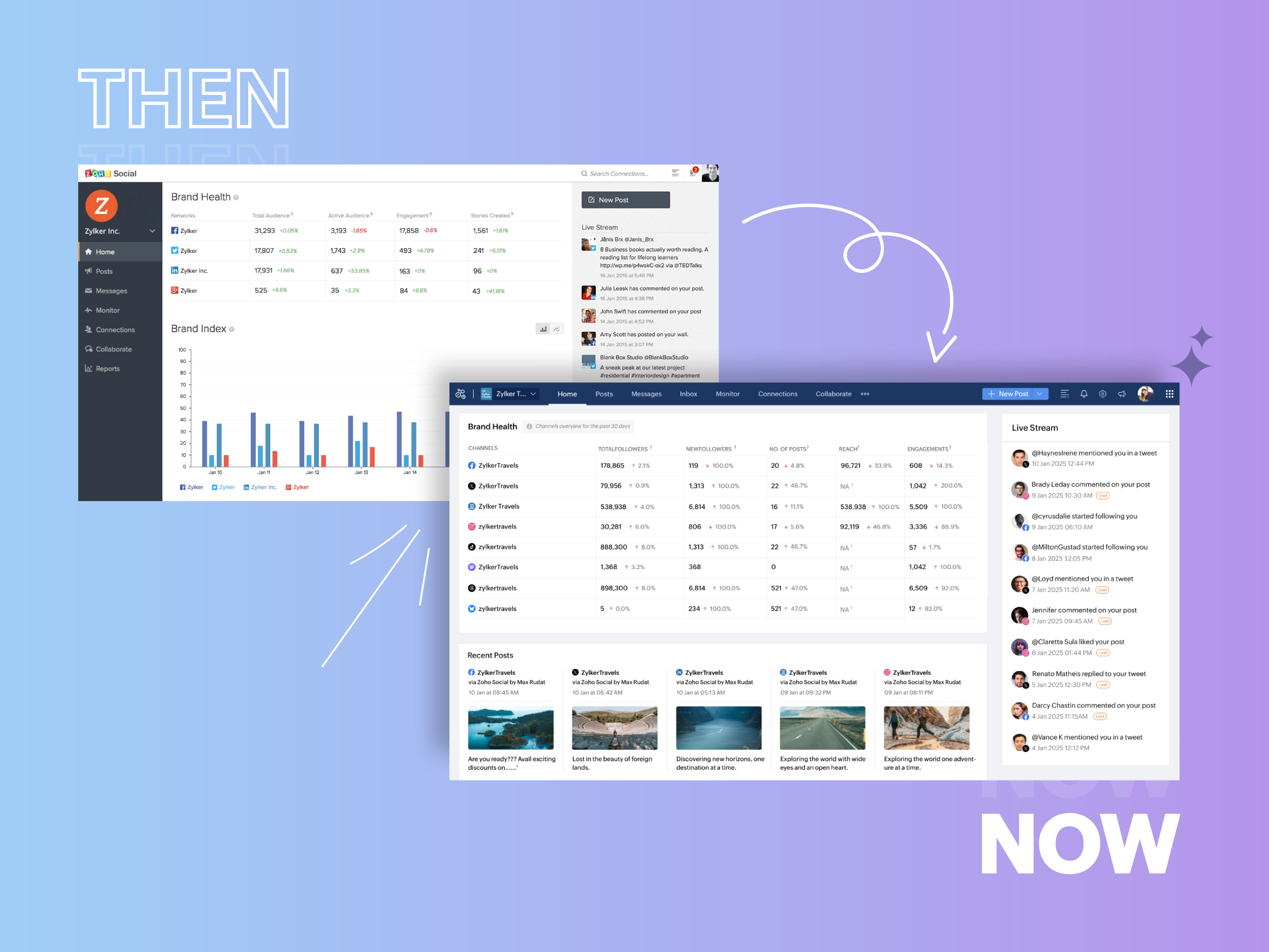
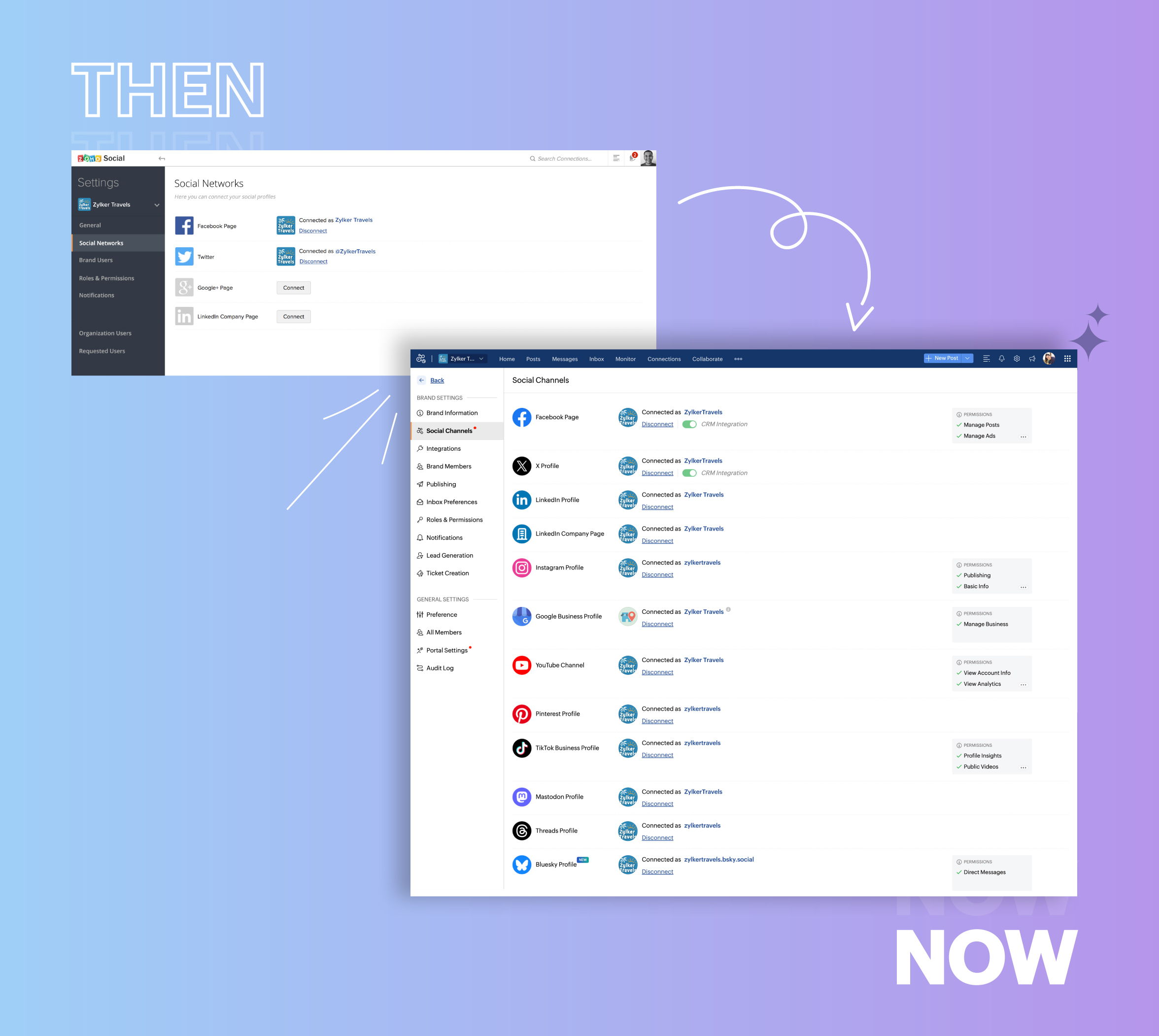
- Expanded from four to 14 social media channels
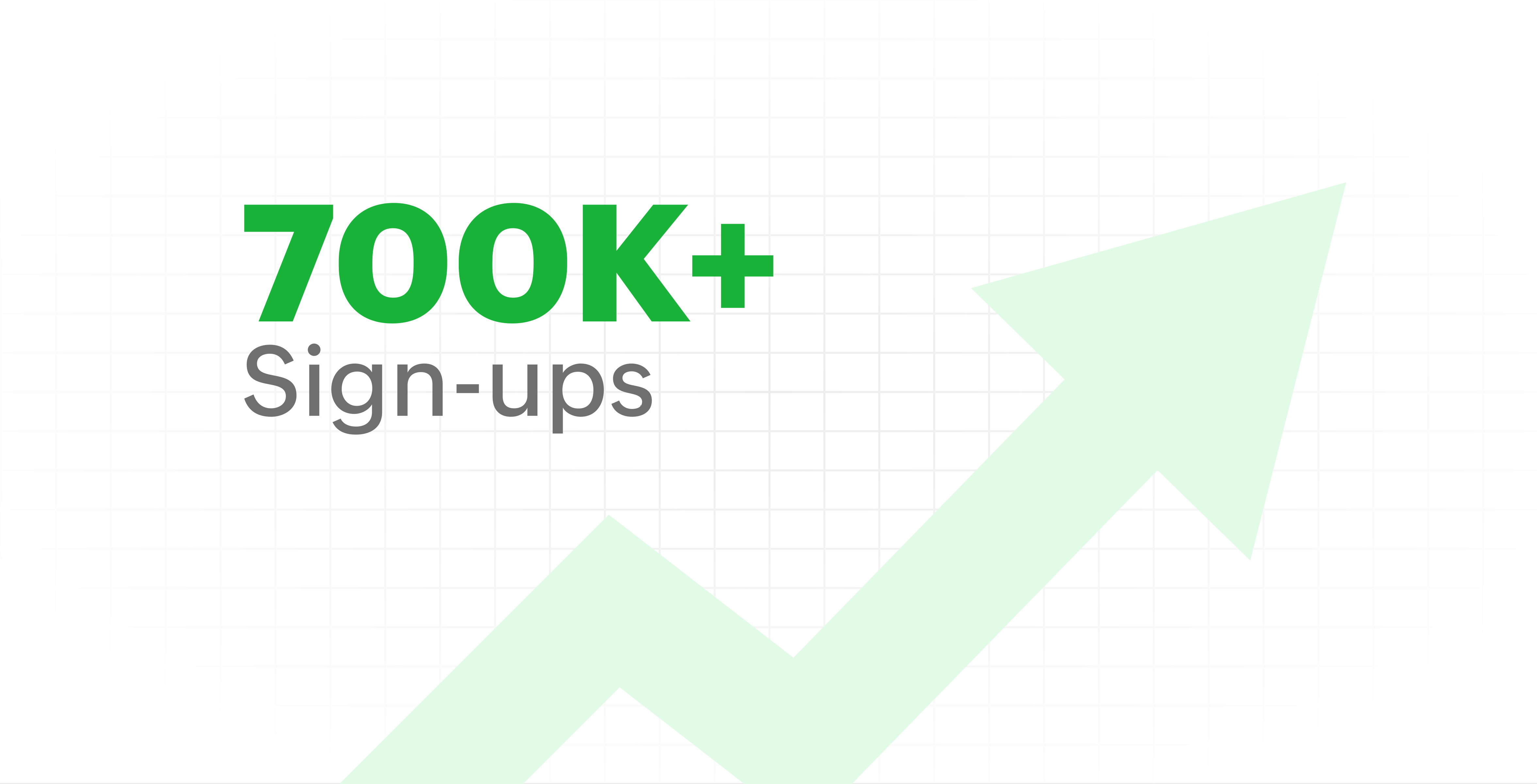
- Grew from our first sign-up to 700k+ sign-ups
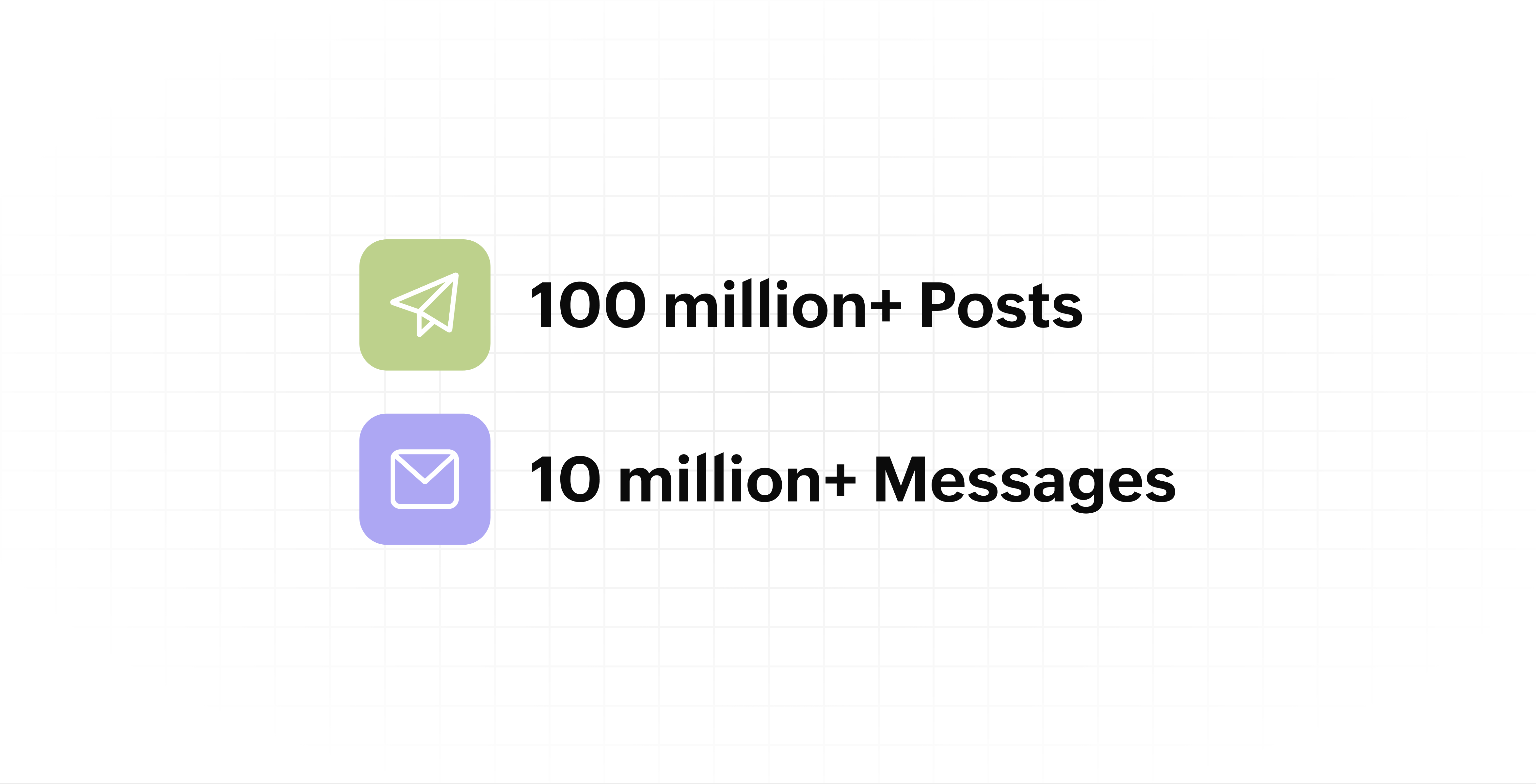
- Processed and published 100 million+ posts with more than 24k posts published or scheduled in a day and 10 million+ messages
- Evolved from a passionate team of eight who planted the seed to a dynamic family of 55, carrying our vision forward.

Our top 10 features from the past 10 years
2015: Launch of Zoho Social
Zoho Social was launched with publishing, scheduling, collaborating, and performance analysis features. Further, in the same year, more features like bulk scheduling were introduced to make it easier for businesses to handle their social media channels and engagement while they're away.
2016: Addition of Instagram and integration with Zoho CRM
Instagram, one of the most popular social media channels being used by businesses, was added to Zoho Social. Brands started leveraging this space to be a part of a visual storytelling experience and connect with their customers and prospects.
The first ever method to track the ROI from social media marketing efforts was introduced on Zoho Social through the Zoho CRM integration. The process of lead generation and measuring output became easier via automation and defining rules for lead forms and social media interactions.
2017: Zoho Social for agencies
Zoho Social for agencies – a new edition of the product – was introduced, catering to agencies handling the social media accounts of multiple clients. With Social, agencies could use bulk-scheduling, lead generation automation, and advanced analytics to handle their clients' data efficiently and deliver better results without the chaos.
2018: Zoho Social's integration with Zoho Desk and the introduction of Google Business Profile
Zoho Social's integration with Zoho Desk took customer service to a whole new level. Being able to convert social media mentions and queries from customers directly into tickets helped businesses bring their support and marketing teams together on one platform, while ensuring that not a single query was missed.
Google Business Profile was added to Zoho Social, helping businesses onboard their listings and stay competitive in their local market. Reviews and questions could be monitored and answered easily, providing more credibility and assurance to customers and prospects.
2019: Improved analytics dashboard
The entire Reports dashboard was re-imagined with advanced individual cards for specific networks. Customized dashboards could be built with a dynamic date range, and they could be shared and scheduled to be sent out regularly to members of the team or clients. These analytics gave businesses and agencies a holistic view of how their social media channels are performing, and gave them chances to improve wherever required.
2020: UI enhancements to make the tool look more engaging and user-friendly
As the world was battling to survive through some of the worst times we'd all faced, Zoho Social was being fine-tuned to help businesses easily go remote without any hassle. With the motive to brighten things up and make it easier to navigate, Social was made more colorful while drop-downs and re-arrange options were introduced to allow quick shuffling between brands and channels.
2021: Introduction of Canva and YouTube
Designing social media posts became a lot more interesting with the introduction of Canva. With its numerous templates, graphics and add-on elements, Canva on Zoho Social made it easier for businesses to design their images and share them instantly to their social channels.
With video content being consumed excessively by consumers, YouTube was added to Zoho Social for businesses to leverage the trend and make their channels more engaging. The analytics helped businesses understand how their videos were being received and improve their strategy to hold their customers' attention for a bit longer.
2022: Addition of Pinterest, TikTok, and Image editor
As social media consumers kept growing, so did the channels. Zoho Social kept up with the pace and introduced Pinterest and TikTok for businesses to widen their horizon and reach a vast audience with diverse content tailor-made for each social platform.
Image Editor was introduced to edit and make images enhanced and suitable for all the supported social channels.
2023: Zia's integration with OpenAI and introduction of Mastodon and Inbox
With AI-driven enhancements and technology taking the lead, Zoho Social introduced the OpenAI integration. With this, users could make use of Zia, the AI-powered writing assistant, to help generate content for their channels.
Mastodon started gaining popularity as the decentralized platform that would help businesses create and nurture a community, so Zoho Social swiftly added this to the list of channels to make the job easier.
Inbox, a single dashboard to manage and respond to all interactions across all social media channels, was introduced. Brands would never miss any single mention because of the assignment rules and priority levels that could be added to each interaction.
2024: Introduction of Threads, WhatsApp, and Telegram
Threads, WhatsApp, and Telegram business accounts were introduced on Zoho Social, taking the list of channels supported to the current number of 14. This made Zoho Social bigger, better, and a one-stop solution for businesses to take care of all their social media needs.
What's next?
The next decade is all about automation, better audience insights, and integrations that simplify your social media management. We’re working on exciting new features that will help you scale, engage, and grow your brand like never before.
We'd like to thank you immensely for being a part of our incredible journey and this community! Your support, feedback, and trust have helped shape Zoho Social into what it is today. We hope to have you with us in the journey ahead.
Thank you
Topic Participants
Aswini R
Sticky Posts
Introducing Inbox in Zoho Social
Hey everyone, We are excited to introduce the Inbox in Zoho Social to help manage all social media interactions from Facebook, Instagram, X (formerly Twitter), Google Business Profile and YouTube for your brand in one place. You can track and assign themA decade together - Thank you for being a part of the journey with Zoho Social!
A decade ago, we started Zoho Social with a simple vision: to make social media management easier, smarter, and more impactful for your business. What began as a small idea has grown to a powerful platform that helps businesses across the globe reachAdvanced statistics for LinkedIn page, posts and monitor @mentions in Zoho Social
Hello everyone, We've made enhancements to the Monitor, Reports tabs, and Post Stats for the LinkedIn channel in Zoho Social, so we wanted to briefly share some information about the updates. Monitor LinkedIn mentions LinkedIn is one of the most popularIntroducing advanced statistics for all your social media posts
When you're publishing on social media, it's important to understand how the audience engages with your content. This insight helps you come up with ideas for different types of content and also identify the social media channel that's most effectiveIt's here! A Publishing Calendar to give you better view and more control over your posts.
Hello! Just a couple of days back my colleague Vishal announced that you can now do more on Twitter with the Advanced Search Filters, along with a bunch of other cool stuff. I hope you got a chance to check it out. In fact, I'm itching to you tell you all about the latest updates we have lined up, but I'd rather give you doses of excitement every week to last until the very end. ;) Alright, I hear you. That's enough tease for the day. Here we go! Introducing... an all-new Publishing Calendar,
Recent Topics
Need help with creating workflow with Bigin and Clickup
Can you please help me with this? I am trying to create a workflow in Zoho Flow wherein a bigin Pipeline deal moves to Decision Closing, it will create a task and subtasks in Clickup, under the condition/filter that the Deal name contains the word Social[Webinar] Automate generation of wills, trusts, POAs, and other estate planning documents with Zoho Writer
Managing the lifecycle of the estate planning documents such as wills, trusts, and POAs, from client intake to final storage, can be complex and time-consuming. Join our live webinar to learn how Zoho Writer transforms this process by automating documentCreate / Update Rule in TeamInbox when record is updated in ZohoCRM using flow?
I'm currently evaluating options and trying to work out if the possible scenario is possible; If a record in ZohoCRM is updated, take 2 of the fields from that - lets call them 'OrderRef' and 'OrderTo'. Using flow, if a record is added or updated, addPlans to allow more columns of monitoring, and monitoring not only your own channels?
Are their any plans to allow more columns of monitoring, and monitoring not only your own channels? Here's why - I'm sure I'm not alone in that we sell other brands products, so not only am I interested in my own brand social channels, but also the socialUnwrapping the best practices for the Zoho Desk mobile app: Part 1
In focus: Empowering the field and frontline customer support representatives Imagine having to carry your computer everywhere to respond to customers, handle escalations, and update your process. This series presents you with efficient tips to handledealing with post dated cheques
Hi, can you help me please the best way to deal with this We sell an item of three months duration that is paid for with post dated cheques in monthly stages example - item is sold £3000 Cheque 1 is for £1000 due at time of sale (say Sept) cheque 2 is dated 25th of next month (Oct) cheque 3 is dated 25th of next month +1 (Nov) Now, with invoice number one it's simple - i send a standard invoice as usual But with the other two here's what i want zoho to do next month i want it to send an invoice onIs there a way to sell in a practical method multiple subscriptions of the same product? i.e. domain names
In evaluating Zoho Billing, a hurdle to adopting it is that Zoho Billing does not seem designed to support businesses that sell multiple subscriptions of the same product. In our case, we need to sell and manage several domain names per client. Am I rightPaid Support Plans with Automated Billing
We (like many others, I'm sure) are designing or have paid support plans. Our design involves a given number of support hours in each plan. Here are my questions: 1) Are there any plans to add time-based plans in the Zoho Desk Support Plans feature? TheBug Report: "Name A-Z" sorting fails when Note titles start with an Emoji
Hello, I recently migrated from Evernote (~2600 notes across 23 notebooks). I use emojis at the start of my note titles for visual organization. The Issue: When I set the view to Sort by: Name (A to Z), the sorting logic breaks for any note starting withCopy & Paste not working
I could create and save 10 new documents but when I go to copy and paste content (just text) into them, only 1 of 10 would save the content. It would appear to save the content but when I go back into the documents, they are empty.editing/applying online payments
We have customers who pay part or all of an invoice and then cancel their service and want the payment as a credit to future work. It would be ideal if we could make it an excess payment and then void the invoice. I can't make it an excess payment becauseContacts per department
Hello, Is it possible to limit Contacts to a Department? ThanksThis site can’t be reached mail.zoho.com took too long to respond
In my office at any system, we couldnt able to login zoho email. it shows " This site can’t be reached mail.zoho.com took too long to respond". please fix it soon.Can send email from zoho mail, but can't receive any.
Hi, My domain is sattvameditationresort.com. I've updated MX records with those of Zoho. But i can't send any mails to this email id from gmail. I have checked the MX status with MXTOOLS, its showing the correct entry either. The error is as shown below:My domain did not activate
Hi, my domain (apsaindustrial.com.ar) did not activate, and the phone verification message never arrived. Please would you solve this problem? Thanks.Host not found?
Howdy! So i'm trying to add my custom domain for with the mail server. I have 100% control of my DNS and have tried every single option (TXT, CNAME, and even HTML) multiple times, ensuring i did it properly, to no luck. I get the same error message everyEmails are going to notification folder and not in inbox
emails are going to notification folder and not into inboxError AS101 when adding new email alias
Hi, I am trying to add apple@(mydomain).com The error AS101 is shown while I try to add the alias.Report on opportunities showing only the last note added.
Hi I need to create a report that shows the most recent note added to each opportunity. This is so management can see what the latest update is according to the assigned salesperson. One workaround is to use the status field but this implies added manual work and mistakes as the salesperson would have to copy the existing status to a note before adding the latest status... otherwise the activity history would be lost. My current workaround is a report on Notes with Opportunities as the related module.Please add Zelle as an online payment option
Hello, I would like to request Zelle be added to the online payment service providers for Zoho Invoice. Considering how ubiquitous Zelle has become as a way to pay people via the major banking institutions, I feel like many freelancers would benefit fromThis user is not allowed to add in Zoho. Please contact support-as@zohocorp.com for further details
Hello, Just signed up to ZOHO on a friend's recommendation. Got the TXT part (verified my domain), but whenever I try to add ANY user, I get the error: This user is not allowed to add in Zoho. Please contact support-as@zohocorp.com for further details I have emailed as well and writing here as well because when I searched, I saw many people faced the same issue and instead of email, they got a faster response here. My domain is: raisingreaderspk . com Hope this can be resolved. Thank youGetting Project Template List using the REST API
I am trying to confirm that I can use the REST API to create a project using a project template. The API documentation indicates this is possible by providing the Template ID, but it is not clear at all how to get a list of available Project TemplatesHow to display the CONTACT ID in the Contact page
Hi, I've seen this conversation below and it is exactly the same question I'm raising now, but unfortunately the last message is not solved https://help.zoho.com/portal/community/topic/show-contact-id-while-editing-contact-form I need to show the ContactId and I don't know how to do this. The last message included in the conversaton shows the way but not it is not completed. "I am sorry by default we do not have the option to show the record ID for the contacts in the field in a record. When youHow to change margins in templates
Hi, I'm new to Zoho Campaigns, and am trying to figure out how to adjust the margins within an email template. The default margins make the text go all the way to the edges of the page. Please advise.Create Canvas list view templates from images powered by Zia
Currently available for all paid editions of Zoho CRM in the US, EU, IN, JP & CN DCs. Designing a personalized CRM interface just got even easier. In today’s fast-evolving digital landscape, AI is transforming the way we work by automating complex tasksPainfully Slow Zoho mail
Since yesterday Zoho Mail seems to have starting functioning very slowly and having a few bugs. It's slow to open mails, slow to send, slow to change between email accounts. Sometimes clicking on a particular folder (eg Sent folder) stops working and"Wrong password or login" Problem to configure Zoho on MAIL App on my Macbook
Hi, I'm having problems to configure my e-mail on my MAIL App(Macbook pro). My e-mail is hari@trespontoum.net Actually was working perfectly, and still working on my Iphone. My MAIL App prompt me that my login or password is wrong. I tried to change 3"User already exist in your org"
Hello, I've just read a discussion about this issue, which didn't solve my problem. I'm trying to add the following emails: sales@kiss-my-boutique.co.uk returns@kiss-my-boutique.co.uk orders@kiss-my-boutique.co.uk I'm getting an error message each time I try and add them. None of them are primary or secondary emails and none of them have been created as users before. I know this as when I try and login and do 'forgot my password' all I get is an error message saying 'user invalid'. Please advise.Operation Not Permitted
Hi, I have problem in adding user after verifying the domain but it seems like error appeared which is "operation not permitted". For your information, I had delete other domain before did it.Email forwarding setup fails
I'm trying to set up email forwarding from my Zoho email to my gmail address. I followed the directions to set up email forwarding here: https://www.zoho.com/mail/help/email-forwarding.html. I did only steps 1-6. After doing this, rather than settingPassing the CRM
Hi, I am hoping someone can help. I have a zoho form that has a CRM lookup field. I was hoping to send this to my publicly to clients via a text message and the form then attaches the signed form back to the custom module. This work absolutely fine whenShopify store email issues- Not getting emails
Hi We have migrated from Microsoft outlook to Zoho back in March, we have a shopify store, the domain is hosted on namesilo, not shopify, I have seen some people here complaining about not getting emails from customers who fill out the contact form onHow do I fix this? Unable to send message; Reason:554 5.1.8 Email Outgoing Blocked.
How do I fix this? Unable to send message; Reason:554 5.1.8 Email Outgoing Blocked.Invoice Discount Account
Is there a way to change the account used for Discounts applied to an invoice? The current Discount account (ZB native account) type is an "Income" type. I would like to change it to "Other Income", but that is not possible, I am assuming because it containsNeed Inactive accounts to be visible in Reports in Zoho Books
I N=need Inactive accounts to be visible in Reports in Zoho Books to do recons of the accounts but when i see the same they are not visible in the Accountant - Account Transactions reportAPI Support for Creating Invoices with Batch-Tracked Items
Hi Zoho Community, I am working on an integration where we create invoices in ERPNext and push them to Zoho Books. I need to send batch-tracked items (batch numbers) when creating invoices. I could not find any reference in the Zoho Books API documentation.javax.mail.authenticationfailedexception 535 authentication failed
Hi, I am facing 535 authentication failed error when trying to send email from zoho desktop as well as in webmail. Can you suggest to fix this issue,. Regards, RekhaPhantom Opening Balance
While experimenting w/ creating a composite item, Zoho added funds to Petty Cash and added Bank Account equal to previous day's balance. I'm unable to undo the adding of funds. Attaching screenshots of both bank account and petty cash transactions.Importing customer comments and multiple shipto addresses
I am evaluating Zoho Books and have most of my data imported with two exceptions: (1) Import customer comments - in my current system I have several comments of different types, and I need to bring these into Zoho. Preferably Books customer records, butDetailed Account Reports - Add Running Balance
When one clicks into an account from a report (say P/L or Balance Sheet), the default reports have the Debit, Credit, and then the Amount. The Amount column (last one) is duplicate information. It would be far better and fit more peoples' use cases ifNext Page