Add Claude in Zoho Cliq
This guide walks you through exactly how to do it, step by step, with all the code you'll need.
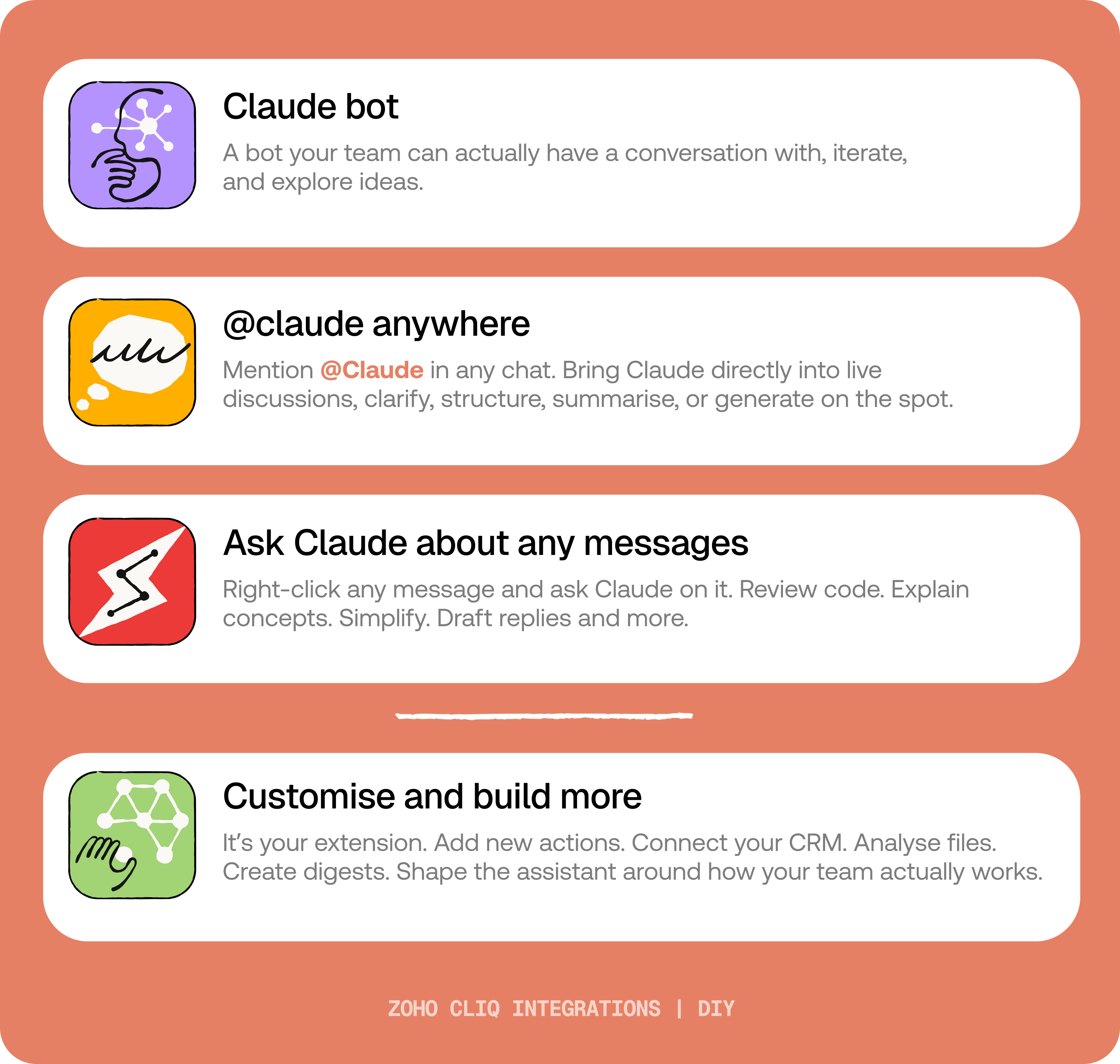
By the end of this guide, you’ll have:
- A Claude bot inside Zoho Cliq to have real back-and-forth conversations.
- The ability to @mention Claude in any channel and reply to a message and ask Claude to act on it.
- A message action to act on messages in Cliq by Claude. Additionally, pre-built actions to review code, generate mind maps, draft a reply for the selected message, or explain it like you’re new.
 Before you start:
1. A Zoho Cliq account with Developer access.
2. An Anthropic API key
3. Basic comfort with Deluge (optional — all code is provided 😉)
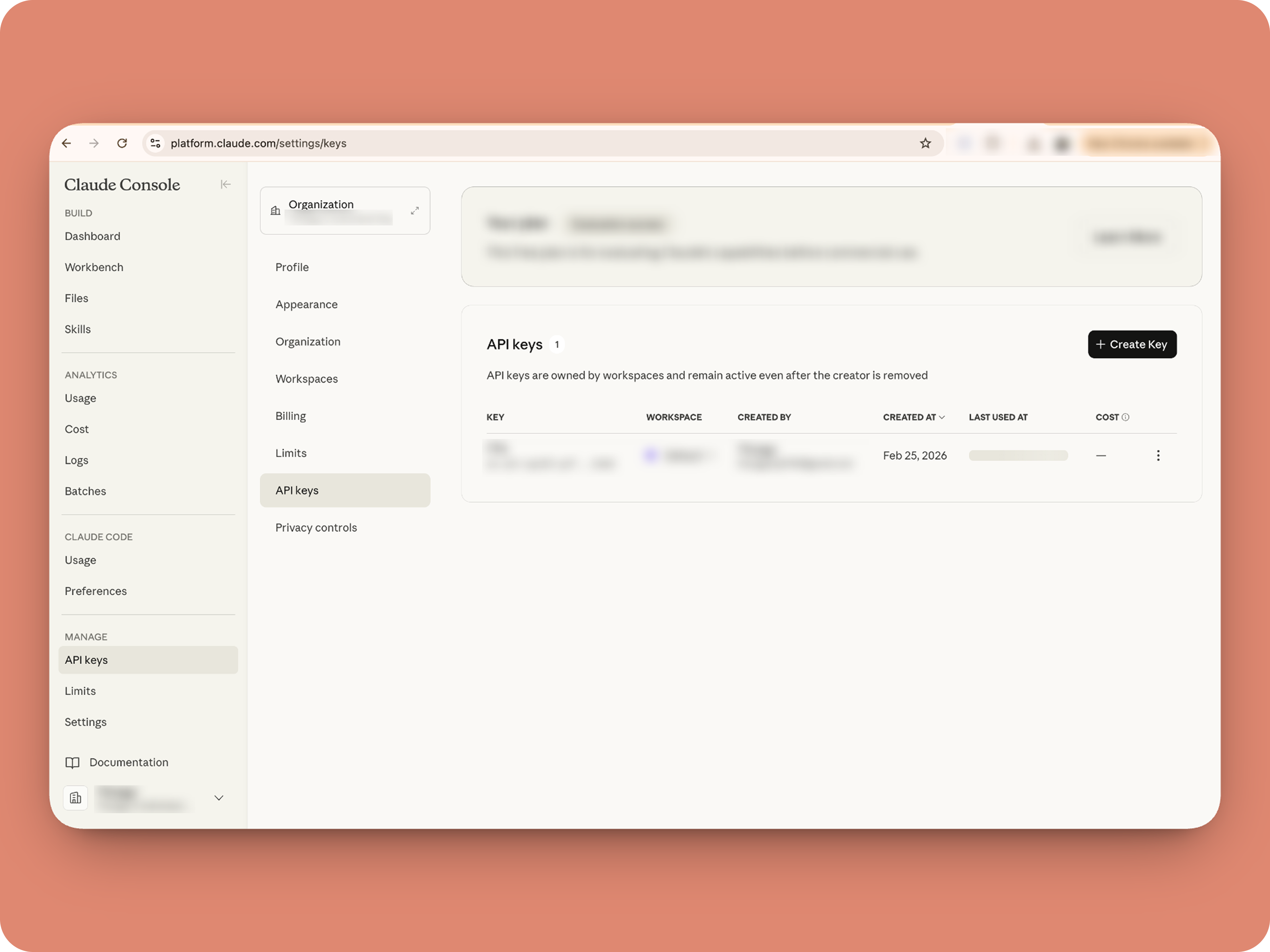
A. How to get an Anthropic API key?

B. Create a Connection
1. Go to the Connections module (in Bots & Tools) → Create Connection
2. Add a Connection name, for eg. "readmessageandfile"
3. Select:
ZohoCliq.Attachments.READ
ZohoCliq.Messages.READ
4. Create
Click Create, then authorize the connection. Copy the connection name, you'll paste it into the handlers in the next steps.
How to start
Go to Zoho Cliq → Settings → Bots & Tools
Claude Bot:
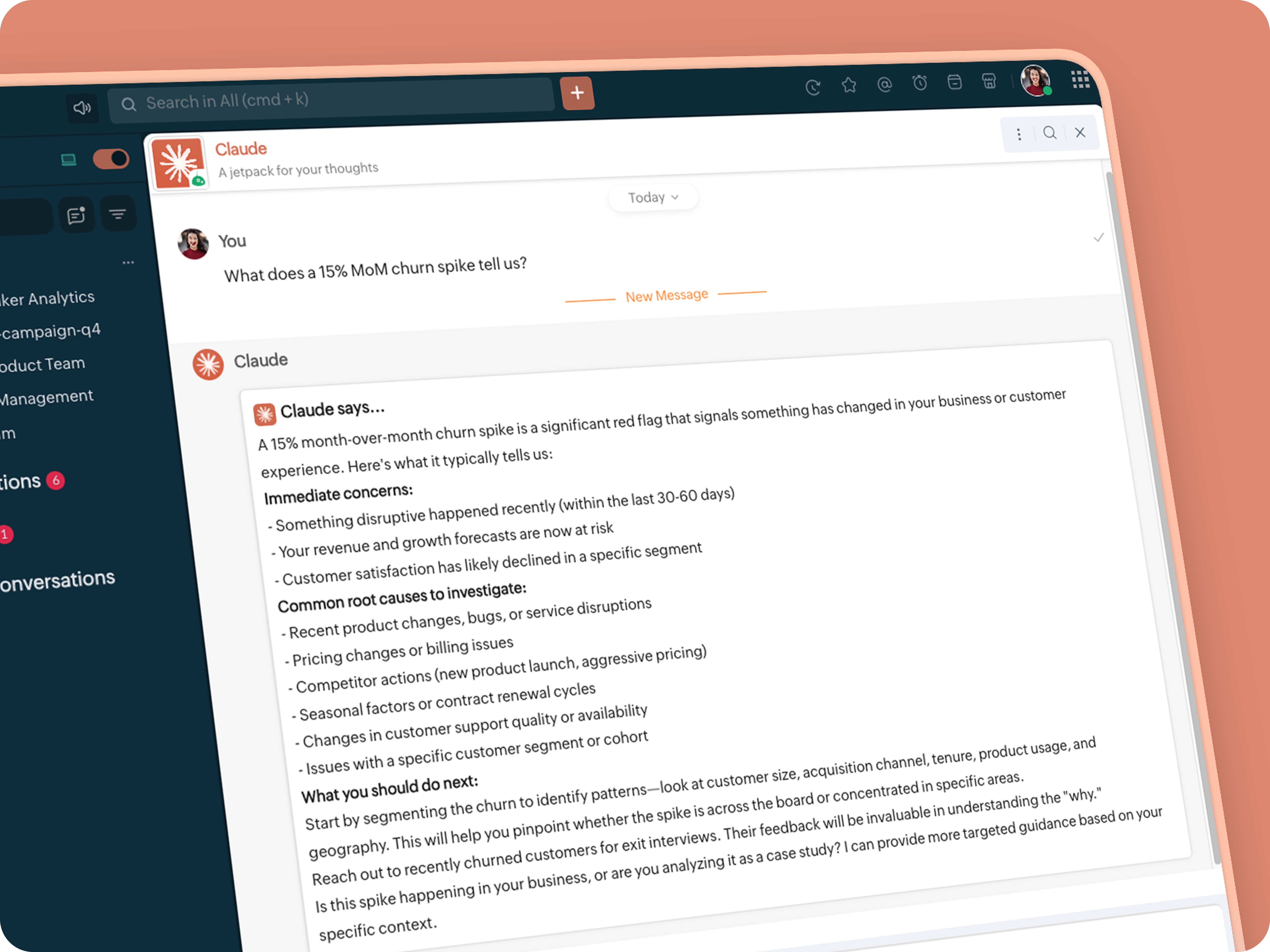
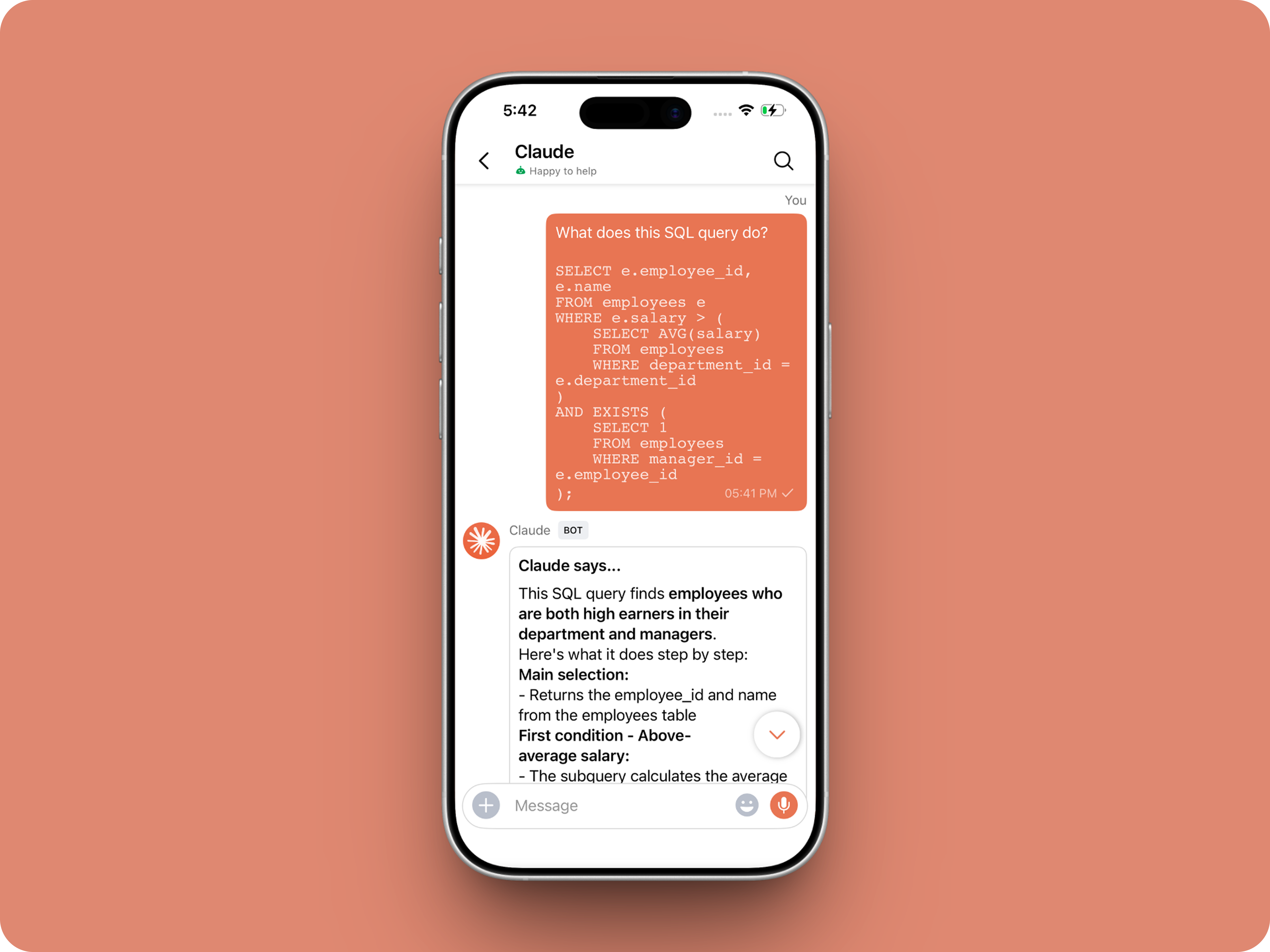
Go to Bots → Create Bot.
Name it Claude and give it any description of choice.
First, let's create a Message handler to handle the conversations first.
Click edit code and copy paste the below code in it (follow along the comments to understand what each part does)
One API endpoint. That's all.
Both the bot and the message action use the same single Anthropic endpoint: POST /v1/messages. The only thing that changes between them is the system prompt and what you put in the messages array. Once you understand that, the rest is just assembly.
Explore API docs →
Message Handler: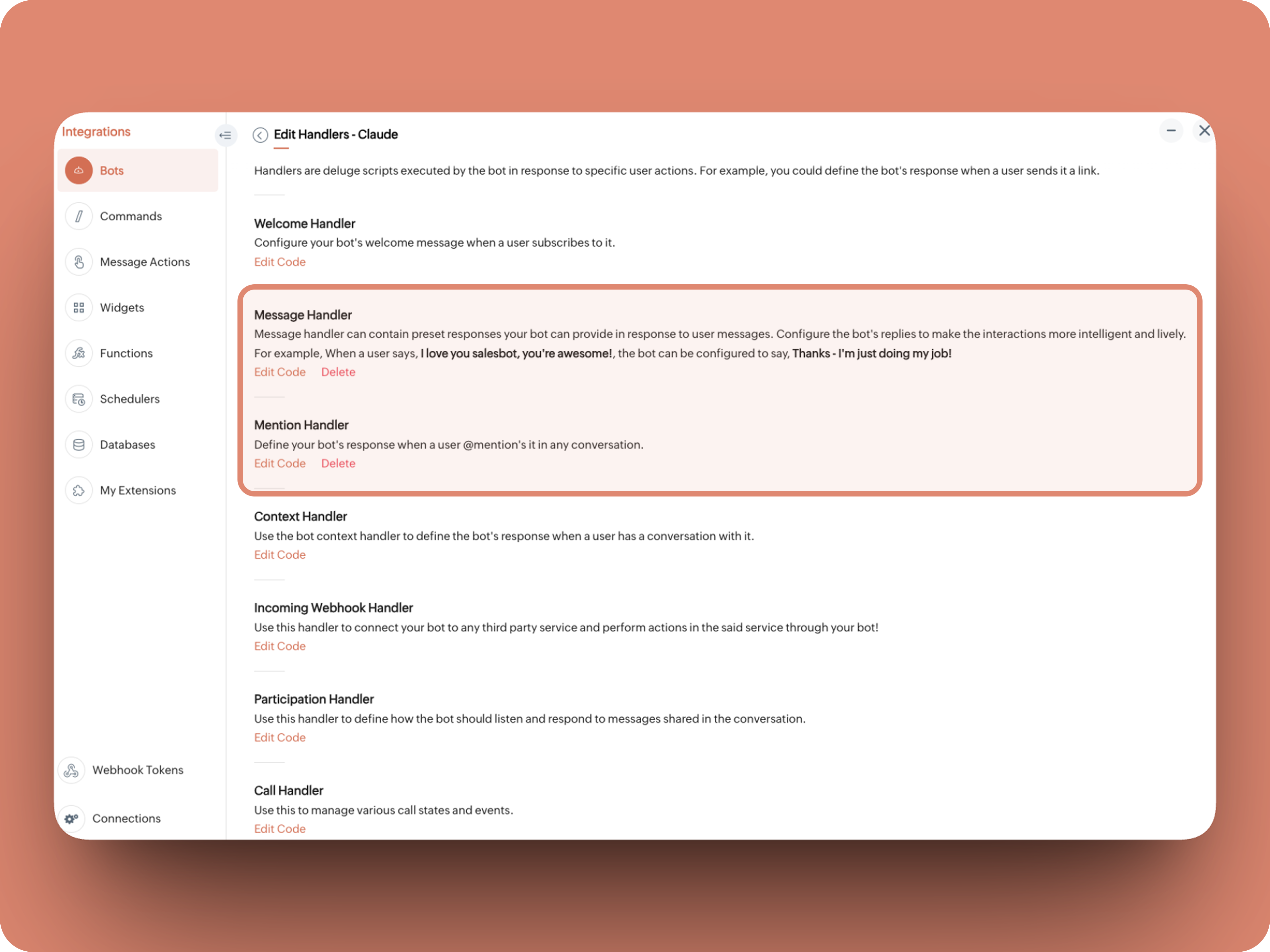
What does this do: Fetches last 10 (customizable - but keep message limit small ( around 10–15 to avoid token overuse)) chat messages for additional context and enables natural chat conversations
- info environment;
- botUniqueName = "BOT-UNIQUE-NAME";
- // Replace with your bot unique name
- cliqBaseUrl = environment.get("base_url");
- fetchRecentMessages = invokeurl
- [
- url :cliqBaseUrl + "/api/v2/chats/" + chat.get("id") + "/messages?limit=10"
- type :GET
- connection:"CONNECTION-NAME"
- //Read below how to create a connection, and paste here:
- ];
- info fetchRecentMessages;
- contentList = list();
- contentList.add({"role":"user","content":"Act as a conversational assistant. Reply to the message below in a friendly, informative, and well-organized way.\n\nGuidelines:\n- Respond only to the message provided.\n- Do not use memory or external context.\n- Be warm but professional.\n- Be clear and structured (use short paragraphs or bullet points if helpful).\n- Provide helpful details or clarification where useful.\n- If something is unclear, ask a polite follow-up question.\n- If action is needed, suggest a simple next step.\n- Do not include meta commentary.\n- Output only the reply.\n\n\nSTRICTLY USE * FOR BOLD, AND NEVER ** FOR BOLD MARKDOWN."});
- allMessages = fetchRecentMessages.get("data");
- for each data in allMessages
- {
- type = data.get("type");
- if(type == "card" || type == "text")
- {
- getMessage = data.get("content").get("text").replaceAll("\n"," ");
- senderID = data.get("sender").get("id");
- if(senderID.startsWith("b-"))
- {
- contentList.add({"role":"assistant","content":getMessage});
- }
- else
- {
- contentList.add({"role":"user","content":getMessage});
- }
- }
- }
- info contentList;
- // Set up API headers
- apiHeaders = Map();
- apiHeaders.put("anthropic-version","2023-06-01");
- apiHeaders.put("Content-type","application/json");
- apiHeaders.put("X-Api-Key","INSERT-API-KEY-HERE");
- // Don't forget your API key!
- model = "claude-sonnet-4-5-20250929";
- requestPayload = {"max_tokens":1024,"messages":contentList,"model":model};
- // Make API call to Claude
- claudeApiResponse = invokeurl
- [
- url :"https://api.anthropic.com/v1/messages"
- type :POST
- parameters:requestPayload + ""
- headers:apiHeaders
- detailed:true
- ];
- info claudeApiResponse;
- if(claudeApiResponse.get("responseCode") == 200)
- {
- responseBody = claudeApiResponse.get("responseText");
- parsedResponse = responseBody.toMap();
- claudeMessage = parsedResponse.get("content").get(0).get("text").replaceAll("\n\n","\n").remove("---").remove("#");
- if(claudeMessage.length() > 4000)
- {
- claudeMessage = claudeMessage.subString(0,4000) + "...";
- }
- info "Claude's Response: " + claudeMessage;
- }
- else
- {
- responseBody = claudeApiResponse.get("responseText");
- parsedResponse = responseBody.toMap();
- claudeMessage = "*" + parsedResponse.get("error").get("type") + "* \n" + parsedResponse.get("error").get("message");
- info "API Error: " + claudeApiResponse;
- }
- responseContent = {"text":claudeMessage,"card":{"title":"Claude says...","icon":"https://uxwing.com/wp-content/themes/uxwing/download/brands-and-social-media/claude-ai-icon.png"}};
- info responseContent;
- info zoho.cliq.postToBot(botUniqueName,responseContent);
- return Map();
⚙️ Replace These Placeholders
BOT-UNIQUE-NAME (ⓘ How to find it?)
CONNECTION-NAME
INSERT-API-KEY-HERE
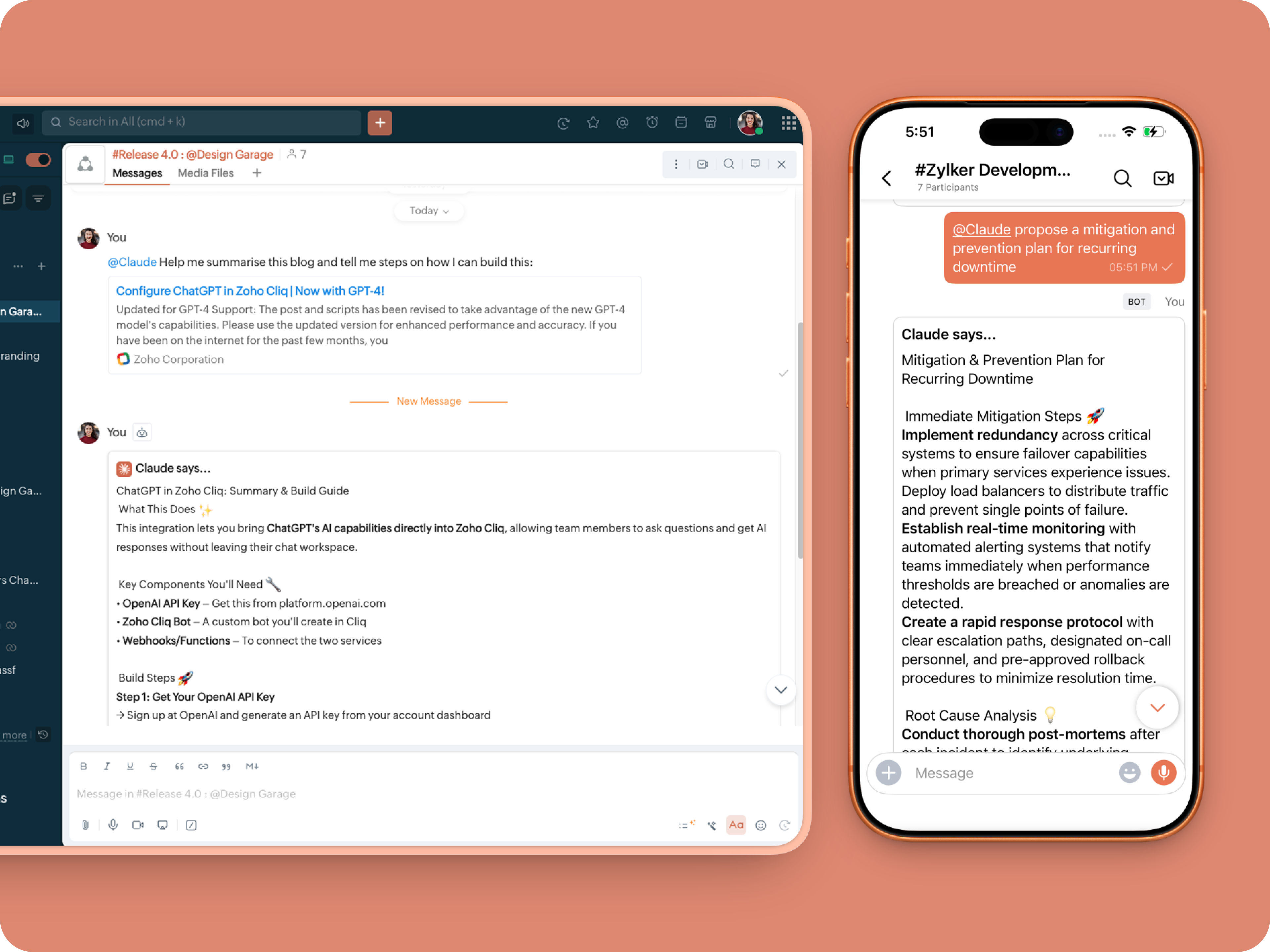
What does this do: This is to allow Claude to be @mentioned in any chat.
- userMessageText = "";
- fileAction = false;
- repliedMessage = false;
- if(message_details.get("message").containKey("replied_message"))
- {
- repliedMessage = true;
- replyMessageID = message_details.get("message").get("replied_message").get("id");
- messageType = message_details.get("message").get("replied_message").get("type");
- if(messageType == "text" || messageType == "card")
- {
- userMessageText = message_details.get("message").get("replied_message").get("text");
- }
- else
- {
- fileType = message_details.get("message").get("replied_message").get("file").get("type");
- if(fileType != "application/pdf")
- {
- return {"type":"banner","text":"Only PDF files are supported for this action","status":"failure"};
- }
- else
- {
- fileAction = true;
- }
- }
- }
- promptInstruction = "\"### Instructions ⓘ \nProvide a human-digestible, highly organized response (300-500 characters). Break down your output into bite-sized paragraphs and use bolding to guide the reader's eye. *Strictly avoid tables.* Use plenty of white space and only ### headings for a clean look. \n\n ### Formatting Protocol • \n - Bold: *text* \n - Italic: _text_ \n - Strike: ~text~ \n - Underline: __underline__ \n - Headers: ### Title \n - Quote: \"quote\" \n - Blockquote: > text \n - Bullets: Use • or → for lists \n - Emojis: Use ✨, 🚀, or 💡 to highlight key takeaways \n - Separator: --- \n\n ### and replace ** to *";
- userPrompt = "";
- if(message.trim().length() > 0)
- {
- userPrompt = "Action: " + message + "\n\n\n" + userMessageText + "\n\n\n" + promptInstruction;
- }
- else
- {
- userPrompt = "Action: " + userMessageText + "\n\n\n" + promptInstruction;
- }
- // Set up API headers
- apiHeaders = Map();
- apiHeaders.put("anthropic-version","2023-06-01");
- apiHeaders.put("Content-type","application/json");
- apiHeaders.put("ENTER-APIKEY-HERE");
- // Don't forget your API key!
- // Check if message is text-only or contains a file
- if(!fileAction)
- {
- // Handle text-only message
- requestPayload = {"max_tokens":1024,"messages":{{"content":userPrompt,"role":"user"}},"model":"claude-sonnet-4-5-20250929"};
- }
- else
- {
- // Handle message with file attachment
- uploadedFile = invokeurl
- [
- url :message_details.get("message").get("replied_message").get("file").get("url")
- type :GET
- connection:"ENTER-CONNECTION-NAME"
- ];
- info uploadedFile;
- // uploadedFile = message.get("content").get("file").get("name");
- base64EncodedFile = zoho.encryption.base64Encode(uploadedFile);
- if(message_details.get("message").get("replied_message").containKey("comment"))
- {
- comment = message_details.get("message").get("replied_message").get("comment");
- userPrompt = userPrompt + "\n" + comment;
- }
- else
- {
- userPrompt = userPrompt;
- }
- mediaType = "application/pdf";
- requestPayload = {"max_tokens":1024,"messages":{{"role":"user","content":{{"type":"document","source":{"type":"base64","media_type":mediaType,"data":base64EncodedFile}},{"type":"text","text":userPrompt}}}},"model":"claude-sonnet-4-5-20250929"};
- }
- info requestPayload;
- // Make API call to Claude
- claudeApiResponse = invokeurl
- [
- url :"https://api.anthropic.com/v1/messages"
- type :POST
- parameters:requestPayload + ""
- headers:apiHeaders
- detailed:true
- ];
- info claudeApiResponse;
- // Extract the actual text response
- if(claudeApiResponse.get("responseCode") == 200)
- {
- responseBody = claudeApiResponse.get("responseText");
- parsedResponse = responseBody.toMap();
- claudeMessage = parsedResponse.get("content").get(0).get("text").replaceAll("\n\n","\n").remove("---").remove("#");
- if(claudeMessage.length() > 4000)
- {
- claudeMessage = claudeMessage.subString(0,4000) + "...";
- }
- info "Claude's Response: " + claudeMessage;
- }
- else
- {
- responseBody = claudeApiResponse.get("responseText");
- parsedResponse = responseBody.toMap();
- claudeMessage = "*" + parsedResponse.get("error").get("type") + "* \n" + parsedResponse.get("error").get("message");
- info "API Error: " + claudeApiResponse;
- }
- responseContent = {"text":claudeMessage,"card":{"title":"Claude says...","icon":"https://uxwing.com/wp-content/themes/uxwing/download/brands-and-social-media/claude-ai-icon.png"}};
- info responseContent;
- if(repliedMessage)
- {
- responseContent.put("reply_to",replyMessageID);
- }
- info zoho.cliq.postToChat(chat.get("id"),responseContent);
- return Map();
Message Action
What does it do: Allow Claude to act on any message or file.
 ⓘ For files, we've extended this to only PDF file formats for now to keep implementation predictable and to avoid unsupported file formats
What we're adding:
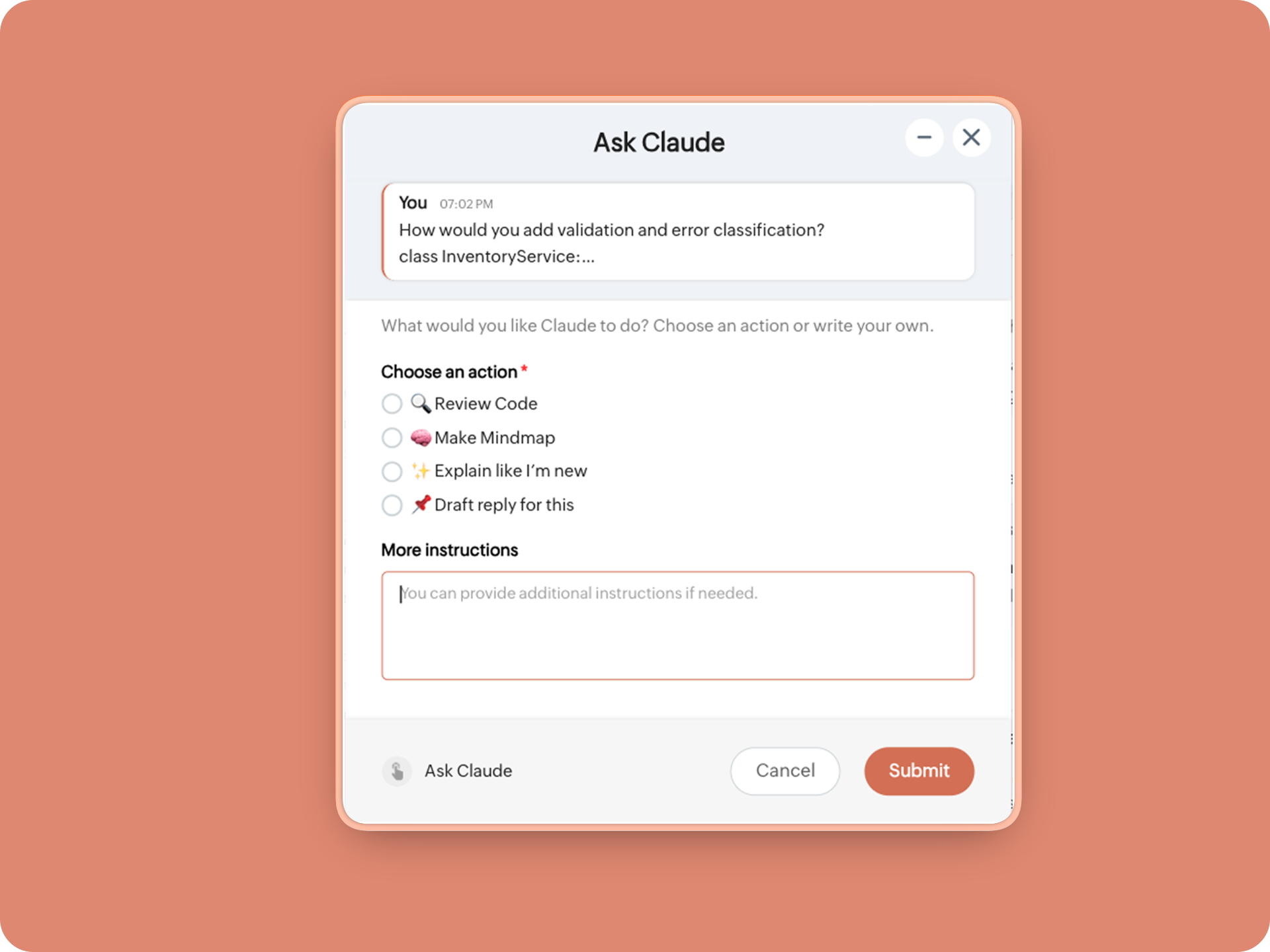
1. When executed on any message, a form opens to prompt:
A. 🔍 Review code
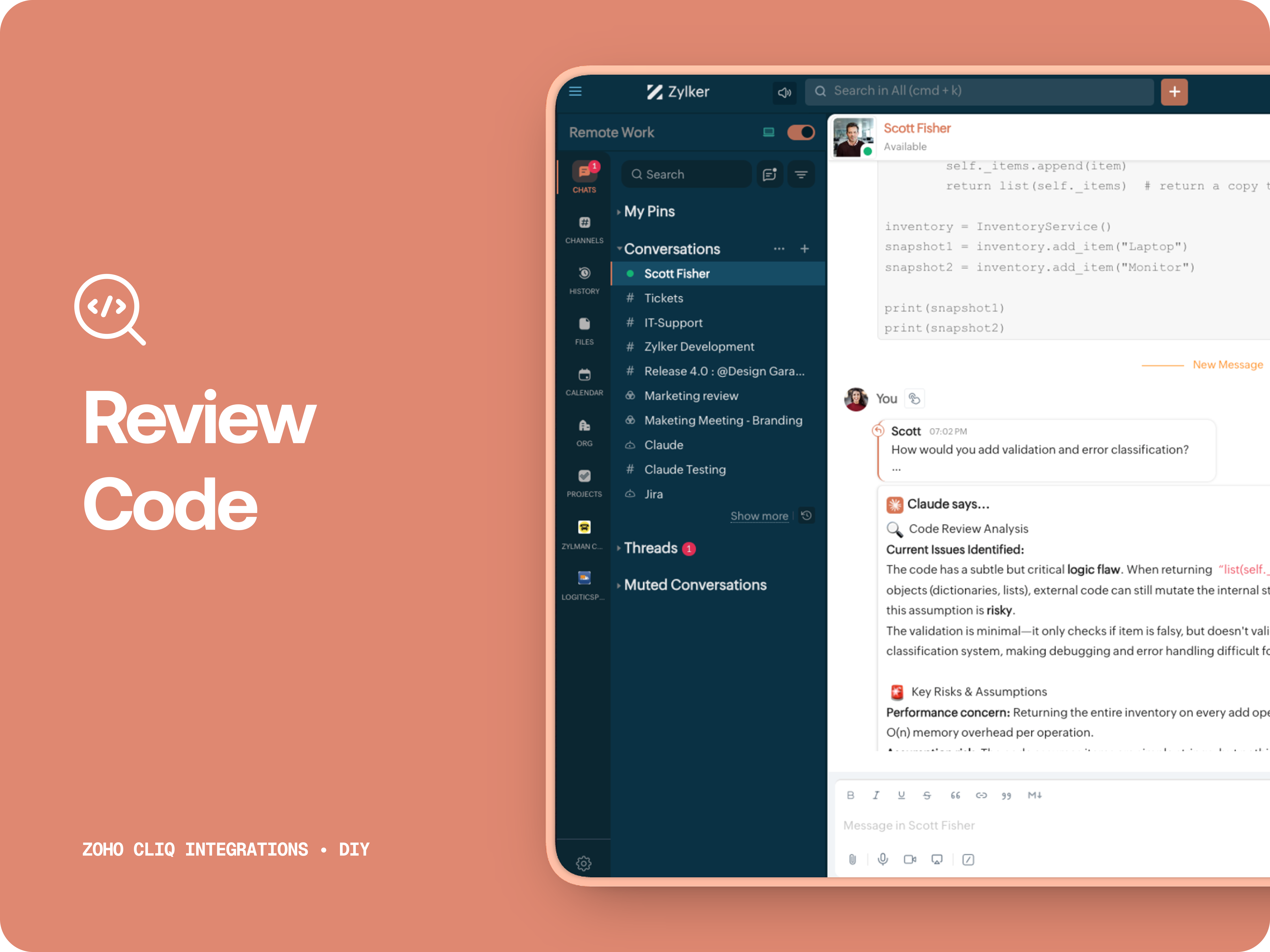
Claude teaches you what it is, why it matters, how it works, an analogy or common mistakes for any concept.
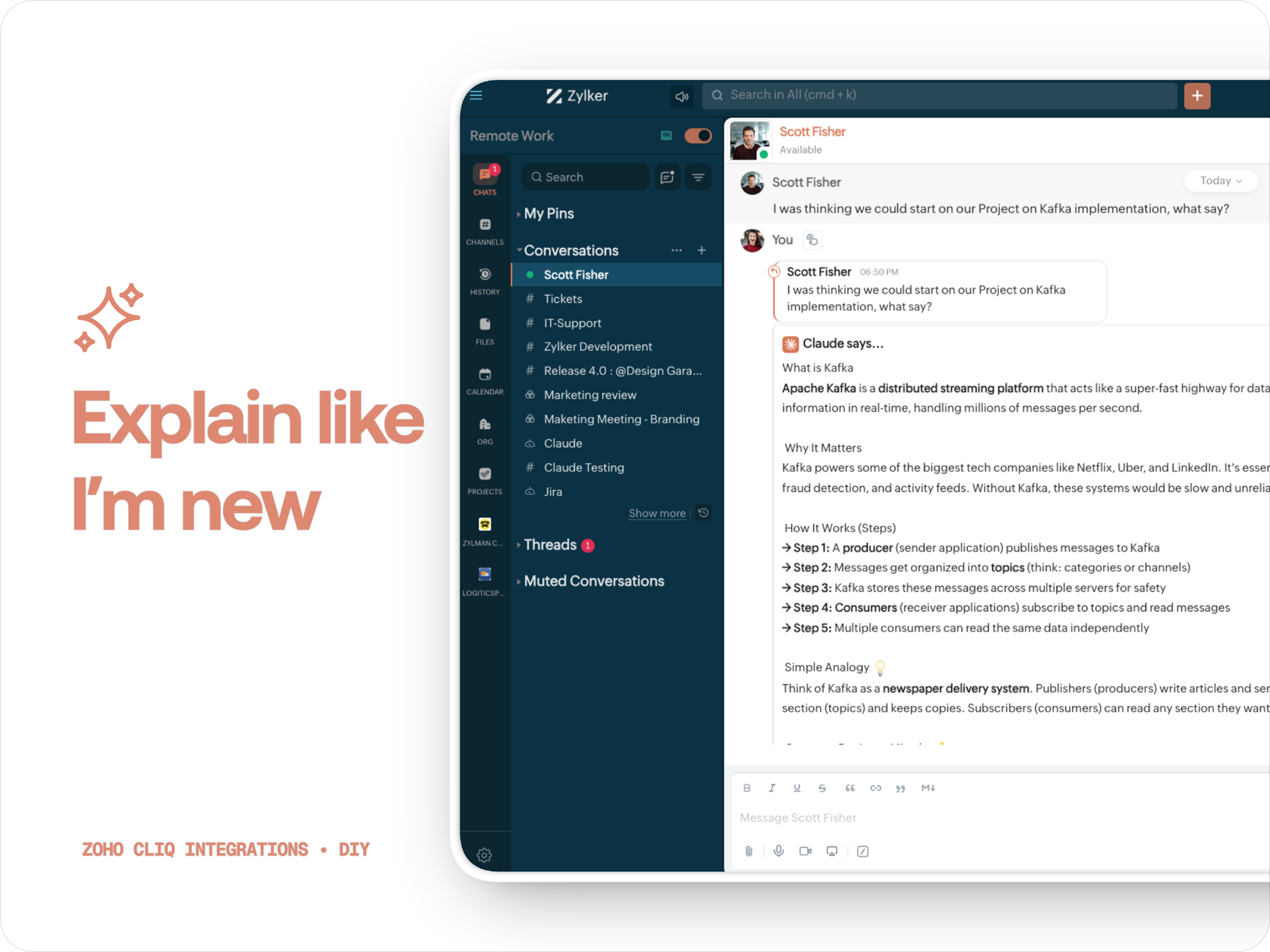
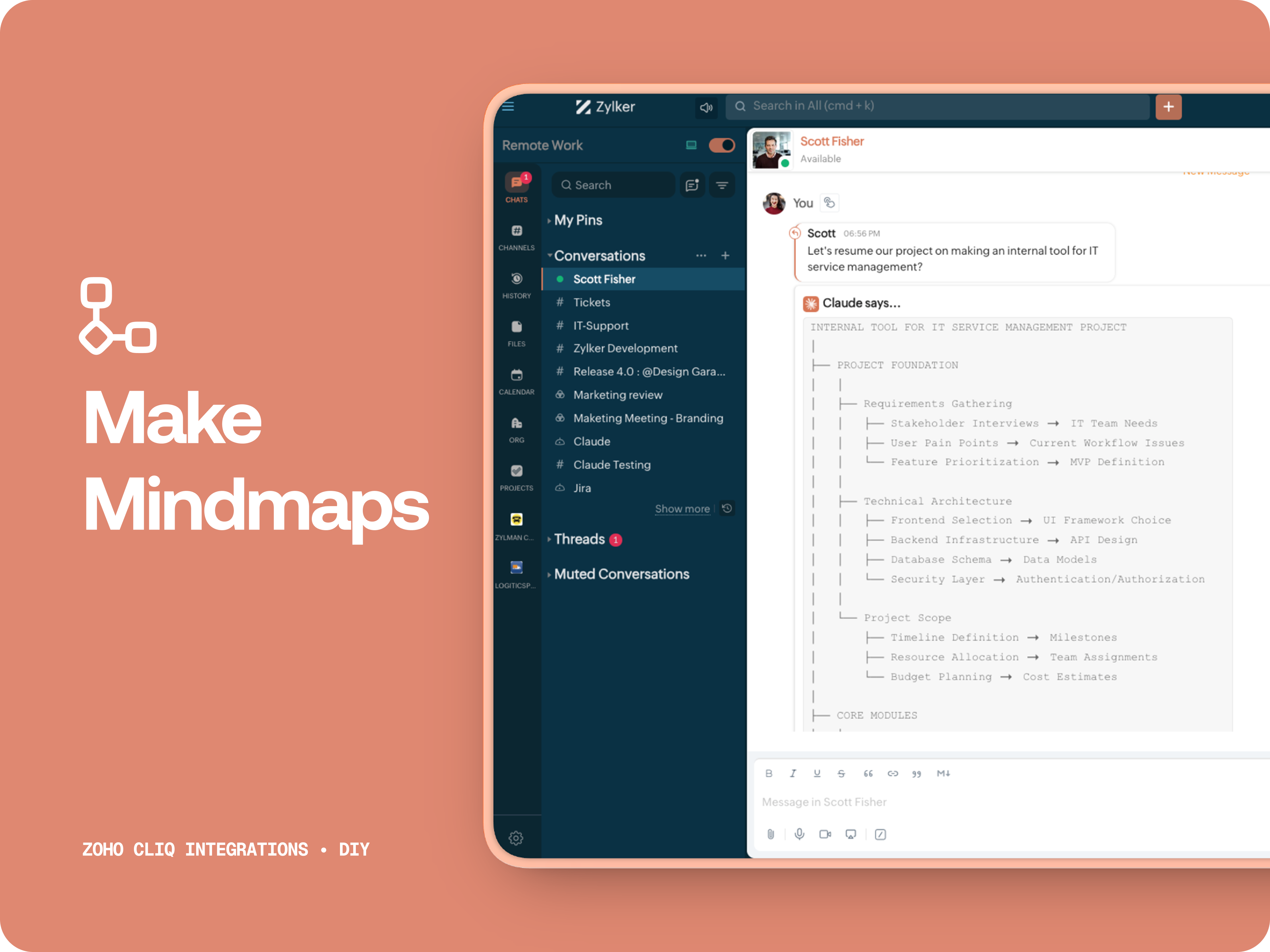
C. 🧠 Make Mindmap
Converts content into a structured ASCII flow chart for explaining system designs, feature breakdowns or general product thinking.
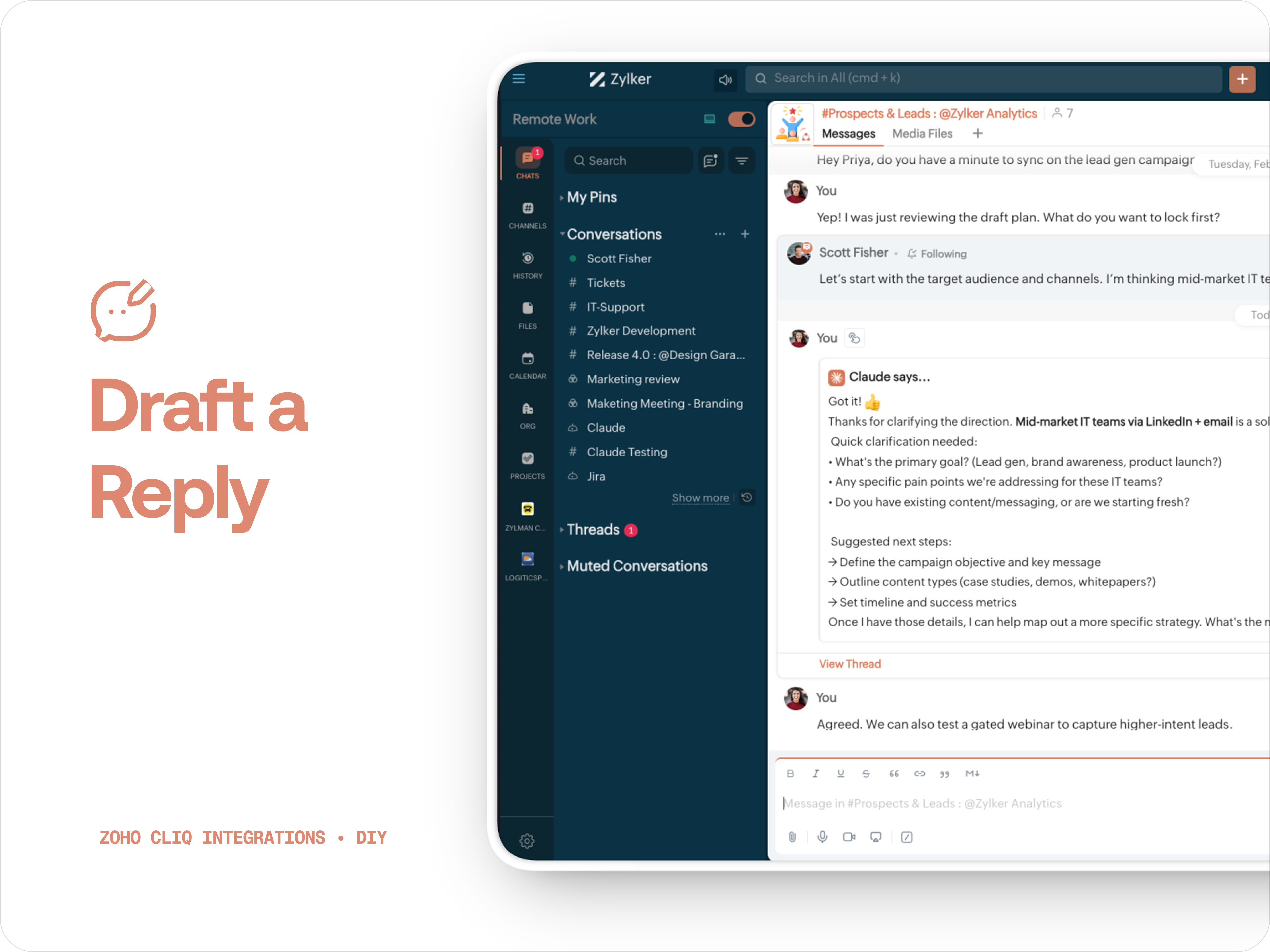
D. 📌 Draft a reply
How to create:
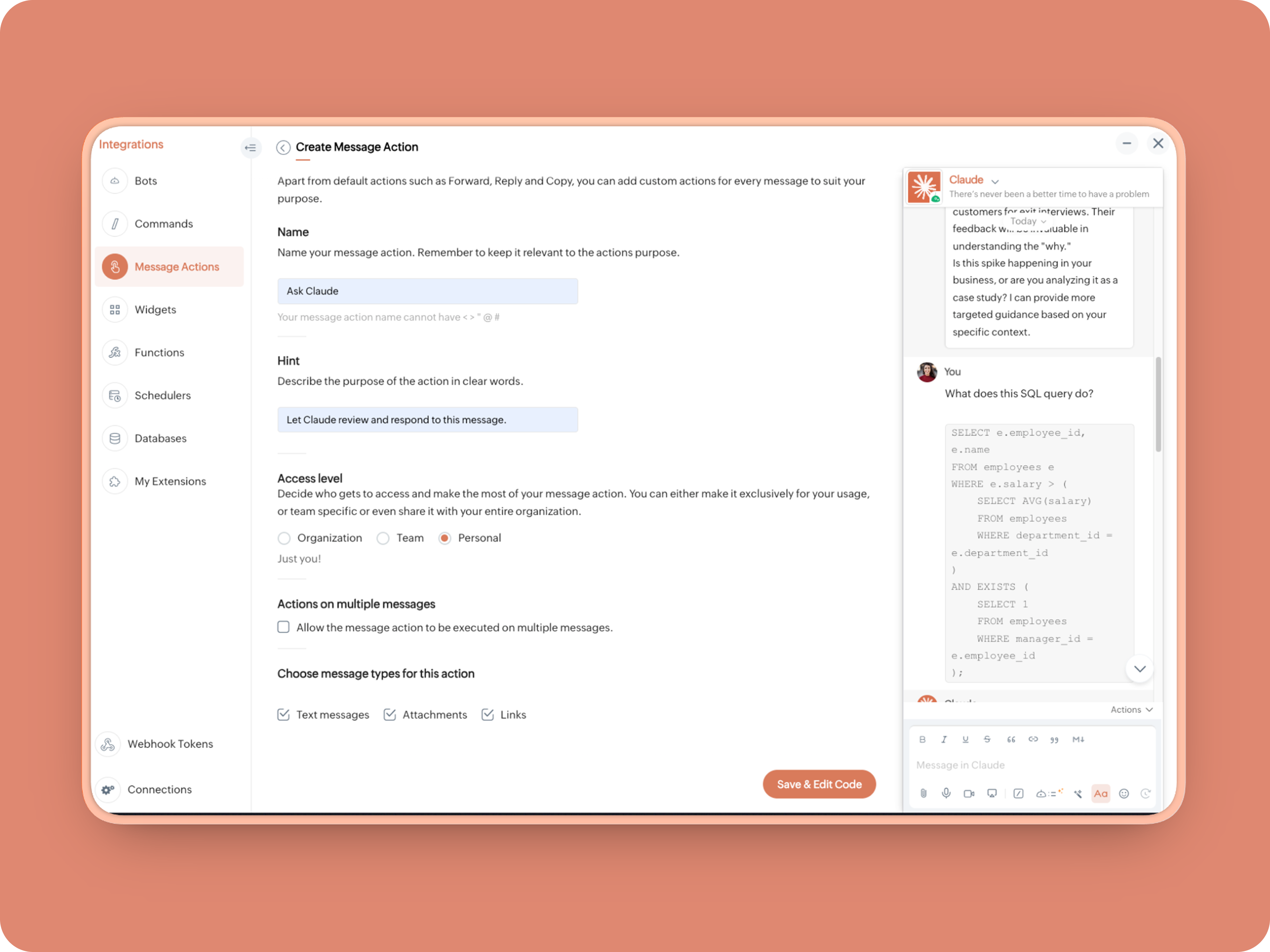
1. Create a Message Action, name it Ask Claude and give any description of your choice.
- info message;
- returnForm = false;
- if(message.get("type") == "file")
- {
- fileType = message.get("content").get("file").get("type");
- if(fileType != "application/pdf")
- {
- return {"type":"banner","text":"Only PDF files are supported for this action","status":"failure"};
- }
- }
- inputs = list();
- inputs.add({"label":"Choose an action","name":"action","mandatory":true,"type":"radio","options":{{"value":"reviewcode","label":"🔍 Review Code"},{"value":"explainthis","label":"🧠 Make Mindmap"},{"value":"ExplainlikeImnew","label":"✨ Explain like I’m new"},{"value":"Draftreplyforthis","label":"📌 Draft reply for this"}}});
- inputs.add({"label":"More instructions","name":"additionalInstructions","placeholder":"You can provide additional instructions if needed.","min_length":"0","max_length":"500","mandatory":false,"type":"textarea"});
- return {"type":"form","title":"Ask Claude","hint":"What would you like Claude to do? Choose an action or write your own.","name":"INSERT-FUNCTION-NAME","button_label":"Submit","inputs":inputs,"action":{"type":"invoke.function","name":"INSERT-FUNCTION-NAME"}};
Form Function:
1.Go to Functions → Name your function (Eg. askclaude) and add description
2. Select Form function
3. Create
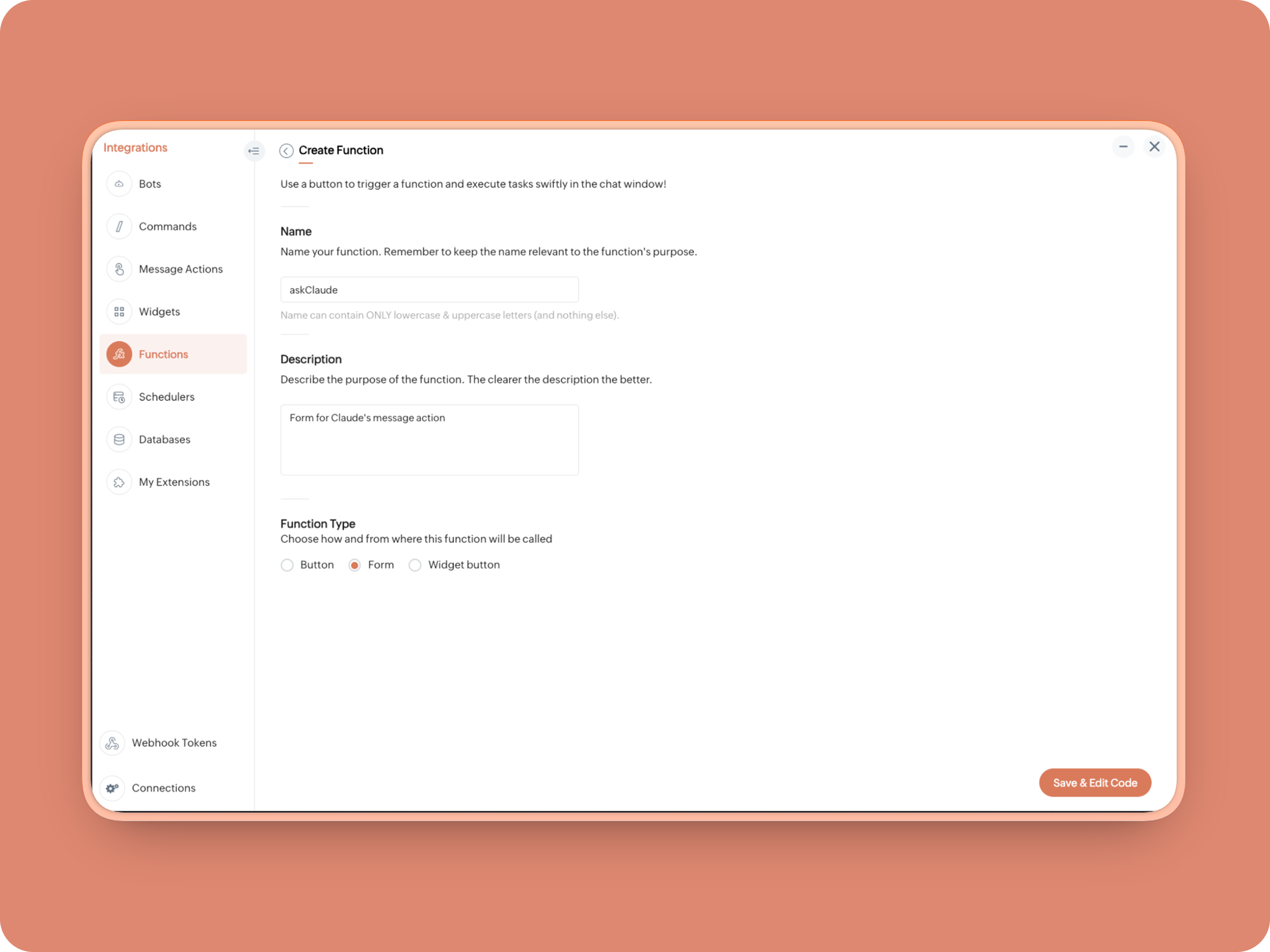
Once created, in the Form Submit Handler, paste this code:
- info form;
- info message;
- // Set up API headers
- apiHeaders = Map();
- apiHeaders.put("anthropic-version","2023-06-01");
- apiHeaders.put("Content-type","application/json");
- apiHeaders.put("ENTER-APIKEY-HERE");
- // Don't forget your API key!
- actionType = form.get("values").get("action").get("value");
- promptInstruction = "\"### Instructions ⓘ \nProvide a human-digestible, highly organized response (250-300 characters). Break down your output into bite-sized paragraphs and use bolding to guide the reader's eye. *Strictly avoid tables.* Use plenty of white space and only ### headings for a clean look. \n\n ### Formatting Protocol • \n - Bold: *text* \n - Italic: _text_ \n - Strike: ~text~ \n - Underline: __underline__ \n - Headers: ### Title \n - Quote: \"quote\" \n - Blockquote: > text \n - Bullets: Use • or → for lists \n - Emojis: Use ✨, 🚀, or 💡 to highlight key takeaways \n - Separator: --- \n\n ### and replace all ** to *";
- if(actionType == "reviewcode")
- {
- userPrompt = "🔍 You are a senior engineer. \nReview this code: \n• List bugs or logical errors \n• Note assumptions and risks \n• Suggest improvements \n• Provide corrected code \n• Explain why your version is better\n\n\n" + promptInstruction;
- }
- else if(actionType == "explainthis")
- {
- userPrompt = "🧠 You are a systems thinker. \n•Convert the input into a visual flow chart using plain text. \n•Strict Output Rules \n•Output ONLY inside a triple backtick code block \n•Do NOT use Mermaid \n•Do NOT write paragraphs \n•Do NOT explain anything \n•Do NOT use bullet lists outside structure \n•Use ASCII connectors to form a real flow chart \n•Use arrows (→, ↓, ↳, ├──, └──) to show relationships \n•Maintain clear hierarchy and spacing \n•One single root at the top \n•Logical directional flow (top → down) \n•Structure Requirements \n•Root node at top \n•First-level branches below \n•Subpoints indented \n•Cross-links if relevant \n•Clean spacing \n•No duplicated nodes \n•Required Format Example \n•MAIN IDEA \n•Branch 1 -> Subpoint -> Subpoint \n•Branch 2 -> Subpoint ->Subpoint \n•Branch 3 -> Subpoint -> Subpoint\n\n\n" + promptInstruction;
- }
- else if(actionType == "ExplainlikeImnew")
- {
- userPrompt = "✨ You are a teacher for beginners. \nExplain: \n• What it is \n• Why it matters \n• How it works (steps) \n• A simple analogy \n• One common beginner mistake\n\n\n" + promptInstruction;
- }
- else if(actionType == "Draftreplyforthis")
- {
- userPrompt = "📌 You are a professional responder. \nReply to this message: \n• Directly address main point \n• Ask for clarification if needed \n• Suggest next steps \n• Keep it concise and clear \n• Make sure message in a buisness casual tone, consise, human written.\n\n\n" + promptInstruction;
- }
- if(form.get("values").get("additionalInstructions").length() > 0)
- {
- userPrompt = userPrompt + "\n" + form.get("values").get("additionalInstructions");
- }
- // Check if message is text-only or contains a file
- if(message.get("type") == "text" || message.get("type") == "card")
- {
- // Handle text-only message
- userMessageText = message.get("text");
- requestPayload = {"max_tokens":1024,"messages":{{"content":userPrompt + "\n\n" + userMessageText,"role":"user"}},"model":"claude-sonnet-4-5-20250929"};
- }
- else
- {
- // Handle message with file attachment
- uploadedFile = invokeurl
- [
- url :"https://cliq.zoho" + environment.get("tld") + "/api/v2/files/" + message.get("content").get("file").get("id")
- type :GET
- connection:"ENTER-CONNECTION-NAME"
- ];
- info uploadedFile;
- base64EncodedFile = zoho.encryption.base64Encode(uploadedFile);
- if(message.get("content").containKey("comment"))
- {
- comment = message.get("content").get("comment");
- userPrompt = userPrompt + "\n" + comment;
- }
- else
- {
- userPrompt = userPrompt;
- }
- mediaType = message.get("content").get("file").get("type");
- mediaType = "application/pdf";
- requestPayload = {"max_tokens":1024,"messages":{{"role":"user","content":{{"type":"document","source":{"type":"base64","media_type":mediaType,"data":base64EncodedFile}},{"type":"text","text":userPrompt}}}},"model":"claude-sonnet-4-5-20250929"};
- }
- info requestPayload;
- // Make API call to Claude
- claudeApiResponse = invokeurl
- [
- url :"https://api.anthropic.com/v1/messages"
- type :POST
- parameters:requestPayload + ""
- headers:apiHeaders
- detailed:true
- ];
- // info claudeApiResponse;
- // Extract the actual text response
- if(claudeApiResponse.get("responseCode") == 200)
- {
- responseBody = claudeApiResponse.get("responseText");
- parsedResponse = responseBody.toMap();
- claudeMessage = parsedResponse.get("content").get(0).get("text").replaceAll("\n\n","\n").remove("---").remove("#");
- if(claudeMessage.length() > 4000)
- {
- claudeMessage = claudeMessage.subString(0,4000) + "...";
- }
- info "Claude's Response: " + claudeMessage;
- }
- else
- {
- responseBody = claudeApiResponse.get("responseText");
- parsedResponse = responseBody.toMap();
- claudeMessage = "*" + parsedResponse.get("error").get("type") + "* \n" + parsedResponse.get("error").get("message");
- info "API Error: " + claudeApiResponse;
- }
- responseContent = {"text":claudeMessage,"card":{"title":"Claude says...","icon":"https://uxwing.com/wp-content/themes/uxwing/download/brands-and-social-media/claude-ai-icon.png"},"reply_to":message.get("id")};
- info responseContent;
- info zoho.cliq.postToChat(chat.get("id"),responseContent);
- return Map();
When triggered: Opens a form → User selects an action → Adds additional instructions → Submits → Claude processes the selected message
What you built today is just the foundation.
Shape it around how your team actually works. Extend it to turn discussions into action items, review PRs before they’re merged, generate standup updates, extract tasks automatically, or create knowledge snippets from resolved threads.
Start with one real pain point. Solve it well. Then layer more intelligence on top.
The structure is already there. The possibilities are yours.
🔗 Explore Zoho Cliq: Developer Platform
🔗 Explore Anthropic API Docs