Function #14: Notify users about draft invoices
If you have been using Zoho Books together with Zoho Cliq to facilitate user collaboration, then today's function should be useful for you. This script automatically compiles the list of draft invoices and sends the details to a designated Cliq channel at the scheduled time each day. Users can review the invoices and send them to the customers. This approach guarantees that no invoice remains unsent and helps you ensure on-time payments.
Prerequisites:
1. Create a Connection named "zbooks" to successfully execute the function. You can watch the GIF attached below to know how to create the connection.

2. Create another Connection named "zcliq" as the invoice details need to be sent to Zoho Cliq. You can watch the GIF below to know the steps to create the connection.
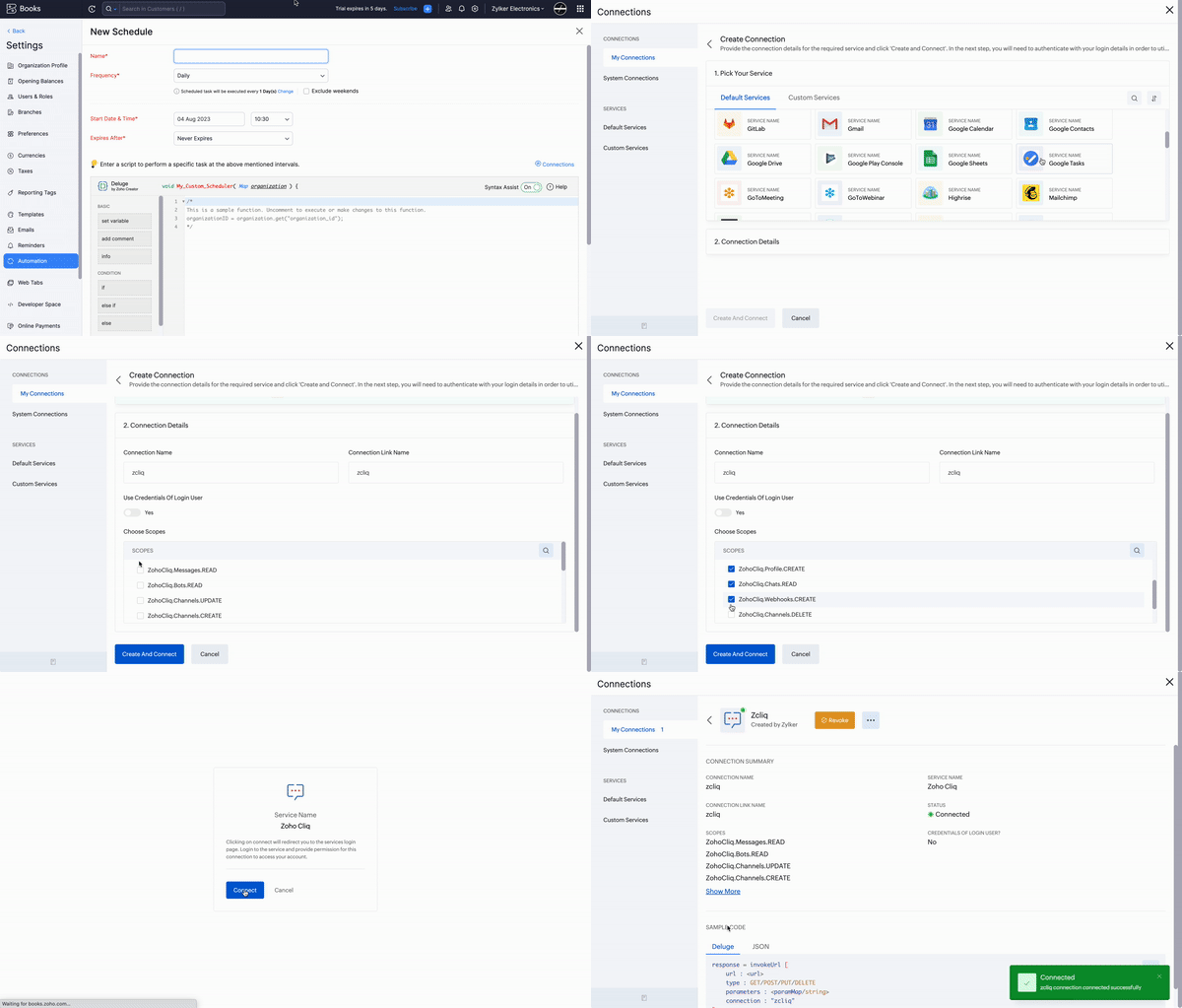
Setting up the Scheduler:
Navigate to Settings -> Automation -> Schedules -> +New Schedule > Set up the schedule according to your preference > Add the code from this GitHub link.

In the script, you need to mention the name of the channel to which the details need to be sent. To get the Unique name of the channel, go to Zoho Cliq and access the channel, click on the "Actions" label at the bottom > Channel info > Connectors > Copy the Unique name and replace in the script (Line 19).

Here's a sample screenshot of the invoice details that will be sent to the Zoho Cliq channel.

Hope this function will be beneficial for you. Please feel free to contact us at support[at]zohobooks[dot]com for any assistance regarding setting up this scheduler. Our team will gladly assist you!
Regards,
Shireen Farhana S
Zoho Books.