Function #16: Copy attachments automatically from billable bill to invoice
In Zoho Books, it is possible to generate an invoice directly from a bill when the items are marked as "Billable." This feature lets you charge your customers for any applicable costs or operational expenses. If the billable bill has important attachments, such as copies of vendor invoices or item details that should be automatically carried over to the corresponding invoice, then you can utilize today's custom function. Upon execution, the function will automatically attach files to the invoices from the related billable bills.
Prerequisites:
1. Create a Connection named "zbooks" to successfully execute the function. You can watch the GIF attached below to know how to create the connection.
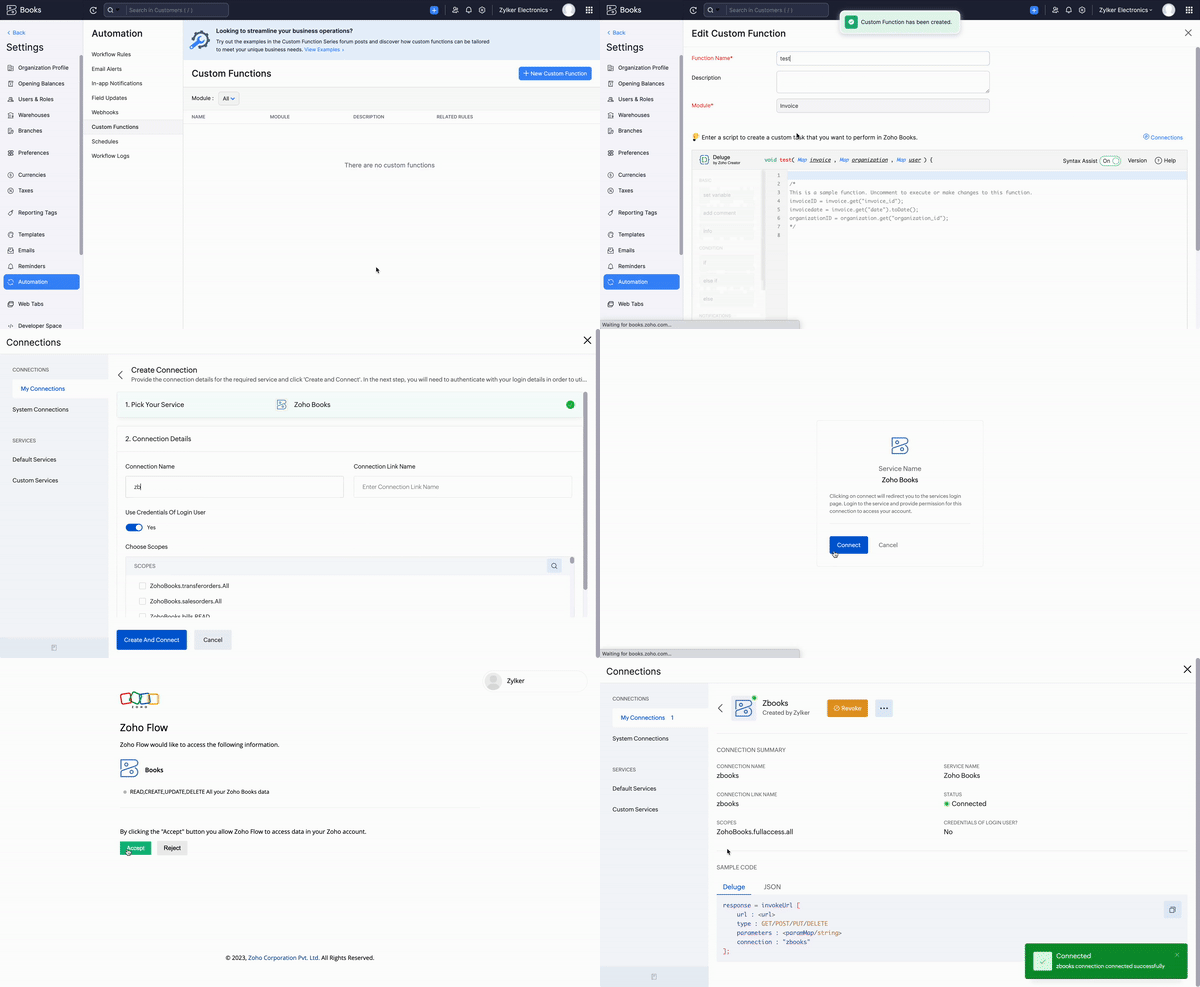
Custom function:
Navigate to Settings -> Automation -> Custom functions -> +New Custom Function > Add the function code from this GitHub link.
Go to Settings -> Automation -> Workflow Rules -> +New Workflow Rule and set up the workflow rule as shown below:-
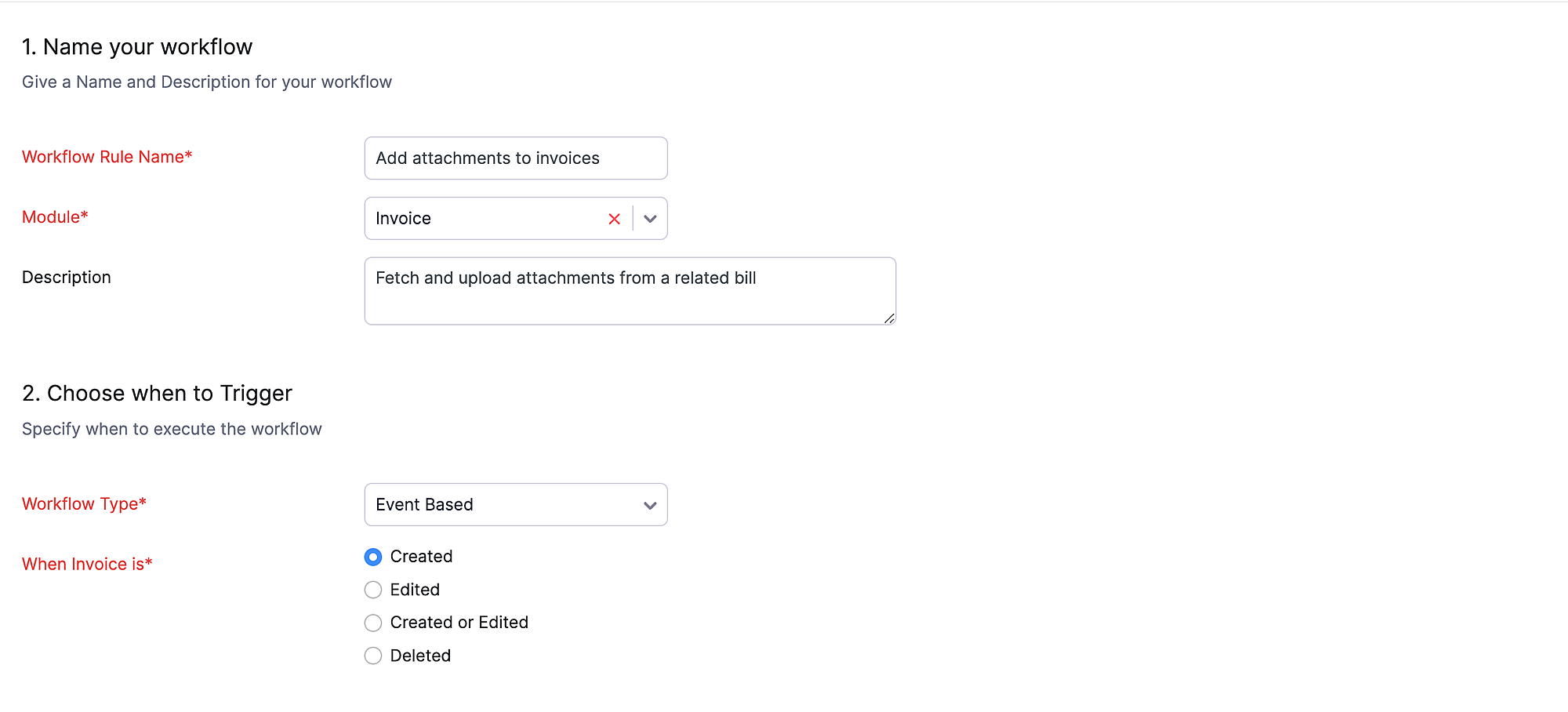
Workflow Rule:
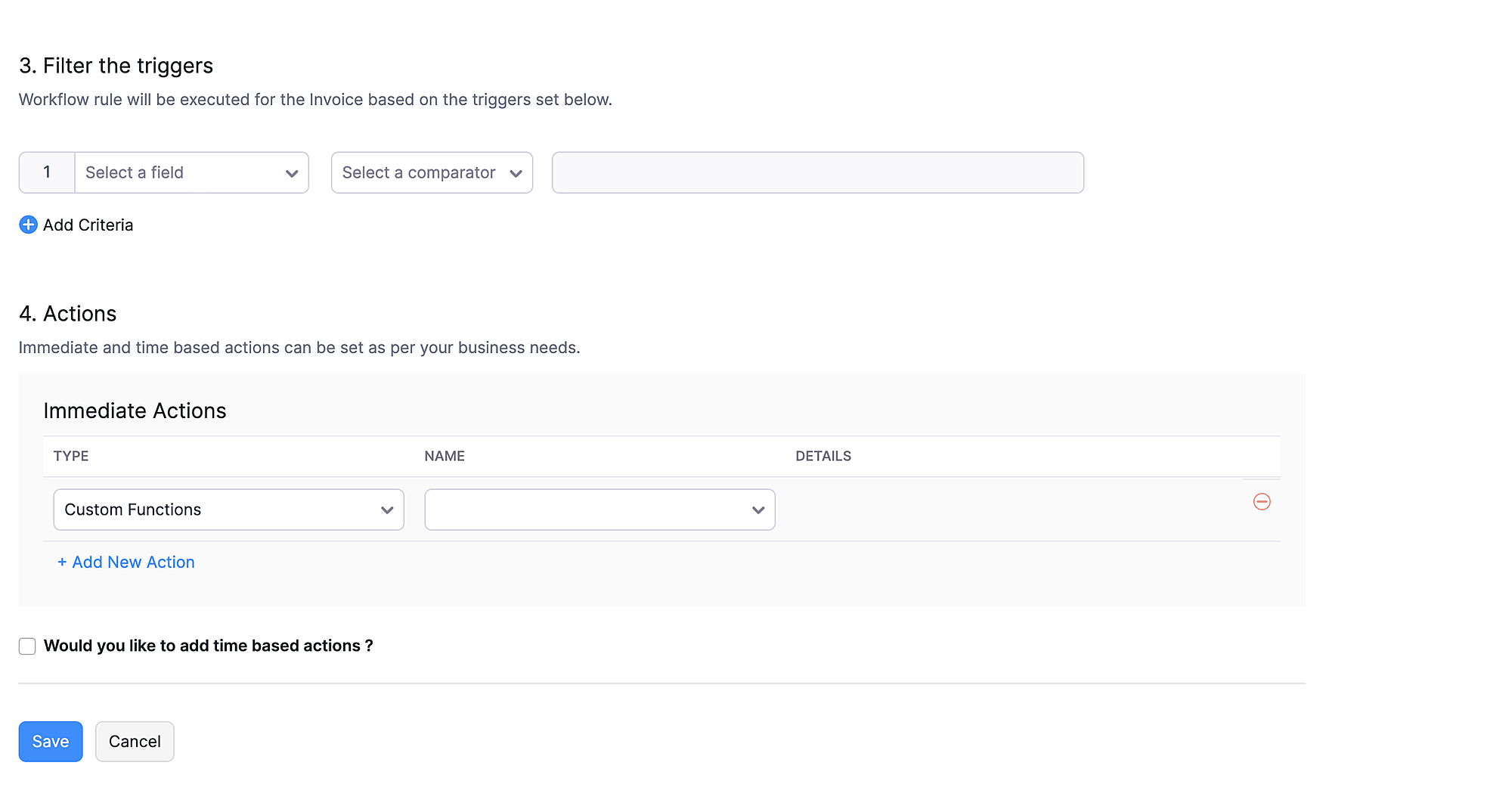
In the final step of the workflow rule, choose the custom function you created and then hit Save.
Once the custom function gets executed, the files attached to the billable bill will be automatically copied and shown under the "Attachments" section of the corresponding invoice. If the option "Display attachment(s) in Customer Portal and emails" is enabled, then those files will be automatically attached to the invoice email when it is sent.


We believe that this custom function will enhance the process of invoicing billable bills. If you require any help with configuring this function, please don't hesitate to contact our support team through support[at]zohobooks[dot]com.
Regards,
Shireen Farhana S
Zoho Books.