Function #43: Auto-enable Customer portal

Hello everyone, and welcome back to our series!
The Customer Portal in Zoho Books serves as a platform for your customers from where they can accept quotes, view sales orders, monitor shipment statuses, make invoice payments, and manage other related transactions. Normally, you can grant access to the portal when creating a customer. However, there may be instances where you might prefer to enable portal access only when the customer makes their first sales transaction. In such cases, you can employ today's custom function. This function will automatically enable portal access and send the portal invitation to the customer's primary email address when the first quote is created and sent.

Prerequisites:
1. Create a Connection named "zbooks" to successfully execute the function. You can watch the GIF attached below to know how to create the connection.
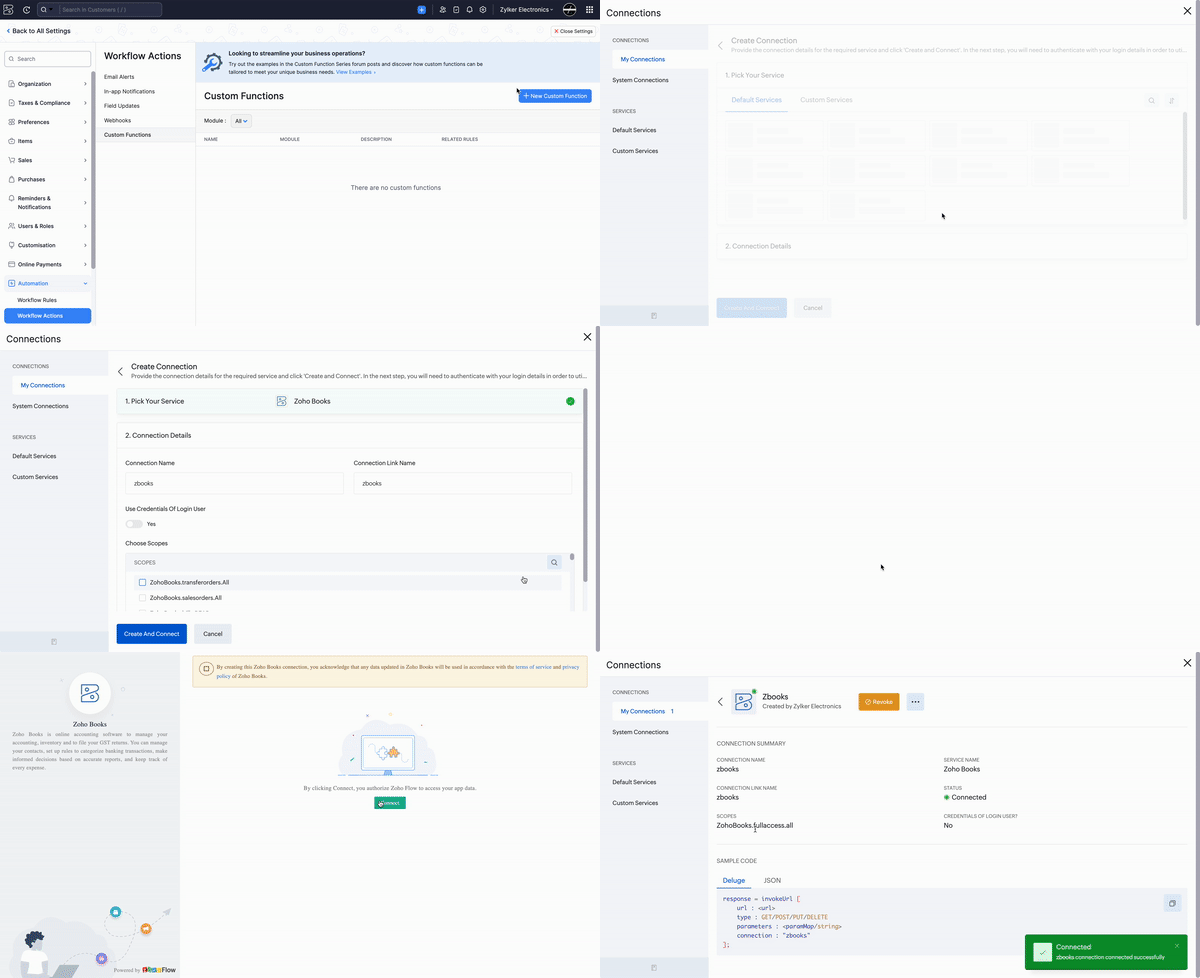
Custom Function:
Navigate to Settings -> Automation -> Workflow Actions -> Custom Functions -> +New Custom Function > Add the function code from this GitHub link > Hit Save.
Workflow Rule:
Go to Settings -> Automation -> Workflow Rules -> +New Workflow Rule and set up the workflow rule as shown below:

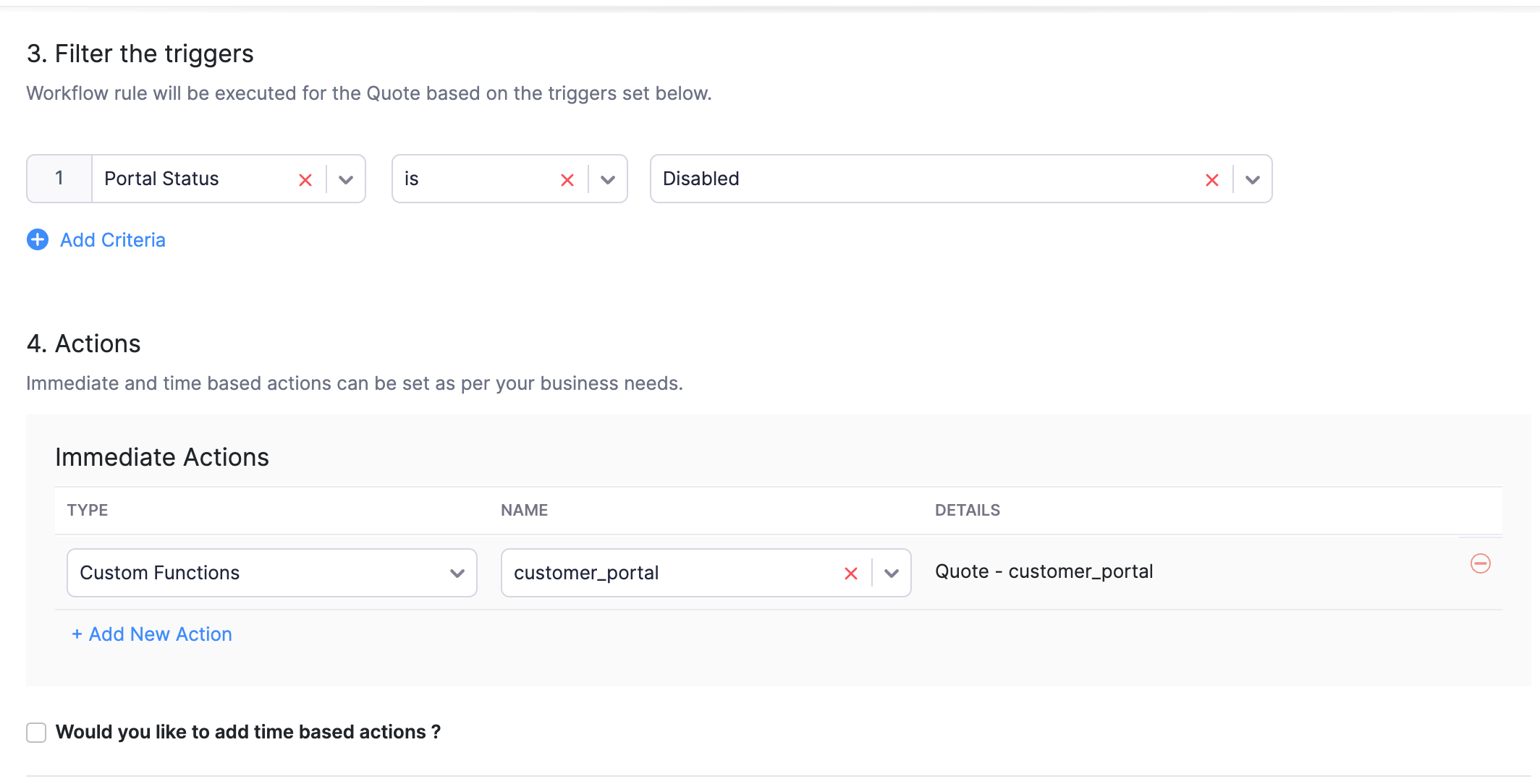
In the final step of this workflow rule, associate the custom function you created and then hit Save.
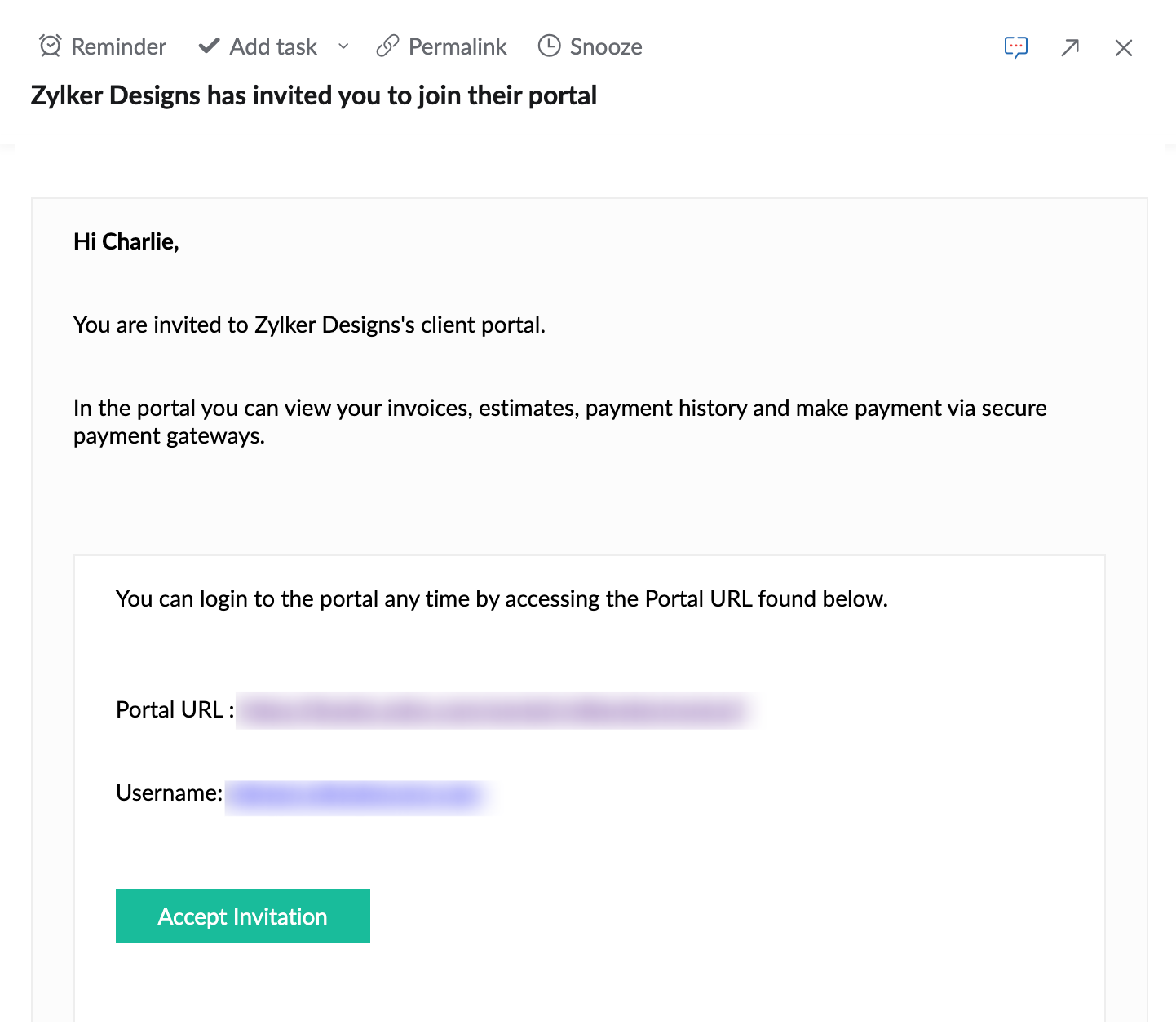
Found this function useful? Share your thoughts in the comments section. If you require any help setting up this automation, don't hesitate to reach out to us at support[at]zohobooks[dot]com.
More custom functions are coming your way. Stay tuned!