Implementing Back Button Navigation in Zoho Creator
Zoho Creator does not currently support a native Back button within forms, so implementing backward navigation requires a workaround.
We recently implemented this in an application that was split into 9 modular forms. Since users needed to move between sections while continuing to work on the same application, we required a Back button that could open the previous form without creating duplicate records.
Approach
Each modular form contains a shared unique identifier that links it to the same application.
When a user clicks Back, the application uses that identifier to open the corresponding record in edit mode. This ensures that previously entered information is preserved and users can continue from where they left off.
Similarly, the Next button (renamed from the standard Submit button) opens the next modular form and, if a record already exists with the same unique identifier, opens it directly in edit mode.
Challenge: Button Placement
Getting the navigation logic working was relatively straightforward.
The bigger challenge was the user interface.
Since Zoho Creator does not allow custom buttons to be placed alongside the native Submit button, we initially positioned the Back button above the Next button.
However, the position of the Submit button changes depending on the form layout and visible fields, resulting in inconsistent alignment between the two navigation actions.
To keep both actions together, we hid the native Submit button and created a custom Next button alongside the Back button using a Notes field.
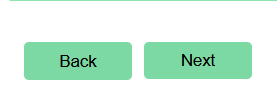
This provided a more consistent layout and allowed both navigation controls to be managed together.
Challenge: Device Responsiveness
After implementing the custom navigation controls, we noticed layout differences across devices.
The button alignment that looked correct on desktop did not always appear correctly on mobile and tablet devices.
To address this, we introduced device-specific HTML and CSS adjustments, including media queries for tablet layouts to support both portrait and landscape orientations.
This helped maintain a more consistent navigation experience across different screen sizes.
Reusability
To avoid repeating the same code across multiple forms, we moved the Back button logic into a custom function and reused it wherever required.
This allowed us to maintain the navigation logic from a single location instead of updating it separately in each modular form.
I'd be interested to hear how others in the community have approached Back button navigation in Zoho Creator.
Has anyone found a simpler or more maintainable approach for handling form-to-form navigation?