Log Calls - No Where to be found
Hi, your help guide has all this info below, but i can't find anything about it in the actual CRM setting page?
Log Calls
It is important to track the conversations that you made with your Leads/Contacts. That's where logging a call comes in handy. When you log a call, you are creating a history of that call that is vital for future reference.

Both incoming and outgoing calls can be logged from your Zoho CRM application.
To log a call, you need to enable the options in Zoho CRM app settings.
- Go to Zoho CRM app and tap Settings.
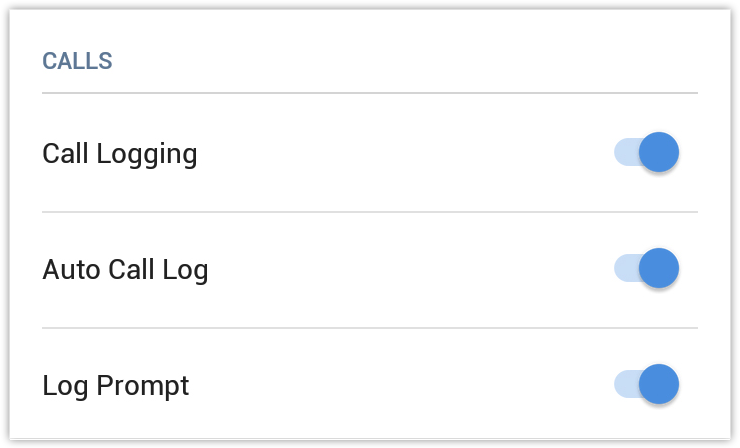
You will find a list of options under calls. - Call logging - Enabling this option, permits you to log calls.
- Auto Call Log - Enabling this option, allows you to log calls automatically.
- Log Prompt - Enabling this option, prompts you to log a call after completion.
To log an outgoing call
- Place a call.
- Once the call is completed you will be prompted to log the call.
- Tap Yes to log the call.
- In the Call Information page enter the necessary details and tap Save.
To log an incoming call
- Answer the incoming call.
When the call is over, Log this call option will be available (only if the incoming call's phone number is already present in your Zoho CRM account).
Tap the tick icon to log the call. - In the Call Information page enter the data that is required and tap Save.