Set workload limits in CRM with Assignment Threshold
Hello folks,
You've witnessed the real-life struggles sales teams face when they're overloaded with tasks. These struggles usually involve:
- Account executives juggling multiple clients
- Sales managers struggling to allocate resources effectively
- Sales development representatives drowning in new leads, and so on.
This overload can cripple productivity, ruin morale, and damage the quality of engagement with customers.
We'd like to introduce a new feature to balance your employees' workloads: Assignment Threshold.
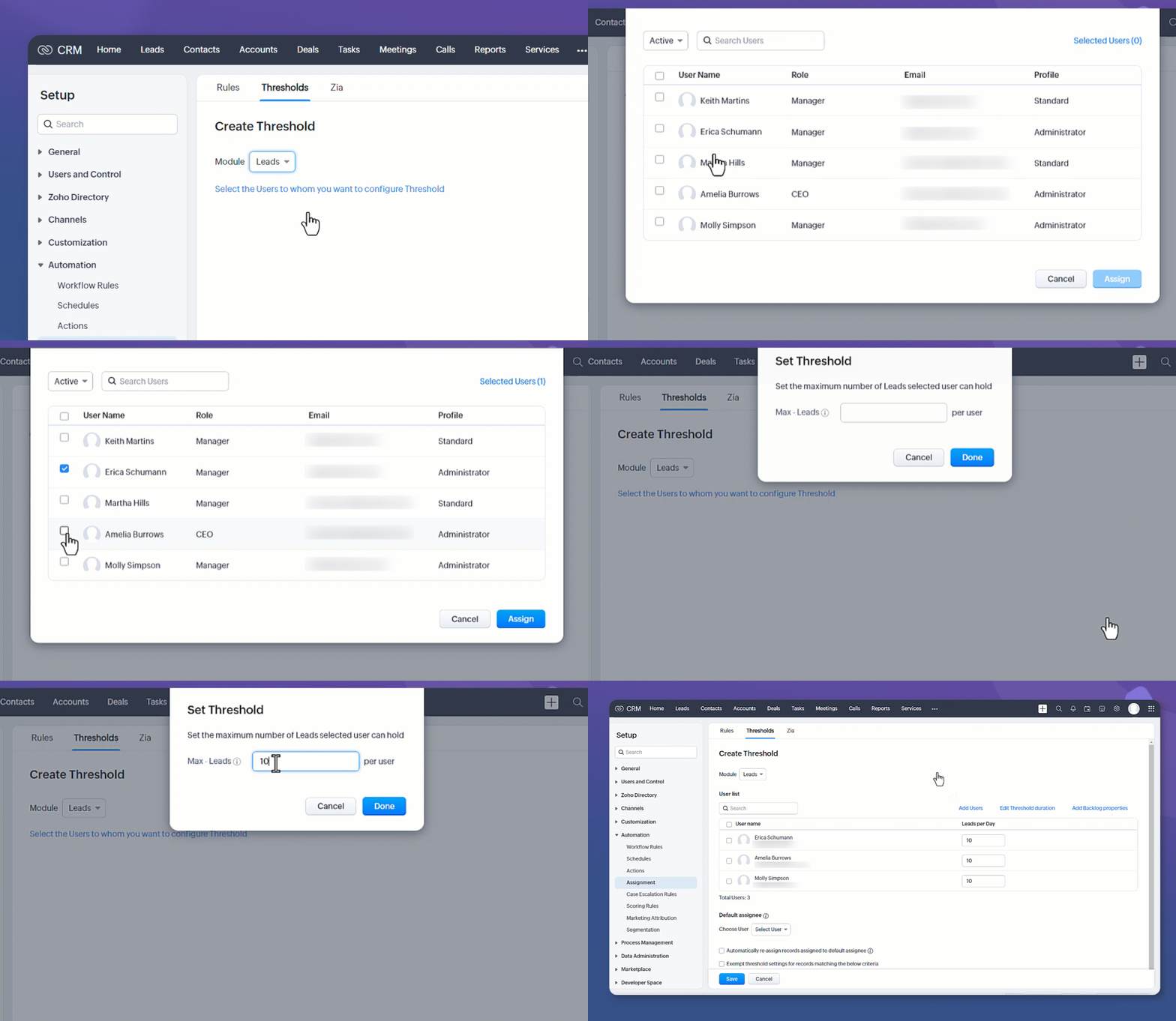
How does this help you?
Let's say your organization has experienced a sudden growth spurt, and the volume of incoming leads is overwhelming your sales reps, who are finding it hard to prioritize their leads and handle the rapid increase in their workloads.
- Set limits on new records assigned to a user
Using Assignment Threshold, you can set a limit on the number of new leads assigned per day, week, or month for each sales representative.With a reasonable limit in place, sales reps can conduct thorough research, tailor their approaches to individual clients, and provide prompt follow-ups—ultimately increasing their chances of closing deals.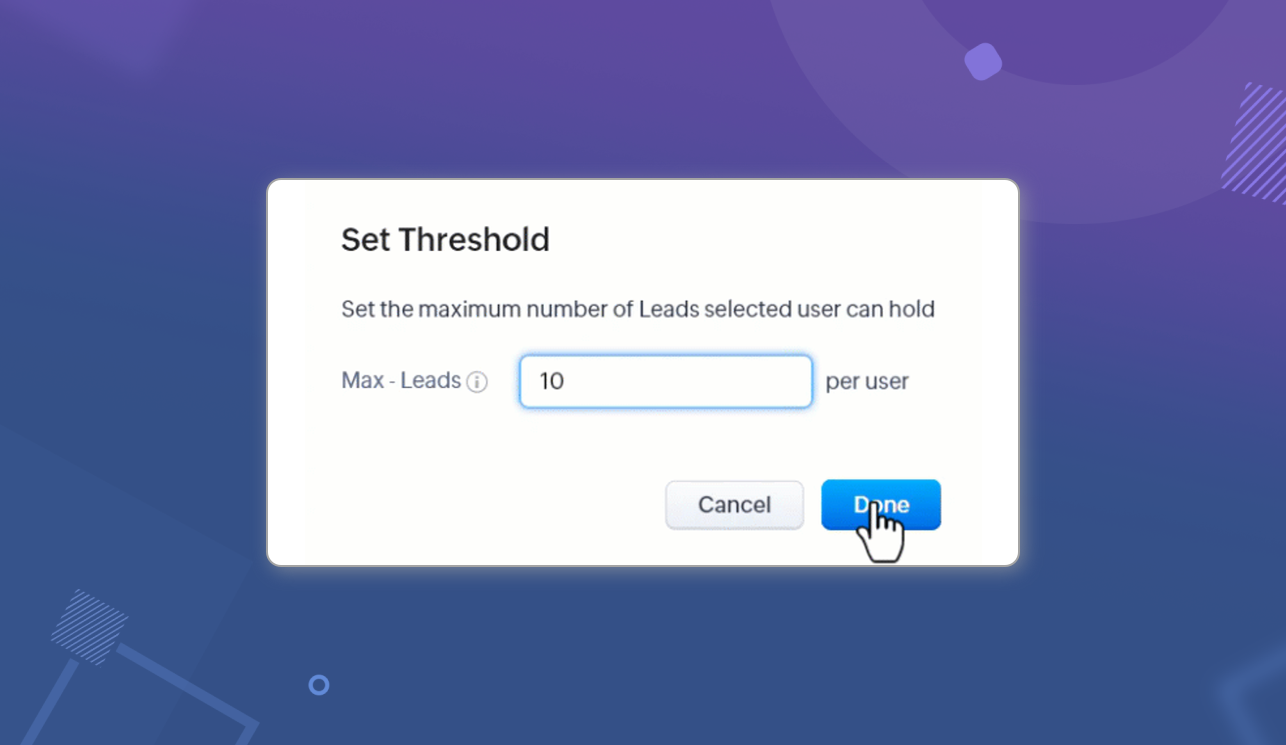
- Set backlog limit
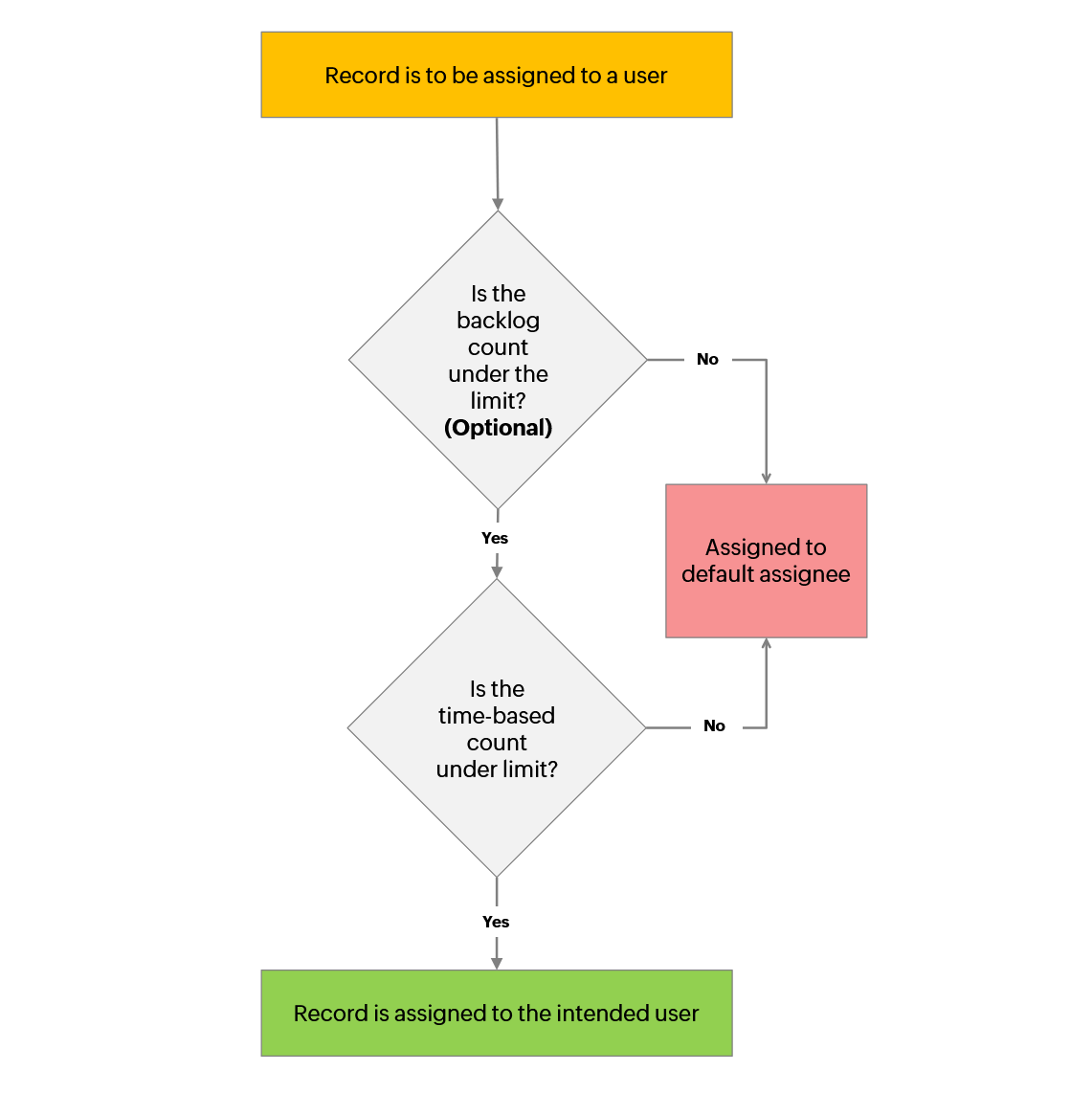
In some cases, the workload may remain high because of pending work—for example, leads that your representatives haven't contacted yet. If this is the case, you can include a backlog limit in the threshold.With this in place, your reps will be assigned new leads only after checking this backlog limit and the daily/weekly/monthly limit.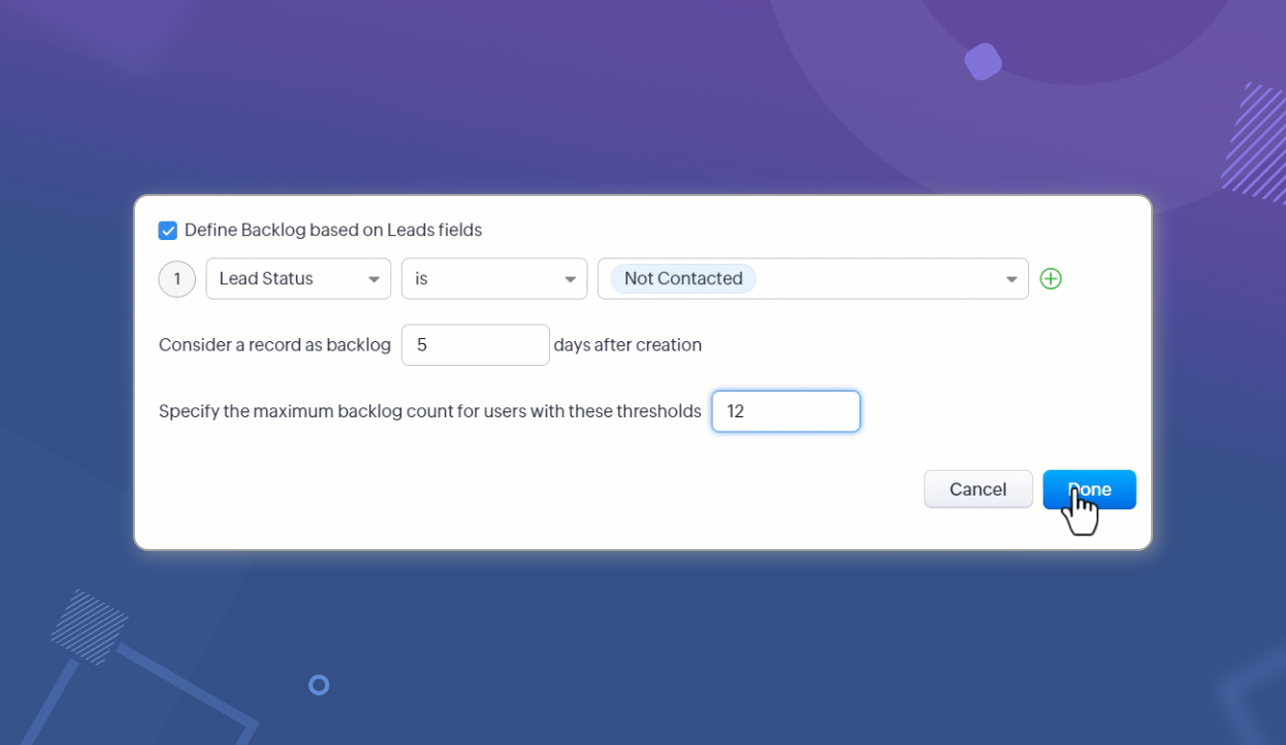
- Automate reallocation of excess records
Excess records are assigned to a default assignee—say, a sales manager. To automate the task of distributing these leads periodically, we've included the option of automatic re-allocation within a threshold.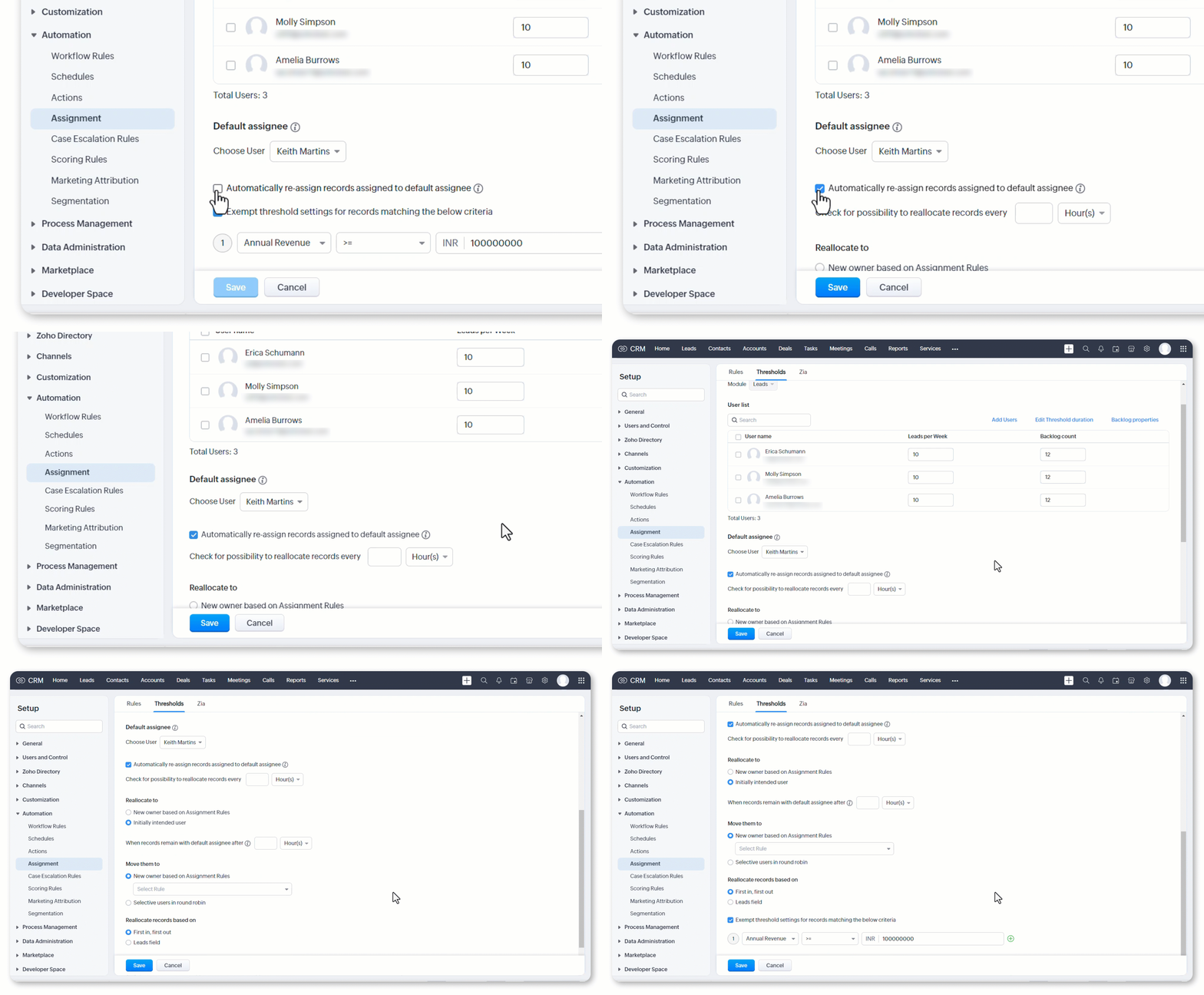
- Set maximum duration for which records remain unallocated
We need to balance the desire to protect our sales reps with the need to provide a prompt response to our leads. If a lead has remained with the default assignee for an extended period of time, it will be assigned to a rep, even if it breaches that rep's threshold.By using Assignment Threshold, you can set and reset limits for your team to ensure that their work is of high quality, while preventing burnout and preserving morale.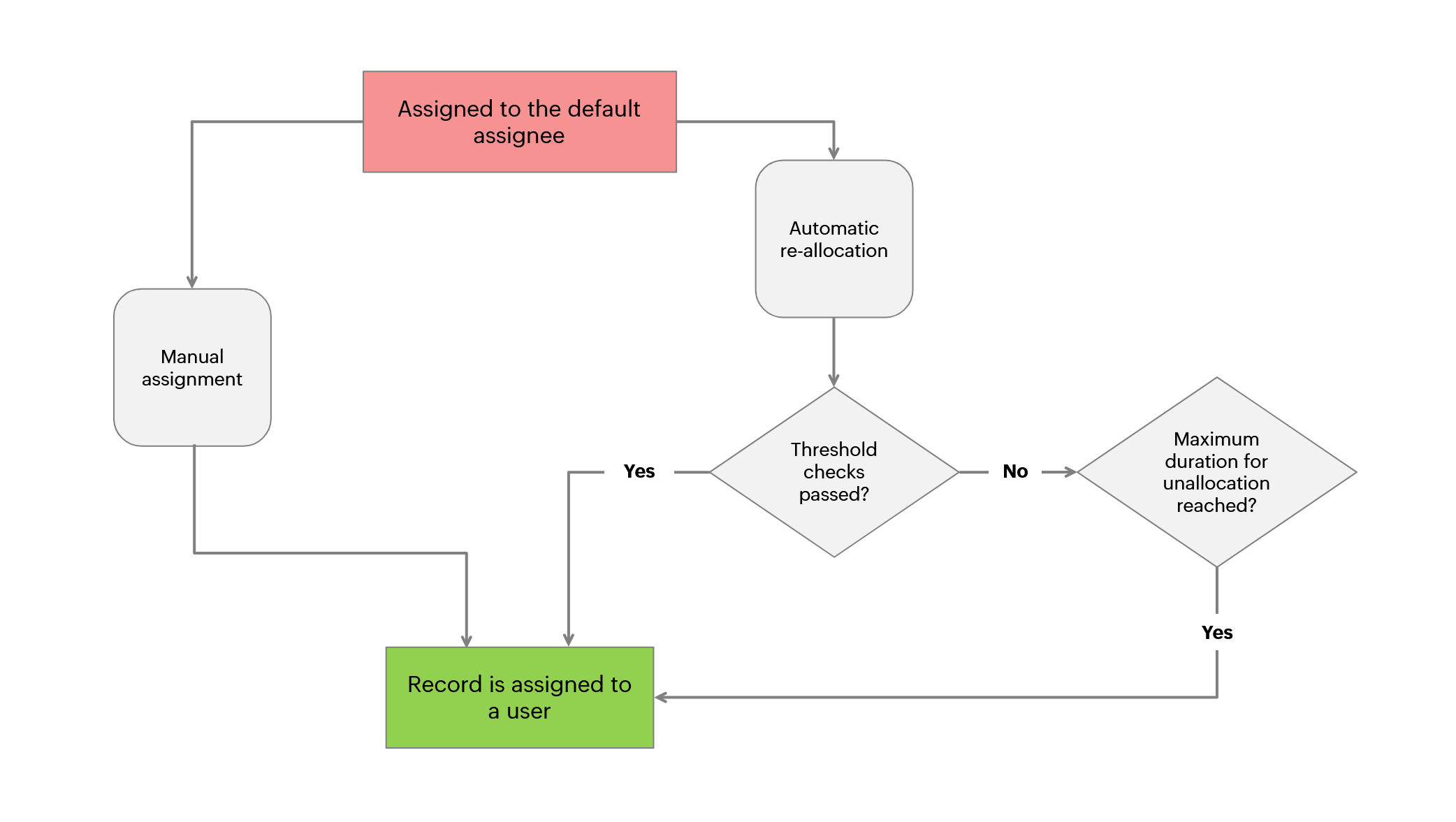
To learn more about Assignment Thresholds, see Assignment Threshold.
Limits
- Maximum number of thresholds per module:
Developer - 5
Professional - 20
Enterprise (including CRM Plus, Zoho One) - 30
Ultimate - 30
- Maximum number of users per assignment threshold: 500
Do try out this feature and let us know what you think!