Weekly Tips: Secure your attachment downloads with Zoho Mail
Safety is one of our main concerns, whether it’s about device security or online protection. We use tools like fingerprint scanners, facial recognition, and two-factor authentication to keep our devices and email accounts secure. We use methods like OTP based logins and PGP-encryption to send secure emails. But what about important attachments and files we receive through email? After we download them to our computers, how can we make sure that only we can access them?
Zoho Mail's Secure your downloads option allows you to protect your attachments once they have been downloaded to your local desktop.
Secure your downloads
To enhance the security of your downloaded files in Zoho Mail, you can enable the Secure your downloads option, which ensures that all your downloads are encrypted with a password. It's essential to protect these files to keep our sensitive information safe.
Enable Secure your downloads
- Log into your Zoho Mail account.
- Click on the Settings icon.
- Navigate to General > System > Secure Your Downloads.
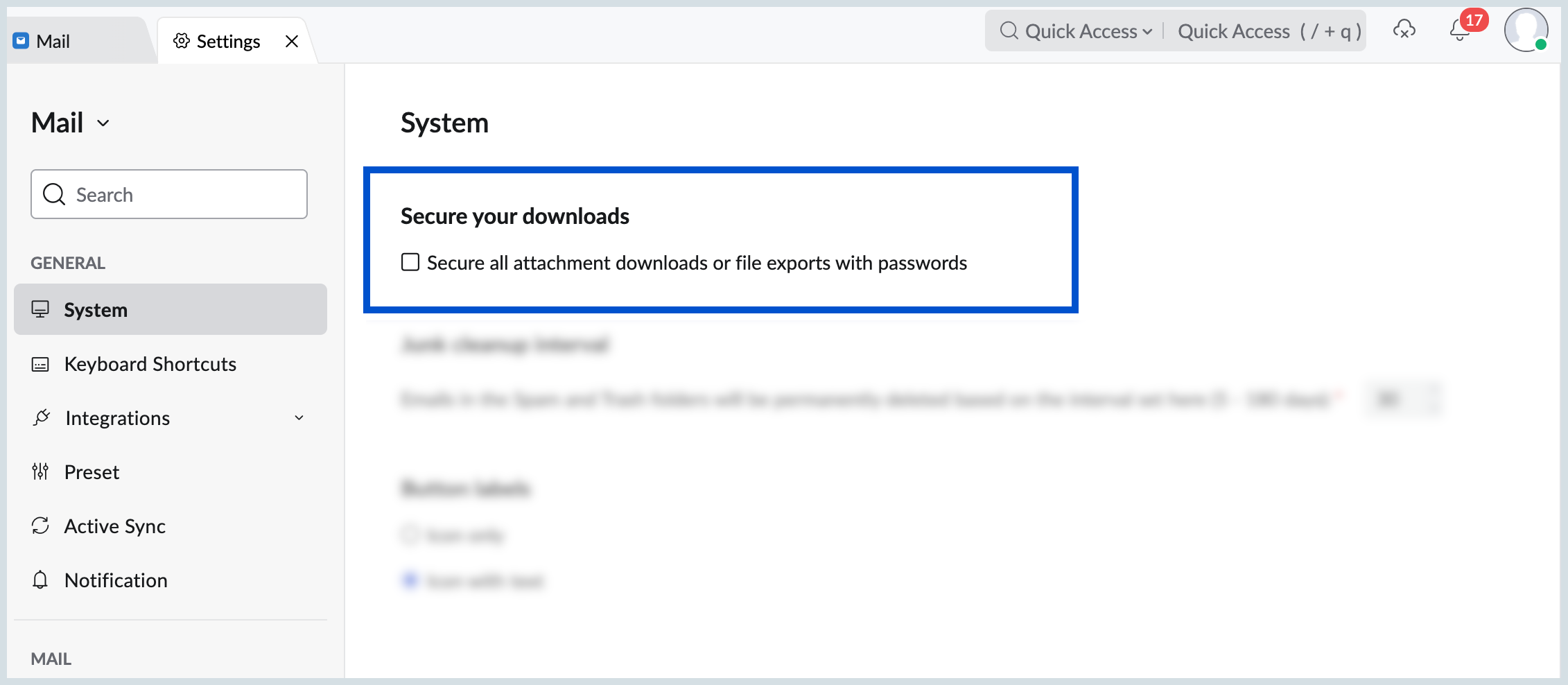
- Check the box for Secure all attachment downloads or file exports with passwords.
- With this setting enabled, any file you download from your account will be encrypted with a password, thus ensuring your downloads are secure.
Say goodbye to concerns over unauthorized access to your important attachments!