A decade together - Thank you for being a part of the journey with Zoho Social!
A decade ago, we started Zoho Social with a simple vision: to make social media management easier, smarter, and more impactful for your business. What began as a small idea has grown to a powerful platform that helps businesses across the globe reach their audiences through the most popular social media networks.
Over the years, we've managed to adapt to changing trends and the ever-evolving social media spectrum according to various industries. From our very first customer to our now-thriving community filled with people, this journey wouldn't have been as easy and fun without you, our beloved users.
From then to now
- Launched in 2015 with a core focus on publishing and scheduling; broadened further into monitoring and social listening, measuring performance, AI-powered writing for social media, and collaborating with peers and customers
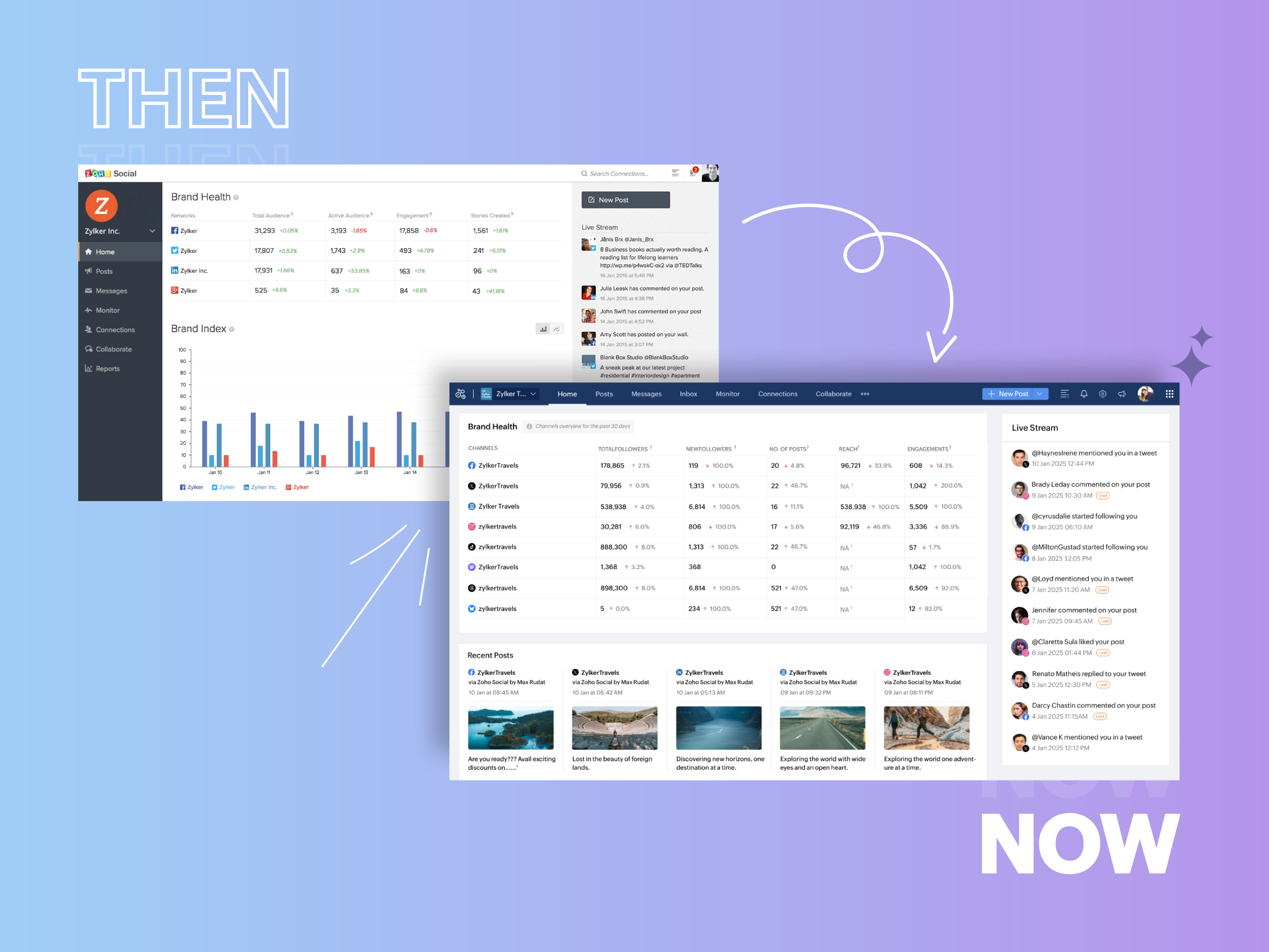
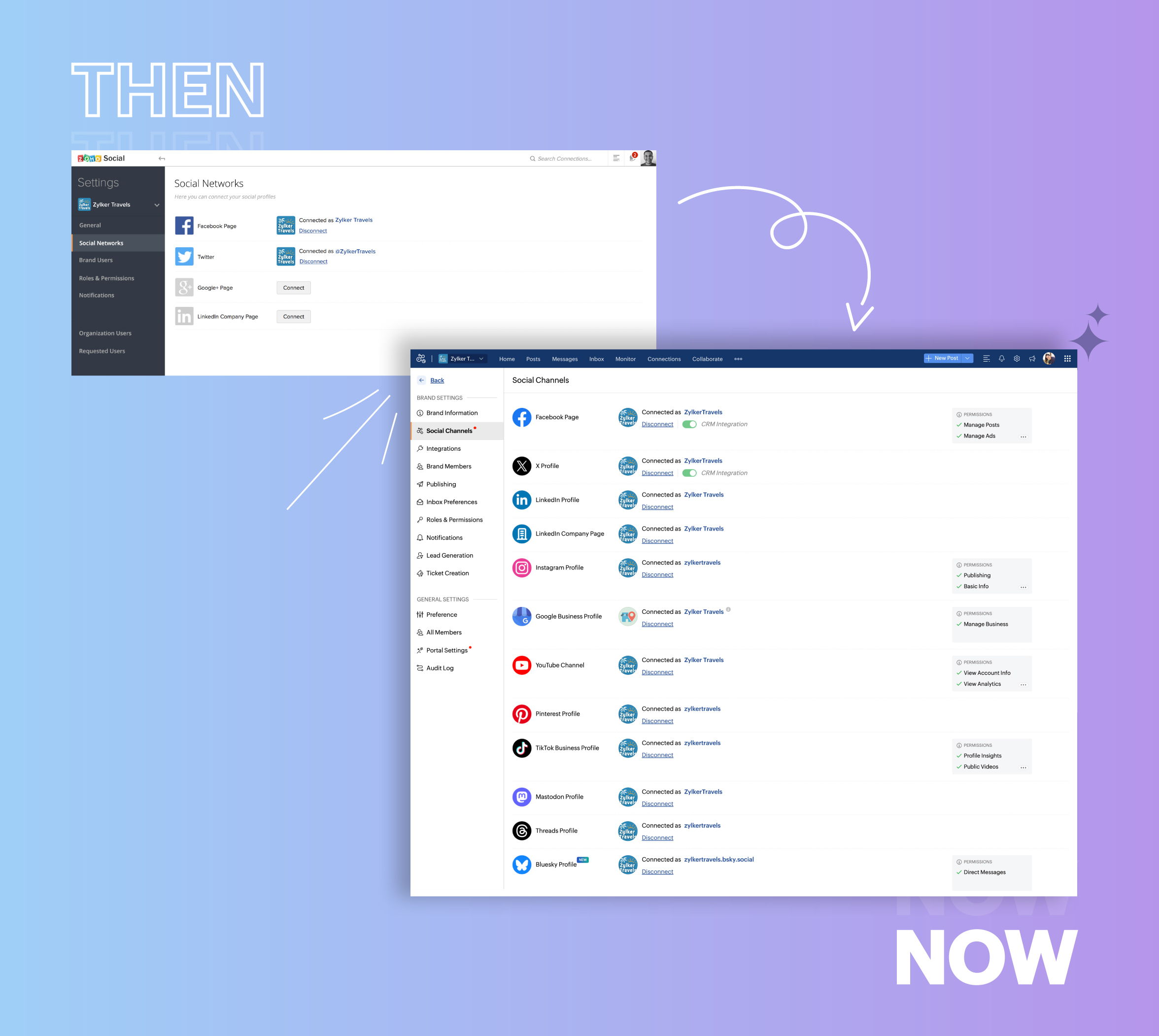
- Expanded from four to 14 social media channels
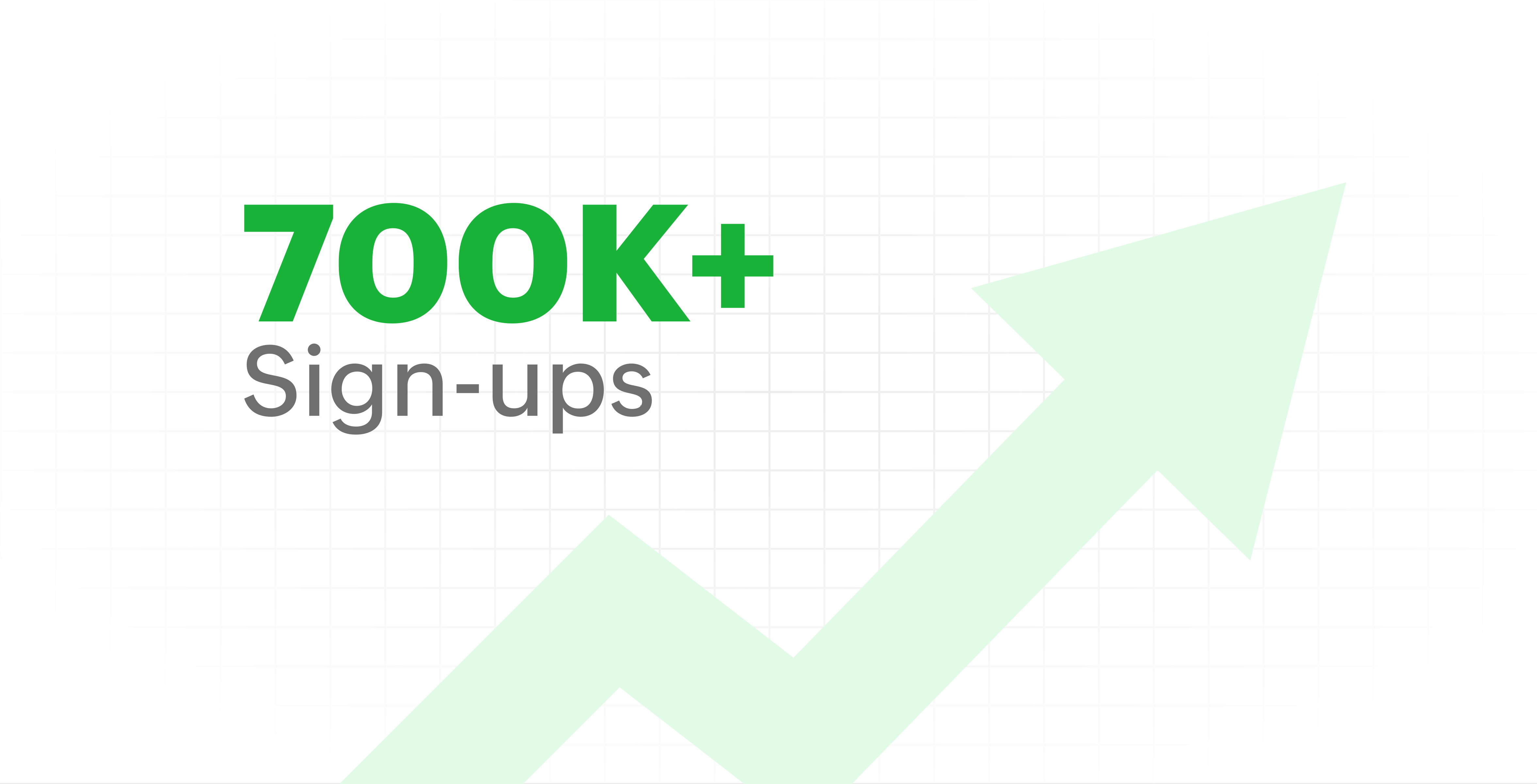
- Grew from our first sign-up to 700k+ sign-ups
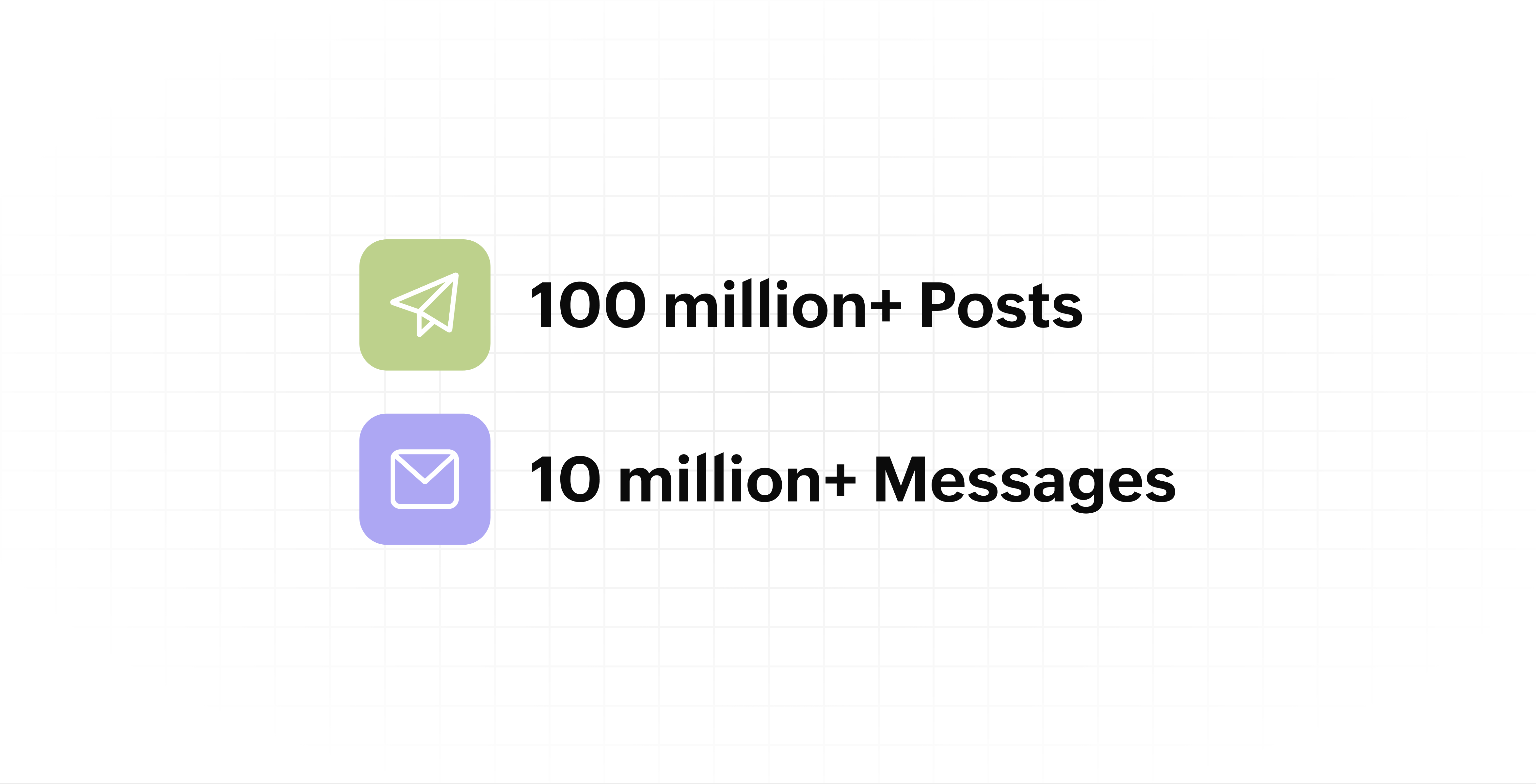
- Processed and published 100 million+ posts with more than 24k posts published or scheduled in a day and 10 million+ messages
- Evolved from a passionate team of eight who planted the seed to a dynamic family of 55, carrying our vision forward.

Our top 10 features from the past 10 years
2015: Launch of Zoho Social
Zoho Social was launched with publishing, scheduling, collaborating, and performance analysis features. Further, in the same year, more features like bulk scheduling were introduced to make it easier for businesses to handle their social media channels and engagement while they're away.
2016: Addition of Instagram and integration with Zoho CRM
Instagram, one of the most popular social media channels being used by businesses, was added to Zoho Social. Brands started leveraging this space to be a part of a visual storytelling experience and connect with their customers and prospects.
The first ever method to track the ROI from social media marketing efforts was introduced on Zoho Social through the Zoho CRM integration. The process of lead generation and measuring output became easier via automation and defining rules for lead forms and social media interactions.
2017: Zoho Social for agencies
Zoho Social for agencies – a new edition of the product – was introduced, catering to agencies handling the social media accounts of multiple clients. With Social, agencies could use bulk-scheduling, lead generation automation, and advanced analytics to handle their clients' data efficiently and deliver better results without the chaos.
2018: Zoho Social's integration with Zoho Desk and the introduction of Google Business Profile
Zoho Social's integration with Zoho Desk took customer service to a whole new level. Being able to convert social media mentions and queries from customers directly into tickets helped businesses bring their support and marketing teams together on one platform, while ensuring that not a single query was missed.
Google Business Profile was added to Zoho Social, helping businesses onboard their listings and stay competitive in their local market. Reviews and questions could be monitored and answered easily, providing more credibility and assurance to customers and prospects.
2019: Improved analytics dashboard
The entire Reports dashboard was re-imagined with advanced individual cards for specific networks. Customized dashboards could be built with a dynamic date range, and they could be shared and scheduled to be sent out regularly to members of the team or clients. These analytics gave businesses and agencies a holistic view of how their social media channels are performing, and gave them chances to improve wherever required.
2020: UI enhancements to make the tool look more engaging and user-friendly
As the world was battling to survive through some of the worst times we'd all faced, Zoho Social was being fine-tuned to help businesses easily go remote without any hassle. With the motive to brighten things up and make it easier to navigate, Social was made more colorful while drop-downs and re-arrange options were introduced to allow quick shuffling between brands and channels.
2021: Introduction of Canva and YouTube
Designing social media posts became a lot more interesting with the introduction of Canva. With its numerous templates, graphics and add-on elements, Canva on Zoho Social made it easier for businesses to design their images and share them instantly to their social channels.
With video content being consumed excessively by consumers, YouTube was added to Zoho Social for businesses to leverage the trend and make their channels more engaging. The analytics helped businesses understand how their videos were being received and improve their strategy to hold their customers' attention for a bit longer.
2022: Addition of Pinterest, TikTok, and Image editor
As social media consumers kept growing, so did the channels. Zoho Social kept up with the pace and introduced Pinterest and TikTok for businesses to widen their horizon and reach a vast audience with diverse content tailor-made for each social platform.
Image Editor was introduced to edit and make images enhanced and suitable for all the supported social channels.
2023: Zia's integration with OpenAI and introduction of Mastodon and Inbox
With AI-driven enhancements and technology taking the lead, Zoho Social introduced the OpenAI integration. With this, users could make use of Zia, the AI-powered writing assistant, to help generate content for their channels.
Mastodon started gaining popularity as the decentralized platform that would help businesses create and nurture a community, so Zoho Social swiftly added this to the list of channels to make the job easier.
Inbox, a single dashboard to manage and respond to all interactions across all social media channels, was introduced. Brands would never miss any single mention because of the assignment rules and priority levels that could be added to each interaction.
2024: Introduction of Threads, WhatsApp, and Telegram
Threads, WhatsApp, and Telegram business accounts were introduced on Zoho Social, taking the list of channels supported to the current number of 14. This made Zoho Social bigger, better, and a one-stop solution for businesses to take care of all their social media needs.
What's next?
The next decade is all about automation, better audience insights, and integrations that simplify your social media management. We’re working on exciting new features that will help you scale, engage, and grow your brand like never before.
We'd like to thank you immensely for being a part of our incredible journey and this community! Your support, feedback, and trust have helped shape Zoho Social into what it is today. We hope to have you with us in the journey ahead.
Thank you
Topic Participants
Aswini R
Sticky Posts
Introducing Inbox in Zoho Social
Hey everyone, We are excited to introduce the Inbox in Zoho Social to help manage all social media interactions from Facebook, Instagram, X (formerly Twitter), Google Business Profile and YouTube for your brand in one place. You can track and assign themA decade together - Thank you for being a part of the journey with Zoho Social!
A decade ago, we started Zoho Social with a simple vision: to make social media management easier, smarter, and more impactful for your business. What began as a small idea has grown to a powerful platform that helps businesses across the globe reachAdvanced statistics for LinkedIn page, posts and monitor @mentions in Zoho Social
Hello everyone, We've made enhancements to the Monitor, Reports tabs, and Post Stats for the LinkedIn channel in Zoho Social, so we wanted to briefly share some information about the updates. Monitor LinkedIn mentions LinkedIn is one of the most popularIntroducing advanced statistics for all your social media posts
When you're publishing on social media, it's important to understand how the audience engages with your content. This insight helps you come up with ideas for different types of content and also identify the social media channel that's most effectiveIt's here! A Publishing Calendar to give you better view and more control over your posts.
Hello! Just a couple of days back my colleague Vishal announced that you can now do more on Twitter with the Advanced Search Filters, along with a bunch of other cool stuff. I hope you got a chance to check it out. In fact, I'm itching to you tell you all about the latest updates we have lined up, but I'd rather give you doses of excitement every week to last until the very end. ;) Alright, I hear you. That's enough tease for the day. Here we go! Introducing... an all-new Publishing Calendar,
Recent Topics
Agentic Engineering with Zoho: The Next Evolution of Intelligent Systems
The concept of Agentic Engineering is reshaping how modern systems are designed. It introduces a new layer to the way we think about artificial intelligence and system architecture. For years, most software systems have operated in a reactive way — respondingEngenharia Agêntica e as soluções da Zoho
O conceito de engenharia agêntica impacta diretamente como os sistemas são projetos. Este tema inseri mais uma camada a nossa idéia de inteligência artificial. Antes o desenvolvimento de sistemas operavam de forma reativa e dependente de comandos diretos,Effective project and task customization with CodeX
Dear users, Beyond Task Lists is a series of articles aimed at showcasing the various customization capabilities of Zoho Projects. We'll discuss real life project management scenarios, use cases, and requirements that needs combining multiple features.Is Zoho Sites still actively being developed?
Hello, Is Zoho Sites still actively being developed as part of the Zoho ecosystem? I noticed that the What's New page (https://www.zoho.com/sites/whats-new.html) does not show any updates since Q1 2025. We were considering migrating our website from SquarespaceSet expiration date on document and send reminder
We have many company documents( for example business registration), work VISA documents. It will be nice if we can set a expiry date and set reminders ( for example 90 days, 60 days, 30 days etc.,) Does Zoho workdrive provide that option?Depositing funds to account
Hello, I have been using Quickbooks for many years but am considering moving to Zoho Books so I am currently running through various workflows and am working on the Invoicing aspect. In QB, the process is to create an invoice, receive payment and thenDebit opening balances of vendors
Dear colleagues: I am looking at the trial balance as on 31st March 2024, and punching opening balances (1st April 2024) in Zoho Books. Vendors have credit balances, by its nature, but some of our vendors have debit balances as well (e.g., we have paidZoho Books emails suddenly going to Spam since 11 Nov 2025 (Gmail + now Outlook) — anyone else?
Hi everyone, We migrated to Zoho Books in July 2025 and everything worked fine until 11 Nov 2025. Since then, Zoho Books system emails are landing in customers’ Spam (first Gmail, and now we’re seeing Outlook/Office 365 also starting to spam them). ImpactedClient Portal ZOHO ONE
Dear Zoho one is fantastic option for companies but it seems to me that it is still an aggregation of aps let me explain I have zoho books with client portal so client access their invoice then I have zoho project with client portal so they can access their project but not their invoice without another URL another LOGIN Are you planning in creating a beautiful UI portal for client so we can control access to client in one location to multiple aps at least unify project and invoice aps that wouldThe Social Wall: February 2026
Hello everyone, This month, we’re bringing you a mix of exciting toolkit enhancements and a few improvements across the web and iOS app, all designed to make your social media management simpler and smoother. File converter Images come in different formats,Zoho Mail and SalesInbox doesn't link to CRM record using Reply-To
Hi, I've just set up SalesInbox, with the intention of using it for sales enquiries (instead of Desk, which I have been using until now). I've noticed that, unlike Desk, SalesInbox only uses the 'From' email address to attempt to link to a CRM contactService line items
Hello Latha, Could you please let me know the maximum number of service line items that can be added to a single work order? Thanks, Chethiya.Poor Search Results on Zoho CRM
The search on Zoho CRM is quite poor. Salesforce has now published a new search, when will get this on Zoho? https://help.salesforce.com/s/articleView?id=data.c360_a_hybridsearch_index.htm&type=5How to use filters on all products page? Or even a category page?
Hello, I am trying to create some filters so users can use filters to find products they are looking for. So what i am trying is to create a filter according to price lets say. So if i define it this way i am expecting to see this filter option on categoryCapture Last check-in date & days since
I have two custom fields on my Account form, these are "Date of Last Check-In" and "Days Since Last Contact" Using a custom function how can I pull the date from the last check-in and display it in the field "Date of Last Check-In"? and then also display the number of days since last check-in in the "Days SInce Last Contact" field? I tried following a couple of examples but got myself into a bit of a muddle!Pasted Images not being embedded in custom mail
Hi, I'm making a custom report by email based on commentaries. I have the email ready, all working great except for images that are being pasted in the commentaries. Zoho deals with them as temp images and so it requires authentication to view them, somethingArchiving Contacts
How do I archive a list of contacts, or individual contacts?Every time an event is updated, all participants receive an update email. How can I deactivate this?
Every time an event is updated in Zoho CRM (e.g. change description, link to Lead) every participant of this meeting gets an update email. Another customer noticed this problem years ago in the Japanese community: https://help.zoho.com/portal/ja/community/topic/any-time-an-event-is-updated-on-zohocrm-calendar-it-sends-multiple-invites-to-the-participants-how-do-i-stop-that-from-happening3/18 オンライン勉強会のお知らせ Zoho ワークアウト (無料)
ユーザーの皆さま、こんにちは。コミュニティチームの中野です。 3月開催のZoho ワークアウトの開催が決定しましたのでご案内します。 今回はZoomにて、オンライン開催します。 ▶︎参加登録はこちら(無料) https://us02web.zoom.us/meeting/register/BoNTN7zYR8OvOPGShqBY0A ━━━━━━━━━━━━━━━━━━━━━━━━ Zoho ワークアウトとは? Zoho ユーザー同士で交流しながら、サービスに関する疑問や不明点の解消を目指すイベントです。Zoho Sheet for Desktop
Does Zoho plans to develop a Desktop version of Sheet that installs on the computer like was done with Writer?Conversion Rate – Won Deals over Assigned Prospects
Hello, I would like assistance configuring a KPI in Zoho Analytics titled: Objective of the calculation: Number of Won Deals divided by Total number of assigned prospects (not only converted prospects). Important clarification: The denominator must includeFeature Request – Conditional Visitor Information Request in Zoho SalesIQ
We would like to request the ability to conditionally ask for visitor details based on the communication channel used in Zoho SalesIQ. Specifically: When a visitor initiates a conversation through the live chat widget on the website, we want to continueApple Messages for Business in Omnichannel communications?
Hello, Apple launched "Apple Messages for Business" but Zoho CRM or Zoho Desk don't appear in the list of possible integrators. Zoho already promotes https://www.zoho.com/crm/omnichannel.html Omni Channel integration, but Apple Messages does not yet appear.Admin asked me for Backend Details when I wanted to verify my ZeptoMail Account
Please provide the backend details where you will be adding the SMTP/API information of ZeptoMail Who knows what this means?Cliq iOS can't see shared screen
Hello, I had this morning a video call with a colleague. She is using Cliq Desktop MacOS and wanted to share her screen with me. I'm on iPad. I noticed, while she shared her screen, I could only see her video, but not the shared screen... Does Cliq iOS is able to display shared screen, or is it somewhere else to be found ? RegardsZOHO.CRM.UI.Record.open not working properly
I have a Zoho CRM Widget and in it I have a block where it will open the blocks Meeting like below block.addEventListener("click", () => { ZOHO.CRM.UI.Record.open({ Entity: "Events", RecordID: meeting.id }).catch(err => { console.error("Open record failed:",【Zoho CRM】通貨機能のアップデート:為替レートの自動更新やデータ更新オプションなど
ユーザーの皆さま、こんにちは。コミュニティチームの藤澤です。 今回は「Zoho CRM アップデート情報」の中から通貨機能のアップデートをご紹介します。 CRMの複数通貨機能を使うと、地域ごとに通貨を管理し、顧客の現地通貨で記録したデータを自国通貨に自動換算して分析やレポートに活用できます。 従来は、為替レートを管理者が手動で定期更新する必要があり、各データには作成時点のレートが固定されるため、その後の市場変動は反映されませんでした。 本記事では、この問題を解消する「為替レートの自動更新」をはじめ、さまざまな新機能をご紹介します。AI Bot and Advanced Automation for WhatsApp
Most small businesses "live" on WhatsApp, and while Bigin’s current integration is helpful, users need more automation to keep up with volume. We are requesting features based on our customer Feedbacks AI Bot: For auto-replying to FAQs. Keyword Triggers:Can we add zoho sign to a custom module?
i understand out of the box it works with 8 modules. is it possible to add it to a custom module?This domain is not allowed to add in Zoho. Please contact support-as@zohocorp.com for further details
Selected date present employees roster
=CHOOSECOLS(FILTER(A2:E5;(INDEX(C2:E5;0;MATCH(VALUE(B8);INDEX(VALUE(C1:E1));0))<>"OFF")*(INDEX(C2:E5;0;MATCH(VALUE(B8);INDEX(VALUE(C1:E1));0))<>"EL"));1;2;2+MATCH(VALUE(B8);INDEX(VALUE(C1:E1));0)) This way sheet looks lCredit Card Terminal for Zoho Books
Hello, Instead of punching the credit card number manually for customer payment, do you have a third-party hardware credit card reader that works with Braintree? Thank YouFiltering in Help Center
Hi, our ticket system is based on a set of structured status categories. The customer must be able to filter by these status. How can we add "Status" as filter to the help center. In the same moment we do not need filters e.g. as "channel". How can weOn Edit Validation Blueprint
Hello, I have a notes field and a signature field. When the Approve button is clicked, the Signature field will appear and must be filled in. When the Reject button is clicked, the Notes field will appear and must be filled in. Question: Blueprint willGoogle Fonts Integration in Pagesense Popup Editor
Hello Zoho Pagesense Team, We hope you're doing well. We’d like to submit a feature request to enhance Zoho Pagesense’s popup editor with Google Fonts support. Current Limitation: Currently, Pagesense offers a limited set of default fonts. Google FontsIncrease Round Robin Scheduler Frequency in Zoho Desk
Dear Zoho Desk Team, We hope this message finds you well. We would like to request an enhancement to the Round Robin Scheduler in Zoho Desk to better address ticket assignment efficiency. Current Behavior At present, the Round Robin Scheduler operatesCan multiple agents be assigned to one ticket on purpose?
Is it possible to assign one ticket to two or more agents at a time? I would like the option to have multiple people working on one ticket so that the same ticket is viewable for those agents on their list of pending tickets. Is something like this currentlyWhere is the settings option in zoho writer?
hi, my zoho writer on windows has menu fonts too large. where do i find the settings to change this option? my screen resolution is correct and other apps/softwares in windows have no issues. regardsWhen Does WorkDrive integrate with Books?
When Does WorkDrive integrate with Books?CRM gets location smart with the all new Map View: visualize records, locate records within any radius, and more
Hello all, We've introduced a new way to work with location data in Zoho CRM: the Map View. Instead of scrolling through endless lists, your records now appear as pins on a map. Built on top of the all-new address field and powered by Mappls (MapMyIndia),Next Page