A decade together - Thank you for being a part of the journey with Zoho Social!
A decade ago, we started Zoho Social with a simple vision: to make social media management easier, smarter, and more impactful for your business. What began as a small idea has grown to a powerful platform that helps businesses across the globe reach their audiences through the most popular social media networks.
Over the years, we've managed to adapt to changing trends and the ever-evolving social media spectrum according to various industries. From our very first customer to our now-thriving community filled with people, this journey wouldn't have been as easy and fun without you, our beloved users.
From then to now
- Launched in 2015 with a core focus on publishing and scheduling; broadened further into monitoring and social listening, measuring performance, AI-powered writing for social media, and collaborating with peers and customers
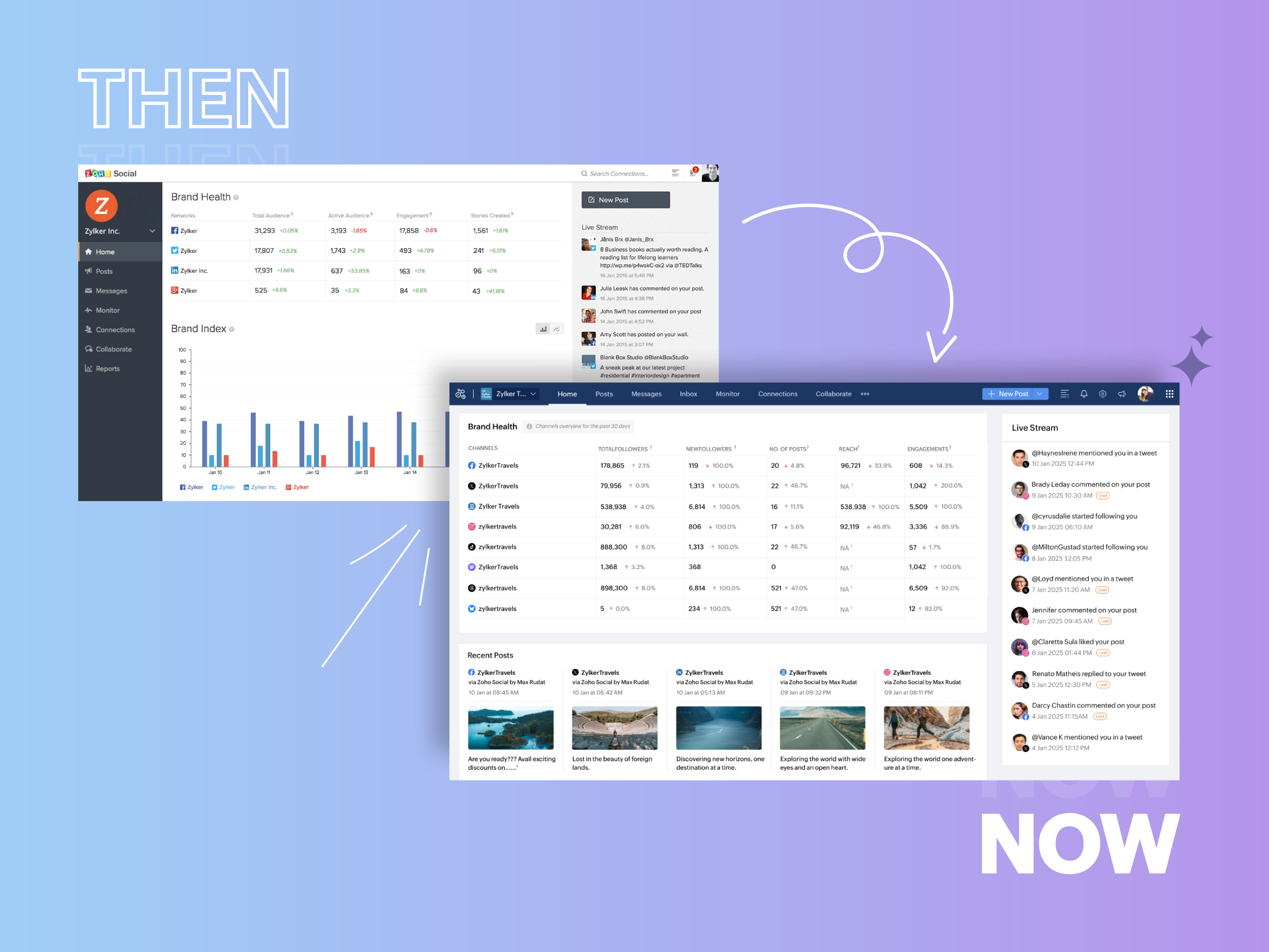
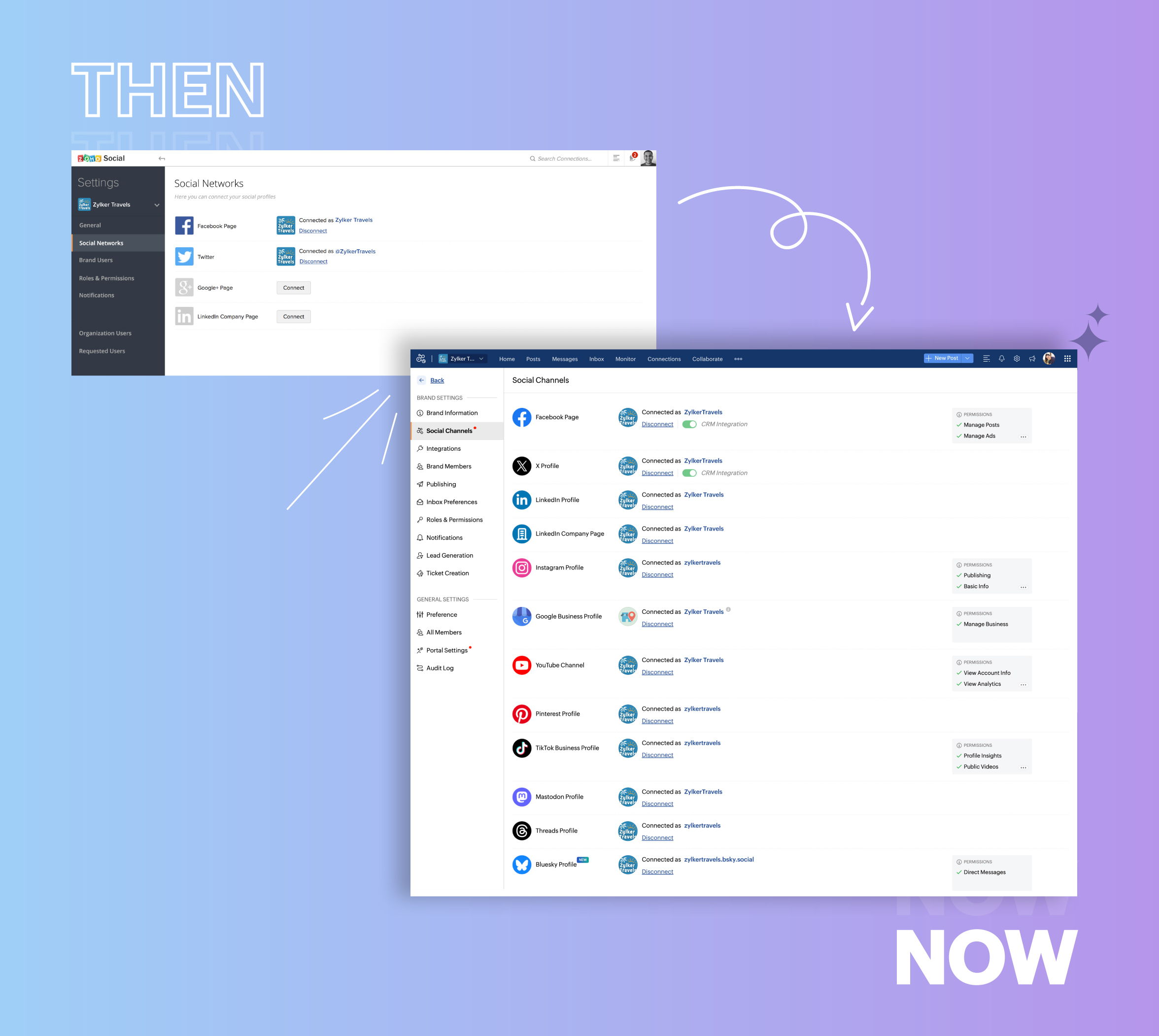
- Expanded from four to 14 social media channels
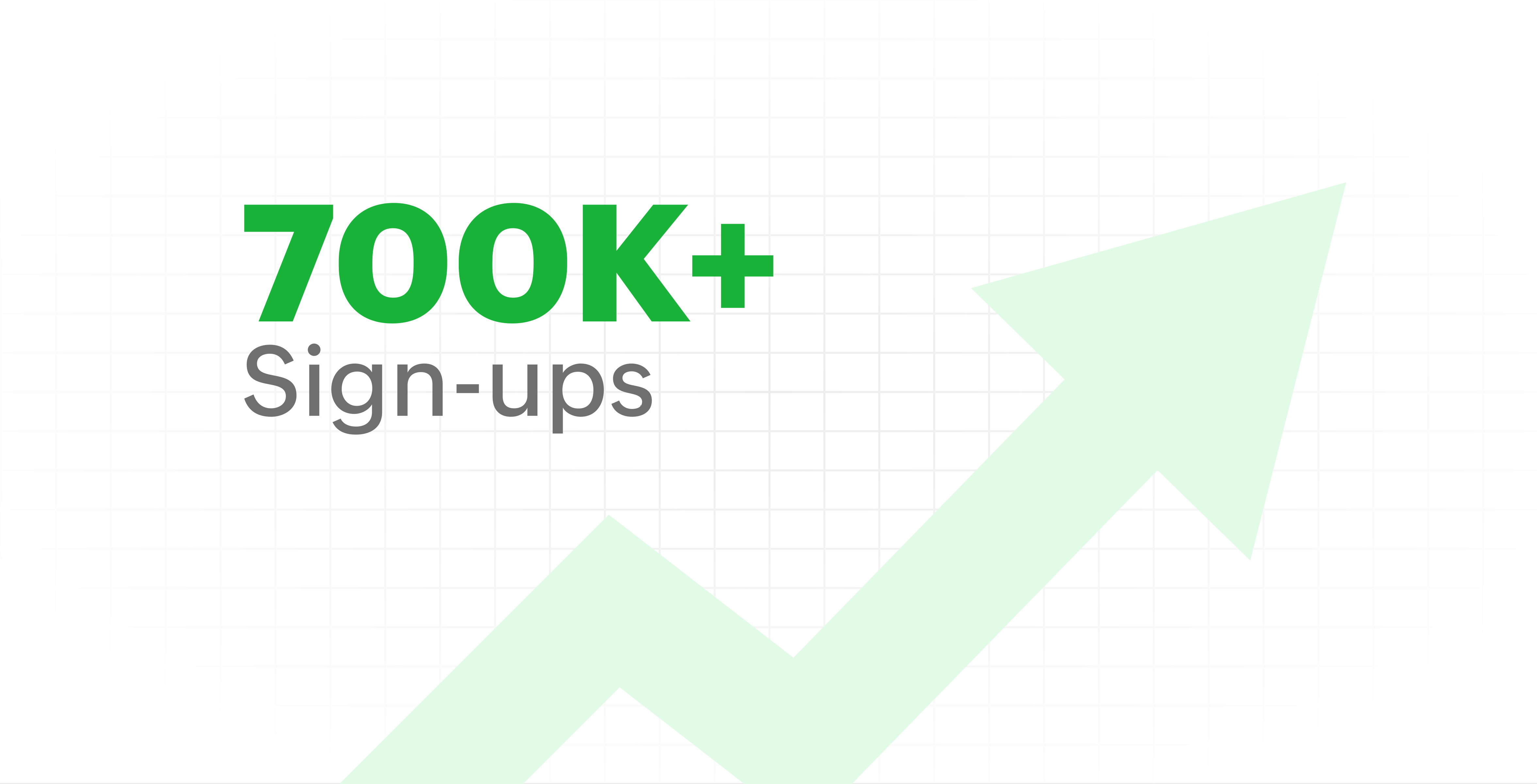
- Grew from our first sign-up to 700k+ sign-ups
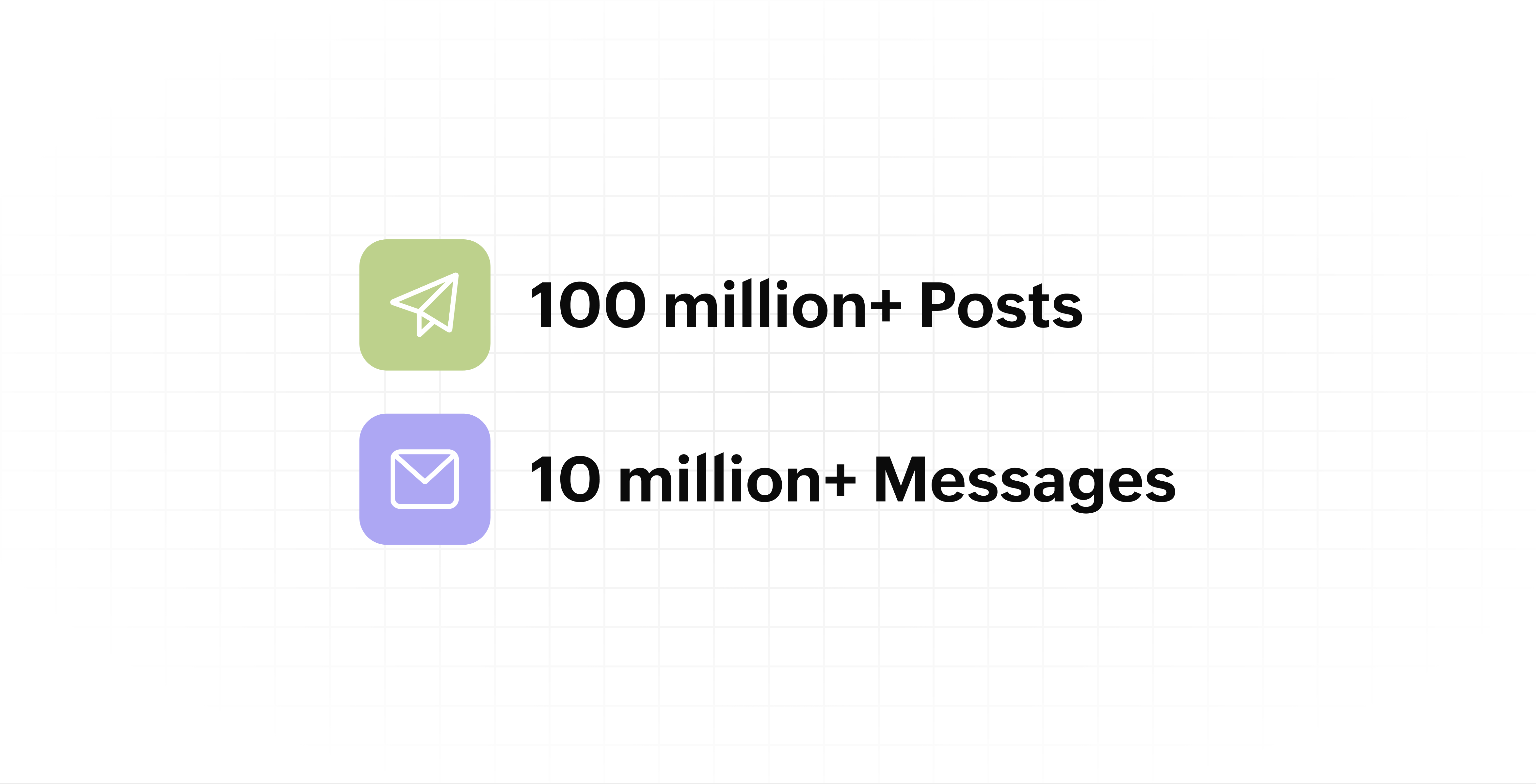
- Processed and published 100 million+ posts with more than 24k posts published or scheduled in a day and 10 million+ messages
- Evolved from a passionate team of eight who planted the seed to a dynamic family of 55, carrying our vision forward.

Our top 10 features from the past 10 years
2015: Launch of Zoho Social
Zoho Social was launched with publishing, scheduling, collaborating, and performance analysis features. Further, in the same year, more features like bulk scheduling were introduced to make it easier for businesses to handle their social media channels and engagement while they're away.
2016: Addition of Instagram and integration with Zoho CRM
Instagram, one of the most popular social media channels being used by businesses, was added to Zoho Social. Brands started leveraging this space to be a part of a visual storytelling experience and connect with their customers and prospects.
The first ever method to track the ROI from social media marketing efforts was introduced on Zoho Social through the Zoho CRM integration. The process of lead generation and measuring output became easier via automation and defining rules for lead forms and social media interactions.
2017: Zoho Social for agencies
Zoho Social for agencies – a new edition of the product – was introduced, catering to agencies handling the social media accounts of multiple clients. With Social, agencies could use bulk-scheduling, lead generation automation, and advanced analytics to handle their clients' data efficiently and deliver better results without the chaos.
2018: Zoho Social's integration with Zoho Desk and the introduction of Google Business Profile
Zoho Social's integration with Zoho Desk took customer service to a whole new level. Being able to convert social media mentions and queries from customers directly into tickets helped businesses bring their support and marketing teams together on one platform, while ensuring that not a single query was missed.
Google Business Profile was added to Zoho Social, helping businesses onboard their listings and stay competitive in their local market. Reviews and questions could be monitored and answered easily, providing more credibility and assurance to customers and prospects.
2019: Improved analytics dashboard
The entire Reports dashboard was re-imagined with advanced individual cards for specific networks. Customized dashboards could be built with a dynamic date range, and they could be shared and scheduled to be sent out regularly to members of the team or clients. These analytics gave businesses and agencies a holistic view of how their social media channels are performing, and gave them chances to improve wherever required.
2020: UI enhancements to make the tool look more engaging and user-friendly
As the world was battling to survive through some of the worst times we'd all faced, Zoho Social was being fine-tuned to help businesses easily go remote without any hassle. With the motive to brighten things up and make it easier to navigate, Social was made more colorful while drop-downs and re-arrange options were introduced to allow quick shuffling between brands and channels.
2021: Introduction of Canva and YouTube
Designing social media posts became a lot more interesting with the introduction of Canva. With its numerous templates, graphics and add-on elements, Canva on Zoho Social made it easier for businesses to design their images and share them instantly to their social channels.
With video content being consumed excessively by consumers, YouTube was added to Zoho Social for businesses to leverage the trend and make their channels more engaging. The analytics helped businesses understand how their videos were being received and improve their strategy to hold their customers' attention for a bit longer.
2022: Addition of Pinterest, TikTok, and Image editor
As social media consumers kept growing, so did the channels. Zoho Social kept up with the pace and introduced Pinterest and TikTok for businesses to widen their horizon and reach a vast audience with diverse content tailor-made for each social platform.
Image Editor was introduced to edit and make images enhanced and suitable for all the supported social channels.
2023: Zia's integration with OpenAI and introduction of Mastodon and Inbox
With AI-driven enhancements and technology taking the lead, Zoho Social introduced the OpenAI integration. With this, users could make use of Zia, the AI-powered writing assistant, to help generate content for their channels.
Mastodon started gaining popularity as the decentralized platform that would help businesses create and nurture a community, so Zoho Social swiftly added this to the list of channels to make the job easier.
Inbox, a single dashboard to manage and respond to all interactions across all social media channels, was introduced. Brands would never miss any single mention because of the assignment rules and priority levels that could be added to each interaction.
2024: Introduction of Threads, WhatsApp, and Telegram
Threads, WhatsApp, and Telegram business accounts were introduced on Zoho Social, taking the list of channels supported to the current number of 14. This made Zoho Social bigger, better, and a one-stop solution for businesses to take care of all their social media needs.
What's next?
The next decade is all about automation, better audience insights, and integrations that simplify your social media management. We’re working on exciting new features that will help you scale, engage, and grow your brand like never before.
We'd like to thank you immensely for being a part of our incredible journey and this community! Your support, feedback, and trust have helped shape Zoho Social into what it is today. We hope to have you with us in the journey ahead.
Thank you
Topic Participants
Aswini R
Sticky Posts
Introducing Inbox in Zoho Social
Hey everyone, We are excited to introduce the Inbox in Zoho Social to help manage all social media interactions from Facebook, Instagram, X (formerly Twitter), Google Business Profile and YouTube for your brand in one place. You can track and assign themA decade together - Thank you for being a part of the journey with Zoho Social!
A decade ago, we started Zoho Social with a simple vision: to make social media management easier, smarter, and more impactful for your business. What began as a small idea has grown to a powerful platform that helps businesses across the globe reachAdvanced statistics for LinkedIn page, posts and monitor @mentions in Zoho Social
Hello everyone, We've made enhancements to the Monitor, Reports tabs, and Post Stats for the LinkedIn channel in Zoho Social, so we wanted to briefly share some information about the updates. Monitor LinkedIn mentions LinkedIn is one of the most popularIntroducing advanced statistics for all your social media posts
When you're publishing on social media, it's important to understand how the audience engages with your content. This insight helps you come up with ideas for different types of content and also identify the social media channel that's most effectiveIt's here! A Publishing Calendar to give you better view and more control over your posts.
Hello! Just a couple of days back my colleague Vishal announced that you can now do more on Twitter with the Advanced Search Filters, along with a bunch of other cool stuff. I hope you got a chance to check it out. In fact, I'm itching to you tell you all about the latest updates we have lined up, but I'd rather give you doses of excitement every week to last until the very end. ;) Alright, I hear you. That's enough tease for the day. Here we go! Introducing... an all-new Publishing Calendar,
Recent Topics
Leads - Kanban view fit to screen
Hey guys, I created a custom layout for my leads, staged by lead status. I have 10 types of status. In Kanban view I see only 4 columns/stages and need to scroll to the right to see the rest. Is there a way to make columns/stages be displayed all together?Request to Differentiate Auto-Closed WhatsApp Conversations in SalesIQ
Hi Zoho Support, I’d like to raise a request related to the way WhatsApp conversations are auto-closed in SalesIQ. Every Monday, our Sales team has to manually review each closed WhatsApp conversation from the weekend to identify which ones were automaticallyKanban View UI gets a revamp
Hello everyone, In the coming week you will notice design related enhancements in Kanban View. The UI has been changed and a new option is introduced under Kanban View Settings that allows to change the color of the category headers. Please, note that the functionality is not changed. These changes will not apply to the Activities and Visits modules. Here are the details of the changes: 1. The column widths have been fixed to 300 px. The records will have a box around them for clear distinction.Issue with Anchor Link on Zoho Landing Page (Mobile/Tablet View)
Hi Team, I have created a landing page using Zoho Landing Page and added an anchor link to it. The anchor link is working fine on desktop view; however, it does not work properly on mobile or tablet view. I’ve tried debugging this issue in multiple ways,Simplest way to convert XML to a map?
I've reviewed the help info and some great posts on the forum here by Stephen Rhyne (srhyne). At the moment I'm using XPath to generate a list of xml nodes, iterating through that to fetch the field name/value pairs and adding them to a map (one map for each record in the data). I then convert the row map to a string and add it to a list. Here's the function: list xml.getRecordListFromXML(string xml_data, string ele_name) { result = List(); // get list of record nodes rec_list = input.xml_data.toXML().executeXPath("//"Introducing Creator Simplified: An exclusive learning series to enhance your app development skills
Hey Creators! Welcome to Zoho Creator's new learning series, Creator Simplified. In this series, we'll dive into real-world business use cases and explore how to translate your requirements into solutions in your Creator application. You can also expect[Product update] Updated Data Synchronization Process for QuickBooks - Zoho Analytics Integration.
Dear QuickBooks integration users, We’re making an important update in the way data is currently synced in your QuickBooks integration within Analytics workspace. What’s changing: Previously, with every data synchronization, Zoho Analytics used to fetchZoho CRM new calander format cannot strikethrough completed task
Hi, Recently there is a new format for calendar within Zoho CRM However, found out that a completed task will not cross out or strikethrough like previous format. Without strikethrough, it will be difficult to identify which task is still in Open status.Employees not Users
Hello, We are a construction company that has +180 employees and most of them are in remote location working onsite with no access to internet. Is it possible that we have data stored for all employees but have only 5-10 users who will be in charge of entering employees data? or do we have to pay for all +180 employees? even though they won't be using the system?Zoho people generatimg pdf
Hello , now i want to make a customm button in zoho people that is inside a deduction module , that fetches all the records and generate a pdf with a template that i have done in the mail merges template , i was told that i have to upload template onzohorecruit.com career form postcode bug
Dear, When I select a postcode from the drop down on a zohorecruit.com career form, the street text field is automatically filled with the name of the city, which should not happen. Any idea how I can fix this? Thanks, BartOffice-365-agenda and Microsoft Teams Integration
Dear, I have a trial version of Zoho Recruit and trying to evaluate the Microsoft Teams Integration in Zoho Recruit. After registering with my Office 365 account and checking the result of the registration/sign-in at https://mysignins.microsoft.com/ (whichHow to add Connector in developer platform zoho?
Hi, I am working on creating an Extension, and part of the development is to retrieve Email templates. In my CRM instance I can invokeURL by creating Zoho OAuth connection and get the template. But developer platform does not provide Zoho OAuth or anyHow to archive Lost/Junk Leads so sales reps don’t see them, but keep them for reporting?
Hi everyone, In our Zoho CRM we have two Lead Status values: Lost Lead and Junk Lead. What I want to achieve is: When a lead is marked as Lost or Junk, it should disappear from my sales reps’ Lead views (so they only see active leads). At the same time,Zoho CRM Canvas Copy Original Layout
Hello all, I want to use Canvas to make small changes to certain views, not to make huge changes. Is it possible to copy the original Zoho layout and set-up and start from there? I checked and all I can find are some templates which are far from the originalRevenue Management: #5 Revenue Recognition in SaaS
If you're building or running a SaaS business, you've probably encountered this. You get paid upfront for a subscription and a one-time onboarding fee, but you end up with confusion about when to consider it revenue. Can I book all of it now? Should IZoho Learn Course Access Issue
One of the learners in a specific course can't see any lessons. They are registered as both a user and learner for this course in Zoo Learn. What could be the reason?ZOHOLICS Japan 2025 開催のお知らせ(再投稿)
【コミュニティユーザーの皆さまへお知らせ】 Zoho 最大のユーザーイベント「ZOHOLICS Japan 2025」を9月19日(金)に開催します。 AI活用に関する特別講演、ユーザー事例、Zoho 製品の活用例のご紹介など、Zoholicsならではのセッションをご用意しています。 Zoho コミュニティ開催のMeetupとはまた違った雰囲気のイベントです。 ご都合のつく方はお気軽にご参加ください✨ 詳細はこちら https://events.zoho.jp/zoholics2025#/?affl=forumpost2Phone Number format for Bulk Upload via csv for Zoho Sign
What is the phone number format that we need to use for a bulk recipient upload via csv in zoho sign, should the country code be included for ex if its US should it be +18889007865 ior 18889007865 or without country code 8889007865? the sample csv providedFilter Page Elements By Selectable Date Range
I have created a basic Page that will serve as a client dashboard with elements that will provide simple counts & sums of data in reports. There are no reports or forms added to the page, just elements. It currently functions as needed, but shows theCan’t Enter my Notebook is Locked
I’ve been using Notebook for taking notes at my college for a month and I never signed in and I never established a password. Today I tried to enter the app after the update and it asked me for a password. I need to access to my notes urgently and I can’tSend Email Directly to Channel
Hi, We are coming from Slack. In Slack each channel has a unique Email address that you can send emails too. I currently forward a specific type of email from my Gmail InBox directly do this channel for Verification Codes so my team doesn't have to askSecure your external sharing process with OTP Authentication
For any business, it's crucial to share files externally in a way that is both secure and controlled. Let's say you want to share confidential data with your partners and vendors. You must ensure that only your intended recipients can access the sharedItems attribute questions
Many of my items have attributes, such as size and color. How can I add new fields to the "New Items" screen to capture that in my Purchase Orders, Items, and Sales Order pages? I only see these attribute fields when adding an Item Group. Also, on theIs there a way to search mail for items you haven't yet responded to?
I'm trying to create a search to show emails that haven't been responded to and that have also been assigned a tag or label. Is there a way to search for the inverse of replied?Subtotals per Header
Hey, we would like to display subtotals per header in our invoices:upgrade storage
how to upgrade my storageLinking items from books and subscription
Linking books and subscription It is a pity that it is not possible to associate with a product an article present in ZohoBooks This would make it possible to manage products composed of a nomenclature of articles of booksAdd the ability to view number of hours planned for a workorder while in the Dispatch Console
Hi Zoho, When dispatching a work order through the Dispatch Console, there's currently no way to view the number of planned hours for the service tasks associated with that specific work order. Having to click into the details each time to check plannedUploading Files from uploads api
I tried uploading the image from the API call but its giving me unauthorized error even i have given valid token in header. After uploading i need that id to pass in create ticket api uploads but its not uploading that file. Please help me out in thChange format of quantity format
Hi, I would like to change the qunatity format from 1,00 to 1. Is this possible? thanks!square up and Zoho books
Since we set up the app connection between square up and Zoho books we have realised that when the amounts are getting transferred Zoho is adding VAT again making the numbers 20% more than they should be. We have checked our settings and they VAT/ TaxHow to provide Access rights to specific Bank accounts
We have several bank accounts. I want to provide certain members access to only 2-3 accounts. It appears that when I give permissions, they are for ALL bank accounts. How do I do that?Errors Getting a Bank Transaction
Using Postman(for testing), I am receiving errors when attempting to get a single bank transaction. I am able to receive the list of bank transactions with https://www.zohoapis.com/books/v3/banktransactions/?organization_id={org_id} but when I try toSubscriptions Plans and CRM Products Integration?
Is there any way to set up plans and pricing in Zoho Subscriptions and have those available as Products in the CRM? We are trying to set up the CRM and the Products seem to be more geared toward selling products that are not subscription based. So if we sell annual or monthly contracts which are $10/seat/month, I can set this up as a plan in Subscriptions, but how can I set the same thing up in the CRM for the salespeople to sell/quote? What is the best practice for setting up the CRM Products toMapping Zoho Subscription Plans and Products to CRM and Books
We have products that are one time products and subscription products. 1) We would like to have the ability to create an opportunity in CRM that includes both one-time charge products and subscription products. Currently the only way of creating a subscription product is by defining a "Product->Plan" hierarchy in Zoho Subscription. It appears that the only SYNC between Subscription and CRM is around contacts and the Product->Plan hierarchy doesn't sync to CRM, thus, you would need a duplicateBulk update fields based on date
Hi! I need all the quotes with "Quote Stage" set to "Next Year" to update to "Draft" every January 8 (every year). Can you help?Target for a campaign
Hi, Hope you can help me. I need to create a report (for a marketing campaign) that combines Deals and Contacts to export all the contacts with closed deals. I can easily do that, what I cannot do is to remove from the target the contacts that have moreZoho Desk + Jira integration - Email notifications and comments posted by administrator instead of real user
Dear All, I set up the integration under my admin account, and now when users leave comments in Jira (to created tickets in Zoho Desk), the email notifications show that the ‘Administrator’ left a comment, not a real user. The same happens in the ticketCelebrating the power of visuals
On World Photography Day, we would like to highlight the power of visuals in customer service. Visuals promote learning and understanding in less time. A photograph can rekindle a memory, convey more than words, and give a fresh perspective. How doesNext Page