A decade together - Thank you for being a part of the journey with Zoho Social!
A decade ago, we started Zoho Social with a simple vision: to make social media management easier, smarter, and more impactful for your business. What began as a small idea has grown to a powerful platform that helps businesses across the globe reach their audiences through the most popular social media networks.
Over the years, we've managed to adapt to changing trends and the ever-evolving social media spectrum according to various industries. From our very first customer to our now-thriving community filled with people, this journey wouldn't have been as easy and fun without you, our beloved users.
From then to now
- Launched in 2015 with a core focus on publishing and scheduling; broadened further into monitoring and social listening, measuring performance, AI-powered writing for social media, and collaborating with peers and customers
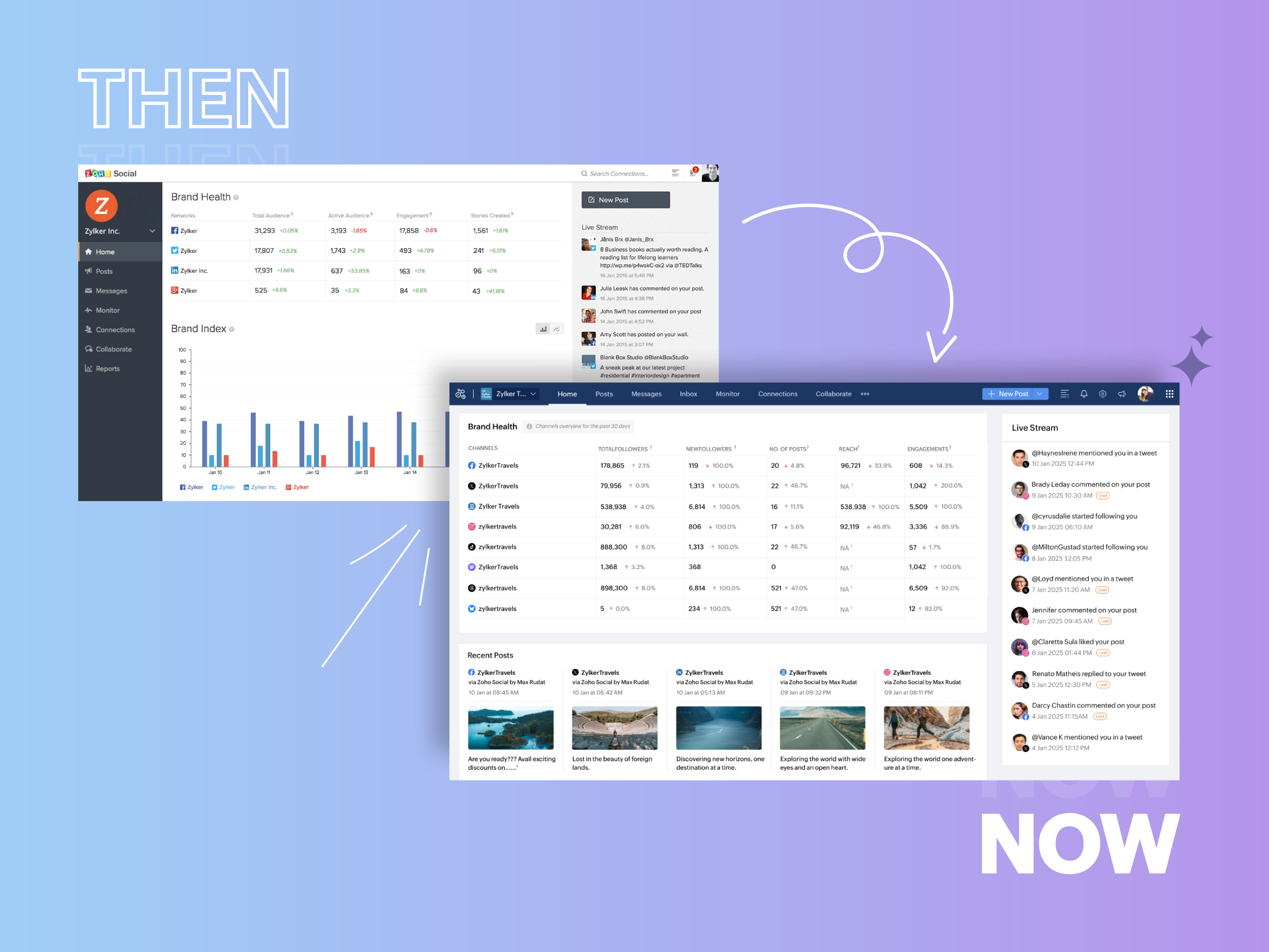
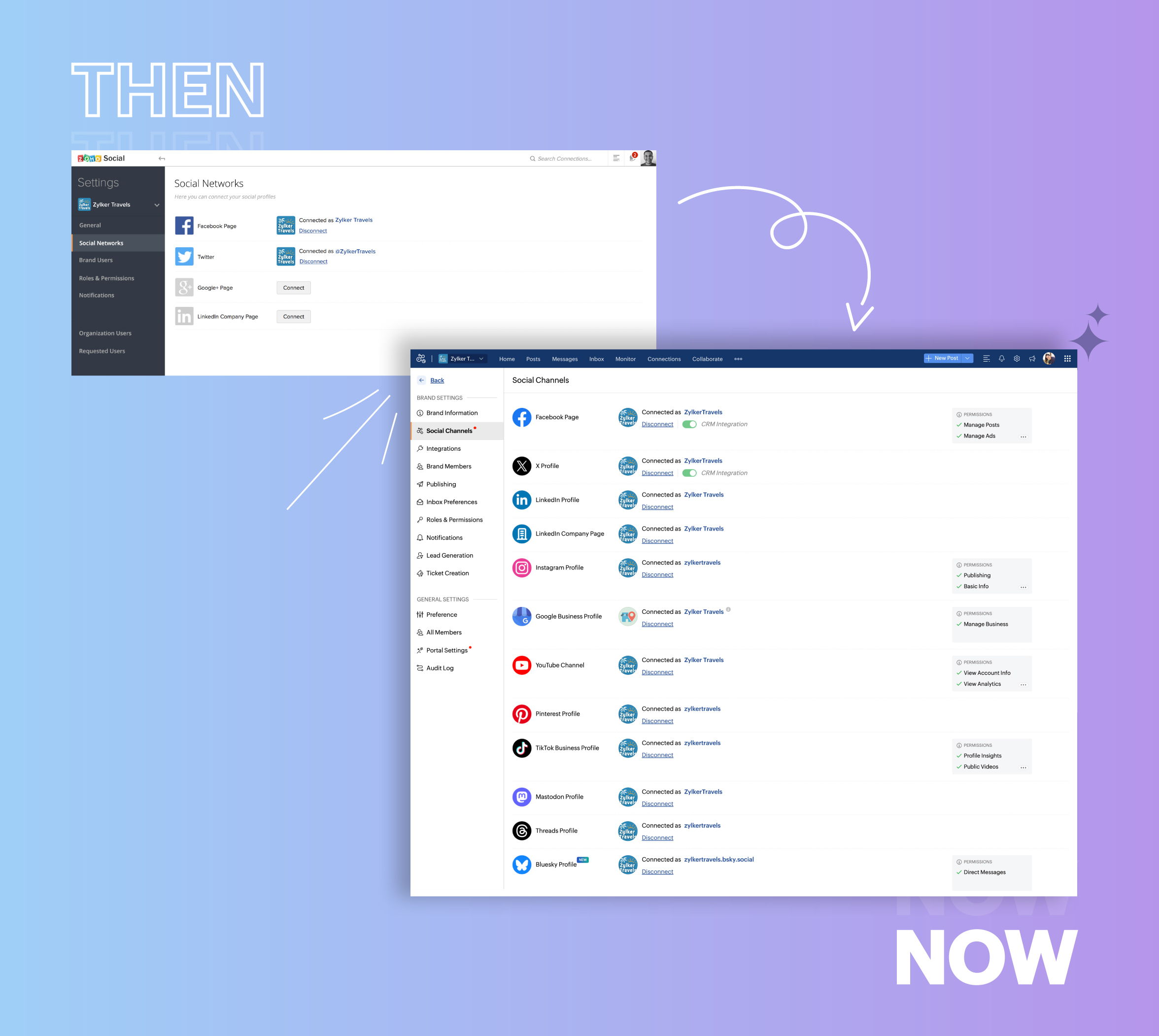
- Expanded from four to 14 social media channels
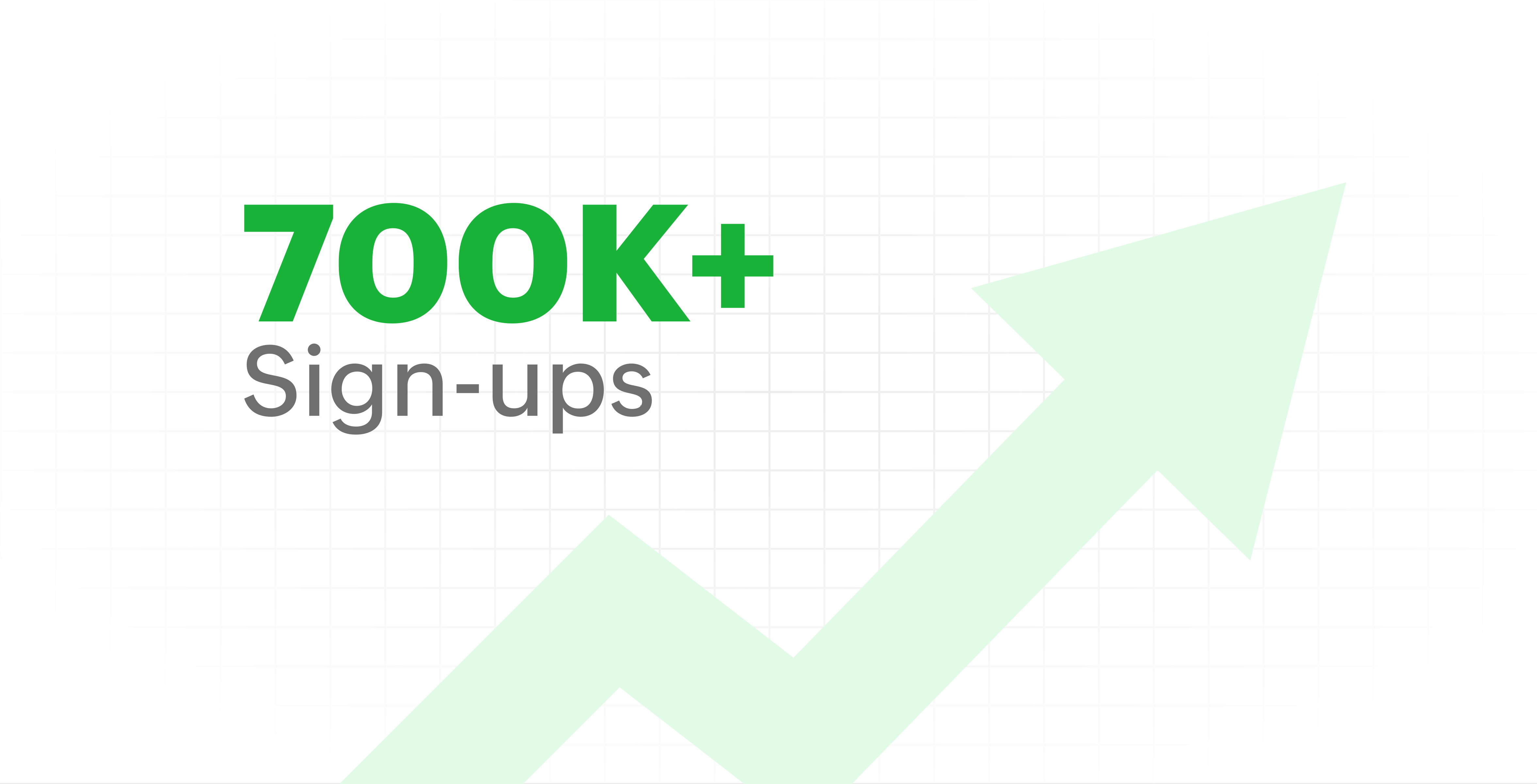
- Grew from our first sign-up to 700k+ sign-ups
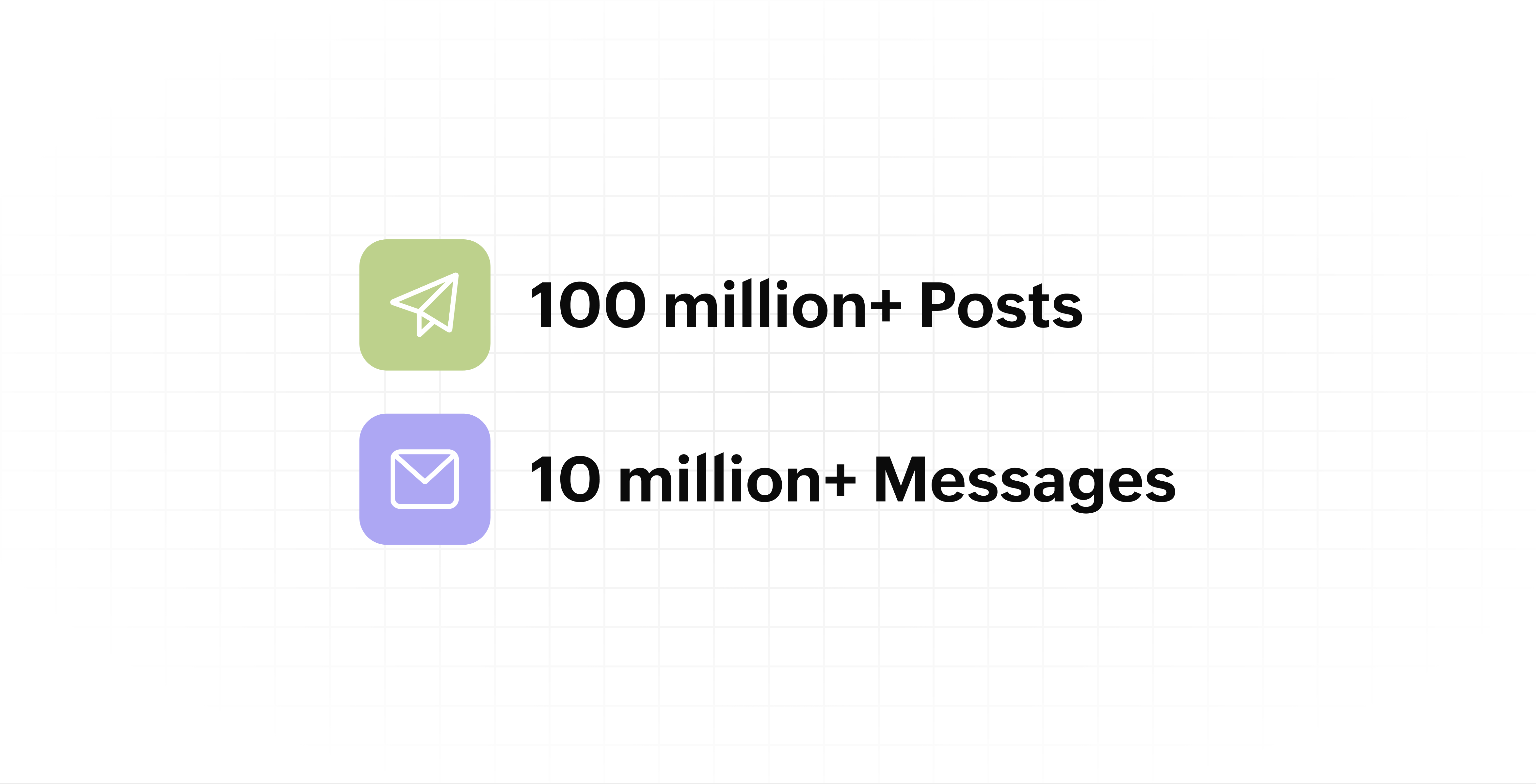
- Processed and published 100 million+ posts with more than 24k posts published or scheduled in a day and 10 million+ messages
- Evolved from a passionate team of eight who planted the seed to a dynamic family of 55, carrying our vision forward.

Our top 10 features from the past 10 years
2015: Launch of Zoho Social
Zoho Social was launched with publishing, scheduling, collaborating, and performance analysis features. Further, in the same year, more features like bulk scheduling were introduced to make it easier for businesses to handle their social media channels and engagement while they're away.
2016: Addition of Instagram and integration with Zoho CRM
Instagram, one of the most popular social media channels being used by businesses, was added to Zoho Social. Brands started leveraging this space to be a part of a visual storytelling experience and connect with their customers and prospects.
The first ever method to track the ROI from social media marketing efforts was introduced on Zoho Social through the Zoho CRM integration. The process of lead generation and measuring output became easier via automation and defining rules for lead forms and social media interactions.
2017: Zoho Social for agencies
Zoho Social for agencies – a new edition of the product – was introduced, catering to agencies handling the social media accounts of multiple clients. With Social, agencies could use bulk-scheduling, lead generation automation, and advanced analytics to handle their clients' data efficiently and deliver better results without the chaos.
2018: Zoho Social's integration with Zoho Desk and the introduction of Google Business Profile
Zoho Social's integration with Zoho Desk took customer service to a whole new level. Being able to convert social media mentions and queries from customers directly into tickets helped businesses bring their support and marketing teams together on one platform, while ensuring that not a single query was missed.
Google Business Profile was added to Zoho Social, helping businesses onboard their listings and stay competitive in their local market. Reviews and questions could be monitored and answered easily, providing more credibility and assurance to customers and prospects.
2019: Improved analytics dashboard
The entire Reports dashboard was re-imagined with advanced individual cards for specific networks. Customized dashboards could be built with a dynamic date range, and they could be shared and scheduled to be sent out regularly to members of the team or clients. These analytics gave businesses and agencies a holistic view of how their social media channels are performing, and gave them chances to improve wherever required.
2020: UI enhancements to make the tool look more engaging and user-friendly
As the world was battling to survive through some of the worst times we'd all faced, Zoho Social was being fine-tuned to help businesses easily go remote without any hassle. With the motive to brighten things up and make it easier to navigate, Social was made more colorful while drop-downs and re-arrange options were introduced to allow quick shuffling between brands and channels.
2021: Introduction of Canva and YouTube
Designing social media posts became a lot more interesting with the introduction of Canva. With its numerous templates, graphics and add-on elements, Canva on Zoho Social made it easier for businesses to design their images and share them instantly to their social channels.
With video content being consumed excessively by consumers, YouTube was added to Zoho Social for businesses to leverage the trend and make their channels more engaging. The analytics helped businesses understand how their videos were being received and improve their strategy to hold their customers' attention for a bit longer.
2022: Addition of Pinterest, TikTok, and Image editor
As social media consumers kept growing, so did the channels. Zoho Social kept up with the pace and introduced Pinterest and TikTok for businesses to widen their horizon and reach a vast audience with diverse content tailor-made for each social platform.
Image Editor was introduced to edit and make images enhanced and suitable for all the supported social channels.
2023: Zia's integration with OpenAI and introduction of Mastodon and Inbox
With AI-driven enhancements and technology taking the lead, Zoho Social introduced the OpenAI integration. With this, users could make use of Zia, the AI-powered writing assistant, to help generate content for their channels.
Mastodon started gaining popularity as the decentralized platform that would help businesses create and nurture a community, so Zoho Social swiftly added this to the list of channels to make the job easier.
Inbox, a single dashboard to manage and respond to all interactions across all social media channels, was introduced. Brands would never miss any single mention because of the assignment rules and priority levels that could be added to each interaction.
2024: Introduction of Threads, WhatsApp, and Telegram
Threads, WhatsApp, and Telegram business accounts were introduced on Zoho Social, taking the list of channels supported to the current number of 14. This made Zoho Social bigger, better, and a one-stop solution for businesses to take care of all their social media needs.
What's next?
The next decade is all about automation, better audience insights, and integrations that simplify your social media management. We’re working on exciting new features that will help you scale, engage, and grow your brand like never before.
We'd like to thank you immensely for being a part of our incredible journey and this community! Your support, feedback, and trust have helped shape Zoho Social into what it is today. We hope to have you with us in the journey ahead.
Thank you
Topic Participants
Aswini R
Sticky Posts
Introducing Inbox in Zoho Social
Hey everyone, We are excited to introduce the Inbox in Zoho Social to help manage all social media interactions from Facebook, Instagram, X (formerly Twitter), Google Business Profile and YouTube for your brand in one place. You can track and assign themA decade together - Thank you for being a part of the journey with Zoho Social!
A decade ago, we started Zoho Social with a simple vision: to make social media management easier, smarter, and more impactful for your business. What began as a small idea has grown to a powerful platform that helps businesses across the globe reachAdvanced statistics for LinkedIn page, posts and monitor @mentions in Zoho Social
Hello everyone, We've made enhancements to the Monitor, Reports tabs, and Post Stats for the LinkedIn channel in Zoho Social, so we wanted to briefly share some information about the updates. Monitor LinkedIn mentions LinkedIn is one of the most popularIntroducing advanced statistics for all your social media posts
When you're publishing on social media, it's important to understand how the audience engages with your content. This insight helps you come up with ideas for different types of content and also identify the social media channel that's most effectiveIt's here! A Publishing Calendar to give you better view and more control over your posts.
Hello! Just a couple of days back my colleague Vishal announced that you can now do more on Twitter with the Advanced Search Filters, along with a bunch of other cool stuff. I hope you got a chance to check it out. In fact, I'm itching to you tell you all about the latest updates we have lined up, but I'd rather give you doses of excitement every week to last until the very end. ;) Alright, I hear you. That's enough tease for the day. Here we go! Introducing... an all-new Publishing Calendar,
Recent Topics
Unable to send Emails - 452 4.3.1 Temporary System Error
Whene ever i request smtp server to send the email (without attachment). i recieve error "452 4.3.1 Temporary System Error"I can't receive email
I cannot receive any email sent to my Zoho email after the free upgrade plan trial is finished.Help for the alisa adding
Sorry, I would like to add a paypal alias on my domain email address. However, the system blocked it. How can I do it?Lite plan attachment said 250mb but actually 25mb ?
Lite plan attachment said 250mb but actually 25mb ? I can't attach over 25mb files, and can't receive mails has attached files over 25mb tooOld vs New Value for Deleted Lookup Values
Suppose the following scenario, where a value in a lookup is deleted: 1. User has countries form 2. Form A has a lookup to countries form 3. User selects Italy in Form A and saves it with the Italy ID 4. Form A report shows Italy 5. Italy is inadvertentlyZoho email using a python or html template
# main.py import smtplib import csv from email.mime.text import MIMEText from email.mime.multipart import MIMEMultipart from config import SENDER_EMAIL, APP_PASSWORD, SMTP_SERVER, SMTP_PORT # email Subject email_subject = "🎉 Python + Zoho Mail HTML Emailcustomize payment page
Is there a way to customize, other than the theme colour, the payment page that customers are taken to from invoices? I can't seem to find a way. I just don't like the formatting of the current page and would like to make it look better. I've looked atSolution: How to send email using a python follow up this
# Step One Setup Your App Password For this url {https://accounts.zoho.in/home#security/app_password} #How to genarate App password {https://help.zoho.com/portal/en/kb/bigin/channels/email/articles/generate-an-app-specific-password#To_generate_app_specific_password_for_Zoho_Mail}Are Environments Worth It?
In concept, Environments in ZC is a great idea. I think the flow is pretty smart when you compare it to GitHub, especially for a low code audience. However, in practice, I've found it to be unpredictable, and I've only used it a few times. Aside fromEnhanced duplicate check for Leads in CRM
Hello Everyone, We are excited to announce that you can now check for duplicate entries in leads by comparing them with similar records in the Contacts Module. Previously, when you added a lead, only the converted leads were checked for duplicates. ThisPause(1);
I'm using scheduler to invoke an interaction via http post with an external service. The schedule code uses a for-each loop that runs so fast my external application's log files get messed-up (they are named by date-time stamp). What I'm suggesting isIntegration Request: Elementor
Integrating Zoho CRM forms with Elementor, the most popular page builder on Wordpress, would be great. I use it for our site, goenergylink.com, and I have had to use Zapier webhooks to be able to connect it with Elementor. The one issue I have run intoAbility to Change Visibility of Published YouTube Videos
Hi Zoho Social Team, How are you? We would like to request an enhancement in Zoho Social regarding the management of already published youtube videos. Currently, after publishing a youtube video through Zoho Social, there is no option to change its visibilityAdding anchor links in Zoho CRM email templates
I know you can add anchor link in Campaigns, but I dont see the option to that in the CRM email template. Am I missing something?openUrl in blueprints
My customer wants to open a URL at the end of a blueprint transition. Seems this isn't possible right now but it would be very useful. In this thread, https://help.zoho.com/portal/en/community/topic/openurl-not-working the Zoho agent said that it's logicallyAbility to Add YouTube Video to Playlist During Publishing
Hi Zoho Social Team, How are you? While publishing YouTube videos through Zoho Social, we noticed that the platform currently does not allow selecting a playlist at the time of publishing. Instead, we can only add the video to a playlist after it hasIntroducing Zoho Creator's 2025 Release Projection 2
Hello Creators! I'm Prakash, from the Creator product management team, and today I'm delighted to unveil our next set of features as part of Release Projection 2 for 2025. With thoughtful analysis and planning, we've curated powerful new capabilitiesSharing Form Ownership Among Multiple Users
I would really like the ability to share form ownership among multiple users. It's frustrating to me that if a co-worker wants to make an edit to a form, I have to transfer ownership to them. It would be great if forms could act like google forms, where multiple people can edit a form and view responses.Marketer’s Space - Ace Your Spooky-Season Marketing with Pre-designed Templates in Zoho Campaigns
Hello marketers, Welcome back to another post in Marketer’s Space! We’re in Q4, which means that you have endless opportunities to connect with your audience, starting with Halloween campaigns! In this post, we’ll show you how to design the perfect HalloweenZia expands to China with native features and DeepSeek-powered generative AI features
Hello everyone, We are glad to support Zia native features and Zia generative AI features for our customers in China. From hereon, all AI-features in Desk will be accessible in China data center with the integration of DeepSeek generative AI model. DeepSeekEmail in each module
We have a contact ,module which then has a link to customer assets which in turn the asset has a multiple link to service visits. When we link assets to customers we choose by name and it brings over the associate email via the lookup. Great feature.Introducing Skill-Based Ticket Assignment
The goal of every support team is to provide great support, and to do so as fast as they can. To make this possible, it is important that agents spend their time judiciously, especially when they're dealing with a large number of tickets of varying urgencyKaizen #213 - Workflow APIs - Part 1
Welcome to another week of Kaizen! If you have ever managed complex business processes, you know that Workflows are the quiet backbone of any well-run business process. They keep things moving; assigning owners, sending alerts, keeping deals on track,Browser and address bar hide
Hi, How i can do hide the address bar with browser headline when i am working on the sheet, because i am using (freeze panes) which i want visible for full work. For your reference here i am attached the screen shot and marked yellow lines which reallyCells Border
Hi I am using Zoho Sheet on S Tab , is there any option to make all border of any cell at once. I think this is very basic which we are missing. This is available in mobile but not in tab or suggest if i am missing this function. And for Tab can you giveZobot and Sales IQ
What will happen to the Zoho Sales IQ being integrated to the website after creating the Zobot on the website tooHelp Center and SEO: Any Benefit to My Domain-Mapped Website Ranking?
First of, I love the Help Center which I've just decided to integrate into my website to replace its old-fashioned FAQs. So much more to achieve there now! Lots of new benefits to the site visitors and to me in terms of organizing and delivering all theSupport french language options
Greetings, I want to use Zoho with the french language portal, however the supplied translation is not very good (google translate). There are many basic mistakes on the main most important sections (my requests, submit a request). Is there a way forIntroducing the Workflow and Actions APIs for Zoho CRM
We are absolutely thrilled to announce the release of Workflow APIs and Actions APIs in Zoho CRM’s v8 API suite! This powerful new set of endpoints gives developers unprecedented programmatic control over business automation. For years, Workflow RulesZoho Form URL displays incorrect name
Hi, I have a form I created called "Design Request form". It displays this way everywhere I look. However, in the URL, it shows up as "DesignJobRequestFormFINAL011325PROOFV1B" and I'm not sure why. I can't find where to fix this. Does anyone have anyConsumers are talking about your business. Are you listening?👂
A loyal customer might be praising your product in a forum. A frustrated user could be posting a harsh review on a public site. An excited partner may have left a comment on your campaign. A domain expert might be deconstructing your product. A prospectWhat counts as a Temp for Billing Purposes in Workerly
I'm considering trying this product but am not sure how the temp count is used for billing purposes. For example, if we keep a large data base of 500 potential workers.....are we billed for that or only if they are assigned to a client at a given pointCold emails not allowed?
I planned to use Zoho Mail to send businesses some cold emails to offer my freelance writing services, but I noticed that the anti-spam policy is very strict -- no commercial emails whatsoever without prior permission from the recipient? I would be veryForm name incorrectly displayed in URL
Hi, I have a form I created called "Design Request form". It displays this way everywhere I look. However, in the URL, it shows up as "DesignJobRequestFormFINAL011325PROOFV1B" and I'm not sure why. I can't find where to fix this. Does anyone have anyI can't receive mail
Hello, I can't receive e-mail. I no longer receive e-mails to the e-mail I received for my site. I also edited the DNS settings, but it doesn't work at all.1‑to‑1 invite missing post-setup (needs re-invite) vs channel invite auto-joins without business prompt
1. Zoho Cliq 1‑to‑1 external invite The inviter sent a 1‑to‑1 invite to an invitee who didn’t have a Cliq account. After the invitee completed account setup and created a business/organization, the website redirected them to Cliq, where they opened Cliq【開催報告】東京 ユーザー交流会 Vol.3 2025/10/17 Zoho サービスの活用促進を外部ツールとの連携で実現!
ユーザーの皆さま、こんにちは。コミュニティチームの藤澤です。 10月17日(金)に新橋で「東京 ユーザー交流会 Vol.3」を開催しました。ご参加くださったユーザーの皆さま、ありがとうございました! この投稿では、当日のセッションの様子や使用した資料を紹介しています。残念ながら当日お越しいただけなかった方も、ぜひチェックしてみてください😊 ユーザー活用事例セッション:Zoho Flowと決済システムの連携 あみろくの岡島さんに、Zoho サービスの活用事例として、Zoho Flow を活用した外部サービスとの連携事例をご共有いただきました。received email opens in a new tab every time I log in
as per the title: since about when I first made my email account, every single time Ive logged in to view my inbox, a new tab opens for an email I viewed once as if restoring a closed session. I thought I just didnt understand the "starting up" settingsEngage with your customers at scale using WhatsApp Marketing Template messages
Hi everyone, To make it easier for organizations to communicate with customers, Desk now allows you to send individual, mass, and bulk WhatsApp template messages from both the Ticket and Contact modules. How is this going to benefit your business? WhatsAppImportation Tickets error
Hi, I'm newbie here 🤓 So, i'm importing data from csv, but when I try advance to mapping fields the importer tool show this message: Previously I try import, other data, and not show errors in this step. Some ideas? Best Regards,Next Page