Announcing new features in Trident for Windows (v.1.18.6.0)
Hello Community,
Trident for Windows is here with some new features to elevate your workplace communication. Let's take a quick look at what's new.
Ask and send read receipts for emails
You can now request read receipts for specific emails while composing, or enable them for all outgoing emails using the Ask Receipt option. This way, when the email is sent to the recipient, they can confirm whether they've opened your message or not.
When responding to read receipts requested by someone else, you can choose to automatically send read receipts when requested, never send them, or be prompted to decide each time.


Screen annotation during screen share calls
Previously, annotations were available for images in the chat window. Now, screens can be annotated during a screen share call, allowing real-time visual feedback and clearer communication.

Other enhancements
In this update, we've made some enhancements to the Cliq chat window editor to improve your experience using Trident.
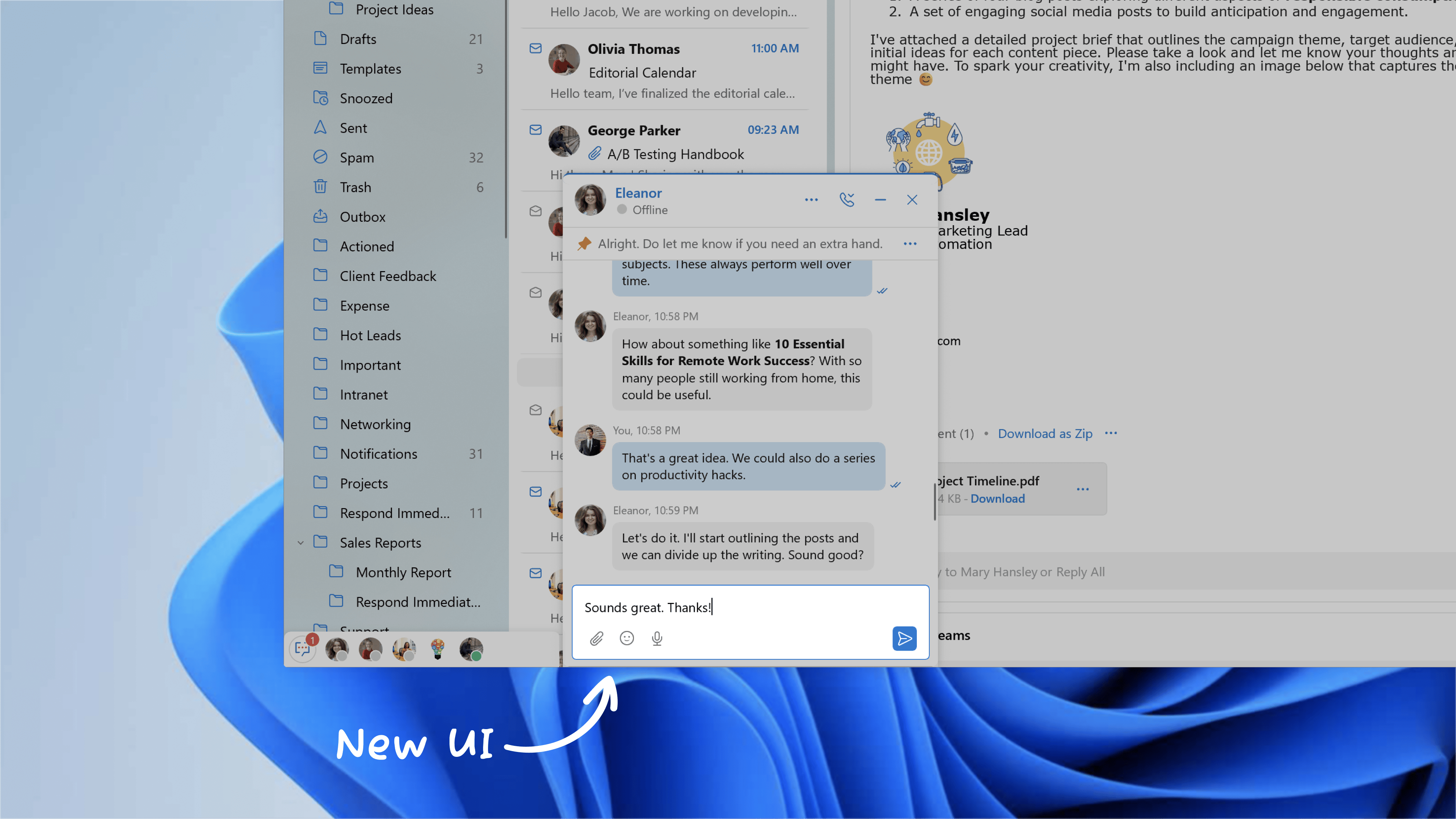
To leverage these new features in Trident, update the app to the latest version by following the steps below:
- Click the Main Menu icon on the top-left corner of the app.
- Select Check for Updates from the menu list.

If you haven't already downloaded the app, you can download it here. Trident is available for free for all paid and trial users of Zoho Mail, Zoho Workplace, and Zoho One (using Zoho Mail).
Give these features a spin and let us know your experience, as well as any suggestions, by submitting feedback right within the app. You can also reach us at trident@zohosupport.com.
To submit your feedback directly through the app, follow the steps below:
- Click the Main Menu icon on the top-left corner of the app.
- Select Feedback.
- In the feedback window, enter the necessary details under Subject and Feedback Content.
- Once ready, click Submit.
We look forward to hearing from you!
Until next time,
Sneha