Bienvenue à Zoho FSM : l'optimisation des opérations locales qui offre une expérience de service impeccable

Nous sommes ravis de vous présenter Zoho FSM, la plateforme de gestion des services terrain de bout en bout.
Les solutions de gestion des services locaux s'adressent aux organisations qui effectuent des activités d'installation, de réparation et de maintenance chez le client. Ces derniers doivent gérer efficacement les ressources et l'expérience client pour offrir la meilleure satisfaction client possible. Cela nécessite une conception assidue, une supervision constante et des opérations efficaces.
Une journée typique dans le domaine des interventions commence par une demande d'un client. Ils reçoivent de nombreuses demandes dont le degré de priorité varie. Il incombe aux agents d'établir des programmes qui tiennent compte du temps préféré des clients et des engagements en cours des agents. Afin d'exécuter leur travail efficacement, ils doivent disposer de toutes les informations nécessaires, telles que le lieu, le type de service, les pièces, les outils et l'équipement nécessaire. Les gestionnaires doivent également être au courant du travail effectué et, enfin, un système de facturation et de paiement adéquat leur permet d'achever le service.
De nombreux prestataires de services s'efforcent de gérer efficacement la productivité de leurs agents. Les outils existants répondent rarement à leurs besoins, ce qui les oblige à utiliser plusieurs logiciels ce qui n'est pas optimale. Il est donc indispensable de disposer d'une solution FSM robuste.
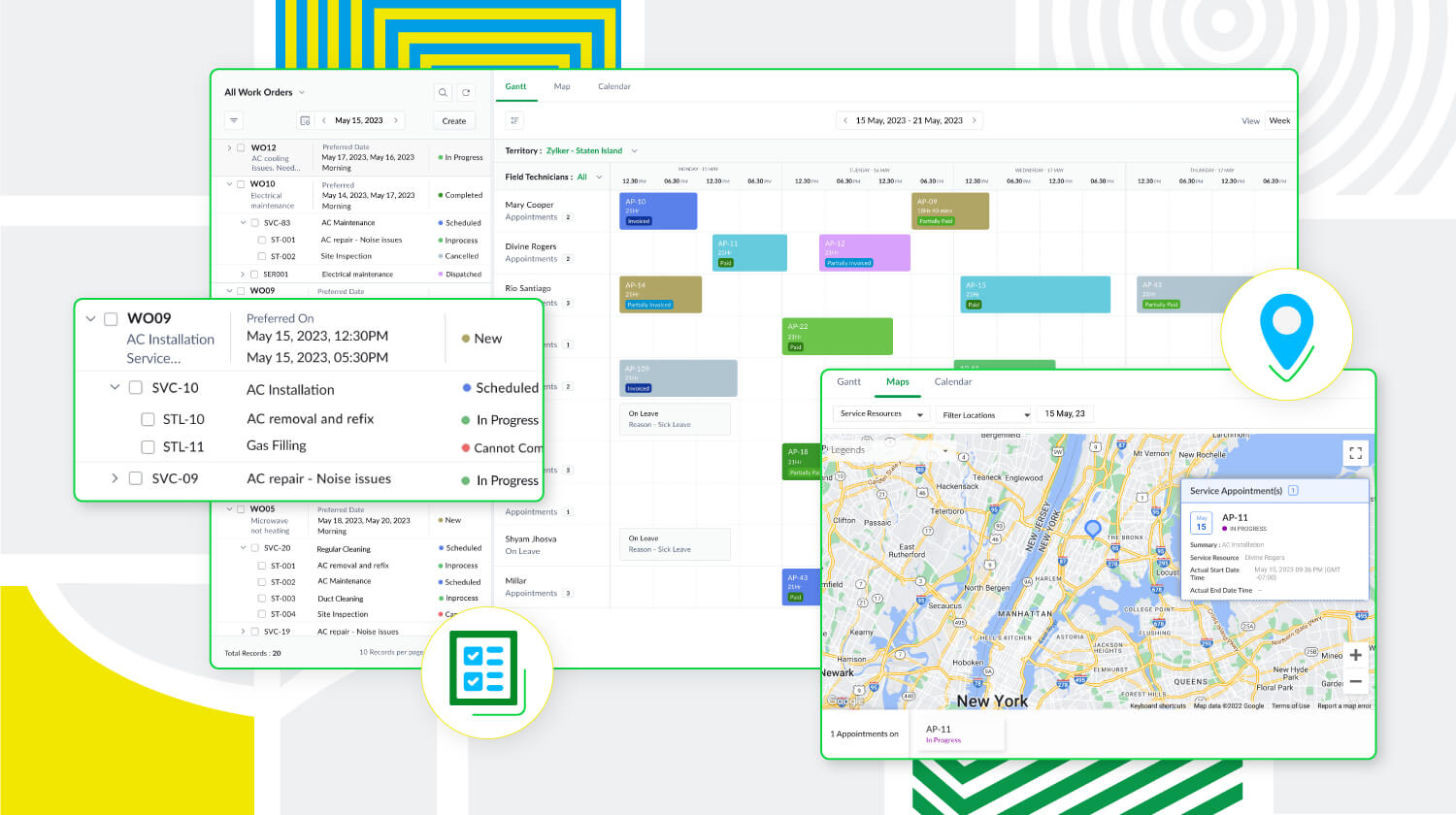
Zoho FSM est une puissante plateforme de gestion des services locaux dotée d'une gamme de fonctions visant à améliorer les différents éléments de votre travail. Elle prend en charge la gestion des bons de travail, des clients, la planification, la gestion de la main-d'œuvre, la facturation, les paiements et la gestion des stocks. De plus, Zoho FSM est conçue pour s'adapter à diverses industries grâce à des éléments de personnalisation et à des capacités d'intégration.
Principaux atouts de Zoho FSM
Gestion de l'ensemble des opérations au sein d'une seule plateforme
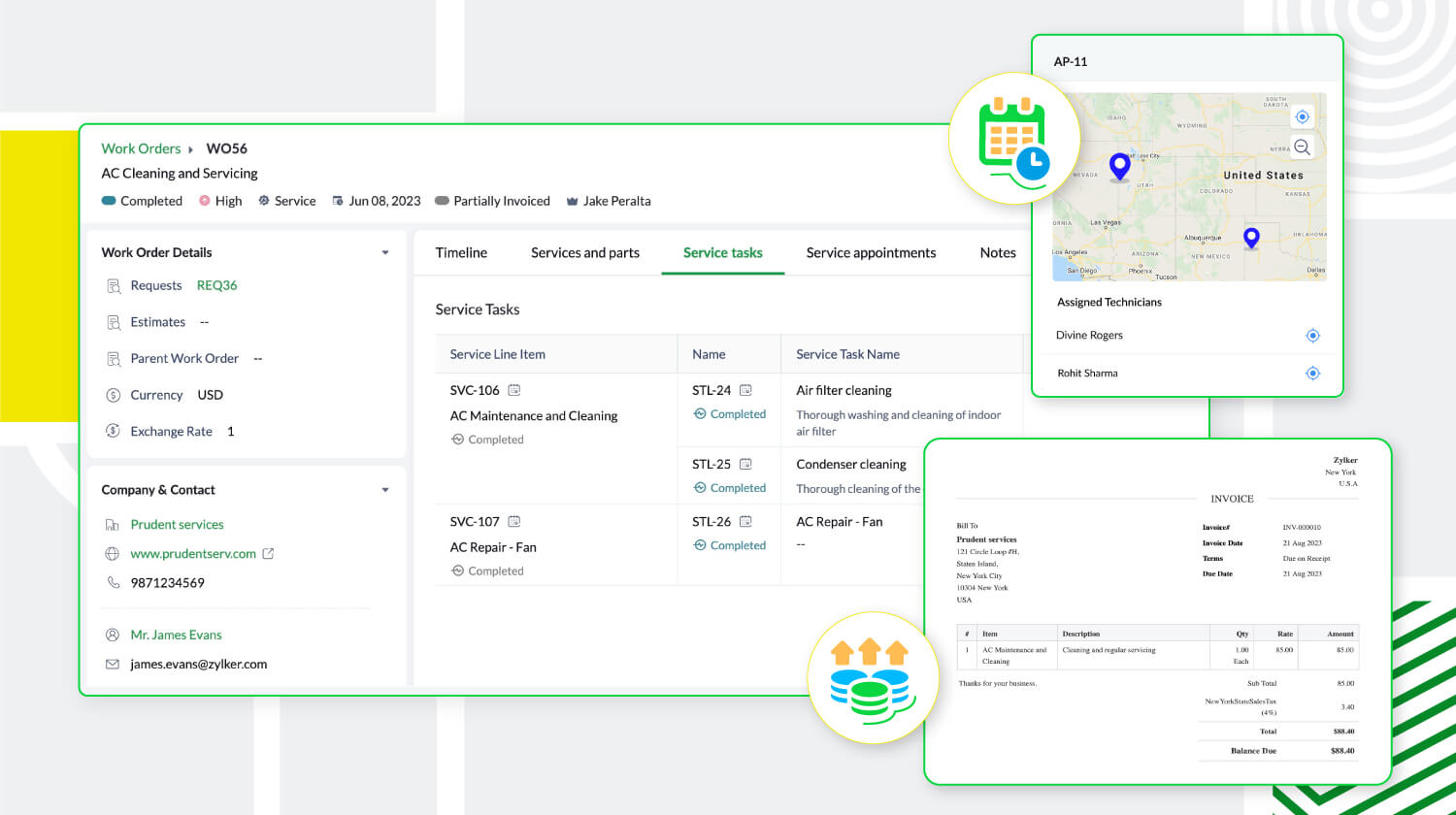
De la demande de service initiale à la facturation, sans oublier la création de bons de travail et la répartition des ressources, Zoho FSM simplifie ces processus afin d'optimiser les opérations. Il est possible de créer des devis et de les envoyer par la poste au client pour approbation. Au cours de la planification, suivez la présence des agents locaux et triez-les en fonction de leurs compétences afin d'envoyer la bonne personne pour le travail à accomplir. Avec Zoho FSM, vous pouvez également diviser les services complexes en tâches plus petites pour faciliter la planification. En ce qui concerne la facturation, elle se fait en quelques clics. Zoho FSM prend également en charge plusieurs devises, des passerelles de paiement en ligne, et plus encore.
Une communication et collaboration efficace
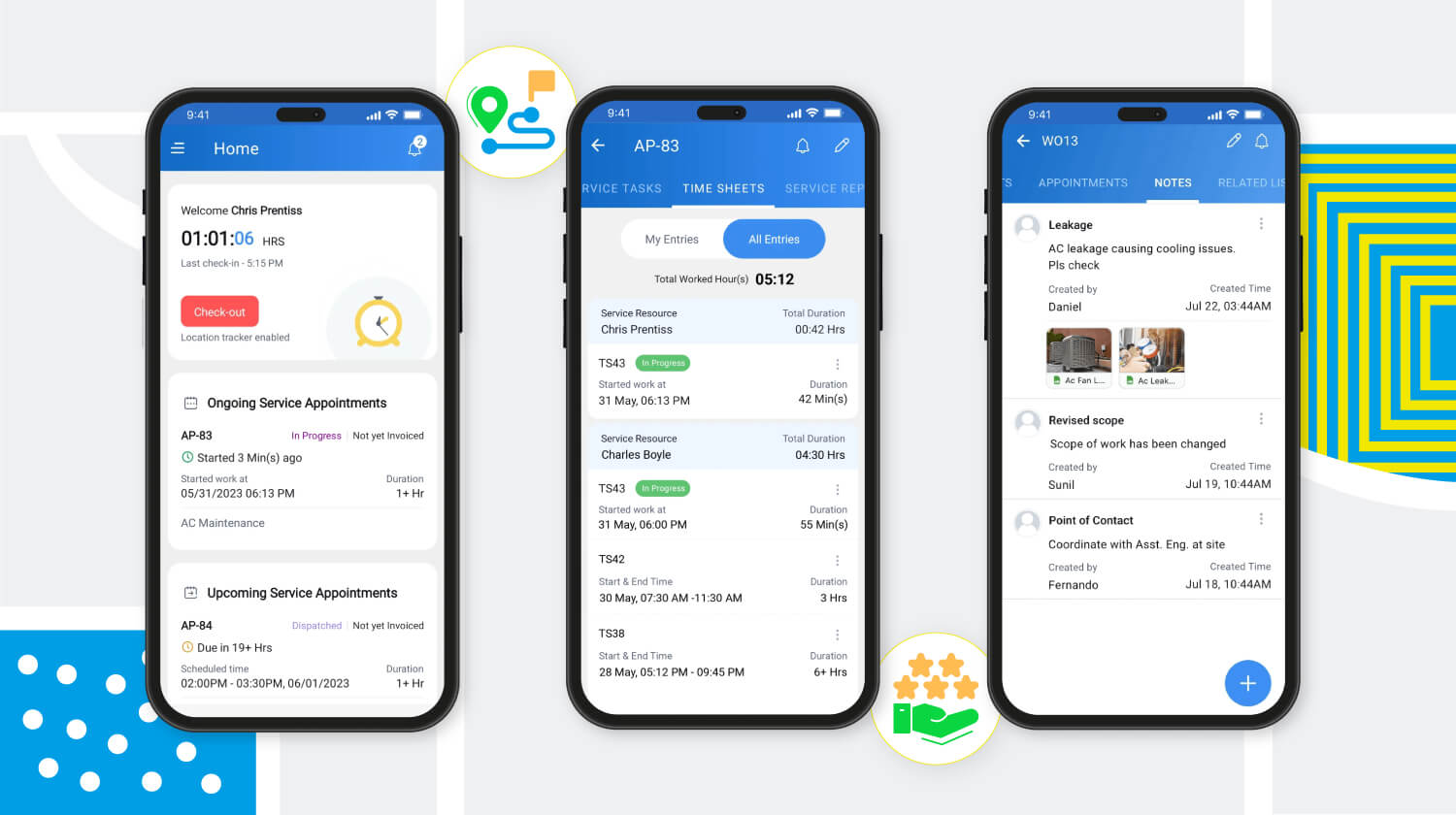
Les canaux sécurisés de communication et de collaboration avec les agents en déplacement sont essentiels pour toute entreprise de services extérieurs. Zoho FSM y répond avec son application mobile qui permet aux agents de tenir l'équipe au courant de leur emplacement, de leur journal de bord, de leurs feuilles de temps et de leurs pauses, même lorsqu'ils sont en déplacement. L'application fournit également aux agents toute l'information sur le client et le service demandé. Elle leur permet également d'ajouter des notes et des photos du lieu d'intervention. Pour une communication efficace avec le client, des mises à jour automatiques s'affichent à chaque étape du processus de service. Une fois le travail terminé, les agents peuvent envoyer des rapports de service et recevoir les commentaires des clients via l'application mobile.
Meilleure productivité grâce à une meilleure gestion de la main-d'œuvre
Zoho FSM offre une solution multi-utilisateurs qui facilite la gestion d'équipes larges et diversifiées. Des profils uniques avec différents niveaux d'accès créent une plateforme sécurisée permettant à l'équipe de travailler à son plein potentiel. Les profils d'utilisateurs par défaut sont des "Agents de centre d'appel", "Dispatchers", "Agents locaux", "Agents locaux restreints" et "Administrateurs". Zoho FSM permet également de créer des profils personnalisés avec des niveaux d'accès modifiés pour s'adapter à la structure organisationnelle.
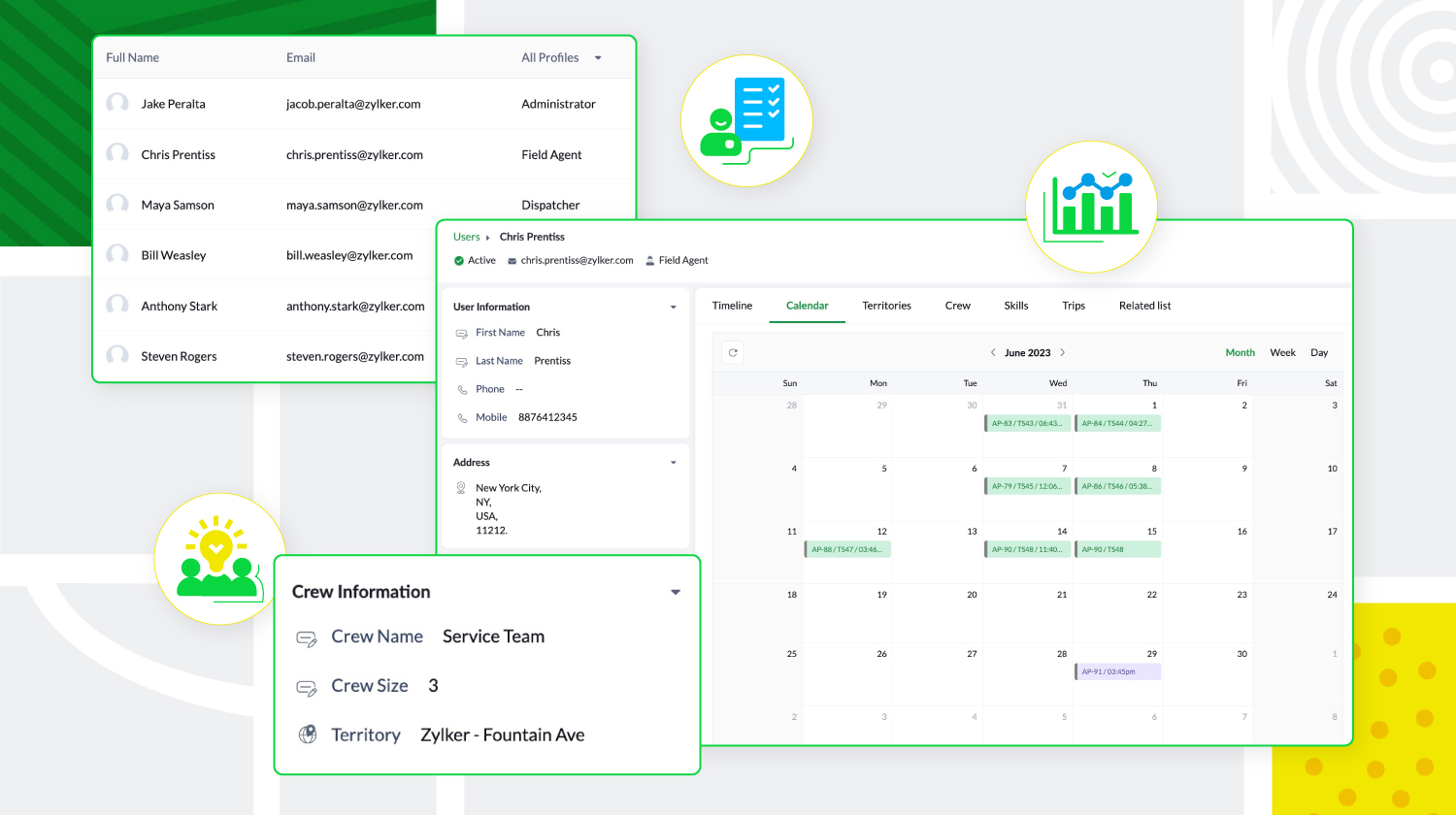
De plus, les agents locaux peuvent être triés en fonction de leur expertise et de leur présence géographique, et regroupés pour former des équipes. Zoho FSM donne aussi un aperçu des tâches quotidiennes des utilisateurs, de leurs déplacements et de leurs congés, ce qui permet aux agents de créer des calendriers sans conflit.
Personnalisation et optimisation de Zoho FSM
Zoho FSM comporte des composantes de personnalisation qui permettent de personnaliser l'expérience et d'ajouter des éléments fonctionnels. Il supporte l'automatisation, avec des règles de workflow qui déclenchent des actions. Il permet d'automatiser les notifications e-mail, les mises à jour de champs, développer des fonctions personnalisées, afin de communiquer et de collaborer avec des applications tierces.
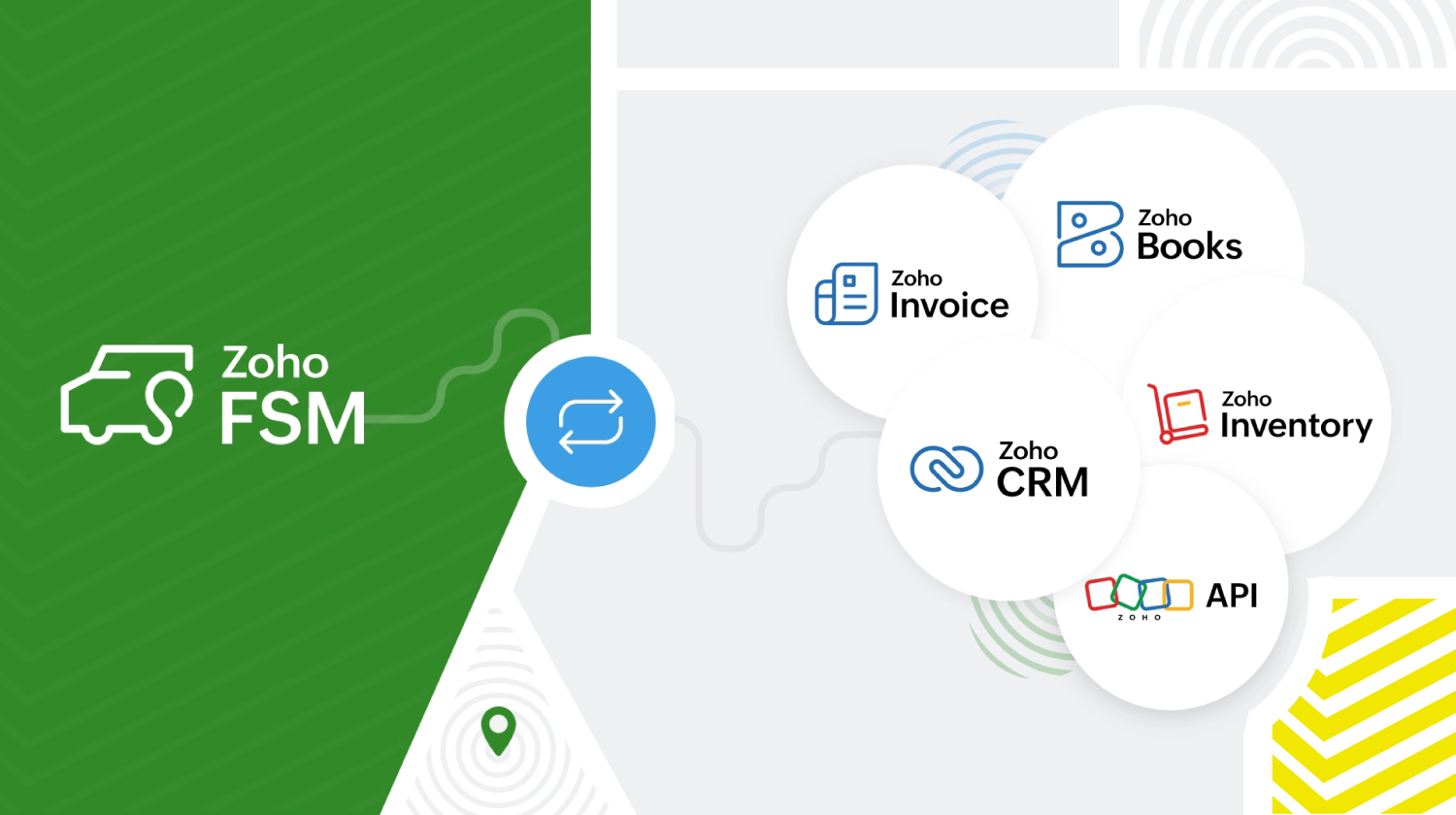
Zoho FSM s'intègre à d'autres applications Zoho et tierces pour que l'organisation fonctionne de manière optimale. Zoho FSM associé à Zoho Invoice s'occupe de la facturation. L'extension Zoho FSM pour Zoho CRM permet de fusionner les ventes et le service local. Il est possible de consulter les enregistrements FSM de façon contextuelle dans Zoho CRM et de créer de nouvelles demandes, de nouveaux bons de travail et de nouveaux actifs à partir de divers modules CRM.
L'intégration de Zoho Inventory permet d'identifier et de suivre les stocks dans plusieurs entrepôts, ce qui garantit que les agents disposent toujours des bonnes pièces pour le travail à effectuer. De plus, les API REST fournies par Zoho FSM facilitent l'intégration avec des applications tierces.
Zoho FSM propose une tarification flexible basée sur le nombre de consultations que vous créez chaque mois.
Essayez Zoho FSM dès aujourd'hui.
Pour plus d'informations, consultez https://www.zoho.com/fsm/
L'équipe Zoho France
Topic Participants
Kinjal Lodaya
Info Uni Net
Anthony PETOT
Florence Barbier
Josee Boulanger
Sticky Posts
Les Zoholics sont de retour !
Bonjour à tous, Nous avons (encore une fois) une bonne nouvelle à vous partager : nous allons enfin pouvoir nous rencontrer ! Et pas dans n'importe quel contexte, mais lors de notre conférence annuelle : les Zoholics ! Mais que sont les Zoholics me direz-vousNovembre : un résumé de ce qui s'est passé le mois dernier sur Community
Bonjour à tous, L'année 2021 arrive presque à sa fin, mais nous continuons à avoir de nombreuses actualités à vous partager. En voici un résumé ! Nous avons eu notre première session "Ask The Experts" sur notre nouvelle version Zoho One 2021 et vousAoût : Un résumé de ce qui s'est passé le mois dernier sur Community
Bonjour à tous, Et bonne rentrée ! Comme chaque mois voici un résumé de ce qui s'est passé sur Community et dans l'actualité de Zoho en général. La grande nouvelle de mois d'Août est l'arrivée de la fonction Canvas : le premier studio de conception pourJuillet : Un résumé de ce qui s'est passé le mois dernier sur Community
Bonjour à tous, Le premier mois de l'été se termine, et si certain profitent d'un repos bien mérité, sur Community on continue à en apprendre toujours plus sur nos produits Zoho. Notre série sur Zoho CRM se réinvente avec la découverte de notre fonctionCommunity Digest - Résumé de mai 2021
Bonjour à tous, Que s'est il passé en Mai sur notre page Community France ? En plus de nos articles Trucs et Astuces, vous avez été nombreux a réagir, nous poser des questions ou encore publier vos propres conseils ! Vos les différents sujets abordés
Recent Topics
Keep Zoho People Feature Requests in the Zoho People Forum
Hello Zoho People Product Team, Greetings. We would like to submit a feature request regarding the handling of feature requests themselves, specifically for Zoho People. Issue: Feature Requests Being Moved to Zoho One Zoho People feature requests areZO25: The refreshed, more unified, and intelligent OS for business
Hello all, Greetings from Zoho One! 2025 has been a remarkable year, packed with new features that will take your Zoho One experience to the next level! From sleek, customizable dashboards to an all-new action panel for instant task management, we’veIntroducing Multi-Asset Support in Work Orders, Estimates, and Service Appointments
We’re excited to announce a highly requested enhancement in Zoho FSM — you can now associate multiple assets with Work Orders, Estimates, and Service Appointments. This update brings more clarity, flexibility, and control to your field service operations,[Product Update] Locations module migration in Zoho Books integration with Zoho Analytics
Dear Customers, As Zoho Books are starting to support an advance version of the Branches/Warehouses module called the Locations module, users who choose to migrate to the Locations module in Zoho Books will also be migrated in Zoho Analytics-Zoho BooksIntroducing Schedules for smarter availability management
Greetings from the Zoho Bookings team! We’re excited to introduce Schedules, a powerful enhancement to manage availability across your workspace. Schedules are reusable working-hour templates that help you define and maintain consistent availability acrossWhy Zoho Contracts Prefers Structured Approvals Over Ad-hoc Approvals
Approvals are one of the most important stages in a contract’s lifecycle. They determine whether a contract moves forward, gets revised, or needs further discussion. The approval process also defines accountability within the organization. Zoho ContractsWhatsapp Connection Status still "Pending" after migration
Hello, I migrated my WhatsApp API to Zoho from another provider a day ago. So far the connection status is still “Pending”. There is a problem? How long does it usually take?Kaizen #226: Using ZRC in Client Script
Hello everyone! Welcome to another week of Kaizen. In today's post, lets see what is ZRC (Zoho Request Client) and how we can use ZRC methods in Client Script to get inputs from a Salesperson and update the Lead status with a single button click. In thisHow to Filter timewise question to check uploaded one month or two months before in these community question ?
i want to find the question that is asked some month or before any particular year, so how can i filter it ?Proposal for Creating a Unique "Address" Entity in Zoho FSM
The "Address" entity is one of the most critical components for a service-oriented company. While homeowners may change and servicing companies may vary, the address itself remains constant. This constancy is essential for subsequent services, as it providesWorkflow Down/Bug
We have a workflow that sends an email to one of our internal departments 10 minutes after a record is created in a custom module. The workflow actually works correctly. However, we have now noticed that on January 8, between 3:55 p.m. and 4:33 p.m.,Service Locations: Designed for Shared Sites and Changing Customers
Managing service addresses sounds simple—until it isn’t. Large facilities, shared sites, and frequently changing customers can quickly turn address management into an operational bottleneck. This is where Service Locations deliver clarity and control.Can I re-send the Customer Satisfaction Survey after a ticket closure?
Hello, Some customers does not answer the survey right after closure, is it possible to re-send after a few days or weeks? Best Regards!Account blocked
Yesterday I got my Zeptomail account blocked due to too many hard bounces. My account is used exclusively for sending transactional emails (eg. your order has been shipped, a form has been filled, etc) and the sudden blocking impacted hundreds of websitesFilter contacts based on selected category in Zoho Desk ticket
Hello community, I’m setting up the Tickets module in Zoho Desk and I need help implementing the following: When a category is selected in a ticket, I want the Contact field to be filtered so that it only displays contacts that are related to that category.Mapping a new Ticket in Zoho Desk to an Account or Deal in Zoho CRM manually
Is there any way for me to map an existing ticket in Zoho desk to an account or Deal within Zoho CRM? Sometimes people use different email to put in a ticket than the one that we have in the CRM, but it's still the same person. We would like to be ableAssign Income to Project Without Invoice
Hello, Fairly new user here so apologies if there is a really obvious solution here that I am just missing... I have hundreds of small deposits into a bank account that I want to assign to a project but do not want to have to create an invoice every timeTracking Non-Inventory Items
We have several business locations and currently use zoho inventory to track retail items (sales and purchase orders). We were hoping to use zoho inventory to track our non-inventory items as well (toilet paper, paper towels, etc). I understand that weProfile Page View Customization
I need to change the fields, sections from the profile view of an emplyoyee.Zoho Desk Android app update: Filter, Sort and Saved filters Enhancements
Hello everyone! We are excited to introduce the below features on the Android version Zoho Desk mobile app: 1. Filter & Sort support has been introduced for the Contacts and Accounts modules. 2. Sort options is now available in Custom Modules as well.Accessing shared mailboxes through Trident (Windows)
Hi, I have a created a couple of shared mailboxes. The mailboxes are showing up on the browser based Zoho workplace, but I cannot seem to figure out how to access my shared inboxes through Trident (Windows). Am I missing something or is this feature notFeature Request: Ability to set Default Custom Filters and apply them via URL/Deluge
I've discovered a significant gap in how Zoho Creator handles Custom Filters for reports, and I'm hoping the Zoho team can address this in a future update. This limitation has been raised before and continues to be requested, but remains unresolved. TheClosing the Loop: Why Lookup Asymmetry is Harming Data Integrity in Creator
TL;DR: Lookup fields allow users to add new related records inline via the "+" icon, but there's no equivalent ability to edit an existing related record without navigating away and losing form context. Adding a native "Edit" icon—with automatic Userfiltering lookup field options based on information in another module.
In our CRM system. We have the standard Accounts and Deals modules. We would like to introduce the ability to classify Accounts by Sector. Our desired functionality is to have a global list of all sectors that an Account can select, with the ability toService op locatie organiseren met Zoho FSM: waar lopen organisaties tegenaan?
Bij organisaties met service teams op locatie merken we vaak dat de complexiteit niet zozeer in de planning zelf zit, maar in wat er rond die planning gebeurt. Denk aan opvolging na interventies, consistente servicerapporten, en het bijhouden van installatiesIntroducing Assemblies and Kits in Zoho Inventory
Hello customers, We’re excited to share a major revamp to Zoho Inventory that brings both clarity and flexibility to your inventory management experience! Presenting Assemblies and Kits We’re thrilled to introduce Assemblies and Kits, which replaces theDoes the ability exist to make tax on the customer profile mandatory?
I am reaching out to inquire about the possibility of making the "Customer Tax" field mandatory when creating a new customer in Zoho. We want to ensure that all customers have their tax information recorded to maintain compliance with our internal processes.email association with CRM
Why is it 2024 (almost 2025) and Zoho has not figured out how to integrate email with CRM? It is so inconsistent at associating emails within CRM. I am an attorney. I have clients and work with other attorneys. Attorney John Doe is associated with multipleFix the speed
It takes ages to load on every step even though my dataset is quite small.Credit Note for Shipped and Fatoora pushed invoices
We have shipped a Sales Order and created an Invoice. The Invoice is also pushed to Fatoora Now we need to create a credit note for the invoice When we try it, it says we need to create a Sales Return in the Zoho Books, we have already created a SalesFSM - Timesheet entires for Internal Work
Hi FSM Team, Several of my clients have asked how they can manage internal timesheets within Zoho FSM. Since their technicians already spend most of their day working in FSM, it would be ideal if they could log all working hours directly in the FSM app.Add a way of clearing fields values in Flow actions
It would be great if there was an option to set a field as Null when creating flows. I had an instance today where I just wanted to clear a long integer field in the CRM based on an action in Projects but I had to write a custom function. It would beRole Management
I am creating an analytics dashboard for a company that will be utilized by its various departments such as Finance, Marketing, and HR. My goal is to design the dashboard with separate tabs for each department. Additionally, I plan to implement role-basedHighlight a candidate who is "off limits"
Hello: Is there a way to highlight a candidate who is "off limits"? I would like to have the ability to make certain candidate and / or Client records highlighted in RED or something like that. This would be used for example when we may have placed a candidate somewhere and we want everyone in our company to quickly and easily see that they are off limits. The same would apply when we want to put a client or former client off limits so no one recruits out of there. How can this be done? Cheers,Announcing new features in Trident for Windows (v.1.37.5.0)
Hello Community! Trident for Windows just received a major update, with a range of capabilities that strengthen email security and enhance communication. This update focuses on making your mailbox safer and your overall email experience more reliable.Early Payment Discount customize Text
Hi, I’m currently using Zoho Books and am trying to customize the standard “Early Payment Discount” message that appears in the PDF invoice template. I’ve reviewed the documentation here: https://www.zoho.com/books/help/invoice/early-payment-discount.htmlDeprecation of SMS-based multi-factor authentication (MFA) mode
Overview of SMS-based OTP MFA mode The SMS-based OTP MFA method involves the delivery of a one-time password to a user's mobile phone via SMS. The user receives the OTP on their mobile phone and enters it to sign into their account. SMS-based OTPs offerZoho Sheet - Desktop App or Offline
Since Zoho Docs is now available as a desktop app and offline, when is a realistic ETA for Sheet to have the same functionality?I am surprised this was not laucned at the same time as Docs.DKIM Now Mandatory - Changes to Zoho Forms Email Policies
Hello Zoho Forms Users, This post is to inform you about an important update regarding the authentication of all email domains in your Zoho Forms account. This year, we are doubling down on our commitment to deliver a secure, seamless, and empoweringCall description in notes
When completing a call, we type in the result of the call in the description. However, that does not show up under the notes history on the contact. We want to be able to see all the calls that have taken place for a contact wihtout having to go intoNext Page