Did you know you can secure your content with Zoho Writer?
Sometimes you need to protect certain parts of your content to conceal sensitive information or prevent changes to important sections of a document. Zoho Writer offers several tools for securing content to help maintain privacy, security, and confidentiality while still allowing you to share appropriate parts of your documents for collaboration or review. Here are a few helpful options you should know about.
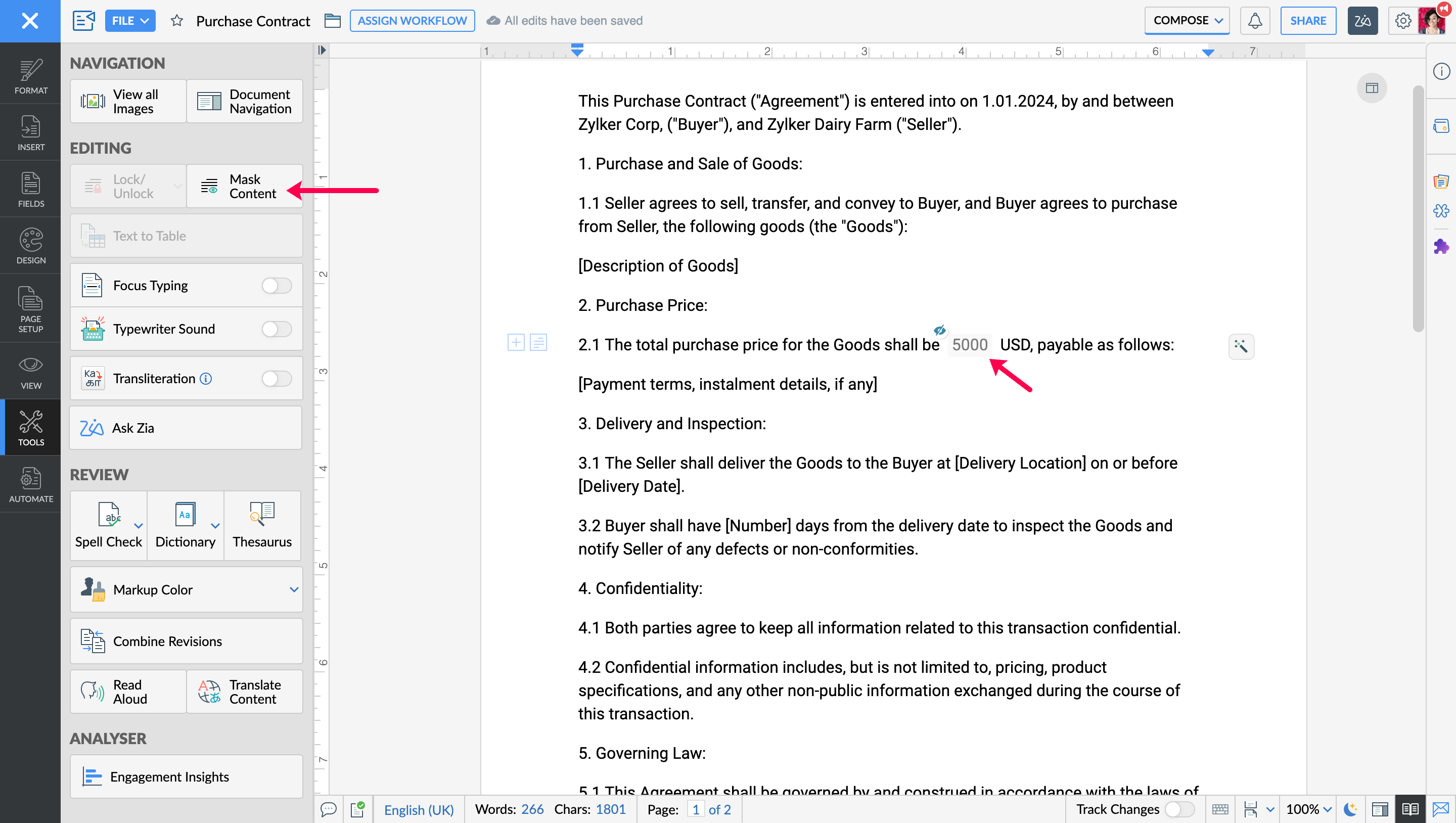
Mask confidential content
If you're sharing a document but need to keep certain parts under wraps, use content masking to hide sensitive information. The masked content will show up as asterisks for other people viewing the document to maintain confidentiality without impeding collaboration. Learn how.
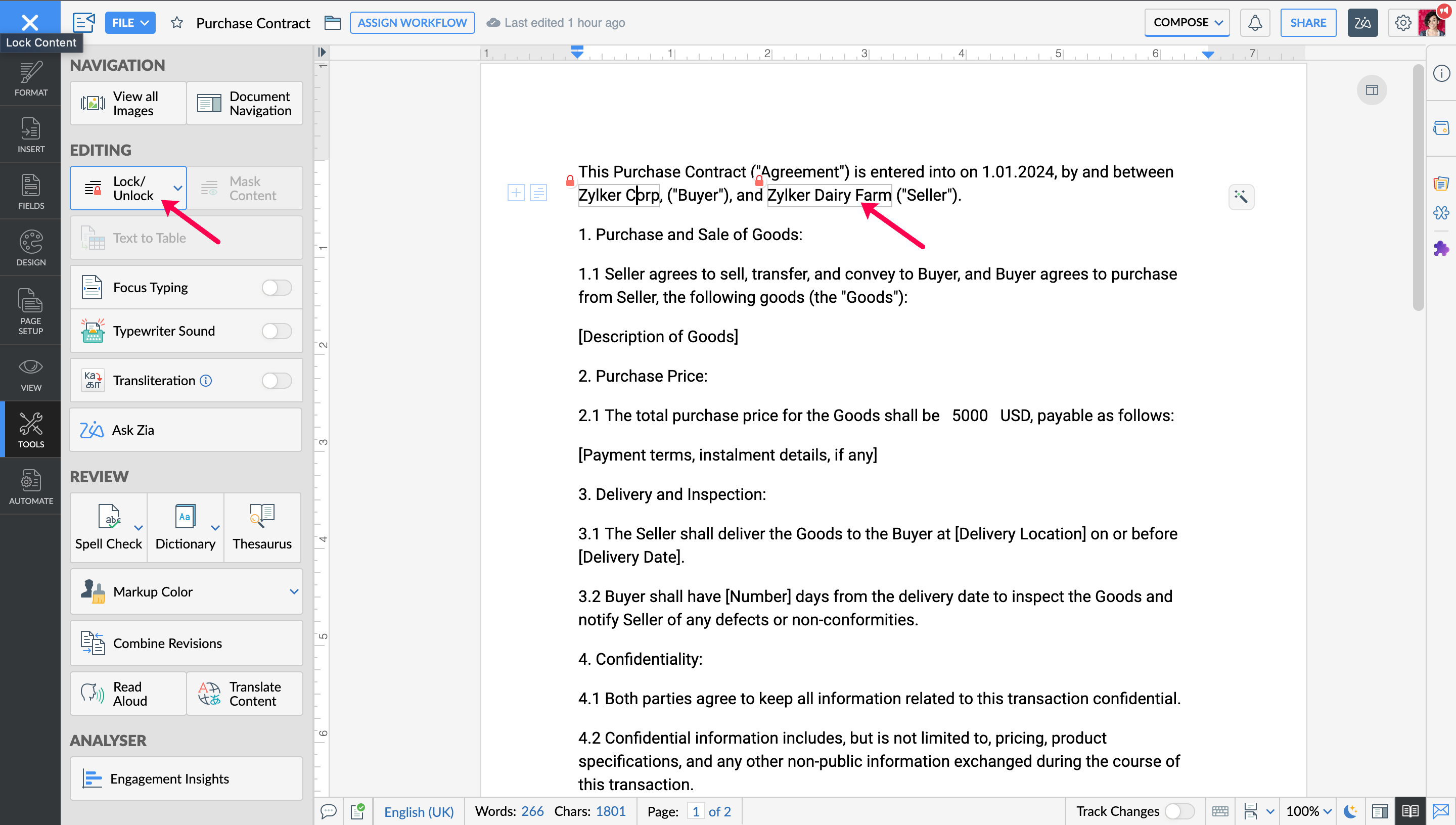
Lock content to prevent changes
Don't want anyone altering your content? You can lock them. Collaborators will be able to look, but not make changes. This is perfect for important clauses in contracts or other sensitive documents. Head to our user guide to find out how.
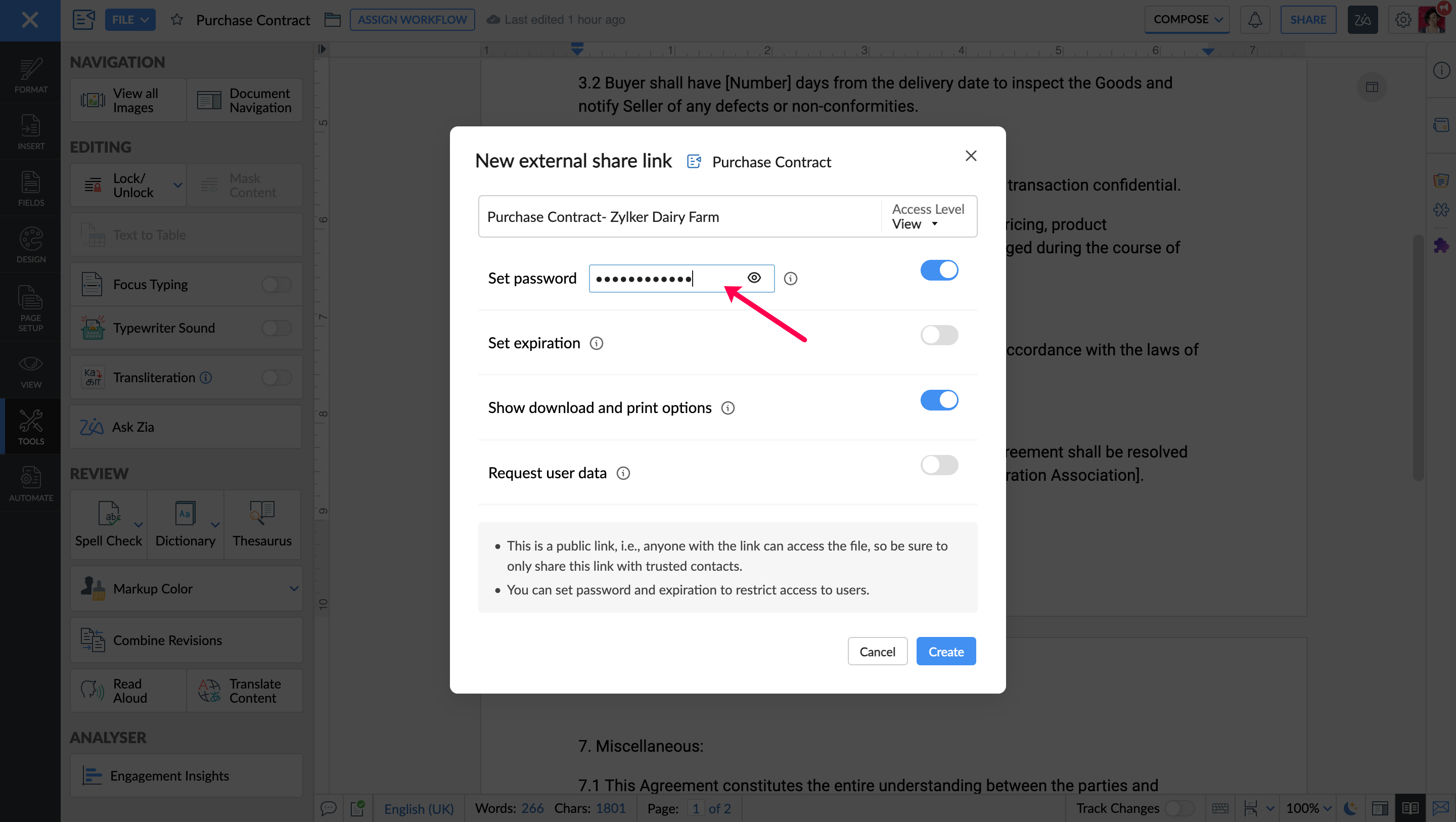
Password protect documents
Need to share an important document with someone outside your team or organization? Set a password to protect your file. Only those with the password will be able to access the document, ensuring secure collaboration with clients, partners, and other external stakeholders. Learn more.
Bonus tip: Combine these features for maximum security!