Narrative 3 - Comprehending User Management

Narrative 3 - Comprehending User Management

Behind the scenes of a successful ticketing system - BTS Series

Narrative 3 - Comprehending User Management
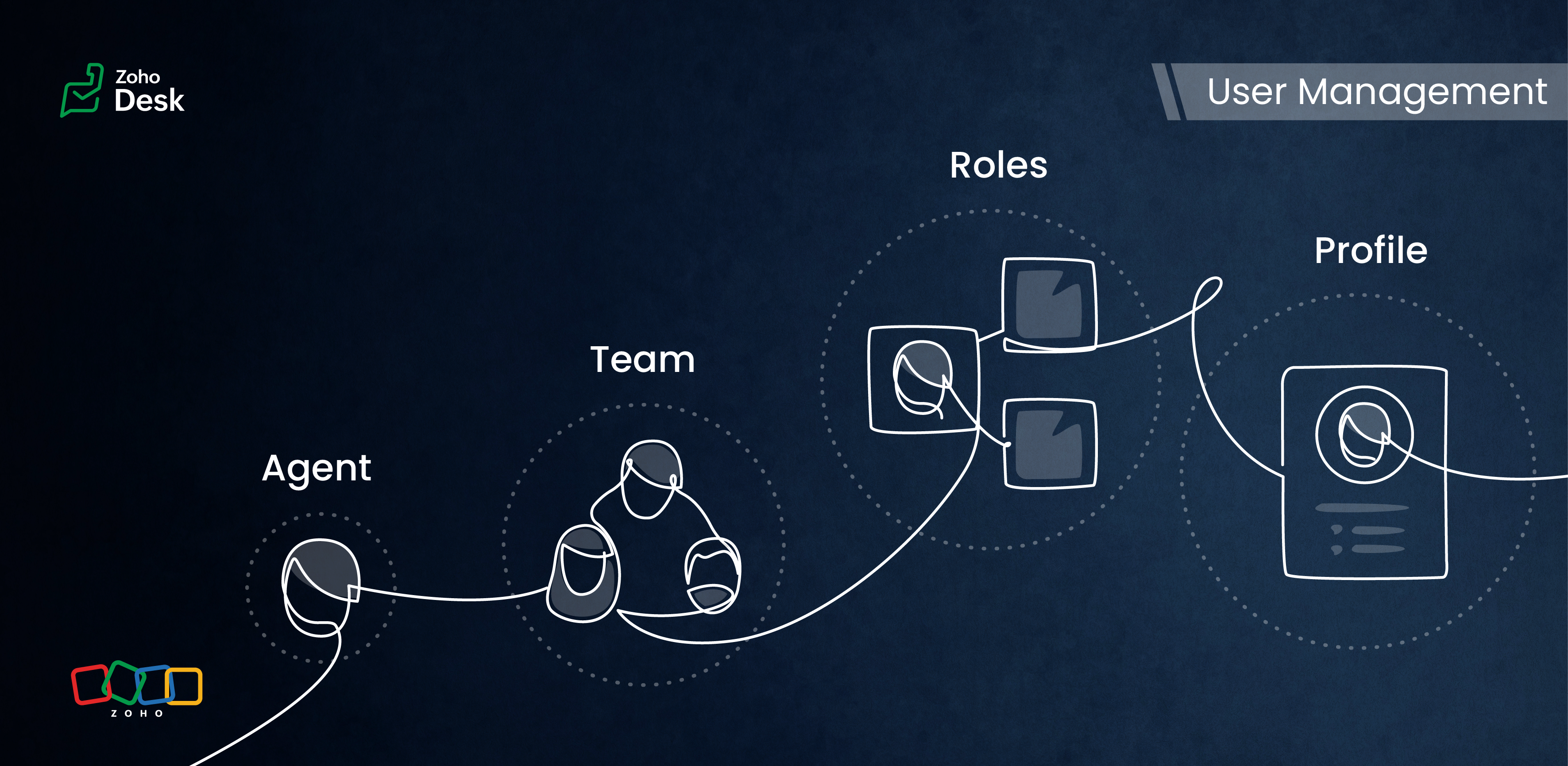
User management in a ticketing system includes important aspects of how administrators oversee user access, roles, and permissions. This process involves not just creating and modifying user accounts, but also the ability to delete them when necessary. Administrators can assign specific profiles, like agent, light agent, or support administrator, which helps clarify responsibilities within the organization.

When user management is done effectively, it ensures that everyone has the right level of access to the tools they need to do their job efficiently. This means that team members can work together seamlessly on support tickets and customer inquiries. Additionally, strong user management supports security by blocking unauthorized access to sensitive information to provide a collaborative and secure environment.

Managing Agents

Customer support representatives serve as the organization's primary point of contact for many customers. Support reps, also called agents in the help desk system, make up the customer-facing teams. They assist customers with billing, product issues, troubleshooting, refunds, and other related matters.

Tasks

  • Replying to tickets and tracking them.
  • Answering customer calls.
  • Offering live chat support or connecting with customers on social media platforms.
  • Preparing a knowledge base of troubleshooting solutions for quick reference.

Actions

Inviting your team as agents in Zoho Desk with the correct permissions and access roles is the first step to getting them on board with the ticketing system. Each agent is assigned a role and a corresponding profile. The role follows the organisation’s hierarchy and can be set up in the Zoho Desk account. This defines access to the data in Desk. The profile, meanwhile, determines which features can be accessed and what actions a user can take in the Desk account.

Managing Teams

Teams consist of agents who allocate tasks based on traits, such as skillsjob roleslocationsinterests, and expertise. The makeup of these teams can change depending on business needs and support processes. They often include sub-teams and individual agents with specific roles.


Teams are essential for managing daily operations well. They help handle tickets and divide up tasks, events, and calls by routing them to the proper associates.


For example, a specialized team can include agents with extensive experience in meeting the needs of enterprise-level business customers. This dedicated team can manage all aspects of customer support, from onboarding and implementation to ongoing assistance after implementation. This ensures that inquiries from enterprise customers are addressed with skill and care.


By using team-based support services, organizations can ensure that their customers receive quick and focused responses.They can also provide tailored solutions that meet customers' specific needs and challenges. This approach improves the overall customer experience by promoting quick communication and delivering effective resolutions.

Info
Points to remember:
  • Teams are designated for specific departments, meaning that only agents affiliated with a given department can join its teams. 
  • A team may include up to 100 agents and can comprise a maximum of 50 sub-teams or 20 roles. 
  • Every department is allowed to have up to 60 teams. 
  • Teams can encompass agents, sub-teams, agents assigned to a particular role, and the associates of those agents. 
  • It’s not required for every agent to be part of a team, and agents are permitted to belong to multiple teams, whether within the same or across different departments.

Roles & Profiles

Roles refer to the specific functions or responsibilities assigned to users within the system. They determine the level of access and the types of actions an agent can perform.  


For example, a support manager needs access to all the tickets that their team agents work on, while support representatives typically only need access to their own tickets and, at times, their peers' tickets.


Profiles group agents with similar access levels and permissions. They define the settings and configurations that apply to each role. For example, a profile for agents might allow them to view all tickets but restrict access to sensitive customer data.


The system predefines the profiles listed, and they cannot be modified directly. However, you can adjust the permissions associated with these profiles to suit your needs better.

  1. Support Administrator
  2. Agent
  3. Light Agent


Recall this simple mantra: "Roles observeprofiles take action."

Conclusion

User management helps organize workflows by clarifying responsibilities and allowing users to concentrate on their tasks. By managing agents and teams and defining roles and profiles, you can make sure that sensitive information is only available to those who need it. 


Overall, effectively managing roles and profiles in a ticketing system improves both security and operational efficiency.


Please stay tuned for more Desk behind-the-scenes series.


Regards,


Kavya Rao

The Zoho Desk Team

    • Recent Topics

    • Merge tag didn't work in the campaign sent to test email list

      Hello, I just sent out a campaign to my list of test emails (including my personal one). The merge tag that's supposed to put a first name of the contact $[UD:FIRST_NAME||]$ didn't work. Where the first name of the contact should be displayed there's
    • Add Camera Background Blur During Recording

      Hi Zoho WorkDrive Team, Hope everything is well. We would like to request an enhancement to the video recording feature in Zoho WorkDrive. Currently, the camera preview displayed during a recording does not support background blur. This is an essential
    • Sync Data from MA to CRM

      Currently, it's a one-way sync of data from the CRM to MA. I believe we should have the ability to select fields to sync from MA to the CRM. The lead score is a perfect example of this. In an ideal world we would be able to impact the lead score of a
    • How can I transfer data from Production to Development environment?

      Hi, I am using Creator V6 and would like to bring all the data in production to the Development and Testing environments? Is there an easy way of doing that or I have to export and import each table?
    • filter on sheets mobile (iOS, iPadOS) does not work

      re-posting this as a question because reporting as a problem netted zero responses... I have this issue on every spreadsheet, whether imported or created natively in Zoho Sheets. I can use on desktop without issue: but on iOS the filter dropdowns are
    • How to map fields from Zoho Recruit to Zoho People

      I've got these fields from my Job Offer that I'm trying to map to the Work information fields in Zoho People, but they arent showing up. For example, how do I get the department name field (in the job post) to map to the work information field in Zoho
    • Mass email from Report output

      Hi, I'd like to send a mass email based on a report output. The report is pulling multiple information from linked modules. Each line of the report ends up with a contact name, email and multiple field values pulled from the linked modules (some are custom
    • Introducing SlyteUI : From Idea to a Working Interface in Minutes

      Hello everyone! Are you spending hours building basic UIs? Does even the smallest customization feel like a major task? CRM customization should feel intuitive and straightforward, not time consuming or exhausting. SlyteUI makes this possible by simplifying
    • Add Comprehensive Accessibility Features to Zoho Writer

      Hello Zoho Writer Team, We hope you are doing well. We would like to submit a feature request to enhance Zoho Writer with a full set of accessibility tools, similar to the accessibility options already available in the Zoho Desk agent interface. 🚧 Current
    • How to see Tickets that require a response

      When an agent checks his work he should be able to see a list of tickets that he has to reply to. Currently he can only see if the ticket is closed or open. However the ticket might be open but we are waiting for the customers reply, so there is nothing
    • Zoho Books' 2025 Wrapped

      Before we turn the page to a new year, it’s time to revisit the updates that made financial management simpler and more intuitive. This annual roundup brings together the most impactful features and enhancements we delivered in 2025, offering a clear
    • [Free webinar] Integrations in Zoho Creator - Creator Tech Connect

      Hello everyone, We’re excited to invite you to another edition of the Creator Tech Connect webinar. About Creator Tech Connect The Creator Tech Connect series is a free monthly webinar featuring in-depth technical sessions designed for developers, administrators,
    • Issue with attaching files to a task through the API

      Hello! I've implemented a function that creates a task for every new bill that is created but I haven't been able to attach to the task the files which are attached to the bill. I have encountered multiple errors but the most common one is error 33003:
    • Trigger workflows from SLA escalations in Zoho Desk?

      Hey everyone, I’m currently working with SLA escalation rules in Zoho Desk and ran into a limitation that I’m hoping someone here has solved more elegantly. As far as I can tell, SLA escalations only support fairly limited actions (like changing the ticket
    • Can I hide empty Contact fields from view?

      Some contacts have a lot of empty fields, others are mostly filled. Is there a way I can hide/show empty fields without changing the actual Layout? I would like to de-clutter my view, and also be able to add information later as I am able. I would be
    • Agents permission per department

      Hi Team, can I setup permission for each agent what they can do in each department, for example I want account department agents to only have view access to support department tickets and not allowed to assign or reply to clients. I am sure this would
    • Ask the Experts - Live Q&A webinar

      Hello Community, We’re excited to host our very first Ask the Experts session! Join us on 7 April 2026 from 11 a.m. to 12 p.m. (IST) for this live webinar Q&A session, where you will have an opportunity to connect directly with our product experts, gain
    • Cliq iOS can't see shared screen

      Hello, I had this morning a video call with a colleague. She is using Cliq Desktop MacOS and wanted to share her screen with me. I'm on iPad. I noticed, while she shared her screen, I could only see her video, but not the shared screen... Does Cliq iOS is able to display shared screen, or is it somewhere else to be found ? Regards
    • Prevent Automatic Milestone Inheritance for Newly Created Task Lists

      Hello Zoho Projects Team, We hope you are doing well. We would like to request an enhancement regarding how new task lists inherit Milestone association in Zoho Projects. Current Behavior: At the moment, when a new task list is created below an existing
    • Hiding / removing Currency field from Layout

      Hello, I'm working on the LEAD standard layout of Zoho CRM. I like to have it as minimal as possible for our team. I could remove most of the field, but Currency is not possible. As lead, I don't quite understansd the necessity to have Currency as mandatory.
    • Updating Sales orders on hold

      Surely updating irrelevant fields such as shipping date should be allowed when sales orders are awaiting back orders? Maybe the PO is going to be late arriving so we have to change the shipment date of the Sales order ! Not even allowed through the api - {"code":36014,"message":"Sales orders that have been shipped or on hold cannot be updated."}
    • Can we have Backorder Management ?

      Can we have Backorder Management ?
    • Accept credit card payment for multiple invoices

      We have a problem with Zoho Books.  While we can charge a customer's credit card for an individual customer invoice, we cannot charge a customer's credit card for more than one invoice. In our business, it is common for a client to phone up and say, "Here
    • Anyone in Australia using Zoho Books AND has their account with NAB?

      Hi I have an account with both NAB and Suncorp. Suncorp transaction come in the next day however NAB transactions take 4-5 business days to appear. eg: A deposit made today in my Suncorp will be imported into Zoho tomorrow. A deposit made today to the NAB account will be imported maybe Saturday (Friday overnight). I have contacted both Zoho and NAB but noone seems to know why. I was just wondering if anyone else in Australia uses NAB and has this issue (or doesn't) maybe we could compare notes and
    • Newby Questions - Vendors, Customers, and Income vs. Other Income Clarifications

      Q1. For Deposits, there does not seem to be an option for "Income". "Other Income" is an option however. What is the process to add the option to assign a deposit to type "Income"? Q2. In many cases Vendors and Customer are the same. Vendors may purchase
    • ISO 3166-2 Compliant Country and Regions

      Zoho should consider implementing ISO 3166-2 standards for countries and regions in address dropdowns. It adds a lot of noise in the data when items added programmatically conform to ISO 3166-2 (e.g., TX for Texas, CA for Canada, etc.), but the few items
    • Tax on Imported goods charged by Shipping Company

      Hi Folks, I imported goods from outside Canada, for better understanding I will give an example data. imported goods value: 2000$ The shipping company sent me an invoice containing the following information: Custom duty on imported goods: 400$ Administration
    • Invoice Import Error: "Either Tax or Tax Exemption Reason is required" - Recurring Across All Attempts

      Issue Description: I'm experiencing a critical issue with invoice imports in Zoho Books. Every import attempt fails with the same error message, regardless of the tax data provided: Either Tax or Tax Exemption Reason is required. This error is blocking
    • Zia Agents in Zoho CRM: a better way to set up digital employees

      Hello everyone, If you've been using Zia Agents in Zoho CRM, so far using Connections was the only deployment method you're familiar with. You create an agent in Zia Agents (define its objective, write instructions, use tools, add knowledge base) and
    • Amazon FBA integration - Handle invoice reconciliation under different GSTINs,

      Dear Zoho Community, Thank you for the clarification regarding the Amazon FBA integration, default warehouse, and GSTIN mapping in Zoho Inventory. I understand that Zoho currently supports only one warehouse for Amazon FBA, and that all FBA orders are
    • Zoho CRM Copilot Connector

      Hello, Are there plans to release a connector for Zoho CRM and Copilot? I'm in the early research stages of potentially switching our CRM solution to Microsoft Dynamics because of its out of the box integration with Copilot. The advantage being that we
    • Zoho Sheet for Desktop

      Does Zoho plans to develop a Desktop version of Sheet that installs on the computer like was done with Writer?
    • Automation Series: Notify Admin When User Accepts an Invitation

      In Zoho Projects, a portal is an organisational-level workspace where user can manage multiple projects. To join a portal, a user will have to accept the portal invitation. However, it is important for admins to be in the loop when a user accepts the
    • Limitation in Using Images or Icons within Dropdown Options in Zoho Survey

      Zoho Survey does not support the inclusion of images or icons within dropdown (select box) options. Dropdown question types are limited to text-only choices, which restricts the ability to present visually rich options such as product images or icons.
    • Zoho Bookings - Feature Request - Services Which Include A Resource and Consultant

      Hi Bookings Team, My feature request is to have the ability to add Consultants and Resources to Services. Use case: Your business provides first aid training and there are certain equpment you require to provide the half day training. There are only specific
    • What's New in Zoho Invoice | January – March 2026

      Hello everyone! We're back with the latest updates and enhancements we've rolled out in Zoho Invoice from January to March 2026. Here's what's new this quarter: Compact Bilingual Template [GCC Editions] Tax Calculation on MRP for Tobacco Products [India
    • What is a realistic turnaround time for account review for ZeptoMail?

      On signing up it said 2-3 business days. I am on business-day 6 and have had zero contact of any kind. No follow-up questions, no approval or decline. Attempts to "leave a message" or use the "Contact Us" form have just vanished without a trace. It still
    • can change deal colors in bigin?

      can be super useful if we can change colors deals process any way to do it?
    • Facturation électronique 2026 - obligation dès le 1er septembre 2026

      Bonjour, Je me permets de réagir à divers posts publiés ici et là concernant le projet de E-Invoicing, dans le cadre de la facturation électronique prévue très prochainement. Dans le cadre du passage à la facturation électronique pour les entreprises,
    • Subform edits don't appear in parent record timeline?

      Is it possible to have subform edits (like add row/delete row) appear in the Timeline for parent records? A user can edit a record, only edit the subform, and it doesn't appear in the timeline. Is there a workaround or way that we can show when a user
    • Next Page