Zoho Sprints integrates with Zoho Analytics
Reports help you track progress, growth, analyze issues, and evaluate a business. When you can generate customized reports, you will get concise information on different aspects of your business with which you can ameliorate your decision-making process. Along with the inbuilt reports, you can now create custom reports in Zoho Sprints by integrating with Zoho Analytics
Lily, a team owner, wants to generate a report on the average time of approved log hours across projects. This report cannot be generated automatically and requires manual input of data. Since she has integrated her Zoho Sprints account with her Zoho Analytics account, she creates this customized report in Zoho Analytics with the data from Zoho Sprints.
To configure Zoho Analytics,
-
Go to the
Setup
icon on the top right corner and click
Zoho
under
Marketplace
.
-
Click
Configure
in
Zoho Analytics
.
-
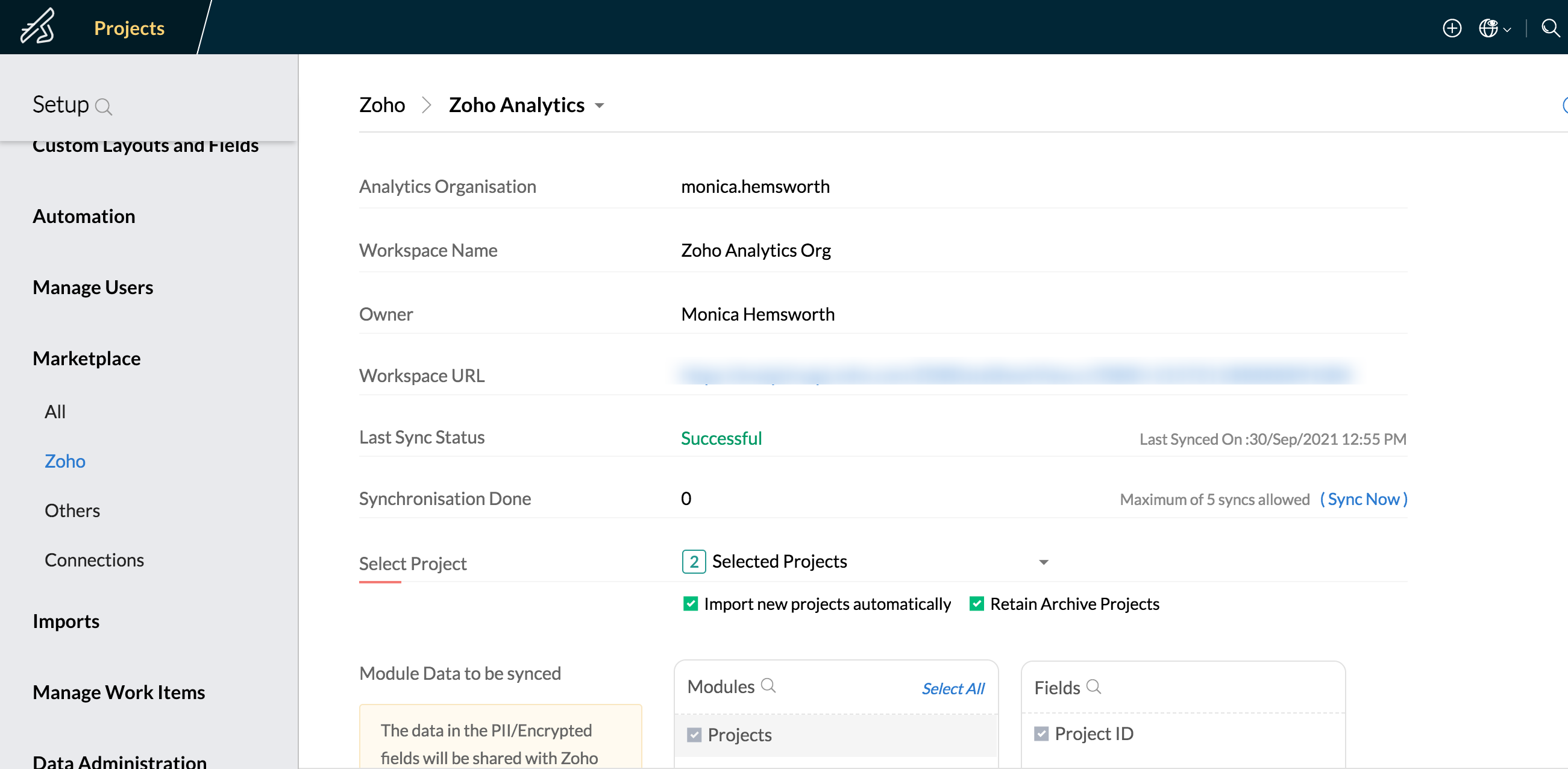
Select your
Zoho Analytics
organization and a workspace. Create a workspace if you don't have one already.
-
Click
Proceed
.
-
Select the projects to be synced with
Zoho Analytics
.
-
Check the respective option if you'd like to sync new projects automatically and retain the archived ones.
-
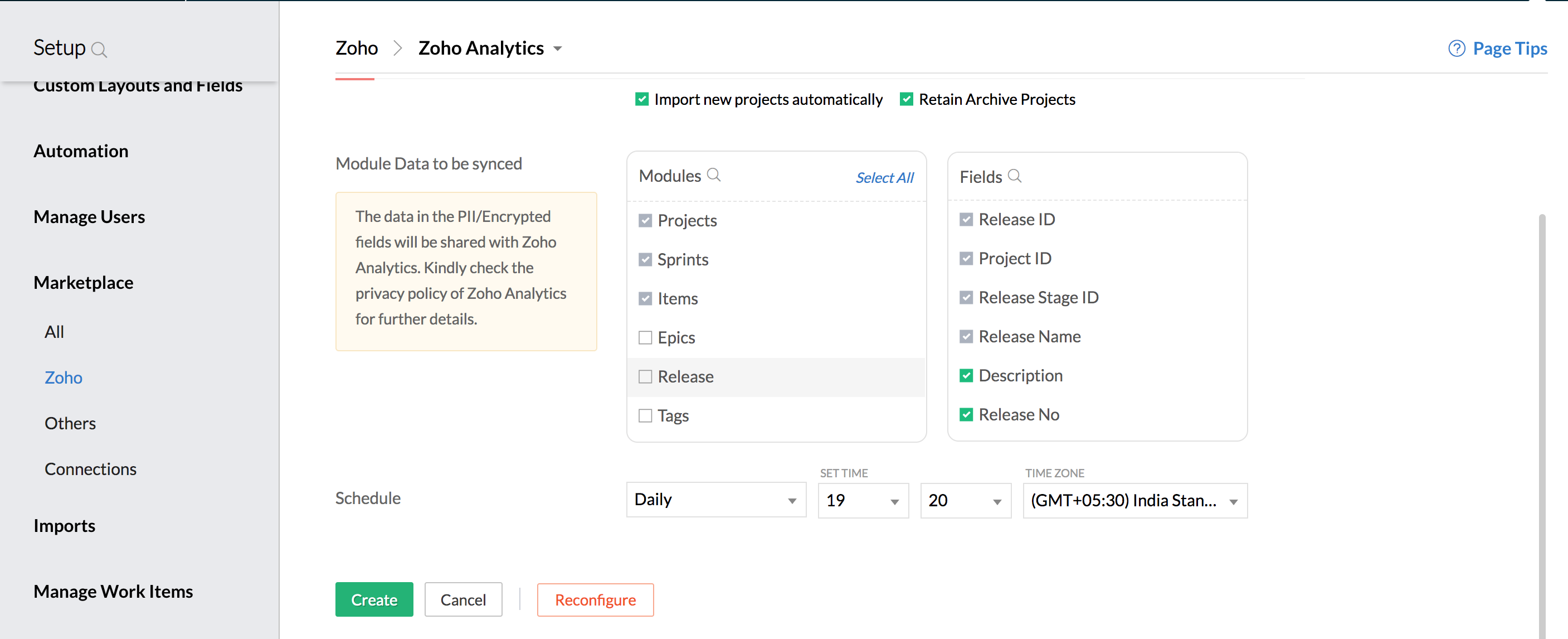
Choose the modules and fields to be synced.
-
Schedule your sync if required.
-
Click
Create
.
You can create customized reports and dashboards which can be accessed from
Zoho Sprints
.
We're also conducting a webinar session that would help you understand this integration and its benefits. Click
here
to register for it.
If you'd like to try to this integration at your end, check out our
help document
. Do write to
support@zohosprints.com
for further assistance.