A decade together - Thank you for being a part of the journey with Zoho Social!
A decade ago, we started Zoho Social with a simple vision: to make social media management easier, smarter, and more impactful for your business. What began as a small idea has grown to a powerful platform that helps businesses across the globe reach their audiences through the most popular social media networks.
Over the years, we've managed to adapt to changing trends and the ever-evolving social media spectrum according to various industries. From our very first customer to our now-thriving community filled with people, this journey wouldn't have been as easy and fun without you, our beloved users.
From then to now
- Launched in 2015 with a core focus on publishing and scheduling; broadened further into monitoring and social listening, measuring performance, AI-powered writing for social media, and collaborating with peers and customers
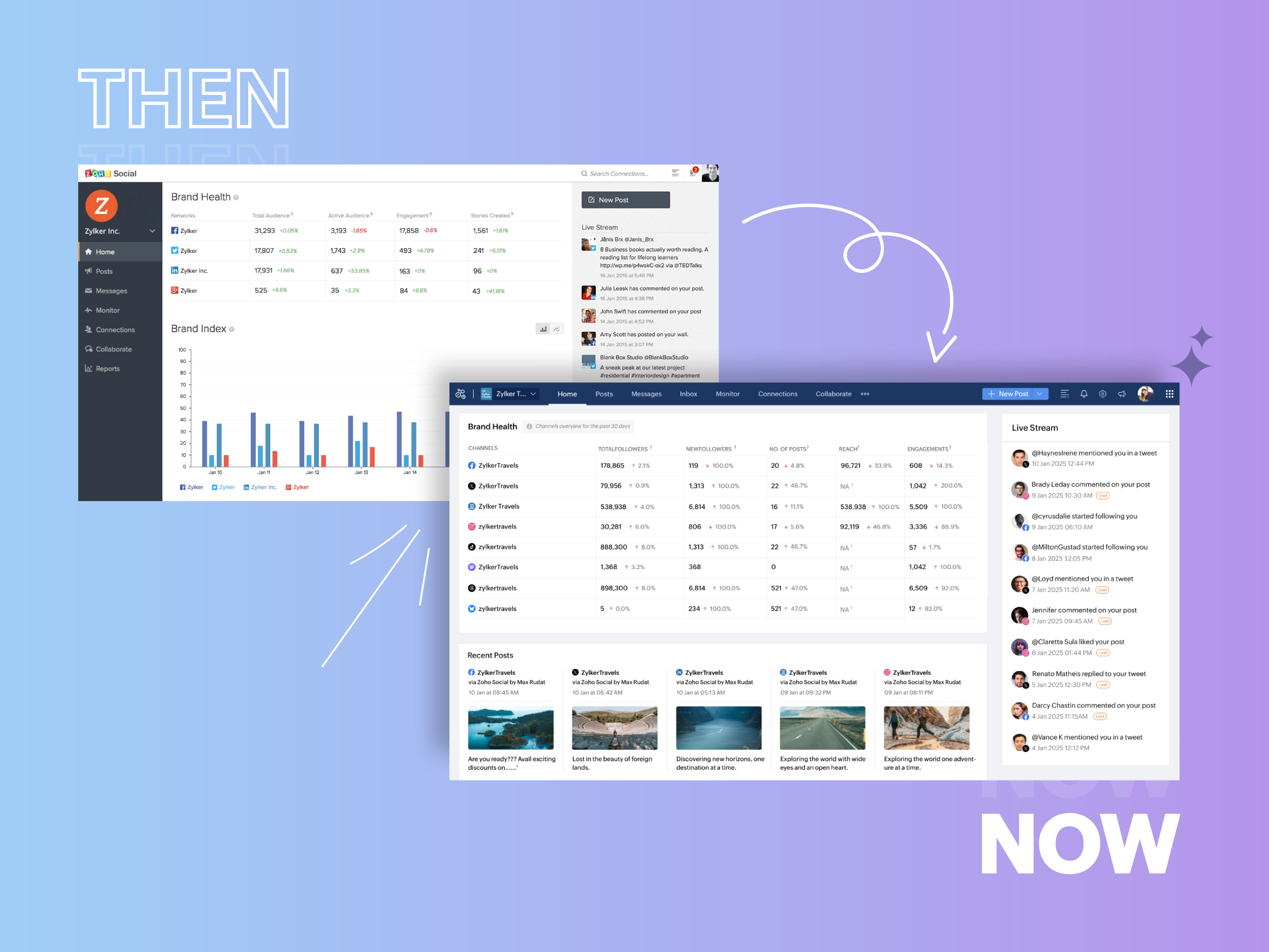
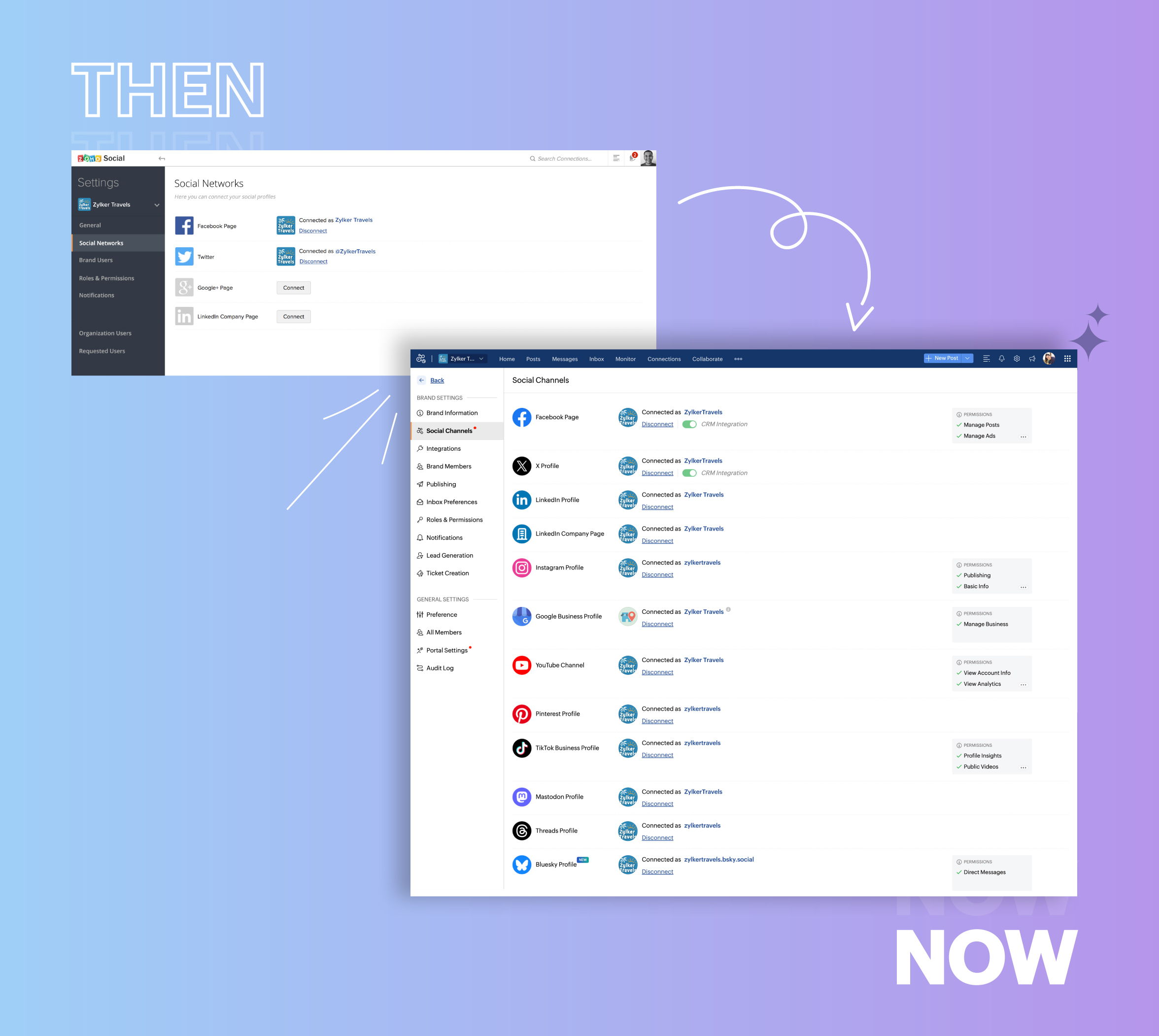
- Expanded from four to 14 social media channels
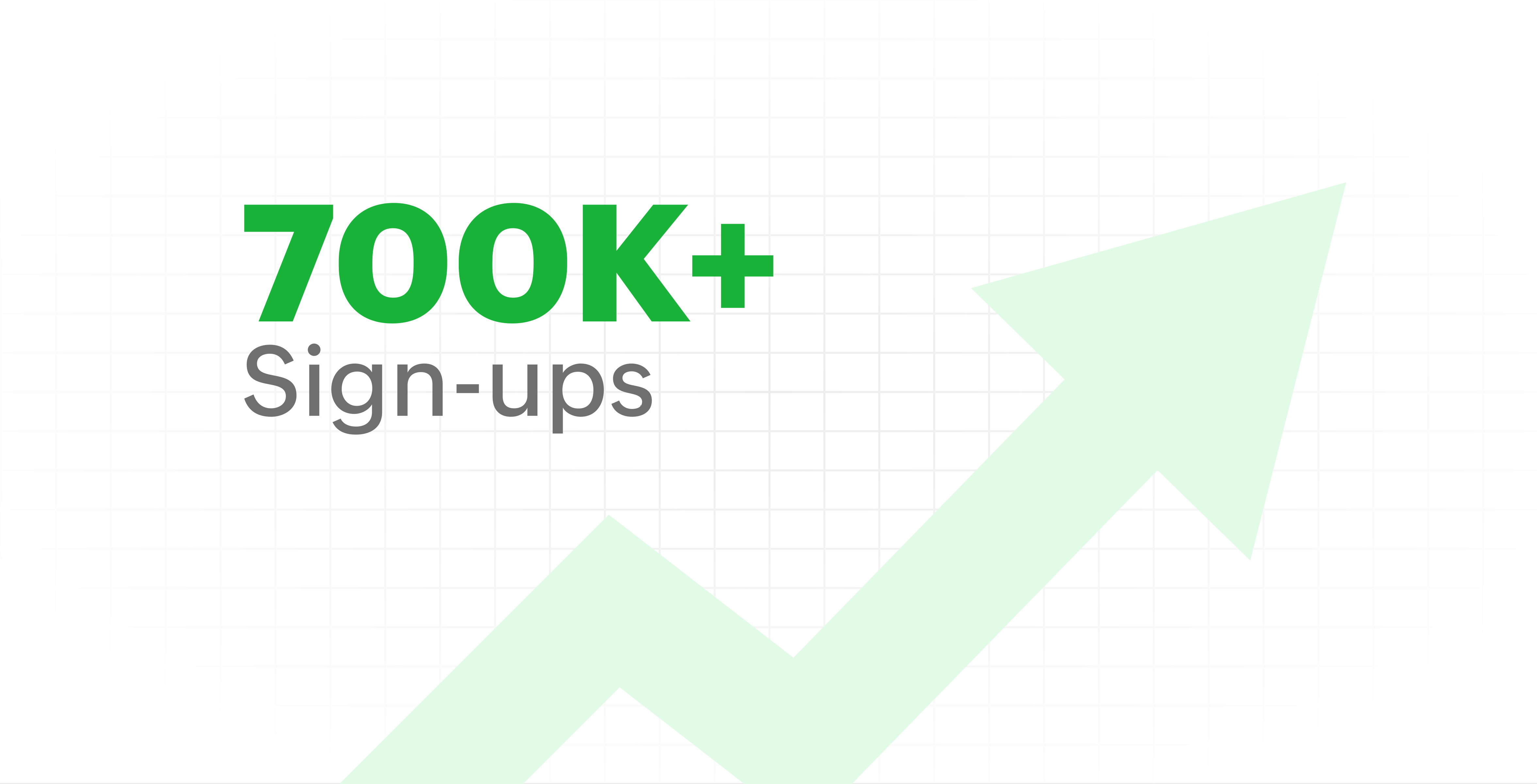
- Grew from our first sign-up to 700k+ sign-ups
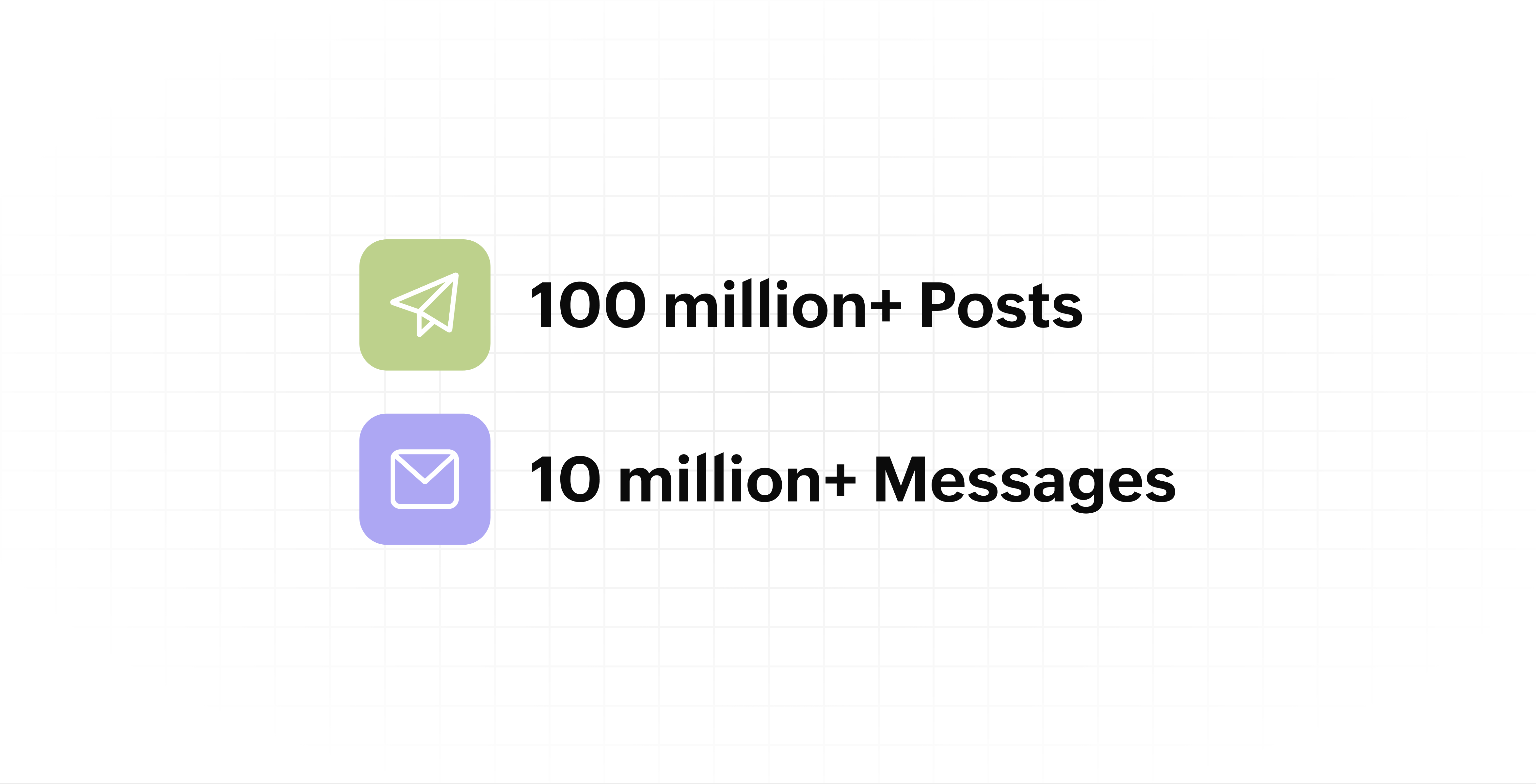
- Processed and published 100 million+ posts with more than 24k posts published or scheduled in a day and 10 million+ messages
- Evolved from a passionate team of eight who planted the seed to a dynamic family of 55, carrying our vision forward.

Our top 10 features from the past 10 years
2015: Launch of Zoho Social
Zoho Social was launched with publishing, scheduling, collaborating, and performance analysis features. Further, in the same year, more features like bulk scheduling were introduced to make it easier for businesses to handle their social media channels and engagement while they're away.
2016: Addition of Instagram and integration with Zoho CRM
Instagram, one of the most popular social media channels being used by businesses, was added to Zoho Social. Brands started leveraging this space to be a part of a visual storytelling experience and connect with their customers and prospects.
The first ever method to track the ROI from social media marketing efforts was introduced on Zoho Social through the Zoho CRM integration. The process of lead generation and measuring output became easier via automation and defining rules for lead forms and social media interactions.
2017: Zoho Social for agencies
Zoho Social for agencies – a new edition of the product – was introduced, catering to agencies handling the social media accounts of multiple clients. With Social, agencies could use bulk-scheduling, lead generation automation, and advanced analytics to handle their clients' data efficiently and deliver better results without the chaos.
2018: Zoho Social's integration with Zoho Desk and the introduction of Google Business Profile
Zoho Social's integration with Zoho Desk took customer service to a whole new level. Being able to convert social media mentions and queries from customers directly into tickets helped businesses bring their support and marketing teams together on one platform, while ensuring that not a single query was missed.
Google Business Profile was added to Zoho Social, helping businesses onboard their listings and stay competitive in their local market. Reviews and questions could be monitored and answered easily, providing more credibility and assurance to customers and prospects.
2019: Improved analytics dashboard
The entire Reports dashboard was re-imagined with advanced individual cards for specific networks. Customized dashboards could be built with a dynamic date range, and they could be shared and scheduled to be sent out regularly to members of the team or clients. These analytics gave businesses and agencies a holistic view of how their social media channels are performing, and gave them chances to improve wherever required.
2020: UI enhancements to make the tool look more engaging and user-friendly
As the world was battling to survive through some of the worst times we'd all faced, Zoho Social was being fine-tuned to help businesses easily go remote without any hassle. With the motive to brighten things up and make it easier to navigate, Social was made more colorful while drop-downs and re-arrange options were introduced to allow quick shuffling between brands and channels.
2021: Introduction of Canva and YouTube
Designing social media posts became a lot more interesting with the introduction of Canva. With its numerous templates, graphics and add-on elements, Canva on Zoho Social made it easier for businesses to design their images and share them instantly to their social channels.
With video content being consumed excessively by consumers, YouTube was added to Zoho Social for businesses to leverage the trend and make their channels more engaging. The analytics helped businesses understand how their videos were being received and improve their strategy to hold their customers' attention for a bit longer.
2022: Addition of Pinterest, TikTok, and Image editor
As social media consumers kept growing, so did the channels. Zoho Social kept up with the pace and introduced Pinterest and TikTok for businesses to widen their horizon and reach a vast audience with diverse content tailor-made for each social platform.
Image Editor was introduced to edit and make images enhanced and suitable for all the supported social channels.
2023: Zia's integration with OpenAI and introduction of Mastodon and Inbox
With AI-driven enhancements and technology taking the lead, Zoho Social introduced the OpenAI integration. With this, users could make use of Zia, the AI-powered writing assistant, to help generate content for their channels.
Mastodon started gaining popularity as the decentralized platform that would help businesses create and nurture a community, so Zoho Social swiftly added this to the list of channels to make the job easier.
Inbox, a single dashboard to manage and respond to all interactions across all social media channels, was introduced. Brands would never miss any single mention because of the assignment rules and priority levels that could be added to each interaction.
2024: Introduction of Threads, WhatsApp, and Telegram
Threads, WhatsApp, and Telegram business accounts were introduced on Zoho Social, taking the list of channels supported to the current number of 14. This made Zoho Social bigger, better, and a one-stop solution for businesses to take care of all their social media needs.
What's next?
The next decade is all about automation, better audience insights, and integrations that simplify your social media management. We’re working on exciting new features that will help you scale, engage, and grow your brand like never before.
We'd like to thank you immensely for being a part of our incredible journey and this community! Your support, feedback, and trust have helped shape Zoho Social into what it is today. We hope to have you with us in the journey ahead.
Thank you
Topic Participants
Aswini R
Sticky Posts
Introducing Inbox in Zoho Social
Hey everyone, We are excited to introduce the Inbox in Zoho Social to help manage all social media interactions from Facebook, Instagram, X (formerly Twitter), Google Business Profile and YouTube for your brand in one place. You can track and assign themA decade together - Thank you for being a part of the journey with Zoho Social!
A decade ago, we started Zoho Social with a simple vision: to make social media management easier, smarter, and more impactful for your business. What began as a small idea has grown to a powerful platform that helps businesses across the globe reachAdvanced statistics for LinkedIn page, posts and monitor @mentions in Zoho Social
Hello everyone, We've made enhancements to the Monitor, Reports tabs, and Post Stats for the LinkedIn channel in Zoho Social, so we wanted to briefly share some information about the updates. Monitor LinkedIn mentions LinkedIn is one of the most popularIntroducing advanced statistics for all your social media posts
When you're publishing on social media, it's important to understand how the audience engages with your content. This insight helps you come up with ideas for different types of content and also identify the social media channel that's most effectiveIt's here! A Publishing Calendar to give you better view and more control over your posts.
Hello! Just a couple of days back my colleague Vishal announced that you can now do more on Twitter with the Advanced Search Filters, along with a bunch of other cool stuff. I hope you got a chance to check it out. In fact, I'm itching to you tell you all about the latest updates we have lined up, but I'd rather give you doses of excitement every week to last until the very end. ;) Alright, I hear you. That's enough tease for the day. Here we go! Introducing... an all-new Publishing Calendar,
Recent Topics
IF Statement in Zoho CRM Formula Field
Hi, I am attempting to write a formula field that will give me one result if one statement AND another statement are true, then a different value if the first statement AND a different statement are true, else 0. Stated differently: if account = destinationCRM Percent custom fields: When will it show the % symbol and behave like %?
1. Actually Percent custom fields fail to show the % symbol. 2. When in formulas Percent fields work like number: 100 x 5% = 5 ideal world 100 x 5% = 500 what happens actually 3. When importing Percent fields the % symbol has to be removed and the dataFree Webinar: Zoho Sign for Zoho Projects: Automate tasks and approvals with e-signatures
Hi there! Handling multiple projects at once? Zoho Projects is your solution for automated and streamlined project management, and with the Zoho Sign extension, you can sign, send, and manage digital paperwork directly from your project workspace. JoinAutomatically CC an address using Zoho CRM Email Templates
Hi all - have searched but can't see a definitive answer. We have built multiple email templates in CRM. Every time we send this we want it to CC a particular address (the same address for every email sent) so that it populates the reply back into ourEditing the Ticket Properties column
This is going to sound like a dumb question, but I cannot figure out how to configure/edit the sections (and their fields) in this column: For example, we have a custom "Resolution" field, which parked itself in the "Ticket Information" section of this"Total Hours" on Employee Attendance Report
I'm learning that in Zoho jargon, "total hours" does not include paid breaks. Or at least not the way that my setup is working. That seems a little weird to me, since most jurisdictions in the US don't differentiate between time spent on paid break andFixed assets in Zoho One?
Hi, We use Zoho Books and have the fixed asset option in it. I started a trial for Zoho One and I do not see that as an option. Is the books that is part of zoho one equivalent to Zoho Books Elite subscription or is it a lesser version? Thanks, MattIntegration with...
Dear Zoho Commerce team, Please could you consider the integration within Zoho Commerce / Inventory and Qapla'? (https://www.qapla.it/en/) This app is better than Aftership in many ways: - Aftership integration require PRO plan and price start from moreRepeat Column merge in ZOHO writer columns doesn't allow to set max columns per row
I'm using ZOHO writer to merge data from a ZOHO CRM subform and I want it to make a table. We're using Insert Table for Column Repeat, because this is what we need. (Name of column (Teamname) and underneath that a list of names of teammembers). It worksGenerate leads from instagram
hello i have question. If connect instagram using zoho social, it is possible to get lead from instagram? example if someone send me direct message or comment on my post and then they generate to leadAdding Markdown text using Zoho Desk API into the Knowledge Base
Hi Zoho Community members, We currently maintain the documentation of out company in its website. This documentation is written in markdown text format and we would like to add it in Zoho Knowledge Base. Do you know if there is REST API functionalityCreate case via email
Good Afternoon, I have just registered and am taking a look around the system. Is it possible to create a case via email. I.e. an employee/client/supplier emails a certain address and that auto generates the case which then prompts a member of staffNeed a Universal Search Option in Zohobooks
Hello Zoho, Need a Universal Search Option in Zohobooks to search across all transactions in our books of accounts. Please do the needful ThanksLocked Notebook
Hi, I hadn't used my Notebook in some time and was refamiliarizing myself with it. I clicked a lock icon and now I can't unlock. When I hit the information or unlock icons I'm taken to a page with the notebook icon and a keyboard. When I type, nothingUnable to produce monthly P&L reports for previous years
My company just migrated to Books this year. We have 5+ years financial data and need to generate a monthly P&L for 2019 and a monthly P&L YTD for 2020. The latter is easy, but I'm VERY surprised to learn that default reports in Zoho Books cannot createHide fields only for creation
Hello, I'd like to hide some fields only during the creation of a contact in Zoho CRM. In fact I have some fields that are automatically calculated thanks to an automation, so when my users create a contact I don't want them to fill those fields. I knowIssues with Zoho Sheet in Mac
I have downloaded the Zoho App from App Store but It is failing to Save As, Open & Download Operations. App StoreWeekly Sales Summary
Is it possible to generate a weekly report in Zoho Books to show -$$ amount of estimates generated -# of estimates generated by Salesperson -$$ amount of Sales Orders created -$$ amount of Invoices generatedSubject character limit increase
We have an occasional user case where subject lines exceed 500 characters which is the ZeptoMail imposed limit. While I understand long subject lines are not "best practice", these are particular notification emails with specific information for clientCan I write a check in Zoho Books with no associated bill?
This currently does not seem possible, and I have a client that desperately needs this function if I am able to convert them with Quickbooks. Thank you in advance for your reply.OpenAPI Specs are just plain wrong
The provided yml files for generating the OpenAPI specs are absolutely riddled with errors and inconsistencies. From missing fields on the objects, to just incorrectly named resource objects. I'm having to go through and manually changing the spec toAbout Meetings (Events module)
I was working on an automation to cancel appointments in zoho flow , and in our case, we're using the Meetings module (which is called Events in API terms). But while working with it, I'm wondering what information I can display in the image where theCustom Footer – Zoho Writer Document
Hello everyone, I’m having an issue adding a custom footer in a Zoho Writer document. I would like to insert my company information (including a logo + address) in the footer. The problem is that when I add these elements, the main content of my pagesReport grouping
I have added a grouping in a report but it is not working how i had expected. I wanted to group a summary on a field named Size but when i add the grouping the report is still showing me each record and making a summary at the bottom of the report. WhatSocial Media Simplified with Zoho Social: Preview your Instagram grid before posting
For a platform like Instagram that relies on visual appeal, it's important that you plan your image and video content in a way that holds your audience's attention. Planning your grid ahead of time gives you the benefit of understanding how your postsSpreadsheet View click & focus issue in Arabic (RTL) localization
Hello Zoho Support Team, I am facing an issue in Zoho Creator Spreadsheet View when using Arabic localization (RTL). Scenario: My app supports English (LTR) and Arabic (RTL). I created a Spreadsheet View for a form. In English, everything works correctly.VAT rates - exempt and out of scope
Good Evening, UK based company here. I am a bit confused in respect of setting up VAT rates for exempt goods and services; at present I am simply leaving the VAT rate blank in the transactions in order to prevent any VAT appearing in the VAT return. WhenHow to loop through Multiple Upload and Display Actual File Name
I have been reading the help on the File Upload Control and reviewed the Deluge help on files and I can not figure out how to loop through the uploaded files and do anything but get the automatically created file names. The code below will run but eachabou arattai
I want to use the Arattai app for business purposes, so please convert my account to a business account.I have my own invoice app, and I want to link it with the Arattai app for direct messaging.Overlapping Reports in Dashboards
It's rare, but occasionally it would be a good feature if I were able to overlap reports, either fully or partially in the Dashboards. Also, then having the ability to move objects to the front or rear, or make them transparent/translucent would be goodLooking back at Zoho Calendar in 2025
Hello Zoho Calendar Community, As we step into a brand-new year, we’d like to take a moment to thank you for being an active and valued part of the Zoho Calendar community. Your trust, feedback, and continued engagement motivate us to keep evolving andThere was an error while connecting to GSTN
I am trying to file GSTR1. Everything flows smoothly until I reach the final step of filing the return. After I enter the PAN and OTP for filing it raises the error "There was an error while connecting to GSTN"Zoho Books Extension: What Happens If Custom Fields Already Exist?
When developing Zoho Books extensions, what happens if the target Zoho Books organization already has a custom field with the same API name as one defined in the extension? I’m asking because we originally created an on-Books version of this functionality,Internal Server Error (500) When Attempting to View Banking Transactions
I am experiencing an Internal Server Error (500) when attempting to view transactions across all of my banking accounts. Despite multiple attempts to resolve this, I have received little more than runaround from support, and the issue remains unresolved.How do I add a blank line to the Organisation Address Format?
I'd like to have my VAT number, for example, shown prominently by having a clear gap between it and the address block above, but any blank lines in the address format get ignored in PDF outputs.Automatic Invoice Number generation for createRecord
Hello, while testing some custom Buttons in my Zoho Books application, I noticed that I get an error that previously did not occur. After some further digging I found that the automatic transaction numbering of invoices no longer work in my organization.Adding number of days to an estimate.
I need both QTY of item and "number of days hire" in my estimates at the line item level. Any clues as to how this is done would be greatly appreciated. It needs to calculate. Thanks JBooks Api: listing expenses created after certain dates
Is there any parameter I can add to the List Expenses endpoint that will let me look up expenses by when they were created?Why can't we change the Account type from an Expense to an Asset?
Like the question. Why in QuickBooks for example if I mistakenly created an account as an expenses and I already captured information in those accounts, I can just change the account type from expense to assetIs it possible to do validation for the Actions added to Reports?
We have an all-around On Validate function that checks all the possibilities before the Created/Edited form submissions. We want to have a button in the report view, so we can change records without entering. We are able to add this button, and it doesNext Page