How to customize HTML email templates that impresses your audience: Part 2
In the first part of the series, we covered basic customization of emails. We learned how to edit text and use variables. We also learned how to add your logo.
In this part, we will focus on the next level of customization where we will tinker with some HTML code. As long as you can copy paste text, we will make through this without learning knowing what HTML stands for.
We will learn how to add
- Logos
- Working with images
- Fonts
- Background colors
We recommend you to read through the notes first.
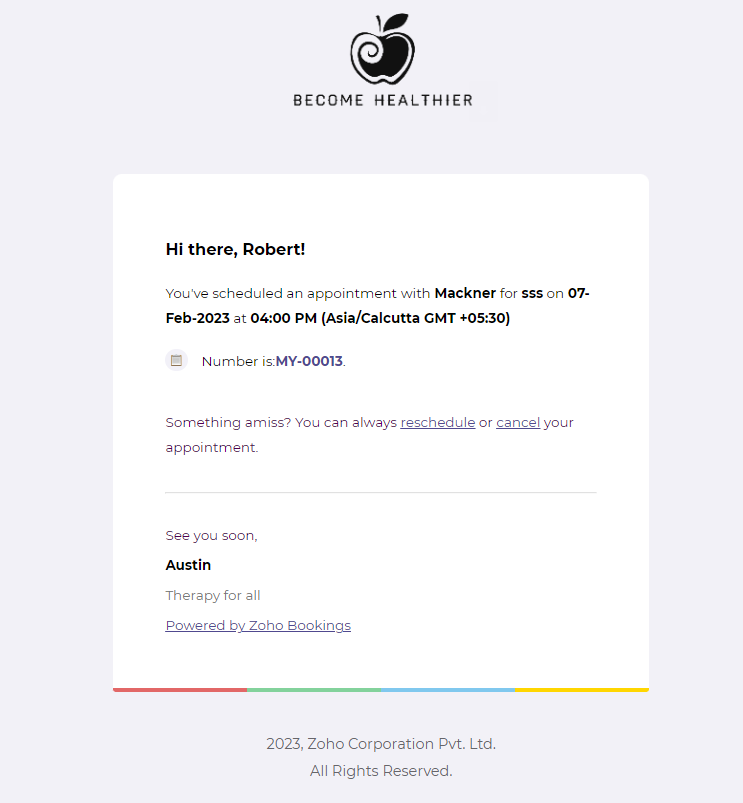
1. How to replace Zoho logos with your brand logo
Estimated Completion Time - less than 20 minutes
- Log in to Zoho Bookings. Navigate to the email template you wish to edit. (Services > Service Notifications)
- Click on the HTML button among the formatting tools. Now click Ctrl + F (Windows) or Command + F (MacOS). A search bar will pop up.
- Now type in 'src' without quotation marks and hit enter.
- You'll find that src shows up in two places; The first src points to the Zoho Bookings logo, and the second to Zoho Logo.
- Copy the image URL from your website or Imgur.
- Now replace one of the following links with your brand image URL.
- Zoho Bookings Logo - 'https://www.zoho.com/sites/default/files/bookings/dannyemail/logo.png'
- Zoho Logo - 'https://zoho.com/sites/default/files/bookings/imagesemail/zoho.png'
- Click HTML again to view the logo on your template.
- If you're a HTML pro, feel free to play around with the HTML code to change the logo's positioning and sizes.
Voila! You have successfully inserted your brand logo into your email template.
2. Working with images
Note - By now, you should have replaced the default link with your logo's link.
a. To alter the height and width of your images
- The first step is to locate the image tag in the HTML code.
- Log in to Zoho Bookings.
- Navigate to the email template you wish to edit. (Services > Service Notifications)
- Click on the HTML button among the formatting tools.
- Search for 'src.'
- The following is the default Zoho bookings logo tag. Note that the link you see will differ from the below link if you already changed your logo.
- <img style='width: 134px;' src='https://www.zoho.com/sites/default/files/bookings/dannyemail/logo.png'>
- Change the numbers to alter the width.
- To change its height, insert the following code at the end of it.
- height = __
Like this
- <img style='width: 134px;' src='https://www.zoho.com/sites/default/files/bookings/dannyemail/logo.png' height=100>
Here is another example of how to adjust height and width. We are trying to adjust it for the default Zoho logo. You can apply the same for your image as well. In our example the width and height are not provided.
- <img style='padding-top: 3px;' src='https://zoho.com/sites/default/files/bookings/imagesemail/zoho.png'>
No worries, we can add them manually.
- height = __ width = __
The code will look like this after adding height and weight.
- <img style='padding-top: 3px;' src='https://zoho.com/sites/default/files/bookings/imagesemail/zoho.png' height = 100 width = 80>
b. Aligning the images left or right
- The first step is to locate the image tag in the HTML code.
- Log in to Zoho Bookings.
- Navigate to the email template you wish to edit. (Services > Service Notifications)
- Click on the HTML button among the formatting tools.
- To align the image, right/left or center, search for the following text.
- <td style='vertical-align: middle;' align='right'>
You can find it in two places. Instead of left, you can put it as right and vice versa. Center alignment works well only when you have a single logo. Refer to the following video to learn more about this.
3. Changing Fonts
Fonts help you to be consistent with your brand next to Logos. To change your fonts and background colors,
- Log in to Zoho Bookings.
- Navigate to the email template you wish to edit. (Services > Service Notifications)
- Click on the HTML button among the formatting tools.
- Click Ctrl + F. Type in 'font-family' (without quotes) inside the text box. You'll find something like this.
- font-family: 'Open Sans','Trebuchet MS',sans-serif;
- There are three things here. Two specific fonts(Open Sans, Trebuchet MS), and the third one is the font family (sans-serif).
- To ensure maximum compatibility between operating systems and browsers, follow the below format. Read more about it here.
- To replace the font, type in the font name of your choice. I wish to have Times New Roman as my first font and Montserrat as my backup. If this were the case, I would change my code to this.
- font-family: Montserrat,'Helvet',sans-serif;
Font Notes
- If your fonts have spaces in your font names, put them between quotes. Ex: 'Times New Roman.'
- For font families with multiple words, you should use '-.' Ex: sans-serif
- Font changes don't dynamically reflect on your email template in bookings like background colors, or logo sizes. However, these changes apply to outgoing emails. (Refer to video)
- We recommend you stick to system fonts and families for better compatibility between different browsers and operating systems. Here are a few of those.
auto | inherit | revert | ui-rounded |
cursive | initial | sans-serif | ui-sans-serif |
emoji | math | serif | |
fangsong | monospace | system-ui | |
fantasy | none | ui-monospace |
4. Changing Background Colors
Estimated Completion Time - 20 minutes
To change the email's background
- Click Ctrl + F (in windows) or Cmd + F (in mac).
- Now type in 'background: #fff' in the search box without quotes. (Note - there is a space between ':' and '#')
- Instead of the three letters, you can type in the color code of your choice
- You can also verify this guide to change the email template's colors - Link
To change the background of the whole email
- Click Ctrl + F (in windows) or Cmd + F (in mac) and search for
- .zb-email-success{background:#F2F1F7;
- Instead of the six-letter code, you can insert a color code of your choice.
- To find the color code of your website, you can upload screenshots of the color you are trying to replicate from your website to this site - Color Picker Online.
- The above process works for 'Booked', 'Rescheduled', 'Marked as Completed', and 'Marked as Noshow' emails
- To change the BG color of cancelled emails, search for
- .zb-email-cancel{background:#F9F0F1;
Notes
Sometimes you might not be comfortable working with the in-built editor.
In those cases, use online editors like codepen.io. Once you make the changes, paste the code into Zoho Bookings Dashboard. Refer to the following video to learn more about it. As soon as you enter codepen.io. Hit save. The first save alone is manual. The rest are automated.
If you haven't taken a backup yet, check out the following video to take one.
What if you make mistakes?
If at any point you wish to revert to your default template, copy the backup from the text document you have created and paste it back there. However, don't worry if you've failed to create a backup.
- Create a dummy service.
- Now navigate to services > service notification > configure.
- Now copy the entire HTML code without changing anything.
- Now navigate back to the broken template.
- All you have to do is to click paste and hit save.
- Voila! Your default template is back.
- Before editing your template, please take a backup.
- Note - If you made mistakes in the customer's booked template, please copy the same template and replace it accordingly.
Conclusion
While we understand that our HTML editing interface isn't for everyone, our engineers are working hard to make it so.
Meanwhile, these are other methods of editing HTML templates. In part three, we will explore ways to supercharge our email templates.