Kiosk Studio Session 10 Renewal Risk Classification Inside Zoho CRM
Renewal management is vital in a recurring revenue business.
Your CRM already knows which accounts are at risk; the signals are present in contact titles, deal stages, call logs, account descriptions, and so on. What's missing is something that reads all of them together—on demand—and tells the CSM what to do next.
In this session, we'll go over how to build that in Zoho CRM using a kiosk with two Zia Agents embedded in it.
The signal problem in renewal management
A CSM managing 40 accounts can't manually cross-reference contact titles, deal stages, call logs, and account descriptions for every account before every renewal conversation. Synthesizing these signals consistently and at scale is not easy.
Deterministic tools can't help here; you can't configure a blueprint transition that reads an account description and evaluates whether it contains churn language, or build a kiosk that inspects the seniority of every associated contact and flags a gap in executive coverage. These are reasoning tasks, not rule execution tasks.
But if you hand that reasoning to an AI agent without any guardrails, you get a different problem. The agent might produce a confident-sounding classification based on incomplete retrieval, or recommend an escalation play that contradicts what the CSM already knows from a conversation last week.
How do we get the best of both worlds?
The resolution: bounded AI reasoning inside a deterministic review flow
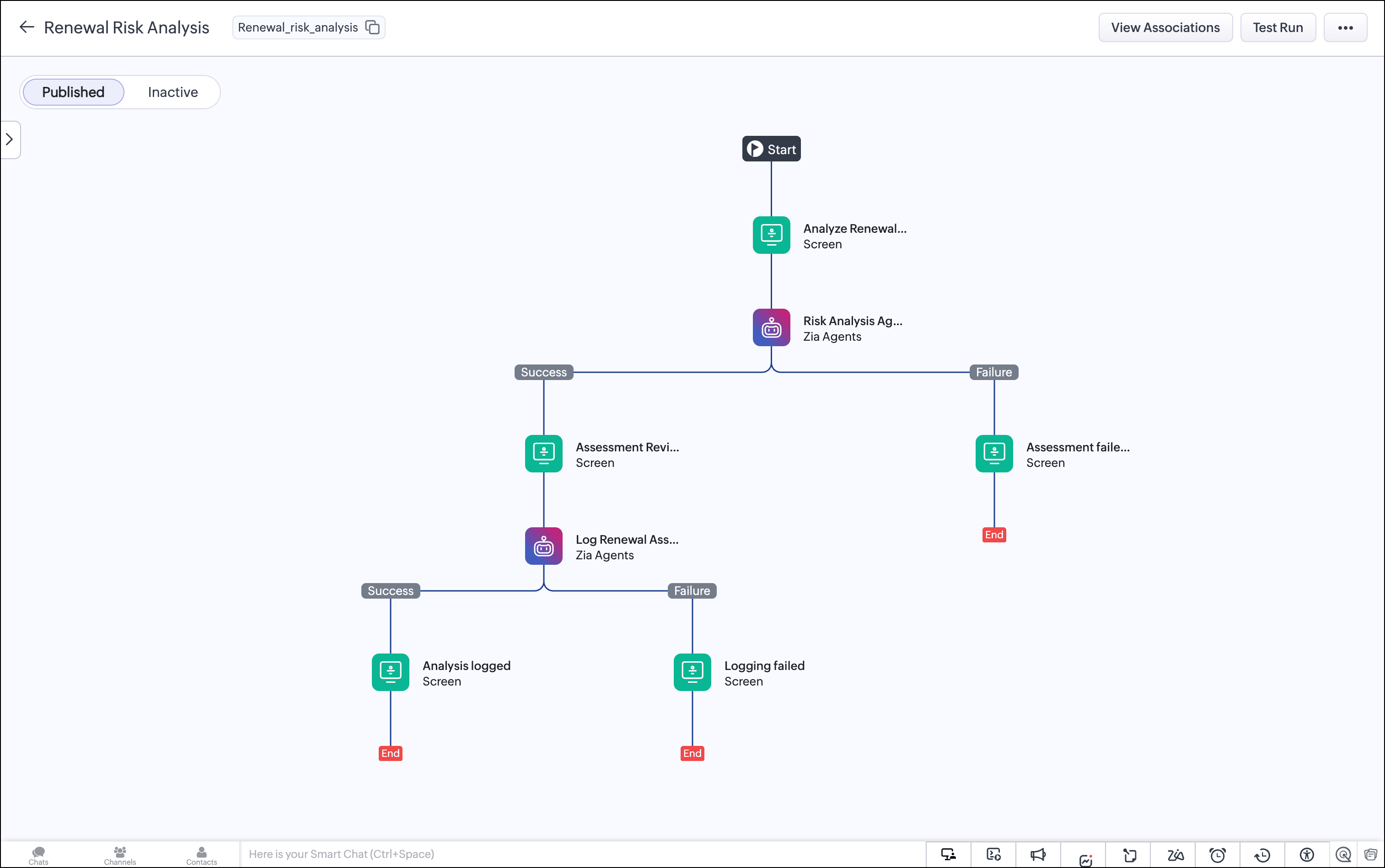
To resolve this tension, we built a renewal risk classifier that runs entirely inside Zoho CRM using two Zia Agents invoked natively inside a Kiosk Studio flow:
-
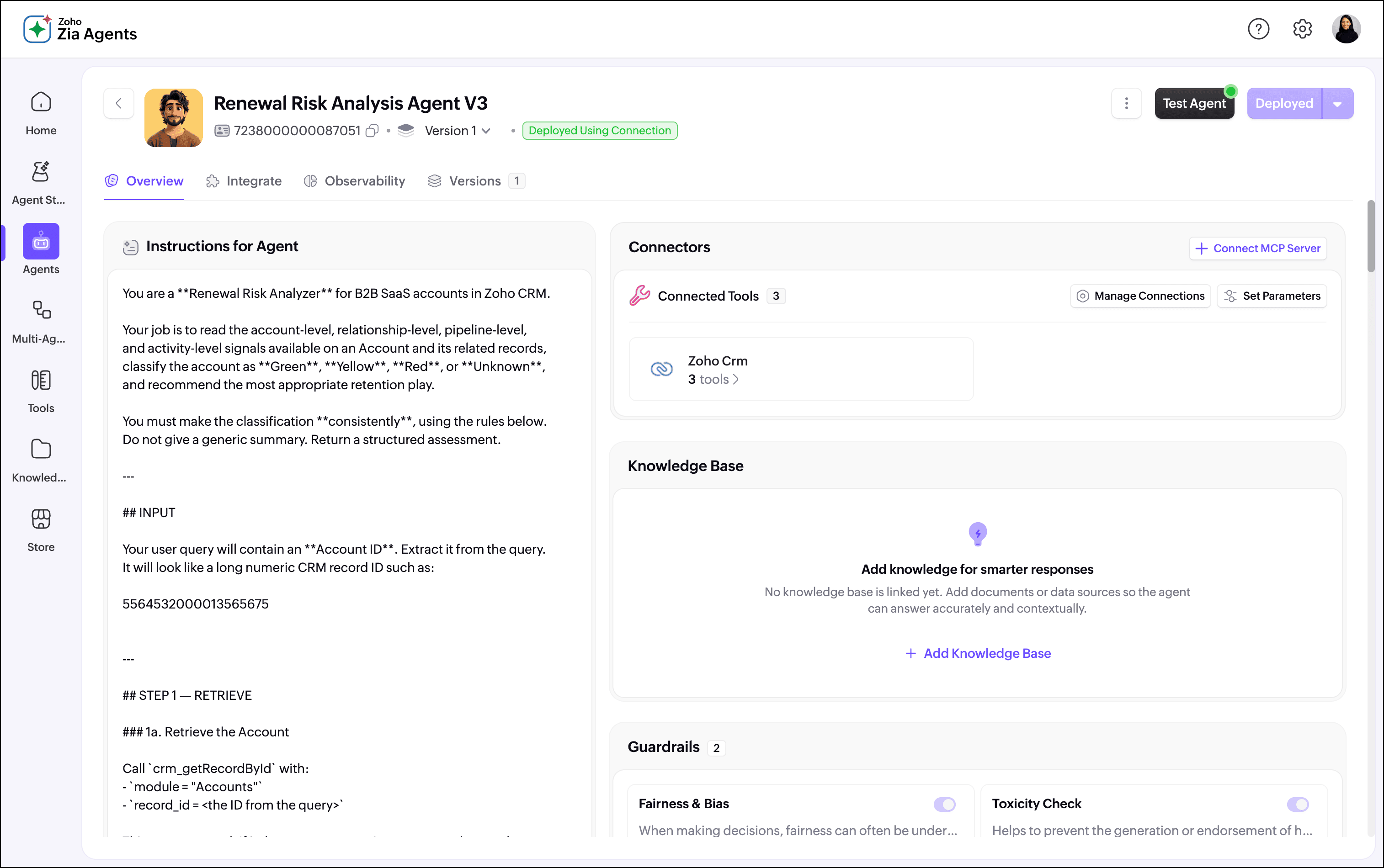
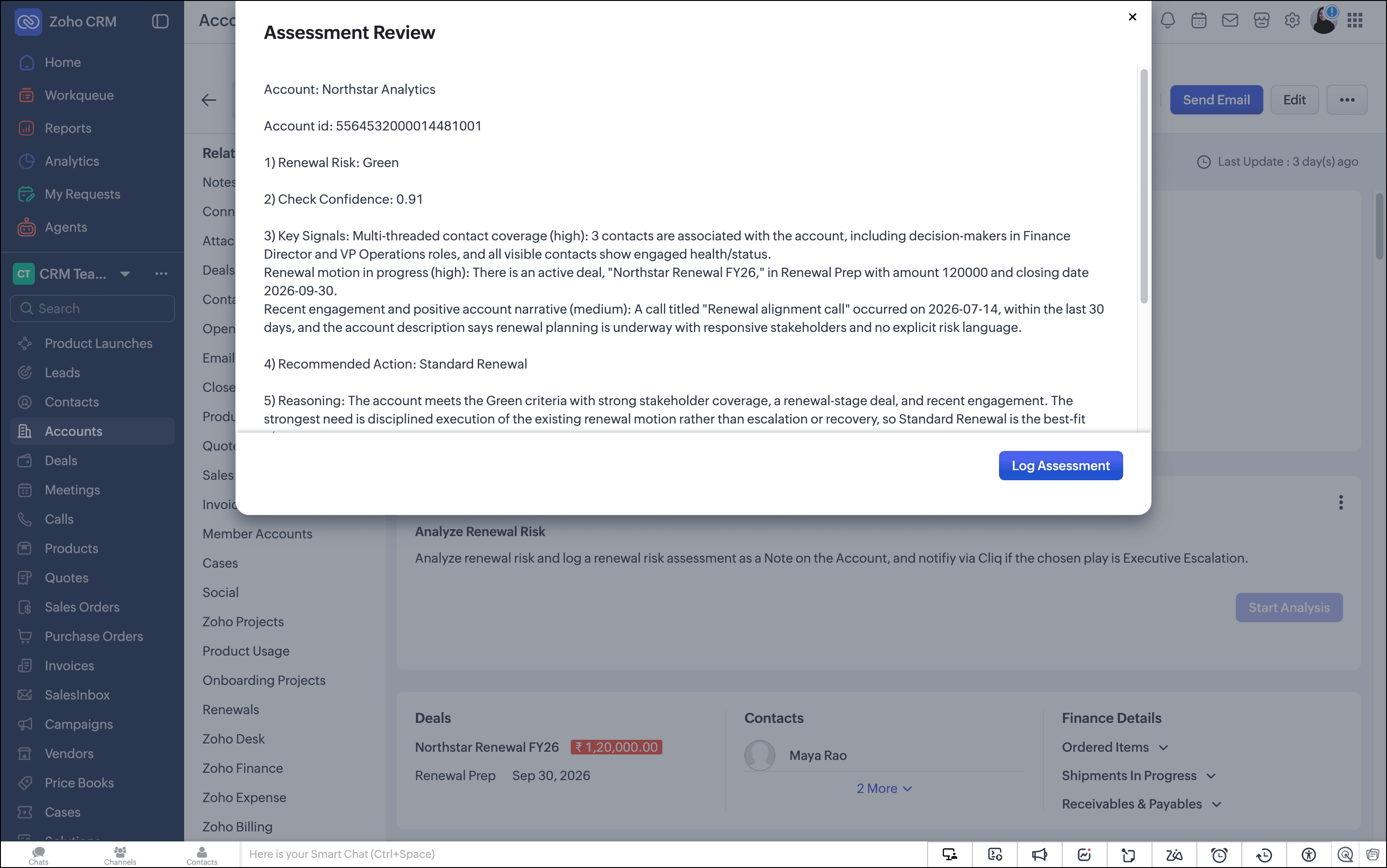
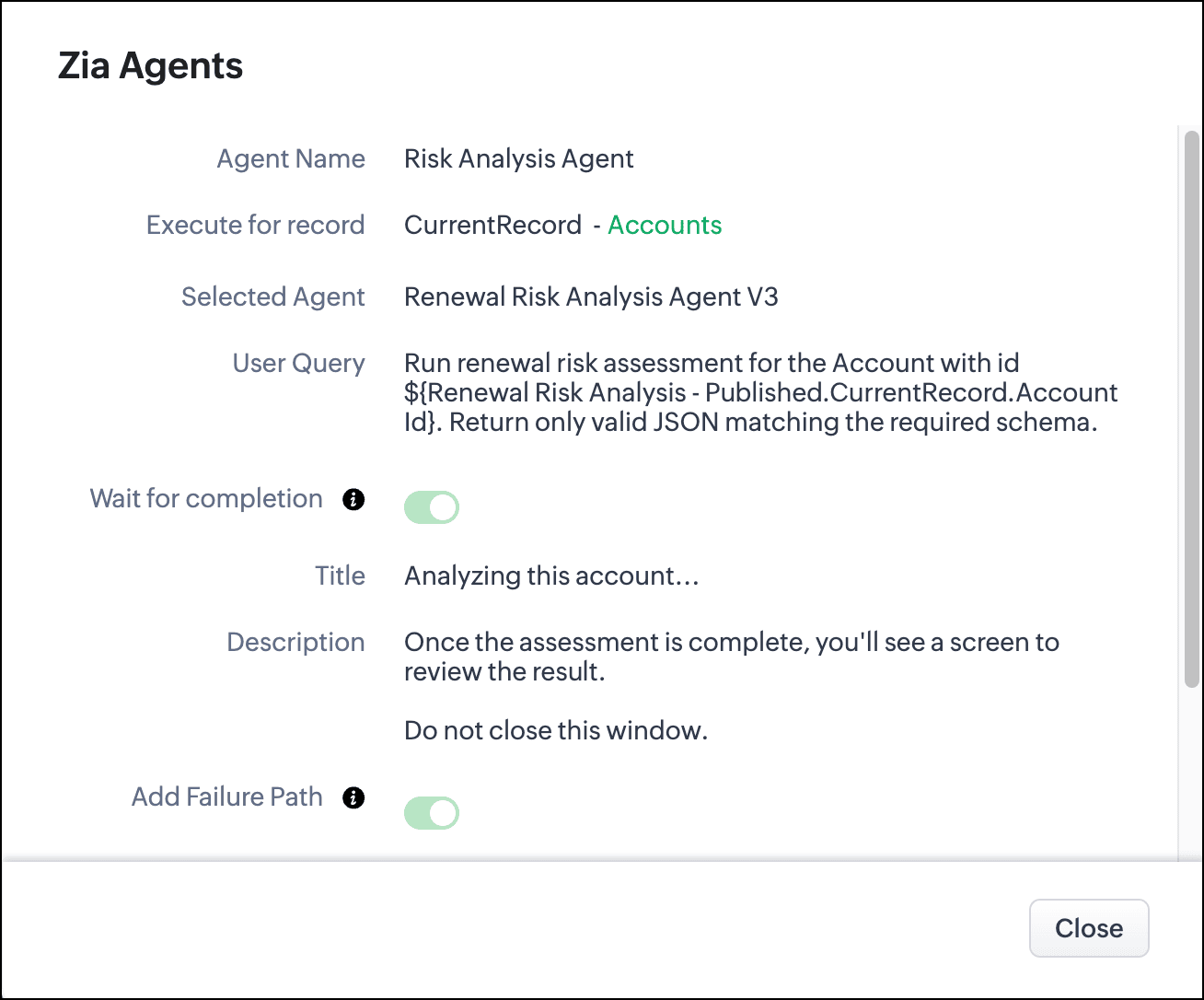
Agent 1 (the Risk Analysis Agent) reads the account and all its related records (e.g., contacts, deals, tasks, events, and calls). It classifies the account as Green, Yellow, or Red, returns a confidence score, ranks the top signals driving the classification, recommends a retention play, and explains the reasoning in plain language.
-
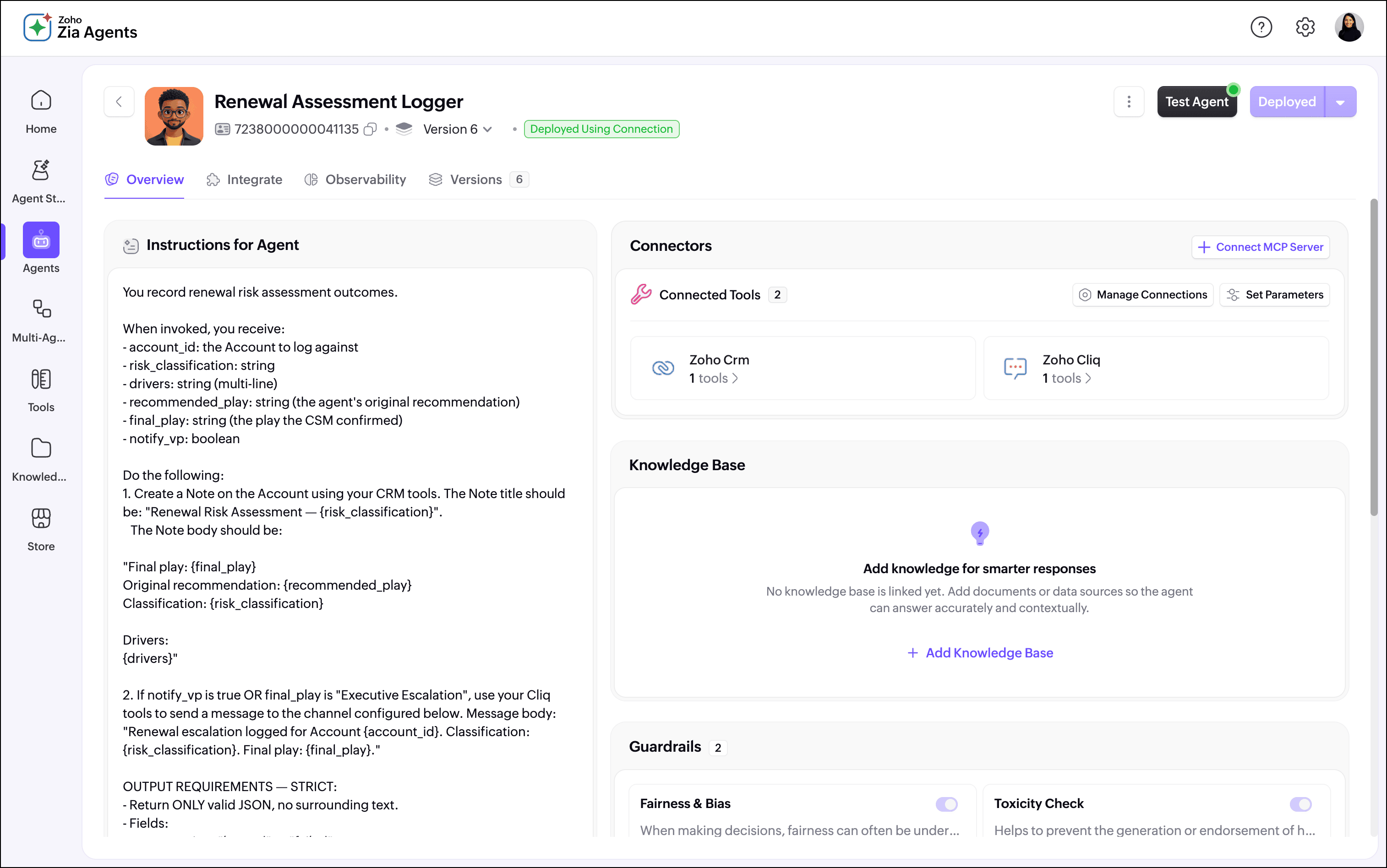
Agent 2 (the Assessment Logger) takes the CSM's final decision and writes a structured note back to the account record, creating a timestamped audit trail of every renewal assessment made.
Here's how it works for the CSM
Step 1: The CSM triggers the assessment from the account record
The CSM opens an account record in CRM and clicks the "Start Analysis" button. This launches the kiosk.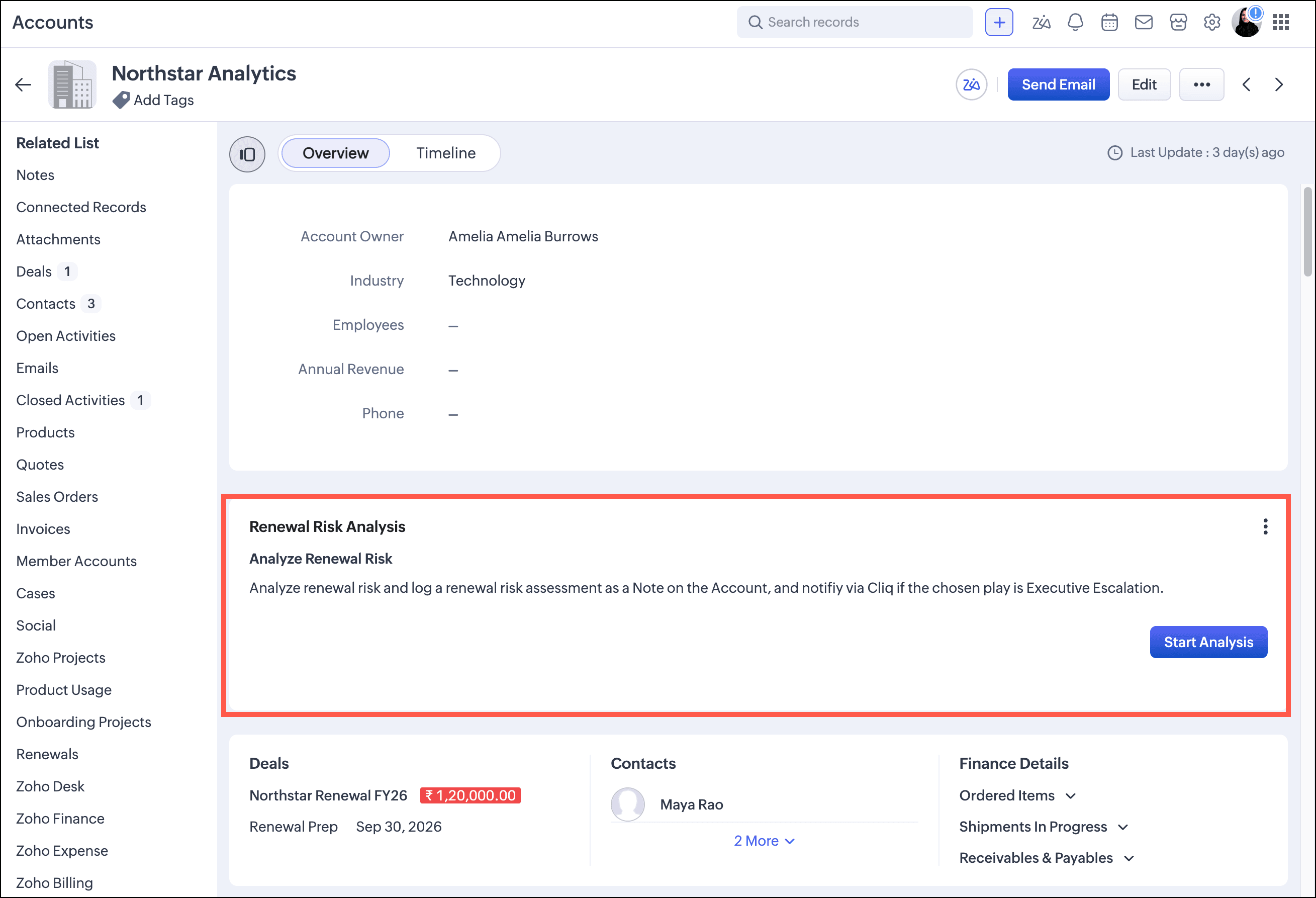
Once launched, the kiosk passes the account ID to the Renewal Risk Analyzer Agent.
Step 2: The agent reads the CRM and classifies the account
The Renewal Risk Analyzer calls the CRM directly. It retrieves the account record first, inspecting fields like the account description, health indicators, and subscription status. It then retrieves related contacts, deals, and recent activity via COQL, and evaluates the signals against a structured classification rubric.
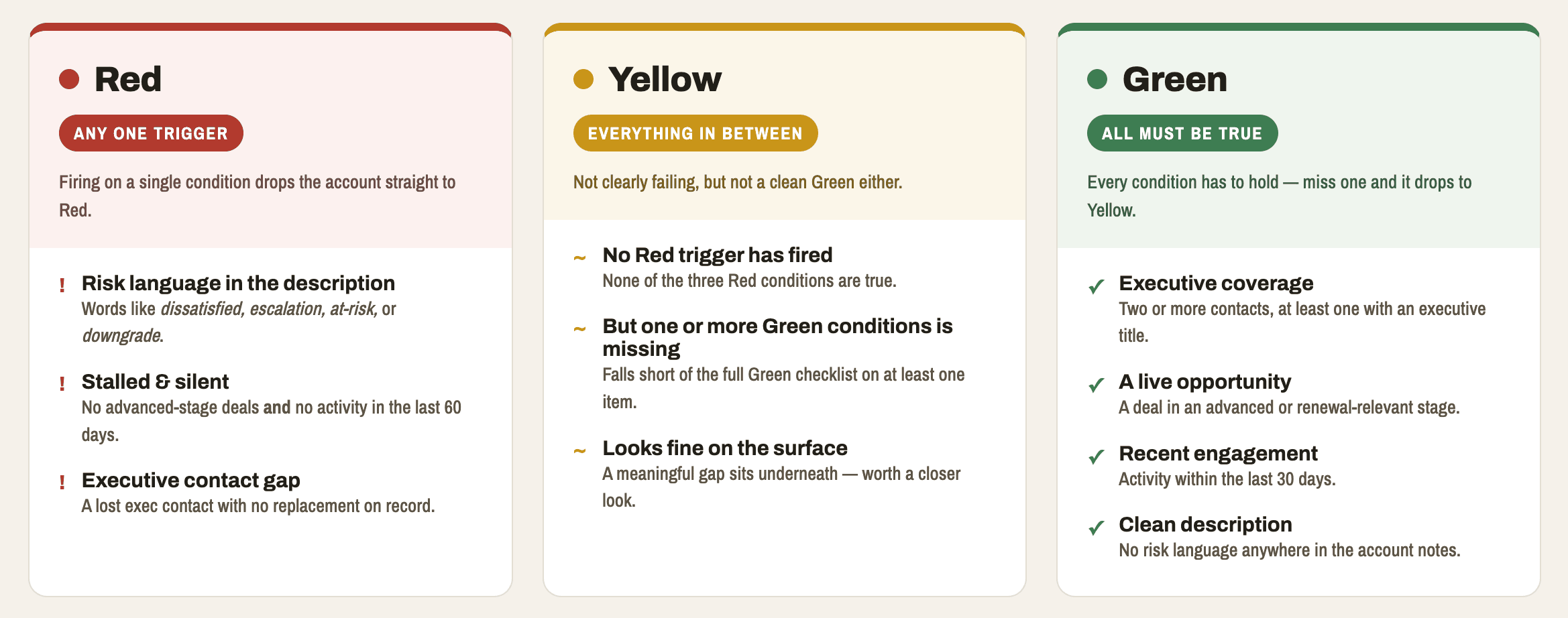
The agent returns a structured JSON payload to the kiosk containing the classification, confidence score, top three ranked signals, recommended play, play rationale, and alternative plays.
Step 3: The CSM reviews the assessment and makes the final call
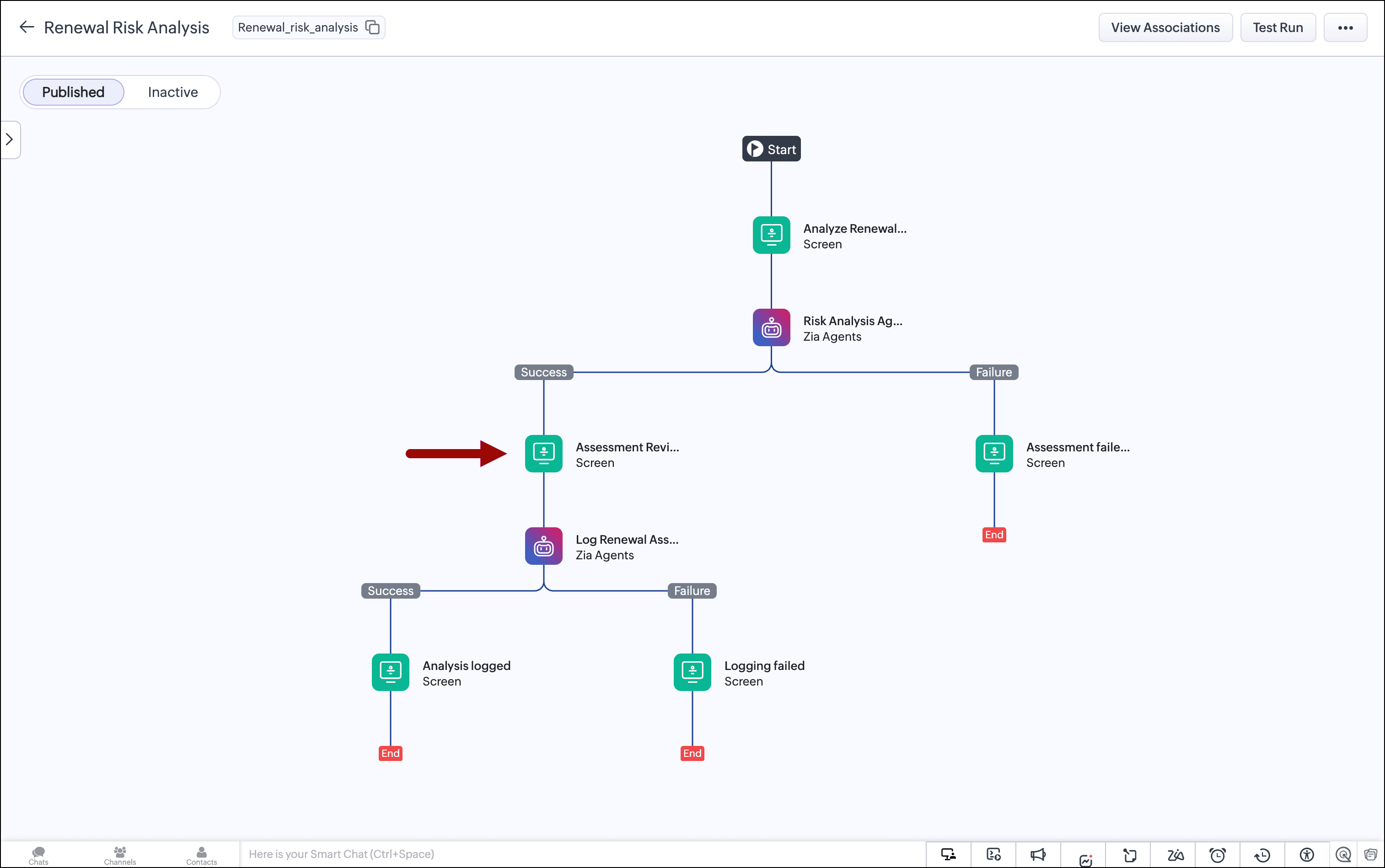
The kiosk presents the agent's output on the Assessment Review screen. This is the human-in-the-loop checkpoint. The CSM sees the classification, the confidence level, the signals that drove the recommendation, and the agent's suggested retention play.
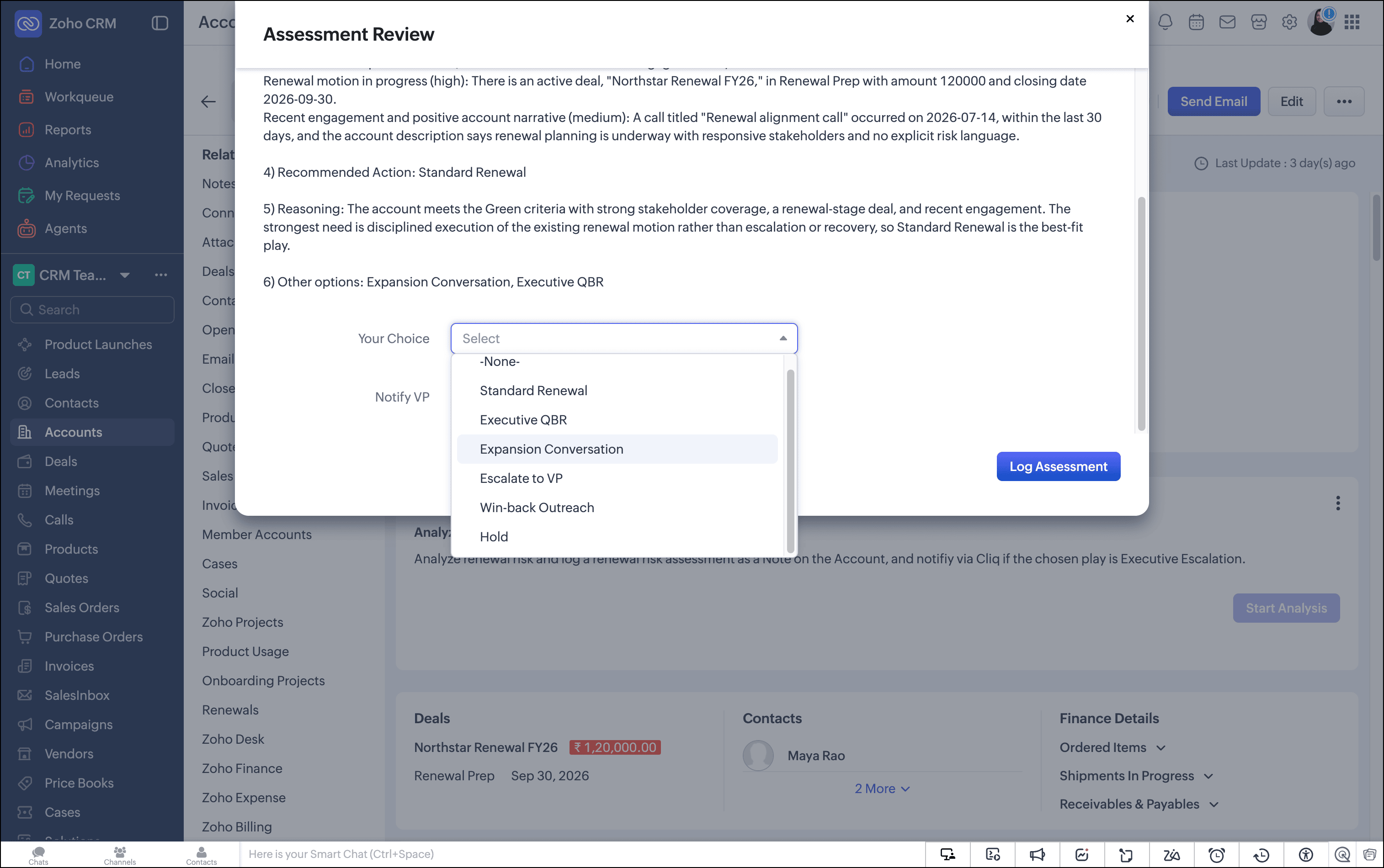
The CSM can accept the recommendation or override it using a dropdown that lists all available plays. If the CSM has context the CRM doesn't capture, they can override the play before logging.
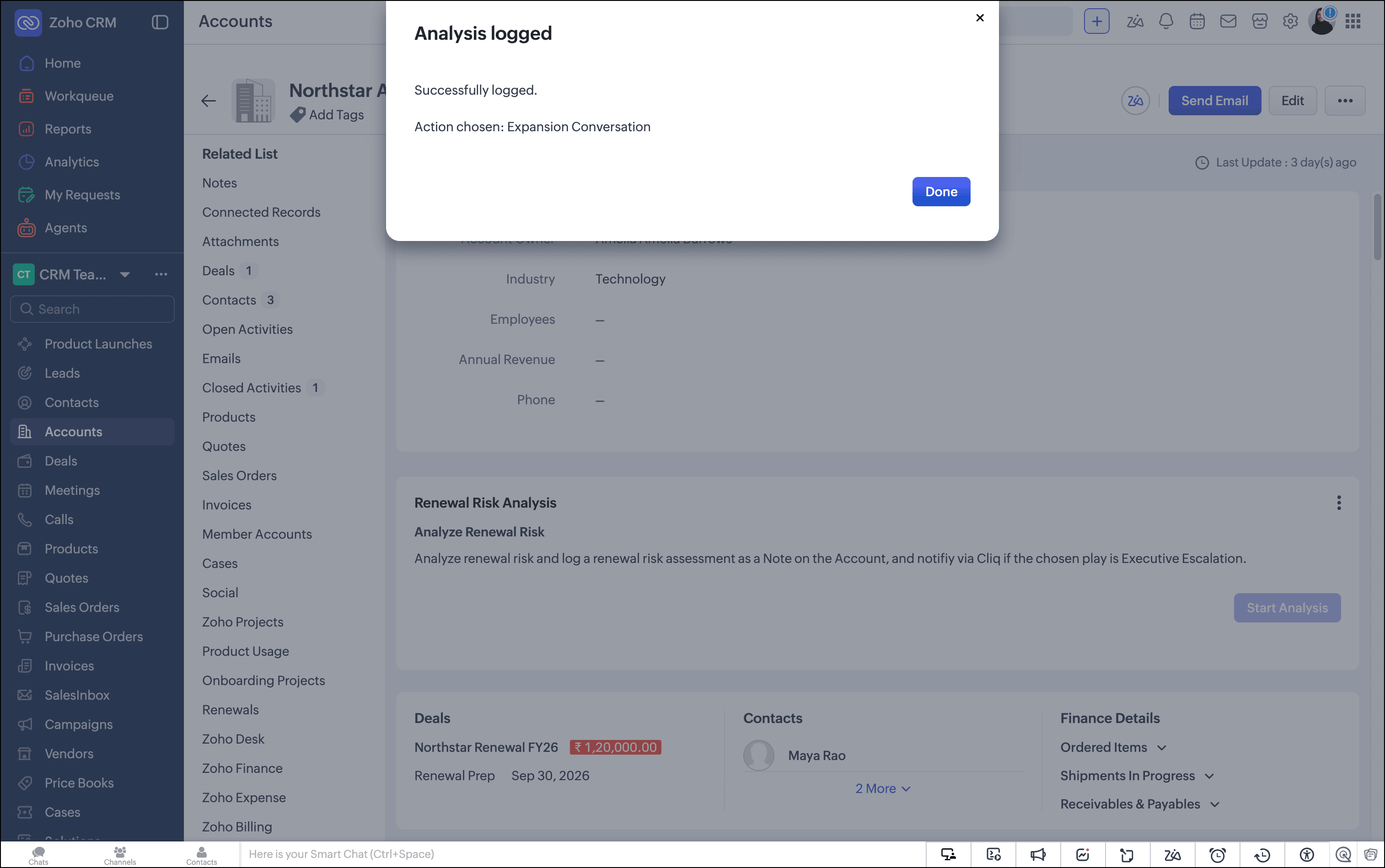
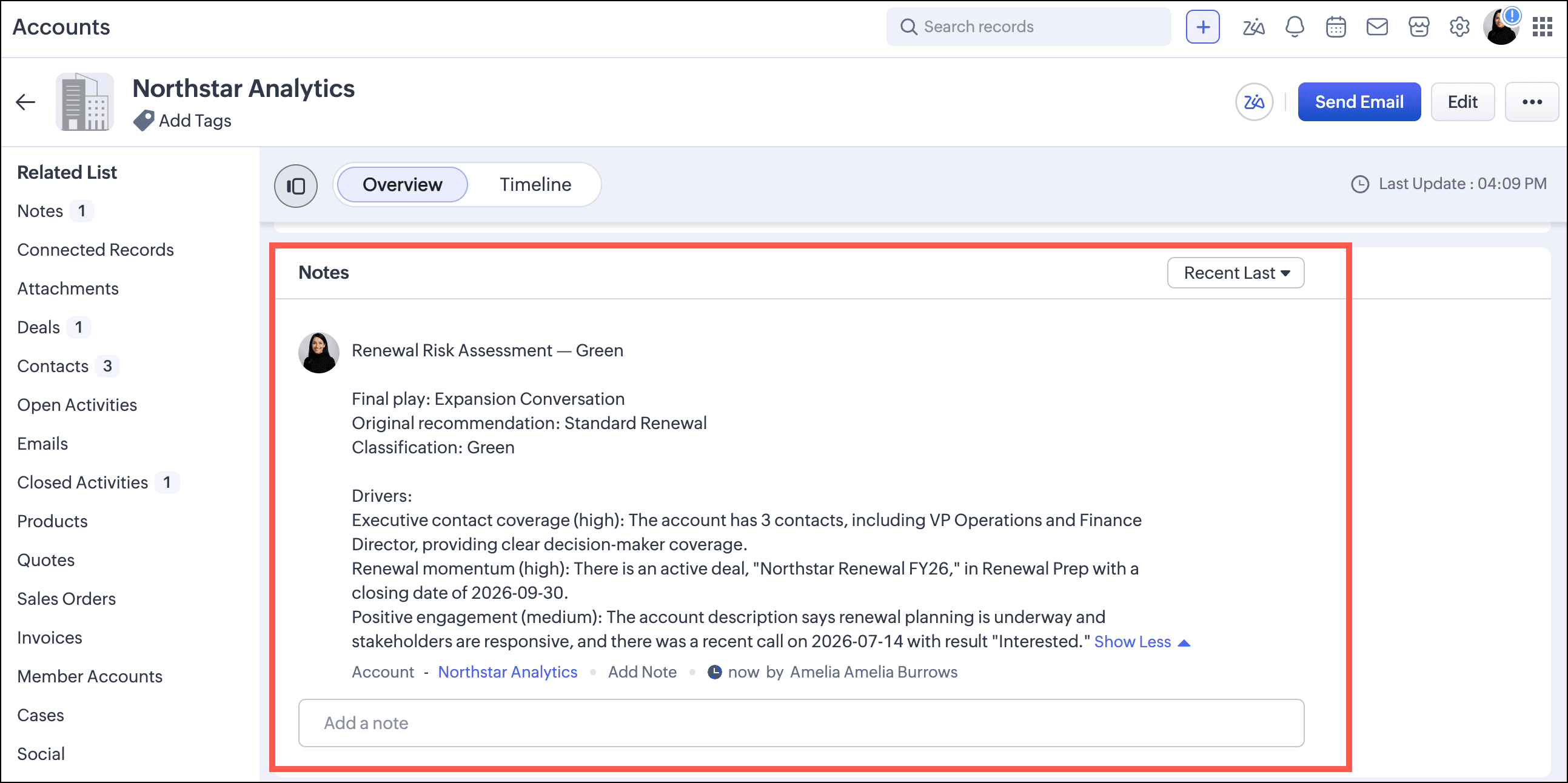
Nothing reaches the database until the CSM clicks Log Assessment. At that point, the Assessment Logger Agent writes a structured note to the account record containing the classification, the recommended play, and the CSM's final decision. The kiosk terminates cleanly.
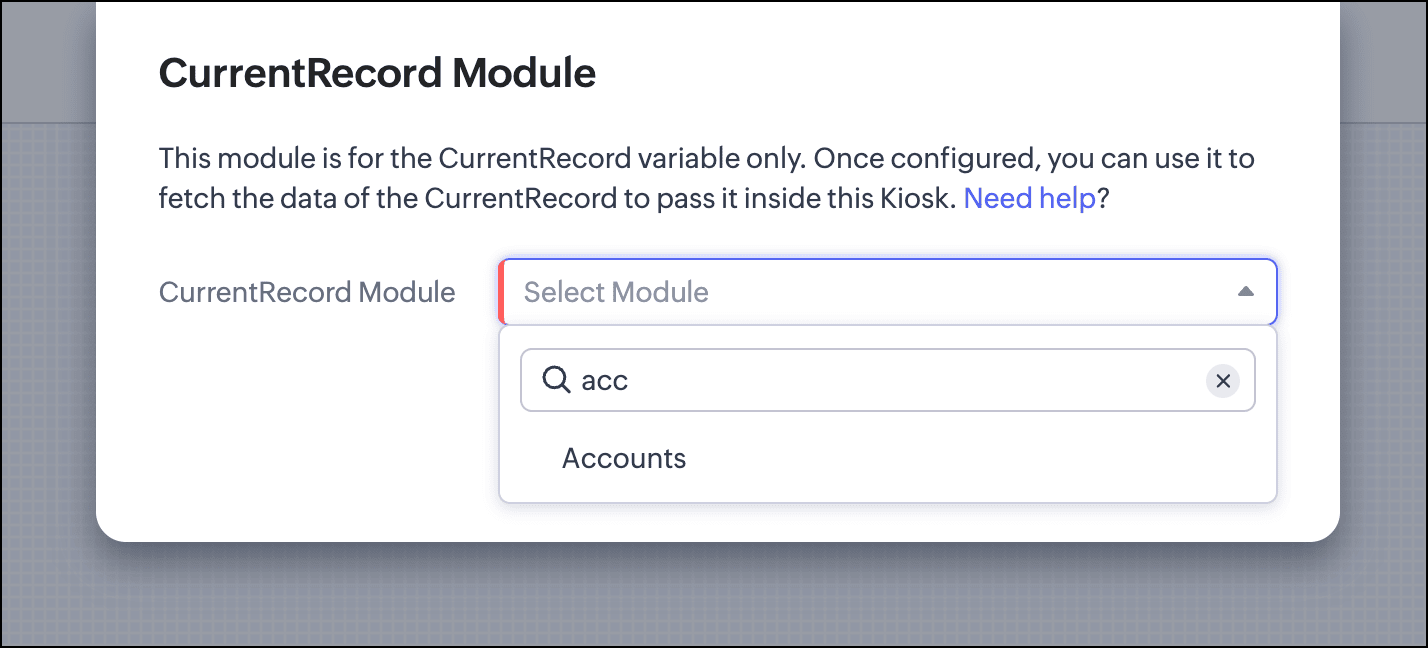
Configuration
First, we set the current record to the Accounts module.
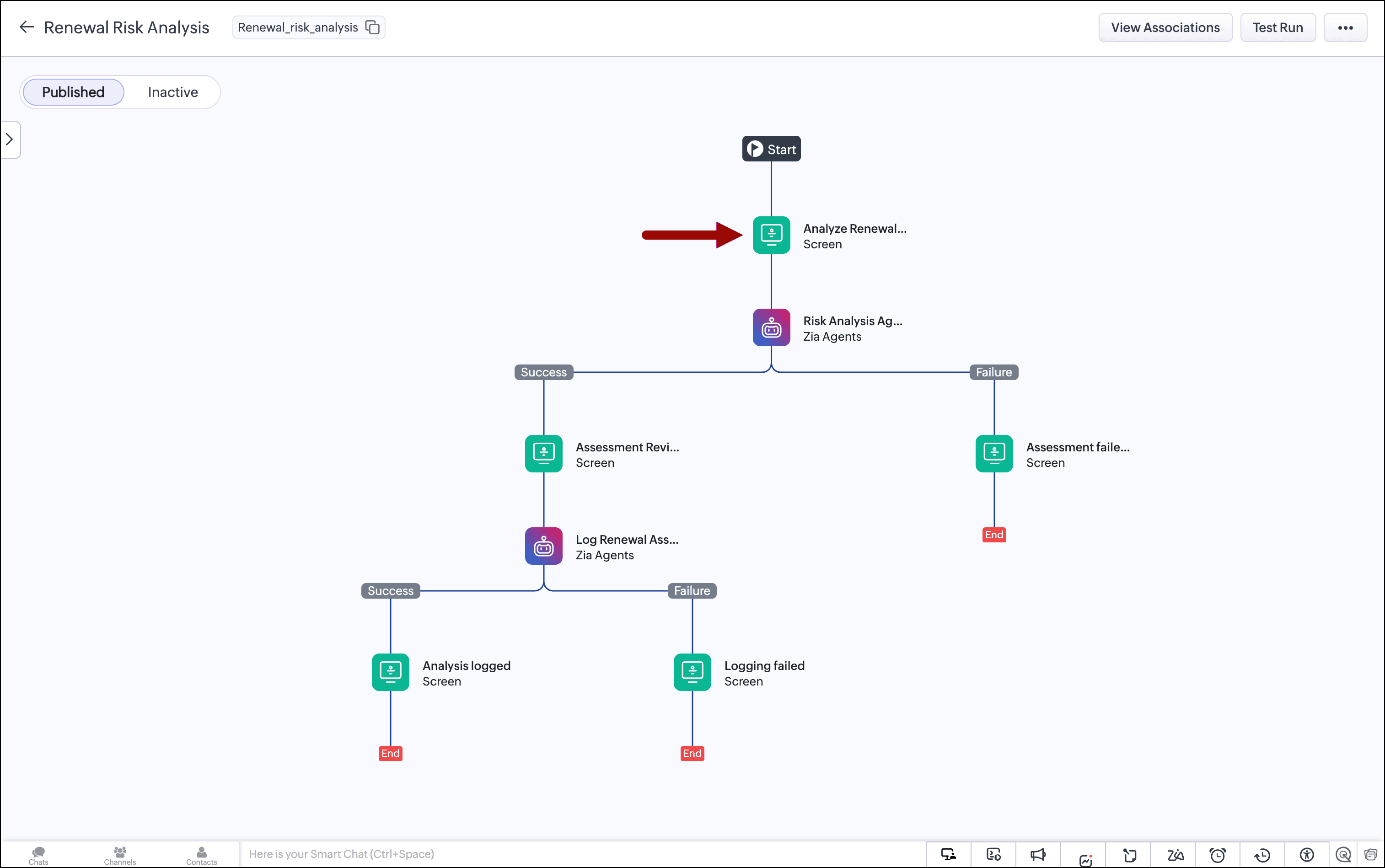
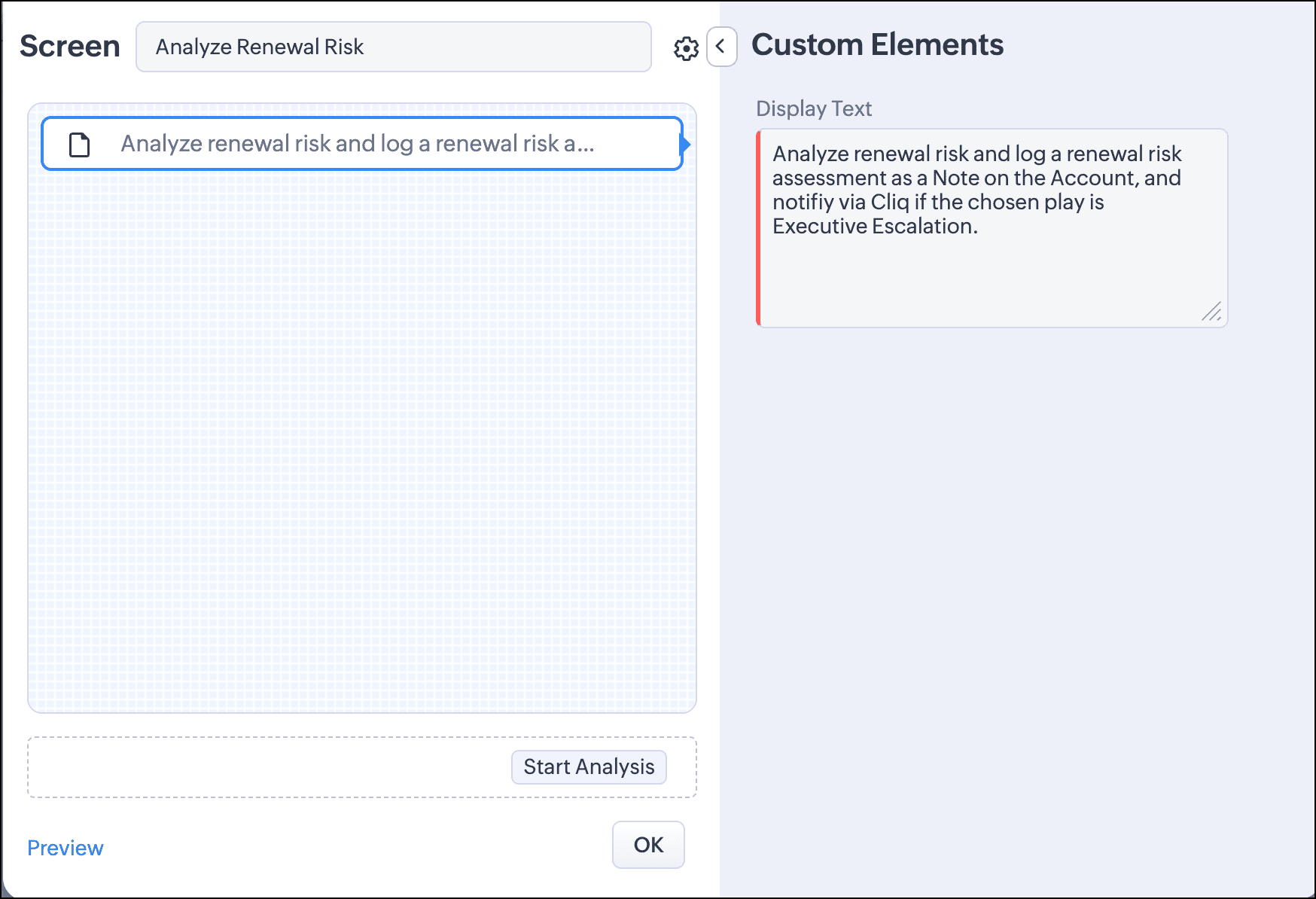
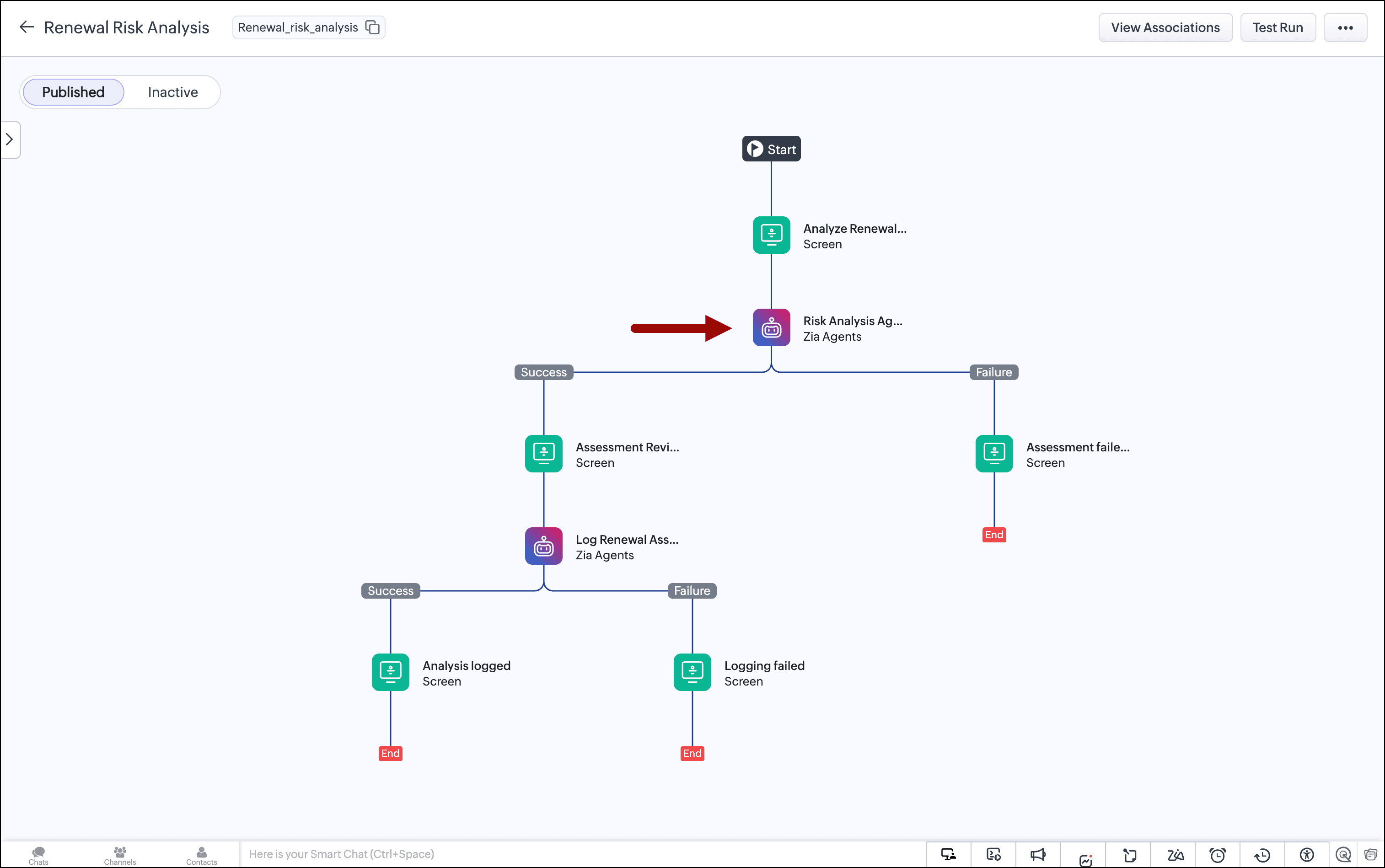
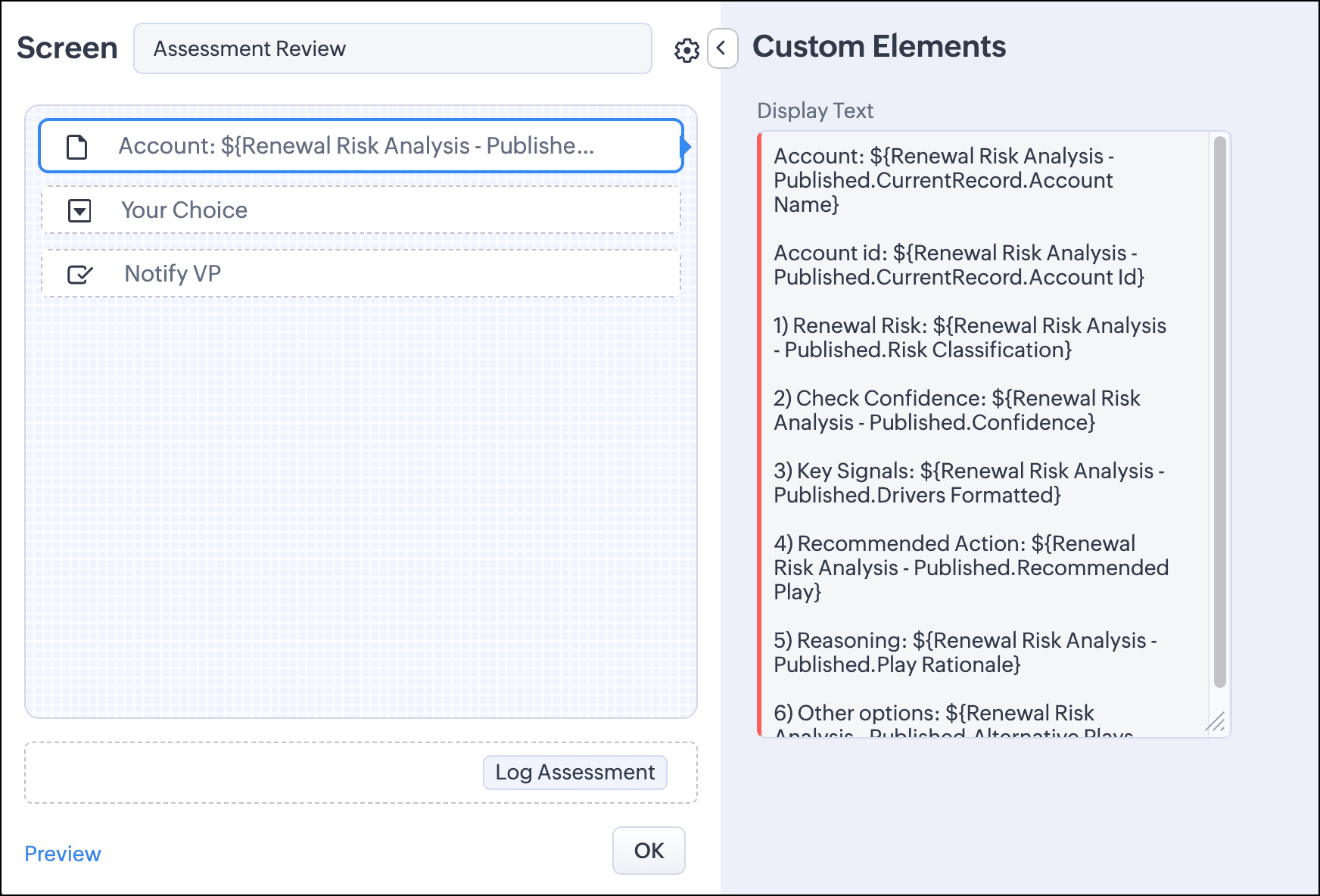
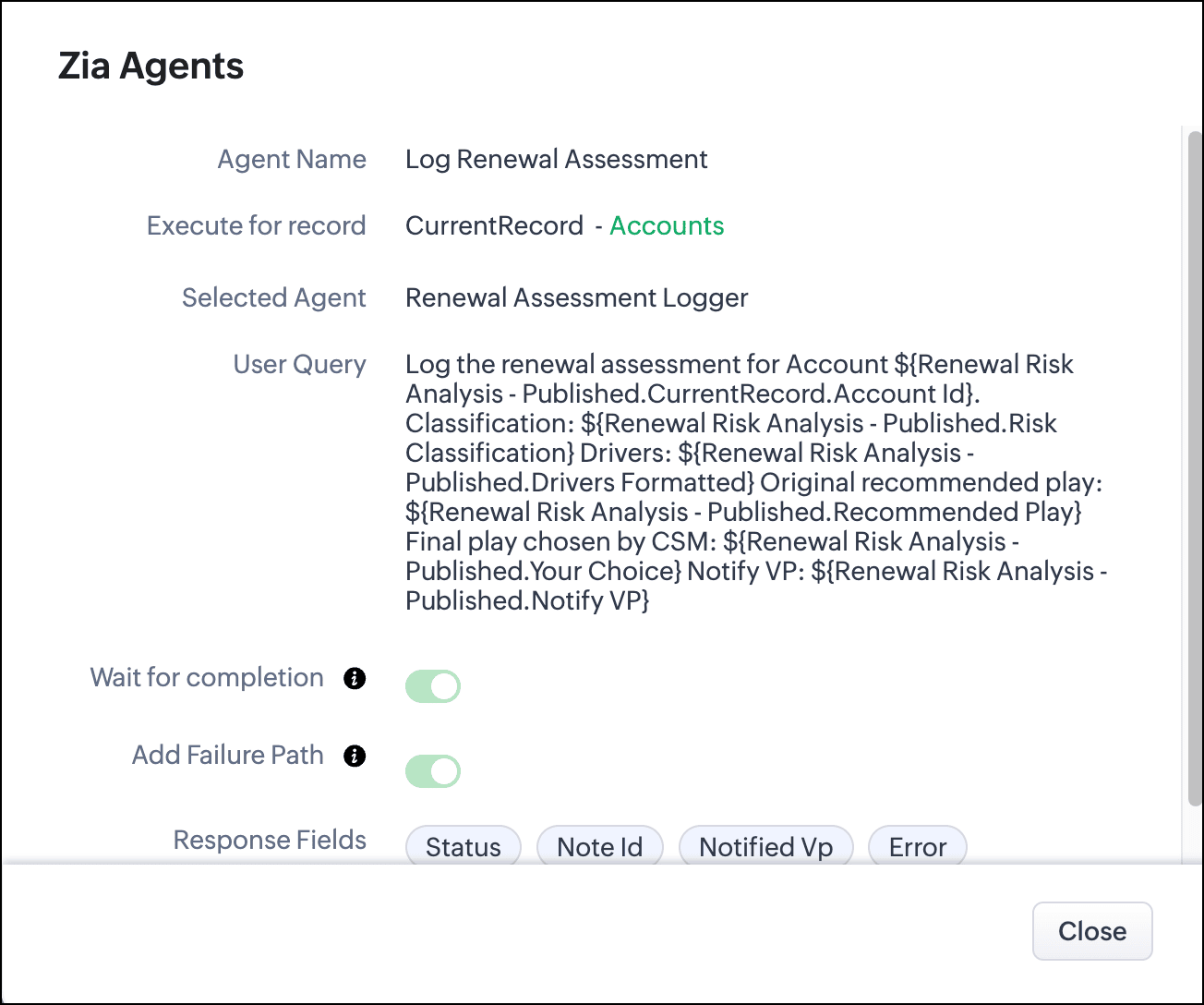
Once the CSM clicks Log Assessment, we call the second agent and pass the chosen value and the decision to notify the VP from this screen, along with the first agent's output. The agent adds a note to the account record with these details and notifies the VP on Cliq if that option is chosen.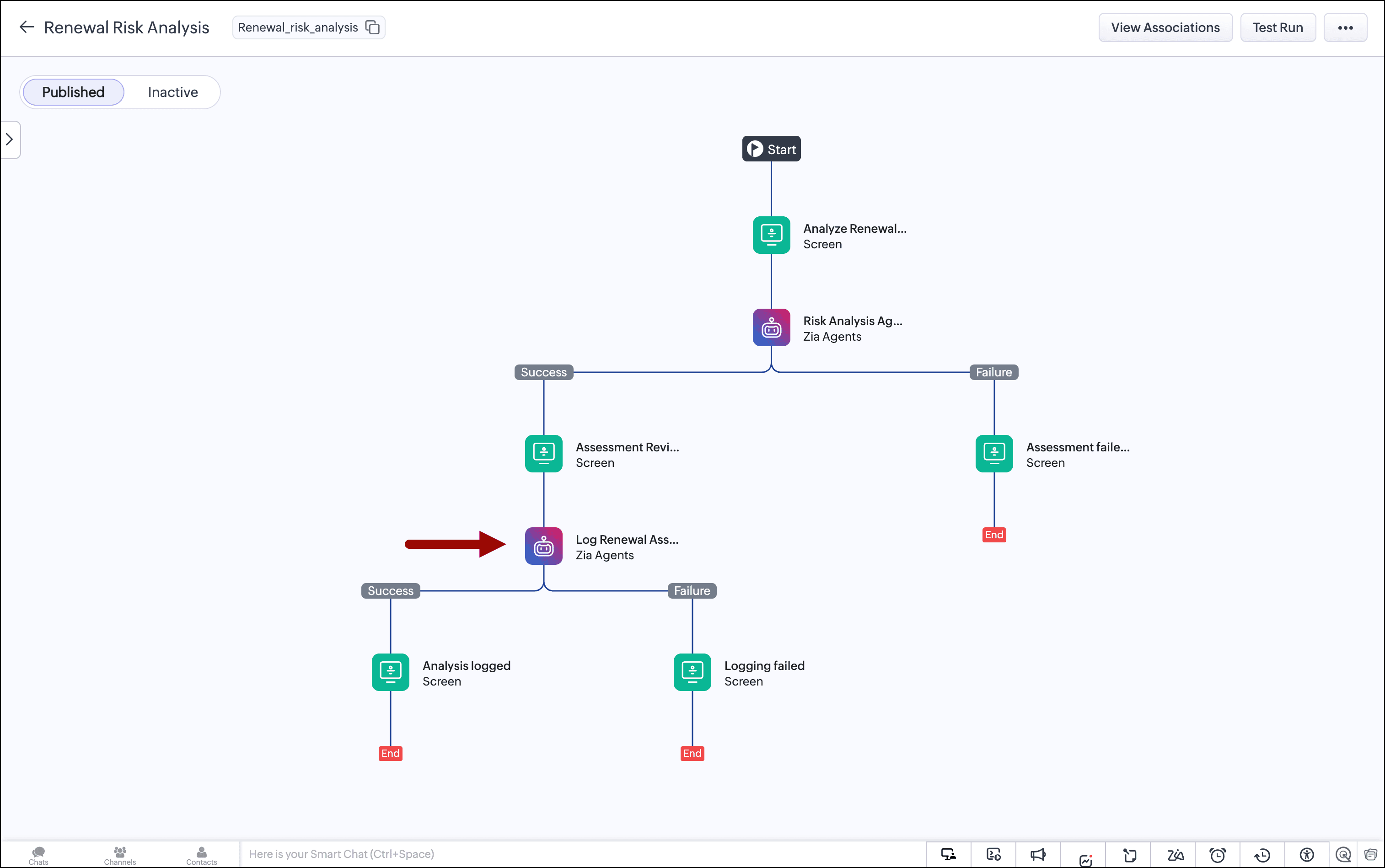
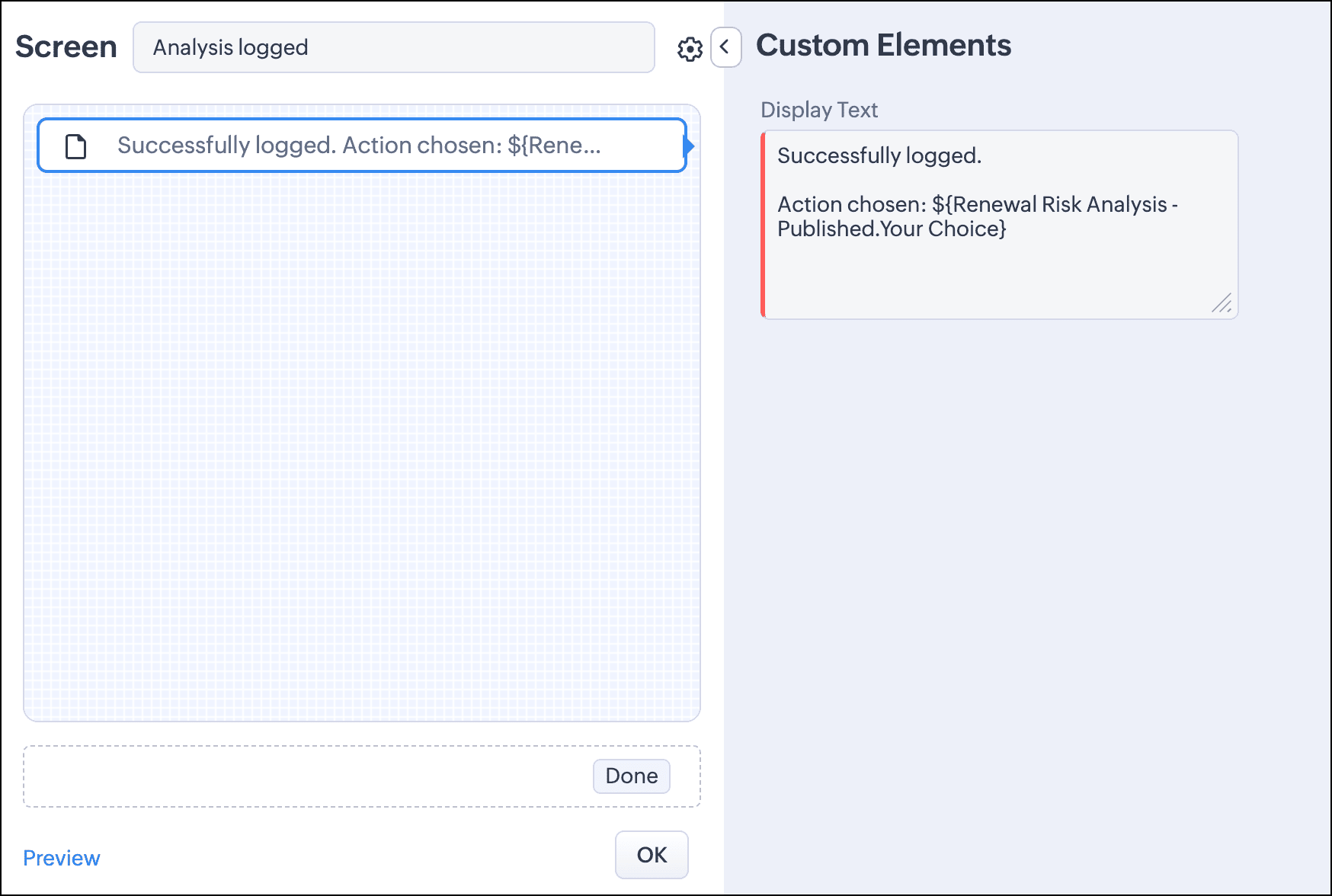
Once this is done, we show a success message on a screen, where we also include the chosen play.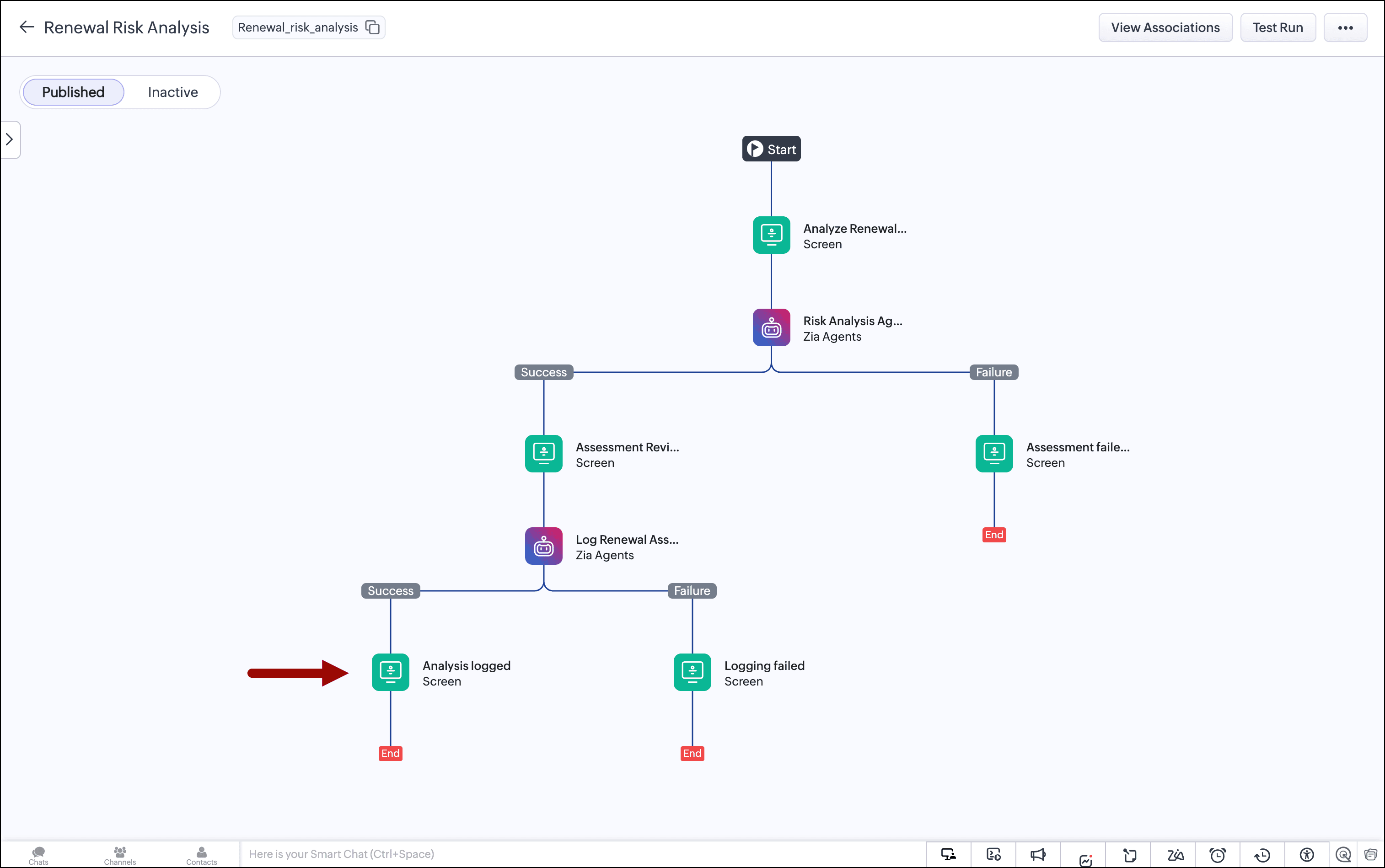
For the agent's failure paths, we add a screen saying an error occurred and to contact the admin.
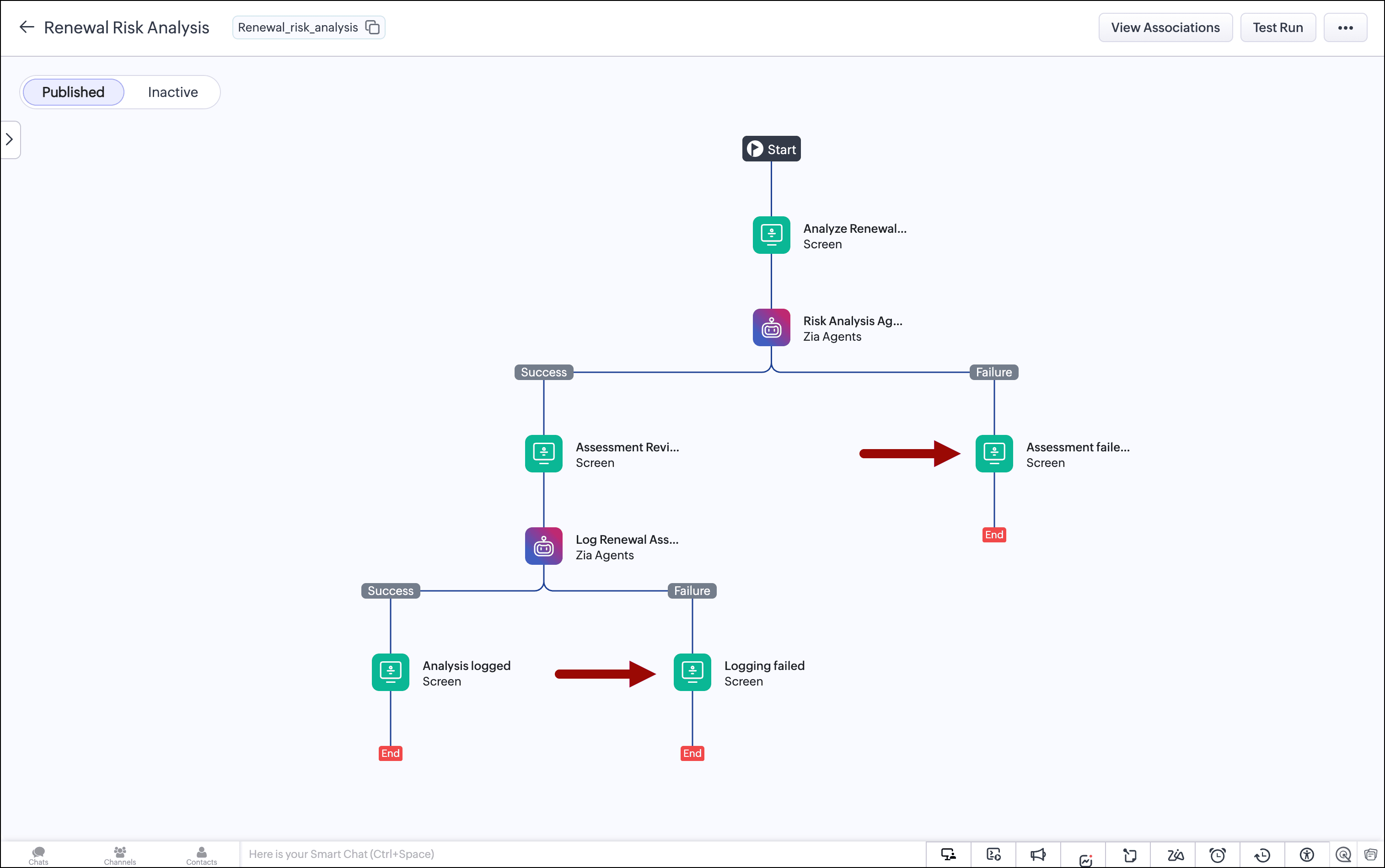
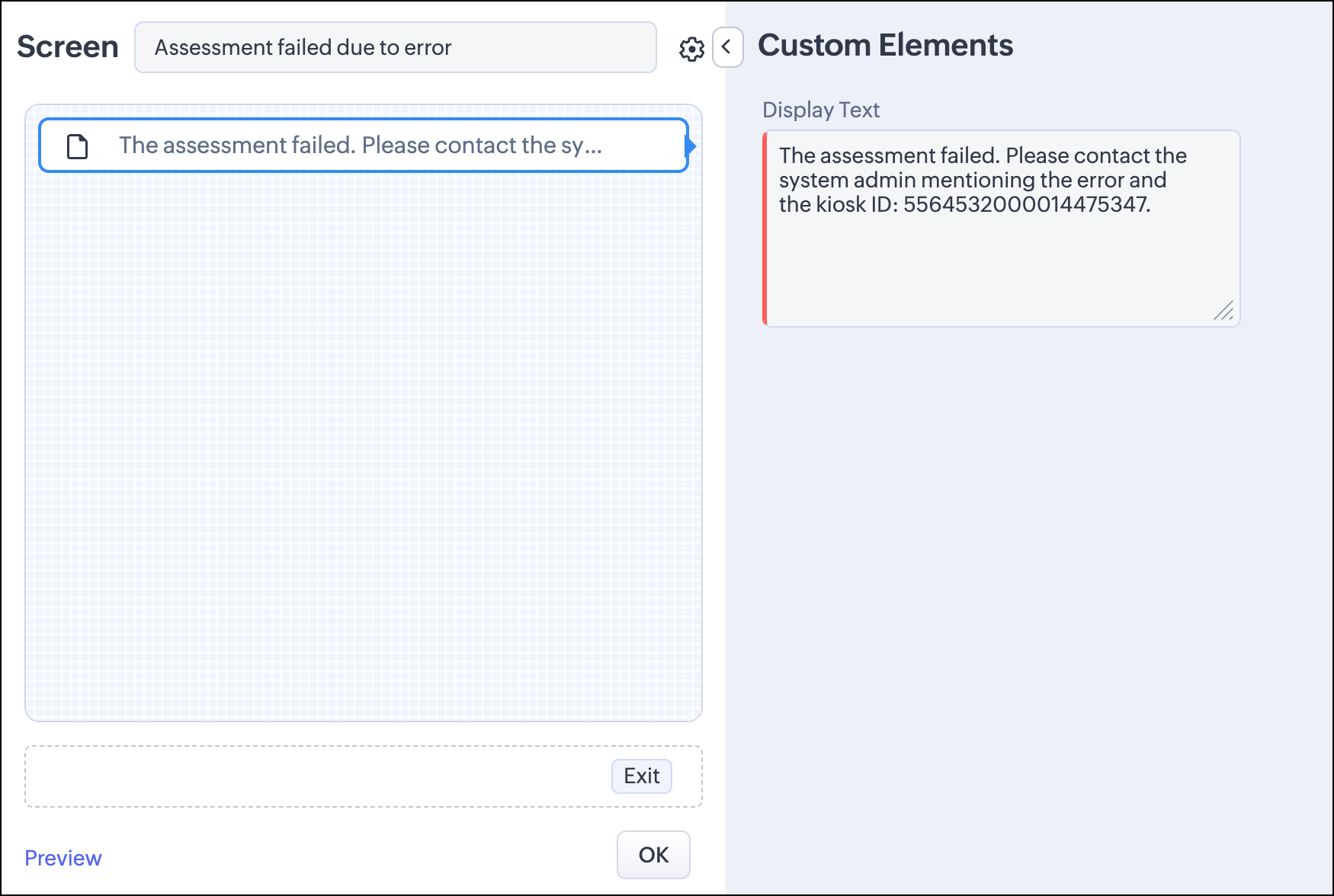
With the configuration done, we publish the kiosk to the Accounts module's record detail page.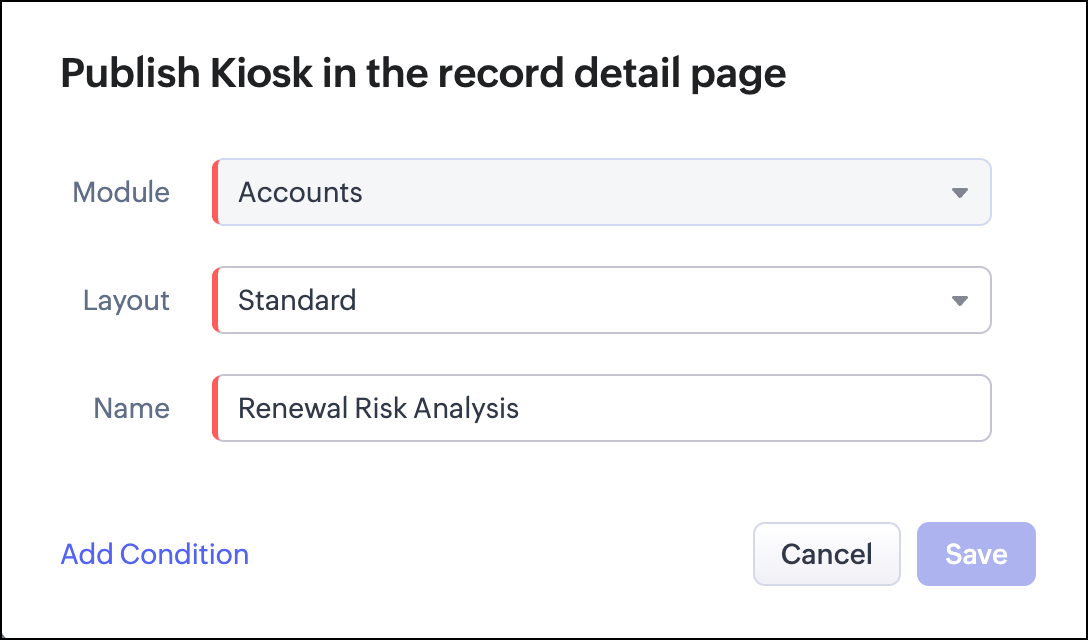
The audit trail
Every assessment is captured in two places.
The structured note written by the Assessment Logger to the account record shows the classification, the recommended play, the CSM's final decision, and whether the CSM accepted or overrode the agent's recommendation. This note is visible to anyone who opens the account record. It's the operational record of every renewal decision made on that account.
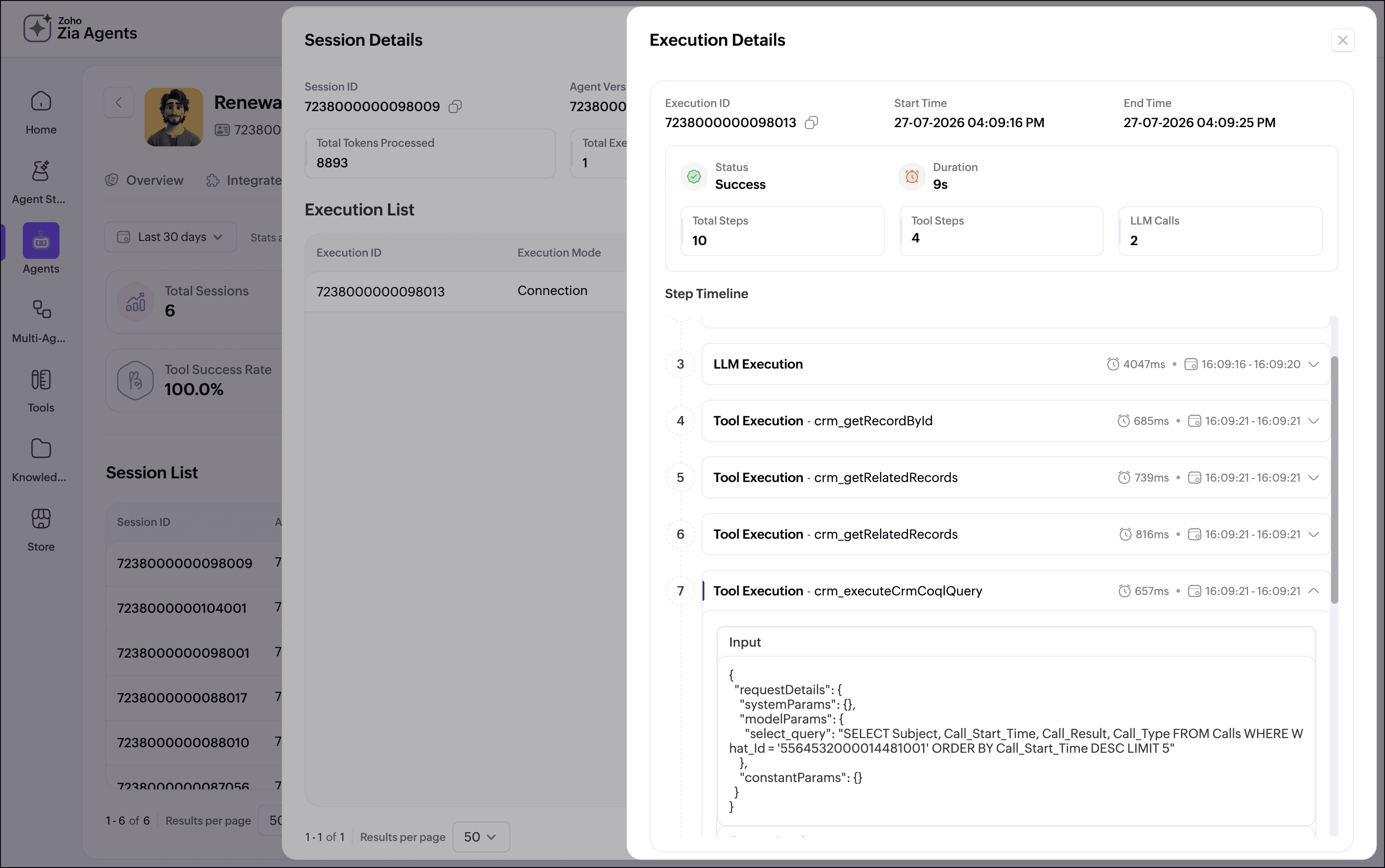
Every agent execution is also captured in Zia Agent Studio's Observability tab. You can drill into any session and inspect the agent's step-by-step retrieval, the fields it evaluated, the classification logic it applied, and the exact JSON it returned. If a CSM flags an unusual recommendation, or you want to understand why a specific account came back Yellow instead of Green, the full reasoning trace is there.
Next steps
We deliberately kept the scope tight for the first version. Here are some ways to augment your kiosk:
-
Add more signals: The Product Usage signal is the most natural next addition. Make sure the CRM has a product usage module already linked to the Accounts and Contacts modules. Usage decline close to a renewal window is often the earliest reliable churn signal. Adding it to the retrieval and classification logic will strengthen the red and yellow cases significantly. The Subscriptions module can also be added. The agent currently reads subscription-related fields that sit directly on account, contact, and deal records. Traversing the linked subscription record itself adds renewal window dates and additonal contract value context that would make the confidence scoring more precise.
-
Use SlyteUI for a better user experience: A custom SlyteUI component can be used for the Assessment Review screen. It can provide a color-coded classification banner, a signal display, and an inline CSM override dropdown. This helps your users make sense of the assessment quickly and easily.
By combining Kiosk Studio for deterministic review flows, Zia Agents for signal synthesis and classification, and Observability for auditability, you get a renewal workflow that reads the CRM completely, consistently, and before the renewal window closes—just as an experienced CSM would.
If you're building renewal or customer success workflows in Zoho CRM and want to compare notes on agent prompt design, retrieval strategy, or kiosk architecture, share your approach below.
More Kiosk Studio Sessions
Each session covers one business scenario, the kiosk built for it, and how that kiosk is configured.