Narrative 2 - Understanding Organizational Departments

Narrative 2 - Understanding Organizational Departments

Behind the scenes of a successful ticketing system - BTS Series

Narrative 2 - Understanding Organizational Departments
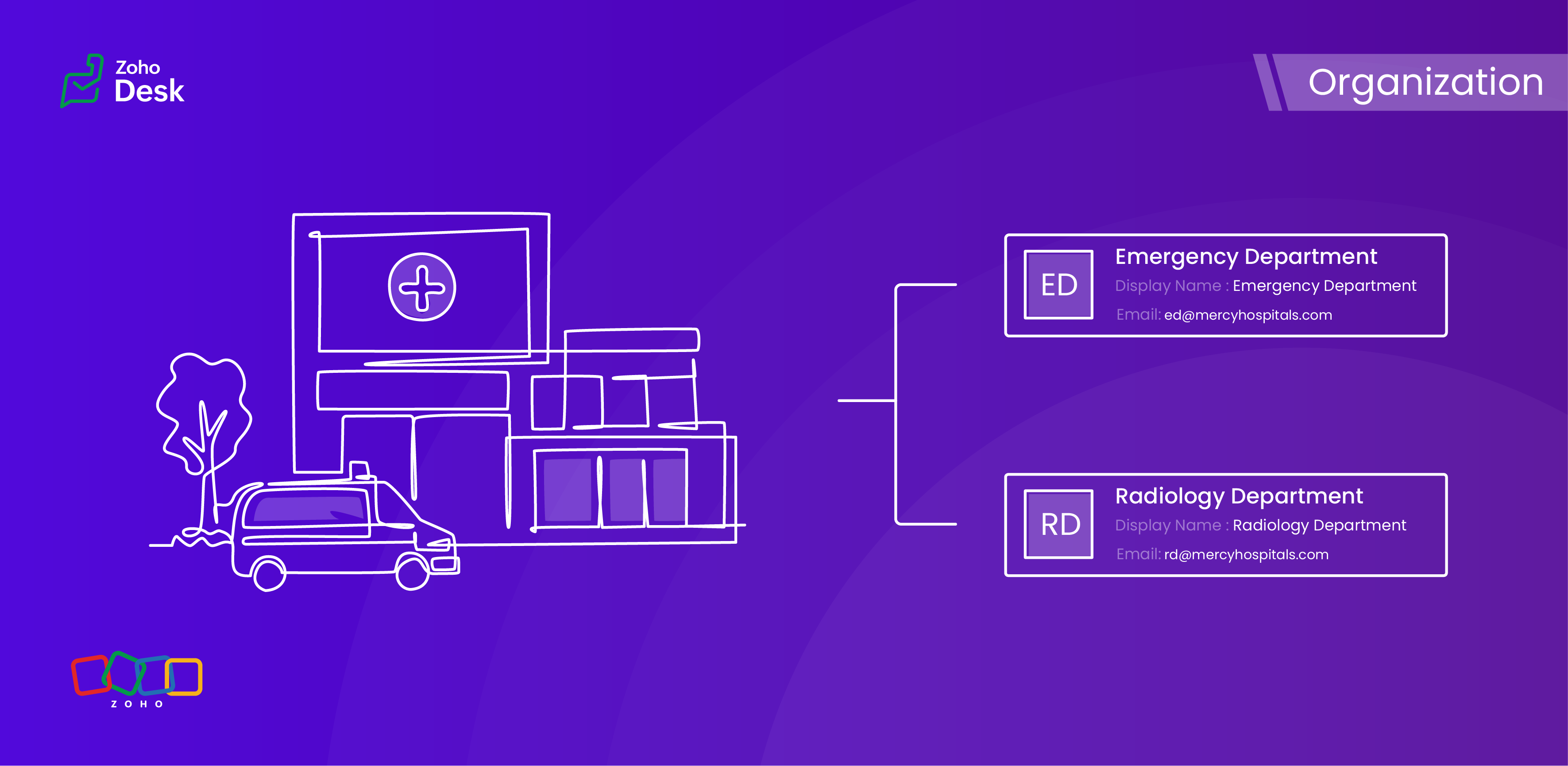


A ticketing system's departments are essential because they provide an organized and practical framework for handling and addressing customer support inquiries. Departments improve workflow by classifying inquiries and allocating them to the relevant teams, guaranteeing that a specialized agent handles every issue. 


This way, companies increase customer satisfaction and loyalty by improving response times and overall customer service quality. Departments guarantee a streamlined procedure that benefits both the support staff and the customers they serve by clearly defining roles and responsibilities.

Why employ organizational departments?

Ticket routing

Departments ensure that support requests are automatically directed to the right team with the right agent. This reduces delays and faster resolution by discarding unnecessary hand-offs.

Specialization

Typically, different teams, such as IT, HR, Billing, and Technical Support, handle various issues. In this case, departments are managed by experienced agents in their respective areas, thereby enhancing service quality.

Organized prioritization

Categorising tickets by department helps teams prioritise workloads based on urgency, service level agreements (SLAs), and impact, ensuring that critical issues are addressed promptly.

Accountability

Departments also assign clear responsibility for resolving tickets, preventing confusion over who should handle a request. This fosters accountability and reduces the risk of tickets being overlooked.

Monitoring

Departments enable granular analytics, allowing organizations to measure metrics (e.g., resolution time, backlog) for each team. This helps identify bottlenecks and optimize workflows.

Better customer experience

Proper department routing ensures customers interact with the right agents from the start, reducing frustration and improving satisfaction by avoiding misdirected queries.

Workflows made easy

Departments enable customized automation rules (e.g., auto-assignment, escalations) tailored to specific teams, streamlining processes and reducing manual effort.

Data privacy

Sensitive requests (e.g., Finance, Legal) can be restricted to authorized personnel, ensuring data privacy and Desk's regulatory compliance.

While departments segment teams, they also facilitate cross-department collaboration when needed (e.g., escalating a billing issue to IT for technical verification), maintaining structure while enabling cooperation.
Idea

Are contacts or accounts department-specific?


When a user raises tickets for various issues across different departments, each ticket must be explicitly linked to the relevant department. This ensures that the appropriate expert is assigned to address and resolve the problem effectively. Importantly, the user's contact details will remain consistent regardless of the department involved; therefore, the contact information should not be considered department-specific. This streamlined approach facilitates efficient communication and resolution while maintaining clarity and organisation within the ticketing system.


However, several other modules within the platform, such as Tickets, Knowledge Base, and Activities, do support department-specific associations. This feature enables you to align these modules with the relevant department, enhancing your workflow and improving departmental accountability.

Example - Hospital Management Service

In a hospital, the way departments are managed plays a crucial role in providing top-notch healthcare services. By organizing the hospital into different departments, each one guided by knowledgeable and skilled staff, we can not only improve how services are delivered but also make processes more efficient and ensure that everyone is held accountable. This structured approach not only fosters teamwork but also helps meet patients' needs more effectively, ultimately creating a better experience for them.

Organizational departments in a hospital

  1.  Emergency Department 
  2.  Surgical Department
  3.  Radiology Department
  4.  Pharmacy Department
  5.  Administration and Human Resources


This teamwork is vital for enhancing the quality of patient care and streamlining operations, creating a well-functioning machine that ultimately benefits everyone involved. When departments are well-structured, it fosters a sense of accountability across the board, which is essential in a healthcare environment. A well-organised hospital not only supports its staff but also delivers the best possible healthcare to those it serves.

Conclusion

Utilizing separate departments for your help desk establishes structure, efficiency, and expertise within ticketing systems, enabling you and your team to collaborate effectively without chaos. This leads to quicker resolutions, better use of resources, and a smoother experience for both customers and agents. Without these departments, support operations would likely become chaotic, sluggish, and more prone to unnecessary issues.


Please stay tuned for more Desk behind-the-scenes series.


Regards,


Kavya Rao

The Zoho Desk Team


    • Recent Topics

    • Zoho Books | Product updates | April 2026

      Hello users, Welcome to our April 2026 product updates roundup! Highlights include profit margin for sales transactions, insights in reports, recording deposits from undeposited funds in banking, and faster production workflows with improved assembly
    • Schedule Timeout 5 minutes vs. stated 15 minutes

      I am running into a function run timeout error after 5 minutes for my schedules. The Functions - Limits documents states it should be 15 minutes: Functions - Limits | Online Help - Zoho CRM. What should it actually be? Due to the 5 minute timeout, I'm
    • Sorter View No Longer Works Properly

      Today I realized that sorter view no longer works properly. I believe just yesterday, I was able to drag a slide or a group of slides and move it/them to the place I want to move it/them to. While I was dragging, I got a visual feedback of where I could
    • Ignroe_filtrers and drill through

      I have two charts, where one is connected to the other using drill-through. The issue is with the second chart (the drill-through target). It contains an aggregation formula that uses the ignore_filters function. Under normal conditions, the formula works
    • zoho creator panel add formula

      Hello. I'm using zoho panels which works good for me but i need to add an extra calculation the predefined sum function provided by zoho. not sure if this is possible? The code zoho is generating for the sum is as follows; <text margin='0px' padding='0px'
    • Kaizen #238: Fetching Employee Data from Microsoft SQL Server into Zoho CRM Using Queries

      Hello everyone! Welcome back to the Kaizen series! Many organizations manage workforce data such as employee designations, contact details, salary bands, and joining dates in an HRMS backed by Microsoft SQL Server, while their sales teams work in Zoho
    • Cliq iOS can't see shared screen

      Hello, I had this morning a video call with a colleague. She is using Cliq Desktop MacOS and wanted to share her screen with me. I'm on iPad. I noticed, while she shared her screen, I could only see her video, but not the shared screen... Does Cliq iOS is able to display shared screen, or is it somewhere else to be found ? Regards
    • Du prompt à la production : comprendre le fonctionnement du MCP

      Le Model Context Protocol (MCP) est un protocole ouvert qui standardise la manière dont les applications se connectent aux modèles de langage (LLM). En termes simples, le MCP est le « USB-C des agents IA » : une interface universelle qui relie l’intelligence
    • Add Flexible Recurrence Options for Meeting Scheduling in Zoho Cliq (e.g., Every 2 Weeks)

      Hello Zoho Cliq Team, We hope you are doing well. Currently, when scheduling a meeting inside Zoho Cliq, the recurrence options are limited to Daily, Weekly, Monthly, and Yearly. There is no ability to set a meeting to occur every X weeks — for example,
    • filter on sheets mobile (iOS, iPadOS) does not work

      re-posting this as a question because reporting as a problem netted zero responses... I have this issue on every spreadsheet, whether imported or created natively in Zoho Sheets. I can use on desktop without issue: but on iOS the filter dropdowns are
    • Inactive License for free account.

      I recently upgraded my Cliq subscription not my team (on the free version), are unable to login to their accounts. The error message received is Inactive License Looks like you have not been covered under the current free plan of users. Please contact
    • Zoho Books recurring invoicing link to a Zoho CRM Deal?

      With the Zoho CRM Finance Integration setup, normally when creating an invoice via Zoho CRM Finance Integration on a Deal, it creates the invoice in Zoho Books with the CRM Deal *Potential link for that invoice. Alternatively, if you create the invoice
    • Data Import

      Hello Latha, Is there any option to enable data import option in Equipment module? Best regards, Chethiya.
    • No background for video recordings, no playback speed, can't even playback longer recordings - have to download…

      Hi. We utilize heavily video messages on Slack, but wanted to migrate to Cliq with Zoho One, however very basic yet very frequently used feature is missing: backgrounds for video recordings and playback speed. We were not happy with Slack's 5 minute limits
    • Introducing PDF conversion in Deluge

      Hello everyone, We're pleased to introduce built-in PDF conversion capabilities in Deluge with the launch of the convertToPDF task. As PDF is one of the most widely used formats in professional environments, this task helps streamline document generation
    • Changing naming convention for Estimates

      Hi there, How do I customise the naming of the filenames for estimates when sending them? Currently they are named literally just ES11.PDF or whatever the number of the estimate is. There is no Company name, description of the work, customer name, date
    • Email templates for estimates

      Hi there, When I send an estimate the option to choose a template appears. However it is common to need to make some minor personalizations and modifications to the email before sending ie. adding a second person to the greeting, or adding a small note
    • How to transfer uploaded files from Zoho Survey to external systems?

      Hi everyone, I'm currently integrating Zoho Survey with an external system and have run into a limitation I haven't been able to solve yet. I'm using webhooks to send submitted survey data (JSON) to my external API, which works perfectly for all standard
    • On Duty Requests - Zoho People Data

      Hello Team, We are currently using the On Duty Form to record Work From Home (WFH) requests in our organization. However, we are facing an issue where pending On Duty requests are not appearing in the Attendance Module. For example, if I submit On Duty
    • Editing Estimates

      Hi team, How do I delete line items in an estimate when editing it? I can't see any option to do this - no X, no trashcan, no drop down... And how do I revert to the original estimate after cloning? I cloned to see if the option to edit were disabled
    • Reading emails sent from Zoho

      Hi there, How do I view an email sent from Zoho, for example an email which contains an estimate? I can see there is a tab in the screen for that estimate which is labelled 'Emails' and I can see a summary of the email sent listed there, but I cannot
    • Feature Request: Mass update selected Contacts to Accounts

      I can't believe this isn't an ability already. It's a quick fix that would save hours of manual entry time. This looks like it had been requested 3-4 years ago with no answers from staff! Please add all contact fields into the "mass update" menu. You
    • Support Bots and Automations in External Channels

      Hello Zoho Cliq Team, How are you? We actively use Zoho Cliq for collaboration, including with our external developers. For this purpose, external channels are a key tool since they work seamlessly within the same interface as all of our other channels
    • How To Implement an Auto-Check-out Feature for Attendance?

      If an employee forgets to check out, the system should automatically check out the employee at 6:30 PM
    • Automate the file import step

      Hello everyone, I have a Sales - 'Account' category, and currently import the file to update it as follows: Import Accounts - From File - Update existing Accounts only - select and match the field the CRM. Since we have been using Microsoft 365 SharePoint.
    • Set Default Status of Assembly to "Assembled" When Entered in UI

      I've just discovered the new "confirmed" status of Assemblies within Inventory. While I understand the intent of this (allowing for manufacturing planning and raw material stock allocation), it was initially confusing to me when manually entering some
    • Sender Email Configuration Error.

      Hello Team, Hope you are all doing well. We are in the process of creating the Zoho FSM environment in the UAE. When we try to add the sender email address “techsupportuae@stryker.com”, we receive the error message: “Error occurred while sending mail
    • Share saved filters between others

      Hi, I am in charge to setup all zoho system in our company. I am preparing saved filters for everybody, but the only one can see its me. How can others see it? Thanks
    • Webinar Alert: Learn how to decode your landing page performance with analytics

      Every click, scroll, and drop-off tells a story. Are you listening? Join our Landing Page Analytics webinar to understand how data can reveal what’s working and what’s costing you conversions. In this session, you'll discover The most important metrics
    • Campaign Status Field in CRM

      I'm wanting to create a custom view in CRM that shows all those who have recently hard bounced in past campaigns so we can clean up the database. An old Zoho article said it was possible, but I don't see the option to push campaign status field to CRM,
    • Zoho Forms for Vertical Studio Subscriber Organizations

      We’re excited to introduce the Zoho Forms integration with Vertical Studio. This allows you to capture data using forms and send it directly to your Vertical Studio modules. With this integration, form submissions can be used to create or update records,
    • Zoho Flow not handling Boolean properly

      Hi, I have a checkbox in one system that I'm trying to sync with a checkbox in Zoho CRM. The value from the source system comes in as blank (unticked) or 1 (ticked). I've written the following custom function to convert the output to either boolean false
    • Printing invoice from creator using writer

      Hello. I have created my invoices using Zoho Writer and i'm sending data to them from Zoho Creator by selecting a row in a report and then clicking a button which has workflow connected to it to send the date to the invoice in writer. This is working
    • How to Initiate WhatsApp Message on SalesIQ?

      I've just activated a Business WhatsApp phone number through SalesIQ because of its touted omnichannel chat approach. Sounds exciting. I understand that when a customer sends me a WA message, I can reply to it on SalesIQ and keep the chat going, perfect.
    • i want to delete organization or tranfer ownership

      I accidentally created a Zoho organisation and now I cannot accept an invite from another organisation. I am the Super Admin and cannot leave. Please either delete my organisation or transfer ownership so I can leave.
    • Bulk upload images and specifications to products

      Hi, Many users have asked this over the years and I am also asking the same. Is there any way in which we can bulk upload product (variant) images and product specifications. The current way to upload/select image for every variant is too cumbersome.
    • CRM Notes

      Hello, We want to add a Note to the Contact record when a Note is added to a Case or Deal. I wasn't able to do this using a workflow, so I tried using Zoho Flow, but that didn't work either. Does anyone have a suggestion on how we can accomplish thi
    • Zoho FSM API Delete Record

      Hi FSM Team, It would be great if you could delete a record via API. Thank you,
    • Marketing Tip #26: Optimize product images for SEO

      Product images can do more than make your store look good. They can also help customers discover your products through search. Since search engines can’t "see" images, they rely on text signals to understand what an image is about. Two small actions make
    • Allow rejected records (Approval process) to re-enter Blueprints

      Cannot seem to get my head around the key differences between the Blueprints and the Approval Process. For me it seems like different flavours of more or less the same thing - especially now that we have the option of Record Locking. Have a quote to sales
    • Next Page