Process auto-renewing payments with the Zoho Subscriptions - Paytm integration
Hello everyone,
Zoho Subscriptions is pleased to announce enhancements in our Paytm payment gateway integration! India has seen massive digital payment adoption in recent years due to a combination of factors like a favorable policy for financial inclusion in the banking sector, genuine innovation in fintech, and an emerging economy backed by a young population demography.
Now, Indian merchants can leverage these advancements in the digital economy to process auto-renewing payments using our enhanced Paytm subscription integration with Zoho Subscriptions and collect payments from multiple payment modes.
Payment modes supporting recurring payments:
1. Card
Cards have been the de facto mode of payment for online transactions due to their robust safety and security for both consumers (payment redressal) and merchants (fraud prevention). With the Zoho Subscriptions - Paytm integration, you can store and process card transactions that are compliant with new RBI recurring payment regulations.
Credit card (Banks that support Visa and MasterCard - HDFC, ICICI, SBI, Axis, Yes Bank, Citibank and other major banks).
Debit card (Banks that support Visa and MasterCard - HDFC, ICICI, SBI, Axis, Yes Bank, Citibank and other major banks).
2. UPI
India's homegrown payments platform, UPI, has seen exponential growth since its inception, recording 6 billion transactions as of July 2022. UPI has an interesting roadmap for supporting credit card payments and potential cross-border transactions. Tap into the exponential growth potential of UPI for your subscription business with UPI auto-pay powered by Paytm with Zoho Subscriptions. You can collect UPI auto-pay payments from a wide selection of apps and UPI handles.
3. Paytm Wallet
Paytm is one of India's leading payment gateways with more than 400 million users using Paytm Wallet nationwide. You can enable Paytm Wallet as a payment mode to collect payments instantly from millions of potential customers.
The enhanced Zoho Subscriptions - Paytm integration is another step in our effort to provide seamless subscription payment experiences for Indian merchants. You can get the best of both worlds—a powerful subscription management platform in Zoho Subscriptions, and a scalable payment platform in Paytm.
How to enable auto-renewing subscriptions with the Zoho Subscriptions - Paytm integration:
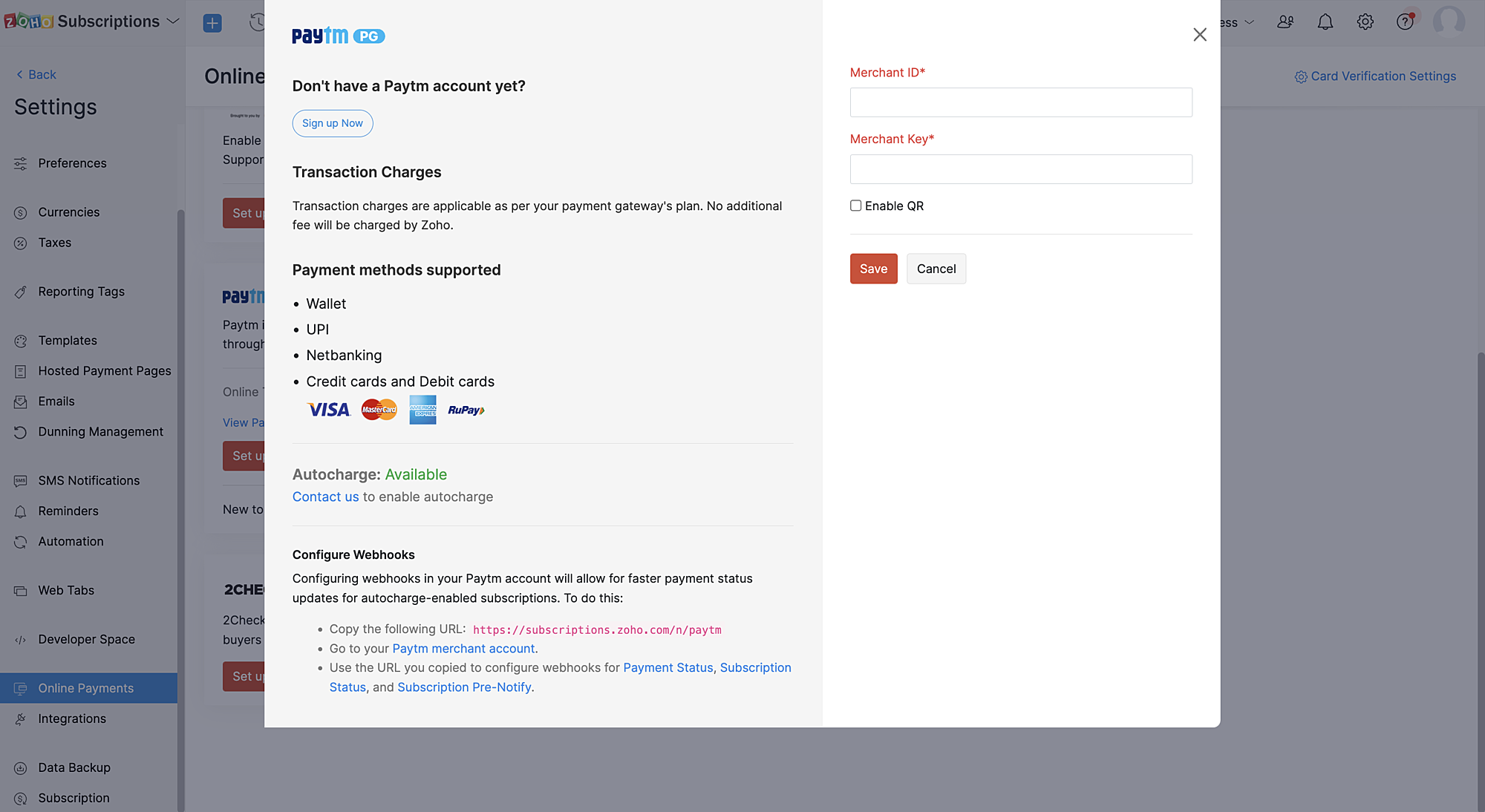
1. If you have a Zoho Subscriptions organization with a Paytm merchant account, you can contact Zoho Subscriptions via support and provide your Paytm merchant ID (MID) to enable the Paytm Subscriptions (recurring transactions) feature.
2. Once Paytm Subscriptions is enabled for the merchant account integrated with Zoho Subscriptions, the Zoho team will receive a confirmation from Paytm.
3. Our support team will send you a confirmation that Paytm Subscriptions is enabled for your merchant ID after which you have to configure a webhook in Paytm (IPN) for instant updates of payment statuses.
How do recurring transactions work with the Zoho Subscriptions - Paytm integration?
Create subscription workflow:
1. Recurring transactions via Paytm can be created only through the Zoho Subscriptions hosted payment pages.
2. Customers can choose any supported recurring payment mode for the merchant to initiate and complete the recurring transaction.
Note: Not all payment modes are supported for recurring payments by default. Paytm merchants can get in touch with the Paytm team to learn about enabling specific payment modes (cards, UPI, Paytm Wallet) for your merchant account.
Subscription renewal workflow:
1. Two days before the subscription renewal date, a pre-debit notification will be sent to the customer.
2. This pre-debit notification process is mandatory as per RBI regulations for processing auto-renewal transactions. Hence, we recommend a minimum of two days between each payment retry as it's necessary for processing dunning retries properly.
3. Since there is a need to notify customers 48 hours before a payment is debited, if the payment fails on the subscription renewal date, the subsequent automatic dunning retries should also be set at least three days from the payment failure date in Zoho Subscriptions.
Cancel subscription workflow:
On cancelling the subscription, the corresponding mandate in Paytm will also be cancelled.
Note: Updating subscriptions are not allowed for online subscriptions created with this method as the payment amount cannot be changed as per RBI regulations.
We hope this helps you understand our latest enhancement to the Zoho Subscriptions - Paytm integration. Please write to us at support@zohosubscriptions.com if you need any assistance regarding this feature.
Best regards,
Ramraj | Zoho Subscriptions team
Topic Participants
Ramraj
Sticky Posts
What's New in Zoho Billing - February 2024
Hello everyone, We are excited to share the first set of updates for Zoho Billing in 2024. Read along to know more about a wide range of updates, from the Aging Summary in customer statements to Apple Pay support in Stripe. One-Time Invoice with PlansZoho Finance Workshop 2023 is coming to the USA. Get exclusive training on Zoho Finance apps, one-on-ones, and more.
Hello all, We'd like to invite you to our biggest Zoho Finance workshop in the United States. After a brief break, we are excited to be back. This year, we're bringing together our customers and community members for two days of curated hands-on sessions,Zoho Subscriptions wins IDC's 2020 SaaS CSAT Award for Subscription Billing
Dear customers, We're excited to share that Zoho Subscriptions has won IDC's 2020 SaaS Customer Satisfaction Award! As a team, we cherish each and every milestone with our customer community. And this particular award, focusing on customer satisfaction,Introducing: SMS notifications via Zoho Subscriptions
Dear customers, We hope you are doing well! We are happy to announce that you can now send SMS notifications to your customers right from Zoho Subscriptions. To facilitate this, we've integrated with Twilio, a leader in the business communication space.What's new this December in Zoho Subscriptions
The year is almost over and we here at Zoho Subscriptions have released new features and updates on the month of November. Let's take a look at the features we have worked on in the past month. Zendesk Integration The Zoho Subscriptions app for Zendesk allows your customer support executive to access customer details in an instant. You will be able to view the customer information from Zoho Subscriptions right from your ticket view. On enabling the integration, you will be able to: Get your customer
Recent Topics
Passing the CRM
Hi, I am hoping someone can help. I have a zoho form that has a CRM lookup field. I was hoping to send this to my publicly to clients via a text message and the form then attaches the signed form back to the custom module. This work absolutely fine whenOne Contact with Multiple Accounts with Portal enabled
I have a contact that manages different accounts, so he needs to see the invoices of all the companies he manage in Portal but I found it not possible.. any idea? I tried to set different customers with the same email contact with the portal enabled andUser Automation: User based workflow rules & webhooks
User management is an undeniable part of project management and requires adequate monitoring. As teams grow and projects multiply, manual coordination for updating users & permissions becomes difficult and can give way to errors. User automation in ZohoDisable Zoho Contacts
We don't want to use this app... How can we disable it?Default Ticket View - Table?
Guys, We mostly use the table view to queue tickets. Maybe I am missing it - but how can I set that view as 'default" for all our agents? Thanks JVZoho One IS BUGGY
Here are some things that just don't work: - Disabling applications from certain Spaces - Adding users (probably only for me) - Renaming applications in Zoho One Portal (fixed by now) - Reordering applications in Spaces When I try to reorder: It feelsPaid Support Plans with Automated Billing
We (like many others, I'm sure) are designing or have paid support plans. Our design involves a given number of support hours in each plan. Here are my questions: 1) Are there any plans to add time-based plans in the Zoho Desk Support Plans feature? TheMerge Fields that previously worked are now giving an Error!
Saving a URL Link button on the Deal module. The below fields used to save without issue at all, but now produce an error of "URL contains unsupported merge field!" ${Contacts.Mailing Street} ${Contacts.Mailing City} ${Contacts.Mailing State} ${Contacts.MailingClarification on Zoho Forms 1-User Plan: Multiple Submitters and Approvers
Question Content (Copy–Paste Ready) Hello Zoho Team, I would like clarification regarding Zoho Forms pricing and user limits. I am planning to subscribe to the ₹700/month (1 user) plan. My use case is as follows: Only 1 person (myself) will create andCRM Cadences recognise auto-responses
I have leads in a Cadence. I get an auto-responder reply "I'm out of the office..." Normally Cadences seems to know that isn't a real reply and keeps the lead enrolled in the cadence. However, today, Cadences has UNENROLLED a Lead who sent an auto-reponseApp for Mac OS X please!
It would be awesome to have a mail app for Mac OS X that included all the cool features such as steams, calendar, tasks, contacts, etc. Most people prefer native apps, rather than running it through a web browser. I know that we can use the IMAP, CalDAV,Facing Issues with Sites Mobile font sizes
my page renediaz.com is facing issues mobile view, when i try to lower font sizes in home page, instead of changing the size, it changes the line spaceZoho Books Payroll
How am I supposed to do payroll and pay my employees with Zoho Books? I think it's pretty strange that an accounting software doesn't have the ability to perform one of the most common functions in business; paying your employees. Am I missing something,60 Days Into Zoho - Tiktok Branding Startup -7 Questions?!
Wsp Everybody I co-own a TikTok Branding / Consulting Startup & have been using Zoho for the past 60 days - Am now looking to make our overall operations & processes more Efficient & Effective! Curious to know how others are using the platform & what'sNotifications in Cliq client for Linux
If I got it right, Cliq desktop client for Linux does not use the generally accepted notification method via org.freedesktop.Notification interface. For this reason, Cliq notifications do not look and behave as all other notifications. Is it possibleCanvas templates can now be shared with different CRM organizations
----------------------------------------Moderated on 14th February, 2023------------------------------------------- Dear all, This feature is now open for all users in all DCs. To learn more about importing and exporting canvas templates, read our helpUnable to produce monthly P&L reports for previous years
My company just migrated to Books this year. We have 5+ years financial data and need to generate a monthly P&L for 2019 and a monthly P&L YTD for 2020. The latter is easy, but I'm VERY surprised to learn that default reports in Zoho Books cannot createChange Last Name to not required in Leads
I would like to upload 500 target companies as leads but I don't yet have contact people for them. Can you enable the option for me to turn this requirement off to need a Second Name? Moderation update (10-Jun-23): As we explore potential solutions forReply to Email for SO/PO
Hello, We are new to Zoho Books and running into an issue. Our support@ email is our integration user. When our team is sending out PO/SO's we are updating the sender email, but for some reason many of our responses are coming back to our support@ emailZOHO Payroll Canada
Any plans on the roadmap for Canada?Zoho Books Sandbox environment
Hello. Is there a free sandbox environment for the developers using Zoho Books API? I am working on the Zoho Books add-on and currently not ready to buy a premium service - maybe later when my add-on will start to bring money. Right now I just need aMulti-currency and Products
One of the main reasons I have gone down the Zoho route is because I need multi-currency support. However, I find that products can only be priced in the home currency, We sell to the US and UK. However, we maintain different price lists for each. ThereZOHO Writer Folders
Hi We would love to have ability to create folders on the left hand side. We would then be able create and store our documents within each folder Hope you can provide this feature soon ! dux.centraHow can Data Enrichment be automatically triggered when a new Lead is created in Zoho CRM?
Hi, I have a pipeline where a Lead is created automatically through the Zoho API and I've been trying to look for a way to automatically apply Data Enrichment on this created lead. 1) I did not find any way to do this through the Zoho API; it seems likeEscalation request: organization merge and data export (Ticket [154609577])
Hello Zoho Team, I am posting here because my support ticket has not received substantive responses through the usual channels. Summary of the issue (ongoing for three weeks): I requested assistance with a data migration and a merge of two Zoho organizations.Do buttons and vba msgbox work on mobile, specifially the iPhone zoho sheets app?
In Zoho sheets on the web, I inserted a button and assigned a VBA macro to it. It pops up a msgbox with some text. When I go onto the iPhone mobile zoho sheets app, the button is there. When I click on that button, the spinning asterisk appears for aDifferent form submission results for submitter and internal users
I'm looking for suggestions on how to show an external submitter a few results while sending internal users all the results from the answers provided by the external user. The final page of our form has a section with detailed results and a section withHelp Desk Services Solution
I am here looking for Help Desk services solution for organization. I also searched this on many different website and found many solutions. We are bit confused to which one to choose. One of my friend suggest me this platform, and i am hoping i willFormatting and slow
Creating campaigns are difficult. I'm fairly computer literate but some of the way Zoho Campaigns formatting works is painful. Images fail to upload or are very slow. To top it off, syncing the contacts is a pain as well as temperamental links to create Segments. At this rate I'm afraid we might need to migrate back to Mailchimp.Boost your Zoho Desk's performance by archiving tickets!
The longer your help desk operations are, the more likely it is to accumulate tickets that are no longer relevant. For example, ticket records from a year ago are typically less relevant than currently open tickets. Such old tickets may eventually leadPaste emails to create segment
We are moving over from Mailchimp to ZOHO. However Mailchimp allows me to create a segment by pasting in emails from excel (or importing a .csv) can I do the same in Mailchimp?Getting the Record ID of a form once it is submitted - so that form can be edited later
In Zoho Forms, where can I access the record ID of a form once the form is submitted? - Record ID is not available in webhook payloads - It is not available to form fields, including in formulas - It is not available as a parameter in a thankyou pageAuto-Generate Line Numbers in Item Table Using HTML & CSS Counters (Zoho Books & Zoho Inventory Custom Templates)
<div> <style> /* Start counter from 0 inside tbody */ tbody#lineitem { counter-reset: rowNumber; } /* Increment counter for each row */ tbody#lineitem tr { counter-increment: rowNumber; } /* Show counter value in first column */ tbody#lineitem tr td:first-child::beforePossible to define default font and size in Zoho Campaigns?
Is it possible to define a default font (font, size and colour) for the text, H1 and H2 in Zoho Campaigns? For example: In a campaign, I add a text block, and the text is automatically century gothic, size 11, grey (6f6f6e) by default? Thank you!Zoho Sites - General Feedback
Hi Everyone-- Quick question for discussion: is it me or is working with Zoho Sites like entering the Twilight Zone? I've built many sites over the years, but this platform seems impossible. I've spent an entire day and a half trying to get a simple one-colorZoho People & Zoho CRM Calendar
Hi, Does anyone know if it is possible to link Zoho People and the calendar in CRM? I would like when holidays are approved they automatically appear in the calendar on CRM. ThanksFile Upload field not showing in workflow
Hi, I have added a field on Zoho CRM. I want to use it in a workflow where that particular field is updated based on another field, however it is not showing up in the field list to select it in the workflow. Why is this please?You cannot send this email campaign as it doesn't have any eligible contacts in the selected mailing list. You can try adding contacts or choose other mailing lists.
please helpStrengthening the capabilities of CommandCenter in Zoho CRM Plus
When you look at the prospect-to-customer journey in most businesses 10 to 15 years ago, it was relatively straightforward. Many of us remember walking into a store, sharing our requirements with a sales associate, reviewing a few options, and makingWorld date & time format
Hello, Is there a timeline to get the worldwide used date and time format ? I mean not the american one... I mean day month year, and 24 hours clock. RegardsNext Page