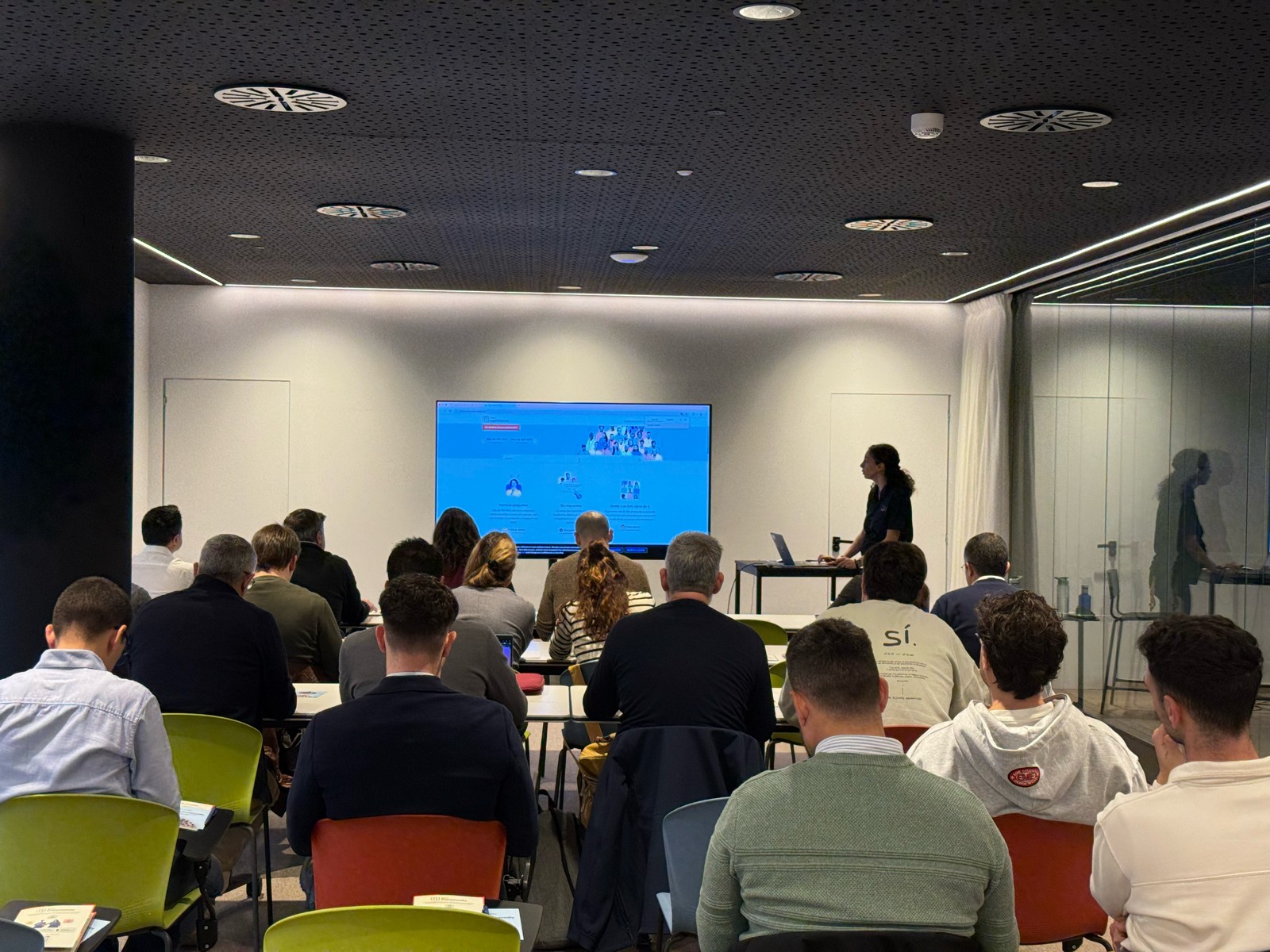
¡Muchas gracias por participar a los Meetups de Usuarios de Zoho! Y Novedades del ecosistema Zoho

¡Muchas gracias por participar a los Meetups de Usuarios de Zoho! Y Novedades del ecosistema Zoho

¡Hola Comunidad de Zoho en Español! 👋

Después de un breve lapso de tiempo, volvemos con una nueva edición de nuestro Community Digest, donde te contamos las novedades de los productos de Zoho en los últimos meses. Estas mejoras se centran en nuestros productos como CRM, Projects, Forms y Commerce, y refuerzan tres pilares clave del ecosistema Zoho: la IA, la automatización y la experiencia de usuario.

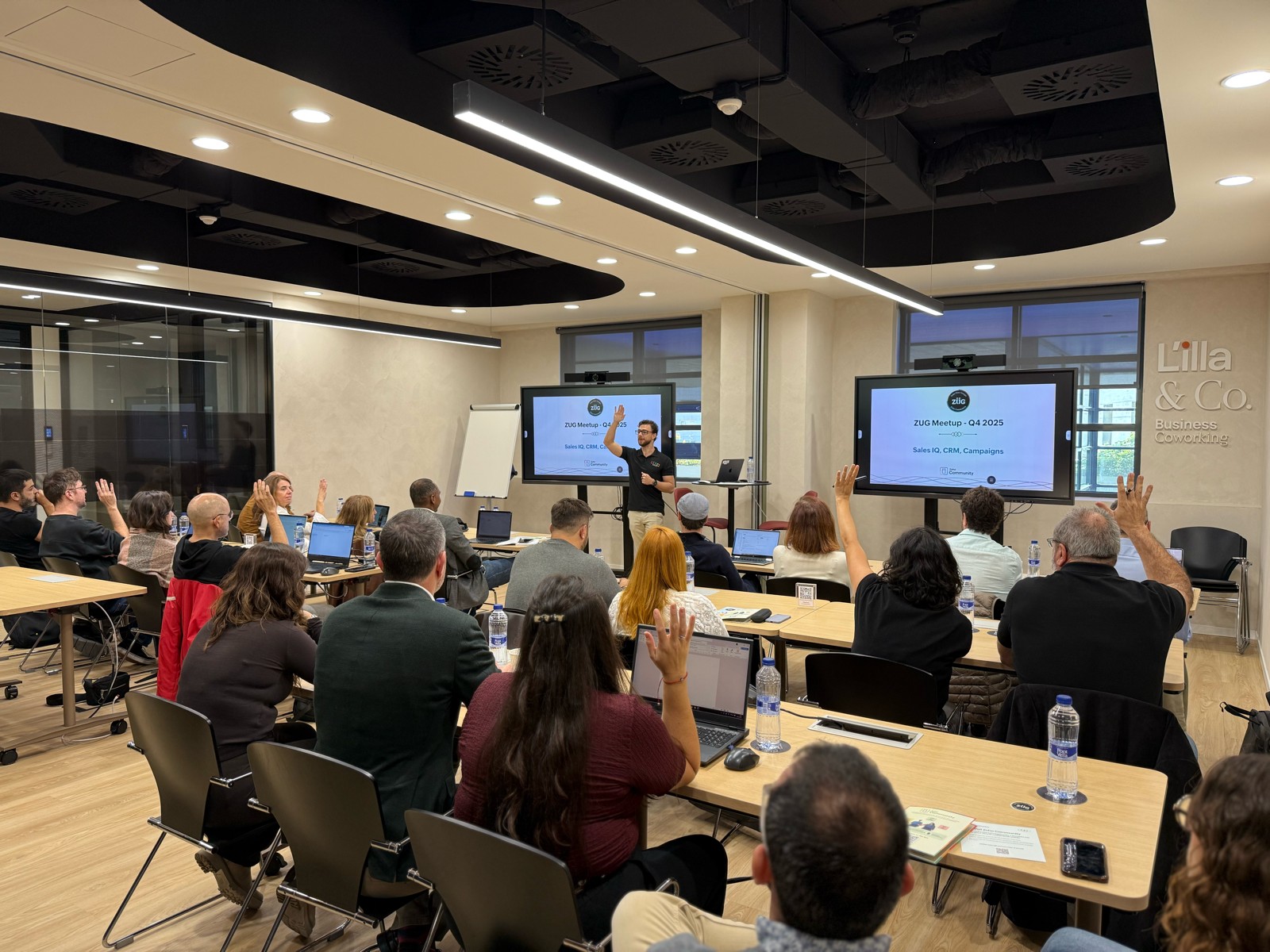
Meetup de Usuarios de Zoho

Primero, queremos agradecer a la comunidad de usuarios de Barcelona y Valencia por una sesión muy productiva: durante nuestro Meetups de usuarios de Español Zoho Community, hablamos de funcionalidades clave de SalesIQ y CRM, descubrimos nuevas formas de optimizar procesos y además aprovechamos para hacer networking. ¡Todo un lujo de jornada en la mejor compañía!

Y ahora sí, vamos con las novedades de nuestras herramientas. Prepárate, porque en estos últimos 6 meses han pasado muchas cosas:

1) Zoho CRM: Más inteligencia, más control y más flexibilidad  

Nuestro producto estrella ha presentado algunas mejoras muy relevantes para una mejor gestión de los datos de clientes y de tu ecosistema Zoho:
  1. CommandCenter 2.0. Para que puedas automatizar mejor tus recorridos, CommandCenter ha presentado las siguientes actualizaciones: 1) Una nueva interfaz más visual e intuitiva. 2) El uso de “signals”, que te permiten activar transiciones basadas en eventos provenientes de diversas fuentes. 3) Los “stages” ya no dependen de un único módulo, sino que permiten transversalidad entre varios.
  2. Zia LLM: Nuestra IA también se ha actualizado y ahora ZIA te ofrece sugerencias más seguras y rápidas y funciones de IA generativa integradas para no depender de de inteligencia artificial proveedores externos.
  3. Control de visibilidad: Ahora puedes dar permisos basados en los perfiles de los usuarios para gestionar quién puede ver la línea de tiempo y el historial de interacciones.
  4. Canvas mejorado: Hemos añadido un nuevo componente en formato cuadrícula para organizar datos de manera más flexible. Y Soporte para layouts responsivos mediante “breakpoints”.
  5. CRM for Everyone: Llevamos ya tiempo anunciando CRM for everyone, y desde el Q2 ya está aquí. Descubre una nueva forma de habilitar a tus equipos de marketing, atención al cliente o finanzas para que puedan colaborar dentro del CRM de forma más ágil.
  6. Integración con Microsoft Graph API: Ahora aseguramos una mejor conectividad con Outlook/Microsoft 365 mediante la conexión con Graph API.

2) Zoho Projects: Mejor control y mayor claridad en la gestión del trabajo  

En los últimos meses, Zoho Projects ha introducido mejoras directamente relacionadas con productividad, permisos y organización.

  1. Access Control en Time Logs: Gracias a la jerarquía de usuarios ahora puedes definir quién puede ver, añadir, editar o eliminar registros de tiempo dentro de su equipo y realizar acciones masivas para borrar time logs propios.
  2. Campos URL ampliados: Los campos URL en layouts de tareas ahora admiten hasta 1.000 caracteres, permitiendo enlaces más completos.
  3. Reutilización de listas de tareas: Puedes utilizar listas de tareas ya existentes dentro de tus plantillas, agilizando la creación de nuevos proyectos.
  4. Integración mejorada con Zoho Flow: Ahora puedes usar Zoho Flow para automatizar acciones desde reglas de workflow o blueprints dentro de Projects. 


3) Zoho Forms: Mejor accesibilidad en tus formularios, ahora más modernos y conectados  

Zoho Forms también ha presentado una gran cantidad de novedades durante estos últimos meses:

  1. Diseño en cuadrícula (grid layout): Ya puedes organizar tus formularios en 1, 2 o 3 columnas, mejorando su estética y su legibilidad.
  2. Verificación OTP integrada: Los formularios pueden solicitar OTP (para email/teléfono) sin salir de la pantalla.
  3. Múltiples cuentas de WhatsApp Business (para Zoho One) : Hemos ampliado la compatibilidad en cuanto a las cuentas de Whatsapp para aquellos equipos que manejan más de un canal de WhatsApp Business.
  4. Accesibilidad WCAG 2.2 AA : Zoho Forms ahora cumple con el estándar de accesibilidad WCAG 2.2 nivel AA, haciendo los formularios más inclusivos.
  5. Configuraciones mejoradas de Data Push: Ahora es posible enviar datos de campos específicos mediante configuraciones más precisas en “Post Submission Tracking”. 


4) Zoho Commerce 2.0: Más rápido, más global, más personalizable  

Hemos presentado oficialmente Commerce 2.0, una actualización de alto impacto que mejora rendimiento, diseño y capacidades globales:

  1. 15+ temas profesionales: Ahora puedes elegir entre más de 15 temas totalmente personalizables para construir tiendas modernas sin necesidad de utilizar código.
  2. Rendimiento optimizado: Ahora puedes hacer uso de CDN (Content Delivery Network) y además hemos implementado un código más ligero, reduciendo los tiempos de carga.
  3. Nuevas integraciones de envío  
  4. Checkout multimoneda: Te facilitamos vender fácilmente en distintos mercados internacionales con el checkout multimoneda.
  5. Nuevos informes y auditoría: Informes más detallados (p. ej., ventas por cupón) y activity Logs / Audit Trail para un seguimiento completo de acciones en la tienda.
Es increíble todo lo que avanza la tecnología en 6 meses, y nuestras mejoras siguen enfocadas a hacer mejor uso de la automatización, la colaboración entre equipos y la creación de experiencias más inteligentes y ágiles, sin perder el foco en el uso de la IA.

¿Qué te parecen estas actualizaciones? ¿Hay alguna que vayas a implementar? ¡Cuéntanoslo en comentarios!

¡Nos vemos en el próximo Digest!

    • Recent Topics

    • Capture Last check-in date & days since

      I have two custom fields on my Account form, these are "Date of Last Check-In" and "Days Since Last Contact" Using a custom function how can I pull the date from the last check-in and display it in the field "Date of Last Check-In"? and then also display the number of days since last check-in in the "Days SInce Last Contact" field? I tried following a couple of examples but got myself into a bit of a muddle!
    • Why is the ability Customize Calls module so limited?

      Why can't I add additional sections? why can't I add other field types than the very limited subset that zoho allows? Why can I only add fields to the outbound/inbound call sections and not to the Call Information section?
    • Zoho Desk - Upsert Ticket

      Hi Desk Team, It is common to request more information from end-users. Using forms is a great way to ensure all the required information is collected. It would be great if there were an "upsert" option on the Zoho Form -> Zoho Desk integration which would
    • CRM gets location smart with the all new Map View: visualize records, locate records within any radius, and more

      Hello all, We've introduced a new way to work with location data in Zoho CRM: the Map View. Instead of scrolling through endless lists, your records now appear as pins on a map. Built on top of the all-new address field and powered by Mappls (MapMyIndia),
    • Enhance Appointment Buffers in Zoho Bookings

      There was previously a long-standing feature request related to enhancing the way appointment buffers work in Zoho Bookings, but it looks like the original post has been deleted. I am therefore adding a new request that Zoho Bookings adjust how appointment
    • Subscriptions for service call

      So we install products and we want to offer a service contract for the customers yearly service calls to be billed monthly. So ideally at some point we want to email them a quote for their needs. WE will choice it our end based on the equipment. It would
    • Connection to other user

      Zoho Cliq handles sharing of Custom OAuth Connections that require individual user logins.
    • How to invite friends on other social media platforms to one of my group chats in arattai?

      Hello, I have formed chat groups in arattai. I want to invite my friends on other social media platforms like WhatsApp/ FB to one of my groups. Different friends would be invited to different groups. How to share an invite link of one of my groups to
    • Cliq does not sync messages after Sleep on Mac

      I'm using the mac app of Cliq. When I open my mac after it was in sleep mode, Cliq does not sync the messages that I received. I always have to reload using cmd + R, which is not what I want when using a chat application.
    • Creator Offline

      We had online access setup and working on our iphones. We have just set it up on an 'Android Tablet' and it is not downloading all the images? We use it to show customers our catalogue. Any ideas. Offline components all setup on both devices
    • Optimum CRM setup for new B2B business

      Can some advise the most common way to setup Zoho CRM to handle sales for a B2B company? Specifically in how to handle inbound/outbound emails. I have spent hours researching online and can't seem to find an accepted approach, or even a tutorial. I have
    • Facing Issues with Sites Mobile font sizes

      my page renediaz.com is facing issues mobile view, when i try to lower font sizes in home page, instead of changing the size, it changes the line space
    • Does the Customer “Company Name” field appear anywhere in the Zoho Books UI outside of PDFs?

      Hi everyone, I’m trying to understand how the Company Name field is actually used in Zoho Books. There is a Company Name field on the customer record, but when viewing transactions like a Sales Order in the normal UI (non-PDF view), that field doesn’t
    • Set expiration date on document and send reminder

      We have many company documents( for example business registration), work VISA documents. It will be nice if we can set a expiry date and set reminders ( for example 90 days, 60 days, 30 days etc.,) Does Zoho workdrive provide that option?
    • Analytics : How to share to an external client ?

      We have a use case where a client wants a portal so that several of his users can view dashboards that we have created for them in Zoho Analytics. They are not part of our company or Zoho One account. The clients want the ability to have user specific,
    • Automatically Update Form Attachment Service with Newly added Fields

      Hi, When I have a Form Setup and connected to a 3rd Party Service such as OneDrive for Form Attachments, when I later add a new Upload Field I have to remove and redo the entire 3rd Party Setup from scratch. This needs to be improved, such as when new
    • Zoho Sheet for Desktop

      Does Zoho plans to develop a Desktop version of Sheet that installs on the computer like was done with Writer?
    • Payroll and BAS ( Australian tax report format )

      Hello , I am evaluating Zoho Books and I find the interface very intuitive and straight forward. My company is currently using Quickbooks Premier the Australian version. Before we can consider moving the service we would need to have the following addressed : 1.Payroll 2.BAS ( business activity statement ) for tax purposes 3.Some form of local backup and possible export of data to a widely accepted format. Regards Codrin Mitin
    • Zoho Desk API - Send Reply to CUSTOMERPORTAL

      Hello! I'll try to send a reply to Customer Portal, But the response is 500 (INTERNAL_SERVER_ERROR in service response). {"Error":"{\"errorCode\":\"INTERNAL_SERVER_ERROR\",\"message\":\"An internal server error occurred while performing this operation.\"}"}
    • Python - code studio

      Hi, I see the code studio is "coming soon". We have some files that will require some more complex transformation, is this feature far off? It appears to have been released in Zoho Analytics already
    • Dheeraj Sudan and Meenu Hinduja-How do I customize Zoho apps to suit my needs?

      Hi Everyone, I'm Meenu Hinduja and my husband Dheeraj Sudan, run a business. I’m looking to tweak a few things to fit my needs, and I’d love to hear what customizations others have done. Any tips or examples would be super helpful! Regards Dheeraj Sudan
    • From Zoho CRM to Paper : Design & Print Data Directly using Canvas Print View

      Hello Everyone, We are excited to announce a new addition to your Canvas in Zoho CRM - Print View. Canvas print view helps you transform your custom CRM layouts into print-ready documents, so you can bring your digital data to the physical world with
    • Zoho Books Payroll

      How am I supposed to do payroll and pay my employees with Zoho Books? I think it's pretty strange that an accounting software doesn't have the ability to perform one of the most common functions in business; paying your employees. Am I missing something,
    • Layout Rules Don't Apply To Blueprints

      Hi Zoho the conditional layout rules for fields and making fields required don't work well with with Blueprints if those same fields are called DURING a Blueprint. Example. I have field A that is used in layout rule. If value of field A is "1" it is supposed to show and make required field B. If the value to field A is "2" it is supposed to show and make required field C. Now I have a Blueprint that says when last stage moves to "Closed," during the transition, the agent must fill out field A. Now
    • validation rules doesn't work in Blueprint when it is validated using function?

      I have tried to create a validation rule in the deal module. it works if I try to create a deal manually or if I try to update the empty field inside a deal. but when I try to update the field via the blueprint mandatory field, it seems the validation
    • Sort Legend & stacked bar chart by value

      I'd love to see an option added to sort the legend of graphs by the value that is being represented. This way the items with the largest value in the graph are displayed top down in the legend. For example, let's say I have a large sales team and I create
    • Is It Possible to Convert a Custom Module to a Quote?

      I recently created a custom module in our CRM environment for RFQs so that our sales team can submit quote requests directly in Zoho rather than by email/phone. This allows for a cleaner overall process, minimizing potential errors and potentially encouraging
    • All new Address Field in Zoho CRM: maintain structured and accurate address inputs

      The address field will be available exclusively for IN DC users. We'll keep you updated on the DC-specific rollout soon. It's currently available for all new sign-ups and for existing Zoho CRM orgs which are in the Professional edition. Latest update
    • How can Data Enrichment be automatically triggered when a new Lead is created in Zoho CRM?

      Hi, I have a pipeline where a Lead is created automatically through the Zoho API and I've been trying to look for a way to automatically apply Data Enrichment on this created lead. 1) I did not find any way to do this through the Zoho API; it seems like
    • Client Side Scripts for Meetings Module

      Will zoho please add client side scripting support to the meetings module? Our workflow requires most meeting details have a specific format to work with other software we have. So we rely on a custom function to auto fill certain things. We currently
    • Proposal: Actionable API Error Messages to Reduce Support Ticket Volume

      I've encountered a long-standing frustration with how Zoho Creator's API communicates errors to developers, and I'm hoping the Zoho team can address this in a future update. This issue has persisted for over 9 years based on community discussions, and
    • Zoho CRM - Option to create Follow-Up Task

      When completing a Zoho CRM Task, it would be very helpful if there was an option to "Complete and Create Follow-Up Task" in the pop-up which appears. It could clone the task you are closing and then show it on the screen in edit mode, all the user would
    • Dynamic Field Folders in OneDrive

      Hi, With the 2 options today we have either a Dynamic Parent Folder and lots of attachments all in that one folder with only the ability to set the file name (Which is also not incremented so if I upload 5 photos to one field they are all named the same
    • Drag 'n' Drop Fields to a Sub-Form and "Move Field To" Option

      Hi, I would like to be able to move fields from the Main Page to a Sub-Form or from a Sub-Form to either the Main Page or another Sub-Form. Today if you change the design you have to delete and recreate every field, not just move them. Would be nice to
    • File Conversion from PDF to JPG/PNG

      Hi, I have a question did  anyone every tried using custom function to convert a PDF file to JPG/PNG format? Any possibility by using the custom function to achieve this within zoho apps.  I do know there are many third parties API provide this with
    • Allocating inventory to specific SO's

      Is there a way that allocate inventory to a specific sales order? For example, let's say we have 90 items in stock. Customer 1 orders 100 items. This allocates all 90 items to their order, and they have a back order for the remaining 10 items which could
    • Cliq iOS can't see shared screen

      Hello, I had this morning a video call with a colleague. She is using Cliq Desktop MacOS and wanted to share her screen with me. I'm on iPad. I noticed, while she shared her screen, I could only see her video, but not the shared screen... Does Cliq iOS is able to display shared screen, or is it somewhere else to be found ? Regards
    • Pull cells from one sheet onto another

      Hello all! I have created an ingredients database where i have pricing and information and i want to pull from that database into a recipe calculator. I want it to pull based on what ingredient I choose. The ingredients database has an idea and i want
    • Closing the Loop: Why Lookup Asymmetry is Harming Data Integrity in Creator

      TL;DR: Lookup fields allow users to add new related records inline via the "+" icon, but there's no equivalent ability to edit an existing related record without navigating away and losing form context. Adding a native "Edit" icon—with automatic User
    • Add the ability to Hide Pages in Page Rules

      Hi, We have Field Rules to show and hide fields and we have page Rules, but we can't hide a page in Page Rules so it isn't completed before the previous page (And then have the Deny Rules to prevent submitting without both pages completed), we can only
    • Next Page