Bridging the gap between incident management and project delivery
Bridging the gap between incident management and project delivery


As an organization, you can have structured backup plans to handle issues that arise during project execution. Despite best efforts, even efficient processes can fall into an escalation trap where a red flag travels up the tiers but no real action follows. If you're into the construction or software industries, we're sure you can relate. Let’s see how Zoho Projects and Zoho Desk can help your business hit the sweet spot between contingency planning and escalation management.
 

Sync up issues and tickets
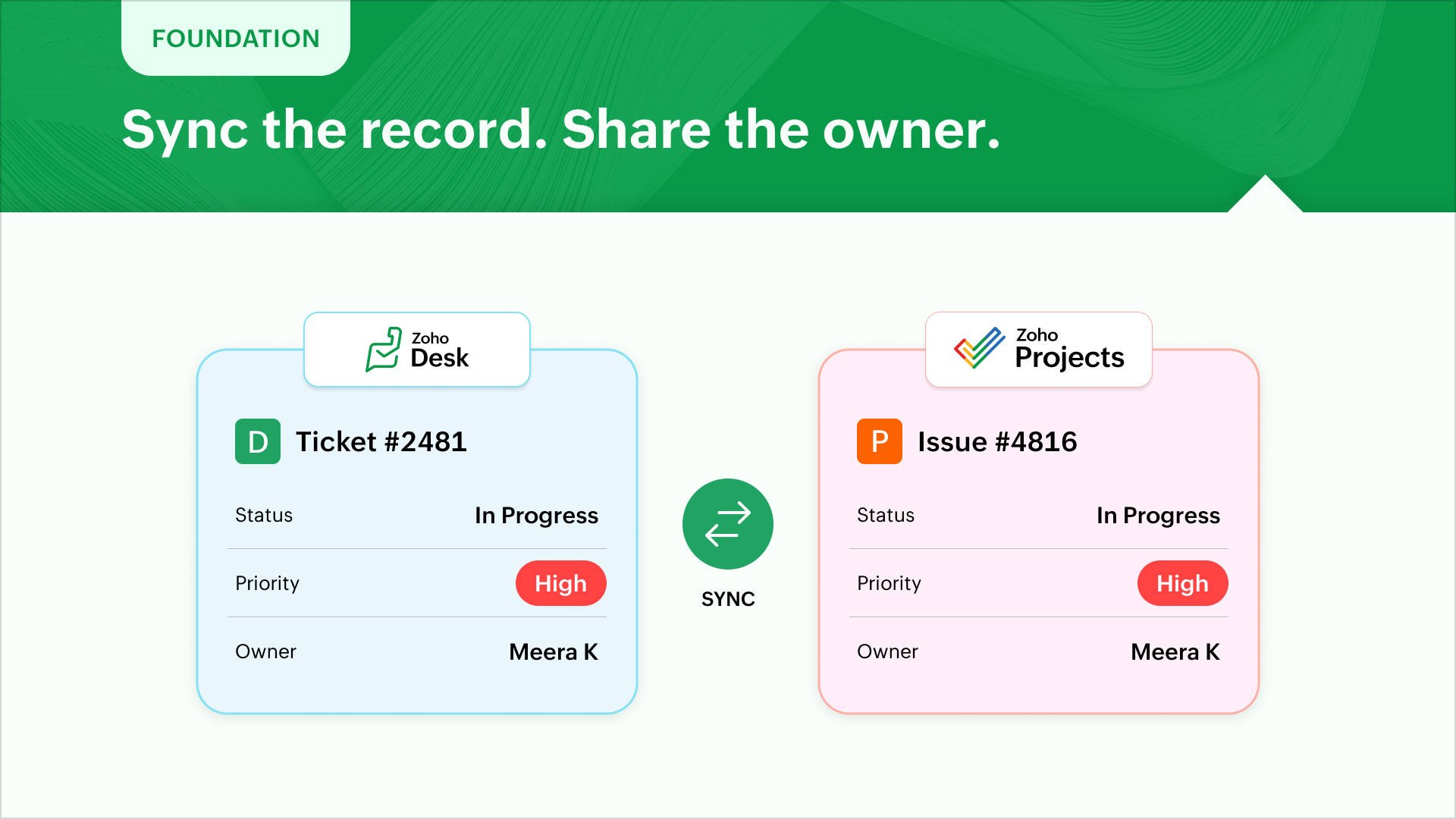

To ensure smooth handover and execution, the logical starting point will be to sync the statuses, priorities of desk tickets and project issues. The next step would be to ensure desk agents and issue owners are present on both the platforms to ensure ownership and follow through.

Include incidents while planning
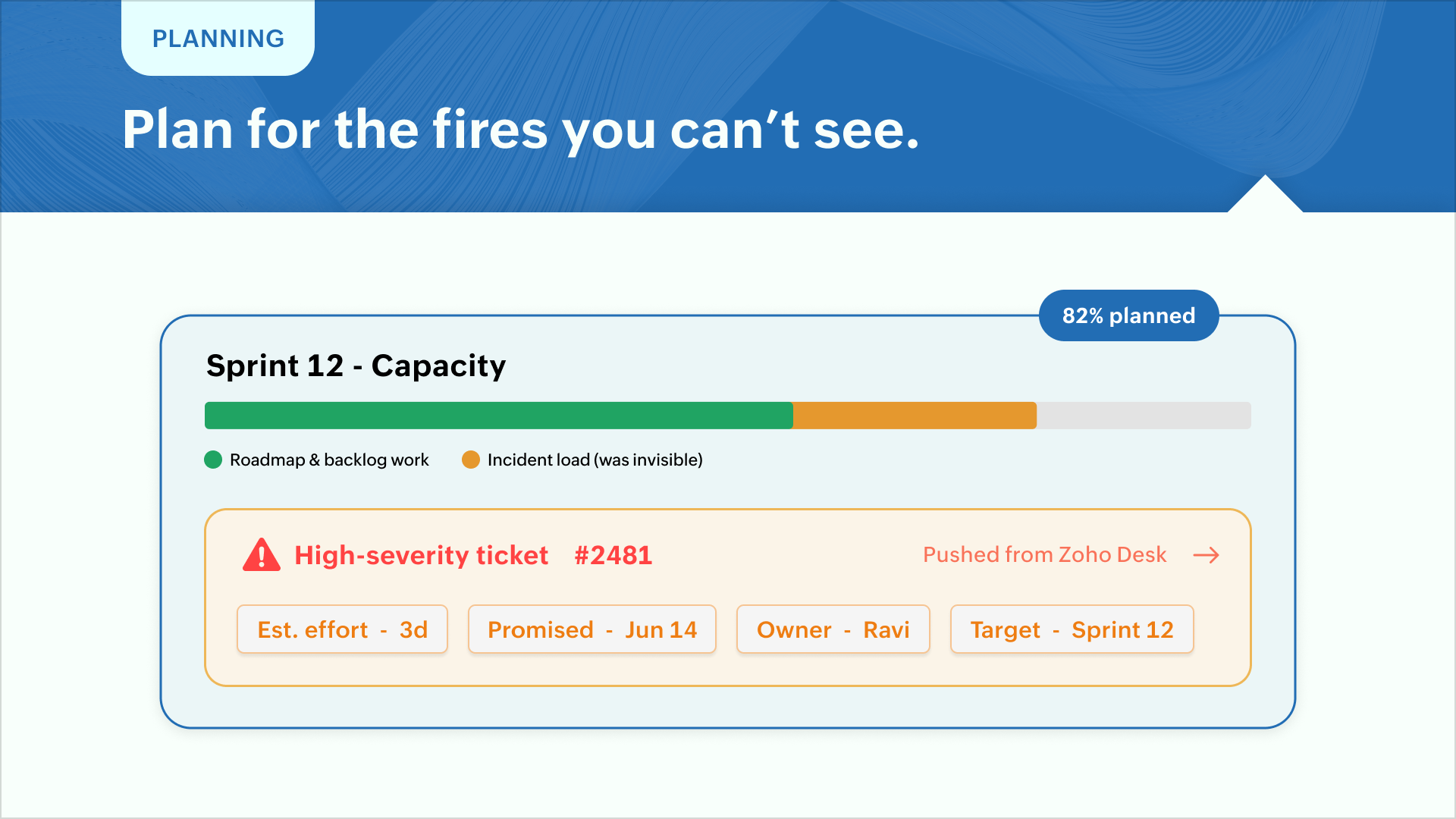


Planning a phase or sprint depends heavily on the roadmap and backlogs. But resolving high severity tickets take up significant bandwidth which don't make it to Zoho Projects. Zoho Desk can push the issue resolution with estimated effort and promised delivery times and assign them to a name owner and target phase. This helps in prioritization and capacity planning before initiating a sprint.

Don't let delays damage reputation
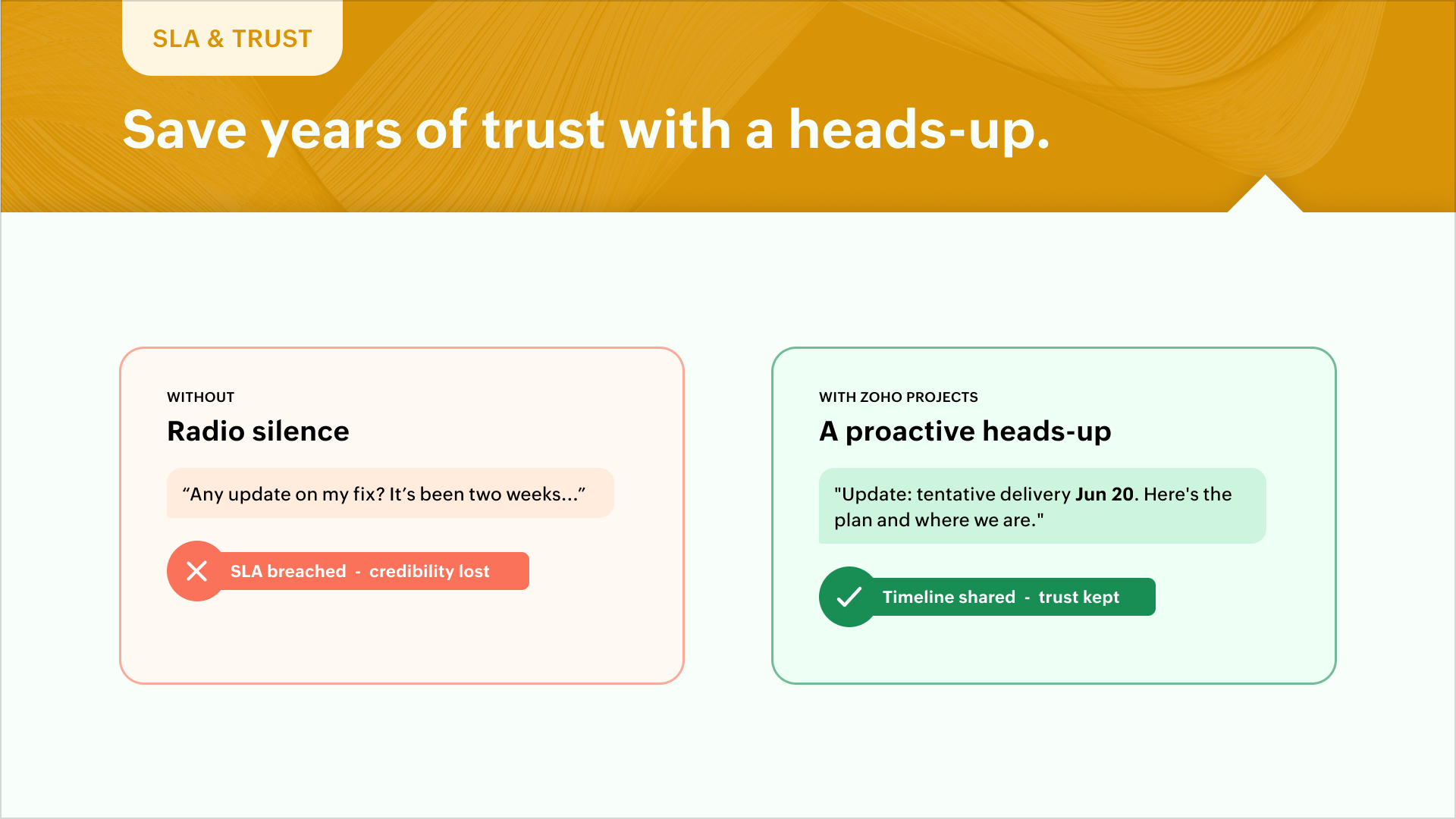

A technical debt, unexpected scope creep, change of plans–all contribute not only to delayed building but strained SLAs. A promised fix or enhancement will miss the deadline during such events. Zoho Projects can notify stakeholders and offer a peek into the tentative timeline for delivery. A timely gesture can save years of built credibility for support teams.

Ensure resolution reaches support


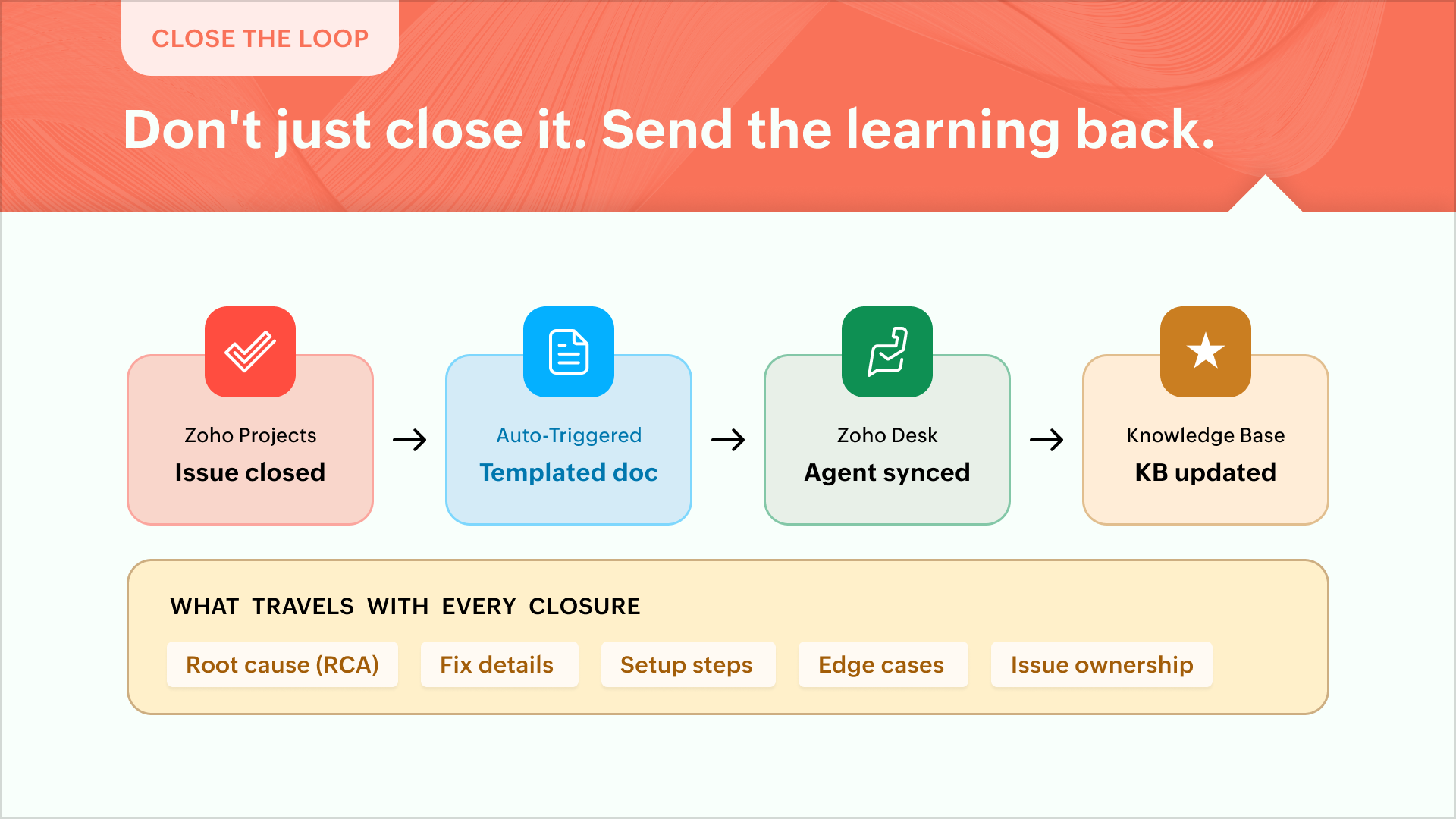
Most of the time, execution teams act on the reported incident and close the issue inside Zoho Projects. But the real impact is when the root cause (RCA), fix details, setup steps, edge cases, and issue ownership make it to Zoho Desk. Better still, the learnings or updates make it to the KB article concerned. Every issue closure can initiate a templated documentation to keep support in sync.

Present a unified view
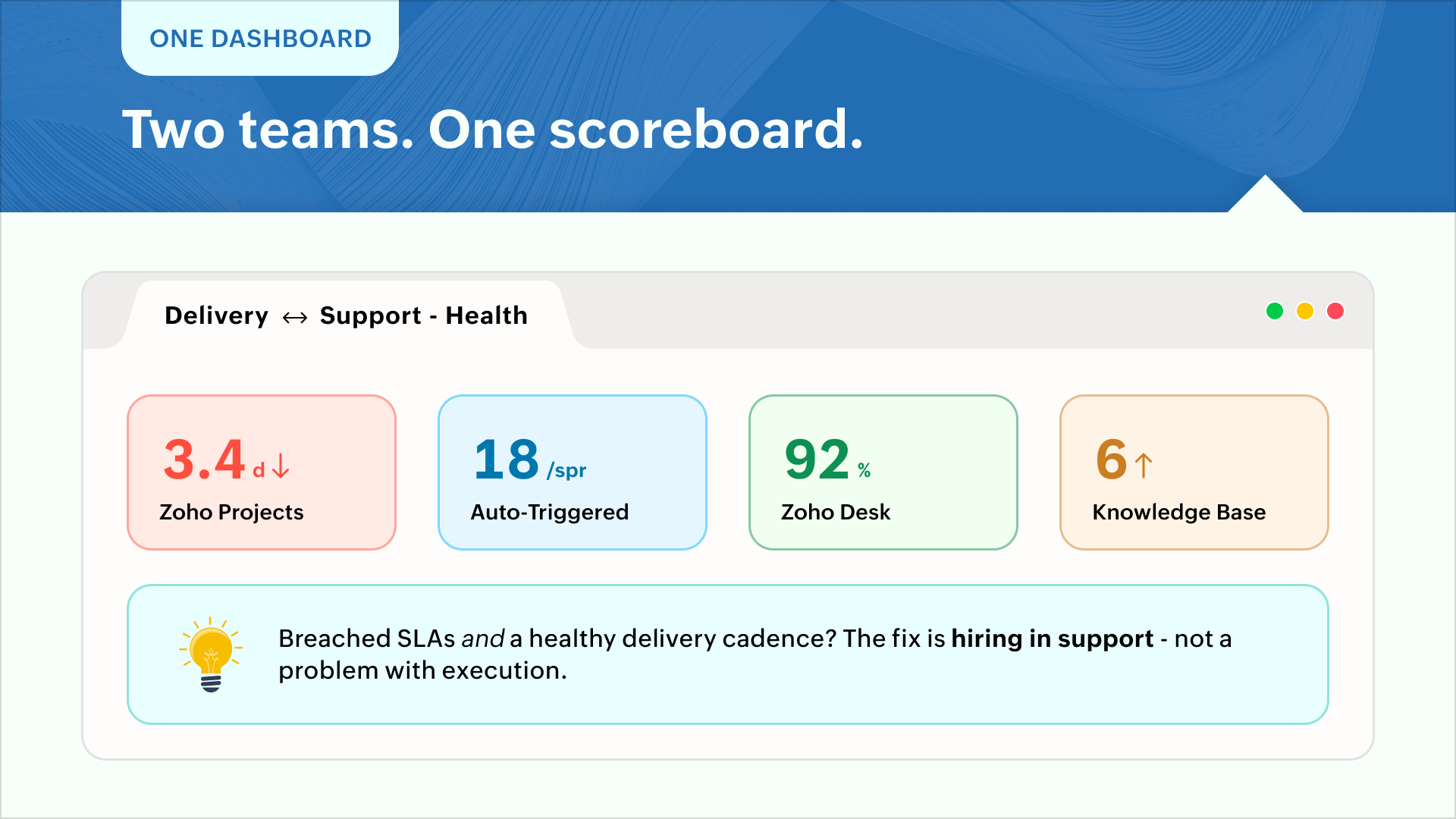

Execution teams go by volume and cadence while support teams champion customer satisfaction and SLA compliance. Say, for instance, breached SLAs and a healthy delivery cadence might call for more hiring in support while it can be a problem with execution. A unified dashboard showing metrics for "resolution times vs delivery volume" can present a realistic view for calculated decision-making.

Enhance customer experience
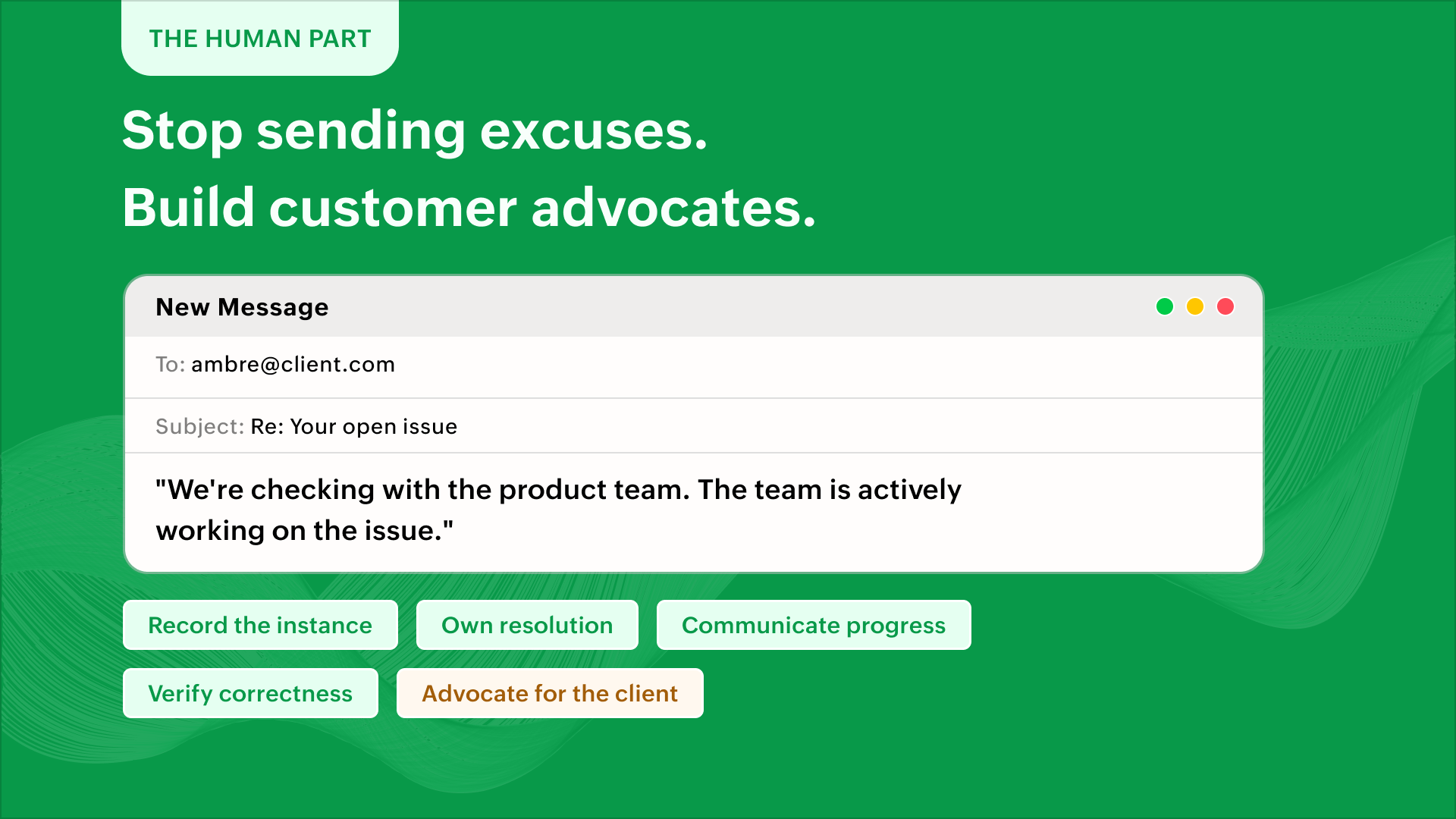

This is one line that your support representative dreads typing in emails - "We're checking with the product team. The team is actively working on the issue."

Issues happen, things break, and processes fail. But recording the instance, owning issue resolution, ensuring resolution correctness, communicating internal progress and advocating for client-success can go a long way in establishing long-lasting relationships. An empathetic support team and a poised execution team can help build advocates for a successful business.

IdeaPro tip: A custom module can create visibility into pending items or critical incidents that impact capacity or sprint planning. This avoids resource burnouts and helps you build credibility with your clients. A hassle-free delivery experience wins their trust or brings in additional revenue or both.  You can work with a partner if you'd like to.

The Zoho Projects-Zoho Desk integration

The Zoho Projects plugin for Zoho Desk lets agents create tasks and issues directly from a ticket. Issues and tasks, in turn, display their associated tickets. Project feeds reflect ticket replies and attachments in real time.

Learn how to set up the extension and what it does here - Zoho Projects extension for Zoho Desk.

Zoho Projects and Zoho Desk can together orchestrate SLA governance, account health, risk management, planning, prioritization, and a lot of other parameters governing effective delivery. If you're looking to build solutions on these lines, feel free to reach out to us or you can work with our partner community to customize this for you. Talk to us - support@zohoprojects.com.

Best,

Zoho Projects Team

    • Sticky Posts

    • Improve User Onboarding in Zoho Projects with Zoho DAP

      Rolling out new processes or onboarding new users in the tool comes with a familiar challenge: the employees need guidance at the moment they are doing the work. Traditional training sessions and knowledge sharing often require users to leave the application.
    • Introducing the Zoho Projects Learning Space

      Every product has its learning curve, and sometimes having a guided path makes the learning experience smoother. With that goal, we introduce a dedicated learning space for Zoho Projects, a platform where you can explore lessons, learn at your own pace,
    • Create Custom Module Using AI in Zoho Projects

      Every team has its own way of managing work. While standard modules support common project management needs, many business processes require their own structure, fields, and terminology. With AI-powered Custom Modules in Zoho Projects, users can create
    • Update on V2 API End-of-Life Timeline

      Dear Users, Earlier this year, we shared the launch of the V3 APIs and requested users to migrate from the older V2 APIs by December 2025. We have received valuable feedback from our users and partners regarding their migration timelines. We are happy
    • Automation Series: Auto-assign Task Followers

      As task progresses, several users are required to stay aware of the updates to plan their upcoming work items efficiently. Manually adding users as followers for an active task might create additional overhead. With this automation, followers can be added
    • Recent Topics

    • Zoho CRM Layout Rules: Nine New Actions, Profile-Based Execution, and Interactive Preview

      Hello everyone, Availability: This feature is now available for customers in the JP and SA DCs. It is planned to be released for other customers in soon. We’re excited to announce powerful new enhancements to Layout Rules in Zoho CRM - a feature built
    • Zoho Books and TRAINING SALES receipt label for eTims?

      Hi, Can Zoho Books implement TRAINING SALES receipts and push them to eTims for test? In other words how can we send to Zoho or even create in Zoho training mode invoices and TEST the workflow POS>Zoho Books>eTims and back without actually registering
    • Reporting Tags and COGS

      Is there any way to get COGS recorded against reporting tags? The use cases seems very straightforward to me. If I'm running a P/L report against a specific reporting tag (I use mine for customer type, but it could be used for regions, etc.), the revenue
    • Hide Custom Fields for Customers or Vendors

      For whatever reason, all custom fields added to the Customer module also get added to the Vendor module. This leads to a clunky experience for users, as many custom fields we add only apply to one or the other. There should be a "hide" option to hide
    • Onboarding process

      I urgently need onboarding support. My account still shows trial period.
    • Detailed General Ledger - Display Transaction Description in Reports

      Hi Zoho Team, I'm currently using Zoho Books and have a question regarding the Detailed General Ledger report. When we enter a description or narration in transactions (Bills, Journal Entries, Expenses, etc.), the report does not display this description.
    • Zoho Mail Does Not Integrate with Analytics

      Hello everyone, Just wanted to make a quick post about the problem with zoho mail. Currently it does not connect to Zoho Analytics, which I think is crazy considering both of these applications have existed for a long period of time. Even zoho voice a
    • Net ##th Terms (e.g. due on the following 15th)

      I have a client who pays me twice monthly per our contract. It would be helpful to have terms on my invoices where the invoice is due on the 15th or the 30th of the same or the following month.
    • View Answer Bot conversations?

      We are trialing Zia and are experimenting with Answer Bot on our knowledge base. So far so good! Management asks me if it is possible to view Answer Bot conversations, the purpose being to look over its shoulder and confirm that it is working as des
    • Project status update visibility within a project

      Currently the only place within Zoho projects to see status updates for a given project is actually not in the project it's self it's in the Collaboration section and then by searching for a given project and clicking on the status tab. It would be great
    • Using custom CRM fields

      I have created a series of fields in the Deals module that need to be linked to fields in a contract I have customized. I can only see how to map standard fields, not the custom ones. How do I do this?
    • Como limitar o Zia Agent?

      Geralmente quando estamos criando um agente de IA no ZIa Agent Studio, colocamos o que ele deve fazer, utilizando as instruções que colocamos no Knowledge Base. Mas como colocamos limites que não devem ser ultrapassados? Para isso utilizamos os Guardrails,
    • An important update for Zoho Cliq desktop users

      The latest version of the Zoho Cliq desktop app (v1.8.0) will no longer be supported on macOS 10.15 Catalina and earlier versions. This is because the framework we use (Electron) no longer supports some older macOS versions. If you’re using macOS 10.15
    • All new Address Field in Zoho CRM: maintain structured and accurate address inputs

      Availability Update: 29 September 2025: It's currently available for all new sign-ups and for existing Zoho CRM orgs which are in the Professional edition exclusively for IN DC users. 2 March 2026: Available to users in all DCs except US and EU DC. 24
    • Zoho Flow - Zoho Desk trigger "Ticket created or updated" overrides Department

      Just in case anyone else has this issue. We had a Zoho Flow with the Zoho Desk trigger "Ticket created or updated". In the trigger I had selected a Department (Sales). What happens is that the Department ID (Sales) is submitted as part of the request
    • Layout rules in Zoho FSM

      As titled, is there an item in the pipeline or an ETA for the implementation of layout rules in Zoho FSM? Similar to how they work in Zoho CRM https://help.zoho.com/portal/en/kb/crm/customize-crm-account/customizing-page-layouts/articles/create-conditional-layouts
    • 2026 Product Roadmap and Upcoming Features

      This is your guide to what is coming in Zoho Vertical Studio throughout 2026. We’ll update this post throughout the year as items move from development to release, and as and when new initiatives are added. Once a feature is released, it will be reflected
    • Introducing Canvas templates: Design once, apply everywhere

      Greetings all! We're happy to introduce Canvas templates, a Forms view enhancement that enables you to design form layouts just once and apply them seamlessly across multiple modules. Imagine you use five CRM modules (Contacts, Deals, Leads, and more),
    • Zoho Projects - Will there ever be a send email feature in Zoho Project?

      Hi team, Are there plans to or will there ever be a sendemail feature in Zoho Projects, brining it in line with other similar platforms like Asana, ClickUp and Monday? I know that you can add comments via email to a specific task, but I believe this only
    • Why cant i see the Campaigns module in my Zoho app

      I am on the ZOHO CRM Standard edition. I can clearly see and use the Campaign module when viewing the ZOHO CRM desktop. When I switch to my phone, the Campaign Module does not show. I have gone through all the settings I can think of, but I still can't
    • 📣 Ask the team behind Zoho SalesIQ: Summer '26 Q&A

      Hi everyone! Following our recent webinars, Summer '26 Release: What's New in Zoho SalesIQ—where we walked you through all the new features, what they do, and how they work—and Driving the AI Evolution: Building Smarter Customer Experiences with Zoho
    • Always display images from this sender – Is this feature available?

      In Zoho mail, I had my "Load external images" setting set to "Ask me", and that's fine. That's the setting I prefer. What's not fine though is I always need to tick "Display now" for each email I get, regardless if I've done that multiple times from several
    • Set Custom Icon for Custom Modules in new Zoho CRM UI

    • Displayed sample tracking for multi branch setup.

      We have multiple branches and one of the biggest challenges for us to be able to track if a particular item is in display or not. I am shooting in the dark but I am wondering if there is a solution for the following : Each product used for display is
    • How do I migrate from Office 365 to Zoho Mail?

      Check out Advik Email Migration Wizard, this software is specially developed to move mailboxes from Office 365 to Zoho Webmail. In addition you can migrate from Gmail, Yahoo, Rediffmail and 80+ webmail servers to ZOHO MAIL. Isn't it amazing? This is an all in one email migration solution. Steps to export emails from Office 365 to Zoho Webmail are as follows; Run Advik Email Migration Tool in your system. Select Office 365 as source and enter its login credentials. Select mailbox folders and choose
    • Connection Issues

      Morning. Seems like a few of my colleagues that are offsite are having issues with connection to cliq, even when their internet is working perfectly fine and only 1 person onsite has issues. Can you please explain? Thanks
    • Goals API - Zoho People

      Hi Team, I would like to get the API details for retrieving organisation-wise Goals from Zoho People. Currently, I am able to retrieve individual employee goals using the following API: https://people.zoho.com/api/v3/performance/goal/{emp_id} However,
    • Backorder process review - Automating Removal of Sales Order from "On Hold" When PO is Received

      Hello Zoho Inventory Team, Currently, sales orders in On Hold status are released only when the bill for the purchase order is created. In our workflow, it would be much more efficient if the sales order could automatically move out of On Hold as soon
    • Cliq iOS can't see shared screen

      Hello, I had this morning a video call with a colleague. She is using Cliq Desktop MacOS and wanted to share her screen with me. I'm on iPad. I noticed, while she shared her screen, I could only see her video, but not the shared screen... Does Cliq iOS is able to display shared screen, or is it somewhere else to be found ? Regards
    • Which Is the best online store to buy office furniture in Australia ?

      The most important part of your office is the office furniture. Your office is not complete when you have not put the required furniture in place. You need a furniture in your office so that you and your employees have desks, tables, and chairs which
    • Add "Product Code" as available column and search criteria for Assemblies

      Hi Zoho Community. For product (item) assemblies, it would be helpful to be able to create a custom view search criteria that limits the view by product code or perhaps product category. Currently, Product Code is not an available option to display as
    • What's New - July 2026 | Zoho Backstage

      Hello everyone, We hope you’re having an expectation-exceeding event experience! We’ve been hard at work bringing you a bunch of enhancements designed to make event management even easier. Let’s take a look at what’s new in Zoho Backstage. Export delivery
    • Delete Field that is used in a Zoho Flow connection

      I'm trying to delete a Field used in a Webhook created by Zoho Flow with CRM Connection and i get the following alert: When going to the alert i get to the following issue, can't edit it since its been deployed by a pluggin But yes i have here the prompted
    • Zoho Books | Product updates | August 2026

      Hello users, July has been an exciting month for Zoho Books! This month, we're excited to introduce HTML PDF Templates, Placeholders as Pills, expanded approval workflows for Sales Returns and Journals, and significant compliance updates across the India,
    • Q3 USA ZUG Meetups - Build AI Agents with Zoho

      Hi everyone! What if you could build your own AI agent from scratch in just one session? That's exactly what we're going to do at the upcoming ZUG Meetups across the United States, where you'll get hands-on experience with Zia Agents and explore how AI
    • Data Export is forcing Creation/Modified date just like reports

      The data export now forces you to select a created or modified date. There is not an All-Time option. This severely cripples the whole function of data export for audit purposes. If the data export (or reports for that matter), requires a date, there
    • Default ticket template in helpcenter

      Hello, I have a web form and a ticket template created. How can I make that my default ticket template? If an user clicks New ticket or create a ticket, I want that template to be the default one. Thank you for the time and info.
    • Zia Agents looks promising, but I still cannot deploy my first agent or connect WhatsApp after weeks of support tickets

      Hi Everyone, I am posting here because I am stuck and need practical help from someone who has successfully deployed a Zia Agent with WhatsApp. Zia Agents looks like a very promising product. I have watched the platform expand quickly, and I have noticed
    • Valid characters for use in email addresses using Zoho's apps/APIs

      We have found an issue with the + sign character in zoho subs - we are allowed to create a customer with an email address that has a plus sign but the API doesn't allow the + so the billing portal is not created. We are going to prevent users from using
    • Feature Request – Per-Channel Pre-Chat Form Controls

      We'd like the ability to enable/disable the pre-chat form on a per-channel basis, rather than having a single global setting. On the website widget, asking for name and email before chat starts makes sense. On WhatsApp, however, email isn't necessary
    • Next Page