Connect and Engage On the Go: How Zoho SalesIQ's Mobile App Empowers Sales Teams?
In sales, timing is crucial. It makes a huge difference.
What if a prospect is checking out your pricing page? Or a high-value lead revisits your business' website or mobile app while you're at lunch? You can’t afford to miss that opportunity, and you need to strike immediately. Right?
But in reality, sales people may not always be available at their desks. Whether your sales representatives are meeting a client, commuting, or taking a quick break, opportunities can arise at any moment—and your Sales Team needs to be ready.
And, we have the perfect solution! The Zoho SalesIQ Mobile App is built to give sales professionals the tools they need to connect with visitors to your business' website or mobile app in real time, qualify leads intelligently, and manage their pipelines on the go.

How does the SalesIQ Mobile App help your sales team?
Let’s explore how the SalesIQ Mobile App can make a sales representative's day-to-day activities much more efficient and effective.
I. Engage prospects instantly, even when on the move

On the way to a client meeting, Emma, a sales representative, gets notified that a visitor has entered the website and checks to see that they are viewing a particular product. With one tap on the SalesIQ App, Emma initiates a live chat, answers their questions, and sparks immediate interest—all before reaching her destination.

The SalesIQ Mobile App enables sales representatives to chat with website visitors straight from their phone, responding in real time without needing to be at a desk.
How this helps sales reps?
- Be instantly available to answer prospect questions - wherever you are.
- Respond instantly to inbound queries to reduce turnaround time.
- Initiate chats based on visitor behavior, instead of waiting for them to reach out.
II. Spot and Prioritize High-Potential Leads
As Emma chats, she notices that the visitor’s lead score is high: they've browsed key product pages and downloaded the pamphlet earlier. Realizing that the visitor is highly interested, she gives them priority, reaches out with a customized offer to close the deal faster.
With Lead scoring on SalesIQ, sales representatives can easily spot and prioritize high potential leads and engage with prospects who are most likely to convert. The lead score will be based on the visitor's actions on your website/mobile app.
How this helps sales reps?
- Eliminate guesswork by focusing on leads with real buying intent.
- Save time by not chasing cold or low-intent prospects.
- Use visitor activity to automatically qualify leads based on their potential.
- Receive push notifications when high-priority leads visit your website/mobile app, ensuring timely engagement.

III. Monitor Visitor behaviour with Live Visitor View
Seeing that the visitor has just clicked on the "New Offers" page, Emma shifts the conversation:
“Would you like me to show you a list of customized brand-new offers that are trending right now?” This personalized approach immediately connects with the visitor, peaking their interest and paving the way to a potential purchase.
Knowing who is on your website/mobile app and understanding their journey and intent is crucial for personalized sales engagement. The SalesIQ Mobile App tracks visitor activity like what pages they view, how long they stay, and what interests them most in real time, helping sales representatives tailor their conversations based on interests and needs.
How this helps sales reps?
- Quickly understand each prospect’s needs without asking repetitive questions.
- Use page navigation history to gauge visitor intent and tailor your approach.
- Jump into conversations at the perfect time, based on live visitor behavior.

IV. Update CRM and Keep Deals Moving — Instantly
As Emma almost reaches her destination for her client meeting, she decides that this was a successful live chat with a potential client, and Emma quickly updates the lead’s details in Zoho CRM using the Mobile App, ensuring a smooth transfer of data and seamless handover for sales follow-up.
SalesIQ syncs seamlessly with Zoho CRM, allowing reps to add leads, contacts, and even add deals and follow up tasks on CRM—all from the SalesIQ Mobile App.
How this helps sales reps?
- Add or update lead details in Zoho CRM right from the mobile app.
- Access critical customer information before initiating a chat.
- Maintain clean, up-to-date CRM data on SalesIQ without ever navigating to CRM.

V. Let AI Do the Heavy Lifting for Routine Tasks
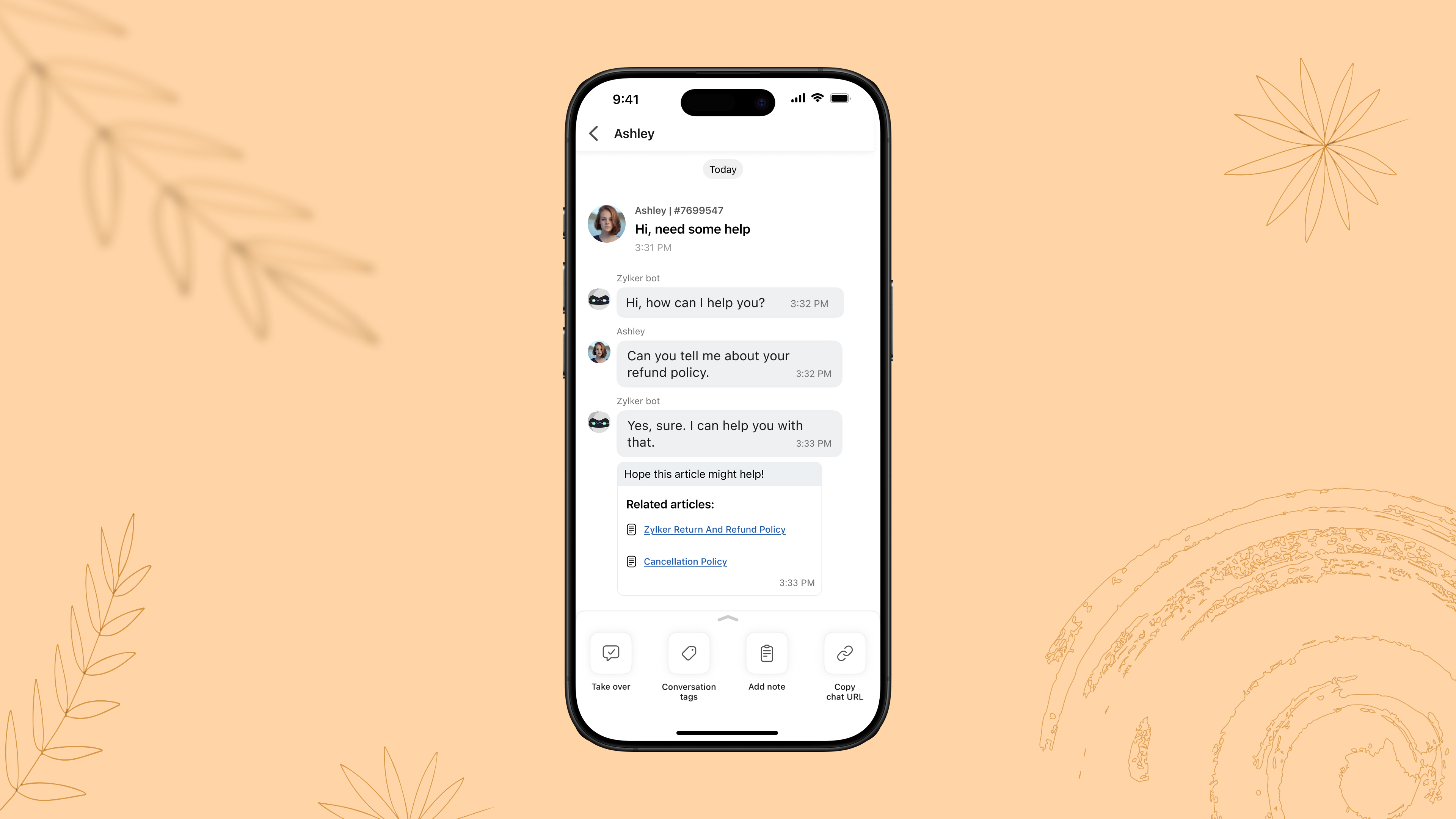
Later at night, when the business is offline, a visitor asks about the refund policy. The SalesIQ AI chatbot immediately provides the correct information, collects the visitor’s contact details, and flags them for follow-up—allowing Emma to follow up with the lead the next morning seamlessly.
With SalesIQ’s Answer bot and Zobot, routine queries to complex workflows can be easily automated on chat as a first level filter, offloading your operator's workload to a huge extent.
How this helps sales reps?
- Free up sales reps' time to focus on complex, high-value conversations and tasks.
- Ensure prospects get instant responses, even outside of working hours.
- Boost productivity without sacrificing personalization.
VI. Trigger Custom Push Notifications to Drive Conversions
During a weekly sales followup, Emma notices that earlier in the week, a visitor had spent time browsing a pair of sneakers but didn’t complete a purchase.
Emma, using the SalesIQ App, notices the browsing history and drafts a personalized push notification with an offer, to drive sales. The visitor returns to the website, applies the offer, and completes the purchase. In this way, a missed opportunity becomes a closed deal with well-timed, engagement.
With the SalesIQ Mobile App, sales reps can send personalized push notifications to visitors based on their past navigation history on your website or mobile app. By tailoring messages to match user behavior and preferences, reps can re-engage prospects, nudge them toward a purchase, and revive cold leads—all without sounding generic or intrusive.
How this helps sales reps:
- Re-engage visitors who showed interest but didn’t convert.
- Deliver timely, personalized messages based on each visitor’s browsing behavior.
- Drive return visits and accelerate purchase decisions with targeted deals or recommendations.

Final thoughts: Equip Yourself to Sell Smarter
Sales success today isn’t just about having the best product; it’s about engaging the right person at the right moment. With the Zoho SalesIQ Mobile App, you can stay connected, responsive, and efficient—no matter where you are.
Do check out the SalesIQ Mobile App for iOS and Android and equip your sales teams with the agility they need to convert more prospects into customers.
Hope this was helpful and we'll see you soon with another interesting post!
Cheers,
Hameetha
Topic Participants
Hameetha Nasreen
Theo
Sasidar Thandapani
Recent Topics
Disable Zoho Contacts
We don't want to use this app... How can we disable it?Default Ticket View - Table?
Guys, We mostly use the table view to queue tickets. Maybe I am missing it - but how can I set that view as 'default" for all our agents? Thanks JVZoho One IS BUGGY
Here are some things that just don't work: - Disabling applications from certain Spaces - Adding users (probably only for me) - Renaming applications in Zoho One Portal (fixed by now) - Reordering applications in Spaces When I try to reorder: It feelsPaid Support Plans with Automated Billing
We (like many others, I'm sure) are designing or have paid support plans. Our design involves a given number of support hours in each plan. Here are my questions: 1) Are there any plans to add time-based plans in the Zoho Desk Support Plans feature? TheMerge Fields that previously worked are now giving an Error!
Saving a URL Link button on the Deal module. The below fields used to save without issue at all, but now produce an error of "URL contains unsupported merge field!" ${Contacts.Mailing Street} ${Contacts.Mailing City} ${Contacts.Mailing State} ${Contacts.MailingMove email between inboxes?
Is it possible to move emails from one team inbox to another? We would like to be able to have a single "catch-all" inbox for incoming requests, and then move the email to the appropriate department inbox. I was hoping we would be able to accomplish thisClarification on Zoho Forms 1-User Plan: Multiple Submitters and Approvers
Question Content (Copy–Paste Ready) Hello Zoho Team, I would like clarification regarding Zoho Forms pricing and user limits. I am planning to subscribe to the ₹700/month (1 user) plan. My use case is as follows: Only 1 person (myself) will create andCRM Cadences recognise auto-responses
I have leads in a Cadence. I get an auto-responder reply "I'm out of the office..." Normally Cadences seems to know that isn't a real reply and keeps the lead enrolled in the cadence. However, today, Cadences has UNENROLLED a Lead who sent an auto-reponseApp for Mac OS X please!
It would be awesome to have a mail app for Mac OS X that included all the cool features such as steams, calendar, tasks, contacts, etc. Most people prefer native apps, rather than running it through a web browser. I know that we can use the IMAP, CalDAV,Facing Issues with Sites Mobile font sizes
my page renediaz.com is facing issues mobile view, when i try to lower font sizes in home page, instead of changing the size, it changes the line spaceZoho Books Payroll
How am I supposed to do payroll and pay my employees with Zoho Books? I think it's pretty strange that an accounting software doesn't have the ability to perform one of the most common functions in business; paying your employees. Am I missing something,60 Days Into Zoho - Tiktok Branding Startup -7 Questions?!
Wsp Everybody I co-own a TikTok Branding / Consulting Startup & have been using Zoho for the past 60 days - Am now looking to make our overall operations & processes more Efficient & Effective! Curious to know how others are using the platform & what'sNotifications in Cliq client for Linux
If I got it right, Cliq desktop client for Linux does not use the generally accepted notification method via org.freedesktop.Notification interface. For this reason, Cliq notifications do not look and behave as all other notifications. Is it possibleCanvas templates can now be shared with different CRM organizations
----------------------------------------Moderated on 14th February, 2023------------------------------------------- Dear all, This feature is now open for all users in all DCs. To learn more about importing and exporting canvas templates, read our helpUnable to produce monthly P&L reports for previous years
My company just migrated to Books this year. We have 5+ years financial data and need to generate a monthly P&L for 2019 and a monthly P&L YTD for 2020. The latter is easy, but I'm VERY surprised to learn that default reports in Zoho Books cannot createChange Last Name to not required in Leads
I would like to upload 500 target companies as leads but I don't yet have contact people for them. Can you enable the option for me to turn this requirement off to need a Second Name? Moderation update (10-Jun-23): As we explore potential solutions forReply to Email for SO/PO
Hello, We are new to Zoho Books and running into an issue. Our support@ email is our integration user. When our team is sending out PO/SO's we are updating the sender email, but for some reason many of our responses are coming back to our support@ emailZOHO Payroll Canada
Any plans on the roadmap for Canada?What's New in Zoho Billing | January 2026
Excited about the latest enhancements in Zoho Billing? Our January updates bring an intelligent AI assistant, smarter subscription management, and improved tax compliance, saving you time and reducing manual work. Dive into the details below to see howZoho Books Sandbox environment
Hello. Is there a free sandbox environment for the developers using Zoho Books API? I am working on the Zoho Books add-on and currently not ready to buy a premium service - maybe later when my add-on will start to bring money. Right now I just need aMulti-currency and Products
One of the main reasons I have gone down the Zoho route is because I need multi-currency support. However, I find that products can only be priced in the home currency, We sell to the US and UK. However, we maintain different price lists for each. ThereCliq iOS can't see shared screen
Hello, I had this morning a video call with a colleague. She is using Cliq Desktop MacOS and wanted to share her screen with me. I'm on iPad. I noticed, while she shared her screen, I could only see her video, but not the shared screen... Does Cliq iOS is able to display shared screen, or is it somewhere else to be found ? RegardsZOHO Writer Folders
Hi We would love to have ability to create folders on the left hand side. We would then be able create and store our documents within each folder Hope you can provide this feature soon ! dux.centraHow can Data Enrichment be automatically triggered when a new Lead is created in Zoho CRM?
Hi, I have a pipeline where a Lead is created automatically through the Zoho API and I've been trying to look for a way to automatically apply Data Enrichment on this created lead. 1) I did not find any way to do this through the Zoho API; it seems likeEscalation request: organization merge and data export (Ticket [154609577])
Hello Zoho Team, I am posting here because my support ticket has not received substantive responses through the usual channels. Summary of the issue (ongoing for three weeks): I requested assistance with a data migration and a merge of two Zoho organizations.Do buttons and vba msgbox work on mobile, specifially the iPhone zoho sheets app?
In Zoho sheets on the web, I inserted a button and assigned a VBA macro to it. It pops up a msgbox with some text. When I go onto the iPhone mobile zoho sheets app, the button is there. When I click on that button, the spinning asterisk appears for aDifferent form submission results for submitter and internal users
I'm looking for suggestions on how to show an external submitter a few results while sending internal users all the results from the answers provided by the external user. The final page of our form has a section with detailed results and a section withHelp Desk Services Solution
I am here looking for Help Desk services solution for organization. I also searched this on many different website and found many solutions. We are bit confused to which one to choose. One of my friend suggest me this platform, and i am hoping i willFormatting and slow
Creating campaigns are difficult. I'm fairly computer literate but some of the way Zoho Campaigns formatting works is painful. Images fail to upload or are very slow. To top it off, syncing the contacts is a pain as well as temperamental links to create Segments. At this rate I'm afraid we might need to migrate back to Mailchimp.Boost your Zoho Desk's performance by archiving tickets!
The longer your help desk operations are, the more likely it is to accumulate tickets that are no longer relevant. For example, ticket records from a year ago are typically less relevant than currently open tickets. Such old tickets may eventually leadPaste emails to create segment
We are moving over from Mailchimp to ZOHO. However Mailchimp allows me to create a segment by pasting in emails from excel (or importing a .csv) can I do the same in Mailchimp?Getting the Record ID of a form once it is submitted - so that form can be edited later
In Zoho Forms, where can I access the record ID of a form once the form is submitted? - Record ID is not available in webhook payloads - It is not available to form fields, including in formulas - It is not available as a parameter in a thankyou pageAuto-Generate Line Numbers in Item Table Using HTML & CSS Counters (Zoho Books & Zoho Inventory Custom Templates)
<div> <style> /* Start counter from 0 inside tbody */ tbody#lineitem { counter-reset: rowNumber; } /* Increment counter for each row */ tbody#lineitem tr { counter-increment: rowNumber; } /* Show counter value in first column */ tbody#lineitem tr td:first-child::beforePossible to define default font and size in Zoho Campaigns?
Is it possible to define a default font (font, size and colour) for the text, H1 and H2 in Zoho Campaigns? For example: In a campaign, I add a text block, and the text is automatically century gothic, size 11, grey (6f6f6e) by default? Thank you!Zoho Sites - General Feedback
Hi Everyone-- Quick question for discussion: is it me or is working with Zoho Sites like entering the Twilight Zone? I've built many sites over the years, but this platform seems impossible. I've spent an entire day and a half trying to get a simple one-colorFile Upload field not showing in workflow
Hi, I have added a field on Zoho CRM. I want to use it in a workflow where that particular field is updated based on another field, however it is not showing up in the field list to select it in the workflow. Why is this please?You cannot send this email campaign as it doesn't have any eligible contacts in the selected mailing list. You can try adding contacts or choose other mailing lists.
please helpStrengthening the capabilities of CommandCenter in Zoho CRM Plus
When you look at the prospect-to-customer journey in most businesses 10 to 15 years ago, it was relatively straightforward. Many of us remember walking into a store, sharing our requirements with a sales associate, reviewing a few options, and makingWorld date & time format
Hello, Is there a timeline to get the worldwide used date and time format ? I mean not the american one... I mean day month year, and 24 hours clock. RegardsAnnouncing Kiosk 1.1 - Customize screen titles, configure new fields & actions, use values from your Kiosk to update fields, and more.
Hello all We are back again with more enhancements to Kiosk. So what's new? Enhancements made to the Components Add titles for your Kiosk screens and adjust its width to suit your viewing preferences. Three new fields can be added to your screen: Percentage,Next Page