Export data using advanced export options and customizable settings
Hello everyone,
The user interface for exporting data has been revamped with updates to make data exports more flexible and efficient for users.
These updates not only enhance usability but also bring advanced capabilities to help users extract precise data effortlessly. Whether analyzing ticket trends, migrating to another platform, or creating backups, these enhancements simplify the export process for greater efficiency.

What’s new in the revamped export page?
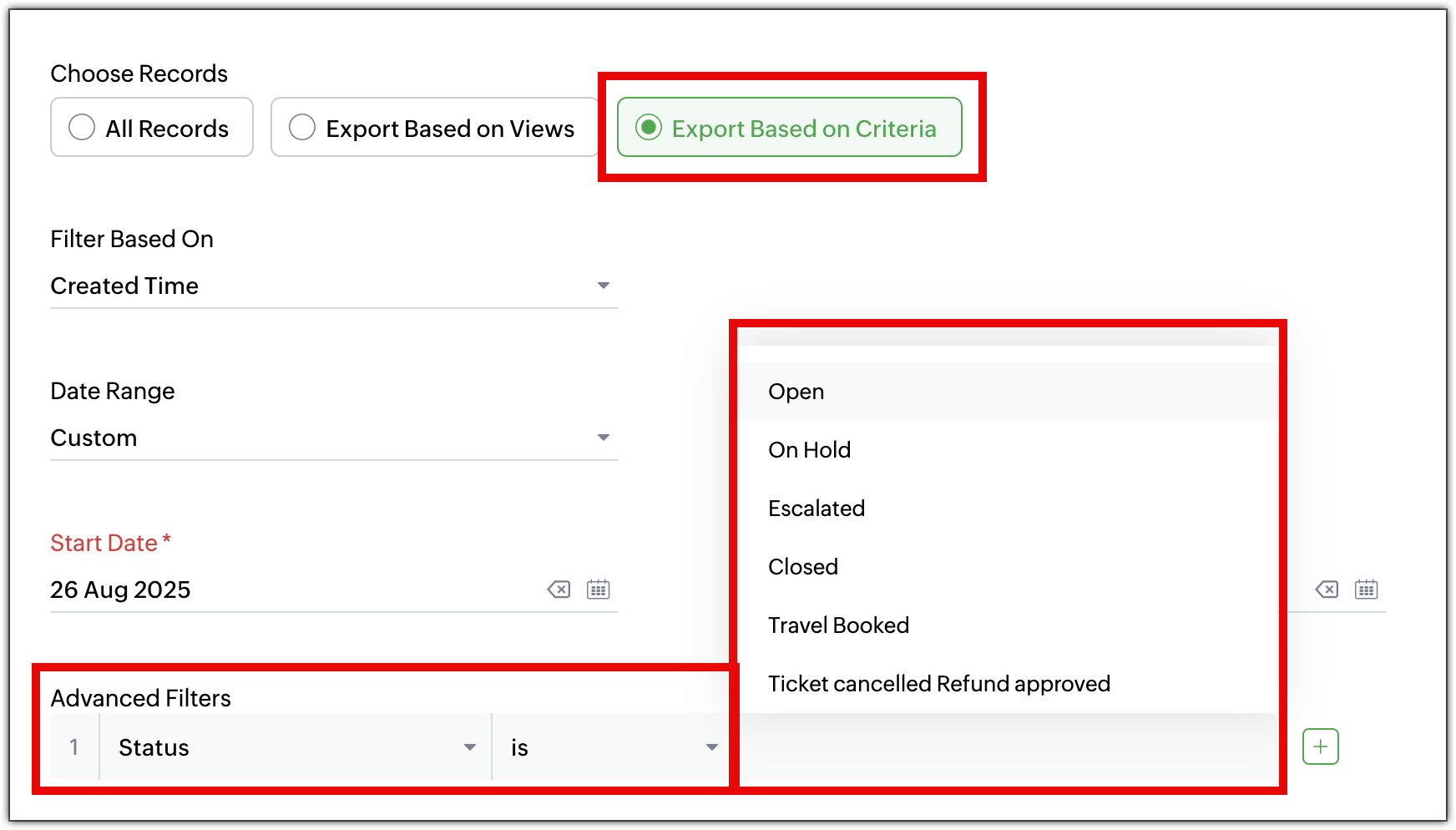
- Export records based on criteria
Previously, users were able to export all records within a module. Now, they can export specific records by defining the criteria. For instance, users can export: - The list of agents added last month
- Tickets from the last month that were marked high priority.
- Select fields to export
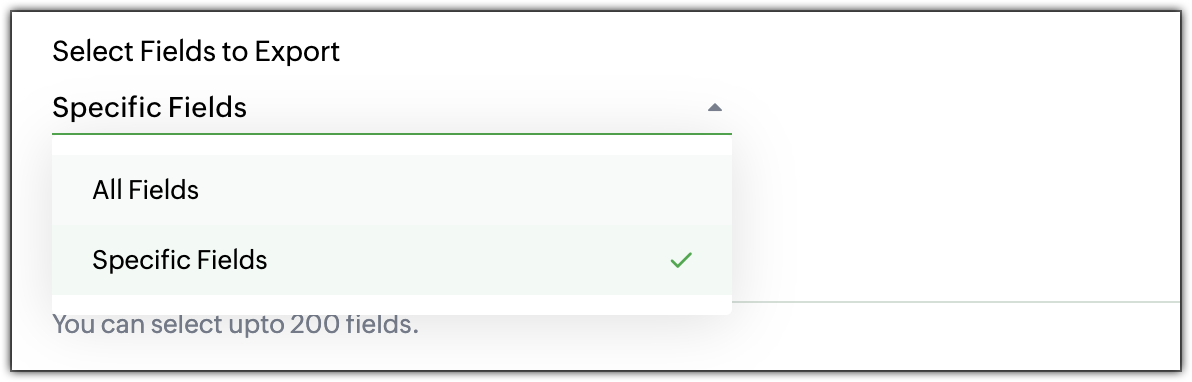
Users no longer have to export all fields. They can choose specific fields to export, giving them complete control over the data. They can select: - All Fields: Export all available fields.
- Specific Fields: Select only the fields that are needed, including fields from multiple layouts.
- Time frame and date range options
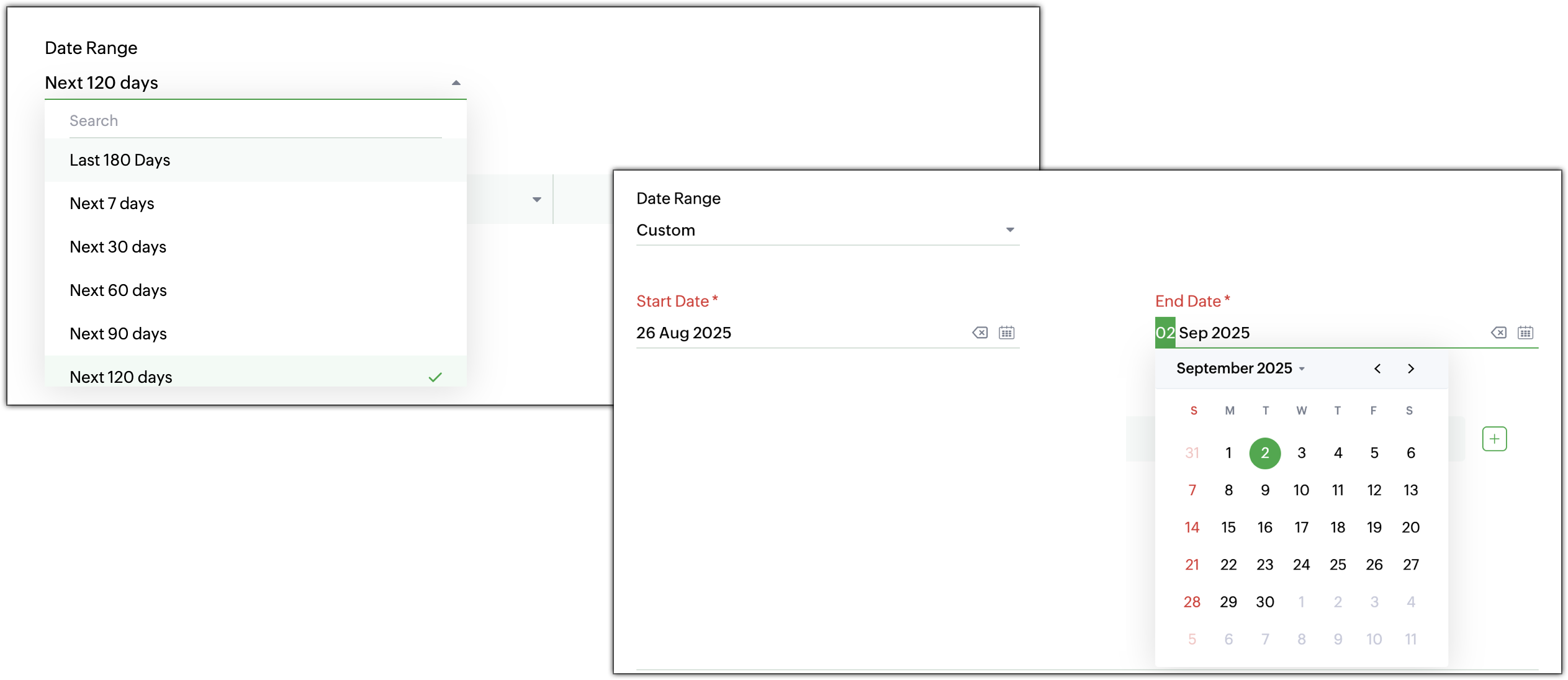
When exporting data, users can specify a time frame from where the records are needed. - Time-based filters: Choose records based on created time, modified time, closed time, or completed time.
- Custom or predefined date range: Select a specific date range or pick from predefined options for faster filtering. For example, users can export all high-priority tickets closed in the last 30 days.
- Increased export record limit
The export record limit has been increased from 3,000 to 50,000 records per export. Need to export more records at a time? Use Zoho Desk’s Data Backup to retrieve the complete dataset. - Redesigned export history page
The Export History page has undergone a complete makeover for a cleaner, more intuitive look and feel. View details such as record count, export time, and download links in a tabular form at a glance.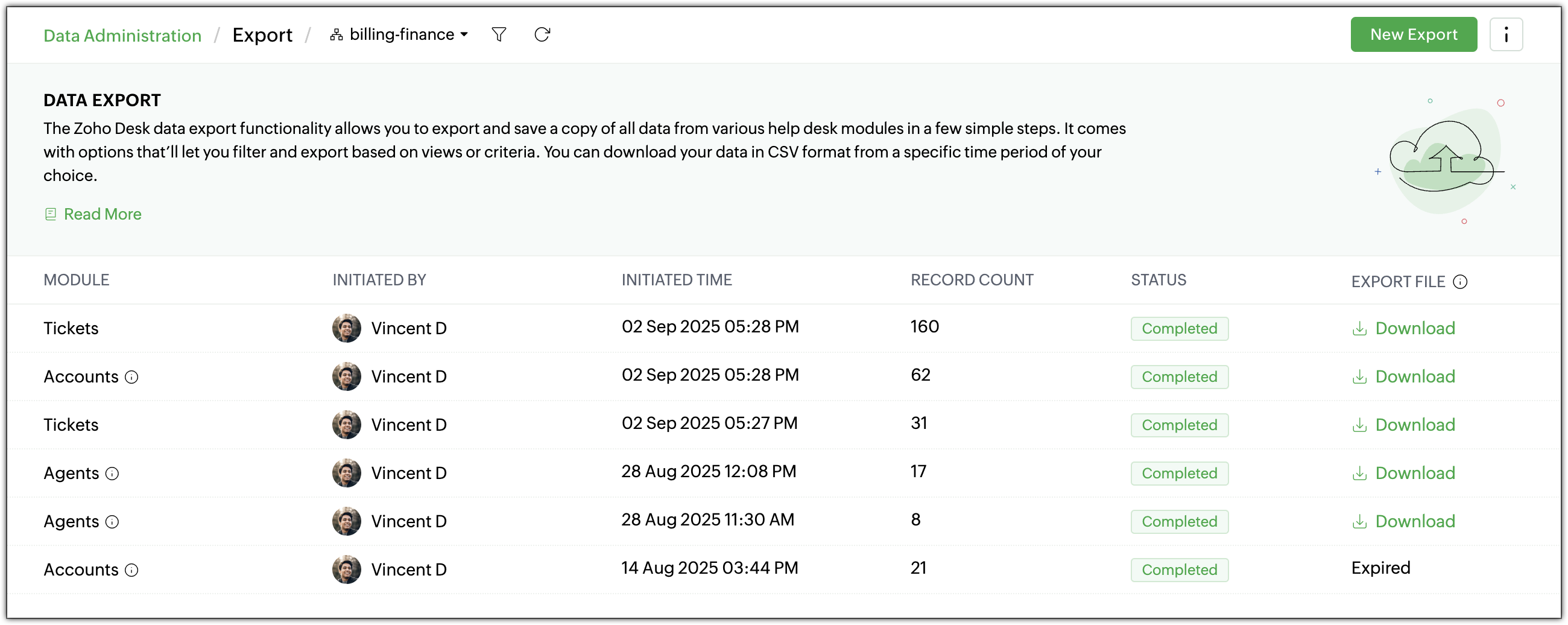
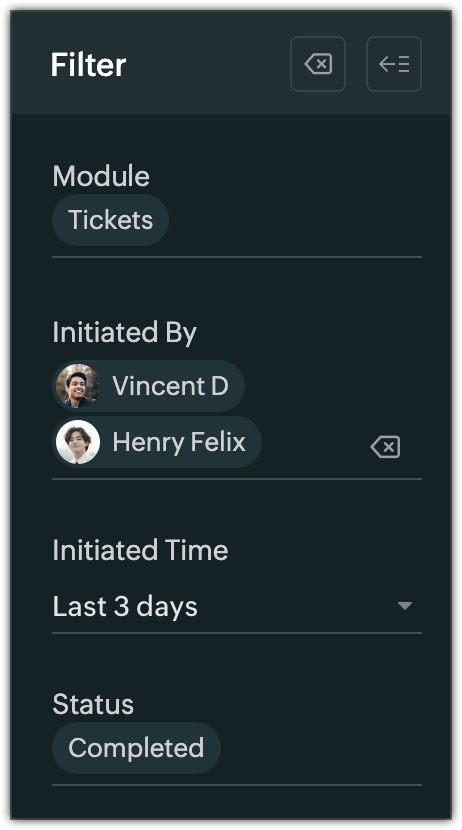
- Filters for export history
Quickly find previous exports with new filters based on: - Module
- Initiated By
- Initiated Time
- Status (In Progress, Completed, or Failed)
- Export standard and custom list views
Export View lets users export specific record sets directly from a module’s list view, there's no need to export the entire dataset or apply filters manually. Both standard and custom list views can be exported. For example, a support manager can export the “Overdue Tickets” view for a team review, without reapplying filters or reformatting data.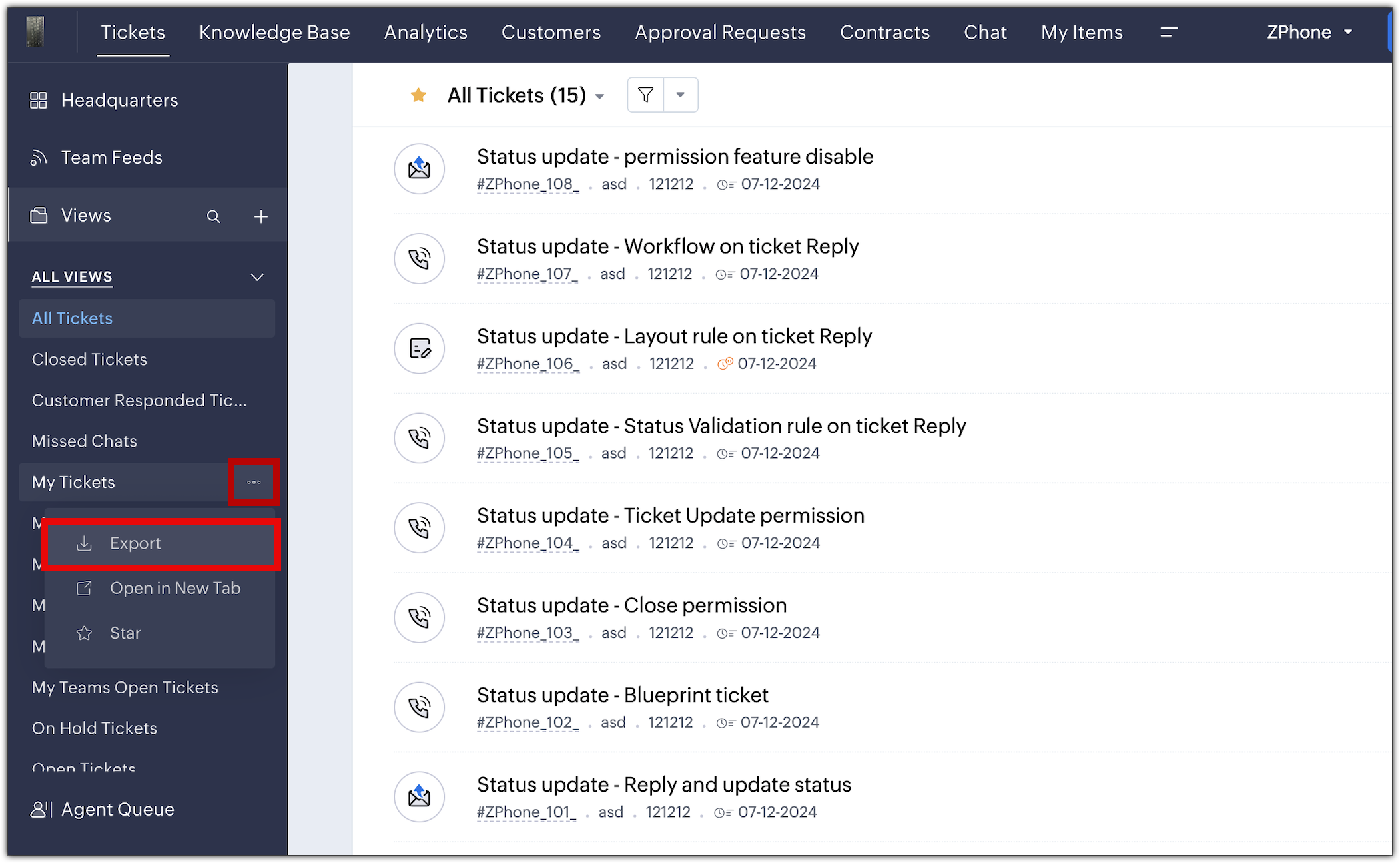
The new export UI is available in all data centers. For more details, please refer to the help doc.
PM: @Nivedhan Senthilkumar
Regards,
Velantina V
User Ed | Zoho Desk