Design & Print Data Directly using Canvas Print View
Hello Everyone,
We are excited to announce a new addition to your Canvas in Zoho CRM - Print View. Canvas print view helps you transform your custom CRM layouts into print-ready documents, so you can bring your digital data to the physical world with ease.
Whether you’re printing labels for shipping, creating personalized forms, or need to document one particular record's information, this feature gives you the control and flexibility to design, customize, and print right from your CRM.
What can you do with Print View?
With Canvas Print View, you can print out a single record's data or a few selected records' data or even the total number of records per page onto physical sheets directly from your CRM account to your hands. Simply :
- Design a custom layout using Canvas by pulling details automatically from your CRM modules
- Generate a clean, printable sheet of mailing labels
- Print information out on standard paper sizes like A4 or Letter from your selected module,
- Automatically display cutting lines to guide separation for
- Save time and reduce manual errors without leaving your CRM
Scenario 1: Print Shipping labels from your CRM Account
Imagine you’re running a shipping or courier service, and you manage all your customer data within Zoho CRM. Your team needs to generate address labels for daily deliveries. You can use the print view to :
- Create a custom mailing label layout using Canvas and get customer contact details automatically from your contact module.
- Generate a clean, printable sheet of mailing labels
- Choose to display cutting lines to guide label separation
- Finally, print them out on standard paper sizes like A4, Letter from your selected module
And, Voila! Your team now has all the address labels they need for daily deliveries.
Look at the GIF below to understand how Canvas Print View works for print mailing labels.
Scenario 2 : Print Service Report Forms in an Auto-shop Repair Firm
Say, you run an automobile service centre, and you use Zoho CRM to track customer vehicles, service requests, complaints, and repair details. After completing a repair job, the technician updates the service record in CRM with details such as the vehicle model, service type, parts replaced, labour cost, and total cost.
Using the Print View feature in Canvas, the service centre generates a Service Report that includes:
- Customer name, email, and phone number
- Service number and Service date
- Vehicle Name, Complaint, and Feedback
Now, you can hand this printed report to the customer as proof of service where both the technician and the customer can be signed for acknowledgment and stored in the customer’s file as part of their service history. This is any day better than giving customers a rough invoice or verbal update, and encourages repeat visits for future services.
The GIF below will help you understand how Canvas Print View works for such scenarios.
Other examples where you can use this feature
Similarly, you can use the Print View feature of Canvas to create printable sheets for other scenarios, such as :
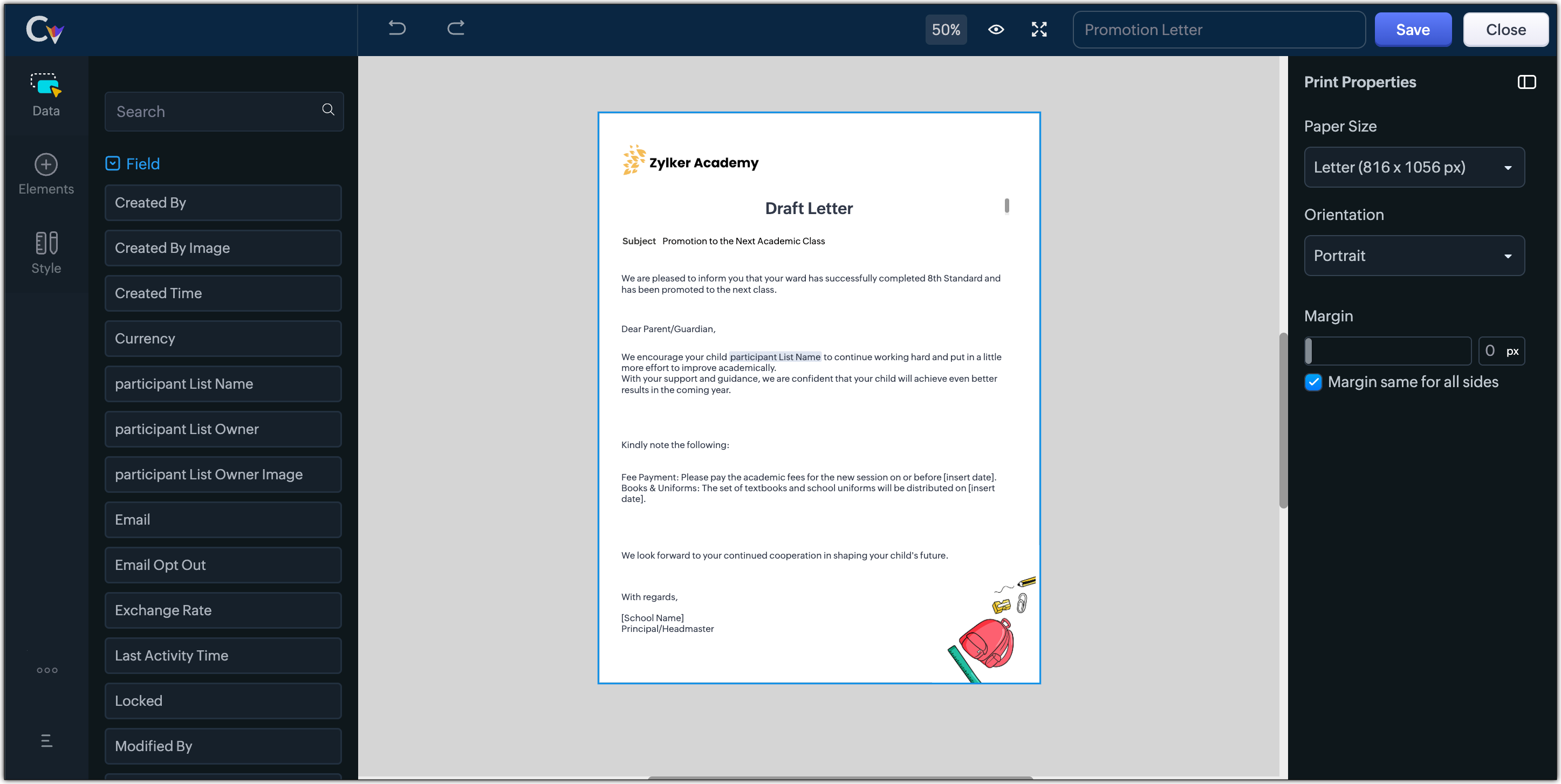
- Create academic course sheets, promotion letters and more automatically from the courses module,
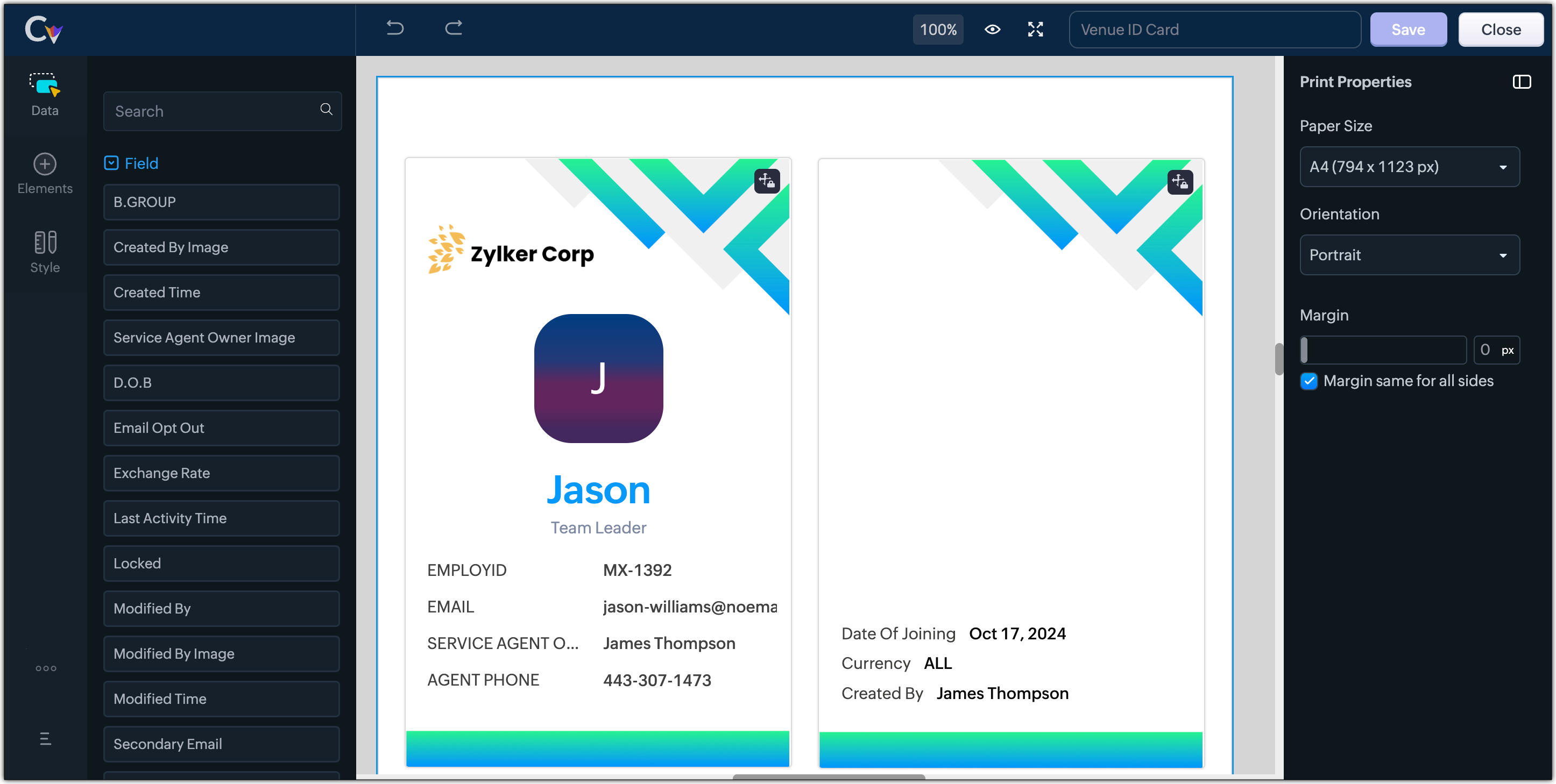
- Resume, id card, or other identification forms for marketing activities or related events,
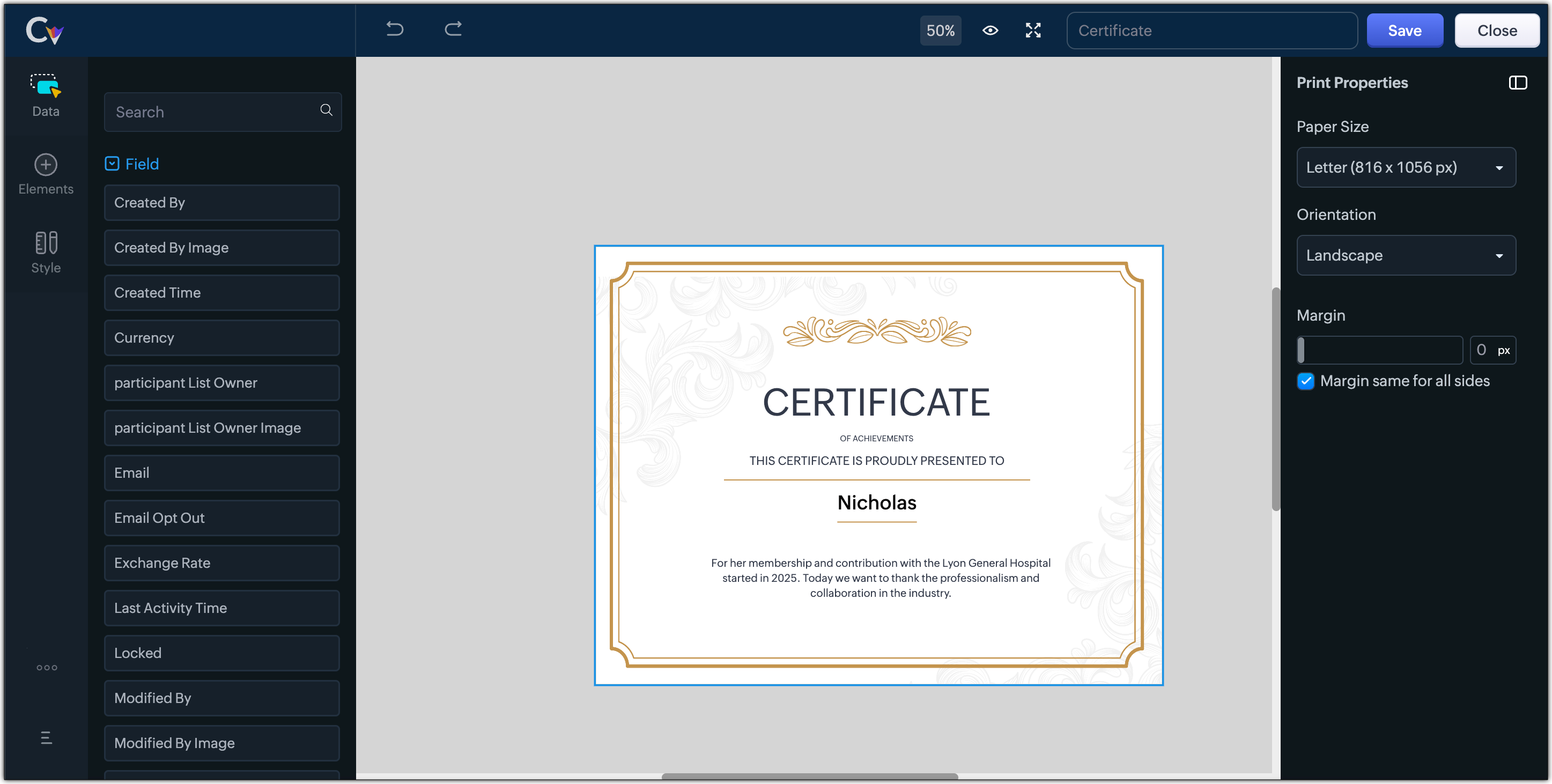
- Certificates, contracts, agreements, or guarantees that need to be manually attested by customers
Customization Options to print Mailing labels
Canvas Print View offers a wide range of customization options to help you design exactly how you want to print out your mailing labels. The options available are :
- Paper Sizes: Choose from Mailing Label formats based on your printing needs
- Orientation: Switch between Portrait or Landscape mode to suit your layout design
- Margins: Define precise margins for your printout or apply the same margin on all sides with a single click
- Print record in :
- Choose to print the mailing labels per page or in a list or in a Grid.
- To print mailing labels per page, users can choose the same margin for all sides and align center options.
- To print mailing labels in a list, users can choose the same margin for all sides, align center and cutting lines options.
- To print mailing labels in a grid, users can choose the same margin for all sides, align center, auto width, and cutting lines options.


Note :
- Align Center : Aligns your content to the center of the page or adjust freely
- Auto Width : Enable this setting to fit content dynamically within the layout
- Cutting Lines : Add visible cutting guides to clearly separate labels or sections on the page
Customization Options to print A4 or Letter format information
The customization options available for printing information in A4 or Letter paper sizes are :
- Margins: Define precise margins for your printout or apply the same margin on all sides with a single click.
- Print record in : Choose to print the information per page or in a list.
- To print information per page, users can only choose to apply the same margin for all sides.
- To print mailing labels in a list, users can choose to apply the same margin for all sides and enable cutting lines to guide separation.


Availability : This feature is available to all users except for IN DC users. It will be opened up for the Indian data centre users shortly.
No more exporting, formatting, or jumping between tools to generate print-ready documents. Canvas Print View can be your print-buddy that can let you tailor documents to suit your business requirements.
Head over to your Canvas builder, select the Print View option, and start creating beautifully customized templates that work on paper just as well as on screen.
Feel free to comment below if you need any assistance from us!
Thanks & Regards
Serena Woolridge
Topic Participants
Serena Woolridge
Andres
Emily Verger
Zohoboy
Ishwarya SG
Sticky Posts
Introducing Multiple Sandbox Types and Support for Module's Data Population
Register here for the upcoming Focus Group webinar on Multiple Sandbox | Help documentation to learn more about the new enhancements Hello everyone, Sandbox in CRM is a testing environment for users to create and test new configurations like workflowGood news! Calendar in Zoho CRM gets a face lift
Dear Customers, We are delighted to unveil the revamped calendar UI in Zoho CRM. With a complete visual overhaul aligned with CRM for Everyone, the calendar now offers a more intuitive and flexible scheduling experience. What’s new? Distinguish activitiesVoC in Zoho CRM is now data savvy: Explore response drilldown, summary components and participation in CRM criteria
VoC has all the goods when it comes to customer intelligence—which is why we're constantly enhancing it. We recently added the following: A customer drilldown component that shows you the list of prospects and customers behind a chart's attribute ExpandedWrapping up 2025 on a high note: CRM Release Highlights of the year
Dear Customers, 2025 was an eventful year for us at Zoho CRM. We’ve had releases of all sizes and impact, and we are excited to look back, break it down, and rediscover them with you! Before we rewind—we’d like to take a minute and sincerely thank youPresenting ABM for Zoho CRM: Expand and retain your customers with precision
Picture this scenario: You're a growing SaaS company ready to launch a powerful business suite, and are looking to gain traction and momentum. But as a business with a tight budget, you know acquiring new customers is slow, expensive, and often delivers
Recent Topics
Transfer ownership of files and folders in My Folders
People work together as a team to achieve organizational goals and objectives. In an organization, there may be situations when someone leaves unexpectedly or is no longer available. This can put their team in a difficult position, especially if thereConsumer Financing
Does Zoho currently have a payment gateway (such as Stripe, Square, etc) which offers financing for customers? So, let's say the estimate we give the customer is greater than what they can afford at the time, but we can sell the service now, letting themSubform edits don't appear in parent record timeline?
Is it possible to have subform edits (like add row/delete row) appear in the Timeline for parent records? A user can edit a record, only edit the subform, and it doesn't appear in the timeline. Is there a workaround or way that we can show when a userZoho CRM - Option to create Follow-Up Task
When completing a Zoho CRM Task, it would be very helpful if there was an option to "Complete and Create Follow-Up Task" in the pop-up which appears. It could clone the task you are closing and then show it on the screen in edit mode, all the user wouldDeluge function to copy parent record file upload field to child record file upload field
I'm stuck trying to write a deluge function that is triggered via automation in child record "Appointments," confirms if a file is in file upload "Report" field of parent "Contacts" record via Contacts lookup field "Contact_Name". If no file is in parentMake panel configuration interface wider
Hi there, The same way you changed the custom function editor's interface wider, it would be nice to be able to edit panels in pages using the full width of the screen rather than the currently max-width: 1368px. Is there a reason for having the configuration panel not taking the full width? Its impossible at this width to edit panels that have a lot of elements. Please change it to 100% so we can better edit the layouts. Thanks! B.Image Compression Options
Much better if we have level of options to compress the image [20%, 40%...] We are dealing with service reports daily that has before and after photos (image field)- the file size too large and one thing, the current limit is 10mb or 15mb for reportHow to hide or archive a blog post temporarily in Zoho commerce website builder?
I would like to temporarily hide or archive a blog post in zoho commerce website builder so that it doesnt appear on my website till I enable it again. I tried to look for this option but could not find it. It only allows me to permanently delete a blogFounders using Zoho — are you leveraging Zoho Campaigns + Zoho Social for thought leadership… or just sending emails?
I’ve noticed something interesting in the Zoho ecosystem. Many founders use Zoho Campaigns and Zoho Social for basic marketing—newsletters, scheduled posts, and announcements. But very few are using these tools strategically to: • Position themselvesHow to mix different types of inputs (such as dropdown list and textbox)
Hi, I'm creating a form called "Room Reservations" for a company. I created a "table" using "Matrix Choice". I created "Room 1", "Room 2" and "Room 3" with the "Questions". I would then like to create two columns with the "Answers", one called "Department"How to Convert NSF to PST Format Effortlessly? - SYSessential
It is highly recommended to obtain the error-free solution of the SYSessential NSF to PST converter to convert NSF files from Lotus Notes. Using this professional software, it becomes easier to convert all NSF database items, including emails, journals,Zoho Commerce - Poor Features Set for Blogging
Hi Zoho Commerce team, I'm sure you will have noticed that I have been asking many questions about the Blogs feature in Commerce. I thought that it would be useful if I share my feedback in a constructive way, to highlight the areas which I feel needPass shipping info to payment gateway Zoho Books to Authorize.net
For some reason the integration from Zoho books to Authorize.net does not pass the shipping address. Authorize.net is ready to receive it, but zoho books does not send itMassive Zoho Books failure
We have not received any communication or notification from Zoho, but we have detected that Zoho Books is not working for all our users. We cannot access or use Zoho Books. This is critical. We are trying to contact Zoho on the Spain telephone number,Does the Customer “Company Name” field appear anywhere in the Zoho Books UI outside of PDFs?
Hi everyone, I’m trying to understand how the Company Name field is actually used in Zoho Books. There is a Company Name field on the customer record, but when viewing transactions like a Sales Order in the normal UI (non-PDF view), that field doesn’tEmail outbox is now available in the sandbox
Hello all! Testing emails without visibility has always been a blind spot in the sandbox. With the new Outbox, that gap is closed. You can now view and verify every email triggered from your sandbox, whether it’s through workflows, approvals, or massLooking For Recruit Developer
Hi everyone, I am looking for a Zoho Certified Developer to assist with a development project for MetalXpert. We are building a software system designed to bridge the gap between a candidate mobile app and an employer web portal using Zoho Recruit assales IQ issue on website
i integrated the zoho sales IQ code on the website but it is comming in distroted form i am sharing the screenshot below the website is bulit in wix platformDeprecation of the Zoho OAuth connector
Hello everyone, At Zoho, we continuously evaluate our integrations to ensure they meet the highest standards of security, reliability, and compliance. As part of these ongoing efforts, we've made the decision to deprecate the Zoho OAuth default connectorI need to know the IP address of ZOHO CRM.
The link below is the IP address for Analytics, do you have CRM's? IP address for Analytics I would like to know the IP address of ZOHO CRM to allow communication as the API server I am developing is also run from CRM. Moderation Update: The post belowImportant Update: Google Ads & YouTube Ads API Migration
To maintain platform performance and align with Google's newest requirements, we are updating the Google Ads and YouTube Ads integrations by migrating from API v19 to the newer v22, before the official deprecation of v19 on February 11, 2026. Reference:Zoho recruit's blueprint configuration is not functioning as mapped
Current Status: Zoho Blueprint is not functioning as configured. Issue: We are moving a Candidate status in Zoho Recruit "for active file" but we encountered: "Status cannot be changed for records involved in Blueprint." This happens to various clientBlocklist candidates in Zoho Recruit
We’re introducing Block Candidate, which helps recruiters to permanently restrict a candidate from applying to current/future job openings. Once the candidate is blocked, they will no longer be able to participate in the recruitment process. This willAdmin asked me for Backend Details when I wanted to verify my ZeptoMail Account
Please provide the backend details where you will be adding the SMTP/API information of ZeptoMail Who knows what this means?Zoho Desk - Upsert Ticket
Hi Desk Team, It is common to request more information from end-users. Using forms is a great way to ensure all the required information is collected. It would be great if there were an "upsert" option on the Zoho Form -> Zoho Desk integration which wouldAll new Address Field in Zoho CRM: maintain structured and accurate address inputs
The address field will be available exclusively for IN DC users. We'll keep you updated on the DC-specific rollout soon. It's currently available for all new sign-ups and for existing Zoho CRM orgs which are in the Professional edition. Latest updateClient Side Scripts for Meetings Module
Will zoho please add client side scripting support to the meetings module? Our workflow requires most meeting details have a specific format to work with other software we have. So we rely on a custom function to auto fill certain things. We currentlyIntroducing Multiple Sandbox Types and Support for Module's Data Population
Register here for the upcoming Focus Group webinar on Multiple Sandbox | Help documentation to learn more about the new enhancements Hello everyone, Sandbox in CRM is a testing environment for users to create and test new configurations like workflowCreator Offline
We had online access setup and working on our iphones. We have just set it up on an 'Android Tablet' and it is not downloading all the images? We use it to show customers our catalogue. Any ideas. Offline components all setup on both devicesUpdated font library: New font styles and custom font options in Zoho Sheet
Zoho Sheet's font library now supports 500+ font styles in 60+ languages! The updated font library is stacked with new font styles, and some of the previously available font styles have been replaced with equivalent options. There are two ways you canEnable or disable any Field Rule!
Hello Zoho Forms Community, We are excited to announce a powerful new enhancement to Field Rules that gives you greater control and flexibility in managing your form logic! Previously, if you wanted to temporarily deactivate a field rule, you had twoMarketing Tip #20: Increase traffic with strong meta titles and descriptions
Meta titles and descriptions are what people see first on search results before they ever click through to your website. If your pages use generic titles or basic descriptions, you miss the chance to stand out, and search engines may not know which pageKanban view on Zoho CRM mobile app!
What is Kanban? The name doesn't sound English, right? Yes, Kanban is a Japanese word which means 'Card you can see'. As per the meaning, Kanban in CRM is a type of list view in which the records will be displayed in cards and categorized under the givenNot able to delete a QC nor able to revert or create a cycle of manufacturing for QC failed Jobs
Not able to delete a QC nor able to revert or create a cycle of manufacturing for QC failed JobsDheeraj Sudan and Meenu Hinduja-How do I customize Zoho apps to suit my needs?
Hi Everyone, I'm Meenu Hinduja and my husband Dheeraj Sudan, run a business. I’m looking to tweak a few things to fit my needs, and I’d love to hear what customizations others have done. Any tips or examples would be super helpful! Regards Dheeraj Sudanis there any way to change the "chat with us now" to custom message?
is there any way to change the "chat with us now" to custom message? I want to change this textDeprecation Notice: OpenAI Assistants API will be shut down on August 26, 2026
I recieved this email from openAI what does it means for us that are using the integration and what should we do? Earlier this year, we shared our plan to deprecate the Assistants API once the Responses API reached feature parity. With the launch of Conversations,Capture Last check-in date & days since
I have two custom fields on my Account form, these are "Date of Last Check-In" and "Days Since Last Contact" Using a custom function how can I pull the date from the last check-in and display it in the field "Date of Last Check-In"? and then also display the number of days since last check-in in the "Days SInce Last Contact" field? I tried following a couple of examples but got myself into a bit of a muddle!CRM gets location smart with the all new Map View: visualize records, locate records within any radius, and more
Hello all, We've introduced a new way to work with location data in Zoho CRM: the Map View. Instead of scrolling through endless lists, your records now appear as pins on a map. Built on top of the all-new address field and powered by Mappls (MapMyIndia),Enhance Appointment Buffers in Zoho Bookings
There was previously a long-standing feature request related to enhancing the way appointment buffers work in Zoho Bookings, but it looks like the original post has been deleted. I am therefore adding a new request that Zoho Bookings adjust how appointmentNext Page