Build slides with visual clarity using Diagram
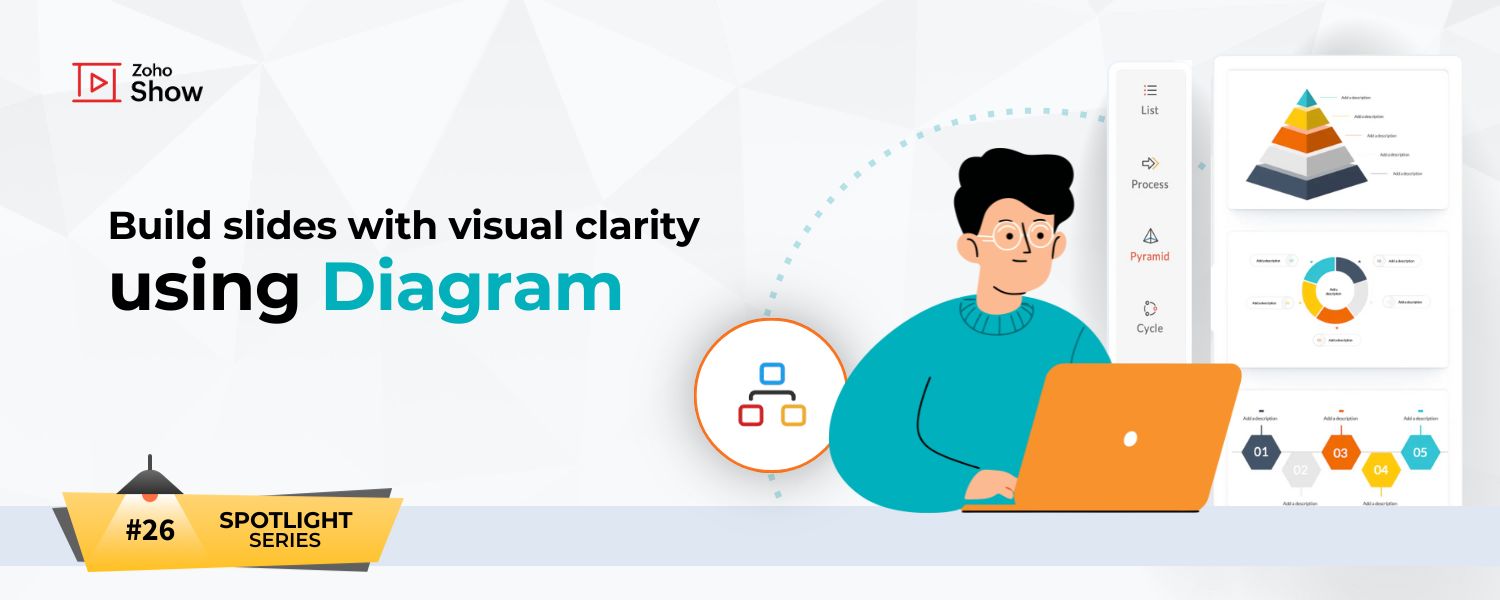
Build slides with visual clarity using Diagram


Hello all!

The feature in the spotlight this month is Diagram.

Let's say you are a part of a project kickoff meeting and your teammate starts explaining the project life cycle like this:

"First we ideate, then we create an initial prototype and share it with the client. Actually, before that, it goes through an internal review. Once that’s done, we start execution. During execution, feedback starts coming in, and some of that leads to changes. After execution wraps up, we formally gather feedback, refine the work, and then begin the next iteration, which again starts with ideation."

That takes a little while to process, right?

Now imagine the same process is explained visually. It makes the content easier to follow, more engaging, and memorable.

In this post, we’ll explore how to bring similar content to life visually with Diagrams in Zoho Show.

Four different types of Diagrams

  1. List: Organizes information as a list. For example, it can be used to mention all the marketing activities for an upcoming campaign.
  2. Process: Illustrates the steps or stages in a process. A common use case is depicting the sales process from first interaction to lead conversion.
  3. Pyramid: Displays hierarchical relationships. Going back to our earlier example, pyramids work well for explaining roles and organizational structure.
  4. Cycle: Shows a continuous process. One common example is the performance management cycle.
You can also invert the pyramid after adding it to your slide to create a funnel structure, which is commonly used in sales, marketing, and other presentations.

How to add a Diagram to your slide

To add a diagram to your presentation, click Diagram in the Insert pane, and choose the most suitable option.
You can also change the number of levels in the diagram using the Levels option in the top-right corner of the Diagram window.


Notes
Note: By default the diagram colors match your presentation theme.

Once you add the diagram to the slide, you'll also be able to customize each element using the formatting options available in the right panel.


The next time you work with structured information, remember that it deserves more than words or bullets. Diagrams turn it into something you can see, grasp, and remember instantly.

Hope you found this article helpful. Try out this feature and let us know what you think in the comments section below.

For more information on Diagram, refer to this help article.
    • Sticky Posts

    • Introducing Zoho Show extension in Your Chrome Browser

      Hi everyone, Over the years, Chrome's feature-rich support extensions have grown to offer additional ways to easily access your favorite tools from anywhere. Today, Zoho Show is excited to announce our integration with Google Chrome as an extension app to help build and access presentations directly from your browser.   Zoho Show for Google Chrome is a free extension that allows you to dive straight into drafting your presentation material. Simply install the Show extension from the Chrome Web Store
    • Take your presentations anywhere with the Zoho Show app for iOS

      We're excited to announce the launch of the Show app for iOS. Our new presentation app gives you the power to view and present slideshows on your iPhone and iPad devices wherever and whenever you want.   The Show iOS app has a host of features that will make your presentations engaging and dynamic: Access all your presentations with a single tap Sign in to your Zoho Show account to view your slides and deliver presentations on-the-go. The app stores all the presentations you've created in the My
    • Introducing All New Zoho Show - Create and Design Stunning Presentations.

      Hello,   Whether you're a first-time presenter or an expert looking to make a lasting impression, Zoho Show is the tool for you. Whatever your expertise, the All New Zoho Show's contextual user interface lets you create all kinds of slides, from plain text on a simple background to complex presentations with animations, tweets, charts, media files, and lots more.   The UI doesn't leave you to figure everything out yourself, but presents something you can easily use. It's clear, obvious, and intuitive.
    • Three smart ways to share your presentation with Zoho Show.

      "What is the best way to share a presentation?", a lingering question that is asked after every live session or a meeting. Sharing presentations can be time consuming. It can be done, either by attaching the file to an email or by saving it in a pen drive. But what happens when your file size is large or your team is spread across the globe? Zoho Show lets you share your presentations both internally and externally without worrying about the file size. You can share your slides as a link and decide
    • Convey Your Ideas and Convince Your Audience with Zoho Show

      Visual presentations are highly impactful and it is a no-brainer that your audience gets attracted to them. The use of images and videos help you reach your objectives by emphasizing your ideas more effectively.  According to the psychologist Jerome Bruner of New York University, "people only remember 10% of what they hear and 20% of what they read, but about 80% of what they see and do." For example, if the above data on its own, was presented visually, there is an 80% chance that the information
    • Recent Topics

    • Custom Module Missing from Roles & Permissions List

      Hi Zoho Community, I created a new Custom Module in Zoho Expense. The module is fully built and I can see it in the Module Builder (Settings > Customization > Modules). However, I am unable to deploy this to my users because the module does not appear
    • Pivot Report Formula - using a today() variable

      Is it possible for me to use a value of today() in a formula on a pivot table? I'm trying to identify where the end date of a project is greater than the current date if("10. Projects (Zoho Projects).End Date" > today(), 'Yes', 'No') I get the error that
    • Custom view inconsistencies

      Why is "is not" missing from criteria, along with other comparison operators ??? It makes it almost impossible to build required custom views, I don't want "void" invoices listed & why on earth would "Void" invoices be showing when the criteria includes
    • Not receiving New Ticket Emails

      Hello! The company I work for uses the Zoho ticketing system, however, I've noticed I'm not receiving email notifications when new tickets are published. I have admin rights to see these tickets on Zoho Desk and respond to them, but am not receiving the
    • Need Customer Item Inward Module along with QC

      Need Customer Item Inward Module along with QC 1. Using Transfer Orders hit the item balance sheet 2. Items without inventory it becomes difficult for tracking purpose. 3. Custom Modules become tedious to capture multiple items, item subforms are not
    • Zoho CRM Quotes – Subform and PDF/Writer Limitations

      Hello, I am encountering the following limitations in Zoho CRM Quotes: Custom product images cannot be uploaded in the subform – the image upload field cannot be added; only the file upload field is available. File upload placeholders cannot be used in
    • Apple Messages for Business in Omnichannel communications?

      Hello, Apple launched "Apple Messages for Business" but Zoho CRM or Zoho Desk don't appear in the list of possible integrators. Zoho already promotes https://www.zoho.com/crm/omnichannel.html Omni Channel integration, but Apple Messages does not yet appear.
    • Possible to Turn Off Automatic Notifications for Approvals?

      Hello, This is another question regarding the approval process. First a bit of background: Each of our accounts is assigned a rank based on potential sales. In Zoho, the account rank field is a drop-down with the 5 rank levels and is located on the account
    • Enable Free External Collaboration on Notecards in Zoho Notebook

      Hi Zoho Notebook Team, I would like to suggest a feature enhancement regarding external collaboration in Zoho Notebook. Currently, we can share notes with external users, and they are able to view the content without any issue. However, when these external
    • Will be possible to create a merge mail template for products?

      Hi, we would need to create a mail merge template for products (native) module. Will be possibile? or do you have a smart solutions to merge products data with a mail merge? thanks Chris
    • Maximum incoming email (attachment size) limit

      I see that the maximum size of received emails can now be set to 20MB, however I'd still like to see it be larger. It's embarrassing when a client sends me an email with a large attachment and I can't receive it. 50, even 100 MB seems reasonable these
    • [Free Webinar] Learning Table Series - Multi-currency management in Zoho Creator

      Hello everyone, We’re excited to invite you to another edition of the Learning Table Series webinar. As you may already know, we've moved to a purpose-based approach in the Learning Table Series this year. Each session now focuses on how a Zoho Creator
    • LESS_THAN_MIN_OCCURANCE - code 2945

      Hi I'm trying to post a customer record to creator API and getting this error message. So cryptic. Can someone please help? Thanks Varun
    • Ranking by group in report

      Dears, I am new to Zoho Analytics and I would like to ask you guys help to creating a ranking column. Report type: Pivot Matter: I want to create a ranking column on the right of Percentage. This ranking is group by column Type, and ranking by Final Score/Percent.
    • How do I add a project template to a pre-existing project?

      Help....How do I add a project template to a pre-existing project? Right now I have to delete the old project, make a new one and add the project template at the time of creating the new project.
    • How to add line breaks in zoho.cliq.postToUser(...) message?

      In a CRM function using Deluge I'm sending this message and attempting to add some line breaks but they are ignored. Is there another way to add these breaks? My message: message: New urgent task\nDescription \nThis is a fake description.\n A new line?
    • Passing the image/file uploaded in form to openai api

      I'm trying to use the OpenAI's new vision feature where we can send image through Api. What I want is the user to upload an image in the form and send this image to OpenAI. But I can't access this image properly in deluge script. There are also some constraints
    • Users may not pick the fields to be shown as columns in the Choose Account window when creating a new Deal record

      Hi there, by talking with other users I found out that I, as an Admin, am the only one who can pick fields to be shown as columns in the Choose Account window when creating a new Deal record. In fact, if other users click on the "Add Column" symbol on
    • {Action Required} Re-authenticate your Google Accounts to Continue Data Sync

      Hello Users! To align with Google’s latest updates on how apps access files in Google Drive, we’ve enhanced our integration to comply with the updated security and privacy standards, ensuring safer and more reliable access to your data. With this update,
    • Why is the ability Customize Calls module so limited?

      Why can't I add additional sections? why can't I add other field types than the very limited subset that zoho allows? Why can I only add fields to the outbound/inbound call sections and not to the Call Information section?
    • Report Template - How to remove page break after each record?

      Hi, We have report template for a list report. It looks good at screen. But when printing, it creates a page break after each record. How to remove the it? So we can print multiple records in same page. Please look at the attached screenshots. Report Template Report Print Preview
    • Calendar report with order options and more quick view templates

      I think many of us regularly work with calendar-style reports. It would be great to be able to customize the quick view with new templates and have options to sort the entries for each day of the calendar by different criteria. I think this is an interesting
    • Sender Email Configuration Error.

      Hello Team, Hope you are all doing well. We are in the process of creating the Zoho FSM environment in the UAE. When we try to add the sender email address “techsupportuae@stryker.com”, we receive the error message: “Error occurred while sending mail
    • Shall we play a game?

      Presenting the very first game created using ZOHO Creator: Tic-Tac-Toe (or noughts and crosses) I made this to challenge myself and employ some of the new features of ZOHO Creator. I must admit that the code is very literal and not too elegant. There are plans to improve on the machine AI and streamline the code over time. Currently the code makes extensive use of functions for the machine "AI" - there are 12 of these.   The machine AI can be tricked, so to counteract that I made it exceedingly arrogant
    • Career site URL - Suggestion to modify URL of non-english job posting

      Hi, I would like to suggest making a few modification to career sites that are not in english. Currently, the URL are a mix of different languages and are very long. It makes for very unprofessional looking URLs... Here is an example of one of our URL
    • CRM notes

      I want to be able to add notes to a task that do not necessarily get rolled up into an account or contact.   For example, I tasks to work on a Court Order for John Doe divorce account.  There might be lots of updates (in the form of notes) that employees
    • Confluence export to zoho learn

      Hello Is there any known way to export Confluence spaces to zoho learn ?
    • Zoho People API, Inactive users

      Hi, I would like to export using the Zoho People API using Fetch Leave Records API V2 | Zoho People API. However it only pulls active user's leaves. I want all users, active and former employees records.
    • Unified Notes View For Seamless Collaboration

      To facilitate better coordination among different departments and team members, the notes added to a record can now be accessed in all its associated records. With this, team members, from customer service representatives to field technicians, can easily
    • Empty folders are now appearing in the sidebar...

      ...and the folder list is now auto-collapsed by default with no way to change. Neither of these recent updates are useful or user-friendly. ==================== Powered by Haiku https://www.haiku.co.uk ====================
    • Client Script | Update - Client Script Support For Custom Buttons

      Hello everyone! We are excited to announce one of the most requested features - Client Script support for Custom Buttons. This enhancement lets you run custom logic on button actions, giving you greater flexibility and control over your user interactions.
    • Zoho CRM for Everyone's NextGen UI Gets an Upgrade

      Hello Everyone We've made improvements to Zoho CRM for Everyone's Nextgen UI. These changes are the result of valuable feedback from you where we’ve focused on improving usability, providing wider screen space, and making navigation smoother so everything
    • Create custom rollup summary fields in Zoho CRM

      Hello everyone, In Zoho CRM, rollup summary fields have been essential tools for summarizing data across related records and enabling users to gain quick insights without having to jump across modules. Previously, only predefined summary functions were
    • Monthly Webinar - Getting Started with Zoho LandingPage

      Are you building your first landing page and want a little guidance? Join our monthly Getting Started with Zoho LandingPage webinar and learn how landing pages fit into your marketing strategy, drive lead generation, and improve conversions. Here’s what
    • View all email threads directly from record's History and Interactions

      Greetings all, We've introduced the ability to view complete email thread conversations directly from records' History and Interactions sections, along with email delivery status and sentiment insights on the Interactions page—which makes it easier for
    • Marketing Tip #22: Check website and navigation for broken links

      Do you inspect your online store frequently? If not, here's your reminder to do it now. Broken links frustrate customers and make your store feel unreliable. Whether it’s a missing product page, an outdated menu item, social media accounts, or a broken
    • Is there a way to show contact emails in the Account?

      I know I can see the emails I have sent and received on a Contact detail view, but I want to be able to see all the emails that have been sent and received between all an Accounts Contacts on the Account Detail view. That way when I see the Account detail
    • All new Address Field in Zoho CRM: maintain structured and accurate address inputs

      The address field will be available exclusively for IN DC users. We'll keep you updated on the DC-specific rollout soon. It's currently available for all new sign-ups and for existing Zoho CRM orgs which are in the Professional edition. Latest update
    • Custom function return type

      Hi, How do I create a custom deluge function in Zoho CRM that returns a string? e.g. Setup->Workflow->Custom Functions->Configure->Write own During create or edit of the function I don't see a way to change the default 'void' to anything else. Adding
    • push notification to Cliq when user is @mentioned in CRM notes

      push notification to Cliq when user is @mentioned in CRM notes. Currently users that is @mentioned gets an email to be notified. User/s that is @mentioned should get a Cliq notification.
    • Next Page