Build slides with visual clarity using Diagram
Hello all!
The feature in the spotlight this month is Diagram.
Let's say you are a part of a project kickoff meeting and your teammate starts explaining the project life cycle like this:
"First we ideate, then we create an initial prototype and share it with the client. Actually, before that, it goes through an internal review. Once that’s done, we start execution. During execution, feedback starts coming in, and some of that leads to changes. After execution wraps up, we formally gather feedback, refine the work, and then begin the next iteration, which again starts with ideation."
That takes a little while to process, right?
Now imagine the same process is explained visually. It makes the content easier to follow, more engaging, and memorable.
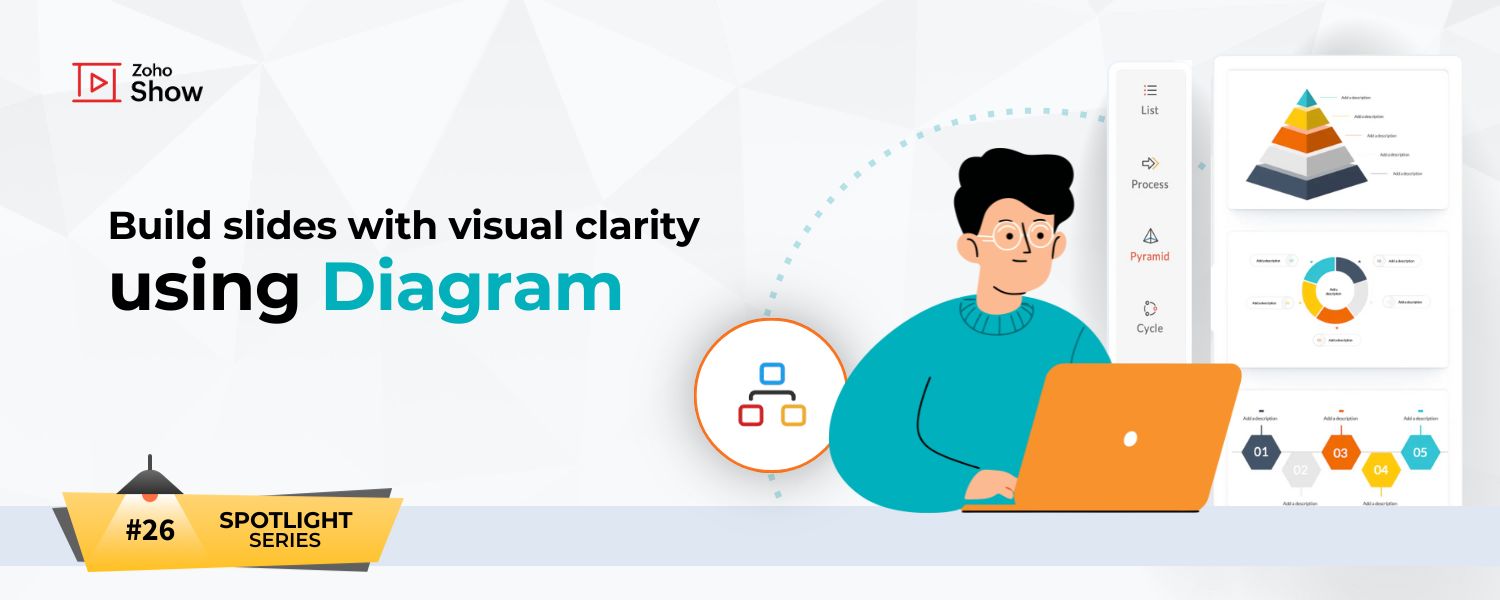
In this post, we’ll explore how to bring similar content to life visually with Diagrams in Zoho Show.
Four different types of Diagrams
- List: Organizes information as a list. For example, it can be used to mention all the marketing activities for an upcoming campaign.
- Process: Illustrates the steps or stages in a process. A common use case is depicting the sales process from first interaction to lead conversion.
- Pyramid: Displays hierarchical relationships. Going back to our earlier example, pyramids work well for explaining roles and organizational structure.
- Cycle: Shows a continuous process. One common example is the performance management cycle.
How to add a Diagram to your slide


The next time you work with structured information, remember that it deserves more than words or bullets. Diagrams turn it into something you can see, grasp, and remember instantly.
Hope you found this article helpful. Try out this feature and let us know what you think in the comments section below.
Topic Participants
Loshini D
Sticky Posts
Introducing Zoho Show extension in Your Chrome Browser
Hi everyone, Over the years, Chrome's feature-rich support extensions have grown to offer additional ways to easily access your favorite tools from anywhere. Today, Zoho Show is excited to announce our integration with Google Chrome as an extension app to help build and access presentations directly from your browser. Zoho Show for Google Chrome is a free extension that allows you to dive straight into drafting your presentation material. Simply install the Show extension from the Chrome Web StoreTake your presentations anywhere with the Zoho Show app for iOS
We're excited to announce the launch of the Show app for iOS. Our new presentation app gives you the power to view and present slideshows on your iPhone and iPad devices wherever and whenever you want. The Show iOS app has a host of features that will make your presentations engaging and dynamic: Access all your presentations with a single tap Sign in to your Zoho Show account to view your slides and deliver presentations on-the-go. The app stores all the presentations you've created in the MyIntroducing All New Zoho Show - Create and Design Stunning Presentations.
Hello, Whether you're a first-time presenter or an expert looking to make a lasting impression, Zoho Show is the tool for you. Whatever your expertise, the All New Zoho Show's contextual user interface lets you create all kinds of slides, from plain text on a simple background to complex presentations with animations, tweets, charts, media files, and lots more. The UI doesn't leave you to figure everything out yourself, but presents something you can easily use. It's clear, obvious, and intuitive.Three smart ways to share your presentation with Zoho Show.
"What is the best way to share a presentation?", a lingering question that is asked after every live session or a meeting. Sharing presentations can be time consuming. It can be done, either by attaching the file to an email or by saving it in a pen drive. But what happens when your file size is large or your team is spread across the globe? Zoho Show lets you share your presentations both internally and externally without worrying about the file size. You can share your slides as a link and decideConvey Your Ideas and Convince Your Audience with Zoho Show
Visual presentations are highly impactful and it is a no-brainer that your audience gets attracted to them. The use of images and videos help you reach your objectives by emphasizing your ideas more effectively. According to the psychologist Jerome Bruner of New York University, "people only remember 10% of what they hear and 20% of what they read, but about 80% of what they see and do." For example, if the above data on its own, was presented visually, there is an 80% chance that the information
Recent Topics
Getting Subform Fields to Display Top to Bottom
I have a form where the fields are all in one column. I want to insert a subform where the fields are stacked in one column as well. I have built both the form and subform but the subform displays the fields from left to right instead of a stacked column. This will cause a problem displaying the subform correctly on mobile apps. How can I do this please?' Here is my form with subform now. As you can see the subform "Follow Up Activity" is displaying the fields left to right. I need them to go top[Feature Deprecated] Gamescope in Zoho Projects
This feature is no longer available. All work and no play makes Jack a dull boy. Well, yes. That's true! Tiring work, buzzing coffee makers, busy turnstiles , occupied meeting rooms, back-to-back status updates and what not. Your everyday routine need not have to be this hectic. It can be more rewarding. It can be more fun. Zoho Projects believes in this fact and hence has launched Gamescope - A module that turns every project into an exciting game and boosts the spirit of your team by leaps andCreating a task, i can not work out how to get ID for What_Id
hi From Module A function I map Module B record reference membershipid (ours). I need Module B Zoho ID to create the related to on task. All examples i've seen start with the Zoho ID. void automation.LTM_Assign_Dispute_Task(String membershipid) { tryHow to Convert NSF to PST Format Effortlessly? - SYSessential
It is highly recommended to obtain the error-free solution of the SYSessential NSF to PST converter to convert NSF files from Lotus Notes. Using this professional software, it becomes easier to convert all NSF database items, including emails, journals,Can't connect to POP and SMTP over VPN
I use Thunderbird to access Zoho Mail via POP and SMTP. I have configured an app-specific password for Thunderbird to use. Everything is properly configured and works correctly — until I enable my VPN. I'm using a paid commercial VPN service (Mullvad).my zoho mail is hacked
my email is sending my username and password to people i dont knowSuministrar accesos
Asunto: Enable UPLOAD_RULE for API Attachments Mensaje: Hola, Necesito habilitar la capacidad de subir attachments vía API en Zoho Mail. Actualmente recibo el error: "UPLOAD_RULE_NOT_CONFIGURED" al usar el endpoint: POST /api/accounts/{accountId}/messages/attachmentsIntroducing real-time document commenting and collaboration in Zoho Sign
Hi, there! We are delighted to introduce Document commenting, a feature that helps you communicate with your recipients more efficiently for a streamlined document signing process. Some key benefits include: Collaborate with your recipients easily withoutTicket Loop from Auto Responce
We’re seeing an issue where a client’s help desk triggers a ticket loop. When they email us, our system creates a ticket and sends the acknowledgement. Their system then creates a ticket from that acknowledgement and sends one back to us, which createsHow to make rule to filter out some emails from receiving the notification "Receiving a new ticket"?
Good Morning, We are currently using the "Receiving a new ticket" notification rule to provide that auto reply template to a customer that emails us for support. However, there are some emails we don't want to receive this auto-reply. Where can I setZoho Signatures Missing
In the past after collecting signatures from two different PDFs I would merge them by calling an api and the signatures would appear in the combined PDF. Recently the signatures have disappeared whenever I combine the PDFs together. Why did this randomlyStop the Workarounds: We Need Native Multi-Step Forms
After over 17 years of community requests, I'm hoping the Zoho team can finally address the lack of native multi-page form support in Zoho Creator. This has been one of the longest-standing feature requests in the community, with threads spanning nearlyFilter button in the Zoho Sheet Android App doesn't toggle on
I am a new Zoho Sheets user and experiencing a specific issue with the filter functionality in the Android mobile application. Detailed Issue Description: The filter icon appears correctly in the toolbar. Upon tapping the filter icon/button, the toggleAutomate pushing Zoho CRM backups into Zoho WorkDrive
Through our Zoho One subscription we have both Zoho CRM and Zoho WorkDrive. We have regular backups setup in Zoho CRM. Once the backup is created, we are notified. Since we want to keep these backups for more than 7 days, we manually download them. TheyExciting Updates to the Kiosk Studio Feature in Zoho CRM!
Hello Everyone, We are here again with a series of new enhancements to Kiosk Studio, designed to elevate your experience and bring even greater efficiency to your business processes. These updates build upon our ongoing commitment to making Kiosk a powerfulReply to Email for SO/PO
Hello, We are new to Zoho Books and running into an issue. Our support@ email is our integration user. When our team is sending out PO/SO's we are updating the sender email, but for some reason many of our responses are coming back to our support@ emailNew activity options for workflows
Greetings, We are excited to announce the addition of two new dynamic actions to our workflow functionality: Create Event and Schedule Call. These actions have been thoughtfully designed to enhance your workflow processes and bring more efficiency toRemove the “One Migration Per User” Limitation in Zoho WorkDrive
Hi Zoho WorkDrive Team, Hope you are doing well. We would like to raise a critical feature request regarding the Google Drive → Zoho WorkDrive migration process. Current Limitation: Zoho WorkDrive currently enforces a hard limitation: A Zoho WorkDriveKaizen #228 - Process Large-Scale Migrated Data Using Catalyst Solutions
Howdy, tech wizards! This week’s Kaizen explores how Catalyst Solutions in the Zoho CRM Developer Hub help import large volumes of data into Zoho CRM while improving data quality and simplifying the migration process. Why Catalyst Solutions? CatalystZoho Expense Import Reports Won't Work Because Default Accounts Already Exist
Im trying to import reports from another Zoho expense account to mine and im getting errors that won't allow the import to happen The account name that you've entered 'Ground Transportation' already exists. Enter another name for the account and try again.zInactive License for free account.
I recently upgraded my Cliq subscription not my team (on the free version), are unable to login to their accounts. The error message received is Inactive License Looks like you have not been covered under the current free plan of users. Please contactMake panel configuration interface wider
Hi there, The same way you changed the custom function editor's interface wider, it would be nice to be able to edit panels in pages using the full width of the screen rather than the currently max-width: 1368px. Is there a reason for having the configuration panel not taking the full width? Its impossible at this width to edit panels that have a lot of elements. Please change it to 100% so we can better edit the layouts. Thanks! B.2026 Product Roadmap and Upcoming Features
This is your guide to what is coming in Zoho Vertical Studio throughout 2026. We’ll update this post throughout the year as items move from development to release, and as and when new initiatives are added. Once a feature is released, it will be reflectedPlease, make writer into a content creation tool
I'm tired of relying on Google Docs. I'm actually considering moving to ClickUp, but if Writer were a good content creation tool instead of just a word processor, I would finally be able to move all my development within the Zoho ecosystem, rather thanSyncing zoho books into zoho crm
I was wondering how I can use zoho books in crm as I have been using them separately and would like to sync the two. Is this possible and if so, how? ThanksRelease Notes | January 2026
We have rolled out a set of powerful new enhancements across Zoho Vertical Studio that bring several long-awaited capabilities to your applications. These updates focus on deeper customization, smarter automation, better reporting, and improved usabilityAnnouncing new features in Trident for Mac (1.34.0)
Hello everyone! We’re excited to introduce the latest updates to Trident, which are designed to take workplace communication to the next level. Let’s take a quick look at what’s new. Connect with customers using Zoho Voice integration. You can now easilyMassive Zoho Books failure
We have not received any communication or notification from Zoho, but we have detected that Zoho Books is not working for all our users. We cannot access or use Zoho Books. This is critical. We are trying to contact Zoho on the Spain telephone number,The Social Wall: January 2026
Hello everyone, We’re back with the first edition of The Social Wall of 2026. There’s a lot planned for the year ahead, and we’re starting with a few useful features and improvements released in January to help you get started. Create a GBP in SocialHow to block whole domain?
I am getting at least 50-75sometimes over 100 spams emails a day. I see a lot of the spam is coming from .eu domains. I would like to block /reject all email coming for the .eu domain. I do not have any need for email from .EU domains. Why won't the BlackListHow Zoho Contracts Makes Negotiations Clear, Secure, and Transparent
Negotiation is one of the most critical—and often most chaotic—stages of the contract lifecycle. Multiple stakeholders review the same document, propose changes, debate terms, and exchange feedback. Without the right tools, this collaborative processError: Invalid Element tax_override_preference
In both Books and Inventory, we're getting the following error whenever we try to enter any Bill: I think this is a bug. Even cloning an old bill (that obviously was entered just fine), this error occurs.Assign Income to Project Without Invoice
Hello, Fairly new user here so apologies if there is a really obvious solution here that I am just missing... I have hundreds of small deposits into a bank account that I want to assign to a project but do not want to have to create an invoice every timeHow to Print the Data Model Zoho CRM
I have created the data model in Zoho CRM and I want the ability to Print this. How do we do this please? I want the diagram exported to a PDF. There doesnt appear to be an option to do this. Thanks Andrewour customers have difficult to understand the Statements
our costumers have big problems to understand Zohos Statements. we need a text box after the payment number to explain what the payments are for. Is it possible to develop a version of the Statement with that kind of box and if so whu can do itHow to track a list of ALL the items that ONE customer bought?
Hello, I am interested in getting a list of all the items that only ONE of my customers bought, and the invoices are what show up instead. It's very tedious to go through every single invoice when we sell a lot of items to this customer. Surely thereExchange Rate Updates
Hi, It would be great that when you work with multiple currencies, the exchange rate updates automagically every day (as seen on Zoho Books) or at least that when you create/update an opportunity the exchange rate could be manually updated, or maybe both!Locked Out of Super Admin Account
I'm locked out of my Super Admin account and the external e-mail is no longer associated with it. There seems to be a problem during set up, the system ought to ask to assign a new password instead of using Google accounts. Please help me get back access.Emails are going to notification folder and not in inbox
emails are going to notification folder and not into inbox550 5.4.6 Unusual sending activity detected. Please try after sometime
Hi, I am receiving this error message when trying to send my emails. The only reason I can think why this is happening is my previous two emails were bounced back to me due to a non working mailbox error. I have followed the online links for unblockingNext Page