Tips and Tricks #58: Tips to overcome your presentation nightmares

– Ralph Waldo Emerson
It is natural to feel anxious before delivering a speech. Whether you're an expert or a novice, everyone experiences presentation jitters. But if you master the three important P's—Plan, Prepare, and Practice—you'll have an easier time overcoming these jitters to deliver a successful presentation.
Here are a few tips for conquering your presentation nerves:
1. Preparation is key:
Begin by deciding on an appropriate topic for your audience. While designing the slide deck, use visual appeal to capture your audience's attention. You won't be able to cover every important point in your slides, so prepare a script to follow the flow of your presentation. While working on the script, focus on starting and ending your speech with the same energy to keep the audience engaged throughout the presentation. Also, be prepared for possible questions from the audience. While presenting, always assume your audience knows more than you—this will motivate you to be thoroughly prepared. 
2. Content is king:
Good content, when presented well, will make your audience remember your presentation. To create high-quality content, you must identify your target audience, understand their needs, and shape your presentation accordingly. Make sure you're familiar with the topic you choose to present. If you're not, spend time researching your topic. Gather enough information to validate your content wherever necessary. If you're confident in the information you're presenting, the audience will be able to tell.
3. Practice makes perfect:
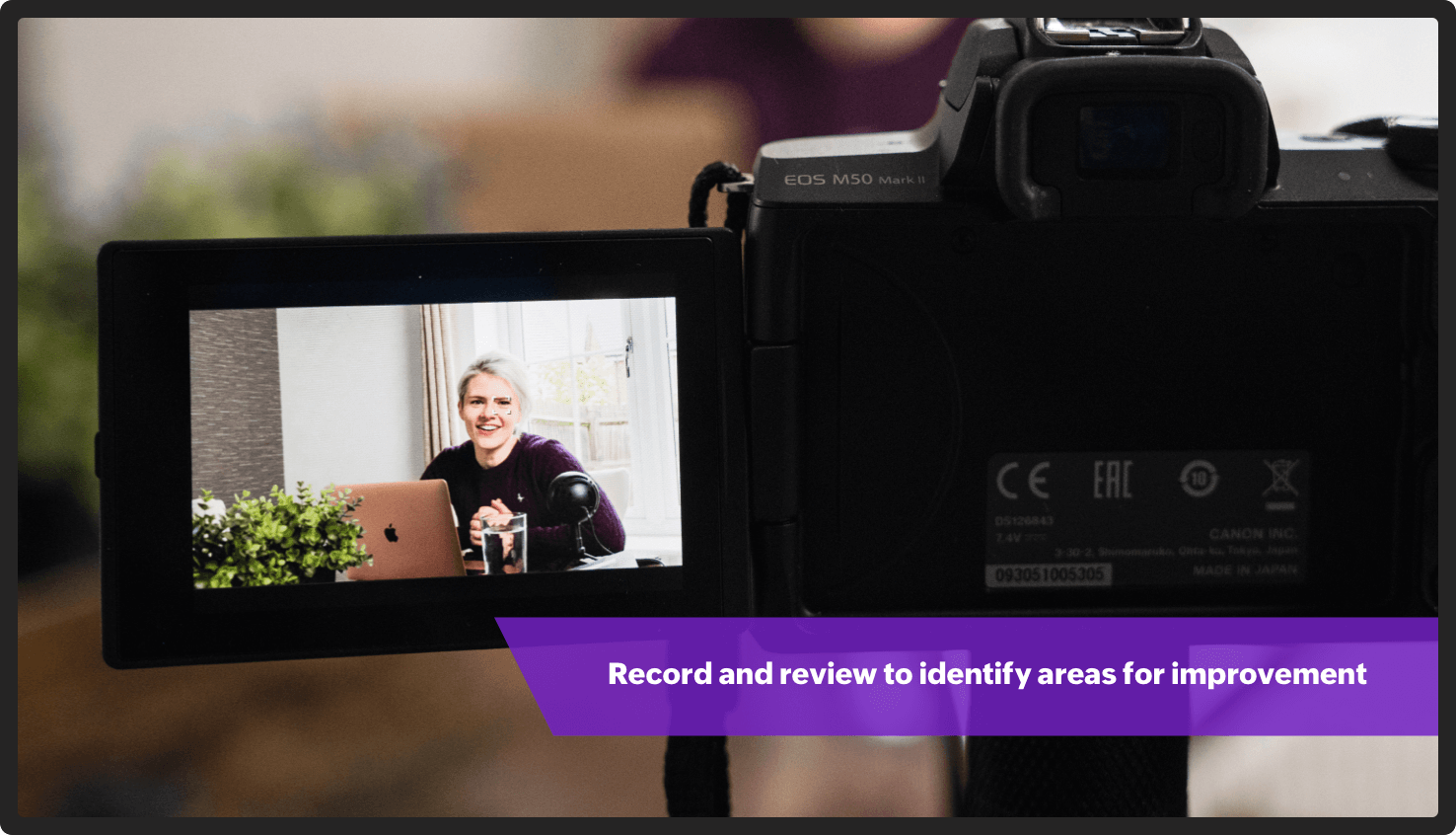
Practice every time like it is the first time. Your audience will remember how you begin and end your presentation. So deliver the first and last sentence of the presentation confidently. Carry small notes to ensure you don't skip any important points. Be your own critic—record yourself and watch the video back to identify any parts of the presentation needing improvement. You can also practice in front of the mirror. This will help you observe and correct your body language. Try practicing with different audiences to ensure you're comfortable speaking in front of any crowd.
4. Always have a Plan B:
Technical glitches are beyond our control, and might include mic dysfunction, network issues, or a laptop freeze. While it is advisable to carry a spare laptop, rehearse your presentation without the deck so you have a backup plan if something goes wrong. It's helpful to have some facts or interesting information on your topic prepared in case you need to fill time while technical issues are resolved. You can also use downtime to recap everything you have covered so far or to lead a brief activity.
5. Get a good night's sleep:
Your brain needs sleep to function properly. A well-rested person is known to have less stress and stronger concentration, and make better decisions. Being properly rested can help increase your creativity. Good sleep also improves your memory. This will help you remember everything you've practiced.
No one is born a good presenter; it takes regular preparation and effort. We hope these tips help give you the confidence to ace your next presentation!
Topic Participants
Gowthami Boominathan
Sticky Posts
Tips and Tricks #08: Lock and unlock objects in Zoho Show
Hello everyone, Here is a tip about just one of the many interesting tools in Zoho Show. Let's say the marketing and design teams are working together on a product launch. With multiple people working on this shared presentation, and rushing to get itTip and Tricks #01: Take your text for a spin
Hello folks, Zoho Show's all-new, clear, contextual interface was a great update to an already great product, so we thought you might appreciate some help putting it to good use. Following this release, the Zoho Show Community is happy to launch TipsTips and Tricks #06: Animate text at the paragraph level on Zoho Show.
Hi guys! We're back with another Show tip! Before we jump into it, let's read through a quick scenario first. Say you have a slide with a list of bullets and paragraph levels to present to your audience. The second it's on the screen, your audienceTips and Tricks #05: Add pictures as comments within a slide.
Hello everyone, We're back with a new Show tip. In today's post, we'll look at a more interesting way to comment and collaborate on a slide in Zoho Show. No matter where your colleagues are in the world, using comments to share opinions or give feedback isTips and Tricks #07: Crop a Picture to Fit a Shape
Hello everyone, Whether you're designing an adventurous photo collage, your company's brochure, or simply a team introduction for new hires, images always play a crucial role in making your presentation look interesting and interactive. To help spruce
Recent Topics
Include Article Sync Details in SalesIQ–Desk Integration Notification Email
Dear Zoho SalesIQ Team, Greetings, We are using the integration between Zoho SalesIQ and Zoho Desk to sync articles from the Zoho Desk Knowledge Base into SalesIQ. As part of this integration, we receive the following email notification: "Your scheduledNaming a Visitor in SalesIQ Messes up First and Last Name
When I go to Visitor History to manually associate a visitor with a known contact, I press the pencil symbol next to the system-generated ID number. I enter first and last name, then email. Looks good so far. However, when it syncs with CRM, first namePartial Sync
Hi, got an issue with syncing cards across windows app, web app and iphone app. If I create a card and add some text content then everything syncs across all platforms ok. If I create a card and add an attachment, be it pdf, jpg or movie then the cardRelated activity records for custom modules
For default modules in CRM, whenever I create a task for a contact, the task also appears in the record for the parent account. How do I replicate this with custom modules? My specific situation is that I have a custom module as a child module to Accounts.Why Do My Portal Users Can't See Any Data in Reports
In My zoho crm i have created a button automation which basically is it converts a quote into invoice and sales order , so initially when a person who is my app user submits a quotation form it goes into quote module and record is created and in eachIntroducing Zoho Commerce 2.0 — It's more than just selling!
Hello! We are proud to launch Zoho Commerce 2.0, a reimagination of how online businesses look, feel, and function. This launch is both timely and symbolic, as we reaffirm our commitment to empowering small and medium enterprises with powerful, yet simple-to-useIntroducing prompt builder in Zoho CRM
We’ve introduced a new way to put Zia’s generative AI to work—right where your teams need it most. With the all new prompt builder for custom buttons, you can create your own AI instructions to generate tailored content, suggestions, or summaries acrossItem Batch Creation/Updation
I have a requirement to integrate a local system with Zoho Books. I need to create items in Zoho Books with batch tracking enabled, but I couldn't find a specific API for that in the Zoho Books API documentation. Is there a dedicated API endpoint to createEducation Zoho User Group (ZUG) virtual meetup featuring Zoho Sign
Hi there! The educational sector often faces the hassle of handling extensive paperwork, which leads to increased operational costs. A digital signature solution like Zoho Sign can help you modernize your processes, go fully digital, and seamlessly collectTroubleshooting Delays in Zoho CRM Automation Workflows for Lead Status Updates
Dear Zoho Community, I am refining a sales pipeline in Zoho CRM, implemented in May 2025, to enhance efficiency for a small business managing client leads. While the CRM effectively tracks leads, I am encountering delays in automation workflows that update📣 [Webinar] Spikra shows how businesses leverage Zoho Bookings to increase revenue
[Webinar] Spikra shows how businesses leverage Zoho Bookings to increase revenue Hi all, Service-based businesses need to be on top of their client experience game to stay ahead. Spikra, one of our Advanced Zoho Partners, has been helping businesses deliverKaizen #172 - Leveraging the 'crmAPIResponse' Object in Queries
Hello everyone! Welcome back to another week of Kaizen! We released the Queries feature sometime back and hope you have tried it out. A little gist about this feature before we move on to our post. Zoho CRM's Queries feature enables dynamic data retrievaltransforming 1D tables to 2D and the other way round
Does Dataprep have tools to convert 1D tables to 2D tables and the other way round? The actions that are commonly called "pivot" and "melt". What I mean is transitioning between these two kinds of table: 2D id ____ name ____ surname ____ age 00 ____ MattRebrand your CRM with the all-new custom domain mapping setup
UPDATES TO THIS FEATURE! 19th Jan, 2024 — Custom domain mapping has been made available for portal users in Zoho One and CRM Plus. 23rd June, 2023 — Custom domain mapping has been made available for all users, in all DCs. Hello everyone! We are elatedauthentication
We cannot connect via IMAP. We are receiving the following error: Error: You are yet to enable IMAP for your account. Please contact your administrator (Failure)Bad User: Authenticated but not connected
Zoho CRM cannot send/receive emails and it appears as if it may be an api configuration change either via Zoho or MS. Does anyone have information on how to fix this error message? I am admin on all my accounts. Zoho and MS are blaming each other.Edit email address that appears on invoice
Hi How do I change the email address that appears on invoices, it is showing the email address that i used to sign up to zoho with but I want to change it to another email address that we use for accounts. also is there a way to edit the position of aZoho Tasks - Add Sorting by Priority
We are able to Group by and Filter by Priority but for some reason we can't Sort by Priority on the Task lists. Please allow for sorting by priority if the current view is not grouped by priority.Zoho People > Candidate Form > error Editable Primary Lookup is needed to set add permission
Hello All I have try to turn on the add feature in the candidate form It show the error Editable Primary Lookup is needed to set add permission What is missing from my side?6 time-saving tips for working with tables in Zoho Writer
Tables have always been the best way to represent data. They help you structure and categorize information systematically and present them in a simpler way. While tables in Zoho Writer are easy to implement, some tasks might not be that obvious. Here are some time-saving tips to help you work better with tables in Zoho Writer: 1. Insert Multiple Rows / Columns in a Table Adding more rows and columns is the most common action performed while working with tables. Instead of using the Table tab,Add Built-in "Partner Finder" / "Contractor Directory" Tab to Zoho Desk Help
Hi Zoho Team, We hope you're doing well. We would like to request a new feature for the Zoho Desk Help Center: A built-in, configurable "Partner Finder" / "Contractor Directory" tab or section, similar in concept to your own Zoho Partner Finder at: 🔗Can't get sender adress to work
Hi, I am having some trouble getting the sender adress to work for responses on tickets. I would like to configure a sender adress that is different from the zohodesk emailadress that is normally used. These are the steps I have followed: 1. Add a newQuestion Regarding Deleted Reports in Zoho Desk Analytics
Dear Zoho Desk Support Team, I hope this message finds you well. We have a question regarding the Analytics module in Zoho Desk, specifically related to deleted reports/dashboards. We would like to understand the following: Is there a recycle bin, recoveryAdd an option to start zobot when user clicks the Chat with Us button
I would like to have an option to start the zobot when user clicks on "Chat with us" button when chat widget is maximized that way visitors could see first the homepage and decide which channel they would like to use to connect, or to see the quicke helpZoho Books - Feature Request - Provide "Show PDF View" toggle on Invoice records
I have noticed it is possible to activate or deactivate the PDF preview on some records but not all. This would be very helpful on Invoices when a custom template is being used and the PDF preview does not represent the output file. Not available on:Incorrect Handling of XLSX data
Trying to import an XLSX schedule of bills into Zoho Books I ran across the problem of date formatting. To replicate: Build a CSV file with bill dates in whatever format you like and import it - this should work if you match the "dd/MM/yyy" etc. formatAdding Columns to Reports
Hi, Is it possible to choose fields to be added as columns in the reports? Thank you.How do I automatically assign the project owner for all tasks in Zoho Projects?
I have been researching for days on how to automatically assign all the tasks to the project owner on creation of the project in Zoho Projects. I have been having to go in and manually change all the task owner from 'unassigned' to the owner of the projectCRM Kiosk - Action for GetRecords
I have a Kiosk screen with GetRecords and want to use the selected records in a custom function. My particular case is to set a lookup value on the selected records. Generally speaking though, I want to work with the selected records in a function. IEmail for customer to provide payment information
Is there a way for customers when you set up a subscription to get an email that prompts them to put in their billing information to start their subscription? Also, can you show the subscription in their portal?Unable to display field label from a hidden Single Line Textbox in Description
Hi folks, I'm unable to display my hidden field, e.g. ${zf:SingleLine4} , in my description. I'm pre-filling this hidden Single Line Text box via "Field Alias - Pre-fill URL" settings. I noticed that my decimal form fields work, e.g. ${zf:Decimal}, andLookup fields
Is there any way to add Lookup fields to Zoho FSM -- I do not see the option but I see default lookup fields in different modulesZoho Analytics - Bill Table
Hi I am new to Zoho and mainly work in Books. Recently learned of Zoho Analytics and am exploring it to create reports that would be useful for me. For example, I want to create a bills cash forecast by week for cash flow planning. When I start to createCreating a tax - amount table in Analytics
Hi everyone, I would like to create a report in Zoho Anayltics that creates the tax and amounts in a table. I have been able to create a report that shows me all the tax accounts, but I can't get it combined with the amounts of the accounts. Is thereIs it possible to do custom domains on test accounts that use saml setups?
In Zoho Billing, Is it possible to do custom domains on test accounts that use saml setups for the customer portal?I’m facing an issue while trying to upload a PDF file to a custom file upload field within the Leads module via the Zoho CRM API.
Hi Zoho Team, I’m facing an issue while trying to upload a PDF file to a custom file upload field within the Leads module via the Zoho CRM API. I am able to manually upload a PDF into this field through the UI. I am also able to upload files as attachmentsNo chat option
Chat option is not available in Android app.How to add custom templates in zoho sheets mobile
How can I add custom templates in Zoho spreadsheet mobile?Order Items
Hi .. We have to implement orders with line but each line should have a separate record and not as a subform, does anyone have experience with that kind of solution what is the best practice for that kind of thing ThanksTrello: Invalid Client - Client ID passed does not exist
Hello, I am trying to authorize the Zoho CRM power-up in Trello but always land on the following page: I tried adding a trello client to the Zoho API console but this generated a different client ID to the one in the link of the page in the above picture.Next Page