Zoho DataPrep 3.0 Release
Building a data pipeline often means spelling out every step: import data, clean duplicates, join datasets, apply transformations, and export the results. What if you could describe the outcome you want and let AI work out the steps?
With Zoho DataPrep 3.0, we're bringing this goal-driven experience to data movement and preparation. Agentic Ask Zia plans and builds your pipeline based on your goal, while keeping every step visible and editable so you stay in control. Alongside this, the release introduces a rebuilt processing engine, Python-based custom transformations, new connectors, pipeline sequencing, and more ways to work with DataPrep through AI agents and command-line workflows.
Agentic Ask Zia: From instructions to outcomes
With Agentic Ask Zia, you can describe what you want to achieve instead of specifying every transformation one by one. Ask Zia interprets your goal, plans the steps, and builds the pipeline for you.
Goal-driven pipeline creation with Agentic Ask Zia
Describe your desired outcome in natural language. Ask Zia creates a plan, lets you review and approve it, and builds the pipeline. You can inspect and edit the resulting rules at every stage, keeping the process transparent and under your control.
Multi-agent architecture
Ask Zia uses specialized agents for data quality, importing, transforming, and exporting data. Each agent handles its respective stage of the pipeline, while data quality and modeling capabilities help identify issues and suggest transformations, joins, and appends.
Multiple chat threads and agent memory
Create multiple chat threads, each with its own conversation context, and return to your chat history whenever needed. Agent Memory also helps Ask Zia retain your preferences and information from previous interactions to provide a more contextual experience.
AI-driven data analysis
Ask Zia analyzes your data to identify quality issues and suggest suitable transformations. It can also examine your dataset structure and recommend ways to model your data, including joining and appending datasets.
Data Engineering agent within Zoho Analytics
The new Ask Zia is also available in data pipelines within Zoho Analytics, so you get the same goal-driven experience while preparing data for your reports and dashboards.
Ask Zia powered by Zia LLM and Frontier models
New Ask Zia settings provide granular control over consent management and let you switch between available large language models (LLMs) according to your needs.
Agent caching for faster responses
Ask Zia can reuse context from your conversation instead of processing it from scratch on every turn. This reduces token consumption and helps improve response times, particularly during longer conversations in which you build and refine pipelines.
The dForge engine: Faster processing, less storage
Zoho DataPrep 3.0 introduces a rebuilt distributed processing engine designed to handle both low-volume and high-volume workloads efficiently. Its two-tier architecture speeds up transformation authoring while supporting large-scale pipeline executions.
Here's what the new engine brings:
Up to 100× faster transform previews to help you see the effects of your changes sooner.
Up to 70% faster full transformations for more efficient pipeline execution.
Up to 50% less storage usage through improved file compression.
These improvements help you prepare data more efficiently, from authoring individual transformations to processing large datasets during scheduled and full pipeline

Custom transforms with Python Code Studio
When built-in transformations aren't enough, Python Code Studio lets you create custom data transformations using Python and connect to external systems through custom API integrations for reconciliation and enrichment.
Test your script against sample data, then deploy it to run across your full dataset. Code Studio is now generally available with Zoho DataPrep 3.0, giving you more flexibility to handle specialized data preparation requirements within your pipelines. Learn more
Headless DataPrep
You can now extend your data preparation workflows beyond the Zoho DataPrep interface.
DataPrep MCP server
Use the DataPrep Model Context Protocol (MCP) server to create and run data pipelines through your preferred AI agent or assistant, such as Claude. The new MCP endpoints support end-to-end pipeline building, allowing you to automate data movement and preparation without opening the DataPrep application. Learn more
DataPrep CLI
The DataPrep command-line interface (CLI) lets you manage and run pipelines from the command line. Integrate DataPrep into existing scripts, schedulers, and CI/CD workflows to automate routine tasks and repeat pipeline operations across environments.
The DataPrep CLI is available on request. To try it out, contact support@zohodataprep.com.
More ways to transform and analyze data
Anomaly detection
Identify outliers and unexpected values in your datasets to catch potential data quality issues before they affect downstream reports and analytics. Learn more
400 built-in formula functions
The formula builder now supports 50+ new out-of-the-box functions including functions to handle nulls (Nvl, Nvl2, Nullif), cleaning text (Regexp Extract All, Parse Url, Translate), statistics (Percentile Approx, Stddev Samp) and ranking rows (Ntile), giving you more ways to express your transformation logic without writing code. Learn more
10+ connectors for data integration
Zoho DataPrep 3.0 expands the ways you can bring data into your pipelines and send prepared data to business applications.
New import connectors
You can now import data from:
New export destinations
New export destinations expand your options for sending prepared data to other applications:
HubSpot (coming soon)
Klaviyo (coming soon)
Brevo (coming soon)
Mailchimp (coming soon)
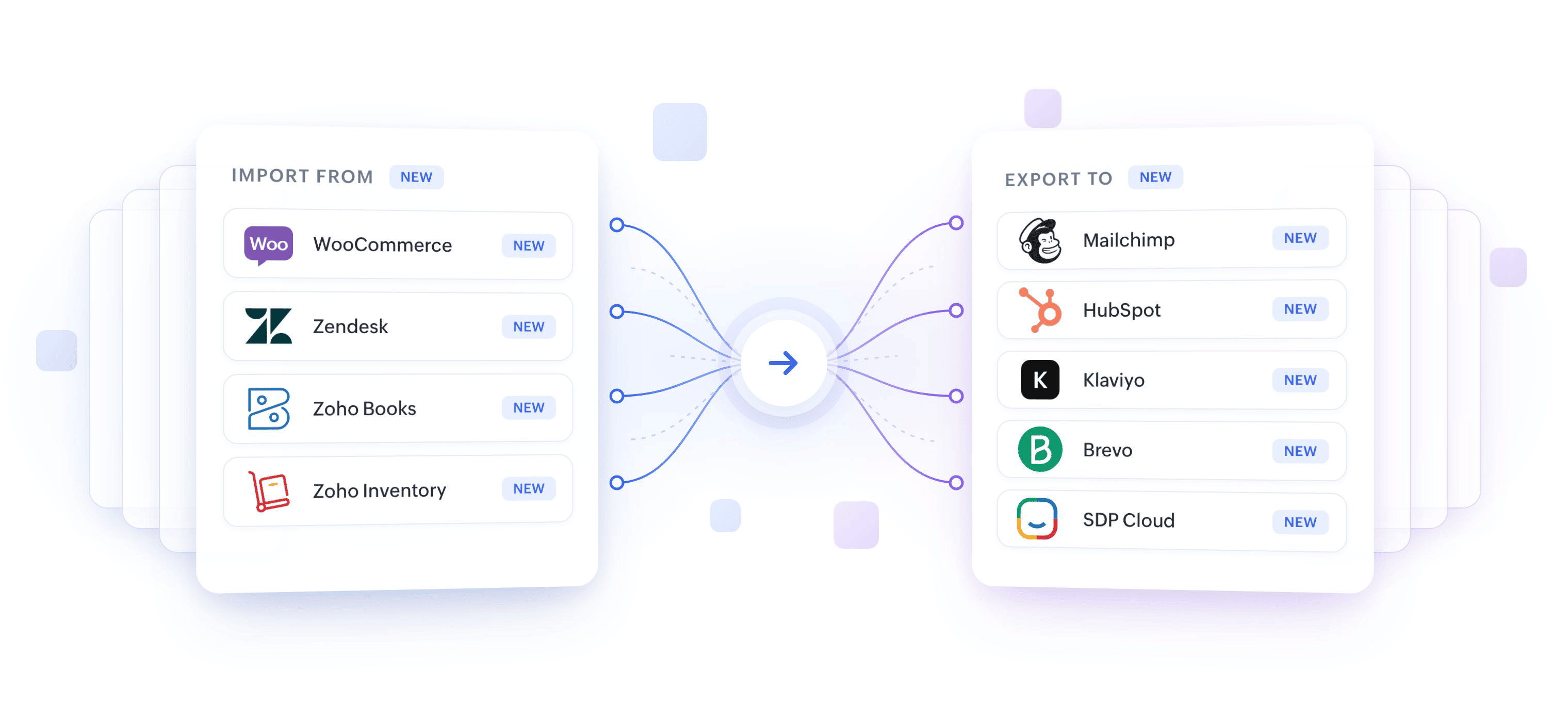
The export destinations - HubSpot, Klaviyo, Brevo, and Mailchimp are scheduled for availability on November 15, 2026.
Along with this, we have 20+ more updates in 3.0. Take a look at the full release notes.
See Zoho DataPrep 3.0 in action
Join our product team for a walkthrough of the new capabilities at the Zoho DataPrep 3.0 launch event on October 29, 2026.
https://www.zoho.com/analytics/webinars/launch-event.html
Ready to simplify your data preparation workflows? Set your goal and let Agentic Ask Zia help you build your next pipeline.
Start your free 15-day trial of Zoho DataPrep