Automate your workflows with Connections in Zoho Bookings
Greetings from the Zoho Bookings team!
We're excited to introduce Connections, a new capability that lets you securely authorize supported Zoho services and use them across multiple custom workflows, making it easier to automate actions based on booking events.
Watch how connection works
See how to create a connection, use it in a custom workflow, and automate actions with supported Zoho apps.
For this initial release, the Connections feature supports the following Zoho apps:
Watch how connection works
See how to create a connection, use it in a custom workflow, and automate actions with supported Zoho apps.
For this initial release, the Connections feature supports the following Zoho apps:
- Zoho Desk
- Zoho Recruit
- Zoho Cliq
We'll be adding support for more applications in the coming months.
Why did we build this?
Businesses often rely on multiple applications to manage appointments, customer support, recruitment, communication, and other business processes. Until now, integrating Zoho Bookings with these applications required external tools or custom implementations, making workflows more complex to build and maintain. Connections simplifies automation, reduces repetitive authentication, and helps you build reliable integrations directly within Zoho Bookings.
What can you do with Connections?
Once a connection is authorized, you can use it in workflows triggered by booking events, such as appointment creation, updates, cancelations, and no-shows.
What does this mean for your business?
The Connections feature helps you:
- Build secure, reusable integrations without relying on external automation tools.
- Reuse a single authorized connection across multiple workflows, eliminating the need to configure it repeatedly.
- Centralize workflow automation and manage all your connections from a single place in Zoho Bookings.
Getting started
- Navigate to Admin Center > Developer Hub > Connections.
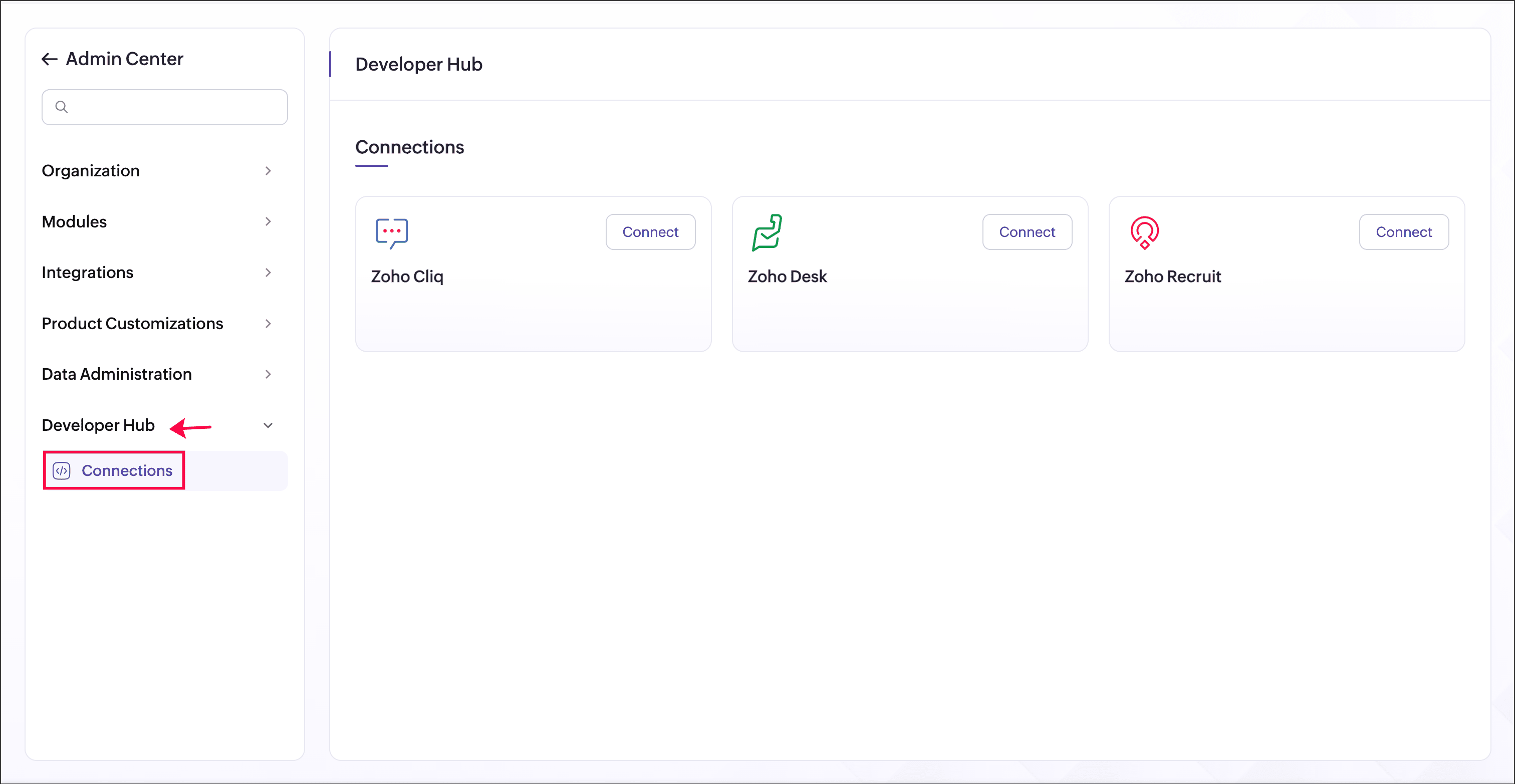
- Select a supported service and click Connect. Review the requested permissions and authorize the connection.
After authorization, the connection becomes available for use in workflows.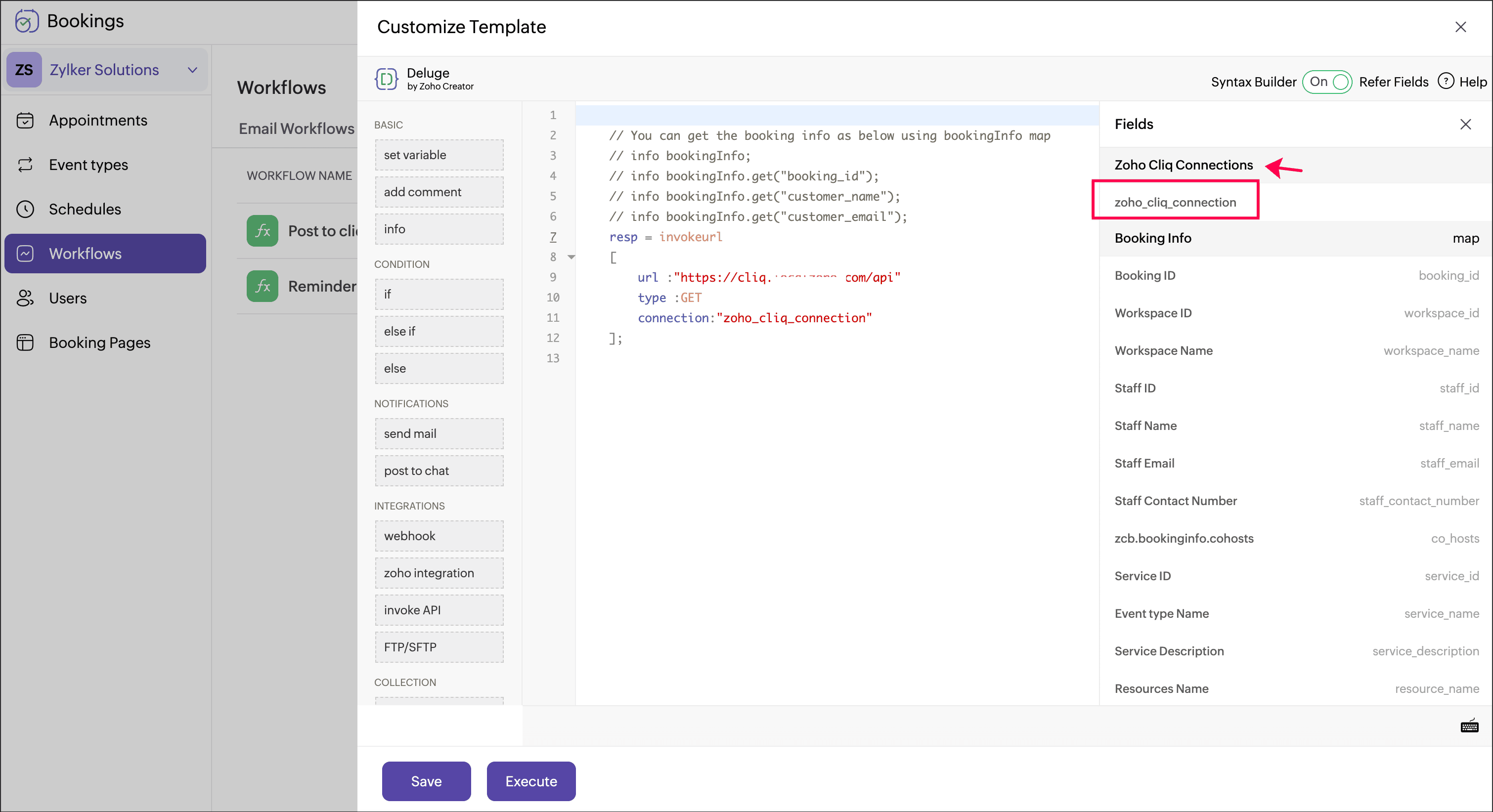
For detailed setup instructions, please refer to our help documentation: [Connections - Zoho Bookings Help]
We hope this feature helps you build more powerful and streamlined workflow automations in Zoho Bookings. We'd love to hear your feedback in the comments, or you can write to us at support@zohobookings.com.
Regards,
The Zoho Bookings Team
The Zoho Bookings Team