Set Up Google Tag Manager for Your Zoho Recruit Career Site
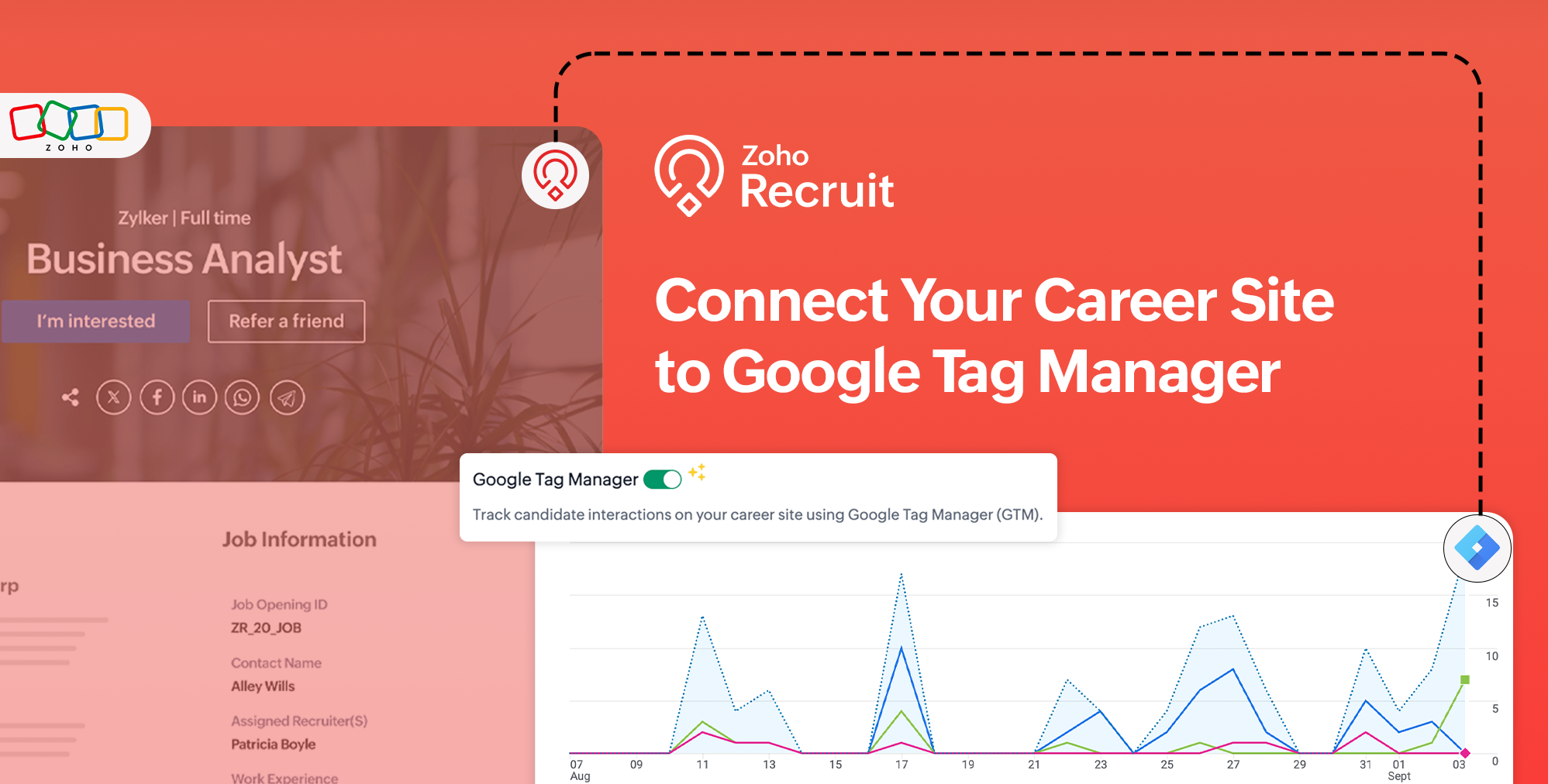
Understanding how candidates interact with your career site can help you improve their experience and make better decisions about your recruitment process.
With the new Google Tag Manager (GTM) integration in Zoho Recruit, you can connect your career site to GTM, choose the events you want to track, and review the data sent for each event.
What's new
You can now:
- Connect your Zoho Recruit career site to your Google Tag Manager container.
- Enable the career site events you want to track.
- Review the data and variables associated with each event before saving your configuration.
- Send career site event data to Google Tag Manager for further tracking and analysis.
You can track events such as:
- Job Listing — When a visitor views the job listing page.
- Job Detail — When a visitor views the job details page.
- Job Application Initiated — When a visitor clicks the Apply button.
- Job Application Submitted — When a candidate submits the application form.
How it works
- Go to Setup > Career Website > Career Site.
- Navigate to Advanced Settings > Tracking & Analytics.
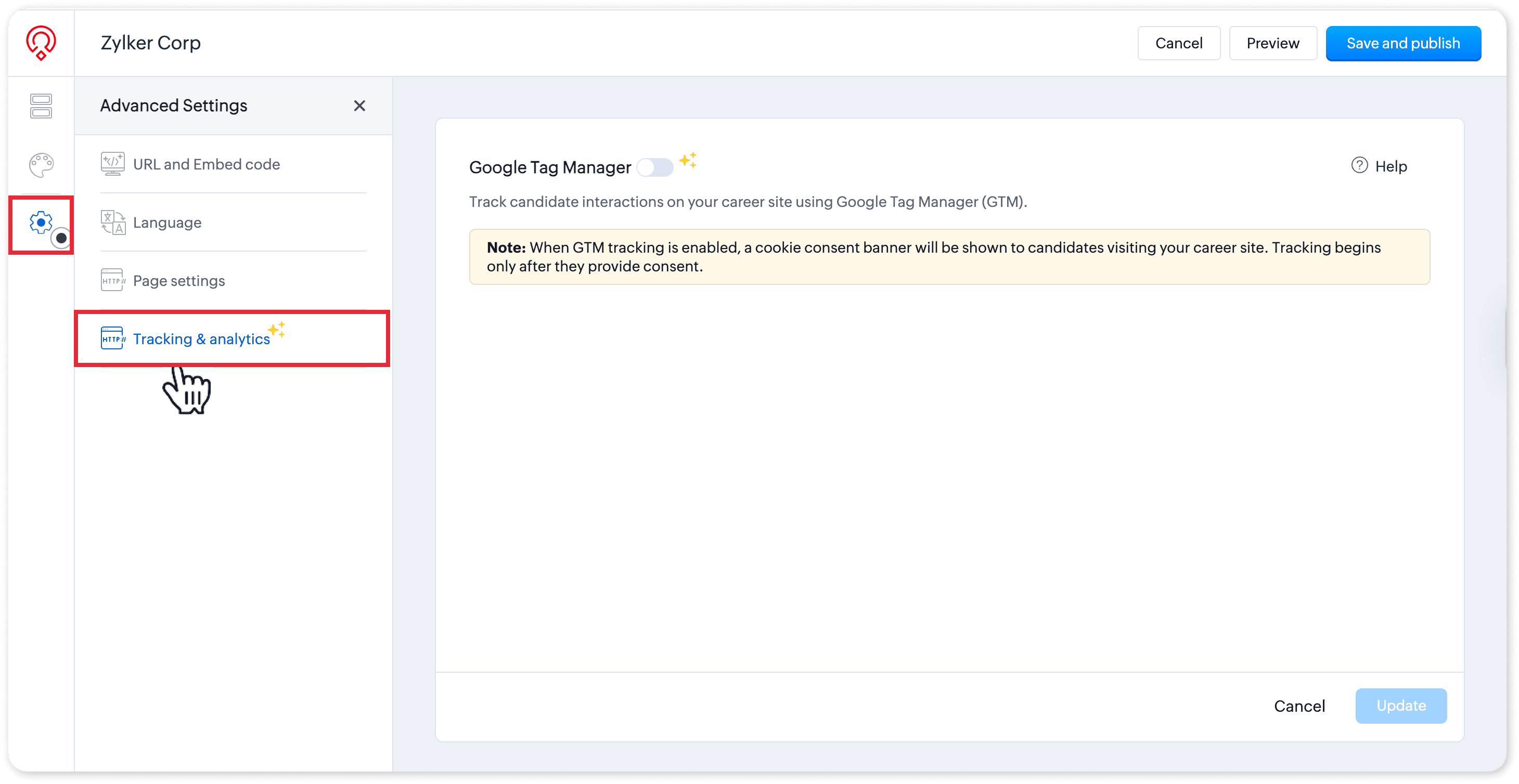
- Turn on Google Tag Manager and enter your GTM Container ID.
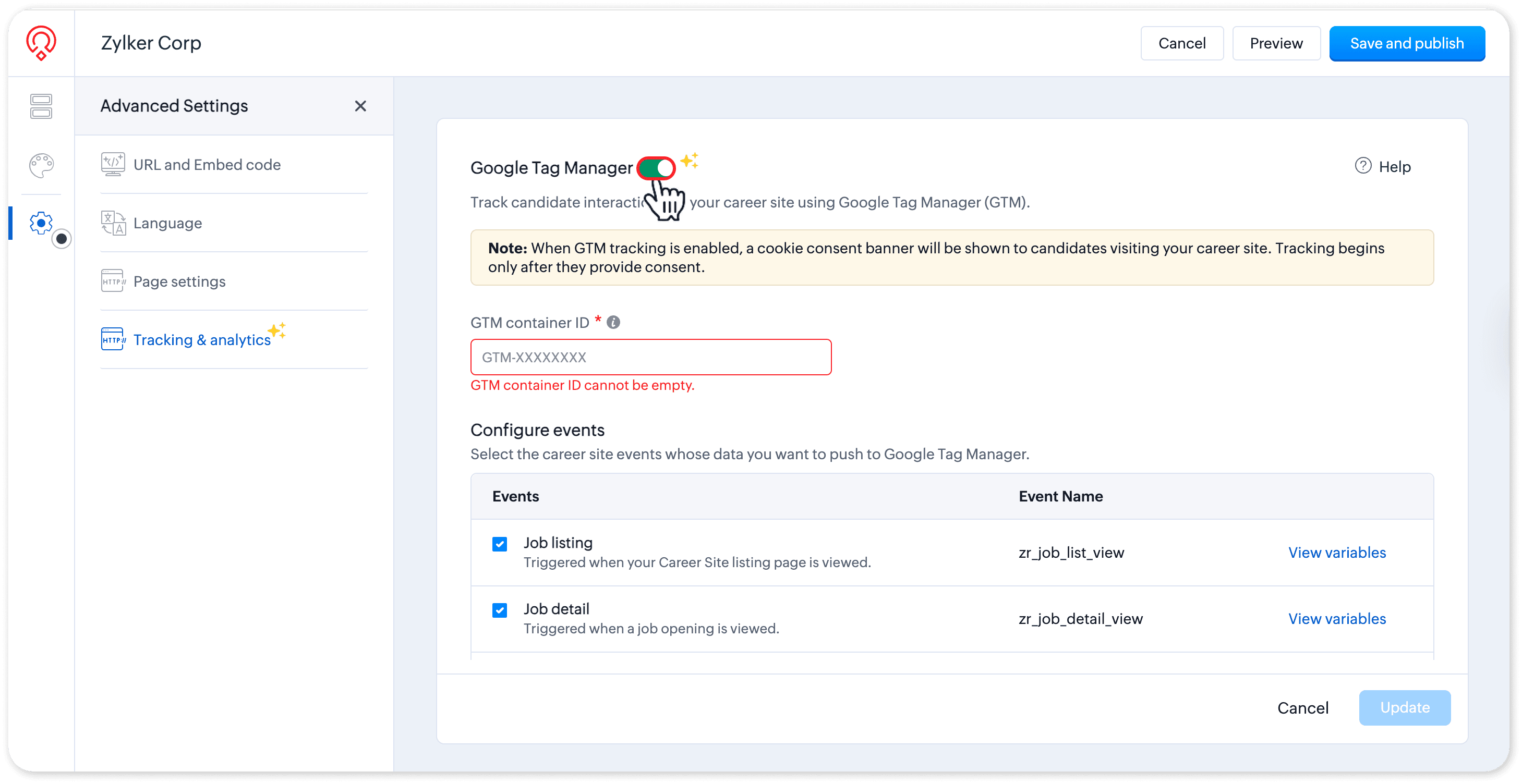
- Under Configure Events, select the events you want to track.
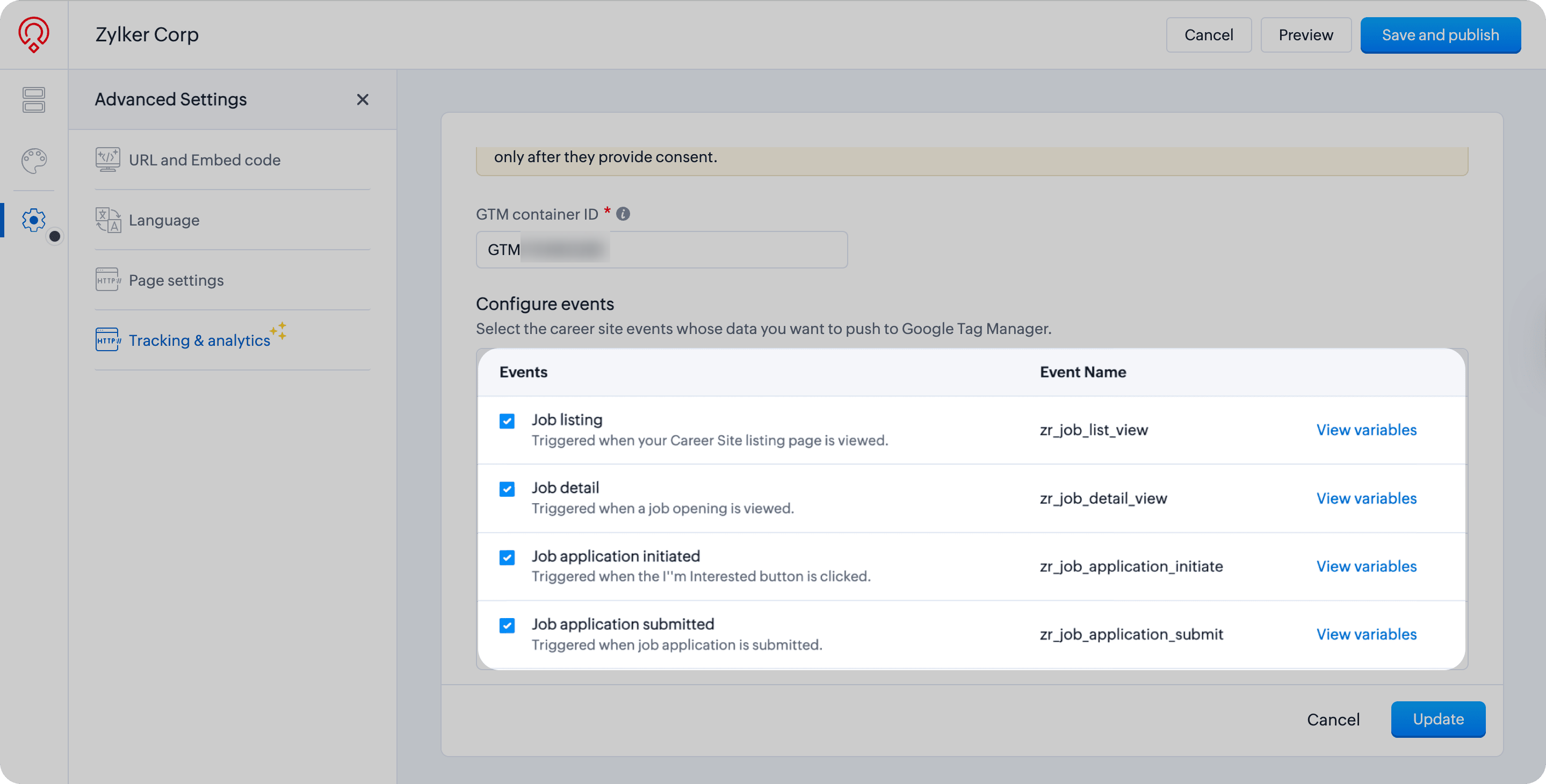
- Click View Variables next to an event to review the data sent to GTM.
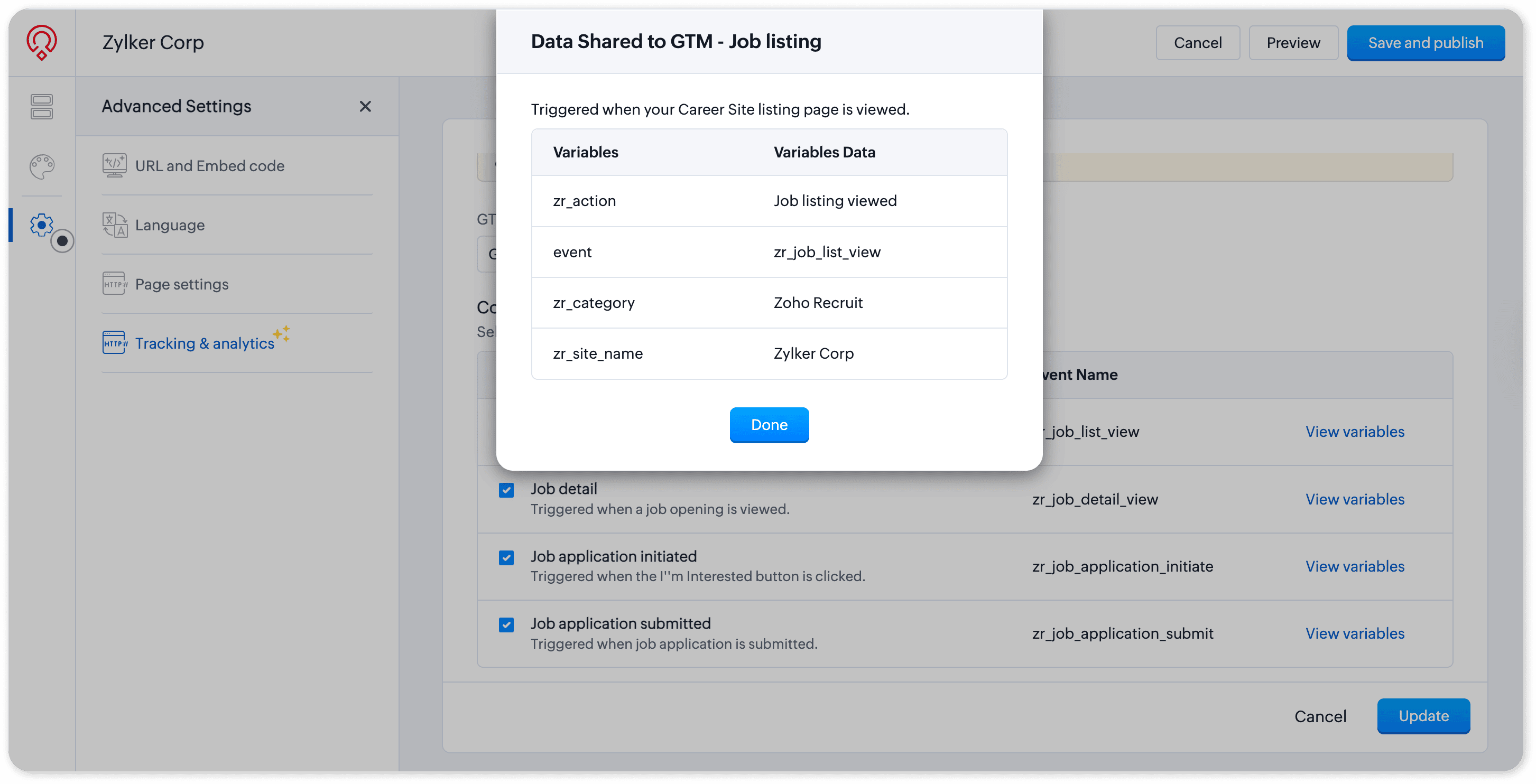
- Click Update to save your configuration.
At least one event must remain enabled while Google Tag Manager is active.

Important note:
The Google Tag Manager configuration is reflected on your career site pages. A cookie consent banner is shown to candidates, and tracking through Google Tag Manager takes place only when the candidate provides consent.
Try it out
Connect your career site to Google Tag Manager and start tracking the candidate interactions that matter to you.
For step-by-step instructions, refer to the Set Up Google Tag Manager for Your Career Site help documentation.
Tell us what you think
We'd love to hear how Google Tag Manager integration helps you understand candidate interactions with your career site. Share your thoughts in the comments below or write to us at support@zohorecruit.com.
Regards,
Team Zoho Recruit
Team Zoho Recruit