CRM's import feature has been revamped
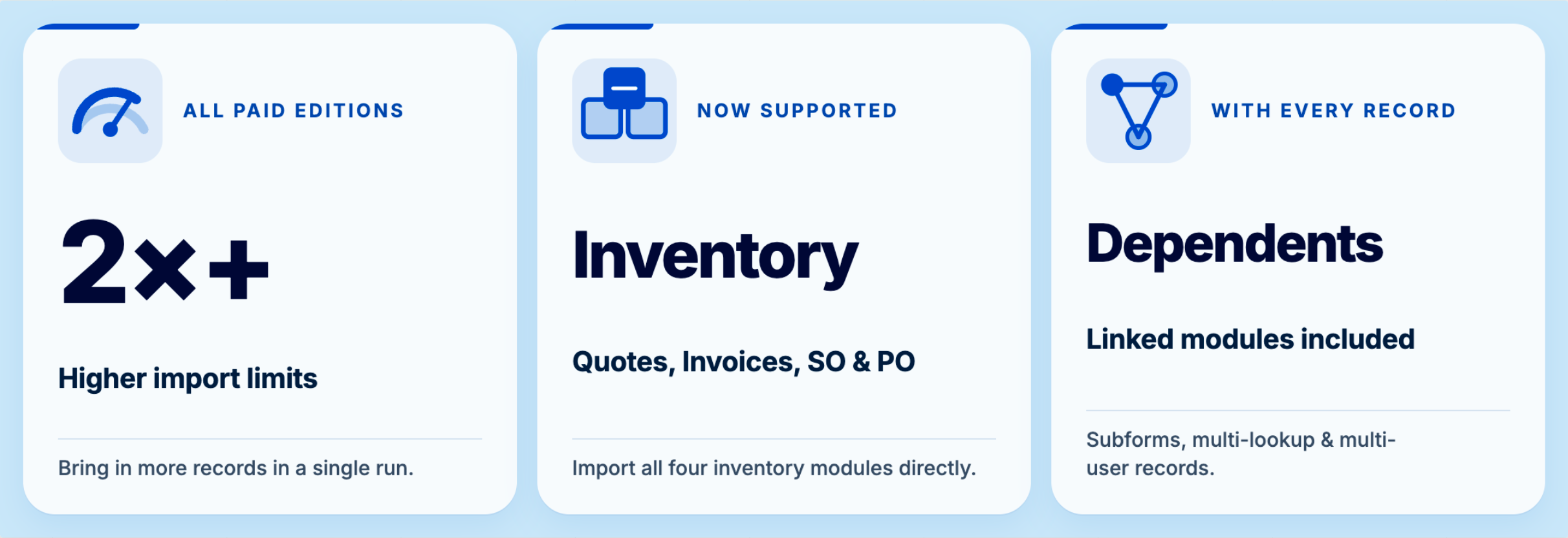
We've refreshed the import feature. You can now manage large, complex imports, particularly those with related data, more easily, with fewer steps and fewer errors. This has been released for all users in all DCs.
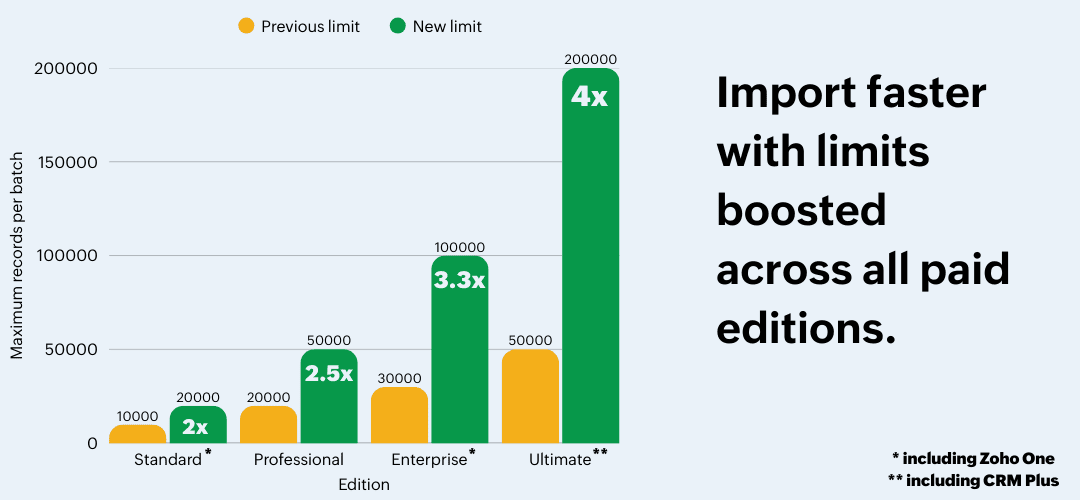
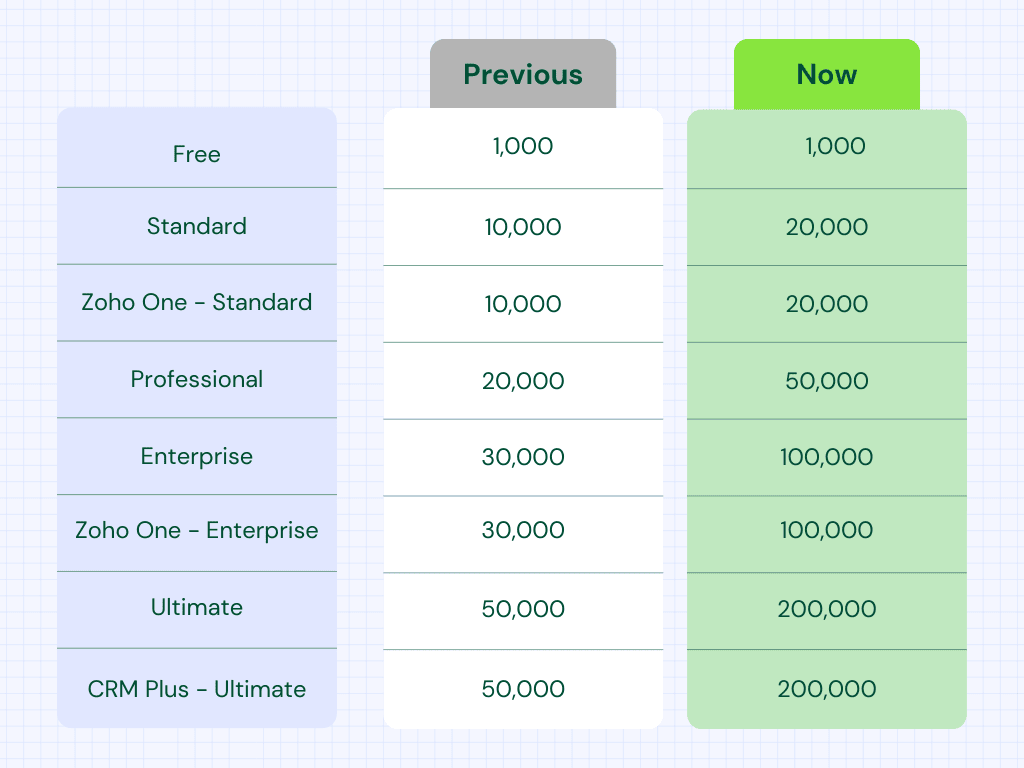
We've increased the limit for maximum number of records per batch across all paid editions. Here's a table with the new limits for your reference.
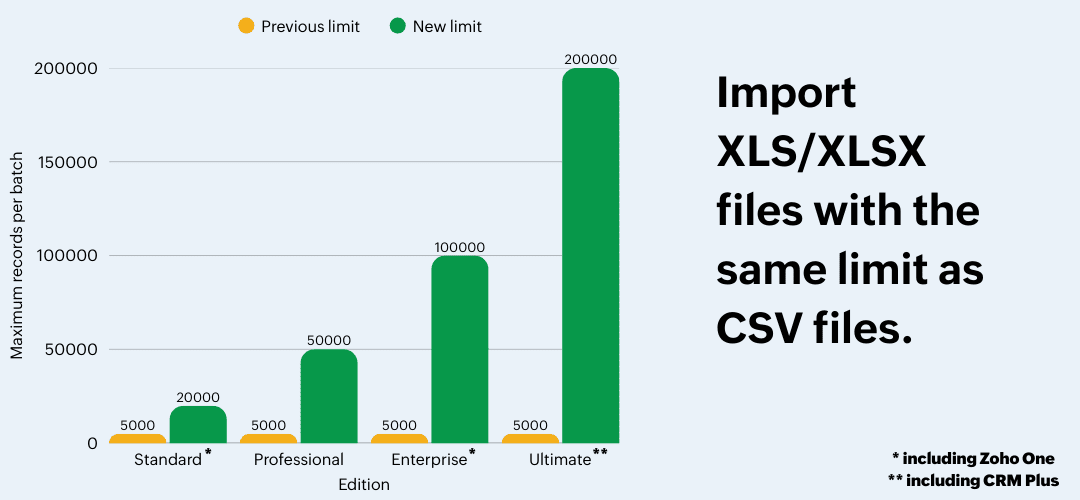
This translates to fewer import files and easier imports for everyone.
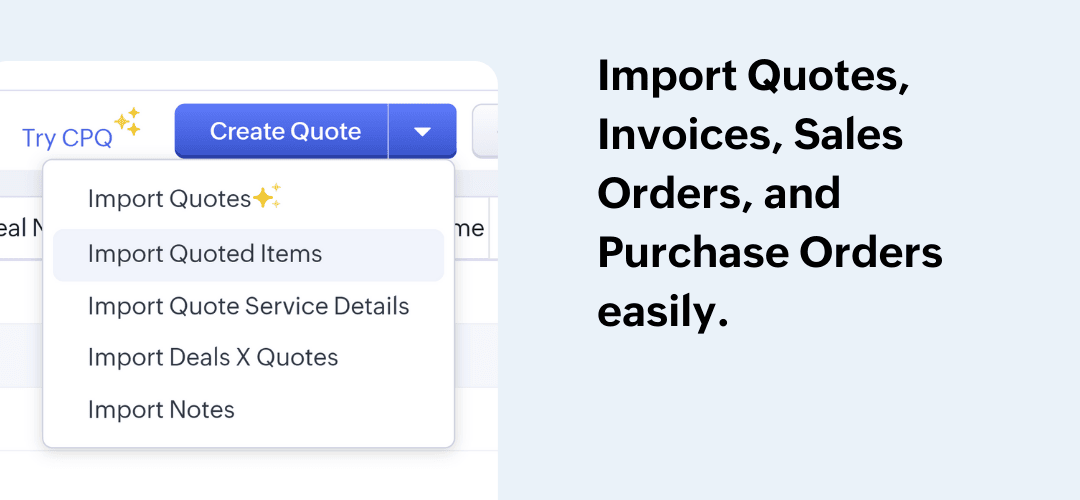
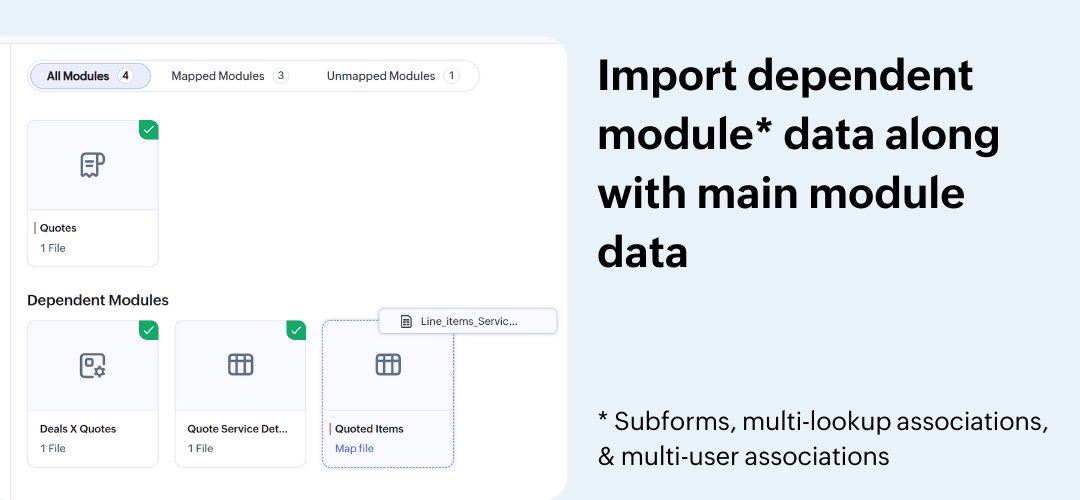
-
Subform records
-
Multi-select lookup associations
-
Multi-user associations
This means that you can drag and drop multiple files in the import tool and map them to the right dependent modules. Let's say that you want to import invoices along with the line items. Now, you can do this in one go.
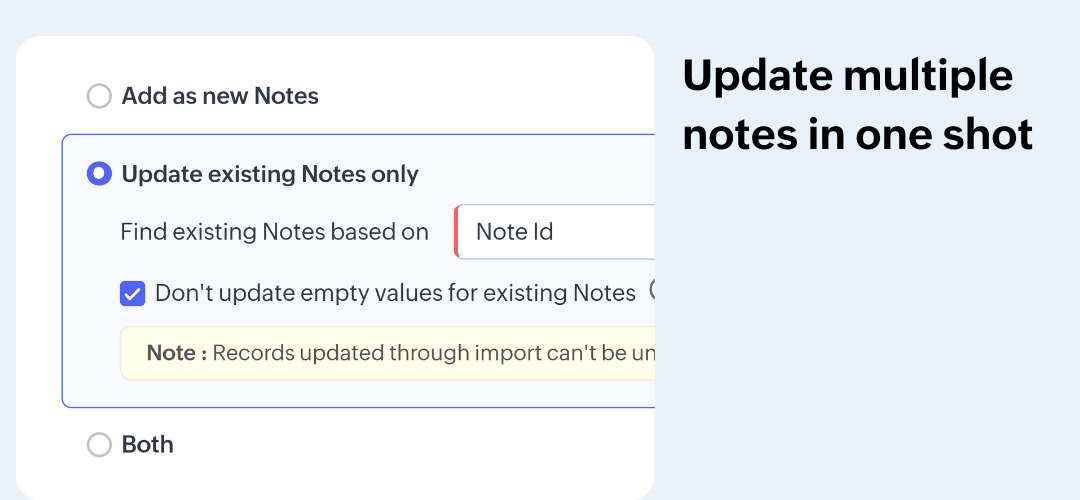
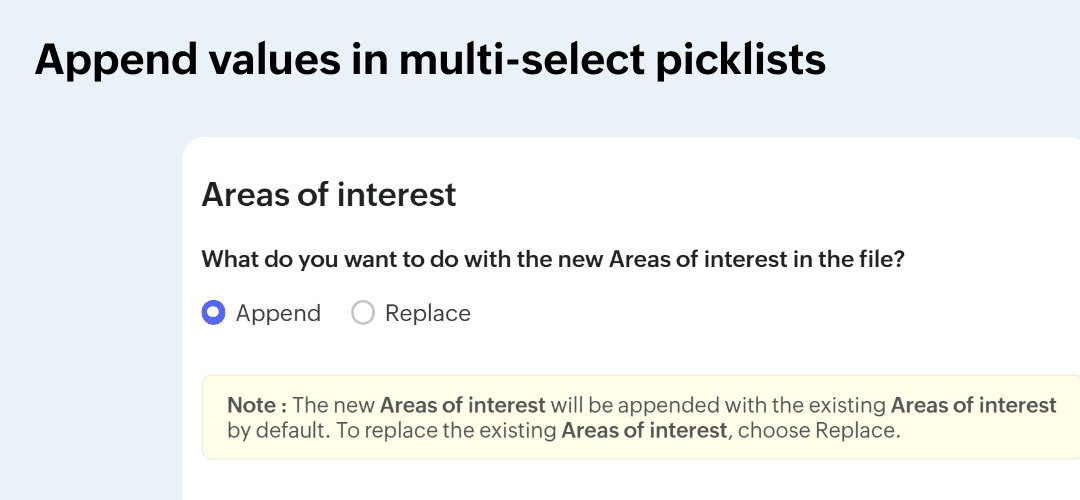
In addition, you can:
-
Choose whether you want to be notified via email when an import is complete.
-
Use the import tool to update records even when data storage is full.
-
Update and upsert records in the Free edition.
-
Select ISO-8859-8 charset for Hebrew-language data imports.