Customize your Booking page using Zia
We’re excited to introduce an AI-based enhancement that automatically customizes your booking page effortlessly. By simply providing your business website URL, Zoho Bookings can automatically design a booking page that matches or complements your brand by saving you time and effort. This feature helps you create a professional, brand-consistent booking experience without manual design work.
What does this feature do?
- Automatically customizes your booking page: Fetches your business logo, primary email address, contact number, background images, and social media links from your website.
- Applies a brand-aligned theme: Scans your website’s background image, color, text color, button style and applies the same or complementary color palette to your booking page.
- Auto-fills business information: Uses publicly available details from your website to populate key business information on the booking page.
- Keeps customization flexible: Once the page is generated, you can further modify the layout, colors, header, footer, and page properties anytime.Getting started is simple1. Choose the workspace from the left menu.
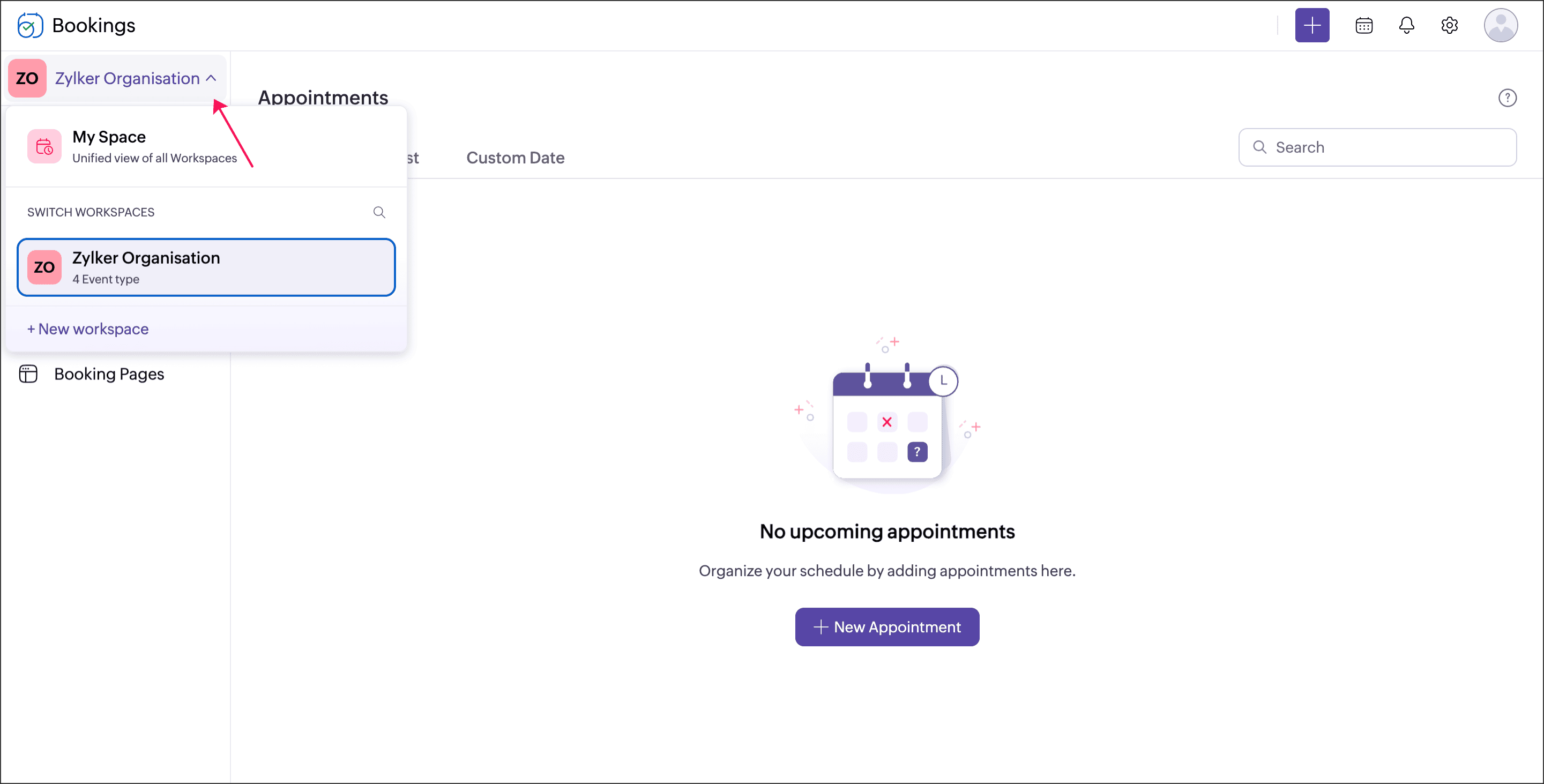 2. Click Booking Pages and select Themes and Layouts under the workspace booking page.
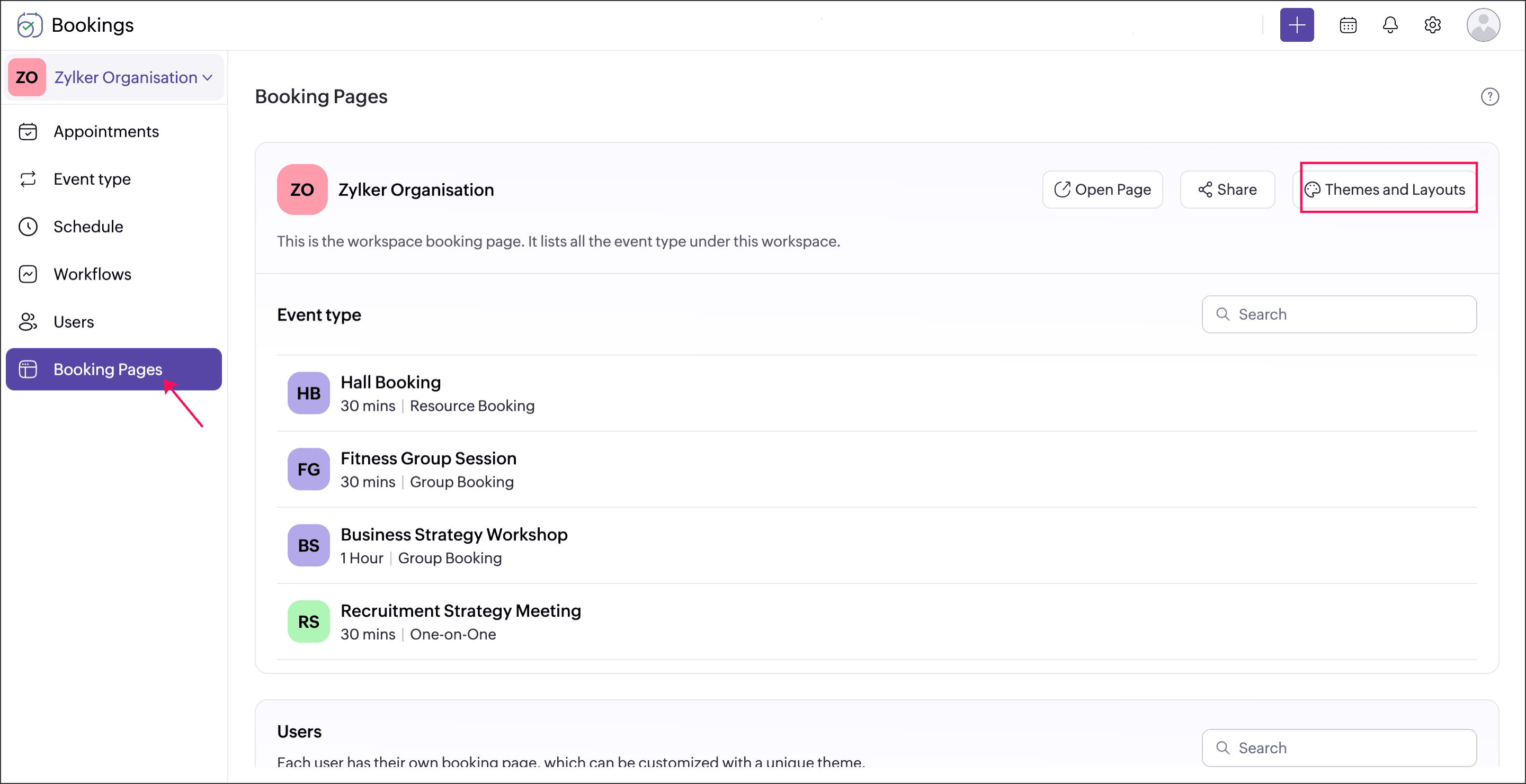 3. Click Design with Zia.
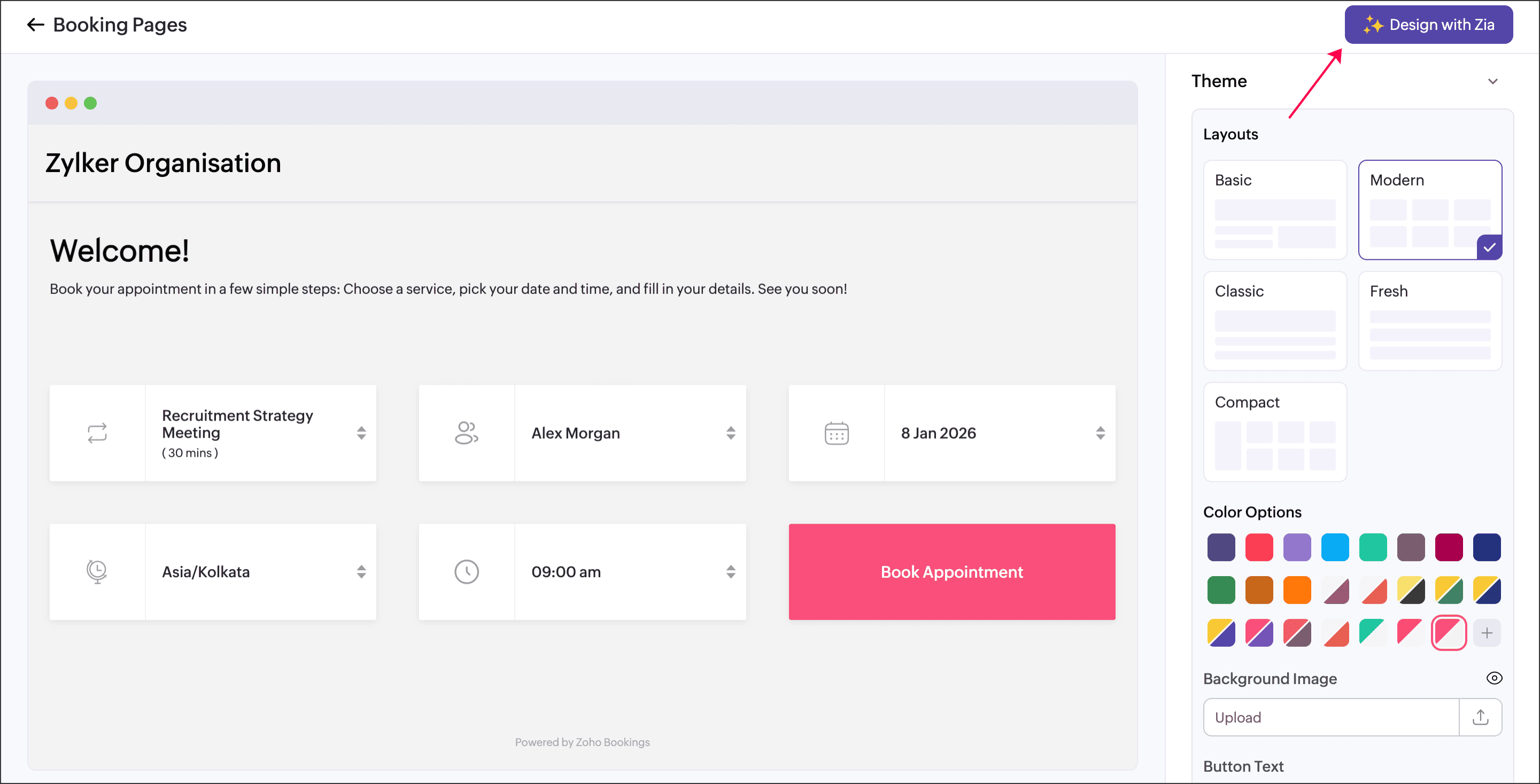 4. Enter your business website URL and click Start Designing.
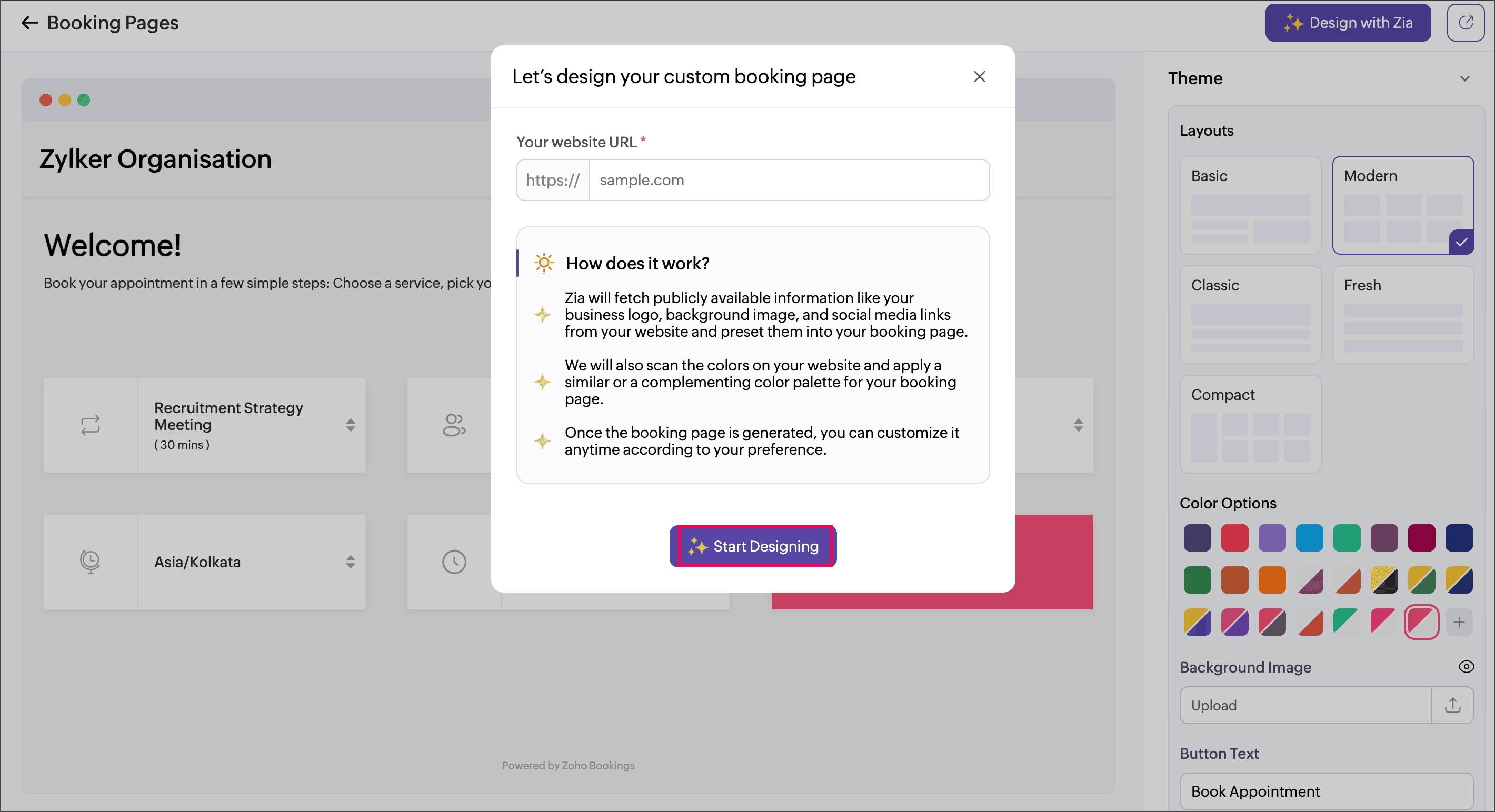 5. Review the generated booking page and click Save.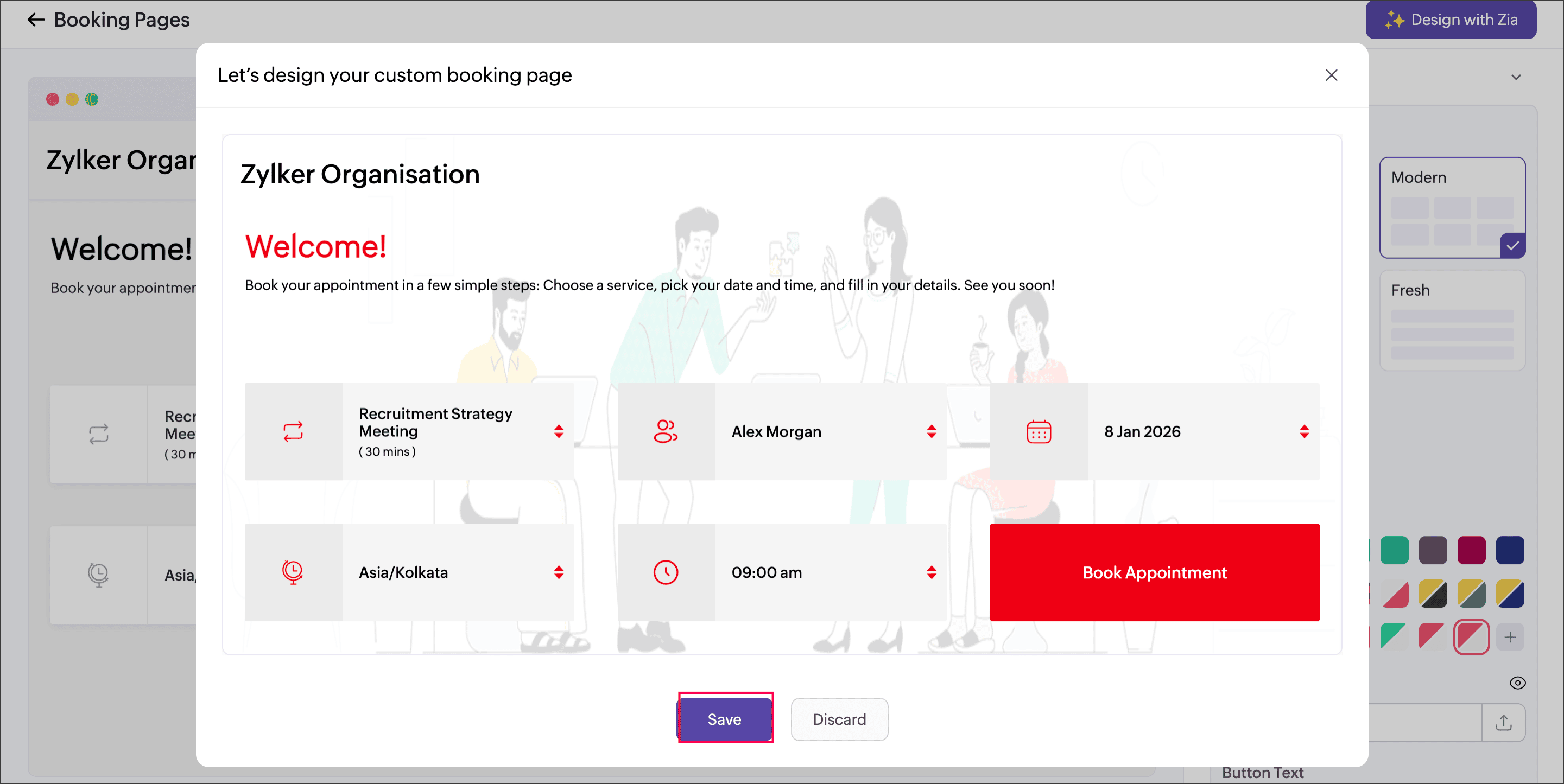
You can revisit Themes and Layouts at any time to fine-tune the design based on your preferences.Feature availability:
Available in the Premium plan.
Super admin and admins can customize booking pages across all workspaces.
Workspace admins can customize booking pages for their assigned workspaces.
Managers and staff can customize their own booking page.
Help documentation:
For detailed steps and additional information, check out the Customize Booking Page Using Zia help document.
We’re confident that this feature will help you create stunning, brand-consistent booking pages in minutes, no design expertise required!
If you need any assistance, please reach out to us; our team will be happy to help. Stay tuned for more exciting updates from the Zoho Bookings team!
Regards,
The Zoho Bookings Team