Decoupling Email Sending from Storage in CRM & Email Storage Add-on Purchases
We are excited to announce the rollout of the second phase of our email storage management, designed around a simple principle: your business communication should never be disrupted by storage limits.
We've decoupled email sending from email storage. This means your team can continue sending emails without interruption, even if your organization's storage allocation is exceeded. Only the storing of new emails within email RL is affected once the limit is reached - your ability to communicate stays fully intact.
Alongside this, you'll get:
Smarter controls to manage storage allocation across your organization
Proactive alerts so admins know well in advance when storage is nearing capacity
Clear visibility into usage, so you can plan and act before it becomes a bottleneck.
What's new?
You will now have:
- Independent email sending - sending stays uninterrupted even if storage limits are reached.
- Smarter storage controls - you can manage and allocate email storage across your organization with greater precision.
- Proactive usage alerts - stay informed before you approach your storage limit.
- Enhanced UI - you get a clearer view of your storage usage and controls.
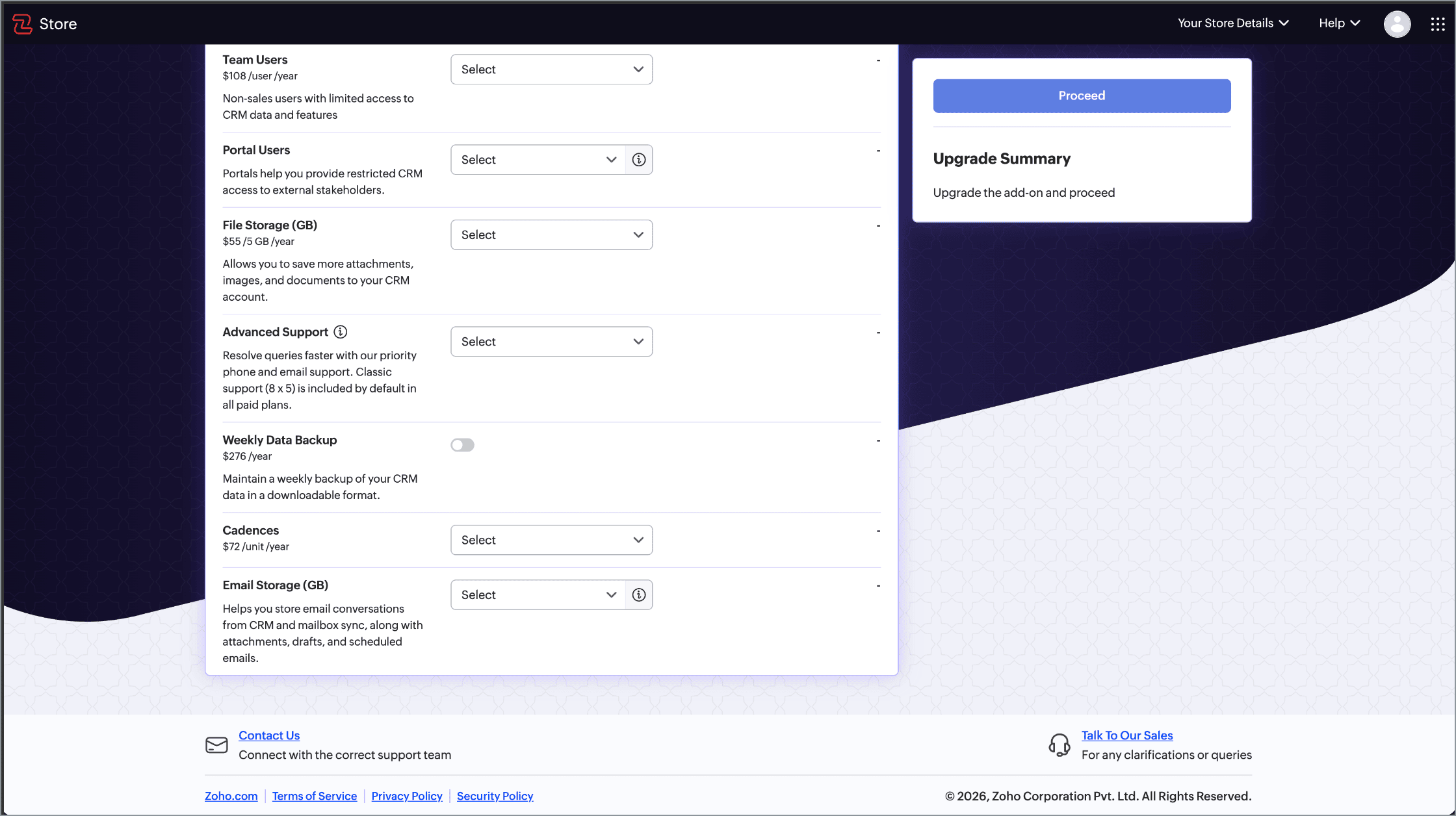
- Email storage - you will have the ability to buy more email storage.
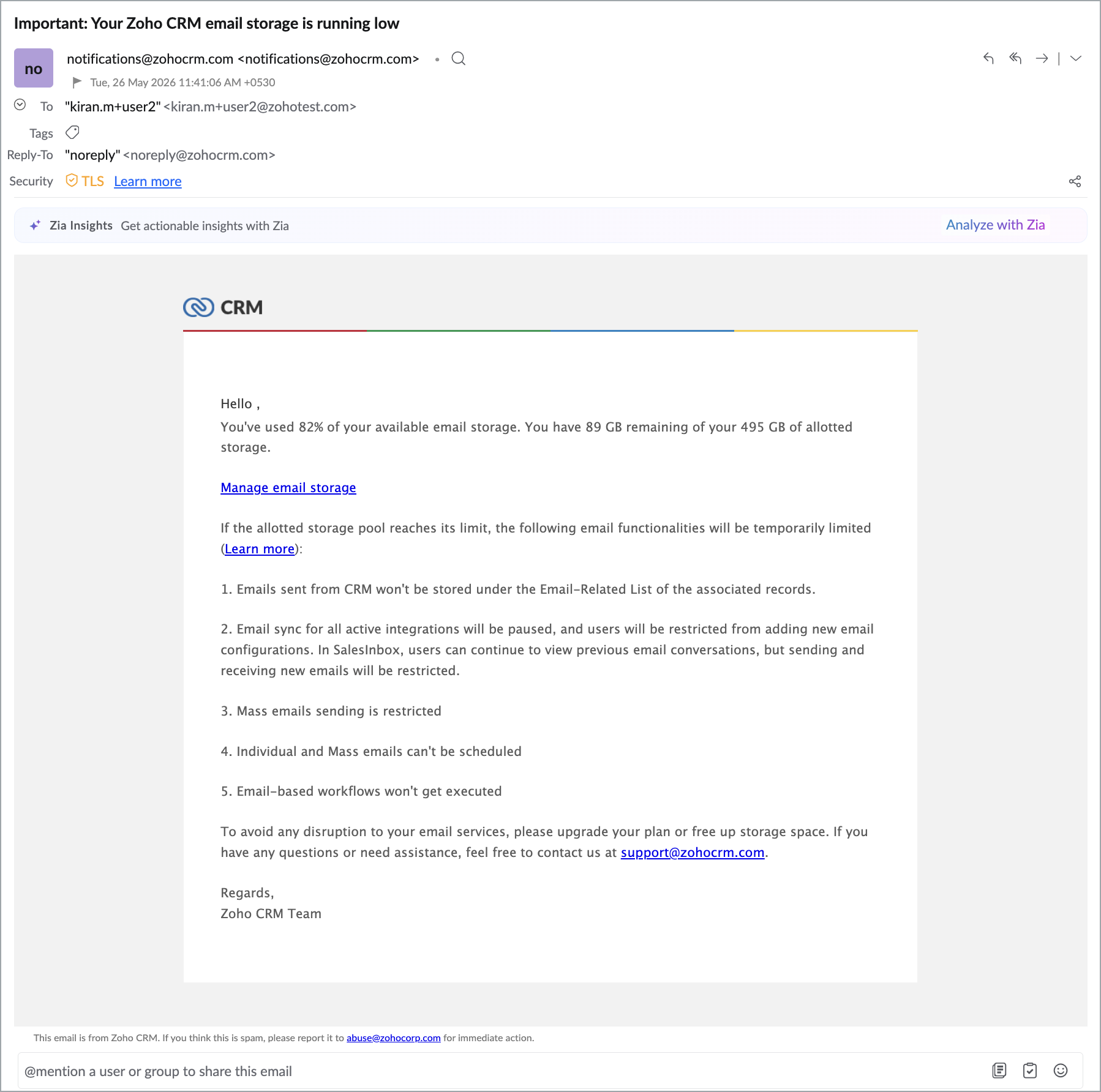
UI enhancements and management tools
Improved email storage page - Added more control and visibility:
Search and filters
Search by modules (such as Deals, Contacts) or folders (for synced mailboxes).
Use new filters to delete emails with attachments.
Recycle bin support
Deleted emails now go to a Recycle Bin (retained for 60 days).
Only Admins can permanently delete from Recycle Bin.
Emails in Recycle Bin still count toward total storage.
Synced emails deletion
Only the mailbox owner can delete synced emails.
Admins can request users to delete them.
Admins can delete data only for inactive users or via email backup deletion.
Bulk deletion enhanced
Previously, a maximum of 2,000 emails could be deleted at once.
Now, up to 100,000 emails can be deleted in a single operation.
 Note. Users will receive deletion notifications once complete.
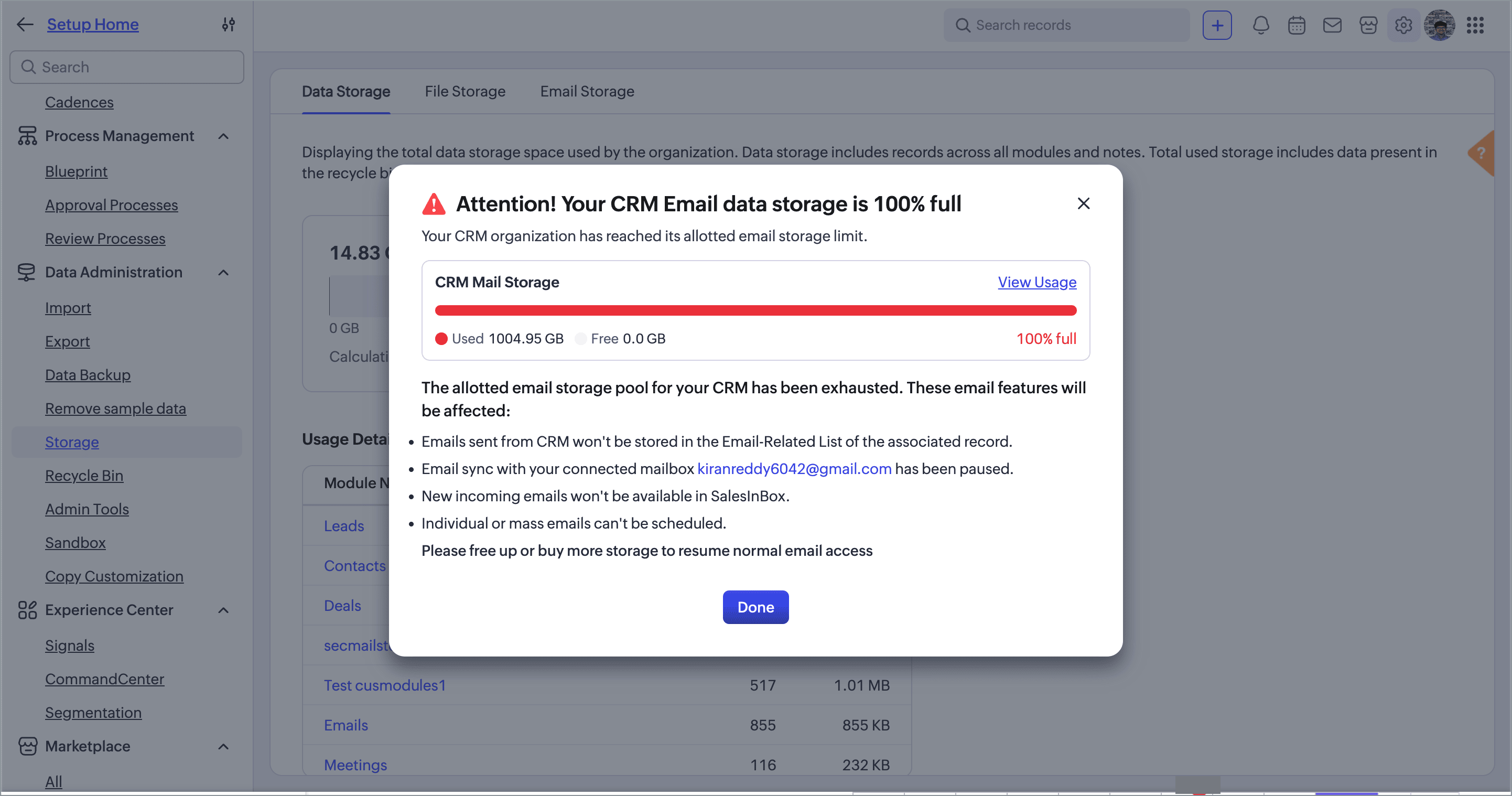
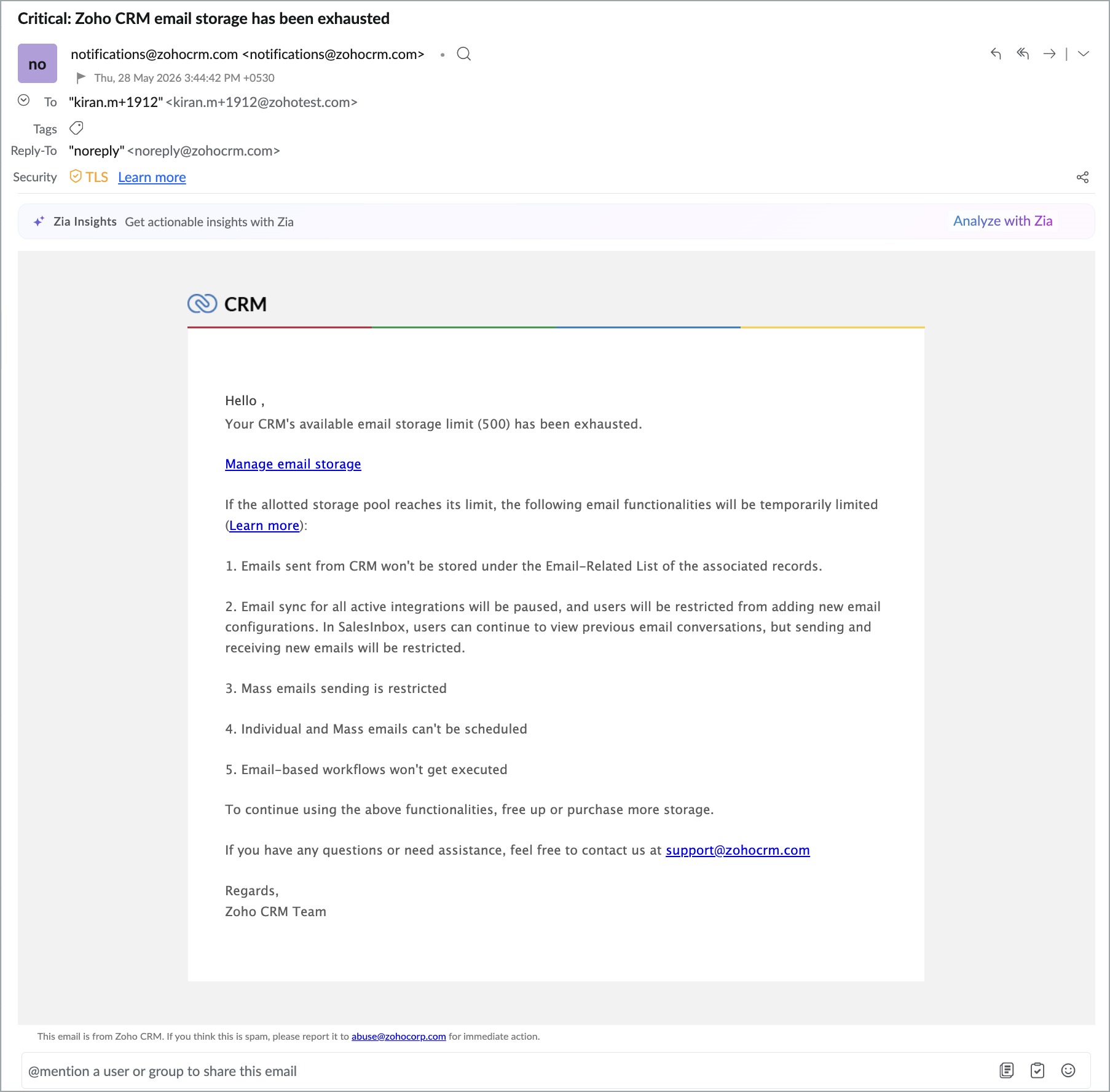
Email behavior once storage usage crosses 100%
Here’s what to expect once your organization's email storage reaches full capacity.
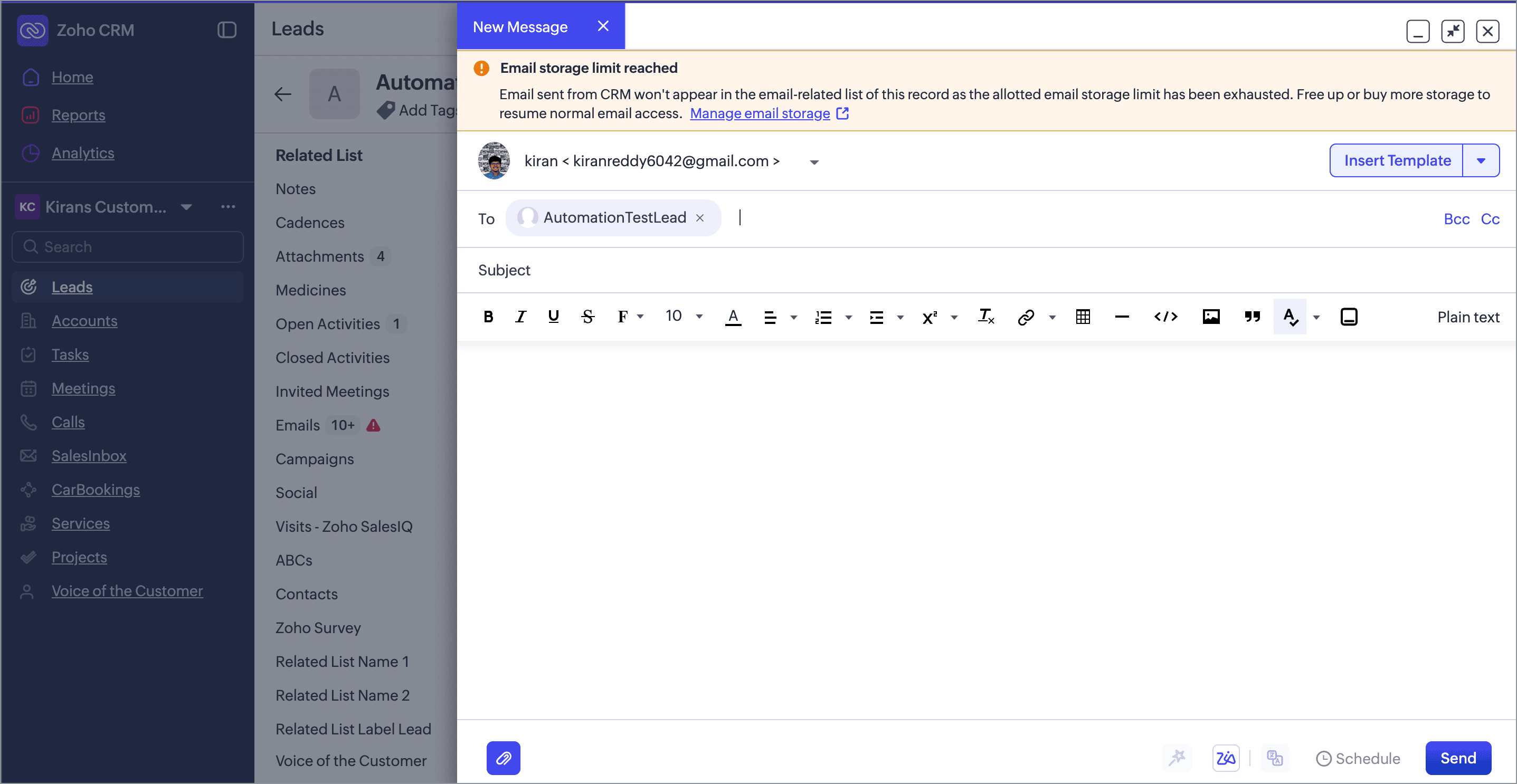
1. Sending emails from CRM
b) Users can purchase more storage via the Store page.
Outgoing emails continue to send - business-critical communication is never blocked.
New emails - sent or received - will not be stored in the Email RL.
Incoming emails will not sync to the CRM at all.
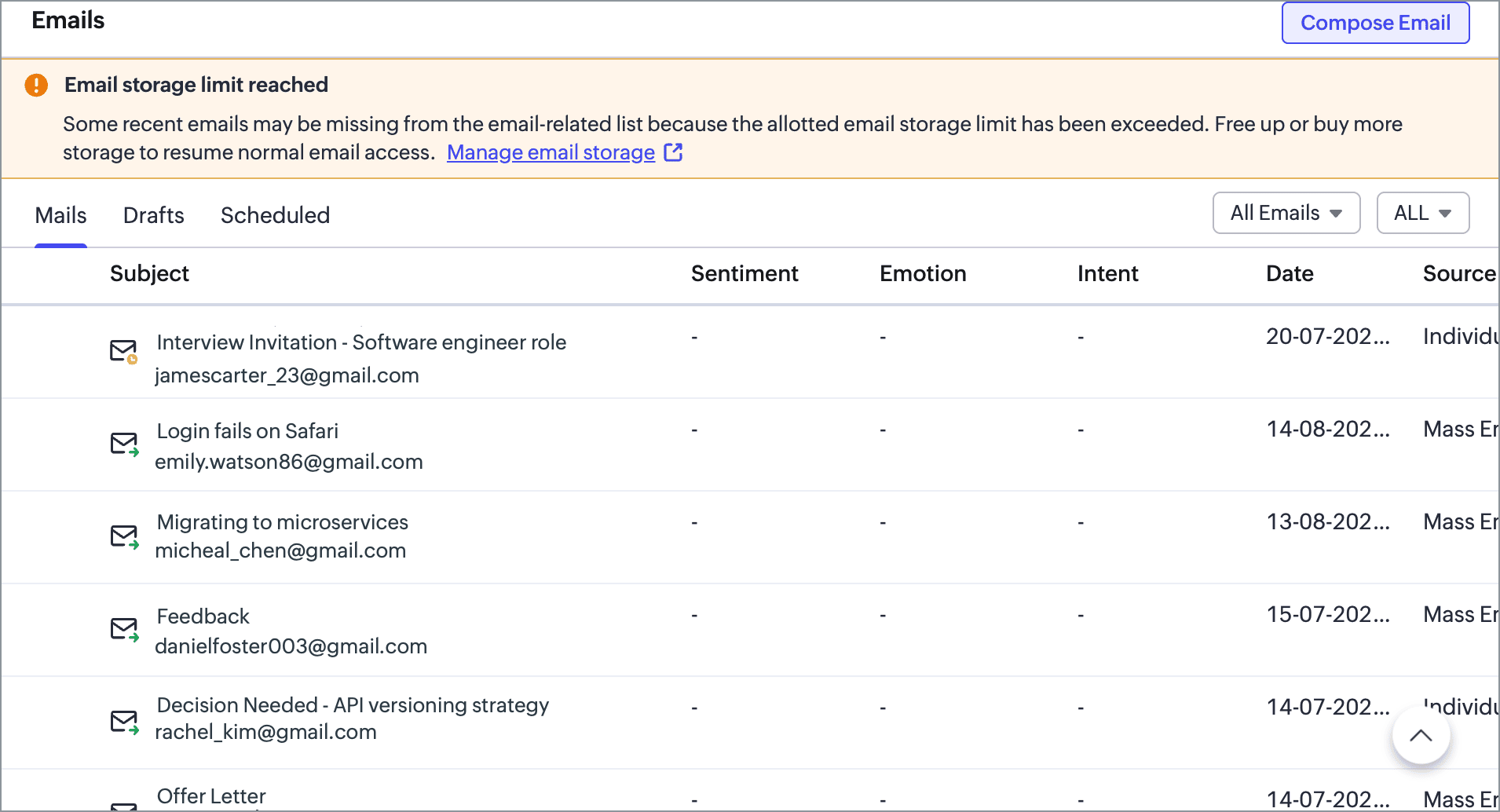
e) Mass emails are blocked once storage exceeds 100 per cent.
2. Email sync and configurations
If email is already configured, the sync status is set to Paused - indicating that new emails will not sync.
If email is not configured, new email configurations cannot be set up.
3. Open composers and drafts
If a user is composing an email before the restrictions kick in, they can save the draft, but will be restricted from sending it.
4. Scheduled emails
One-off scheduled emails (like a birthday reminder to a customer) will be sent.
Scheduled mass emails will be sent as planned.
5. Automated emails
6. SalesInbox
Since sync is paused, SalesInbox will not reflect incoming emails during restrictions.

- All existing orgs who have used more than 100% of email storage will receive an email shortly asking them to manage their storage (it is DC wise roll out). we will ensure that they have enough time to manage their storage.
- After the timeline mentioned in the email to manage the storage, we will start enforcing email storage restrictions.
- Until this timeline, no restrictions will be applied to the orgs.