Generate booking form fields using Zia
Greetings from the Zoho Bookings team!
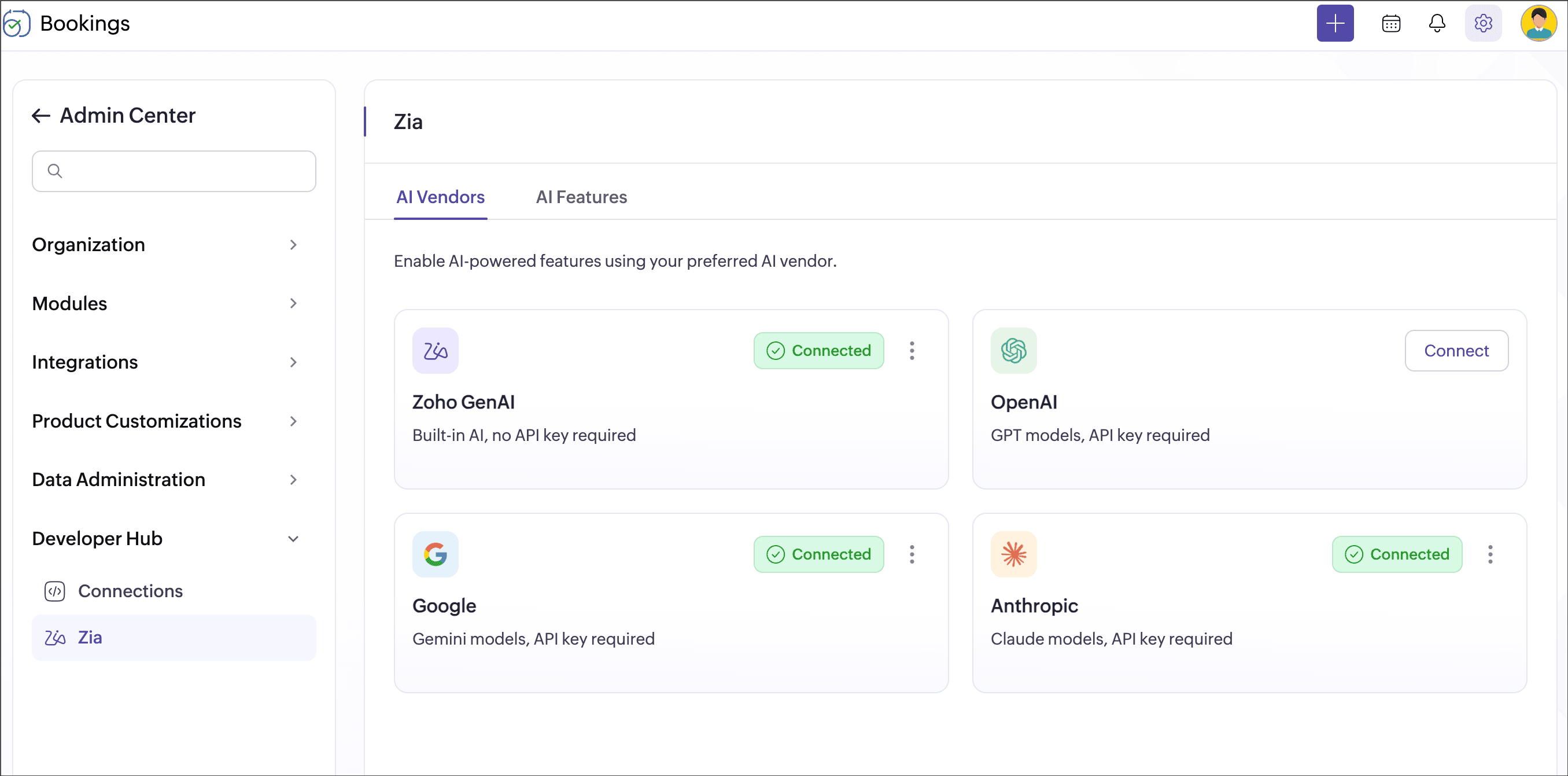
We're introducing a new AI-powered capability in Zoho Bookings: Generating booking form fields using Zia. Zia uses AI providers, including Zoho GenAI, OpenAI, Google, and Anthropic, to understand your booking context and suggest relevant form fields. This helps you quickly create relevant form fields based on your event type details.
Setting up booking forms often involves deciding what information customers need to provide and manually creating the right fields. This can take time, especially when you manage multiple event types. Zia simplifies this by suggesting relevant fields based on your event type details, so you can set up forms faster.
For example, if the event type is "30-minute demo" with the description "Get onboarding assistance," Zia uses this information to suggest booking form fields like "Product name," "Current onboarding stage," and "Areas requiring assistance."
Key benefits
- Save setup time: Create booking form fields in seconds instead of building them manually.
- Get contextual suggestions: Zia reads your event type name, description, and existing fields to suggest what fits.
- Collect what you really need: Get the right information from customers without over- or under-asking.
Getting started
To start, go to Admin Center > Developer Hub > Zia, select your preferred AI vendor, and configure it. Then, enable the required AI features to start generating form fields.
For detailed setup instructions, refer to the help documentation: Zia & Booking form
We hope this makes your booking setup faster and easier. Share your feedback in the comments, or write to us at support@zohobookings.com. We'd love to hear from you!
Regards,
The Zoho Bookings Team