Zoho Recruit Cliq Bot Notifications
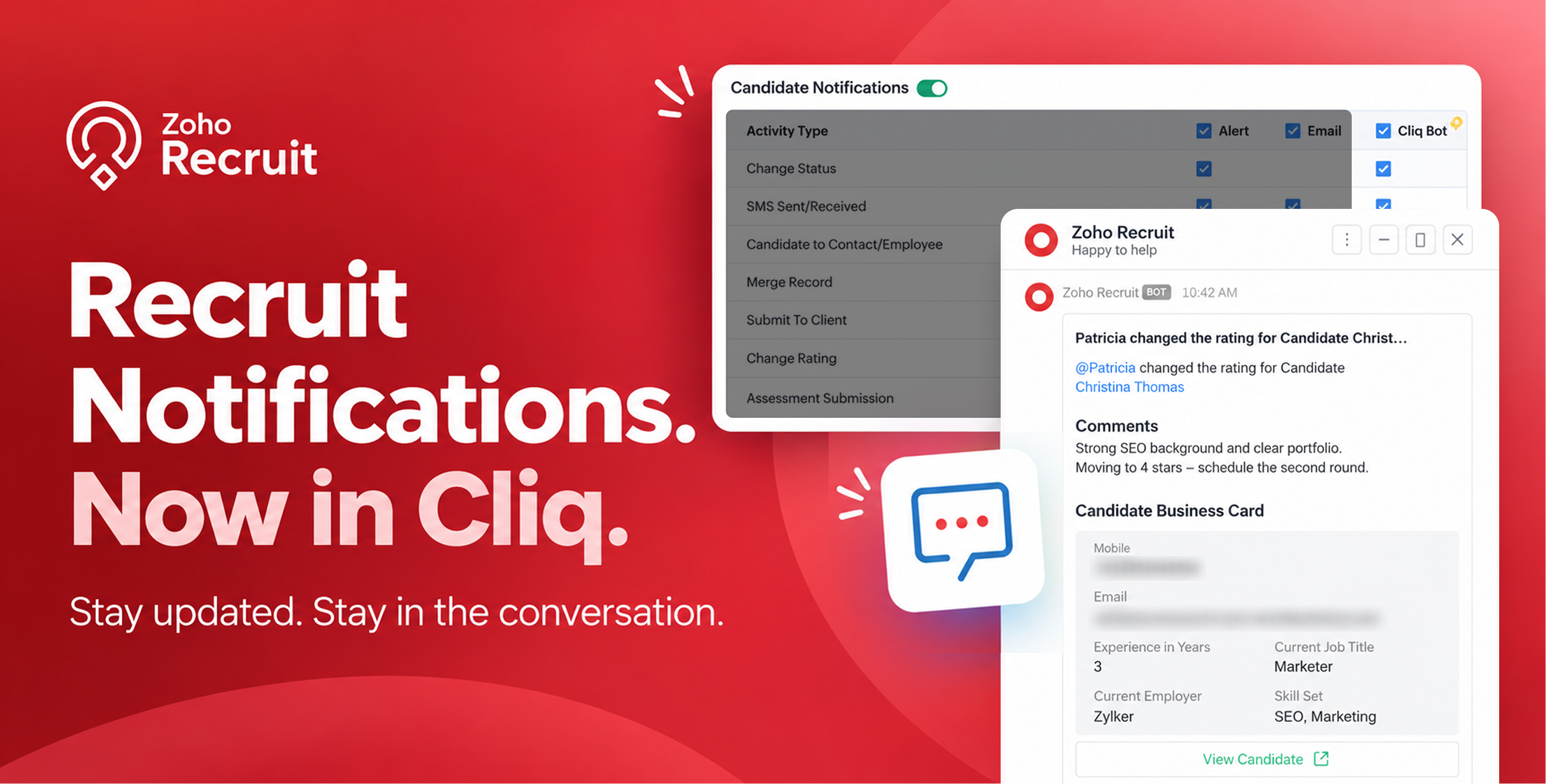
We’re introducing a new way to stay updated on recruitment activities: Cliq Bot notifications.
Now you can receive Zoho Recruit notifications directly in Zoho Cliq—alongside your existing in-app alerts and emails. Whether it’s a candidate status change, SMS activity, or assessment submission, you’ll get updates right where your team is having conversations.
How to get started:
1. Go to Setup > General > Notification Settings.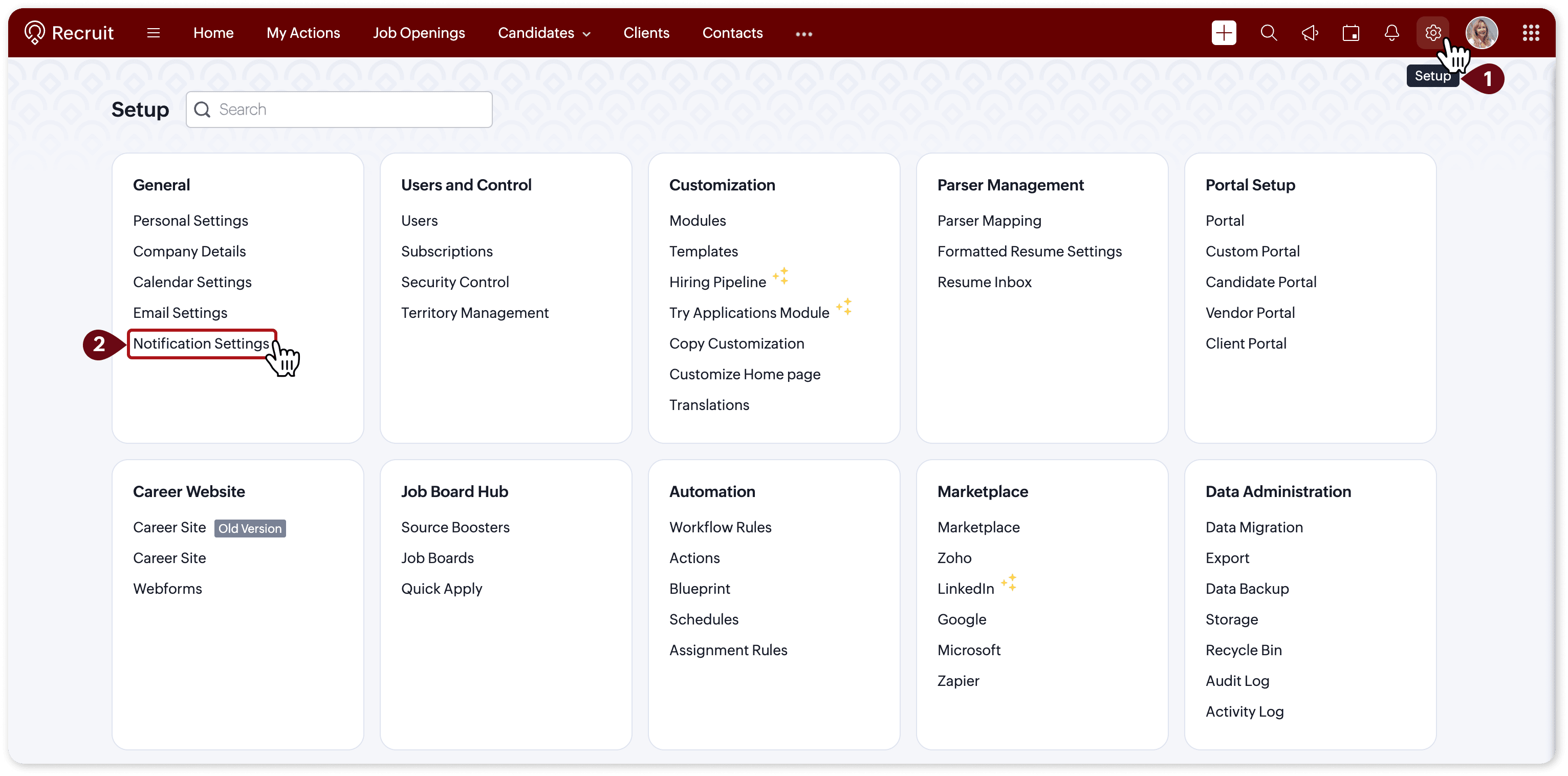
2. Click Enable Cliq Notifications.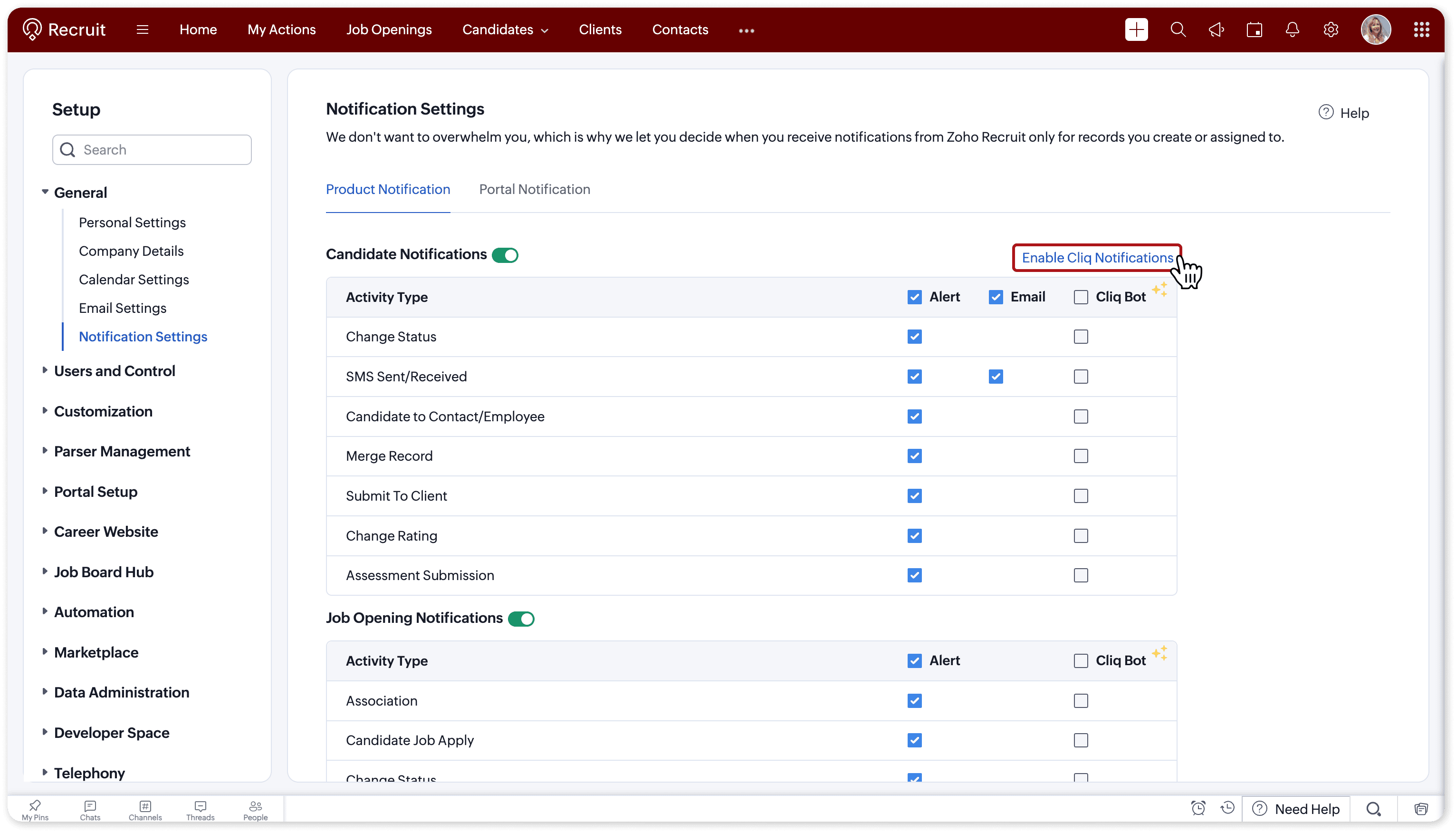
3.Select the Cliq Bot checkbox for the activities you want to receive notifications for.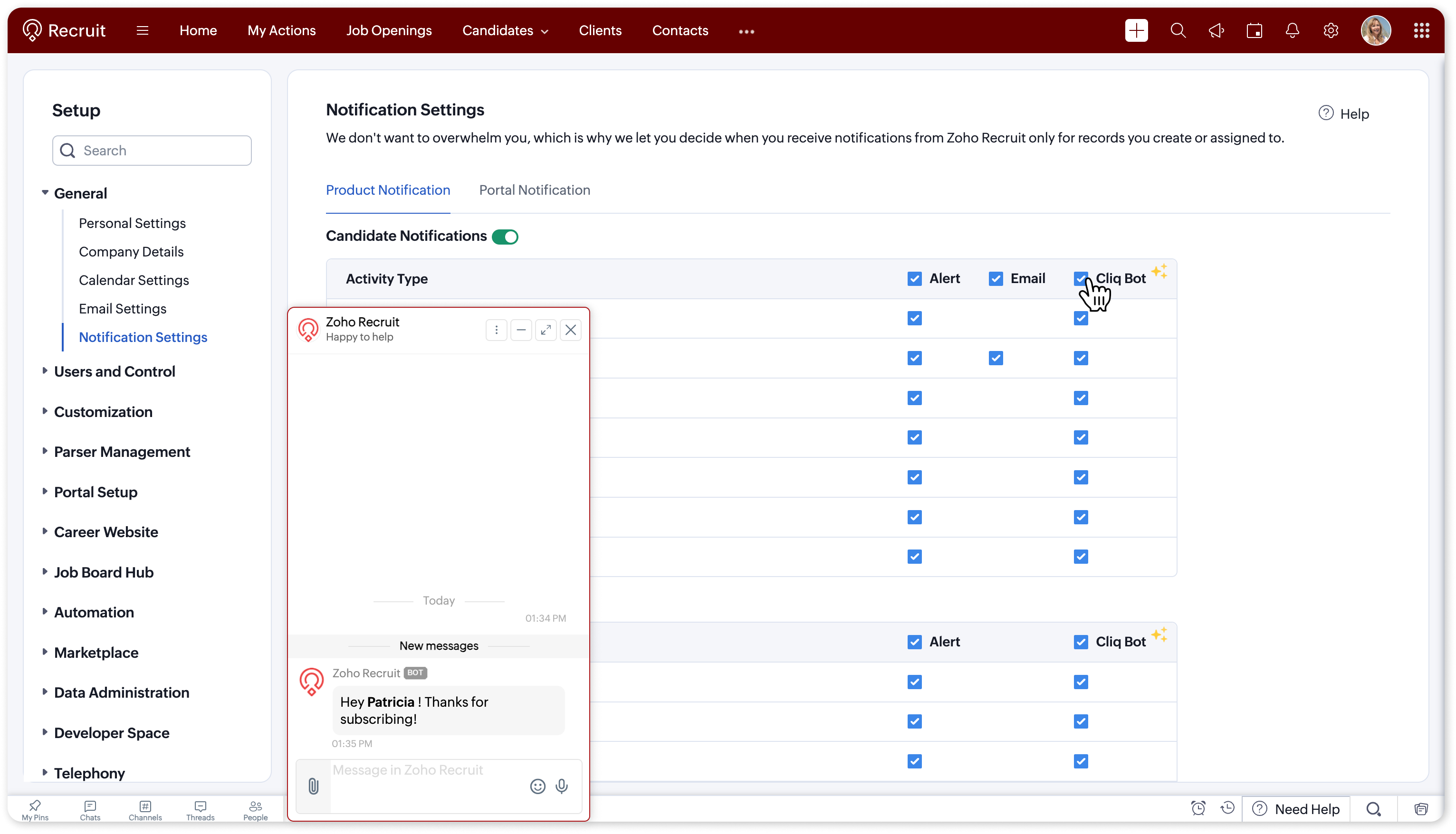
Once enabled, the selected notifications will be delivered through the Zoho Recruit bot in Zoho Cliq.
For more details, refer to our help document.
Keep your hiring updates within reach!
Regards,
Team Zoho Recruit