Auto Check-out in Zoho People | Automated Attendance Management
We are pleased to announce the release of the Auto Check-out feature in Zoho People.
Auto Check-out is now available as a built-in setting under Shifts to automatically check out employees who have not recorded their check-out for the day. Administrators can configure the preferred auto check-out method for each shift, ensuring that missed check-outs are handled without manual intervention or additional development effort.

Auto Check-out is disabled by default. Administrators must enable and configure it for each shift based on their organization's preferences to automatically check out employees who miss recording their check-out.
How it works
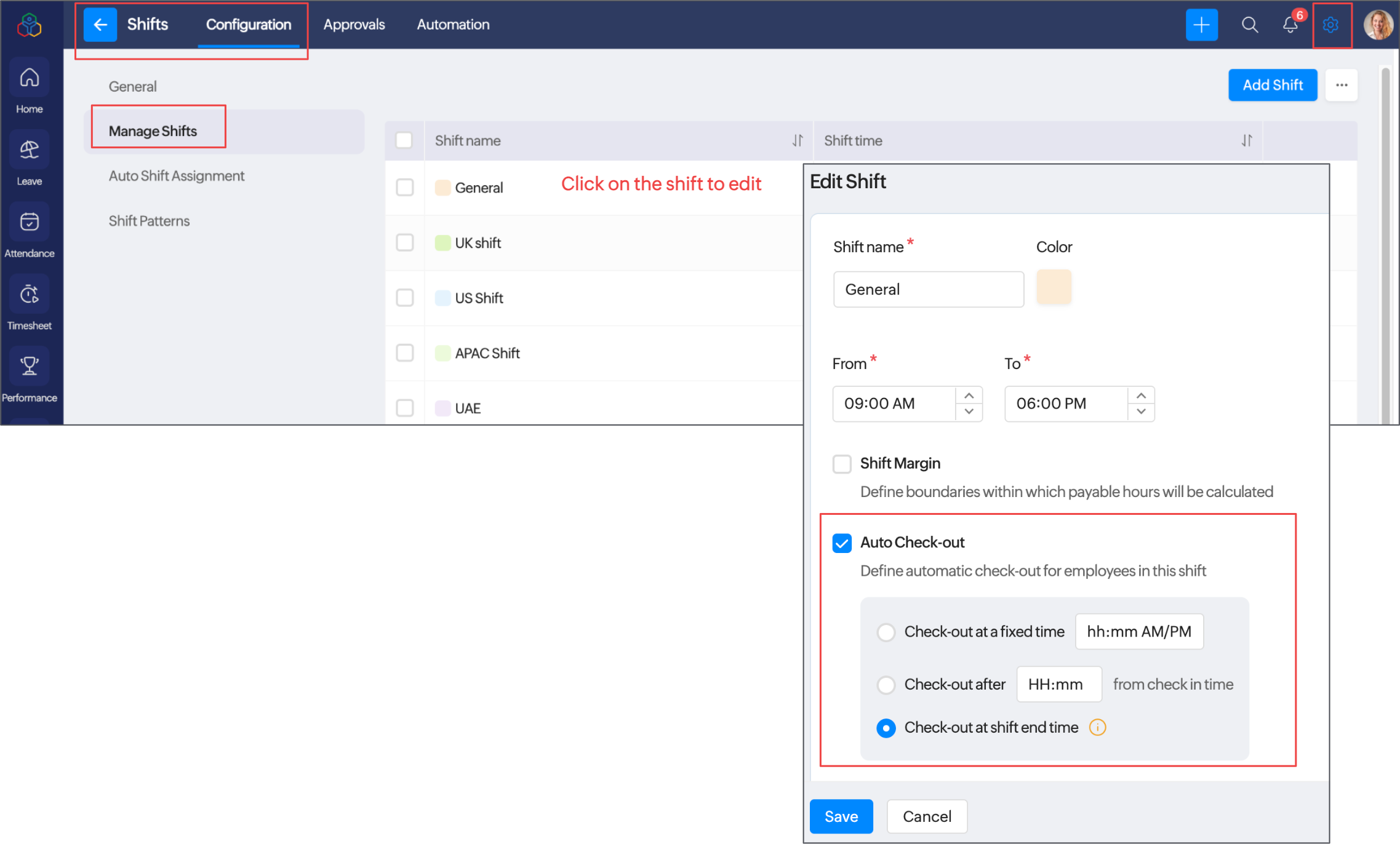
Enable Auto Check-out for a shift and select one of the following methods:
- Check-out at a fixed time: Automatically checks out all employees at a specified time, regardless of when they checked in.
- Check-out after a specified duration from check-in: Automatically checks out each employee after a defined duration from their check-in time.
- Check-out at shift end time: Automatically checks out employees at the end of their assigned shift.
Key benefits
- Eliminates the need to create custom functions for automated check-outs.
- Prevents missed check-outs and the need for manual attendance corrections.
- Ensures consistent application of check-out rules across all employees assigned to a shift.
- Provides flexible check-out options to accommodate your organization's attendance policies.
Where to find it
Navigate to Settings > Shifts > Configuration > Manage Shifts or Operations > Shift > Manage Shifts. Click an existing shift or create a new one, then enable Auto Check-out and configure your preferred method. Learn how to configure Auto Check-out.
We hope this enhancement simplifies attendance management for your organization. We welcome your feedback in the comments section below!