Subscription Information & Storage Management in Zoho Recruit
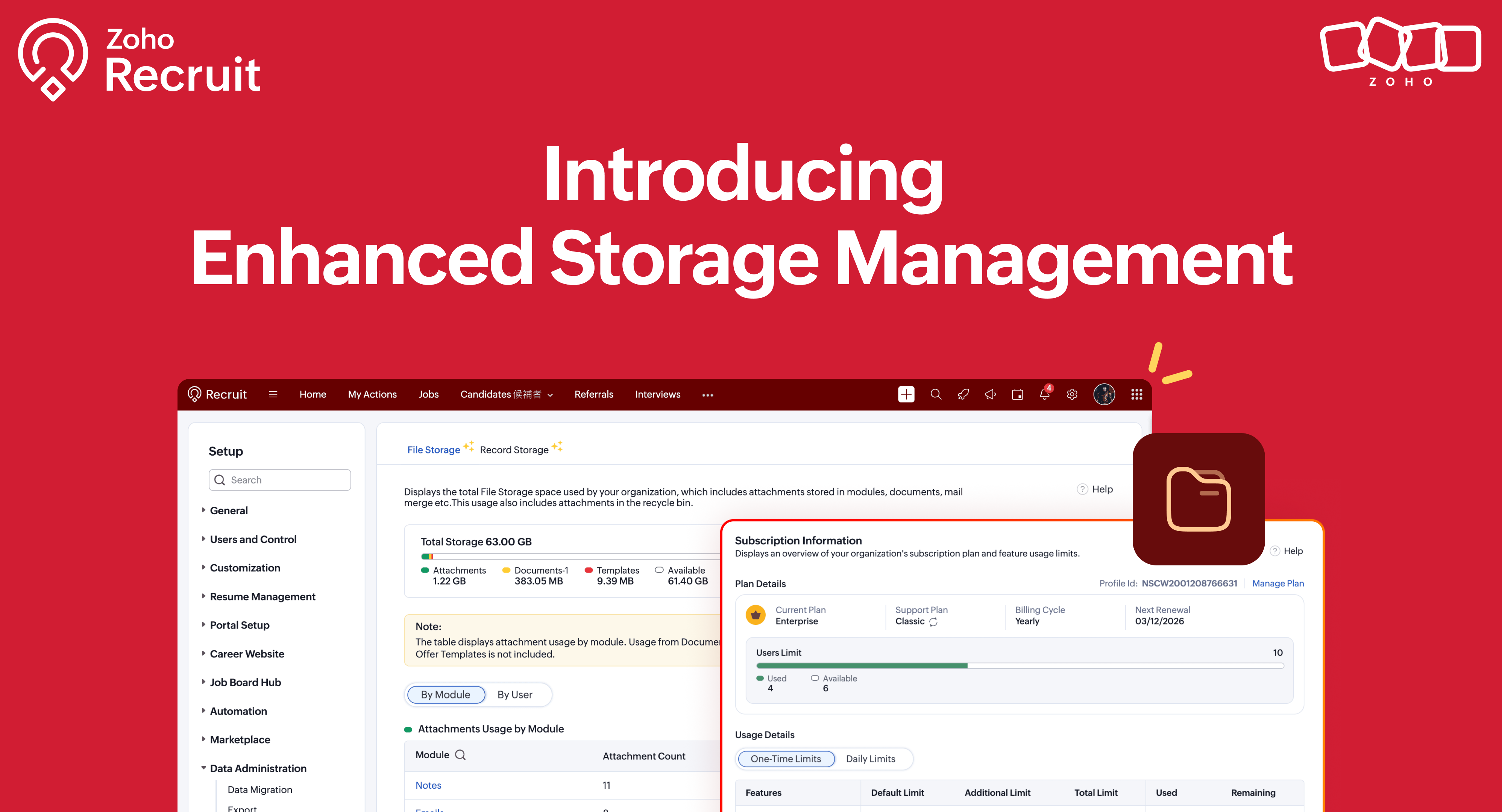
We’re excited to roll out two new enhancements in Zoho Recruit, Subscription Information and Storage Management — designed to give admins complete visibility into subscription details, feature limits, and storage consumption — all from one place inside Setup.
What's New
1. Subscription Information
A dedicated section to view and manage your organization’s subscription details, feature limits, and usage in one glance. Refer to our help documentation to know more
How to Access
Go to Setup → Users and Control → Subscriptions
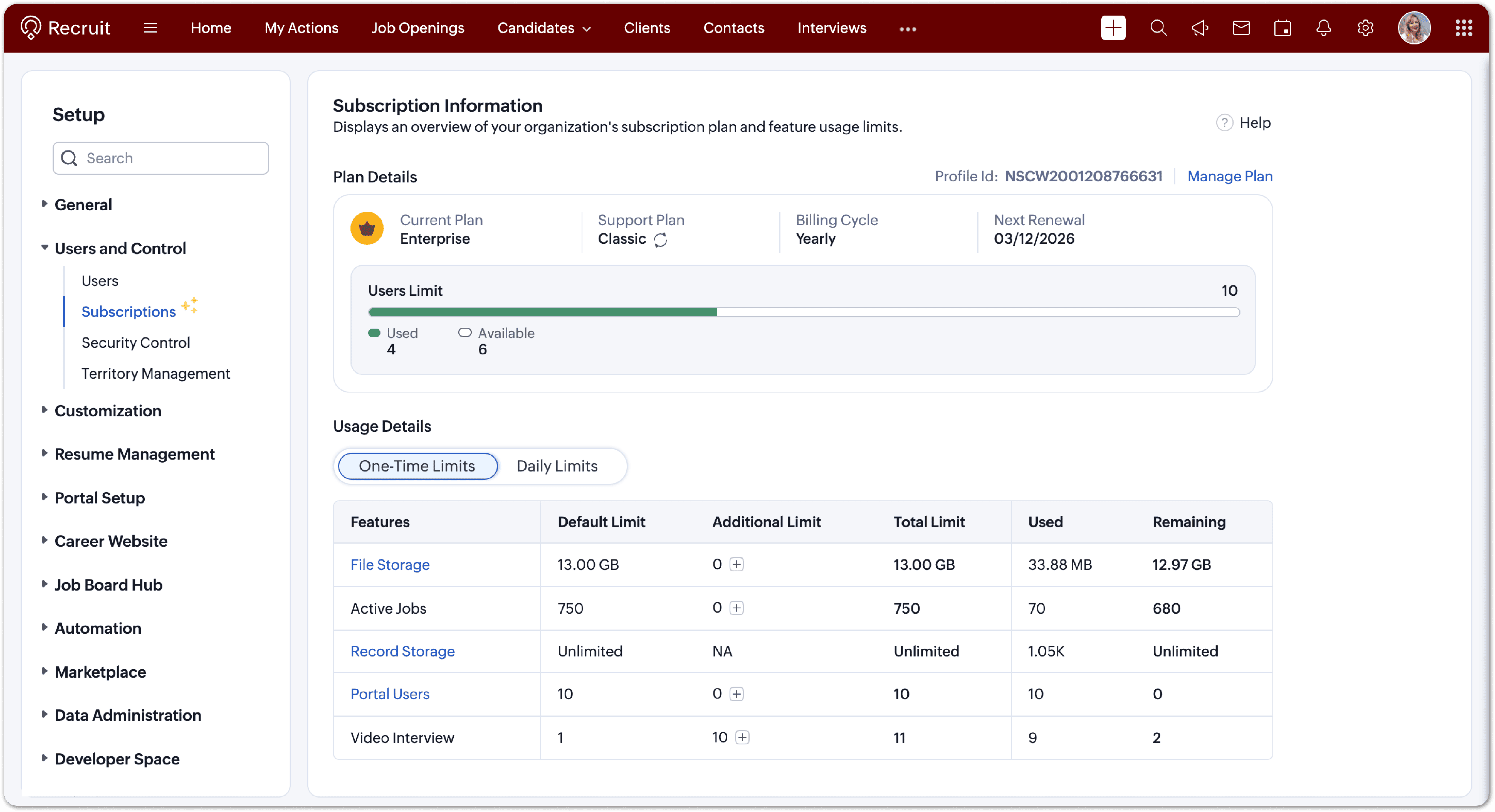
You can now:
- View your current plan (edition, billing cycle, renewal date, support level).
- Check user and employee limits with a clear used vs. available indicator.
- Monitor feature usage under one-time and daily limits.
- Upgrade limits or renew your plan directly when needed.
- Each limit is displayed with intuitive bars and usage data, helping you keep your account optimized and compliant with your plan’s capacity.
2. Storage Management
Track how your storage space is used across files and records and manage it efficiently.
How to Access
Go to Setup → Data Administration → Storage
You’ll find two tabs:
- File Storage – For attachments, documents, and templates
- Record Storage – For records created across all modules
File Storage
Monitor all file attachments, templates, and documents uploaded across Recruit.
You can now:
- View total storage (default + complimentary + purchased).
- Check space used vs. available.
- Track storage by module (Candidates, Jobs, Applications, Offers, Emails, Notes, etc.) or by user.
Each plan also includes complimentary storage per user
- Enterprise: 1 GB per user
- Professional: 512 MB per user
- Standard: 256 MB per user
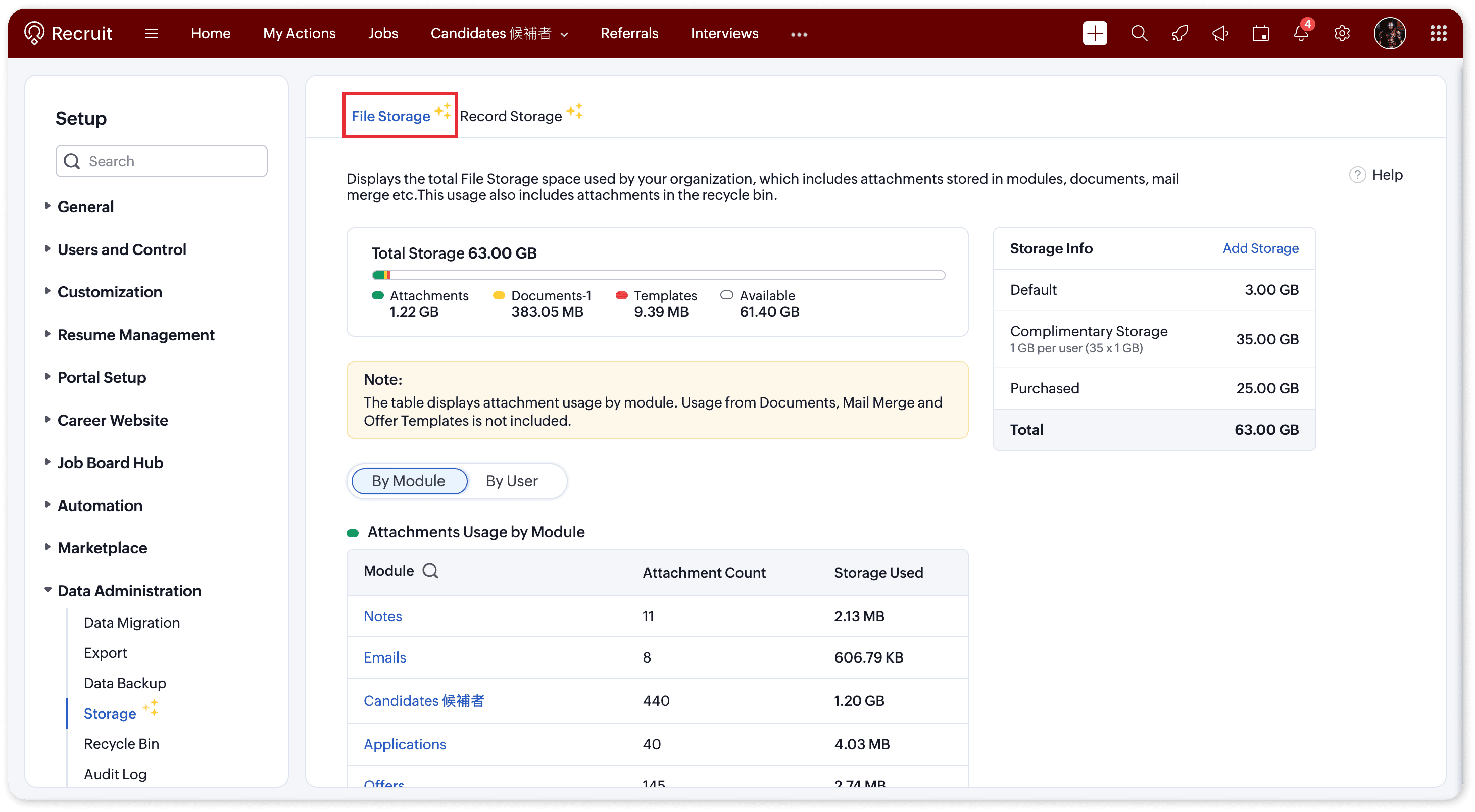
Need more? Simply click “Add Storage” to purchase extra capacity and ensure uninterrupted usage to all attachments.
Record Storage
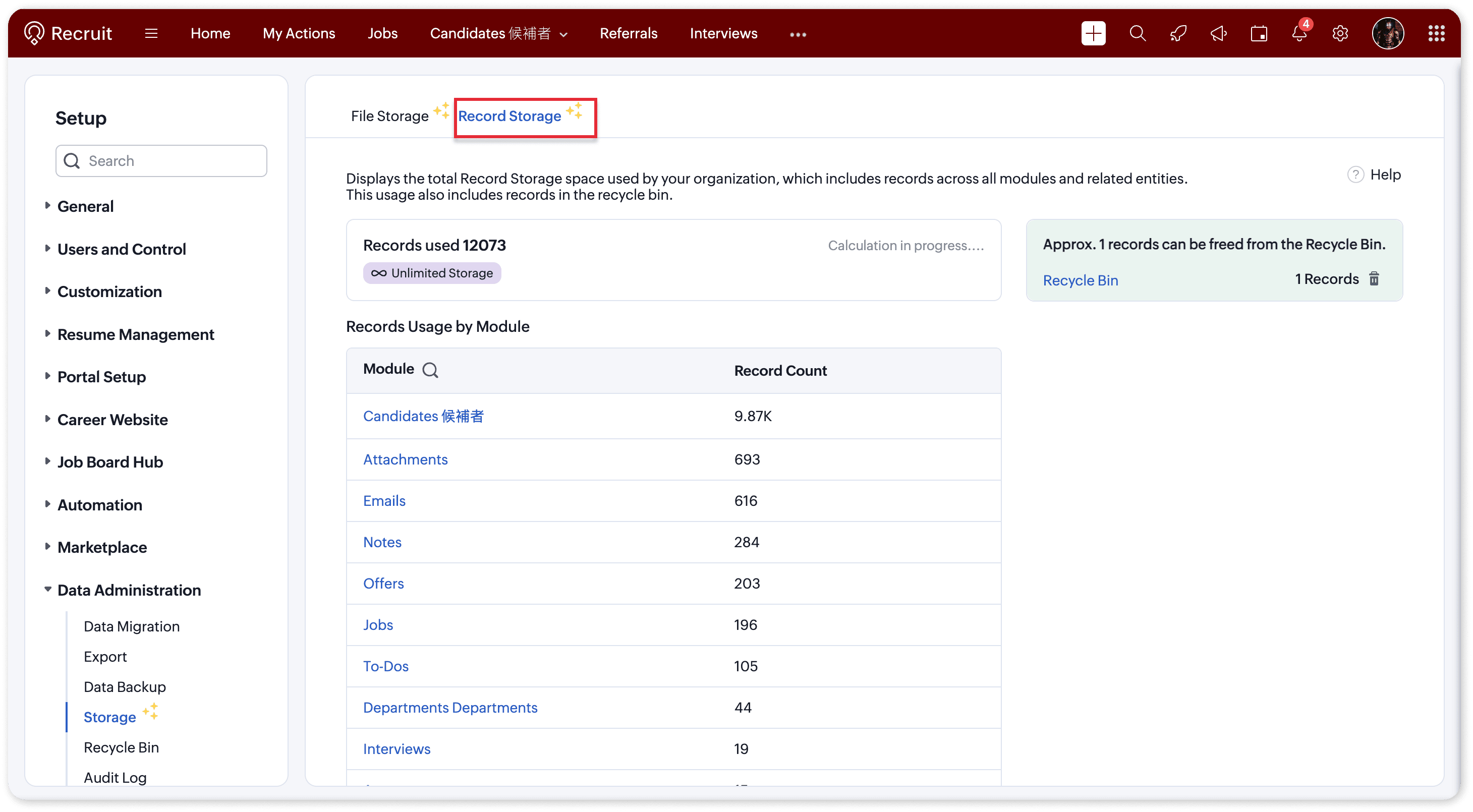
Understand how many records your organization has created across modules like Candidates, Jobs, Emails, Notes, and more. Refer to our help documentation to know more
You can now:
- View total records used vs. available.
- See a module-wise breakdown of record usage.
- Identify and clear Recycle Bin items to free up space.
Each edition comes with its own record limits:
- Free: 5,000 records
- Standard: 100,000 records
- Professional: 500,000 records
- Enterprise: Unlimited
Why this matters
Running out of storage can interrupt your team’s ability to upload attachments or create new records. With these insights, admins can:
- Proactively monitor storage usage
- Identify high-usage modules or users
- Purchase or allocate additional storage with ease
This ensures smooth operations and uninterrupted hiring workflows, even as your data grows.

Pro Tip:
- Before purchasing additional space, try clearing out Recycle Bin records, it’s a quick way to reclaim storage instantly.
- When sending bulk/mass emails to candidates, if the email body and attachments are frequently reused (for example, an onboarding email sent to multiple candidates), it’s more efficient to create an email template and add the required attachments to it. Using this template for mass emails helps reduce storage usage and avoids uploading the same attachments repeatedly.
Need Help?
If you have any queries please reach out to support@zohorecruit.com for assistance.
Regards,
Team Zoho Recruit
Team Zoho Recruit