Introducing the Revamped Zoho Projects Chrome Extension
Zoho Projects Chrome Extension brings your project management capabilities directly to your browser. Users can access all their portals, create tasks, file issues, log time, and stay updated on project activities without navigating to the main application.
For teams juggling multiple projects and portals, context switching can be a significant productivity drain. This extension eliminates the need to switch constantly between browser tabs or applications.
For example,
- QA teams can log issues immediately from the extension when they encounter issues while testing.
- Development teams can log time on tasks or issues without leaving their current workspace.
- Project managers can have a quick visibility into project updates across multiple portals from Notifications.
Manage Tasks and Issues
View tasks and issues across projects, apply predefined views and create new tasks or issues without opening Zoho Projects. The extension supports key fields, making it easy to capture work as it happens.
Log Time from Anywhere
Log time by using the built-in timer. Search tasks or issues and start the timer to log. Users can pause, resume, and stop timers directly from the extension. This helps you log time accurately while staying focused on your work.
Stay Updated with Notifications
Notifications keep you informed about updates across all your portals. View project updates and ongoing activities without leaving your current page.
Access Multiple Portals
Switch between your portals and access your projects using predefined views. This reduces the time navigating across portals.
Personalized Experience
Choose between dark and light themes, select your preferred accent color, and pick a layout that works for you, popup for quick access, side panel for persistent visibility, or floating mode for flexible positioning. Keyboard shortcuts make navigation even faster.
Built-in Screen Grabber
Capture screenshots or record your screen, annotate images, and edit recordings before attaching them to new or existing tasks and issues for faster collaboration.
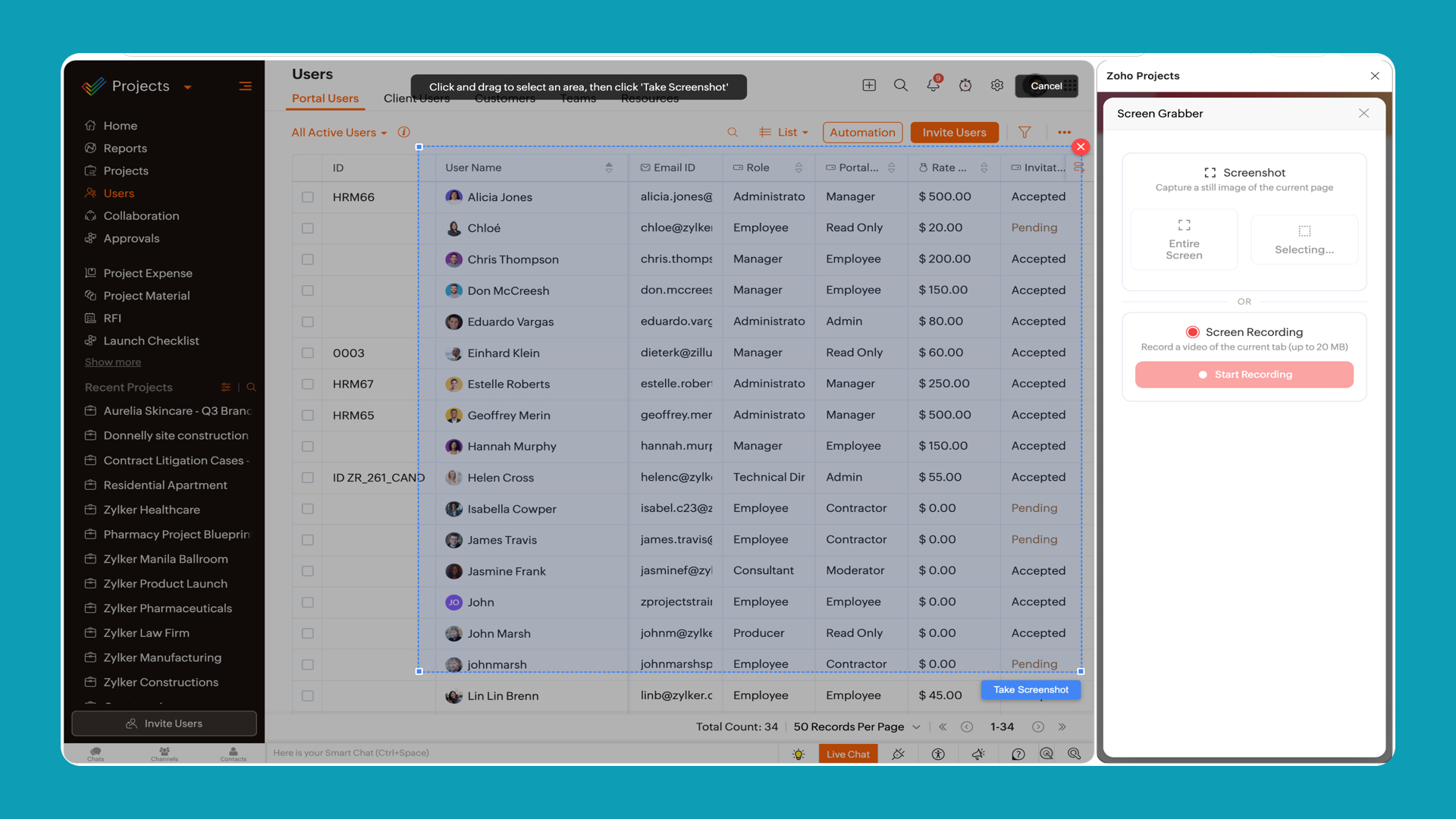
Right-Click to Open Zoho Projects
Right-click anywhere in your browser to access Zoho Projects extension and use the screenshot option to attach what you see directly to your project tasks or issues.
You can install and try the Zoho Projects Chrome Extension from the Chrome Web Store. Once installed, sign in with your Zoho Projects credentials and start managing your projects more efficiently.
Please share your feedback in the comments below. For any queries, write to us at support@zohoprojects.com.