Marketer's Space: Proven tips to improve open rates – Part III

Marketer's Space: Proven tips to improve open rates – Part III

Hello Marketers!

Welcome back to another post in Marketer's Space!

This is the final post in the "open rate series". In the first and second parts, we discussed topics ranging from sender domains to pre-headers—but we're not done yet. A few more important topics await you in this post. Let's dive right in.

Personalized content

Personalization is important in email marketing—but it doesn't end simply with addressing your contacts by their first names. It's much more than that. You have to tailor your entire campaign—from design to content—in order for it to click with them.

Here's what the path of personalization looks like:

 
  • Request contacts' preferences after they sign up. Zoho Campaigns automatically sends a double opt-in form after contacts sign up (if enabled) in which they can update their preferences and topics.
  • Send campaigns to these contacts, as they're the ones who've shown real interest in what you're offering.
  • Track metrics like opens, product views, and link clicks. Zoho Campaigns' Reports module is your best friend.
  • Segment contacts based on these behaviors and send targeted campaigns to these segments.
  • Further refine your sending practices by creating content variations dynamically, determining the frequency at which they want to receive campaigns, and optimal send times.
 
Dynamic content

Dynamic content is another form of personalization, where the content changes dynamically depending on who opens and views the campaigns.

Let's say an ecommerce brand runs a Diwali sale using an email campaign.

Based on past behavior, electronics shoppers see gadget deals, fashion shoppers see festive wear, and inactive users see a comeback offer—all within the same email. Images, headlines, offers, and CTAs automatically change for each contact.

The marketer sends one campaign, but every recipient sees content tailored to their interests, which make the emails feel personal and relevant.

The Dynamic Content element in Zoho Campaigns' templates does all the heavy lifting for you.


It's effortless to set up; you just need to drag-drop the elment's variant, set the conditions, and see the magic.

Check out our ebook on personalization for more details.

Multi-device and multi-client responsiveness

These days, you may look at your mobile phone more than your laptop or desktop. Accordingly, as a marketer, you should design your campaigns so that they're responsive across multiple device types, like laptops, mobile phones, and tablets. Here are some quick tips for creating responsive campaigns for multiple devices and multiple email clients (like Gmail, Outlook, and Yahoo).

Imagine your contacts open your campaigns but find images loading too slowly, cramped content, unclickable CTAs, or broken layouts when viewing via their phones. They won't open your campaigns again if these issues persist—which leads to poor open rates.

Here are some ways you can design your campaigns to be responsive across different devices and email clients:
  • Make mobile your priority: Use single-column layouts, readable font sizes, and tap-friendly buttons to ensure smooth mobile experiences. Prevent any stray taps from your contacts by leaving sizable space surrounding your buttons.
  • Always preview: Use Zoho Campaigns' built-in desktop and mobile previews to catch layout issues before sending. Click each campaign's magnifier button (in the Content section) to preview for desktop and mobile.
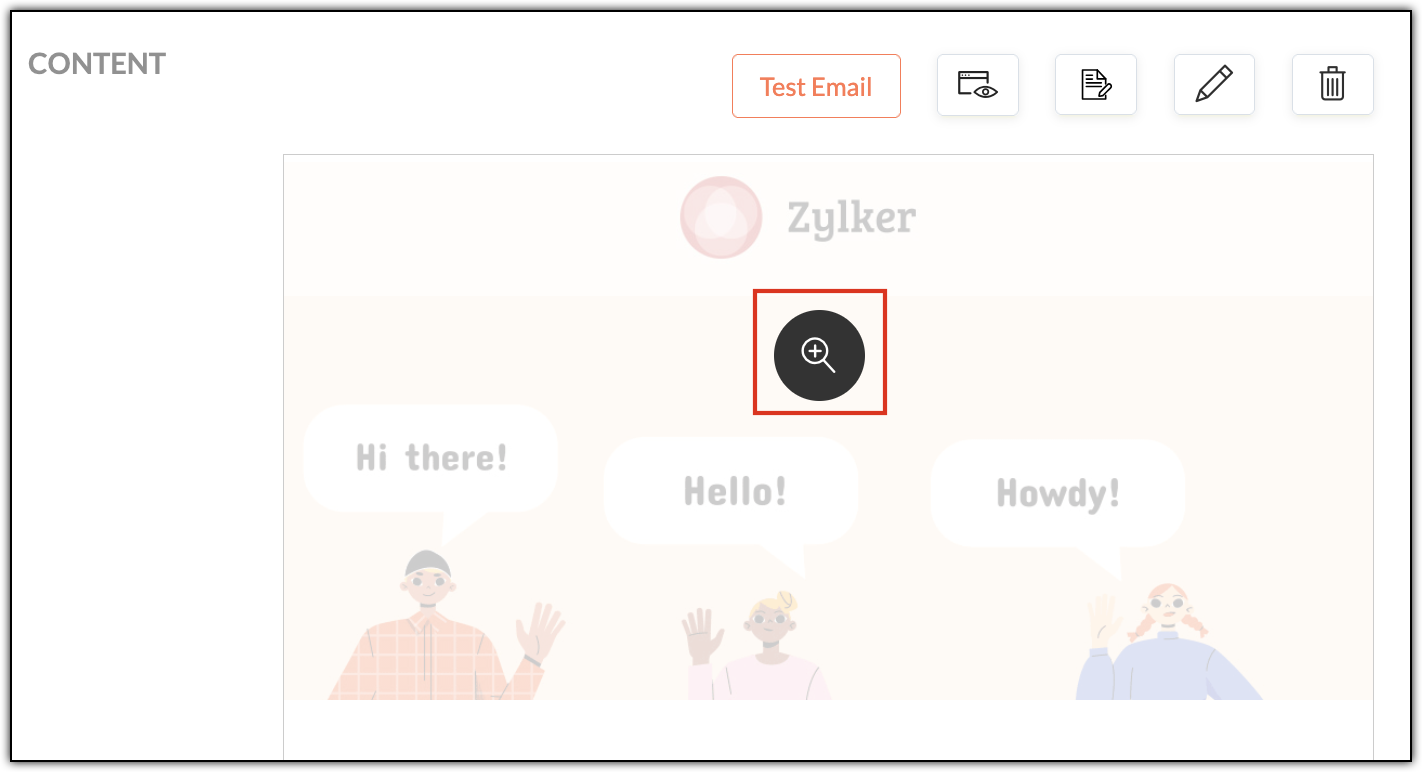


  • Send test emails: Open test emails in real inboxes (Gmail, Outlook, Yahoo) across both laptop and mobile devices. Create test accounts in these email clients and send campaigns to yourself.
  • Pay extra attention to Outlook: Outlook handles HTML differently and often needs special testing.
  • Granular checks: Validate links, images, alt text, and dark mode visibility before hitting send. Don't upload high resolution images, as it'll increase your emails' load times when your contacts first open them.
  • 60:40 ratio: Generally, maintaining a ratio of 60% text and 40% images in your campaigns is recommended. While this ratio doesn't have a direct contribution to open rates, it does improve loading speeds, accessibility, and inbox trust—all of which do contribute directly to open rates.
Multi-device testing makes sure your campaigns works across varying screen sizes, while multi-client testing ensures they render correctly across different email clients. Both are essential, as different email clients interpret HTML differently.

A/B testing

A/B testing helps you make smarter email decisions by letting actual contacts vote without realizing it. Instead of guessing about what works, you can create two versions of the same campaign that differ in one key way (such as their subject line, CTA, or send time) and then send them to different (but equal) portions of your contacts. The version that gets more opens or clicks is the winner—and you can then send it to your remaining contacts.

For example, let's say Patricia from Zylker Fashions is launching a weekend sale. Version A uses the subject line "Weekend sale is live", while Version B says "Your weekend savings start now". She sends both to roughly 10% of her list. After a few hours, Version B gets higher opens, so she automatically sends it to the remaining 80%. Over time, repeating such tests helps her consistently improve engagement and results.

Remember that your target contacts are often based on demographics, geography, and behavior, so test results from one group may not reflect the reactions of another.


Zoho Campaigns has a specific A/B Testing campaign feature you can use when you create email campaigns.

Send-time optimization

Let's say you're based in the US and have customers all over the globe. You want to send a campaign to your UK contacts, but you don't want to send it in the middle of the night; it might put them off. More often than not, these emails will go unopened. Instead you should schedule it to arrive at a specific time—in their specific time zone—when they're most likely to open it.

Zoho Campaigns offers this functionality. After designing your campaign with our template builder, you're ready to send it. You can choose between Send Immediately and Send Later. Upon choosing the latter, you can select either the Recipients' Time Zone and Recipients' Optimal Open Time, among other options.


The recipient's time zones are determined by whatever contact data you have, such as their country. Optimal open times, on the other hand, are based on the recipients' past engagement histories, such as when they usually open emails.

With that, we've come to the end of this three-part series.

Improving open rates is all about being consistent. We covered a wide range of topics, from sender domains and subject lines to pre-headers, personalization, dynamic content, testing, and send-time optimization.

Until next time. Happy marketing!


Kind regards,
Sai Prashanth
User Education
Zoho Campaigns

    Access your files securely from anywhere


                            Zoho Developer Community


                                                  • Desk Community Learning Series


                                                  • Digest


                                                  • Functions


                                                  • Meetups


                                                  • Kbase


                                                  • Resources


                                                  • Glossary


                                                  • Desk Marketplace


                                                  • MVP Corner


                                                  • Word of the Day


                                                  • Ask the Experts


                                                            Manage your brands on social media


                                                                  Zoho TeamInbox Resources


                                                                      Zoho CRM Plus Resources

                                                                        Zoho Books Resources


                                                                          Zoho Subscriptions Resources

                                                                            Zoho Projects Resources


                                                                              Zoho Sprints Resources


                                                                                Qntrl Resources


                                                                                  Zoho Creator Resources


                                                                                      Zoho CRM Resources

                                                                                      • CRM Community Learning Series

                                                                                        CRM Community Learning Series


                                                                                      • Kaizen

                                                                                        Kaizen

                                                                                      • Functions

                                                                                        Functions

                                                                                      • Meetups

                                                                                        Meetups

                                                                                      • Kbase

                                                                                        Kbase

                                                                                      • Resources

                                                                                        Resources

                                                                                      • Digest

                                                                                        Digest

                                                                                      • CRM Marketplace

                                                                                        CRM Marketplace

                                                                                      • MVP Corner

                                                                                        MVP Corner


                                                                                          Design. Discuss. Deliver.

                                                                                          Create visually engaging stories with Zoho Show.

                                                                                          Get Started Now


                                                                                            Zoho Show Resources

                                                                                              Zoho Writer

                                                                                              Get Started. Write Away!

                                                                                              Writer is a powerful online word processor, designed for collaborative work.

                                                                                                Zoho CRM コンテンツ


                                                                                                  Nederlandse Hulpbronnen


                                                                                                      ご検討中の方


                                                                                                              • Recent Topics

                                                                                                              • Bulk upload image option in Zoho Commerce

                                                                                                                I dont know if I am not looking into it properly but is there no option to bulk upload images along with the products? Like after you upload the products, I will have to upload images one by one again? Can someone help me out here? And what should I enter
                                                                                                              • CRM Percent custom fields: When will it show the % symbol and behave like %?

                                                                                                                1. Actually Percent custom fields fail to show the % symbol. 2. When in formulas Percent fields work like number: 100 x 5% = 5 ideal world 100 x 5% = 500 what happens actually 3. When importing Percent fields the % symbol has to be removed and the data
                                                                                                              • Integration with...

                                                                                                                Dear Zoho Commerce team, Please could you consider the integration within Zoho Commerce / Inventory and Qapla'? (https://www.qapla.it/en/) This app is better than Aftership in many ways: - Aftership integration require PRO plan and price start from more
                                                                                                              • Editing the Ticket Properties column

                                                                                                                This is going to sound like a dumb question, but I cannot figure out how to configure/edit the sections (and their fields) in this column: For example, we have a custom "Resolution" field, which parked itself in the "Ticket Information" section of this
                                                                                                              • Image field in custom module

                                                                                                                Hi guy, Is there any hope of adding a custom image field in the custom module? We created a custom module to keep track of assets, and it would be helpful if we could attach an image to the record. Thanks Rudy
                                                                                                              • Repeat Column merge in ZOHO writer columns doesn't allow to set max columns per row

                                                                                                                I'm using ZOHO writer to merge data from a ZOHO CRM subform and I want it to make a table. We're using Insert Table for Column Repeat, because this is what we need. (Name of column (Teamname) and underneath that a list of names of teammembers). It works
                                                                                                              • Generate leads from instagram

                                                                                                                hello i have question. If connect instagram using zoho social, it is possible to get lead from instagram? example if someone send me direct message or comment on my post and then they generate to lead
                                                                                                              • IF Statement in Zoho CRM Formula Field

                                                                                                                Hi, I am attempting to write a formula field that will give me one result if one statement AND another statement are true, then a different value if the first statement AND a different statement are true, else 0. Stated differently: if account = destination
                                                                                                              • Automatically CC an address using Zoho CRM Email Templates

                                                                                                                Hi all - have searched but can't see a definitive answer. We have built multiple email templates in CRM. Every time we send this we want it to CC a particular address (the same address for every email sent) so that it populates the reply back into our
                                                                                                              • Adding Markdown text using Zoho Desk API into the Knowledge Base

                                                                                                                Hi Zoho Community members, We currently maintain the documentation of out company in its website. This documentation is written in markdown text format and we would like to add it in Zoho Knowledge Base. Do you know if there is REST API functionality
                                                                                                              • Create case via email

                                                                                                                Good Afternoon, I have just registered and am taking a look around the system. Is it possible to create a case via email.  I.e. an employee/client/supplier emails a certain address and that auto generates the case which then prompts a member of staff
                                                                                                              • Need a Universal Search Option in Zohobooks

                                                                                                                Hello Zoho, Need a Universal Search Option in Zohobooks to search across all transactions in our books of accounts. Please do the needful Thanks
                                                                                                              • Custom Sorting based on other columns in table

                                                                                                                I need the ability to apply custom sorting to a text-based dimension in the X axis where the sorting is based on another column in the table. For example, I have a chart report where the X axis is a text label. I would like to be able to sort those text
                                                                                                              • Locked Notebook

                                                                                                                Hi, I hadn't used my Notebook in some time and was refamiliarizing myself with it. I clicked a lock icon and now I can't unlock. When I hit the information or unlock icons I'm taken to a page with the notebook icon and a keyboard. When I type, nothing
                                                                                                              • Zoho Books blocks invoicing without VeriFactu even though it is not mandatory until 2027

                                                                                                                I would like to highlight a very serious issue in Zoho Books for Spain. 1. The Spanish government has postponed the mandatory start of VeriFactu to January 1st, 2027. This means that during all of 2026 businesses are NOT required to transmit invoices
                                                                                                              • Unable to produce monthly P&L reports for previous years

                                                                                                                My company just migrated to Books this year. We have 5+ years financial data and need to generate a monthly P&L for 2019 and a monthly P&L YTD for 2020. The latter is easy, but I'm VERY surprised to learn that default reports in Zoho Books cannot create
                                                                                                              • Hide fields only for creation

                                                                                                                Hello, I'd like to hide some fields only during the creation of a contact in Zoho CRM. In fact I have some fields that are automatically calculated thanks to an automation, so when my users create a contact I don't want them to fill those fields. I know
                                                                                                              • Can I hide empty Contact fields from view?

                                                                                                                Some contacts have a lot of empty fields, others are mostly filled. Is there a way I can hide/show empty fields without changing the actual Layout? I would like to de-clutter my view, and also be able to add information later as I am able. I would be willing to learn to code a button, but I am highly confused about it and thus worried it would be beyond me.  I've looked at a lot of the developer documents and I'm not able to make a lot of sense of them.  Thank you in advance to anyone who knows the
                                                                                                              • Issues with Zoho Sheet in Mac

                                                                                                                I have downloaded the Zoho App from App Store but It is failing to Save As, Open & Download Operations. App Store
                                                                                                              • Weekly Sales Summary

                                                                                                                Is it possible to generate a weekly report in Zoho Books to show -$$ amount of estimates generated -# of estimates generated by Salesperson -$$ amount of Sales Orders created -$$ amount of Invoices generated
                                                                                                              • Can I write a check in Zoho Books with no associated bill?

                                                                                                                This currently does not seem possible, and I have a client that desperately needs this function if I am able to convert them with Quickbooks. Thank you in advance for your reply. 
                                                                                                              • OpenAPI Specs are just plain wrong

                                                                                                                The provided yml files for generating the OpenAPI specs are absolutely riddled with errors and inconsistencies. From missing fields on the objects, to just incorrectly named resource objects. I'm having to go through and manually changing the spec to
                                                                                                              • Why Sharing Rules do Not support relative date comparison???

                                                                                                                I am creating a Sharing Rule and simply want to share where "Last Day of Coverage" (Date field) is Greater than TODAY (Starting Tomorrow). However, sharing rules don't have the option to compare a date field to a relative date (like today), only to Static
                                                                                                              • How create a draft via workflow?

                                                                                                                I wish to create a workflow rule for specific emails that creates a draft response - not an automatic email reply, but just a draft with a set response ready to be verified by an agent who can then manually select recipients. Alternatively, the workflow
                                                                                                              • About Meetings (Events module)

                                                                                                                I was working on an automation to cancel appointments in zoho flow , and in our case, we're using the Meetings module (which is called Events in API terms). But while working with it, I'm wondering what information I can display in the image where the
                                                                                                              • Custom Footer – Zoho Writer Document

                                                                                                                Hello everyone, I’m having an issue adding a custom footer in a Zoho Writer document. I would like to insert my company information (including a logo + address) in the footer. The problem is that when I add these elements, the main content of my pages
                                                                                                              • From Zoho CRM to Paper : Design & Print Data Directly using Canvas Print View

                                                                                                                Hello Everyone, We are excited to announce a new addition to your Canvas in Zoho CRM - Print View. Canvas print view helps you transform your custom CRM layouts into print-ready documents, so you can bring your digital data to the physical world with
                                                                                                              • Workflow Down/Bug

                                                                                                                We have a workflow that sends an email to one of our internal departments 10 minutes after a record is created in a custom module. The workflow actually works correctly. However, we have now noticed that on January 8, between 3:55 p.m. and 4:33 p.m.,
                                                                                                              • Report grouping

                                                                                                                I have added a grouping in a report but it is not working how i had expected. I wanted to group a summary on a field named Size but when i add the grouping the report is still showing me each record and making a summary at the bottom of the report. What
                                                                                                              • Social Media Simplified with Zoho Social: Preview your Instagram grid before posting

                                                                                                                For a platform like Instagram that relies on visual appeal, it's important that you plan your image and video content in a way that holds your audience's attention. Planning your grid ahead of time gives you the benefit of understanding how your posts
                                                                                                              • FSM - Timesheet entires for Internal Work

                                                                                                                Hi FSM Team, Several of my clients have asked how they can manage internal timesheets within Zoho FSM. Since their technicians already spend most of their day working in FSM, it would be ideal if they could log all working hours directly in the FSM app.
                                                                                                              • Free Webinar: Zoho Sign for Zoho Projects: Automate tasks and approvals with e-signatures

                                                                                                                Hi there! Handling multiple projects at once? Zoho Projects is your solution for automated and streamlined project management, and with the Zoho Sign extension, you can sign, send, and manage digital paperwork directly from your project workspace. Join
                                                                                                              • VAT rates - exempt and out of scope

                                                                                                                Good Evening, UK based company here. I am a bit confused in respect of setting up VAT rates for exempt goods and services; at present I am simply leaving the VAT rate blank in the transactions in order to prevent any VAT appearing in the VAT return. When
                                                                                                              • Are there settings for hyperlinks?

                                                                                                                Clicking a hyperlinked cell in Sheet creates this little pop-up with the actual hyperlink inside. Is it possible to have a 1-click link where if you click the cell it opens the link directly with no pop-up?
                                                                                                              • How to loop through Multiple Upload and Display Actual File Name

                                                                                                                I have been reading the help on the File Upload Control and reviewed the Deluge help on files and I can not figure out how to loop through the uploaded files and do anything but get the automatically created file names. The code below will run but each
                                                                                                              • abou arattai

                                                                                                                I want to use the Arattai app for business purposes, so please convert my account to a business account.I have my own invoice app, and I want to link it with the Arattai app for direct messaging.
                                                                                                              • Sending automated messages that appear in the ticket's conversation thread

                                                                                                                Good morning, esteemed Zoho Desk community, warm greetings Today I am here to raise the following problem, seeking a solution that I can implement: I need to implement an automation that allows me to send reminder messages to customers when I am waiting
                                                                                                              • Configurable Zoho Cliq Notifications for Zoho People Alerts

                                                                                                                Hello Zoho People Product Team, Greetings and hope you are doing well. We would like to request an enhancement to Zoho People notifications, enabling a native delivery via Zoho Cliq with admin-level control, similar to the notification settings available
                                                                                                              • Overlapping Reports in Dashboards

                                                                                                                It's rare, but occasionally it would be a good feature if I were able to overlap reports, either fully or partially in the Dashboards. Also, then having the ability to move objects to the front or rear, or make them transparent/translucent would be good
                                                                                                              • PDF Annotation is here - Mark Up PDFs Your Way!

                                                                                                                Reviewing PDFs just got a whole lot easier. You can now annotate PDFs directly in Zoho Notebook. Highlight important sections, add text, insert images, apply watermarks, and mark up documents in detail without leaving your notes. No app switching. No
                                                                                                              • Next Page