New enhancements to user management
Hello everyone,
We're excited to introduce a few enhancements to user creation and user preferences in Bigin! These updates give administrators more flexibility while inviting users, and give users more control over how their data is displayed.
Optional Last Name field during user creation
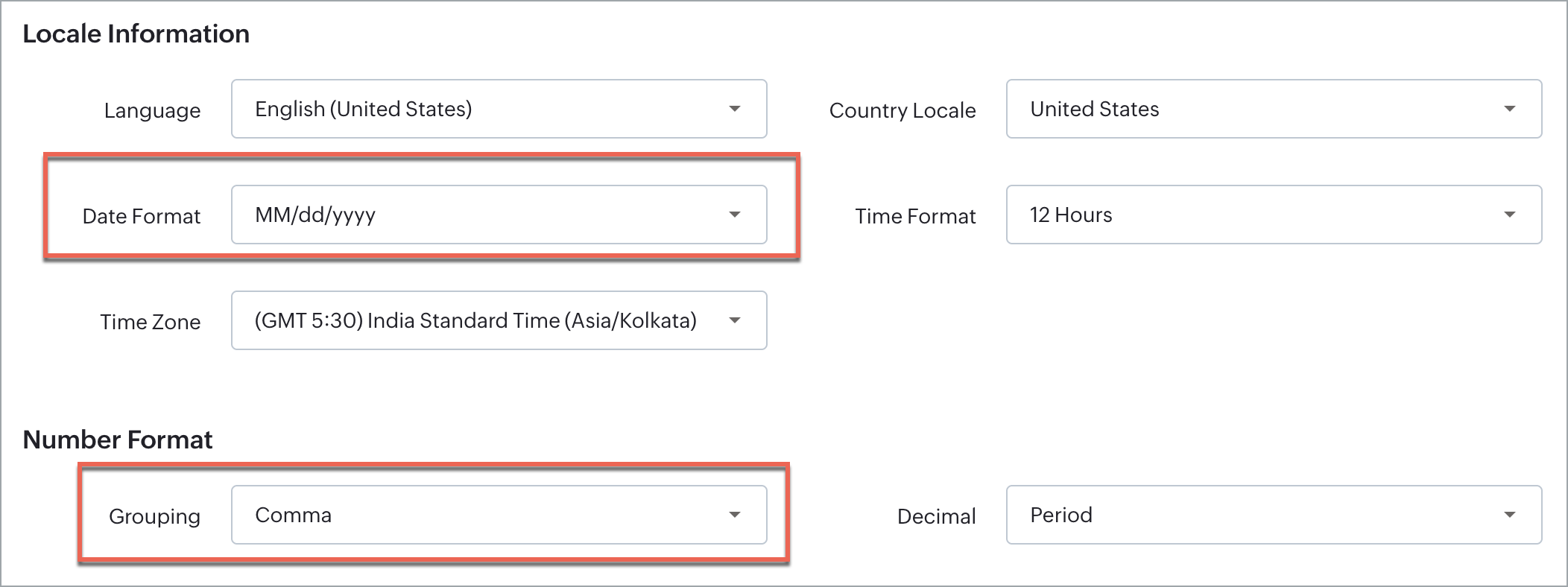
Date format preference
Number format preference
Go to Settings > Users and Controls.
To invite a new user, click + New User.
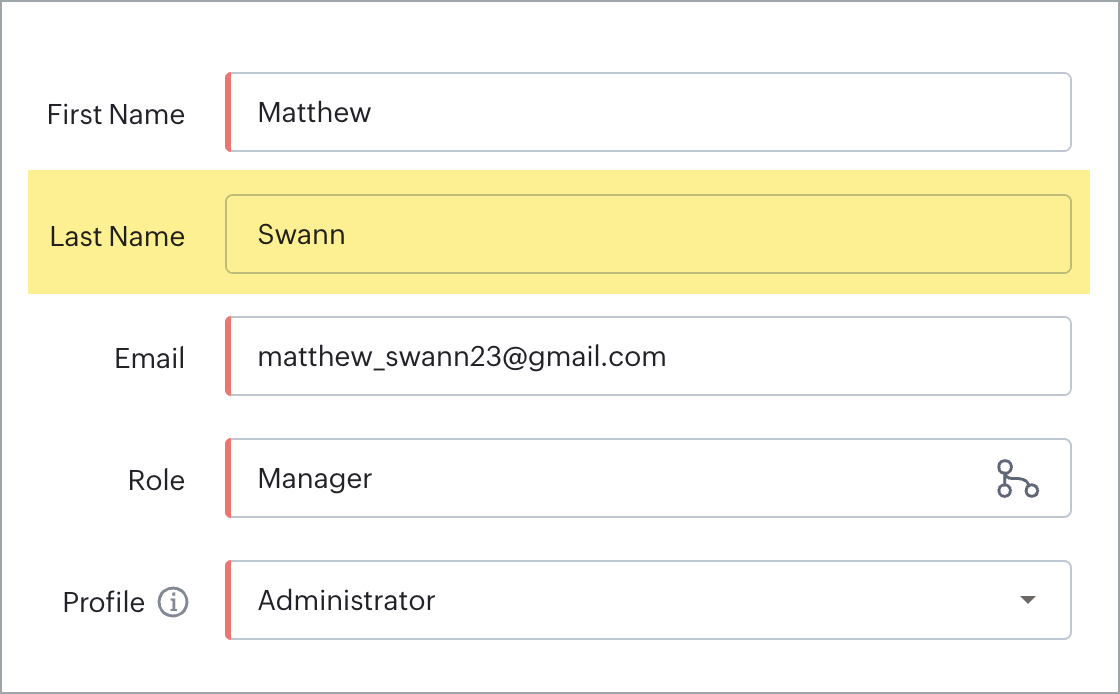
- You'll notice Last Name is no longer marked as mandatory—only First Name, Email, Role, and Profile need to be filled in before you click Invite User.
To set format preferences for an existing user, select the user and click Edit.
In the Edit User window, configure the following:
Date Format - Under Locale Information, click the Date Format dropdown and search for or select the preferred format (e.g., DD/MM/YYYY or MM/DD/YYYY).
Number Format - Under the Number Format section, choose a Grouping separator (comma, period, or space) and a Decimal separator (comma or period). For instance, selecting period for Grouping and comma for Decimal would display a number as 1.000,50.
- Click Save.
