Password-Protected PDFs in Zoho Forms
Hello form builders,
PDFs generated from your form submissions travel through email, across devices, and between hands you didn't intend.
For a restaurant's event inquiry, that's fine. But for a signed legal agreement, a loan application, or personal health information?
Zoho Forms now lets you put a lock on those PDFs.
Introducing PDF Password Protection built directly into the Default PDF Editor.
Before anyone can open a PDF generated from a submission, they'll need the right password.
The interesting part is that the password doesn't have to be static. You can build it dynamically from the respondent's own answers.
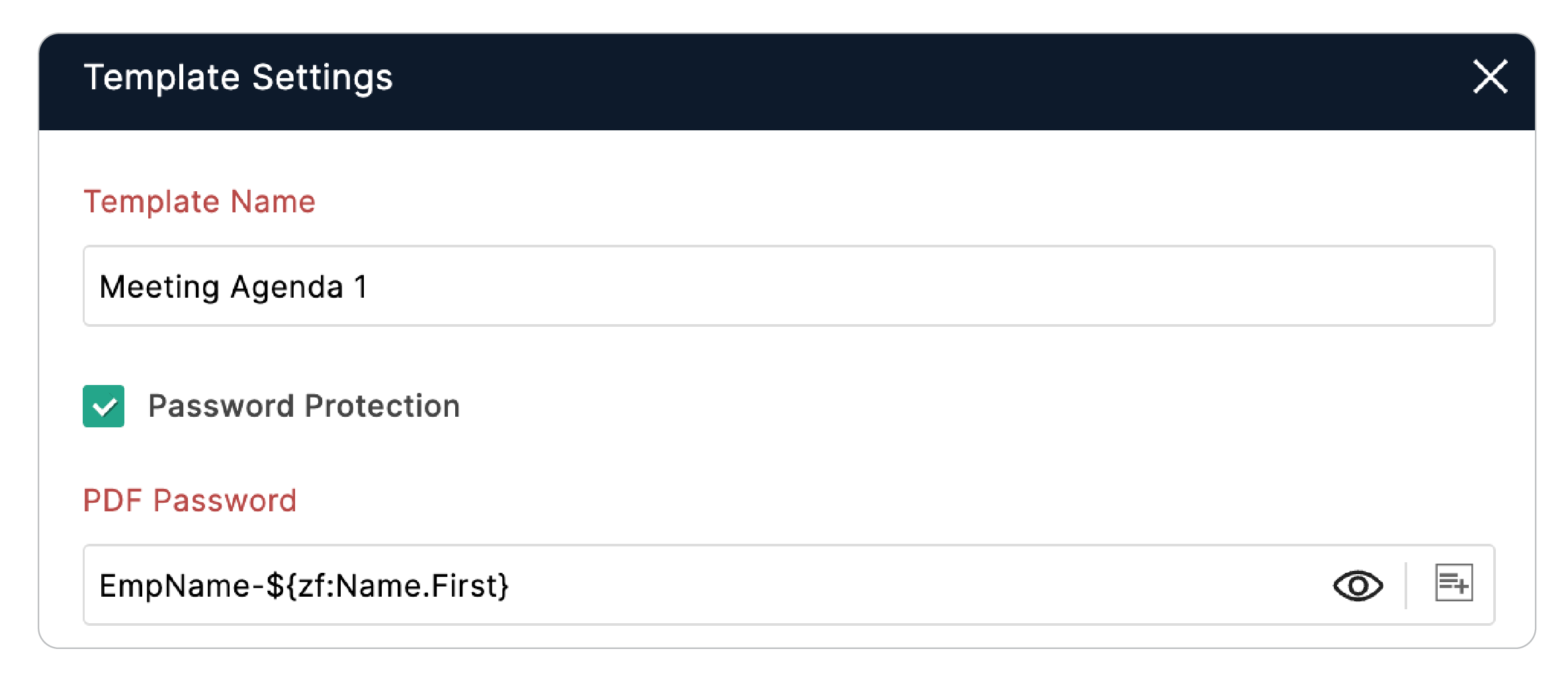
Running a client intake form? Set the PDF password to a combination of the client's first name, date of birth, and a static word so every PDF gets a unique password tied to the person who submitted it, and impossible to guess without knowing their data.
To enable it:
- In the PDF Editor > My Templates, hover over the desired template.
- Hover over the horizontal ellipsis and click Settings.
- In the Template Settings popup, enable the Password Protection checkbox.
If you're already generating PDFs from submissions, this takes under a minute to set up.
Cheers,
Samhita