Scale up your writing style with content analysis tool in Knowledge Base
Hello everyone,
Sometimes writers may have strong knowledge about the subject but may find it challenging to articulate clearly or produce comprehensible, jargon free content. To make the process easier and to ensure consistent, high-quality articles, content analysis tool offers a bunch of functionalities.
- Spelling errors - Highlight the typological errors and suggest the right word.
- Grammar suggestions - Highlight the grammatical errors and provide suggestions.
- Ease of reading - Shows the comprehensibility score of the sentence.
- Word cloud - Displays the total number of words and characters used in the article.
- Wordy phrases - Highlight the phrases that are difficult to read.
- Improper word choices - Words that do not fit in with the context.
- Rephrasable sentences - Sentences that can be shortened or rephrased.
- Informal writing - Usage of colloquial words.
- Non-inclusive languages - Sentences that are stereotypical and not gender neutral.
- Incomplete sentences - Sentences that are missing certain words.
- Passive sentences - Sentences written in passive voice that can be changed to active voice.
- Adverbs - Adverbs that are over used in a sentence.
- Cliché - Phrases that are used frequently and lost its originality.
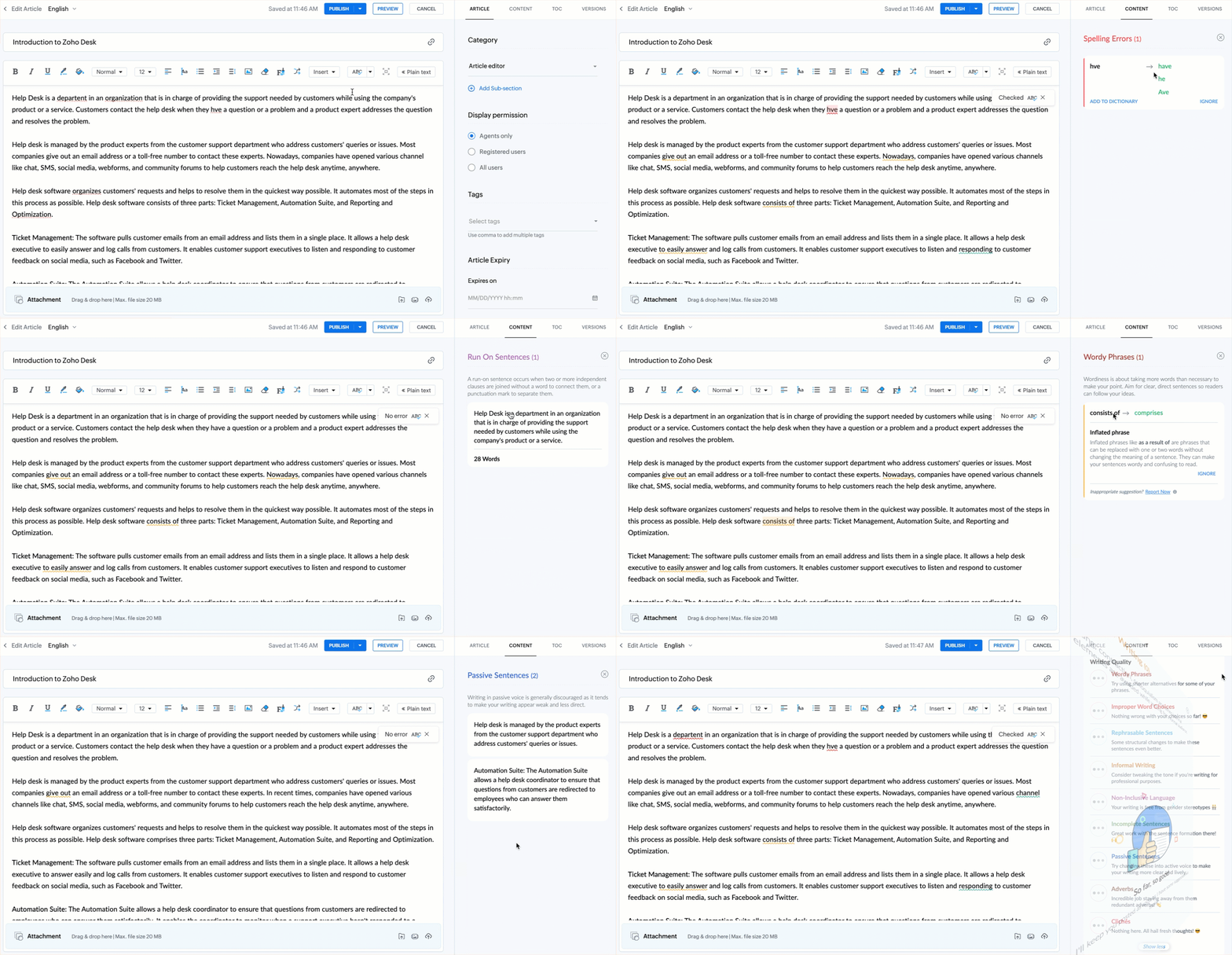
By fixing these points, writers can confidently refine their content and deliver well-crafted articles every time.
This feature is now available for all users across data centers.
Kindly refer to the help doc: Formatting Knowledge Base Articles Using WYSIWYG Editor
PM: @Rajaram Iyyankalai
Regards,
B. Akshaya | Zoho Desk - User Education