Support for Search in WorkDrive TrueSync
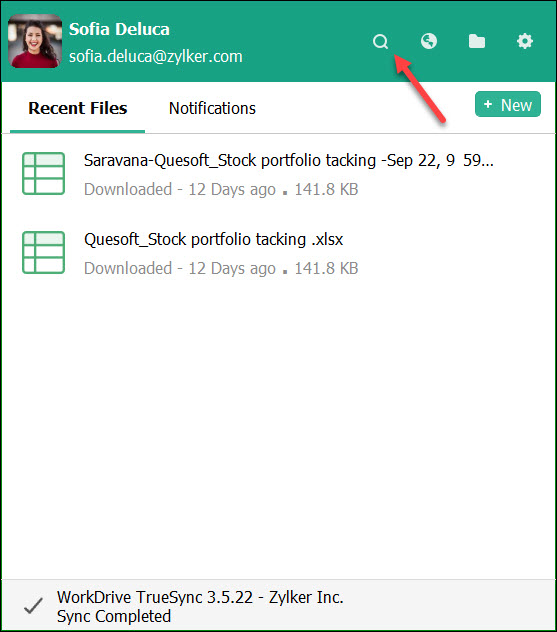
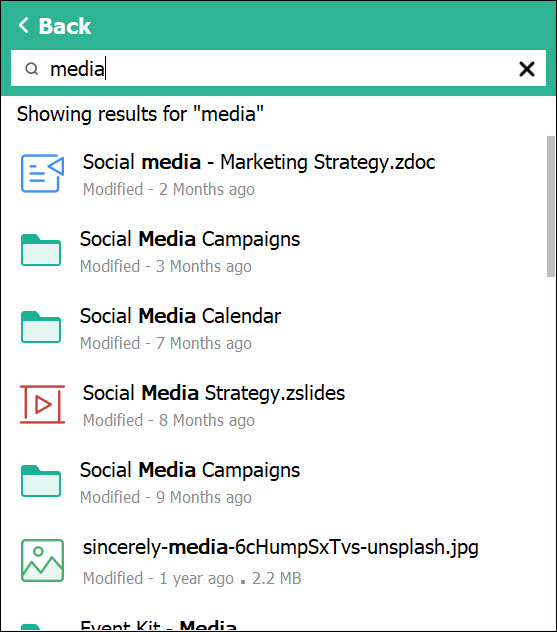
Zoho WorkDrive now supports searching files and folders from within the TrueSync app in your computer. From the TrueSync tray icon menu, you can search for files and folders and double-click them to open or go to the folder location.
Note: If the file size is large, you will be first taken to the folder location from where you can select and open the file in your system.
You need to manually download and install the latest TrueSync app to avail this feature.
Supported OS versions:
Windows: 7 & aboveMac: OS X 10.14 and above
Note: You must quit the current TrueSync application in your computer before you install the latest version.
Also read: WorkDrive TrueSync - Release Notes
Please feel free to contact our support team at support@zohoworkdrive.com if you have any questions.